Void a line or reopen an order

Void order or line · Reason · Reopen closed order · Archive paid order

  • Signed in as a Manager
Manager

Void order or line

Manager

Void order or line

1Step 1 of 5

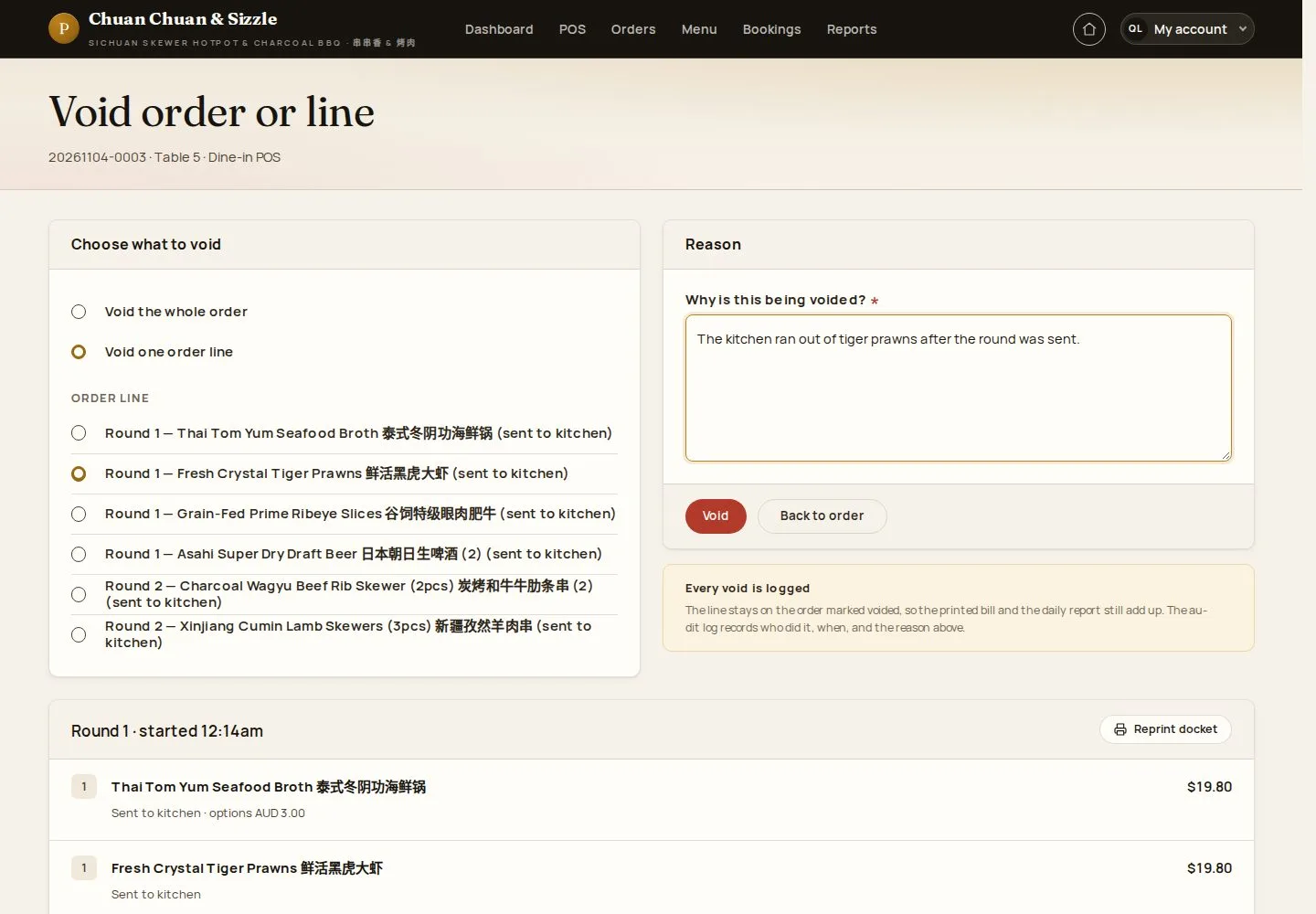
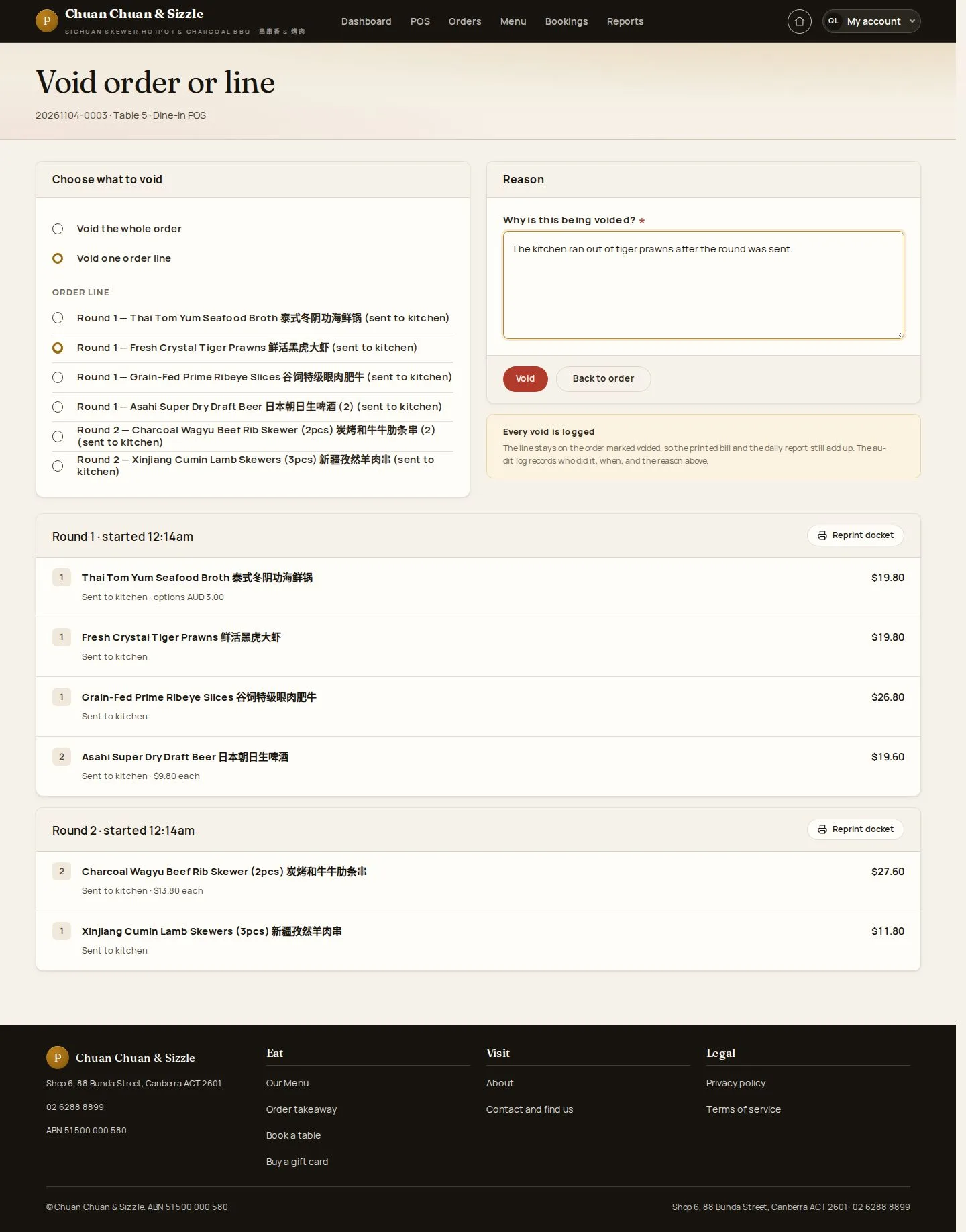
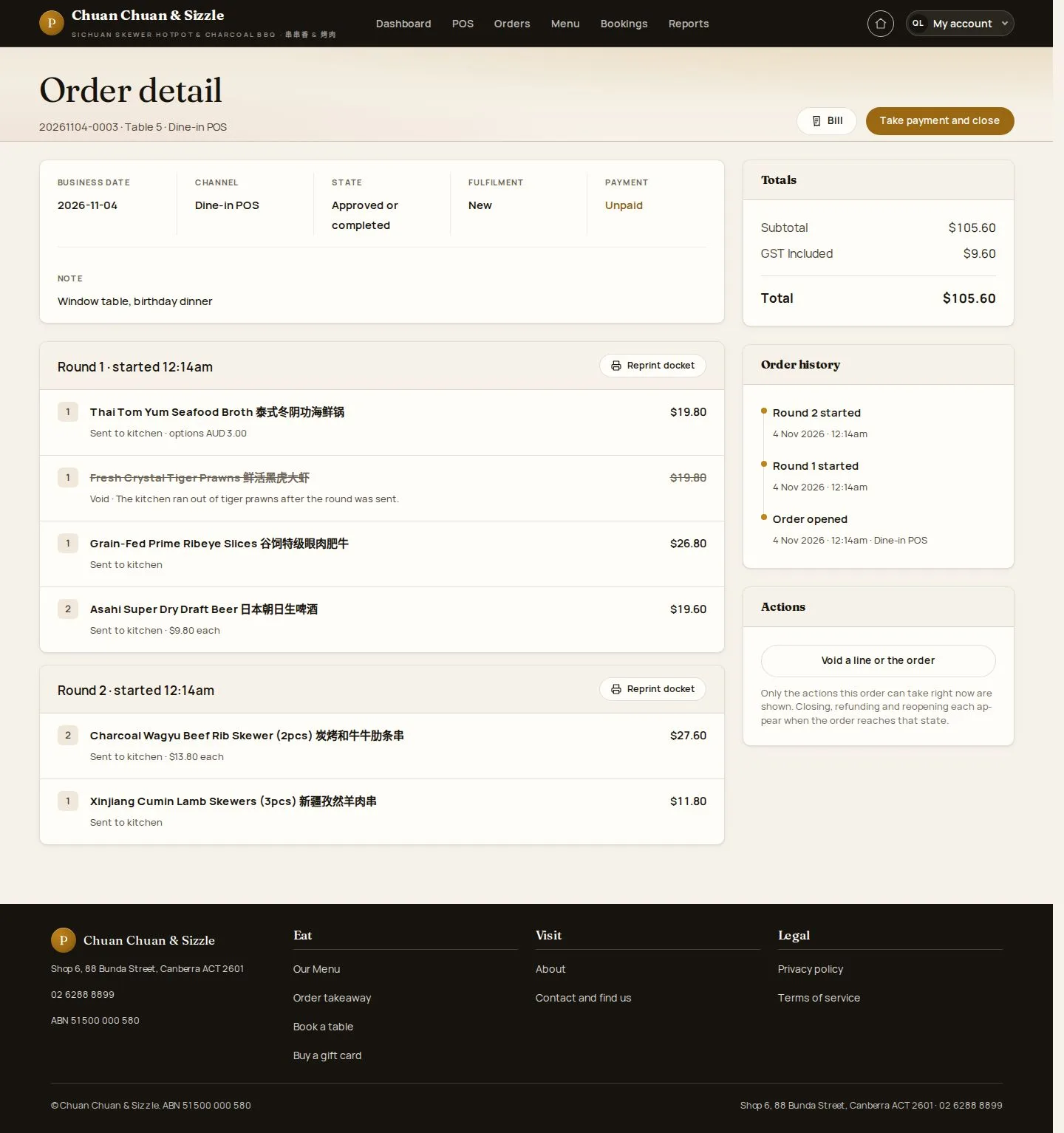
  1. Order detail › Void a line or the order.
  2. Void one order line and choose it, or Void the whole order.
  3. Why is this being voided? Give the reason, then Void.

A waiter may void only lines not yet sent to the kitchen. Every void is logged.

Enlarge, then scroll

Open illustrated screen ↗Full image ↗

Manager · Void a line or reopen an order01

Line voided

Manager

Line voided

2Step 2 of 5

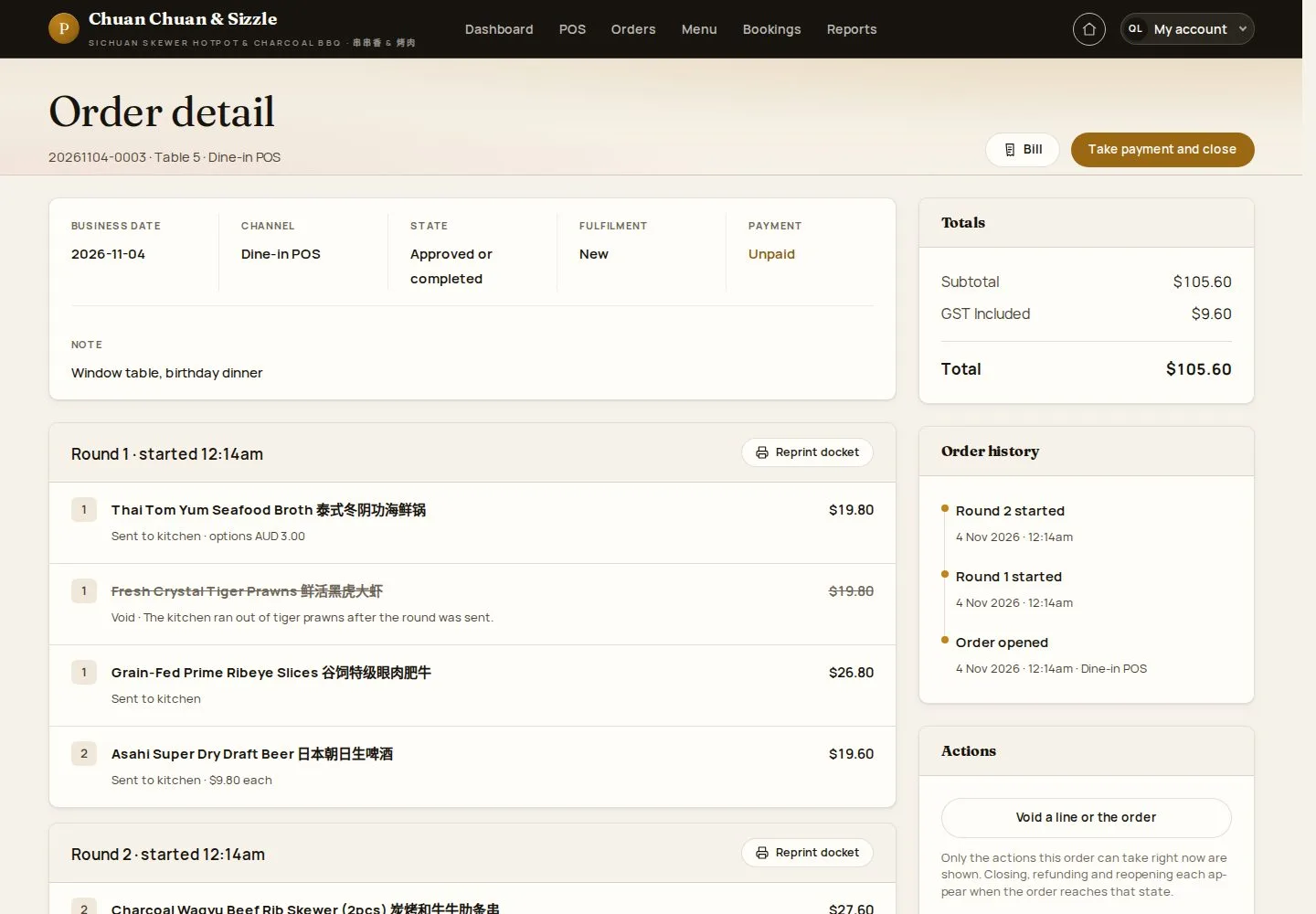
  1. The line stays on the order, struck through, with its reason; the totals leave it out.

Enlarge, then scroll

Open illustrated screen ↗Full image ↗

Manager · Void a line or reopen an order02

Reopen closed order

Manager

Reopen closed order

3Step 3 of 5

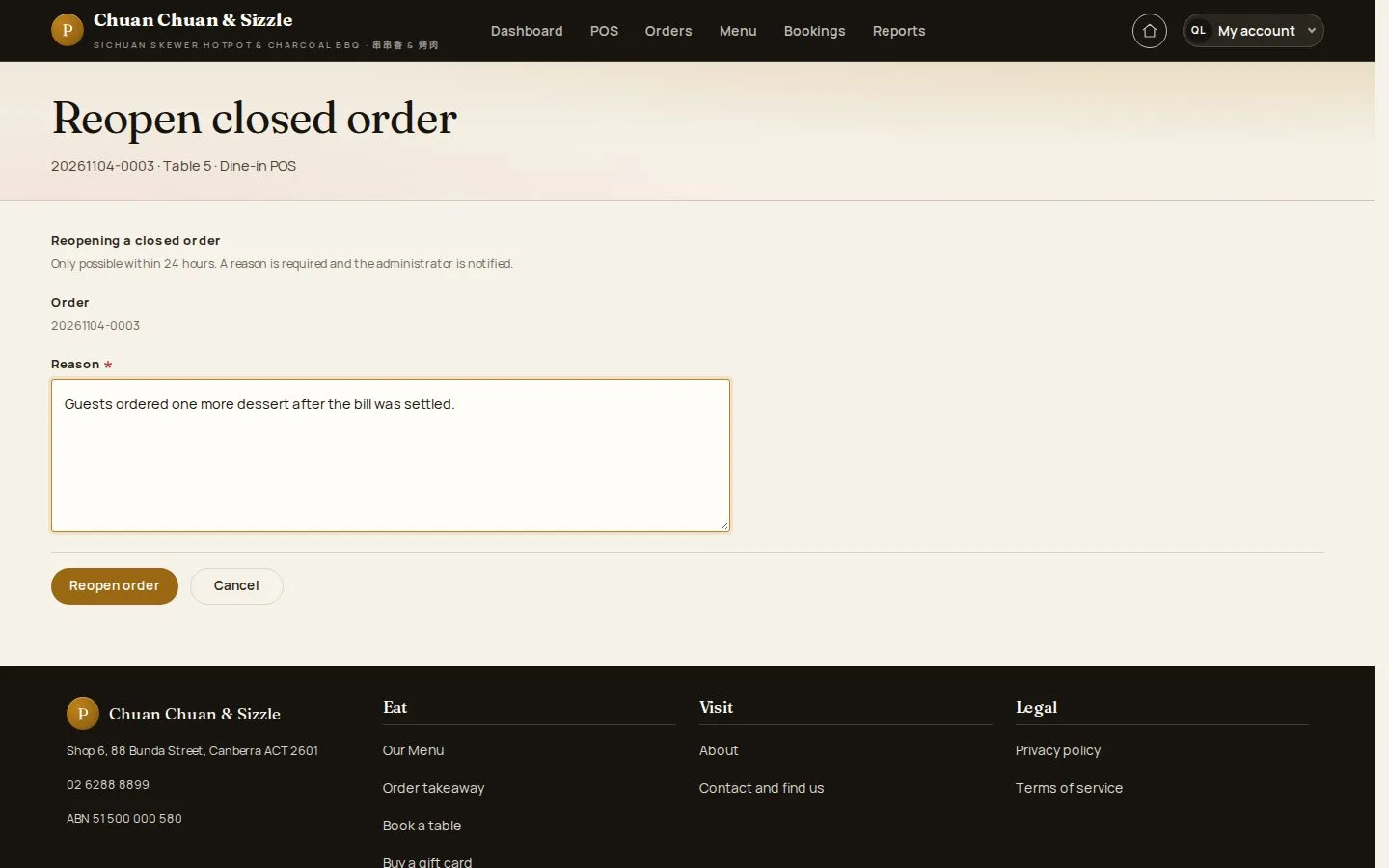
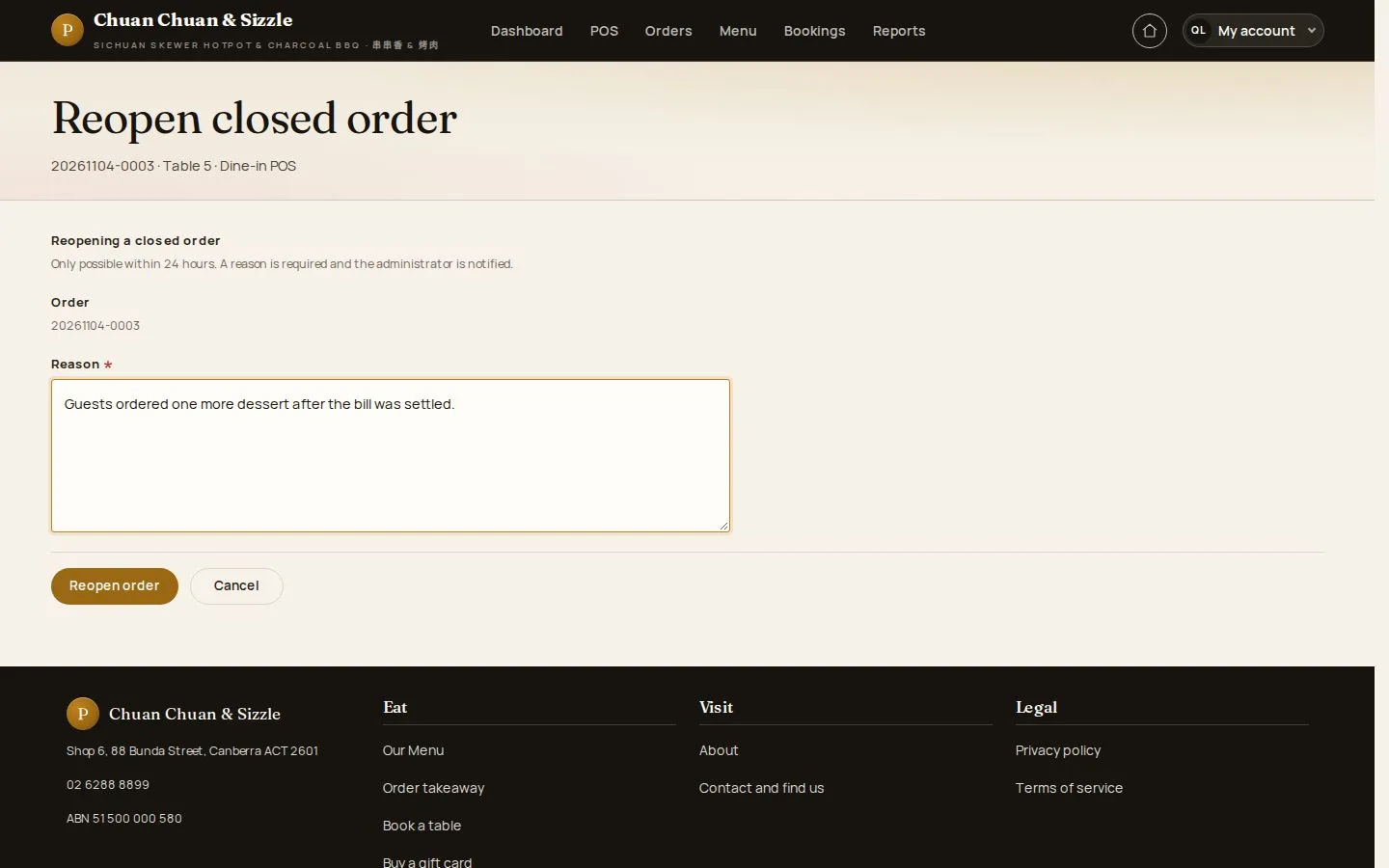
  1. On a closed order: Reopen a closed order.
  2. Reason, then Reopen order.

Only within 24 hours of closing; the administrator is notified.

Open illustrated screen ↗Full image ↗

Manager · Void a line or reopen an order03

Reopened

Manager

Reopened

4Step 4 of 5

  1. The order is open again and keeps its payments.
  2. Archive paid order when nothing more is owed.

Enlarge, then scroll

Open illustrated screen ↗Full image ↗

Manager · Void a line or reopen an order04

Archive paid order

Manager

Archive paid order

5Step 5 of 5

  1. Archive this paid order: it is filed as finished and cannot be edited again.

A website order paid by card also offers Refund online payment: it records the refund, and the money goes back through the card provider.

Open illustrated screen ↗Full image ↗

Check

The change and its reason are on the order and in its history

Manager · Void a line or reopen an order05
1 / 6
Privacy Terms