Website content

Website content · Pages · Home sections

  • Signed in as a Manager
Manager

Website content

Manager

Website content

1Step 1 of 2

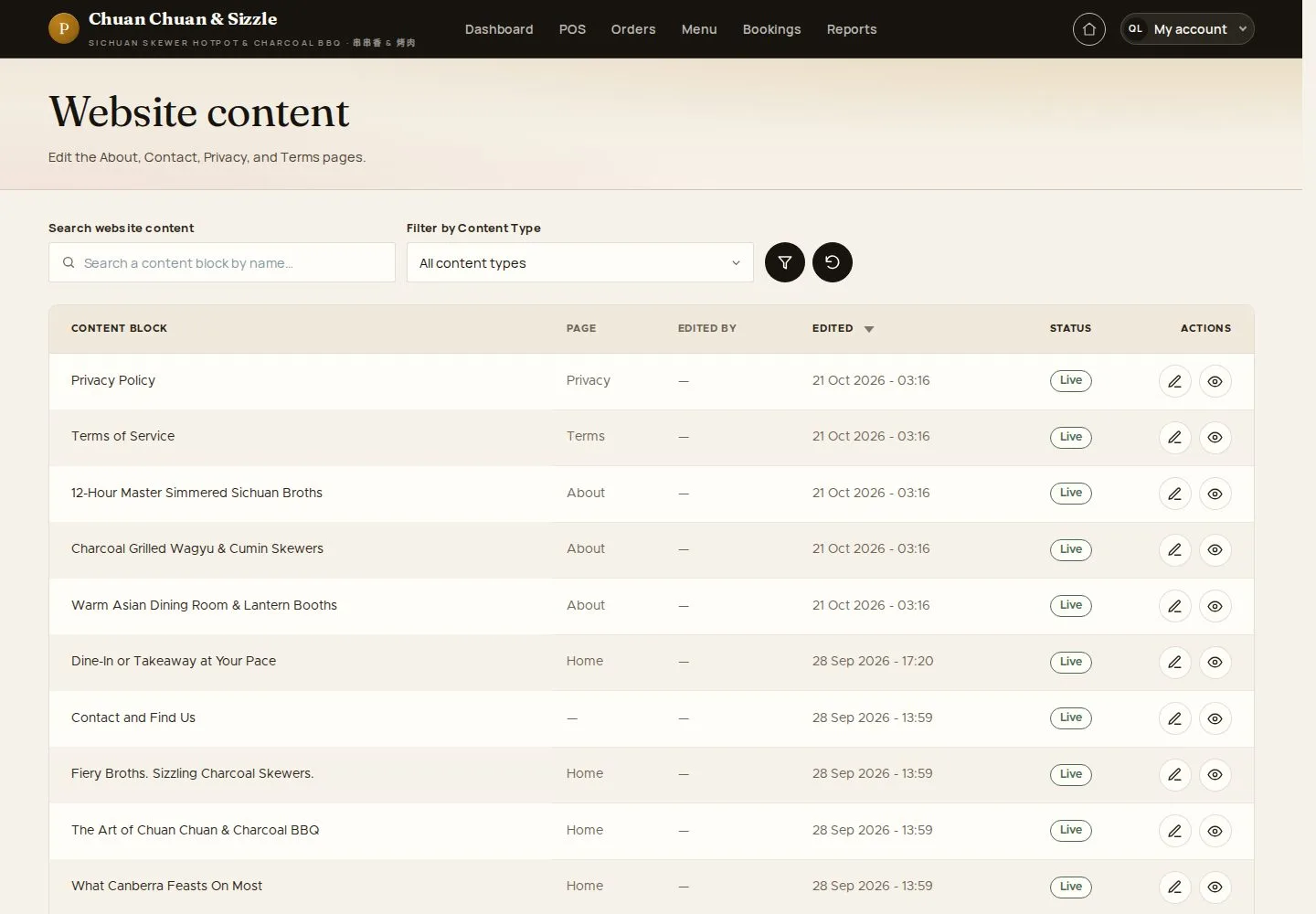
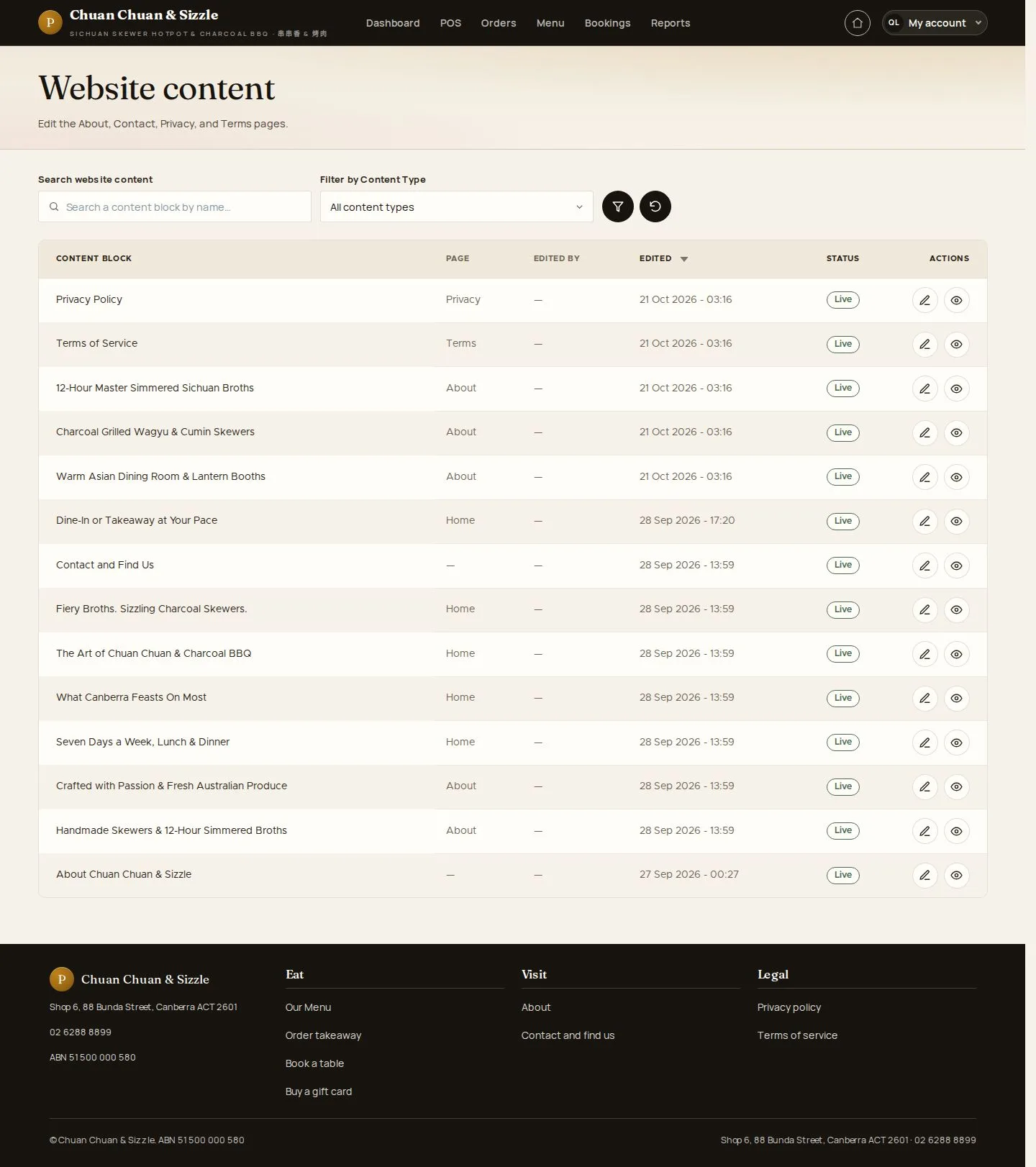
  1. My account › Website content: the text blocks of the Home, About, Contact, Privacy and Terms pages.
  2. Search, or filter by content type; the pencil edits, the eye views.

Enlarge, then scroll

Open illustrated screen ↗Full image ↗

Manager · Website content01

Edit a page

Manager

Edit a page

2Step 2 of 2

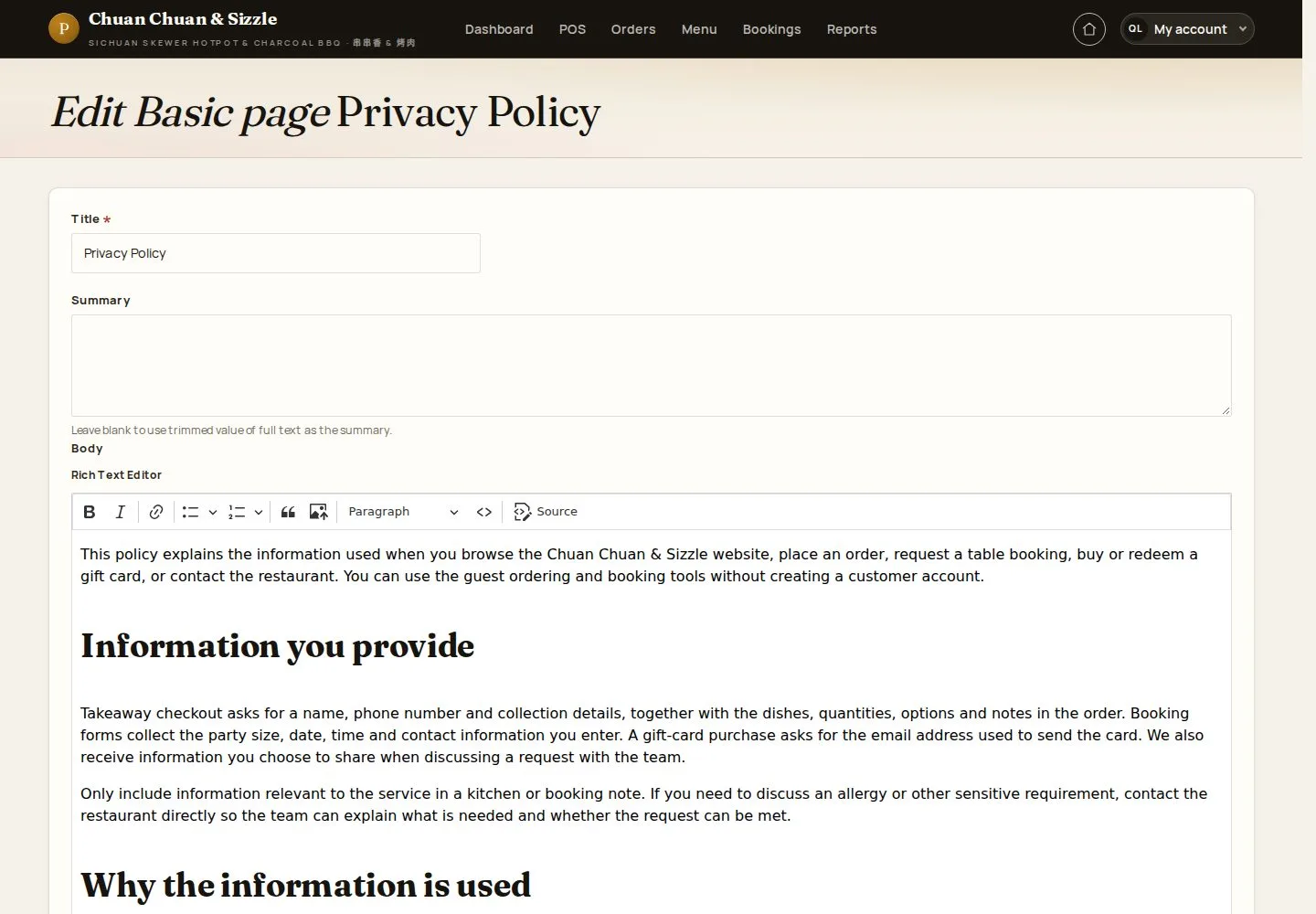
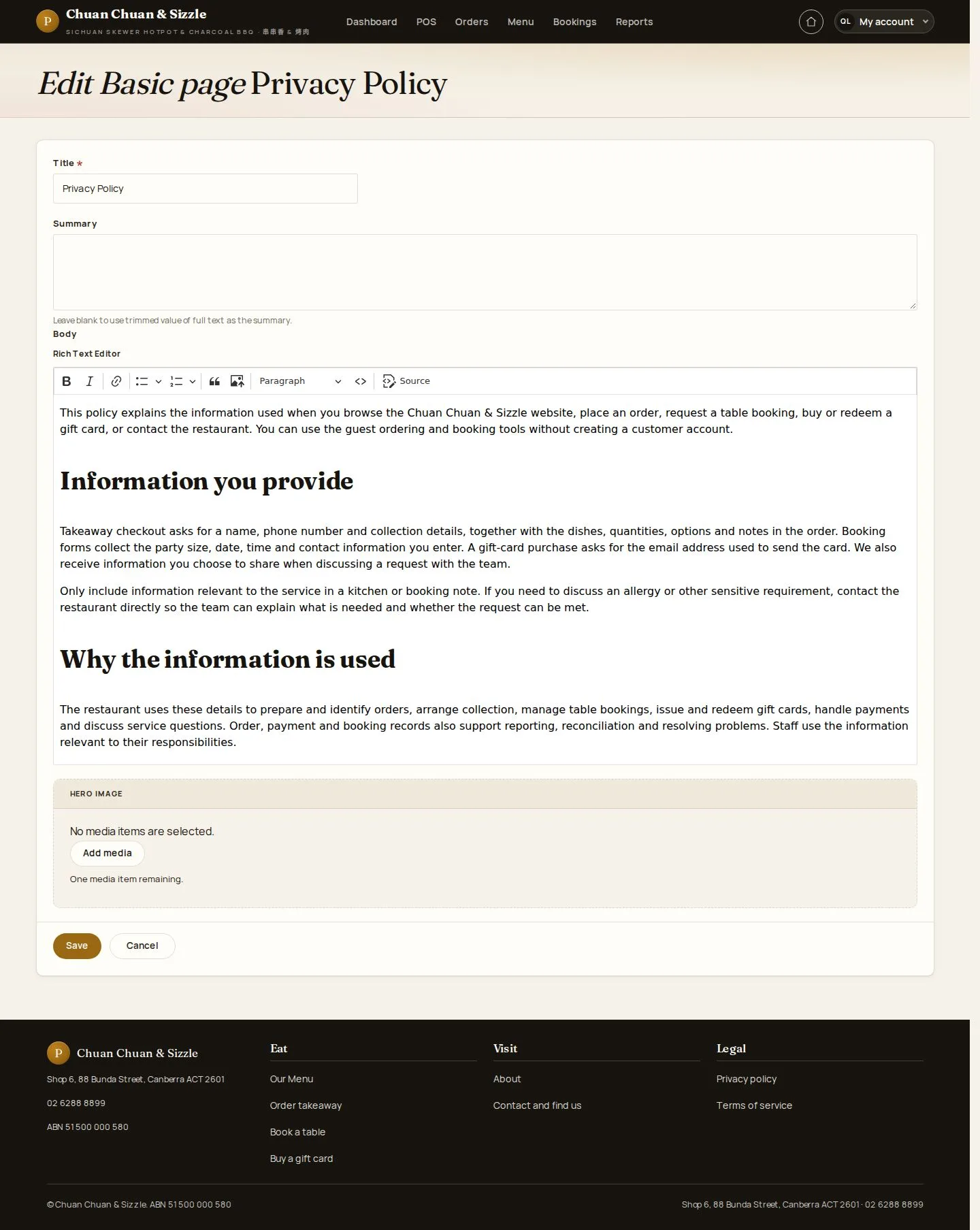
  1. Title, Summary and Body.
  2. Save: the page shows the new text.

Enlarge, then scroll

Open illustrated screen ↗Full image ↗

Check

The website shows the updated text

Manager · Website content02
1 / 3
Privacy Terms