Staff accounts and roles

Staff accounts · Waiter · Manager · Administrator

  • Signed in as an Administrator
Administrator
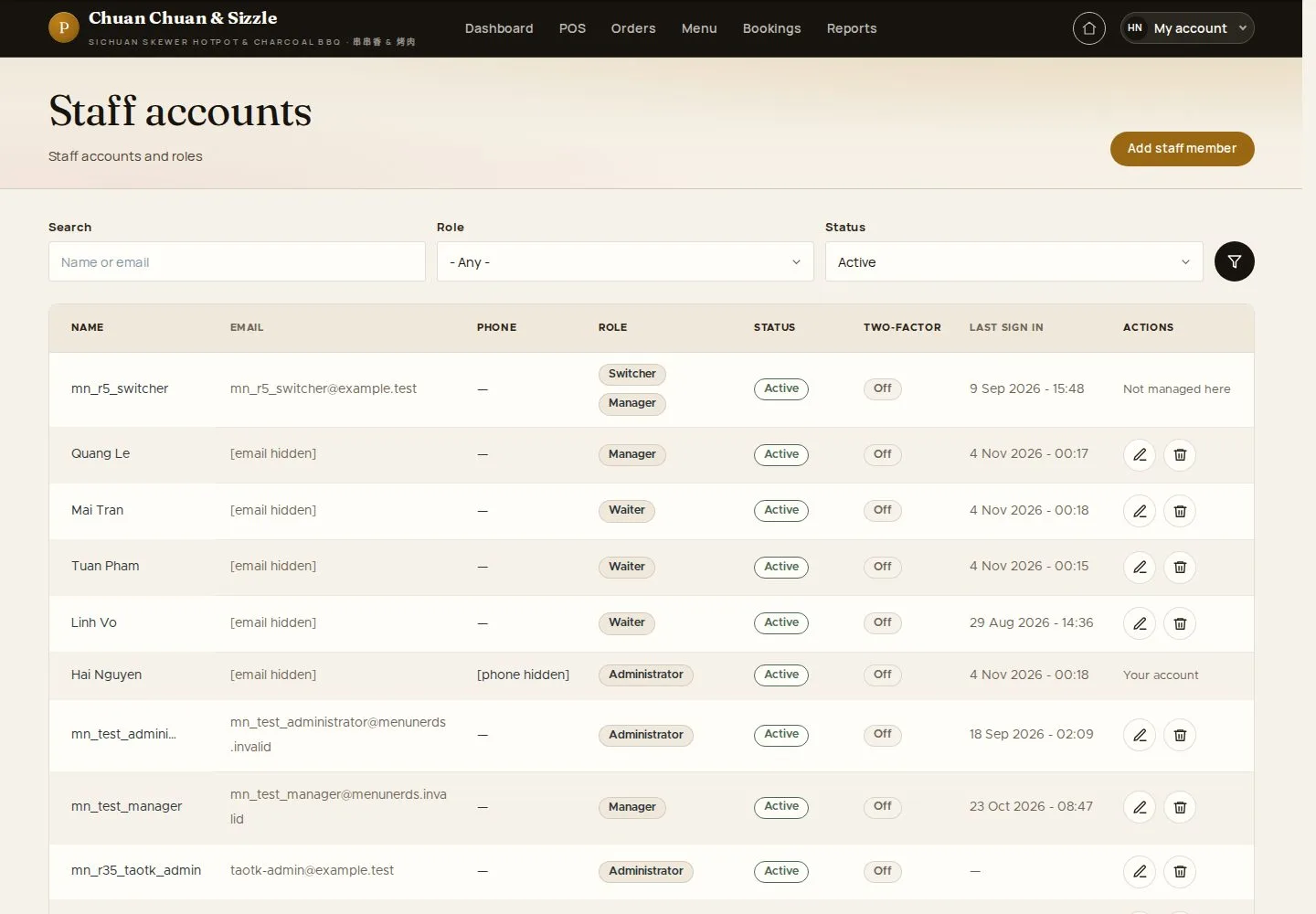
Staff accounts

Administrator

Staff accounts

1Step 1 of 3

  1. Every account and role; filter by role or status.

Enlarge, then scroll

Open illustrated screen ↗Full image ↗

Administrator · Staff accounts and roles01

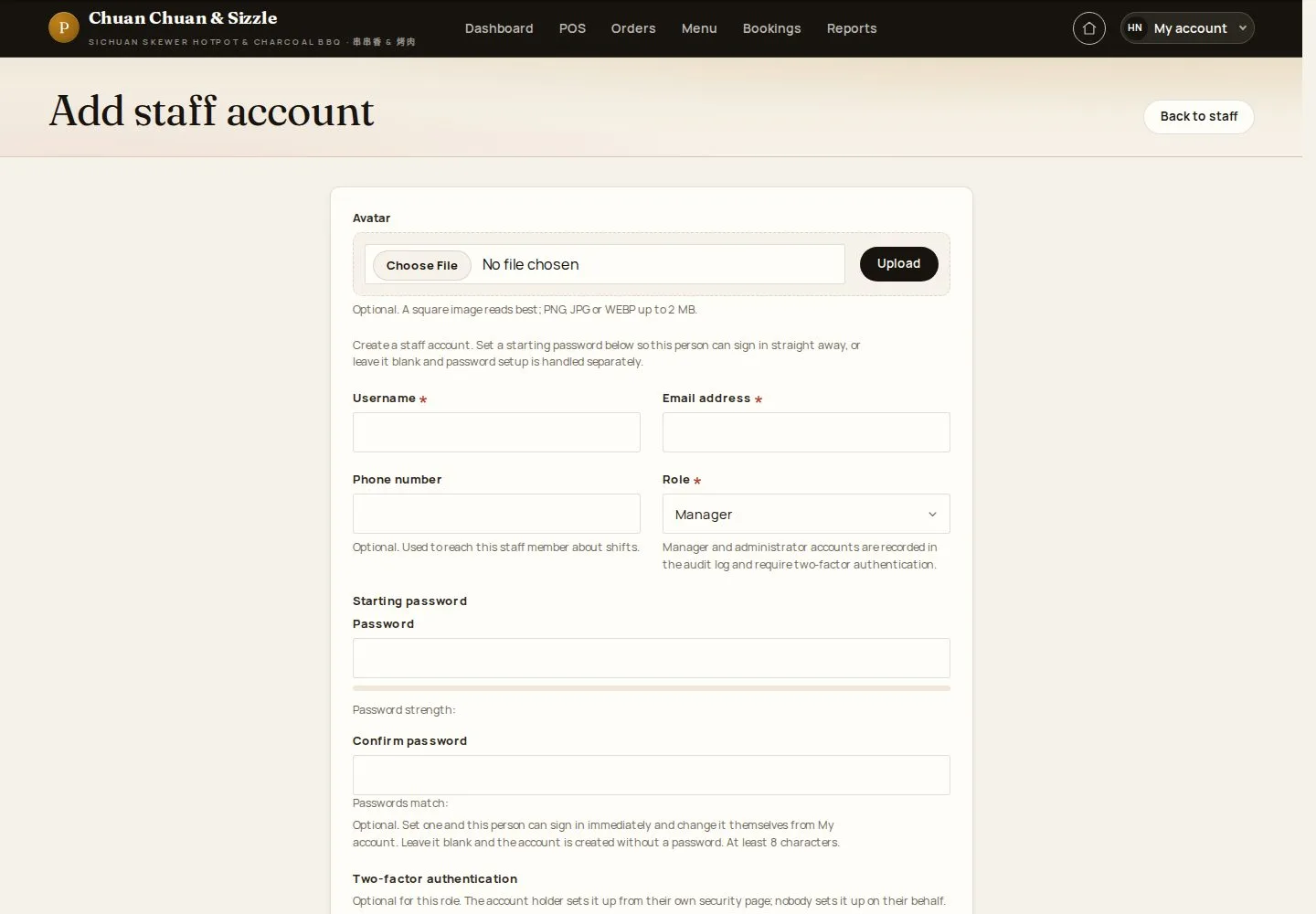
Add staff account

Administrator

Add staff account

2Step 2 of 3

  1. Role: Waiter, Manager or Administrator.
  2. Create account.

Every grant of the Manager or Administrator role is recorded and emailed to the administrators.

Enlarge, then scroll

Open illustrated screen ↗Full image ↗

Administrator · Staff accounts and roles02

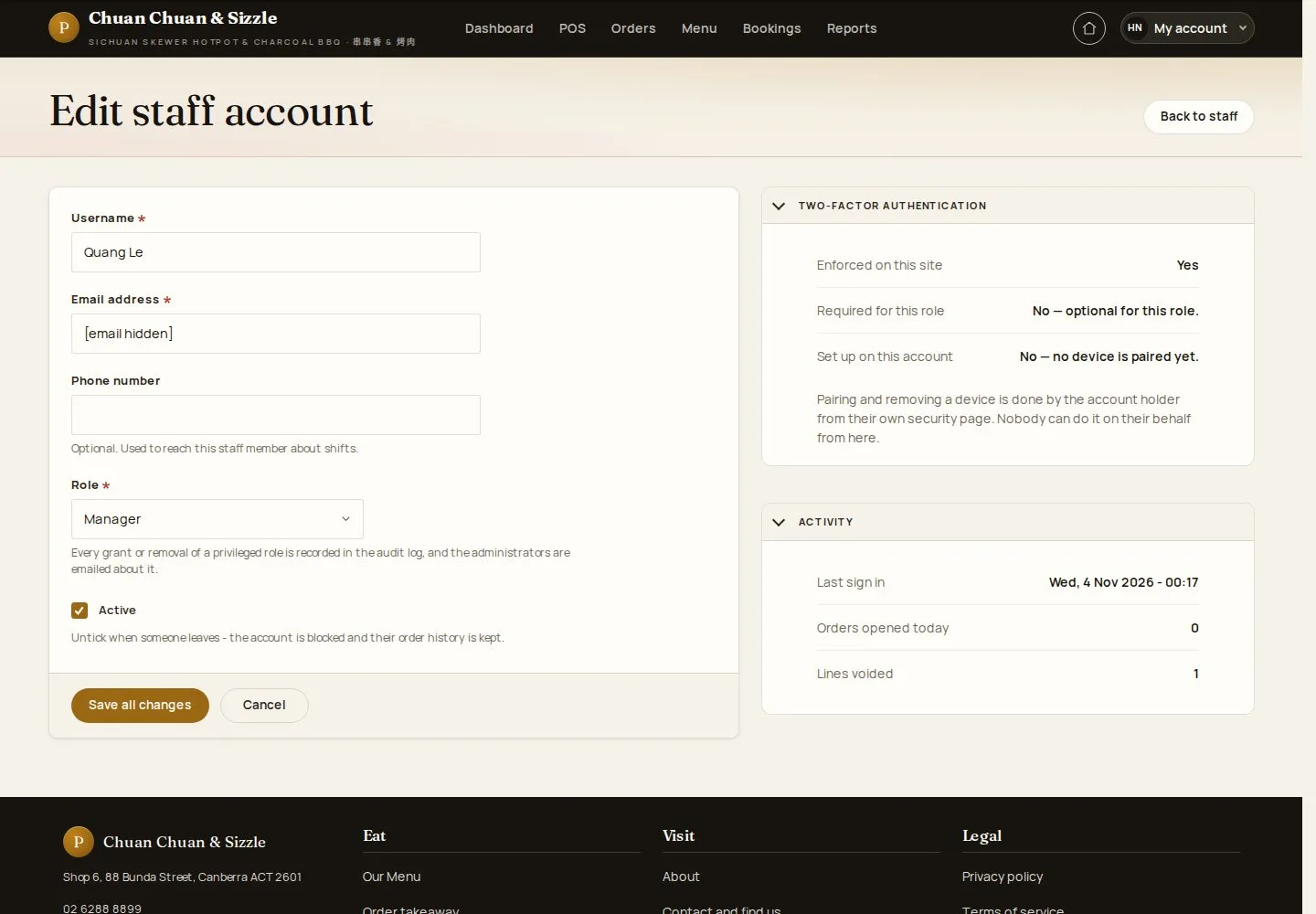
Edit a Manager

Administrator

Edit a Manager

3Step 3 of 3

  1. Change the role or the contact details; untick Active to block the account.

Enlarge, then scroll

Open illustrated screen ↗Full image ↗

Check

Each person has the role their work needs

Administrator · Staff accounts and roles03
1 / 4
Privacy Terms