Gift cards and promotions

Gift cards · Gift card amounts · Promotions

  • Signed in as a Manager
Manager

Gift cards

Manager

Gift cards

1Step 1 of 4

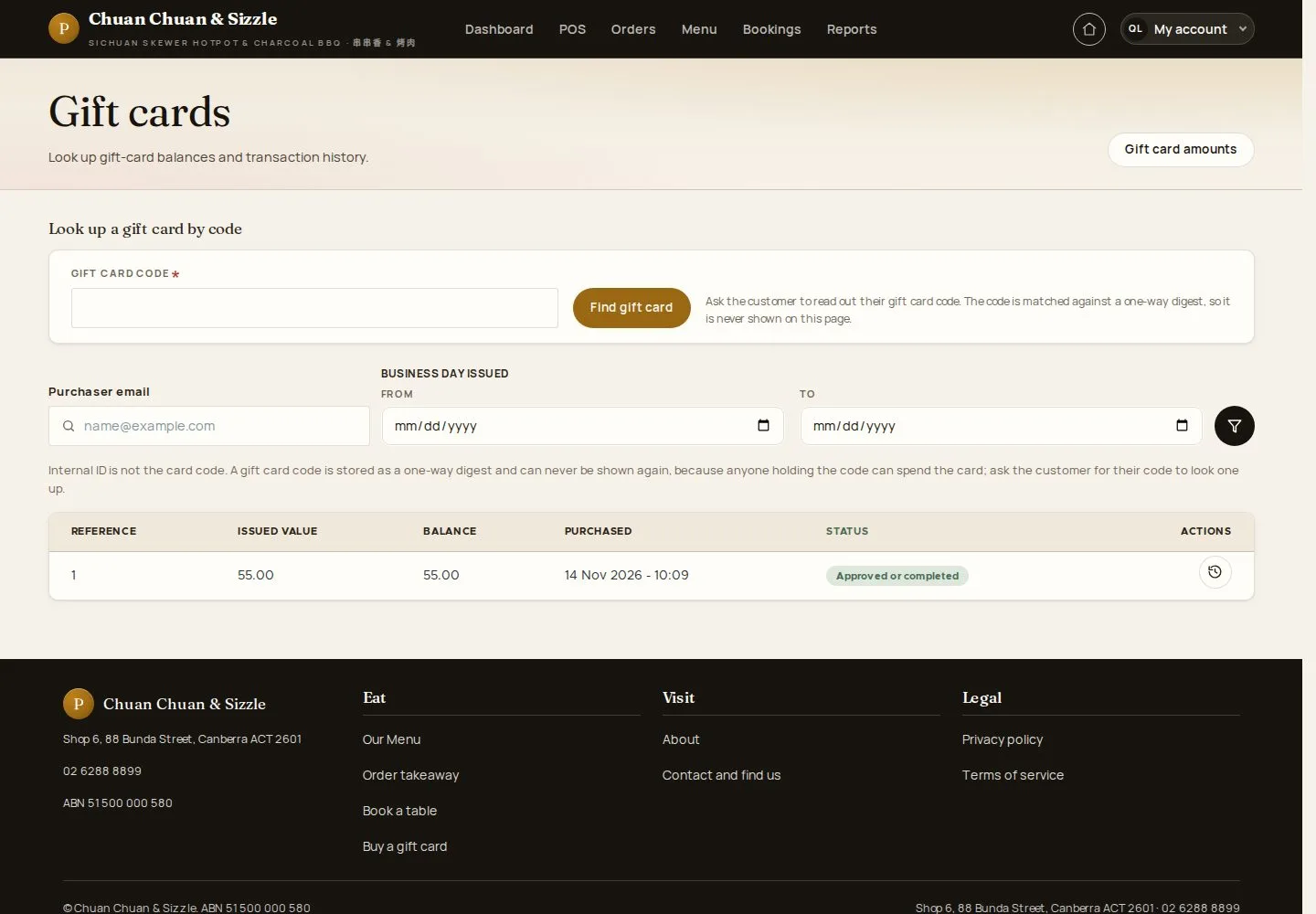
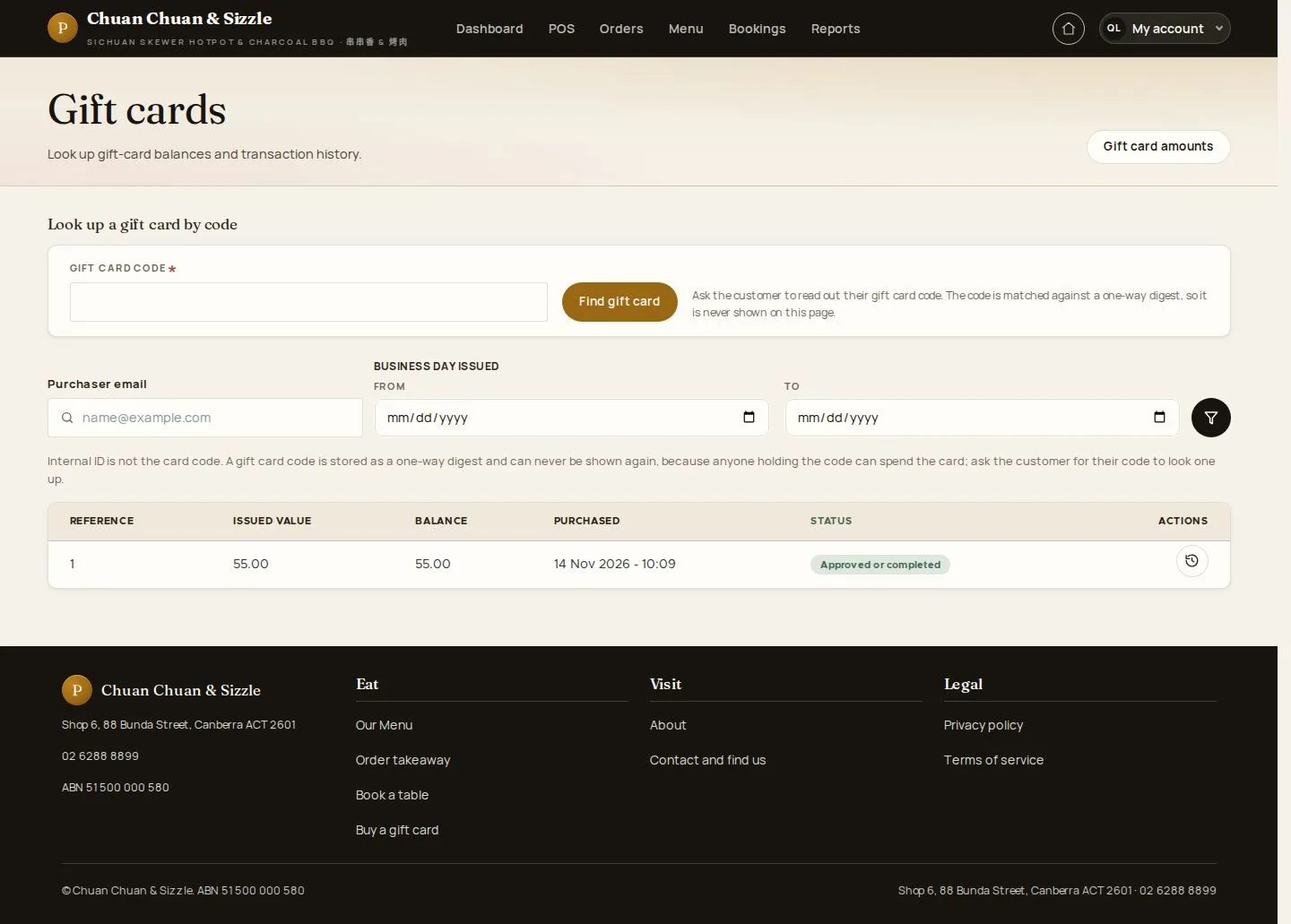
  1. My account › Gift cards: look up a card by its code.
  2. The cards issued, with issued value, balance, purchase date and status; filter by purchaser email or date.

A code is stored as a one-way digest and never shown again: ask the customer for it.

Enlarge, then scroll

Open illustrated screen ↗Full image ↗

Manager · Gift cards and promotions01

Gift card amounts

Manager

Gift card amounts

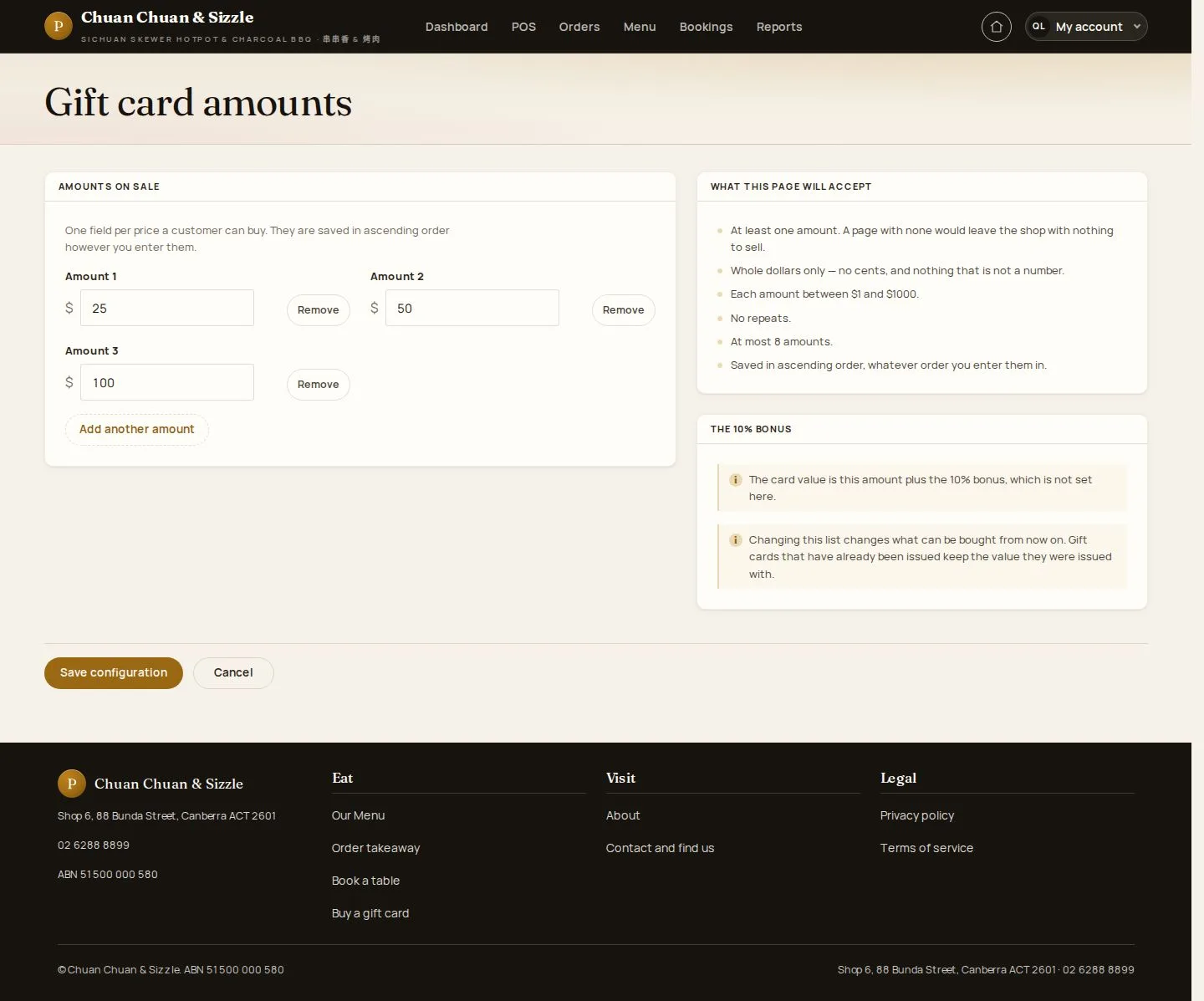
2Step 2 of 4

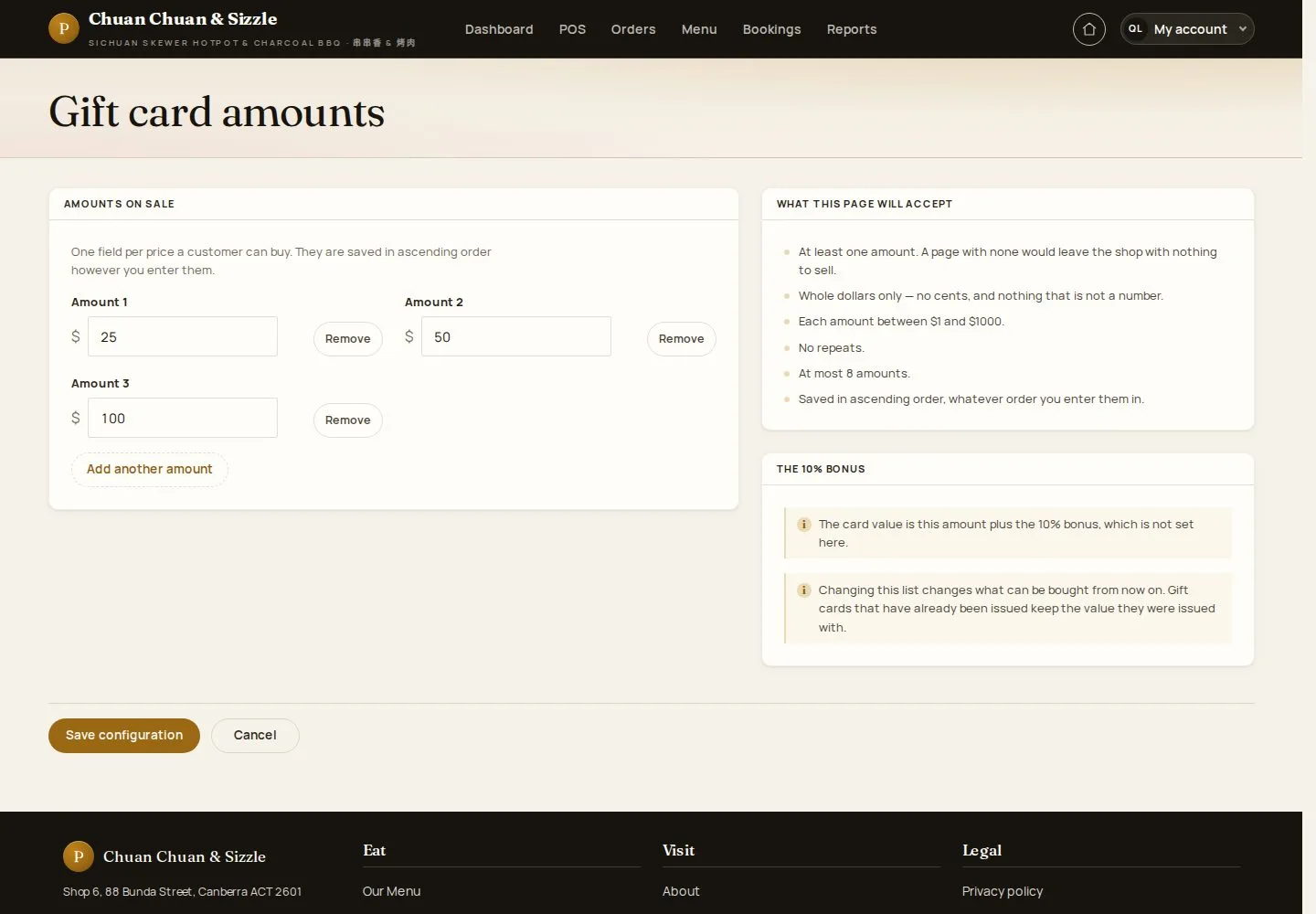
  1. The amounts on sale: at least one and at most 8, whole dollars from $1 to $1000.
  2. Add another amount or Remove one; Save configuration.

Each card adds a 10% bonus. Cards already issued keep their value.

Enlarge, then scroll

Open illustrated screen ↗Full image ↗

Manager · Gift cards and promotions02

Promotions

Manager

Promotions

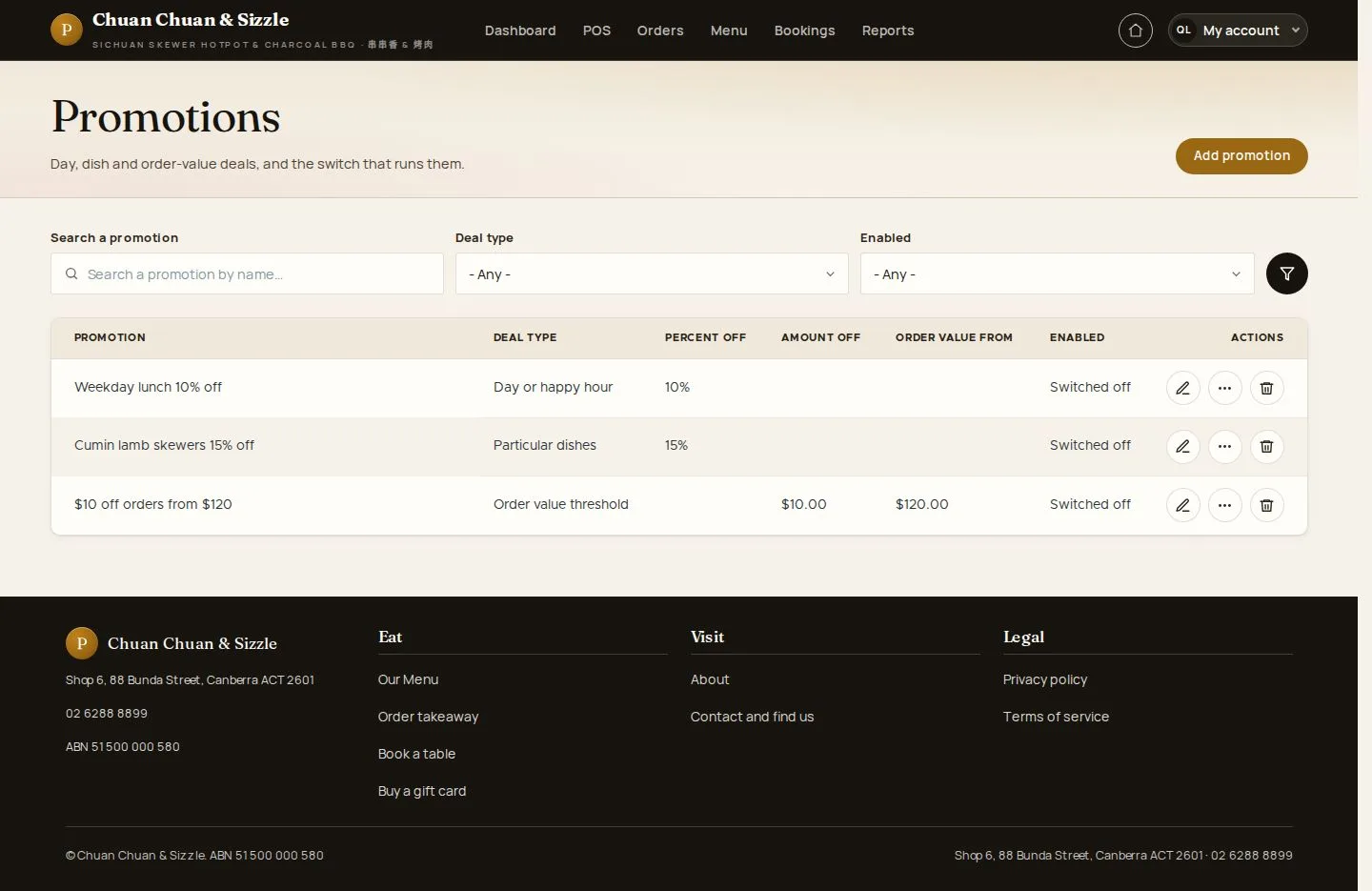
3Step 3 of 4

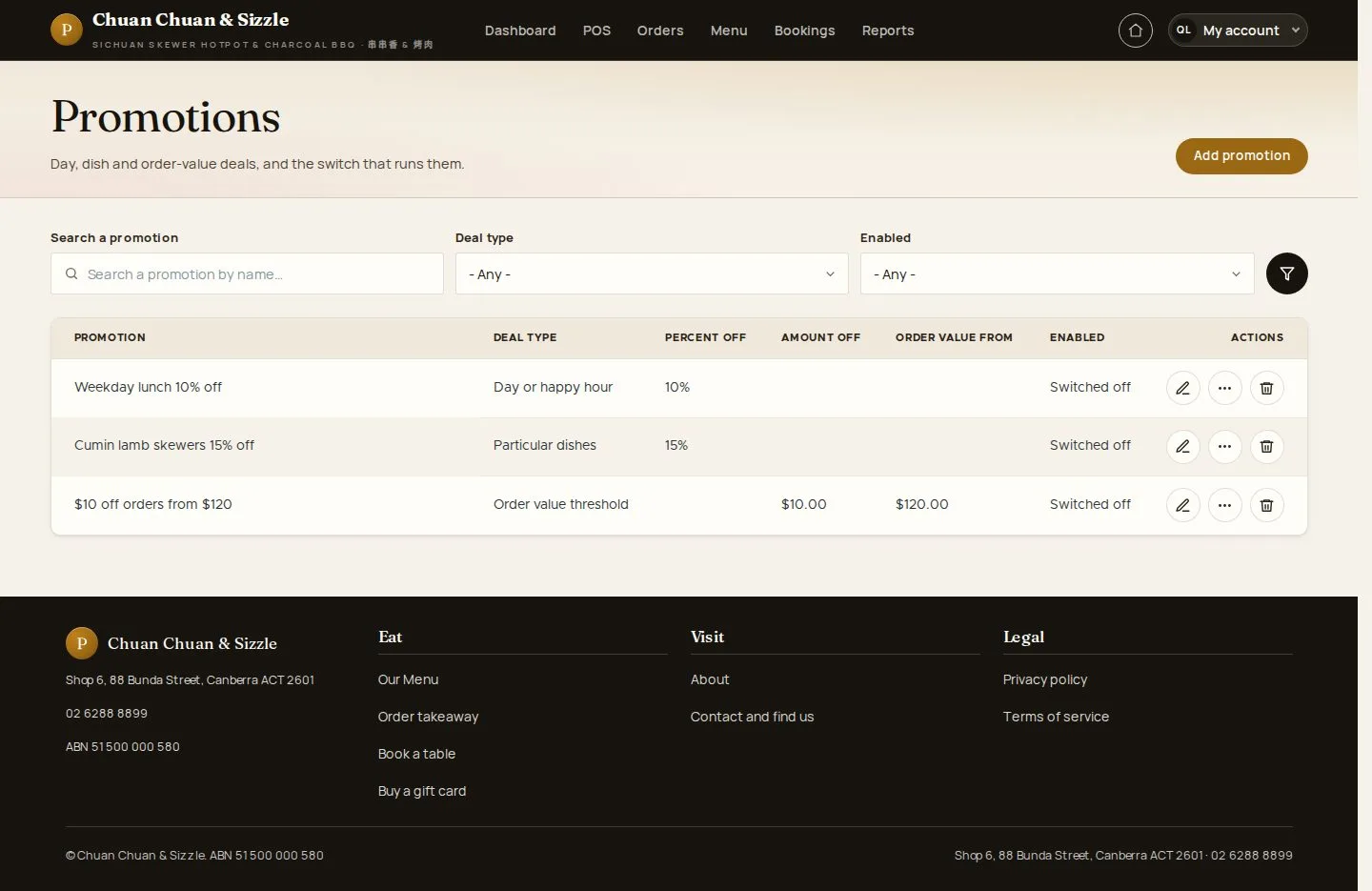
  1. My account › Promotions: day or happy-hour deals, dish deals and order-value deals.
  2. Enabled shows which run; edit, switch on or off, or delete each one.

Open illustrated screen ↗Full image ↗

Manager · Gift cards and promotions03

Add promotion

Manager

Add promotion

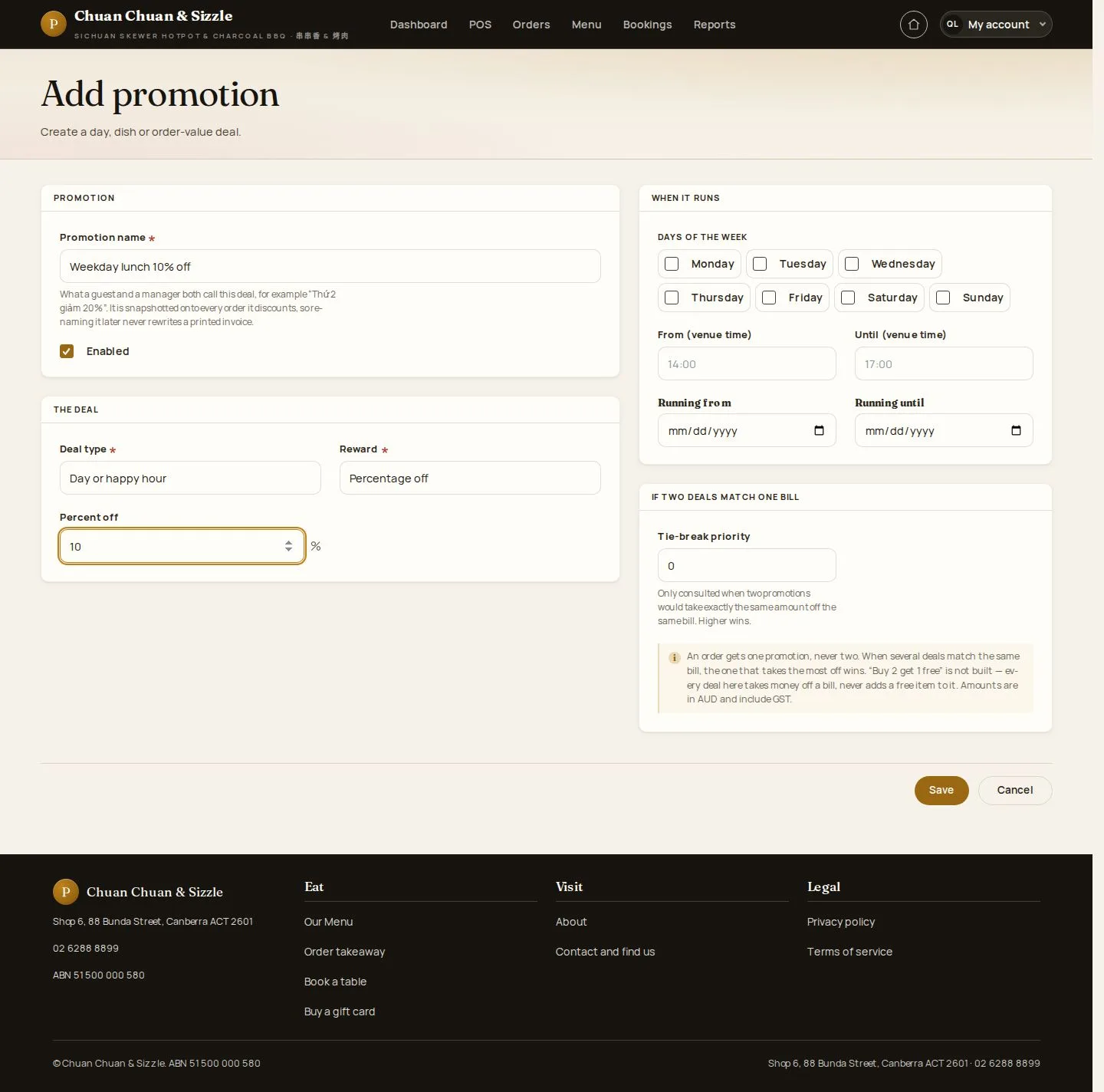
4Step 4 of 4

  1. Add promotion: Promotion name and Enabled.
  2. Deal type and Reward, a percentage or a fixed amount; the days, hours and dates it runs.
  3. Save.

An order gets one promotion: the one that takes the most off. GST is worked out after the discount.

Enlarge, then scroll

Open illustrated screen ↗Full image ↗

Check

The cards on sale and the promotions are set

Manager · Gift cards and promotions04
1 / 5
Privacy Terms