Start the shift

Staff dashboard · My account menu · Orders

  • A Waiter account
Waiter

Staff dashboard

Waiter

Staff dashboard

1Step 1 of 4

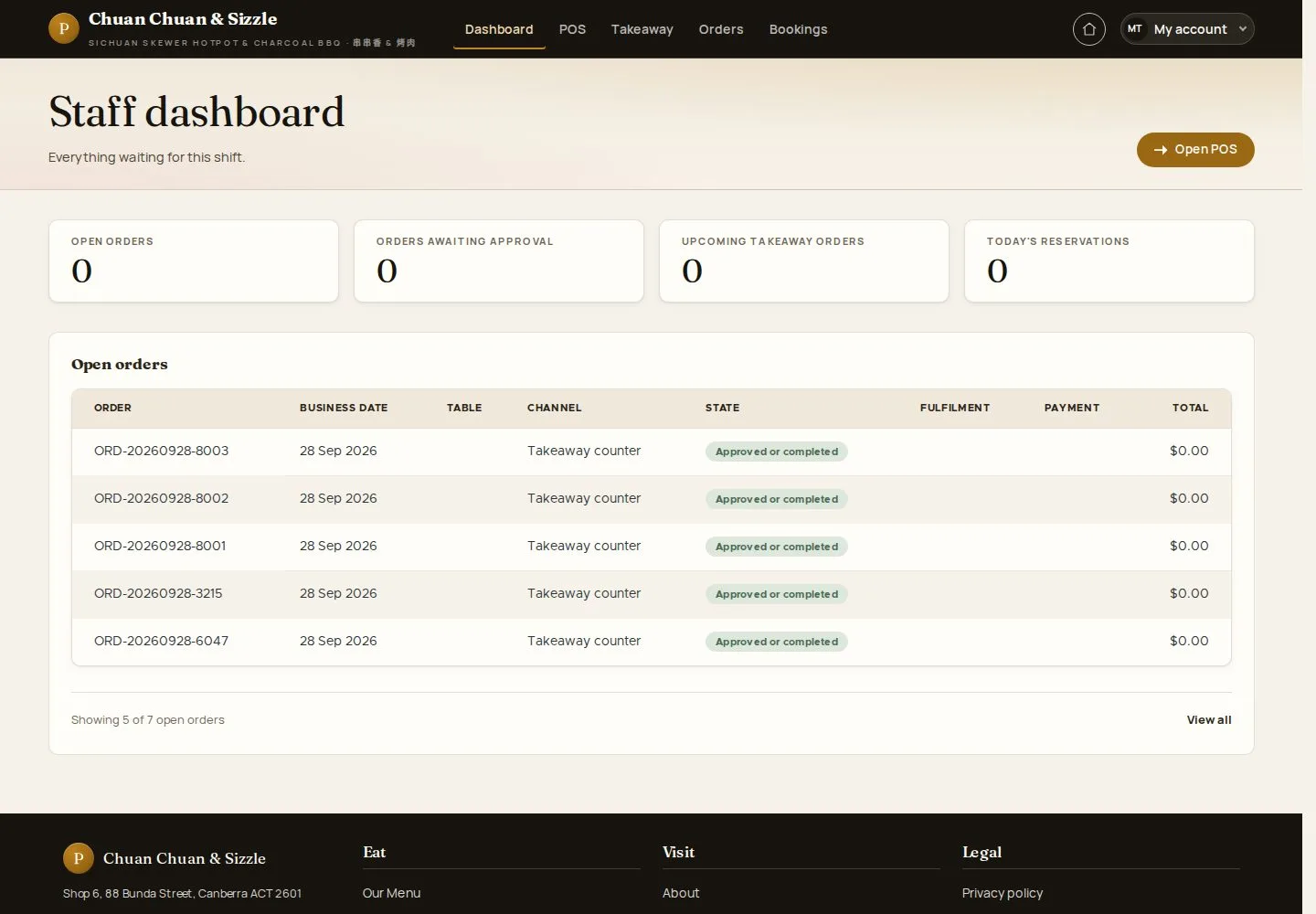
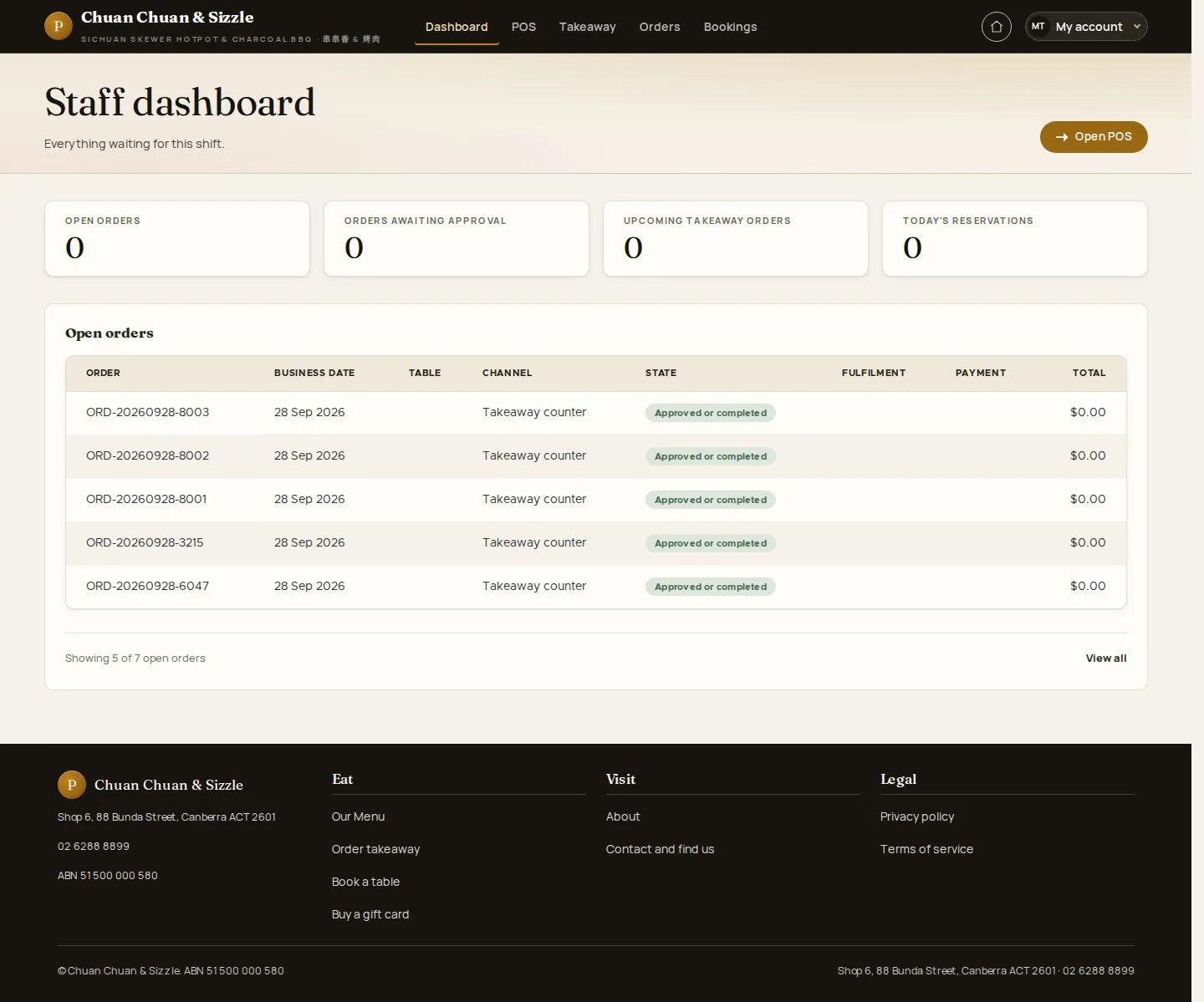
  1. After sign-in: Open orders, Orders awaiting approval, Upcoming takeaway orders and Today's reservations; each tile opens its list.
  2. Open POS opens the floor map.

Enlarge, then scroll

Open illustrated screen ↗Full image ↗

Waiter · Start the shift01

My account menu

Waiter

My account menu

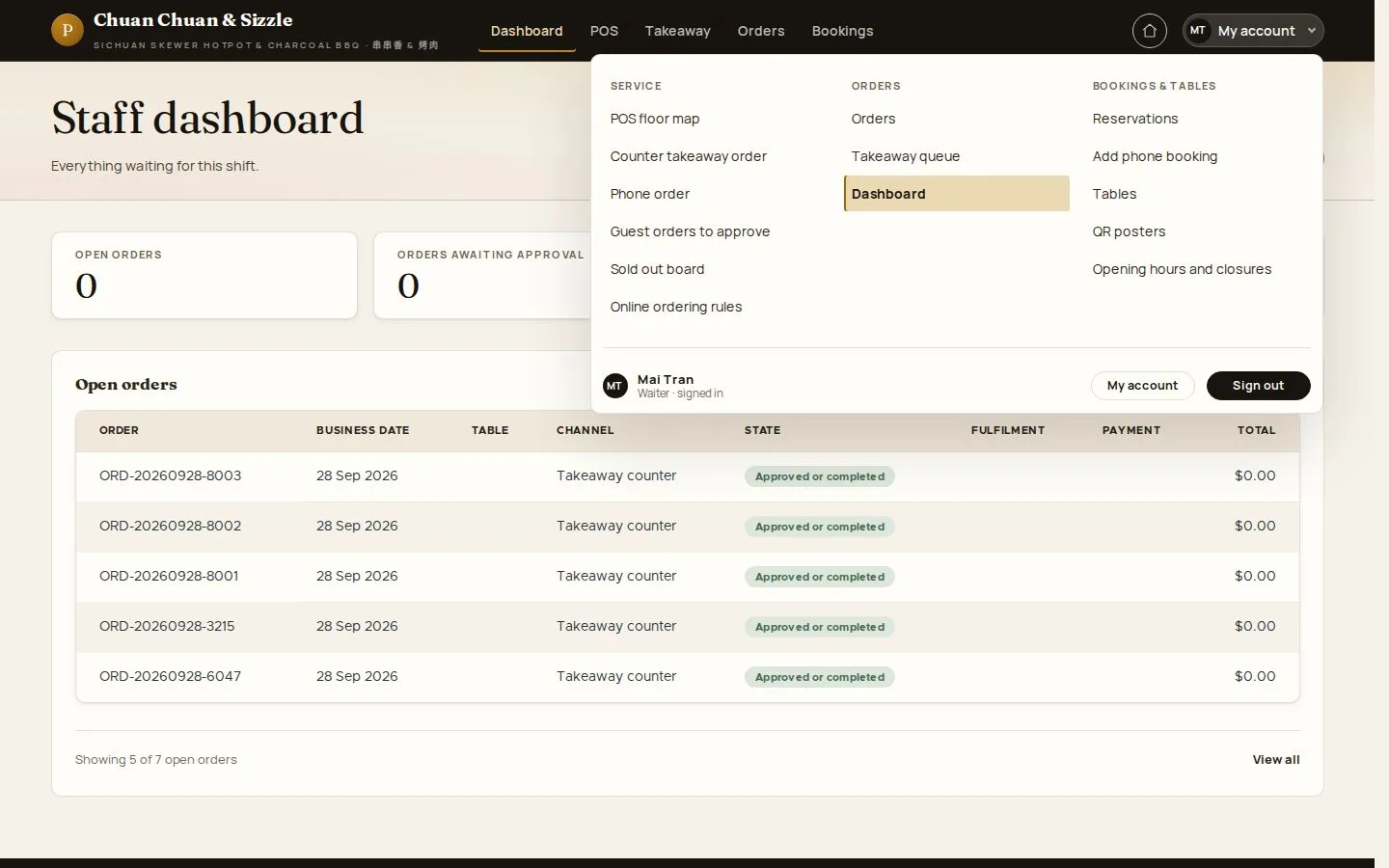
2Step 2 of 4

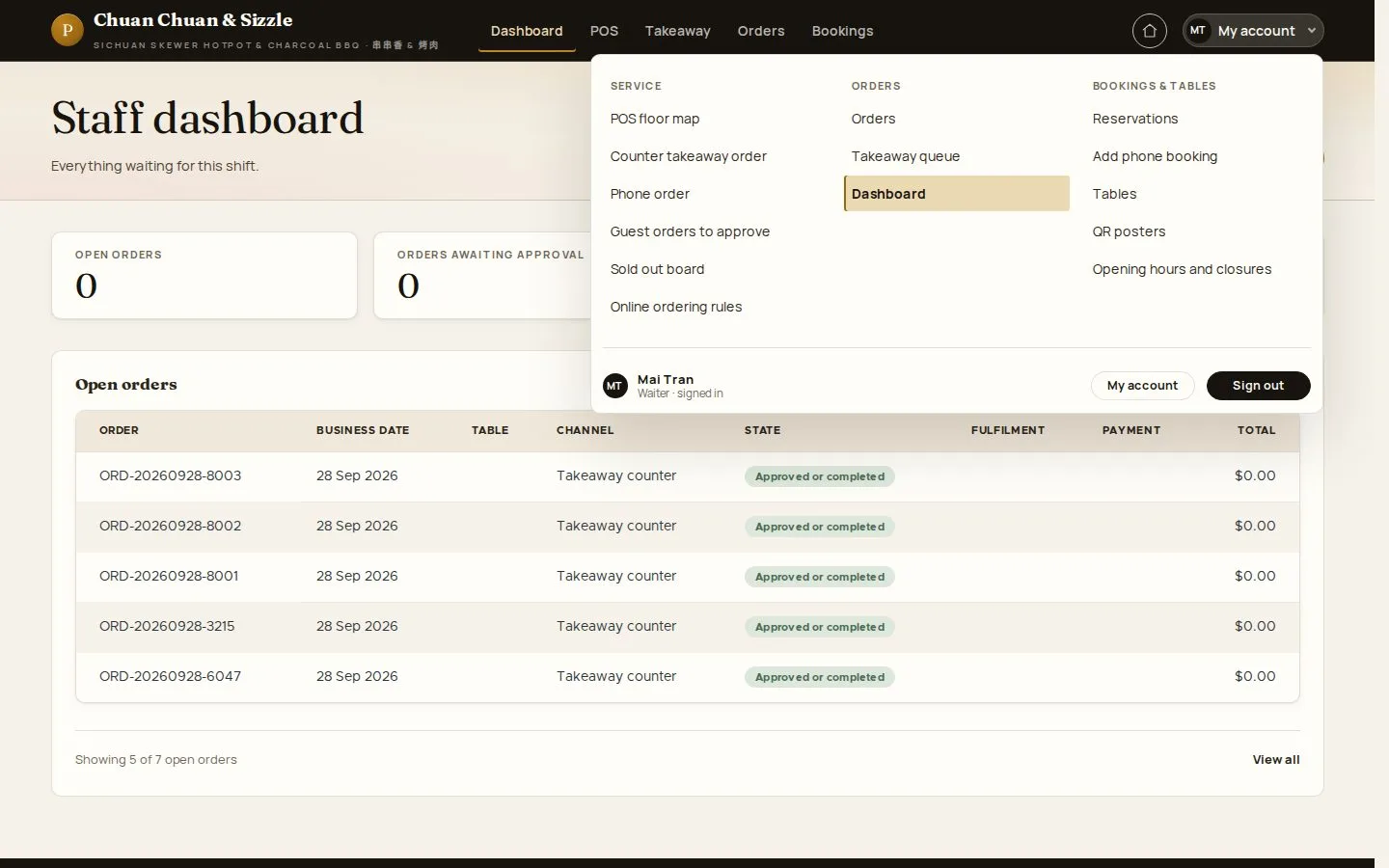
  1. My account opens every page: Service, Orders, and Bookings & tables.
  2. My account and Sign out are at the bottom.

The house icon beside My account opens the restaurant website without signing out.

Open illustrated screen ↗Full image ↗

Waiter · Start the shift02

Orders

Waiter

Orders

3Step 3 of 4

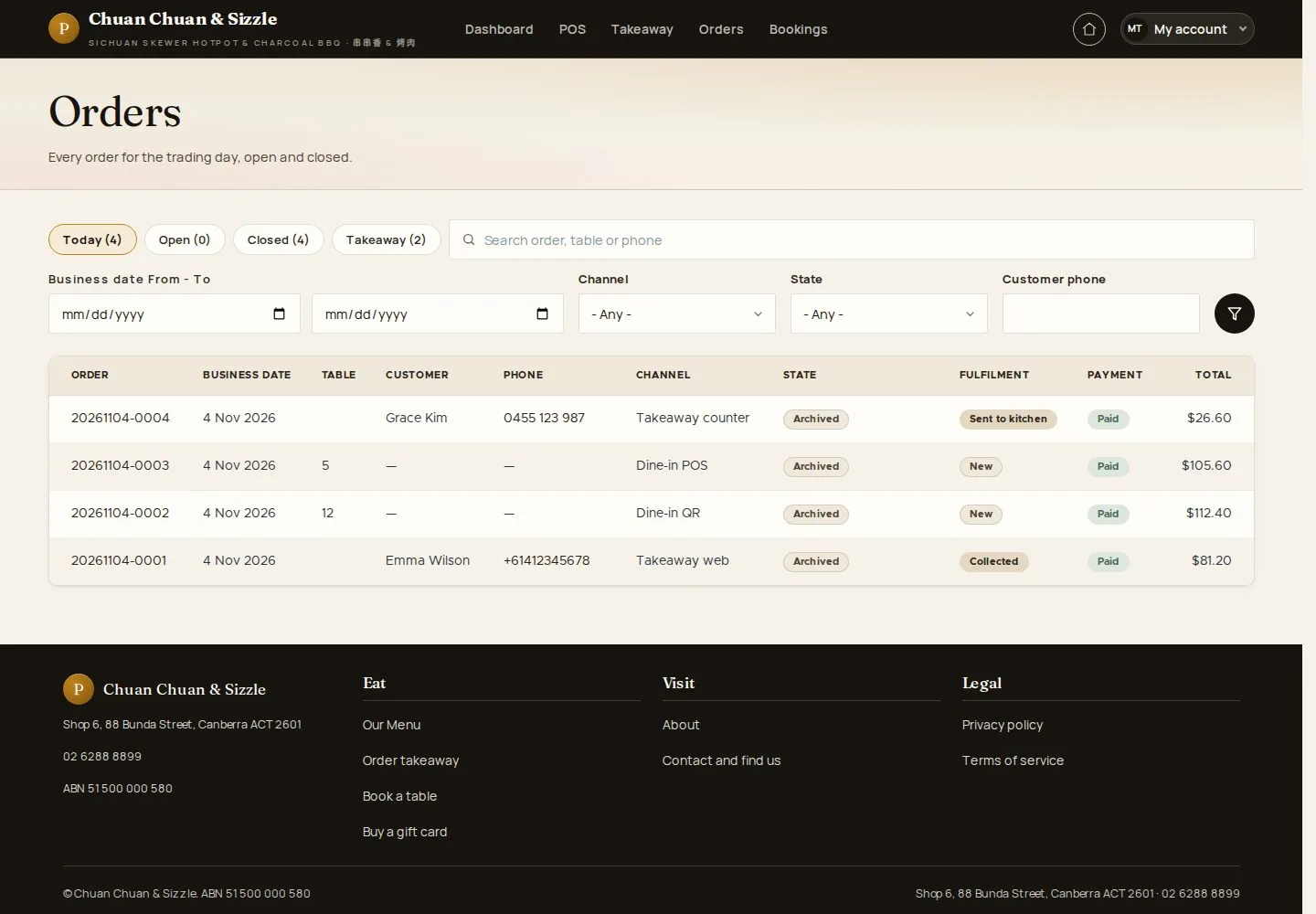
  1. Orders: Today, Open, Closed and Takeaway; search by order, table or phone.
  2. Filter by business date, channel, state or customer phone; a row opens its order.

Enlarge, then scroll

Open illustrated screen ↗Full image ↗

Waiter · Start the shift03

My account

Waiter

My account

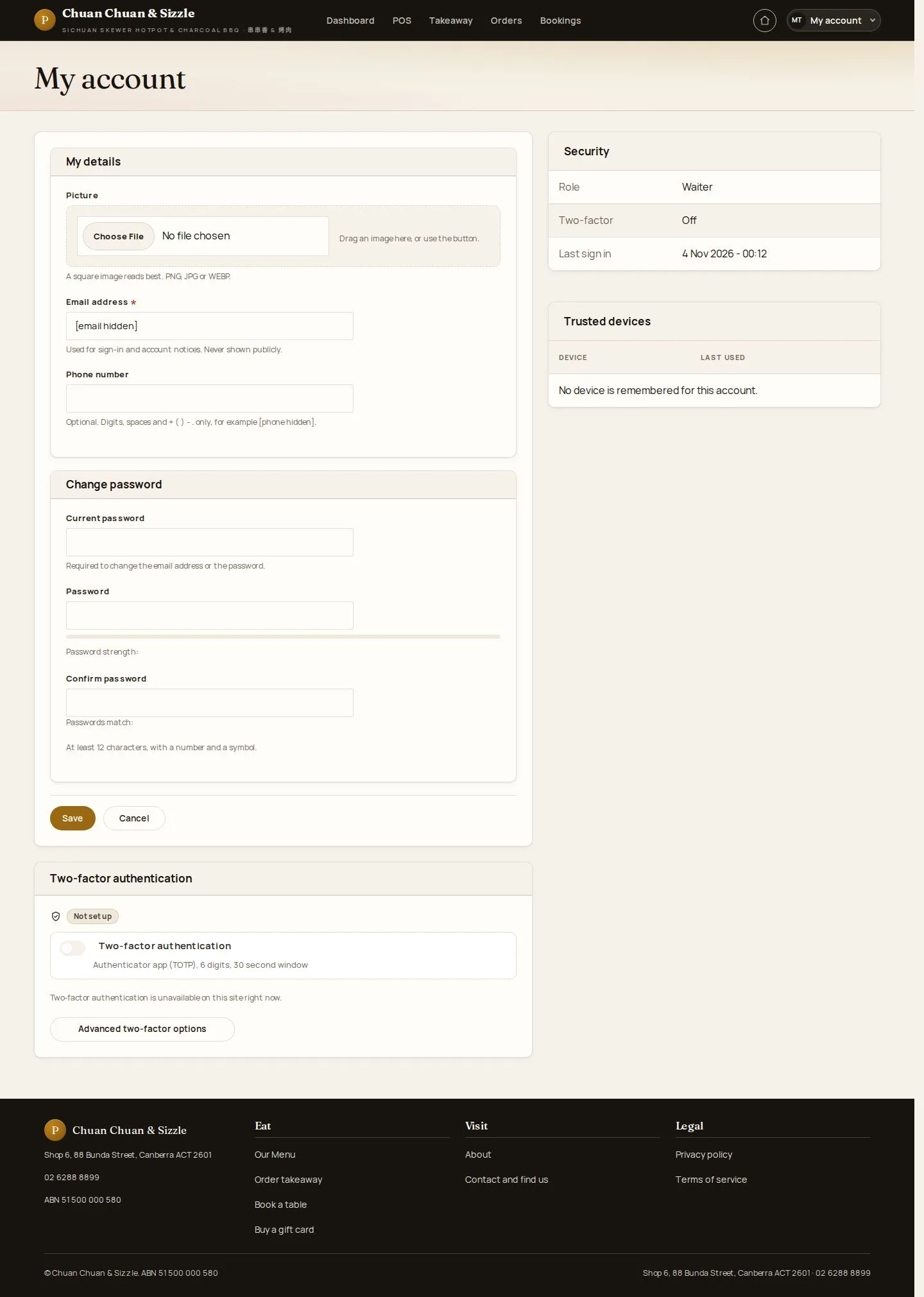
4Step 4 of 4

  1. Your picture, email address and phone number.
  2. Change password; Two-factor and Trusted devices under Security.

Enlarge, then scroll

Open illustrated screen ↗Full image ↗

Check

Open orders, approvals, takeaway and bookings are in view

Waiter · Start the shift04
1 / 5
Privacy Terms