





Guide › Student / caregiver learner
 Child development training
User guide · Student / caregiver learner
Find a Course to start, continue or review
Use your own Dashboard and My Courses to choose the next learning task.
- Your account has access to the Course.
Student / caregiver learnerStep-by-step instructions
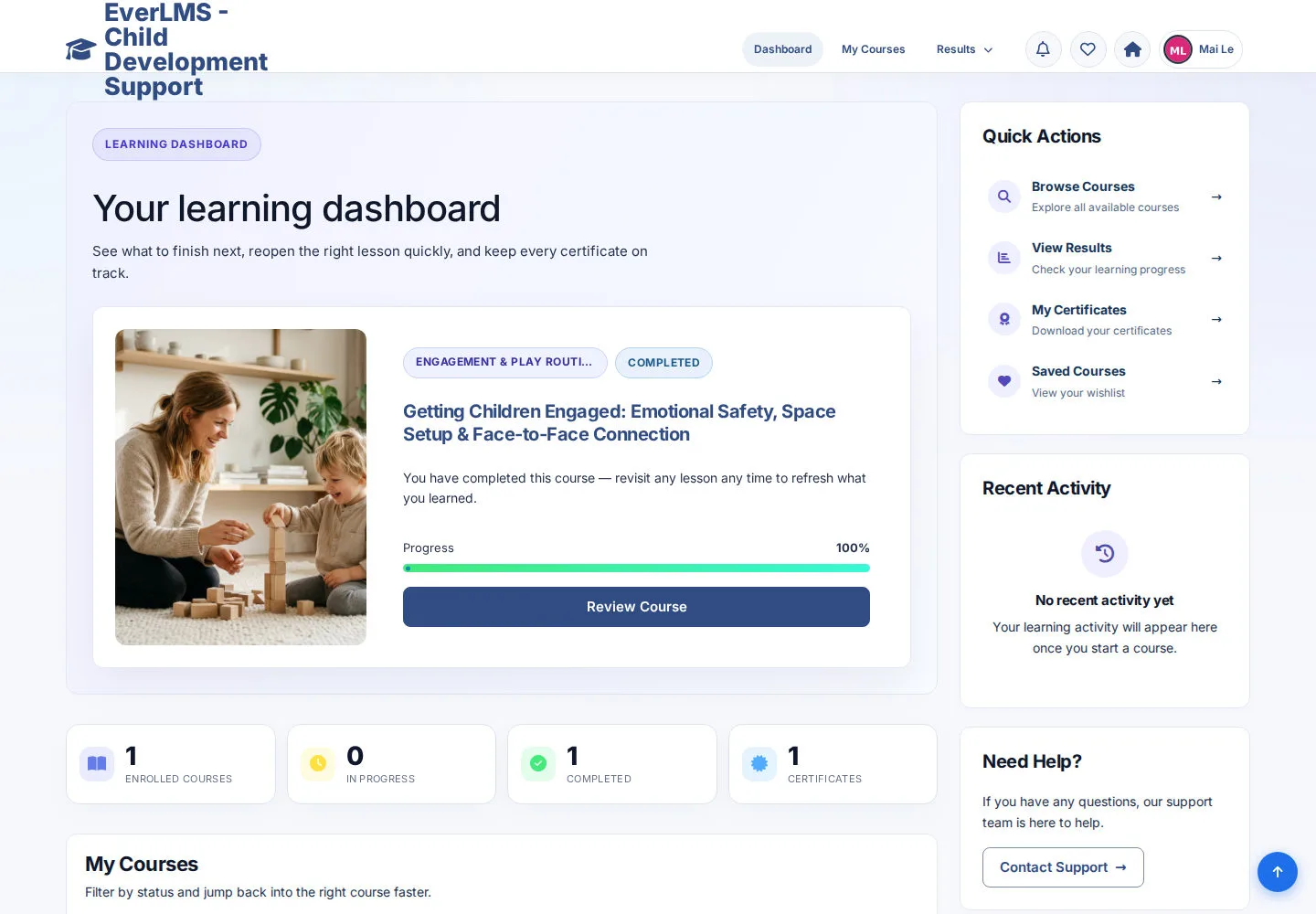
Read your learning dashboard
Student / caregiver learner
1Step 1 of 3
The Dashboard links to your learning queue, results and Certificates.
- Choose My Courses to see your enrolled training.
- Use the Quick Actions when you need results or Certificates.
Open on site ↗sign-inFull-page screenshot ↗
What you should see
You reach the personal record for the task you chose.
Choose the right Course action
Student / caregiver learner
2Step 2 of 3
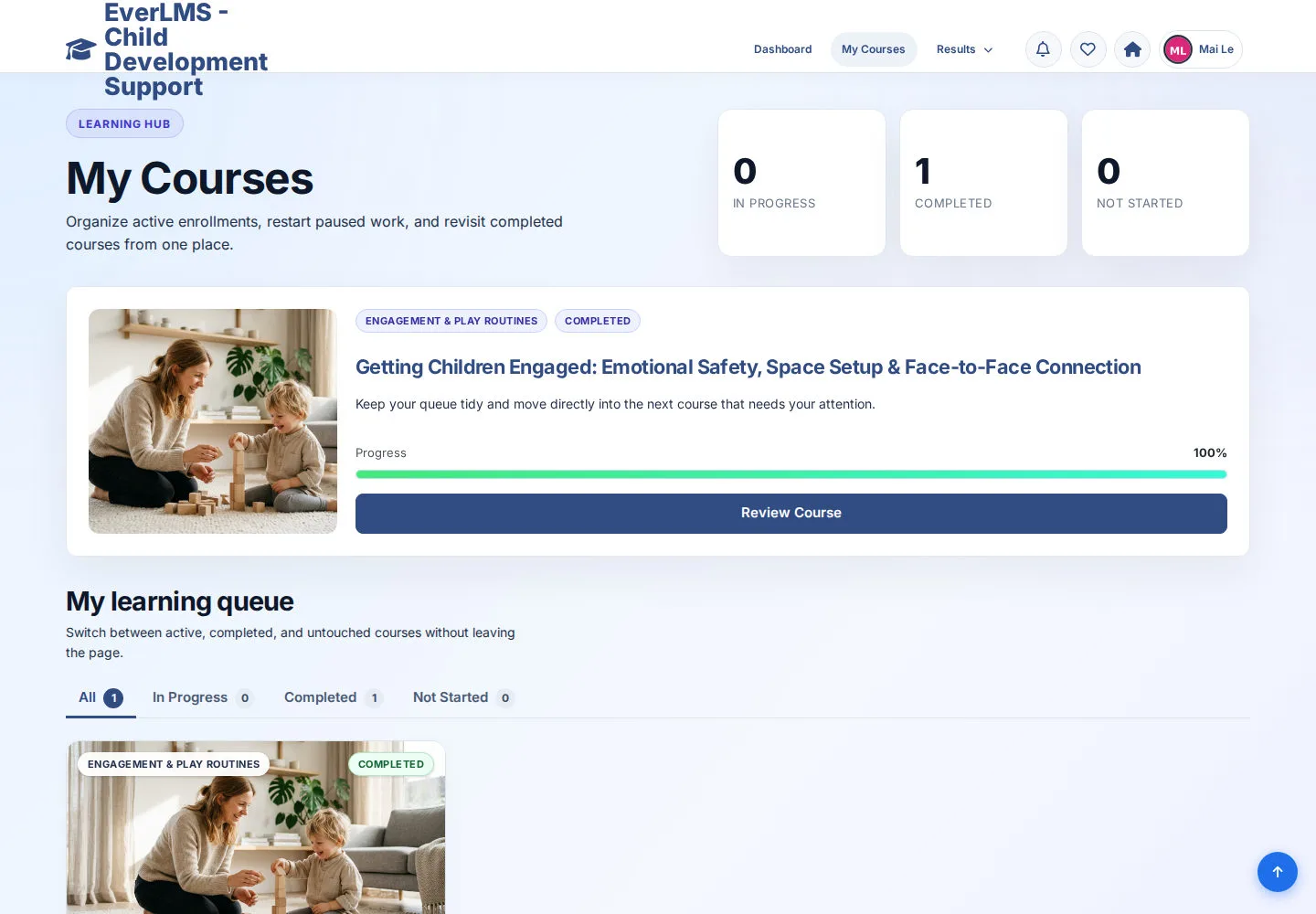
The queue groups Courses by learning status.
- Use All, In Progress, Completed or Not Started to narrow the list.
- Choose Start Course, Continue Learning or Review Course as shown for your Course.
Open on site ↗sign-inFull-page screenshot ↗
What you should see
The selected Course opens in its learning area.
Review the Course introduction
Student / caregiver learner
3Step 3 of 3
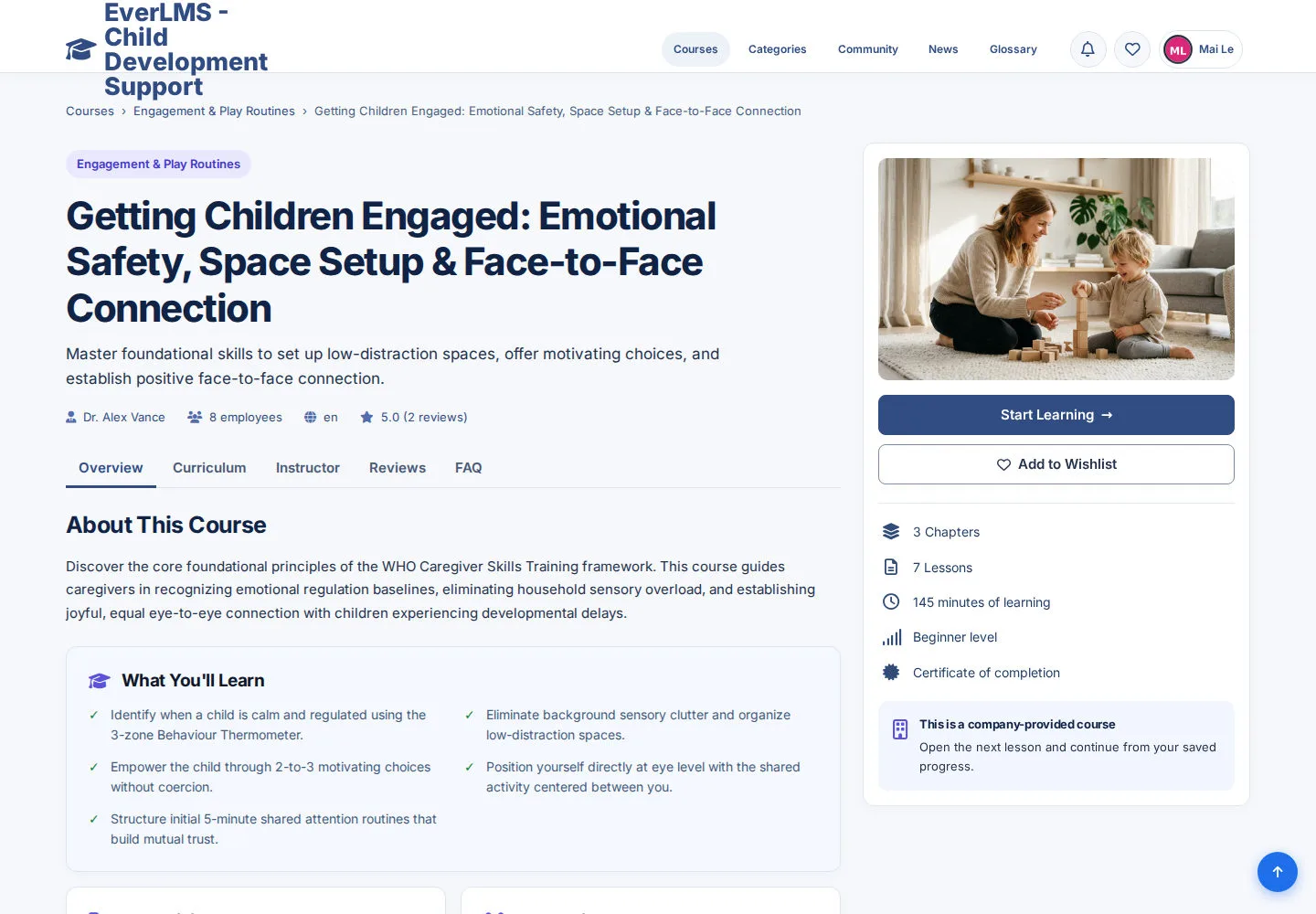
The Course detail helps you check the goals and curriculum before studying.
- Review the audience, prerequisites and curriculum.
- Use the learning action shown for your own enrollment.
Open on site ↗sign-inFull-page screenshot ↗
What you should see
You have a clear route into the Course you selected.
1 / 4