





 Child development training
User guide · Content Editor
Prepare an assessment and its settings
Set instructions, Questions and the configured assessment limits.
- You may author assessments for this programme.
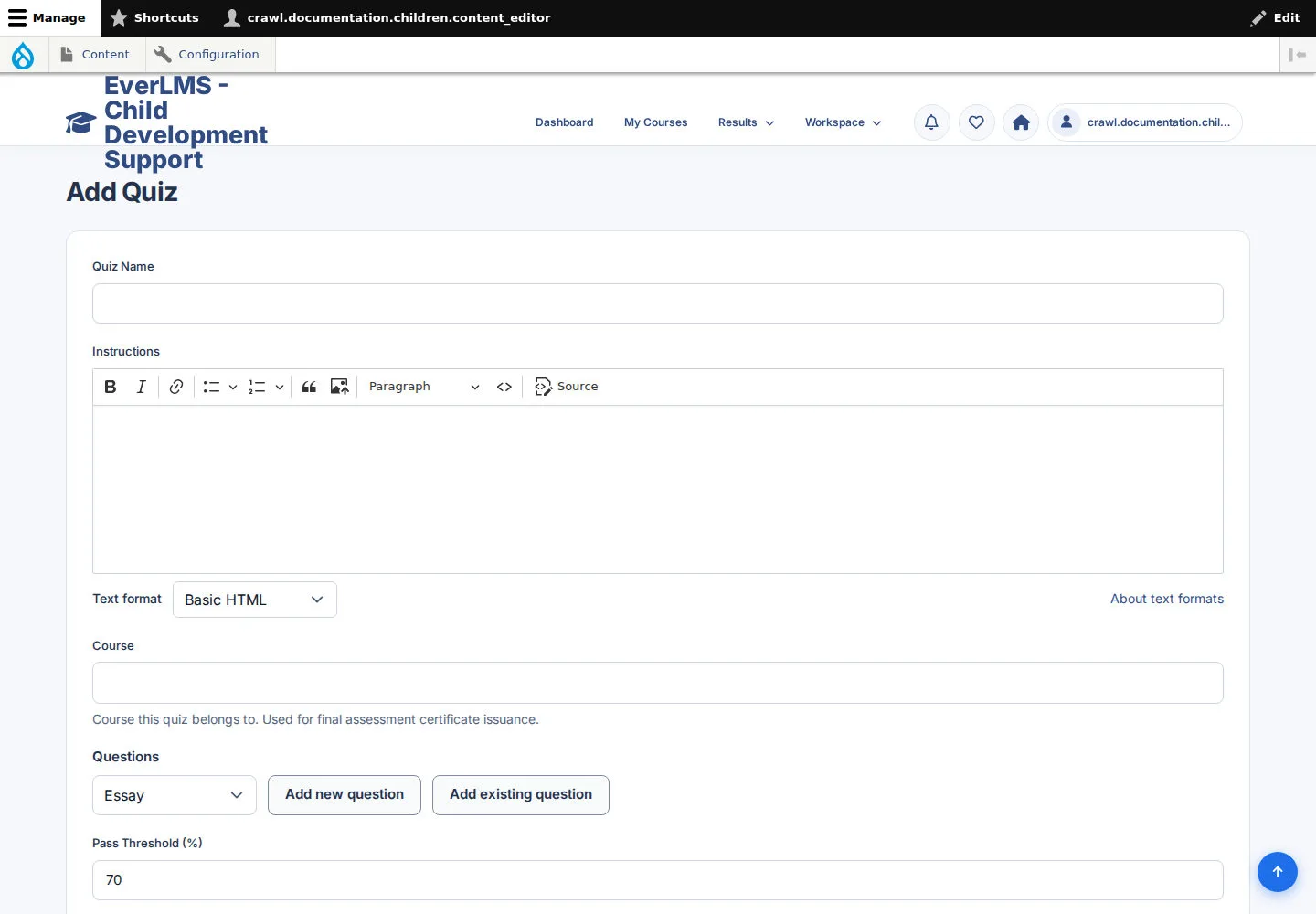
Prepare the Quiz and Questions
Content Editor
1Step 1 of 2
The Quiz form accepts instructions, a Course reference and Questions.
- Enter Quiz Name and Instructions.
- Choose the relevant Course and prepare or select the Questions using the controls shown.
Edit only content you own or are permitted to maintain. If an action is unavailable, ask your programme coordinator for the appropriate access.
Open on site ↗sign-inFull-page screenshot ↗
The assessment content is ready for review.
Choose assessment settings
Content Editor
2Step 2 of 2
Settings include pass threshold, time limit, form style, maximum attempts and prerequisite Quizzes.
- Choose settings that match the programme's assessment plan.
- Review Published; save when ready and check the resulting message and record.
When you choose to save or submit, check the message and the resulting record. A form view alone does not mean the operation has completed.
Open on site ↗sign-inFull-page screenshot ↗
The Quiz has the settings selected for this assessment.