





 Child development training
User guide · Visitor
Sign in and recover account access
Use the account supplied by your programme, or find the recovery instructions.
VisitorStep-by-step instructions
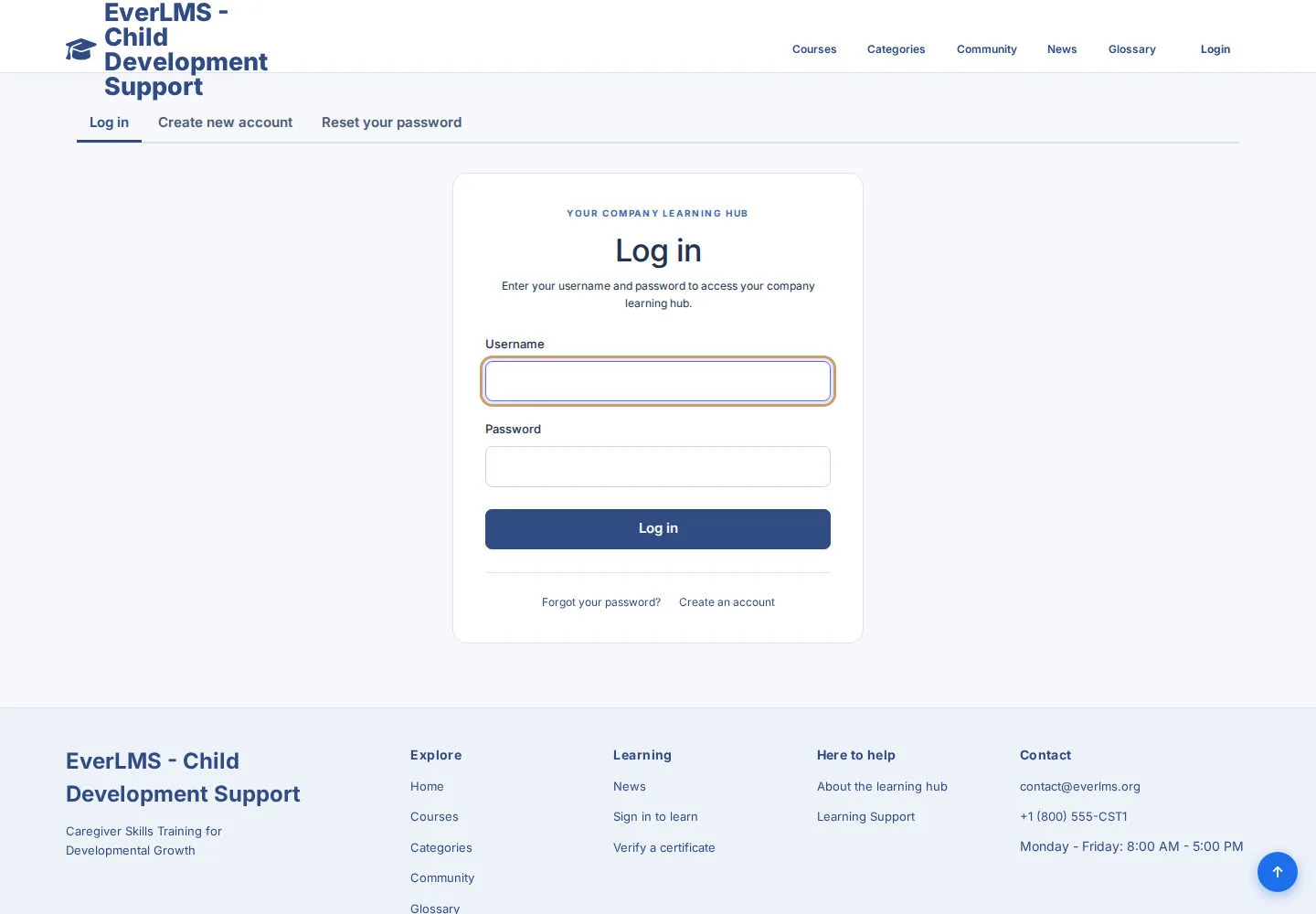
Sign in with your account
Visitor
1Step 1 of 3
The form asks for your Username and Password.
- Enter your account details and choose Log in.
- Read any error message and correct the details if access is refused.
Open on site ↗Full-page screenshot ↗
What you should see
A successful sign-in opens the destination your account is allowed to use.
Request password recovery
Visitor
2Step 2 of 3
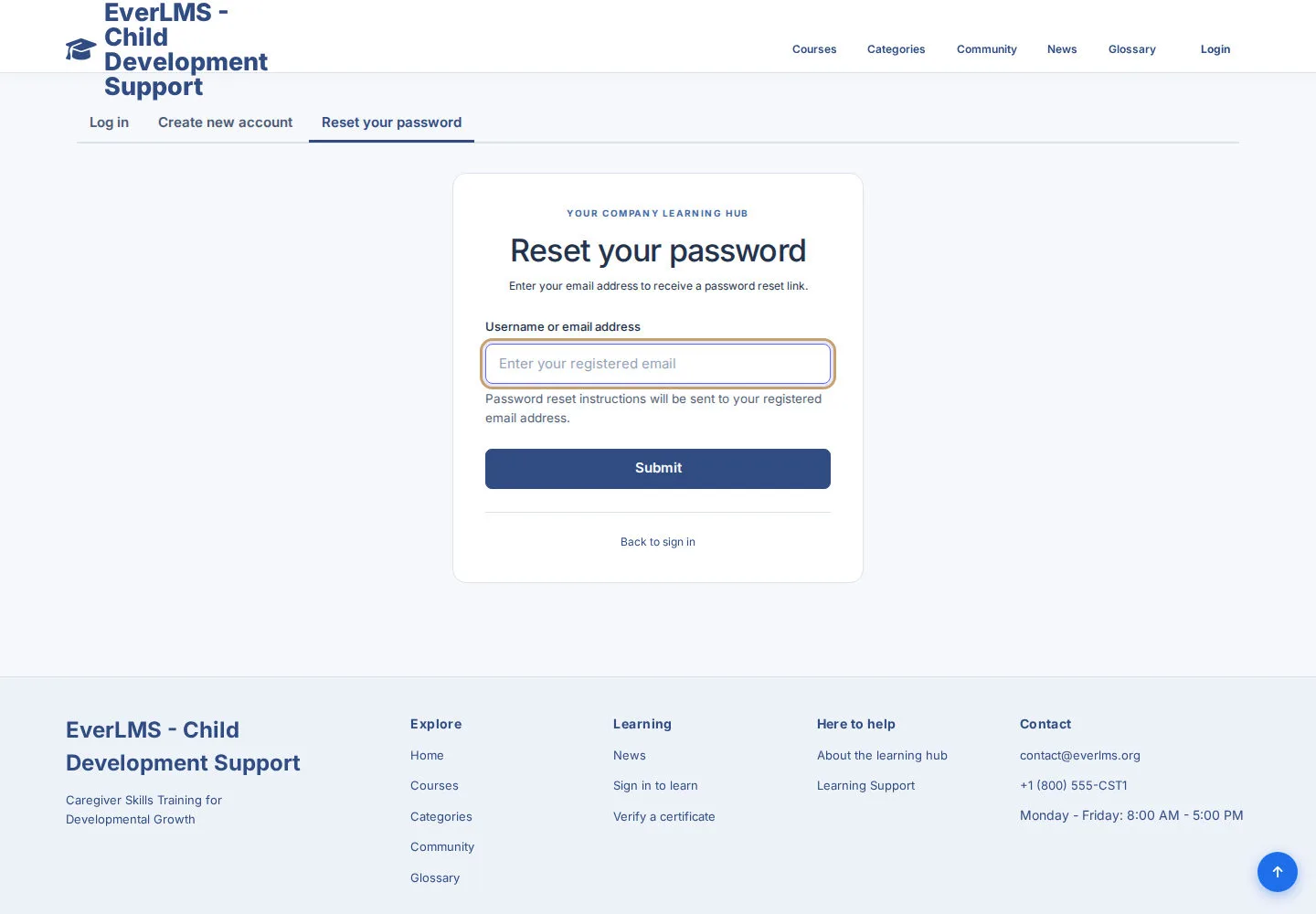
The recovery form is for an account you already have.
- Open Reset your password or Forgot your password?.
- Enter the identifier requested by the form and follow the response.
Open on site ↗Full-page screenshot ↗
What you should see
The site explains the next recovery step for your account.
Find programme support
Visitor
3Step 3 of 3
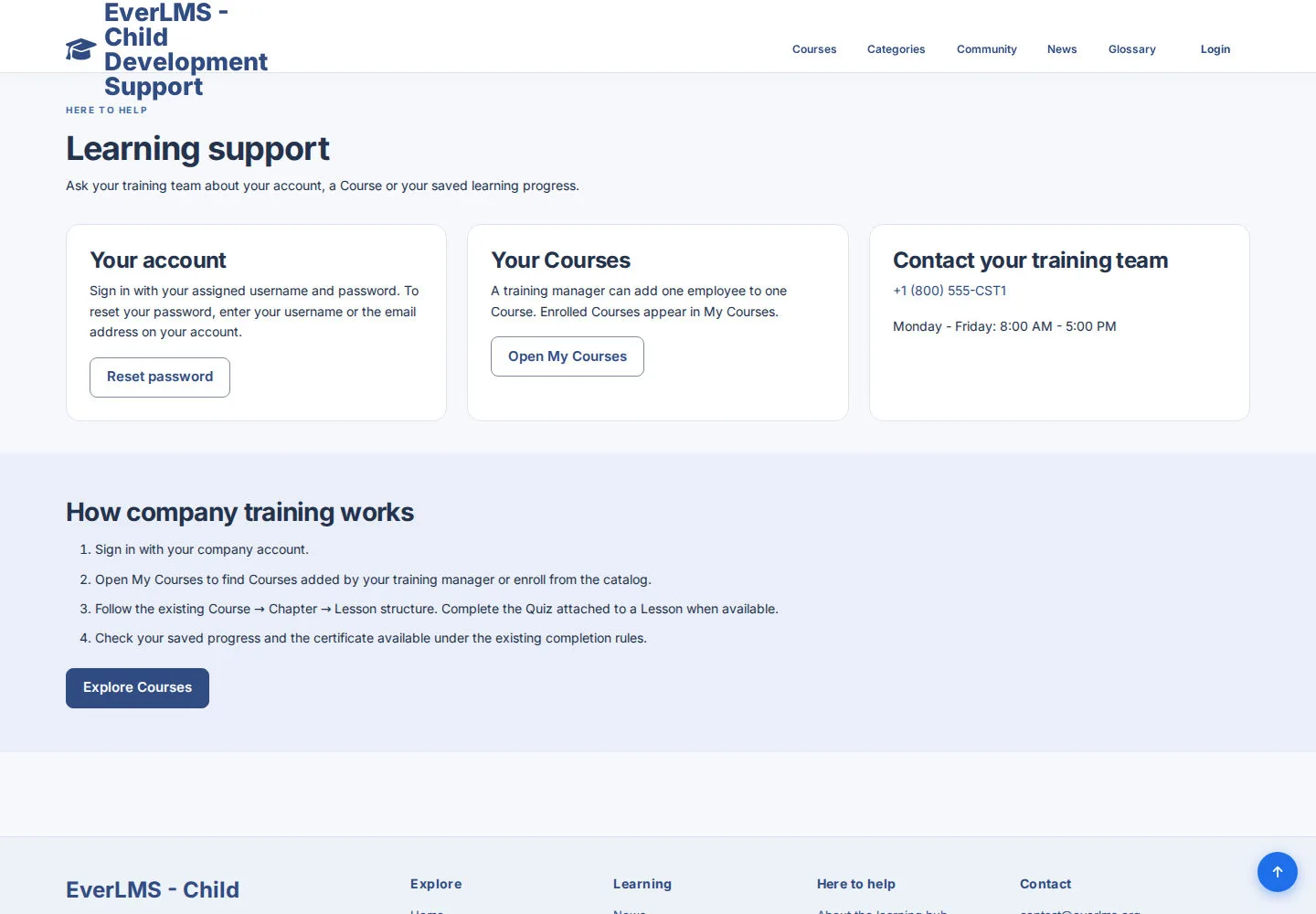
Contact publishes the programme's support details.
- Use the published support contact if you cannot sign in or identify your account.
- Describe the Course or page and the problem; keep your password private.
Open on site ↗Full-page screenshot ↗
What you should see
The support team has enough information to help you.
1 / 4