Mark a dish sold out

Sold out board · Mark sold out · Restore availability

  • Signed in as a waiter
Waiter

Sold out board

Waiter

Sold out board

1Step 1 of 5

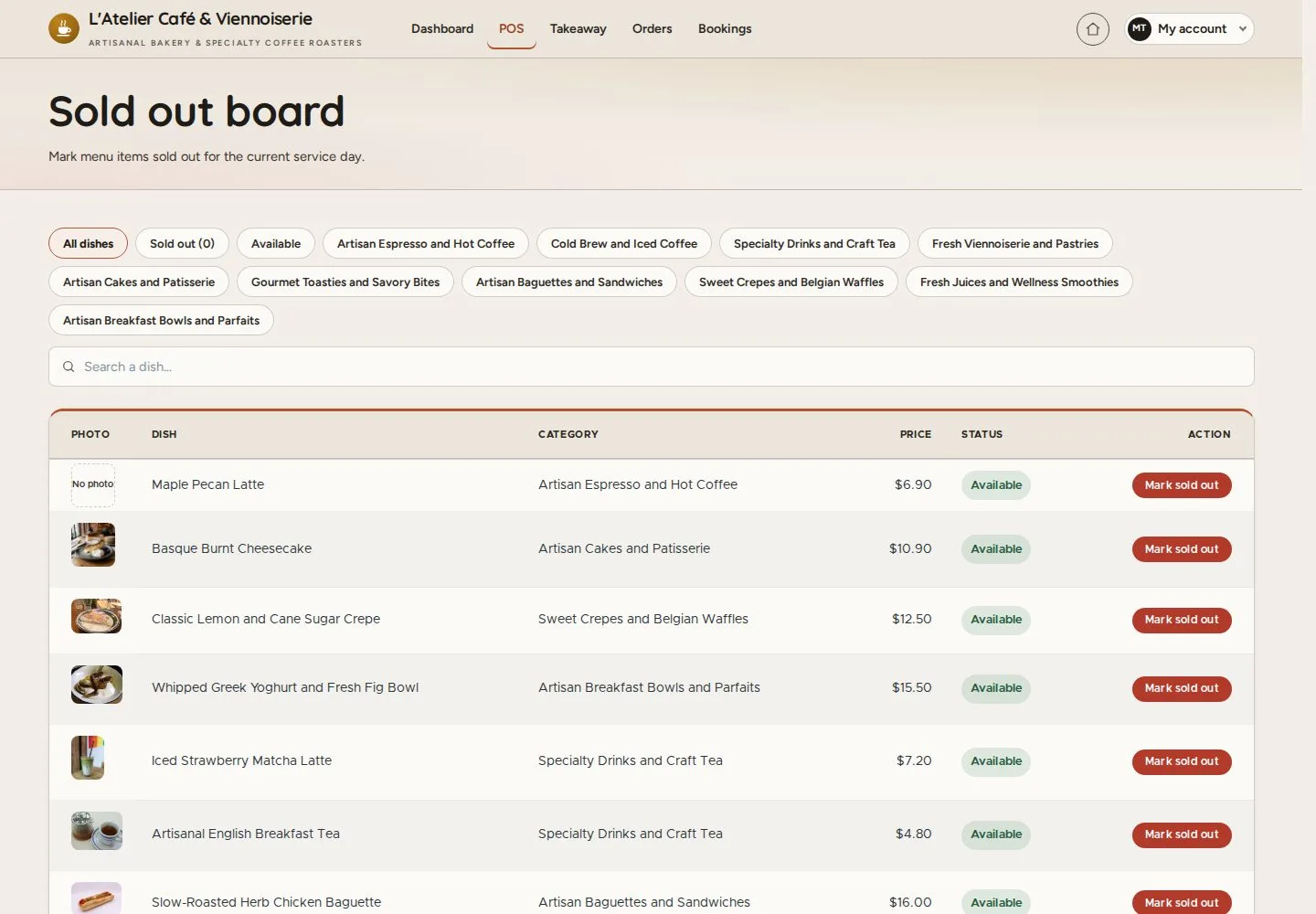
  1. POS · Sold out board
  2. Every dish and its status

Enlarge, then scroll

Open illustrated screen ↗Full image ↗

Waiter · Mark a dish sold out01

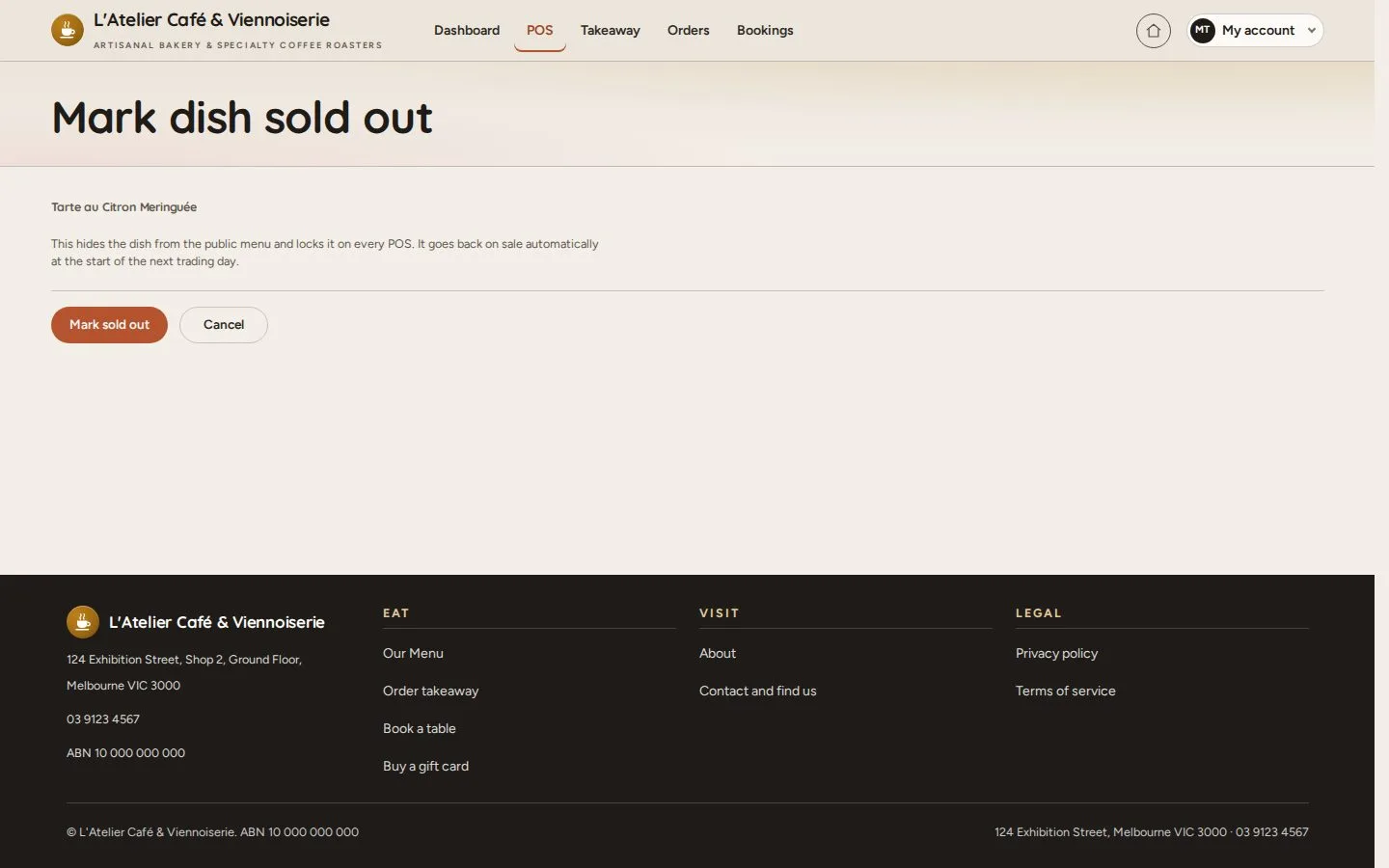
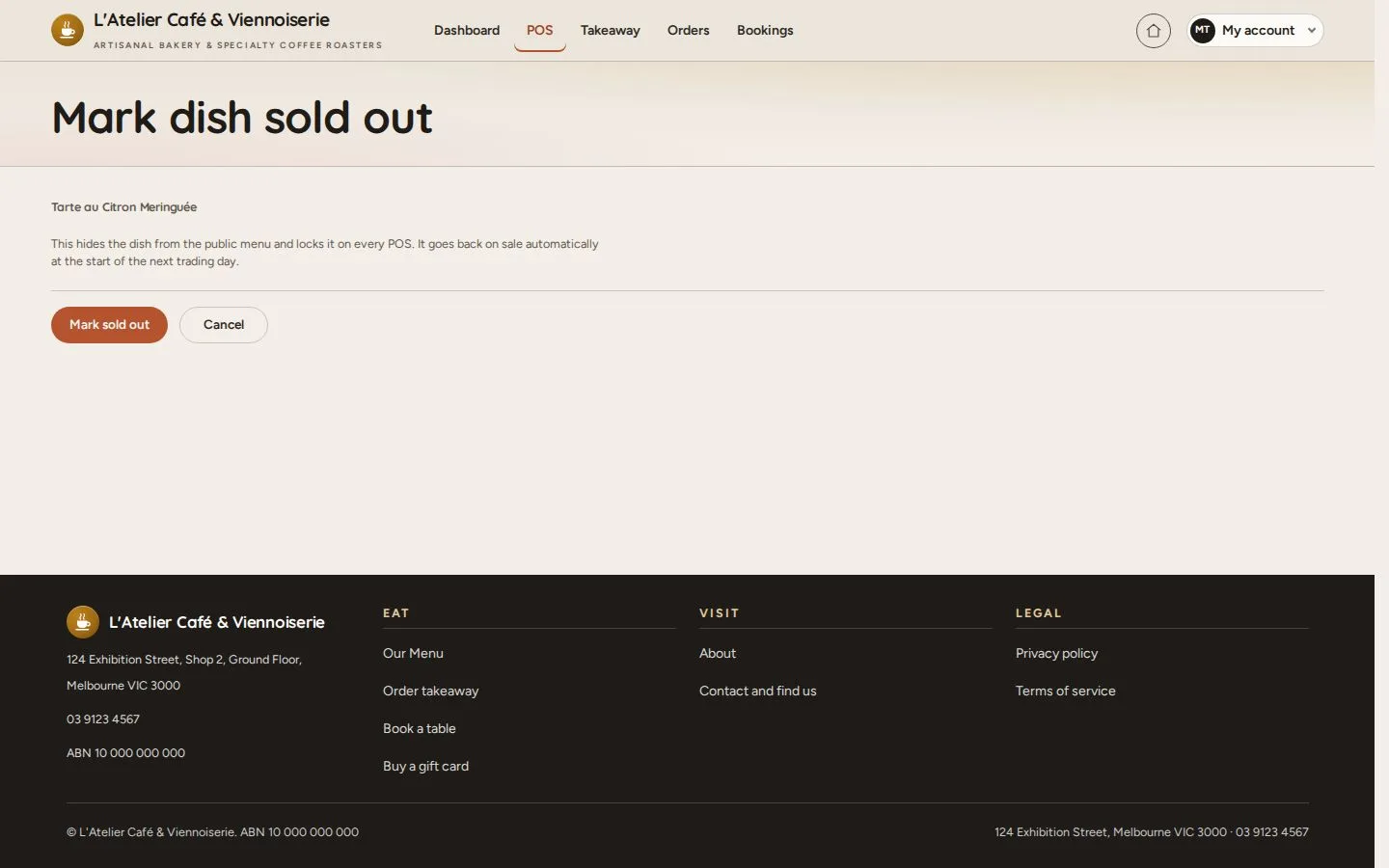
Mark dish sold out

Waiter

Mark dish sold out

2Step 2 of 5

  1. Mark sold out
  2. Confirm

Open illustrated screen ↗Full image ↗

Waiter · Mark a dish sold out02

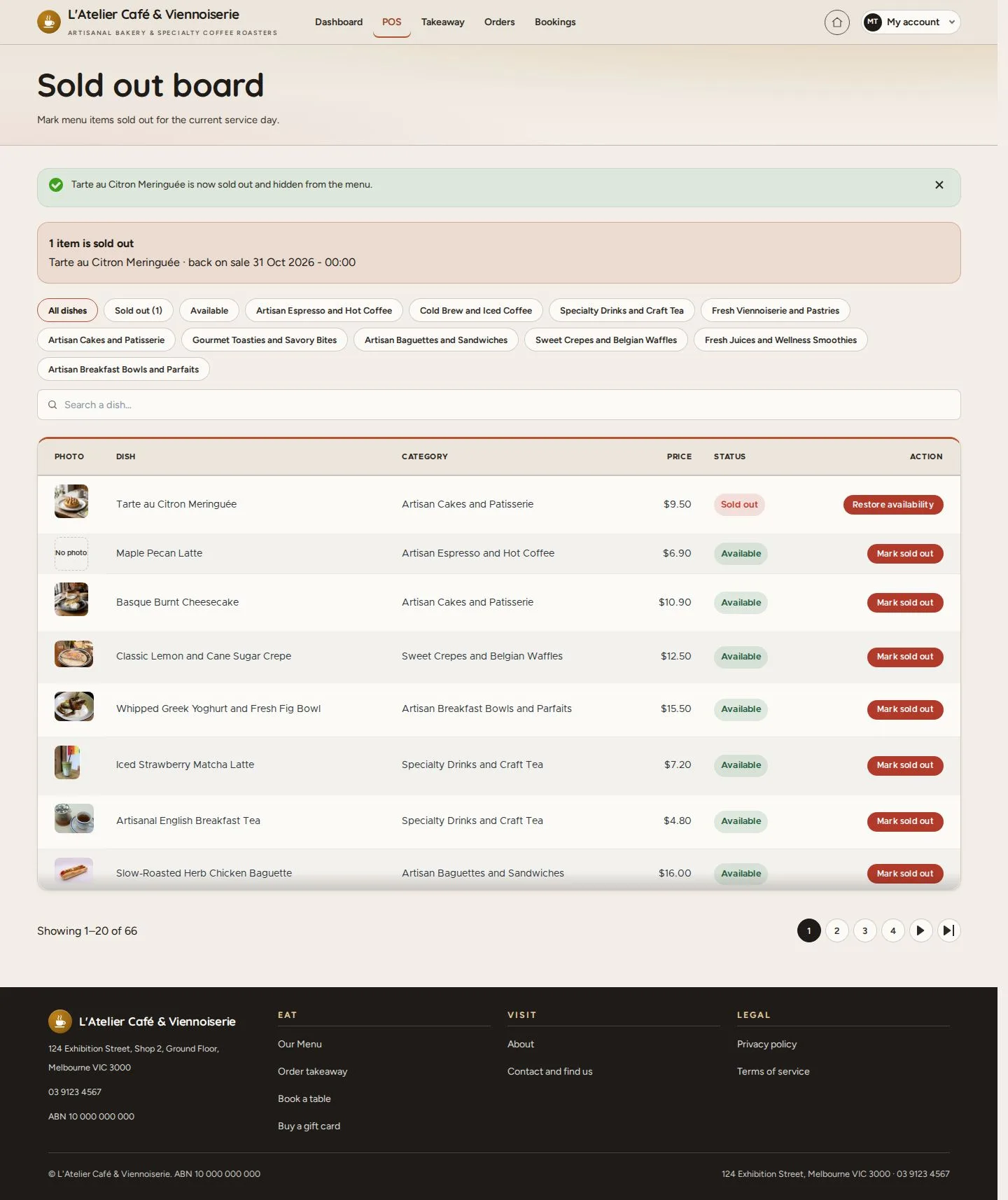
Sold out

Waiter

Sold out

3Step 3 of 5

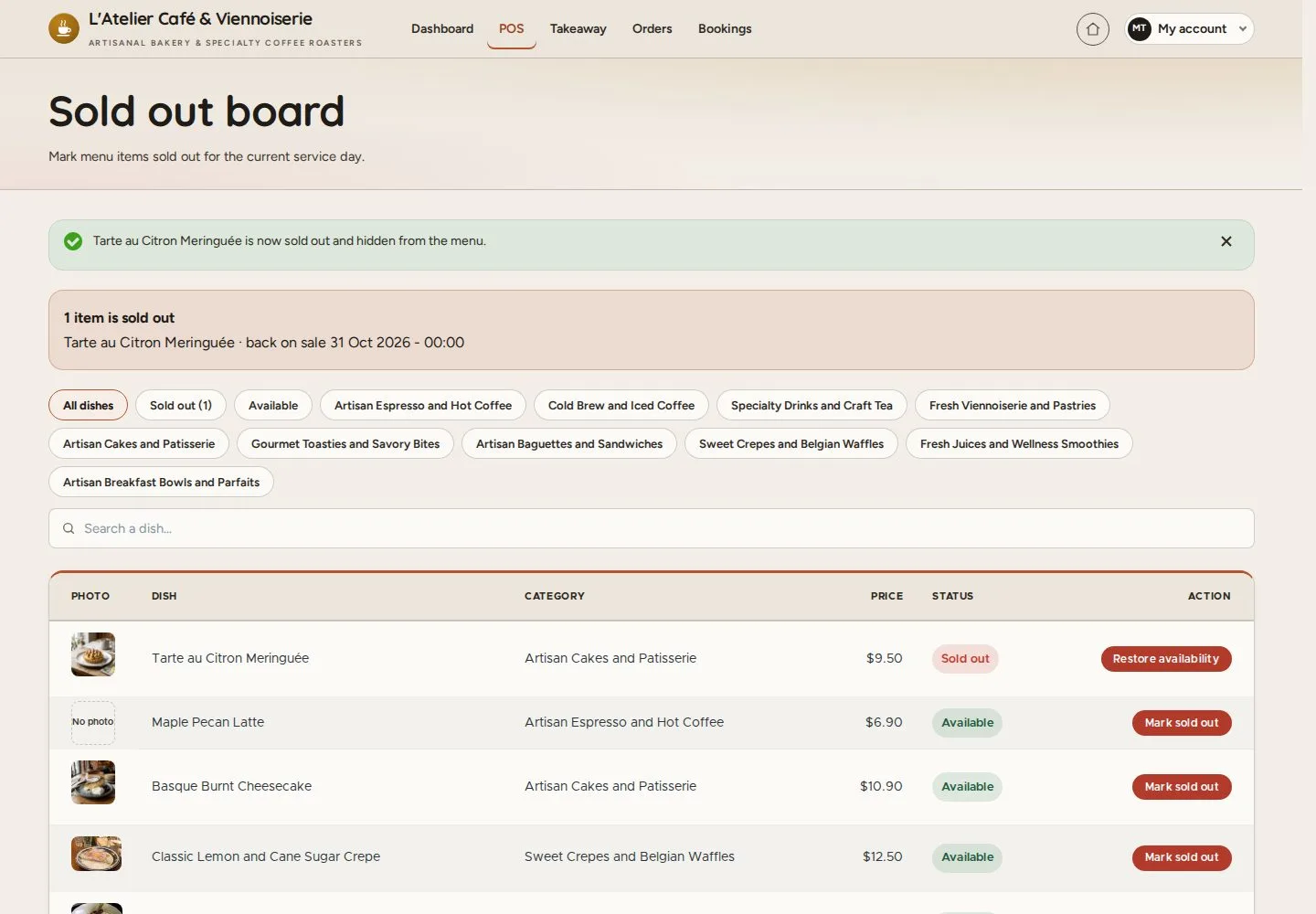
  1. Off the menu and locked on every POS
  2. Back on sale at the next trading day

Enlarge, then scroll

Open illustrated screen ↗Full image ↗

Waiter · Mark a dish sold out03

Restore

Waiter

Restore

4Step 4 of 5

  1. Restore availability
  2. Confirm

Open illustrated screen ↗Full image ↗

Waiter · Mark a dish sold out04

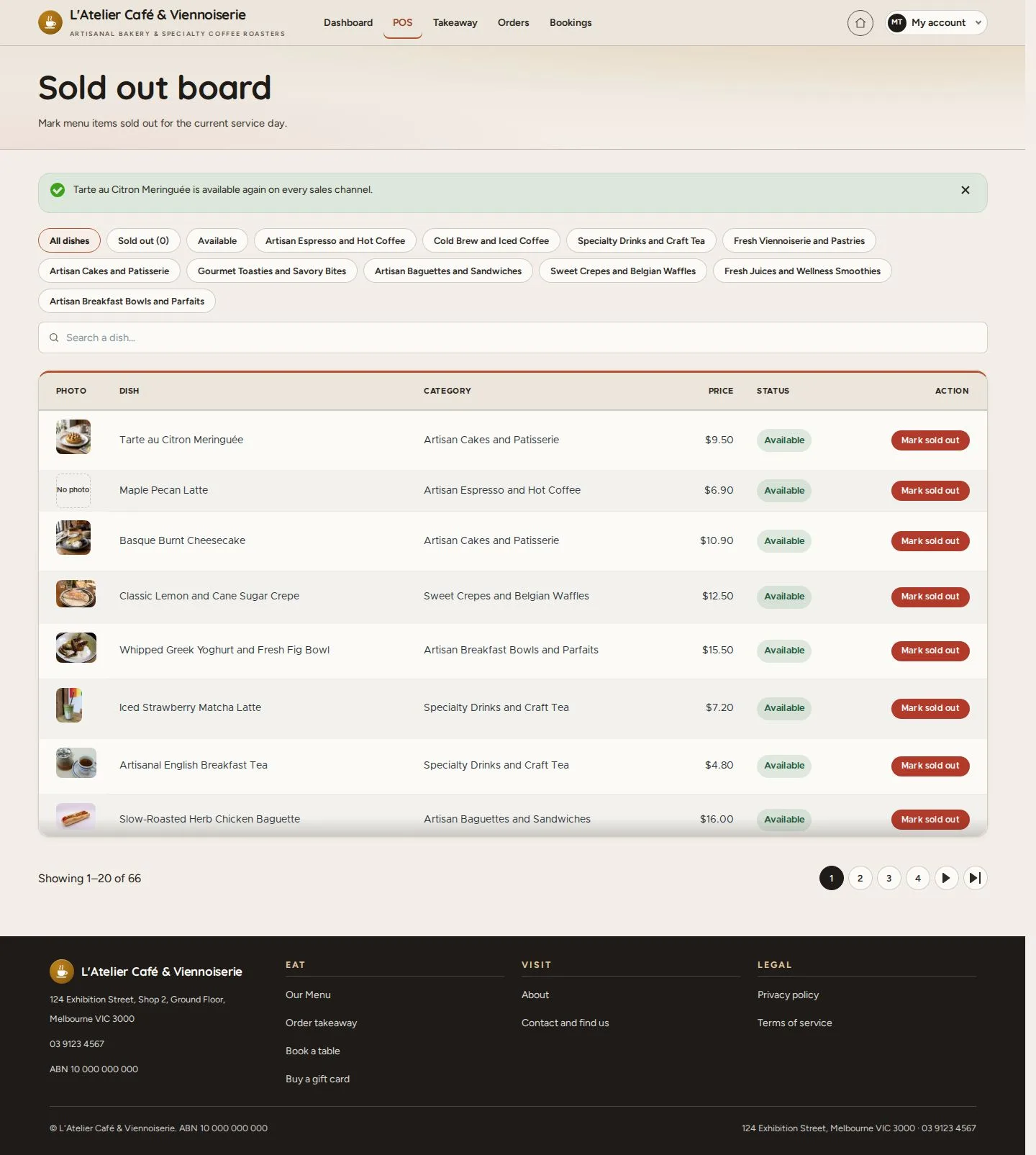
On sale again

Waiter

On sale again

5Step 5 of 5

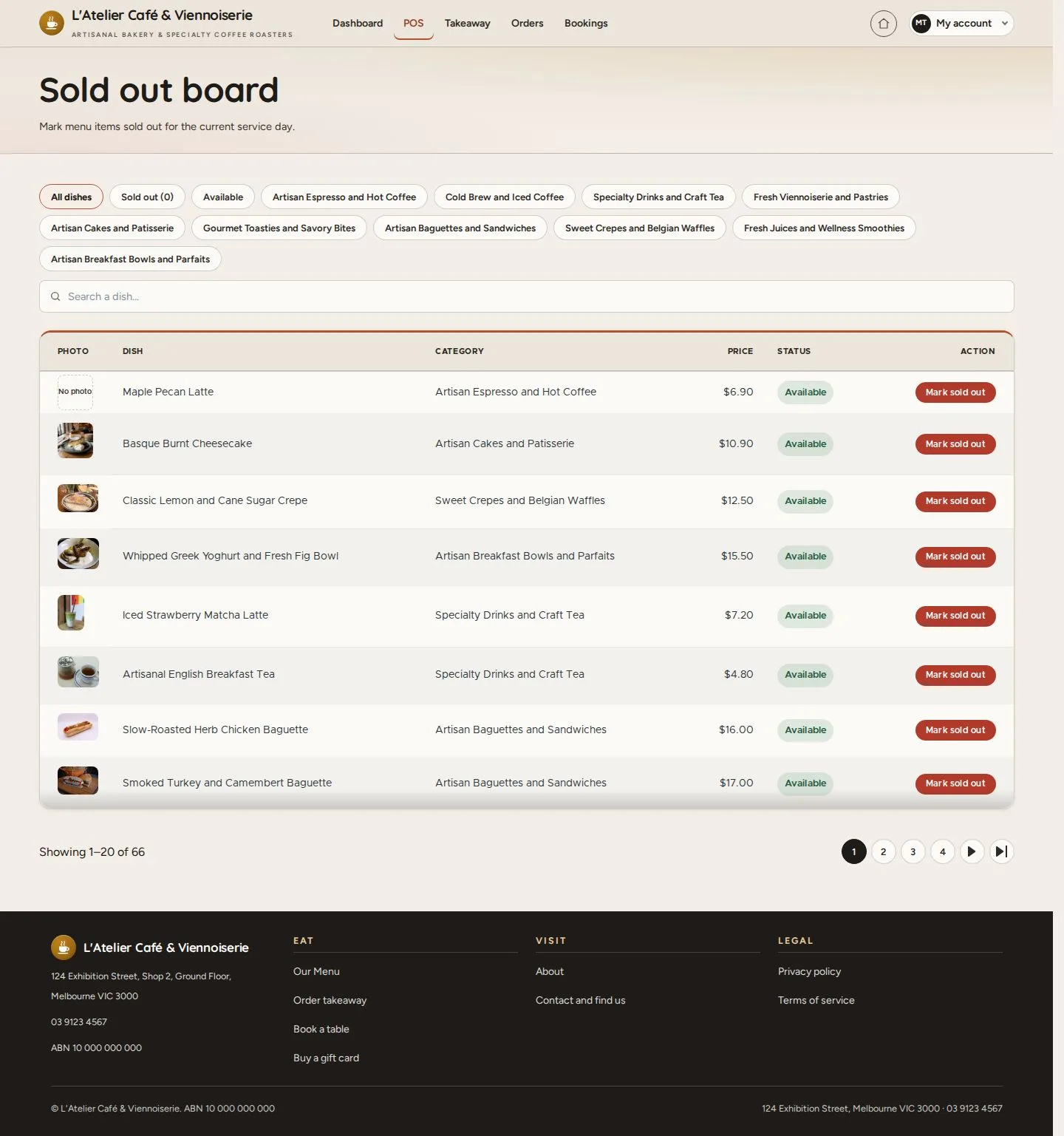
  1. Available on every channel

Enlarge, then scroll

Open illustrated screen ↗Full image ↗

Check

The dish is back on sale on every channel

Waiter · Mark a dish sold out05
1 / 6
Privacy Terms