Add a round

Open the table · Round 2 · Docket · Customer bill

  • A table order in service
Waiter

Open the table

Waiter

Open the table

1Step 1 of 5

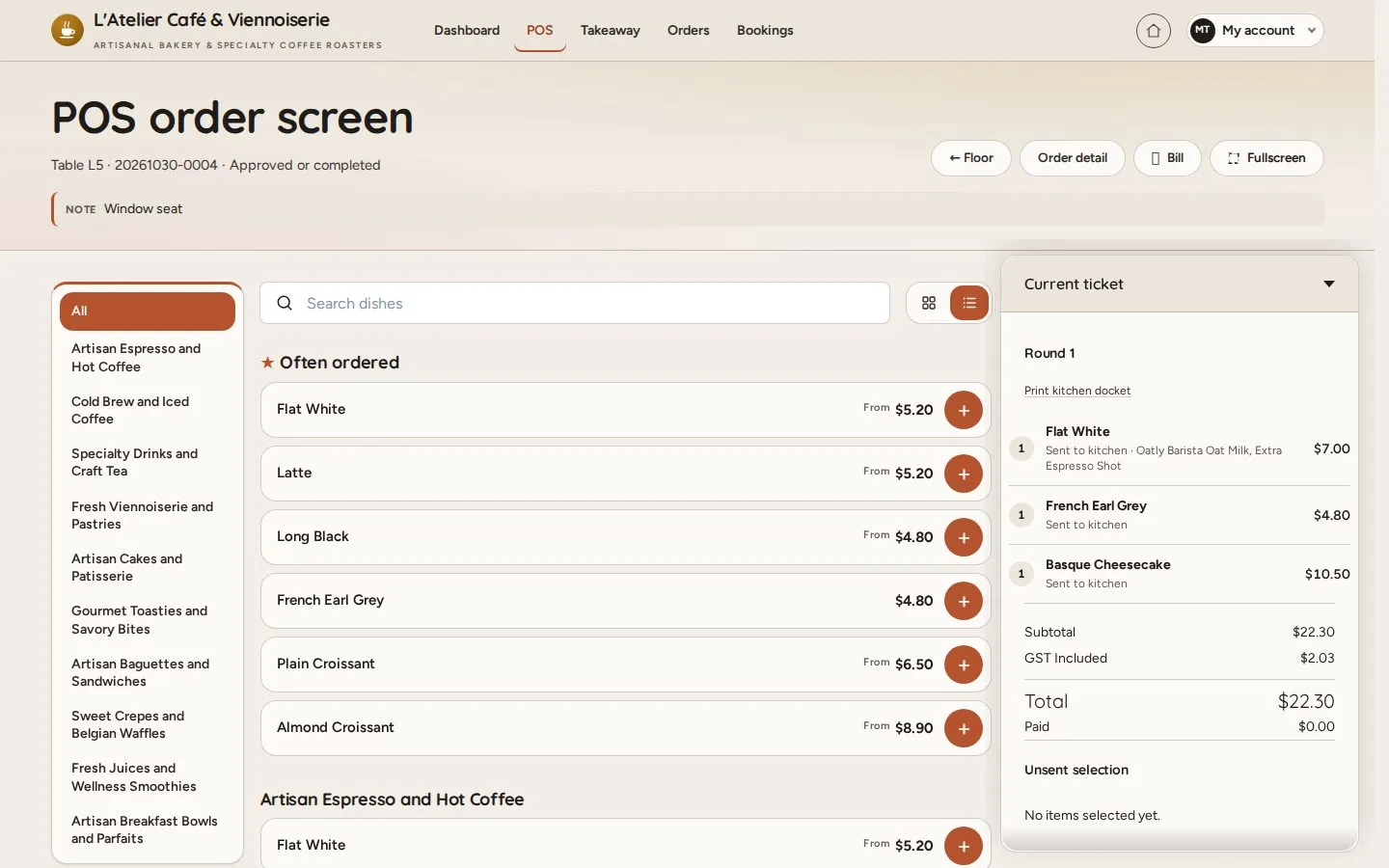
  1. On the POS, tap the table in service
  2. The ticket shows round 1, already sent

Open illustrated screen ↗Full image ↗

Waiter · Add a round01

New selection

Waiter

New selection

2Step 2 of 5

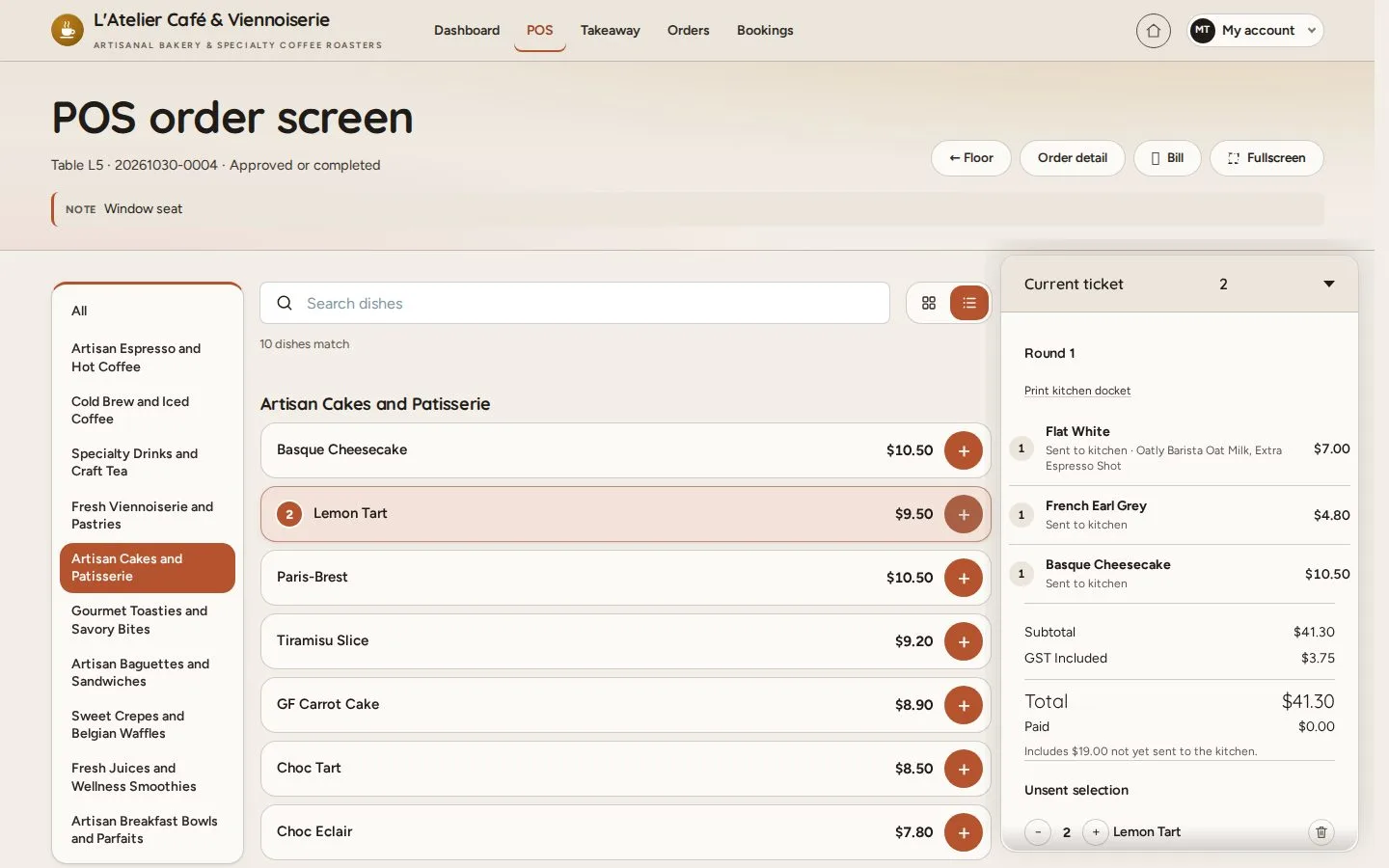
  1. Add the new dishes: they wait under Unsent selection
  2. Round 1 stays as it was

Open illustrated screen ↗Full image ↗

Waiter · Add a round02

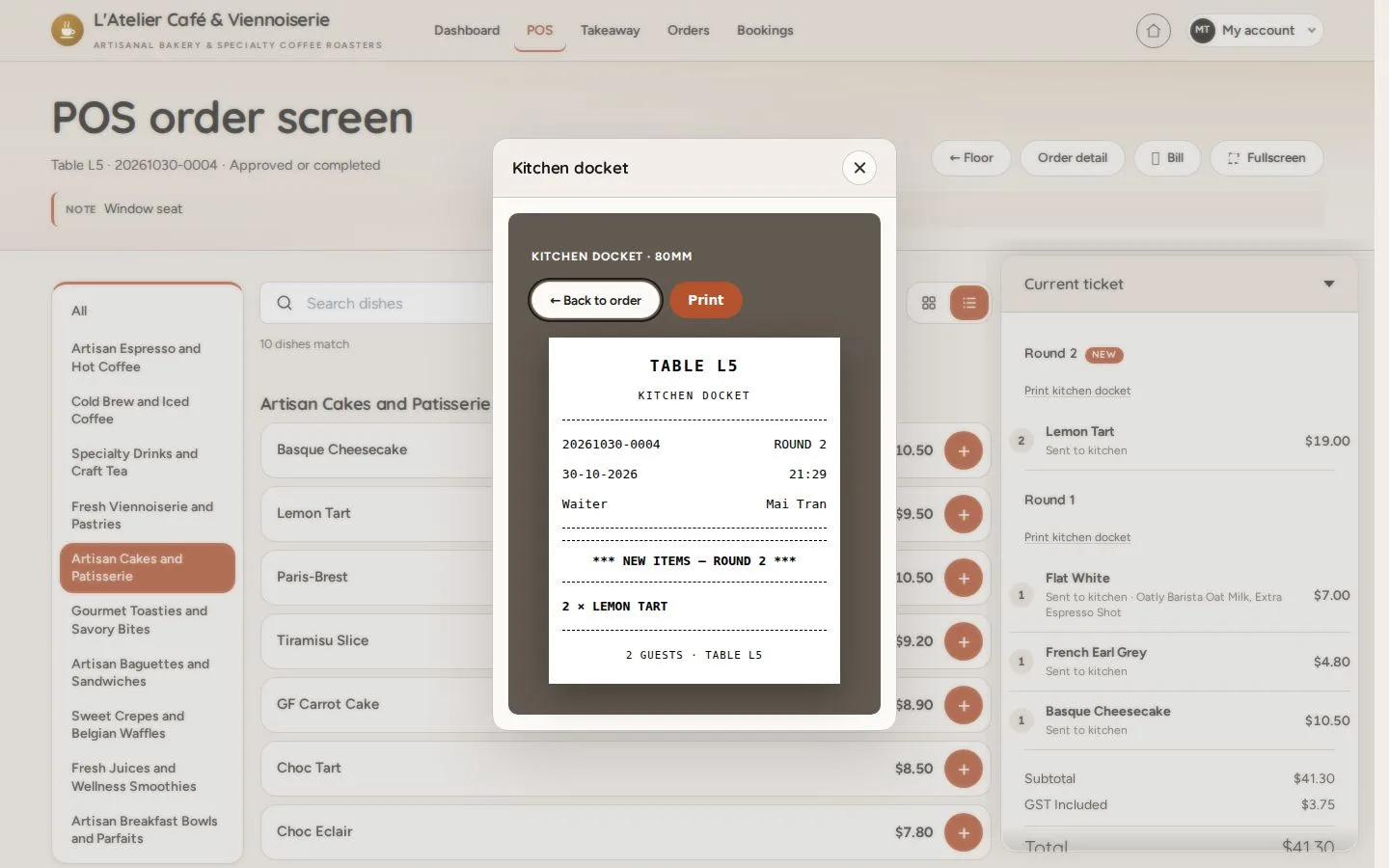
Round 2 docket

Waiter

Round 2 docket

3Step 3 of 5

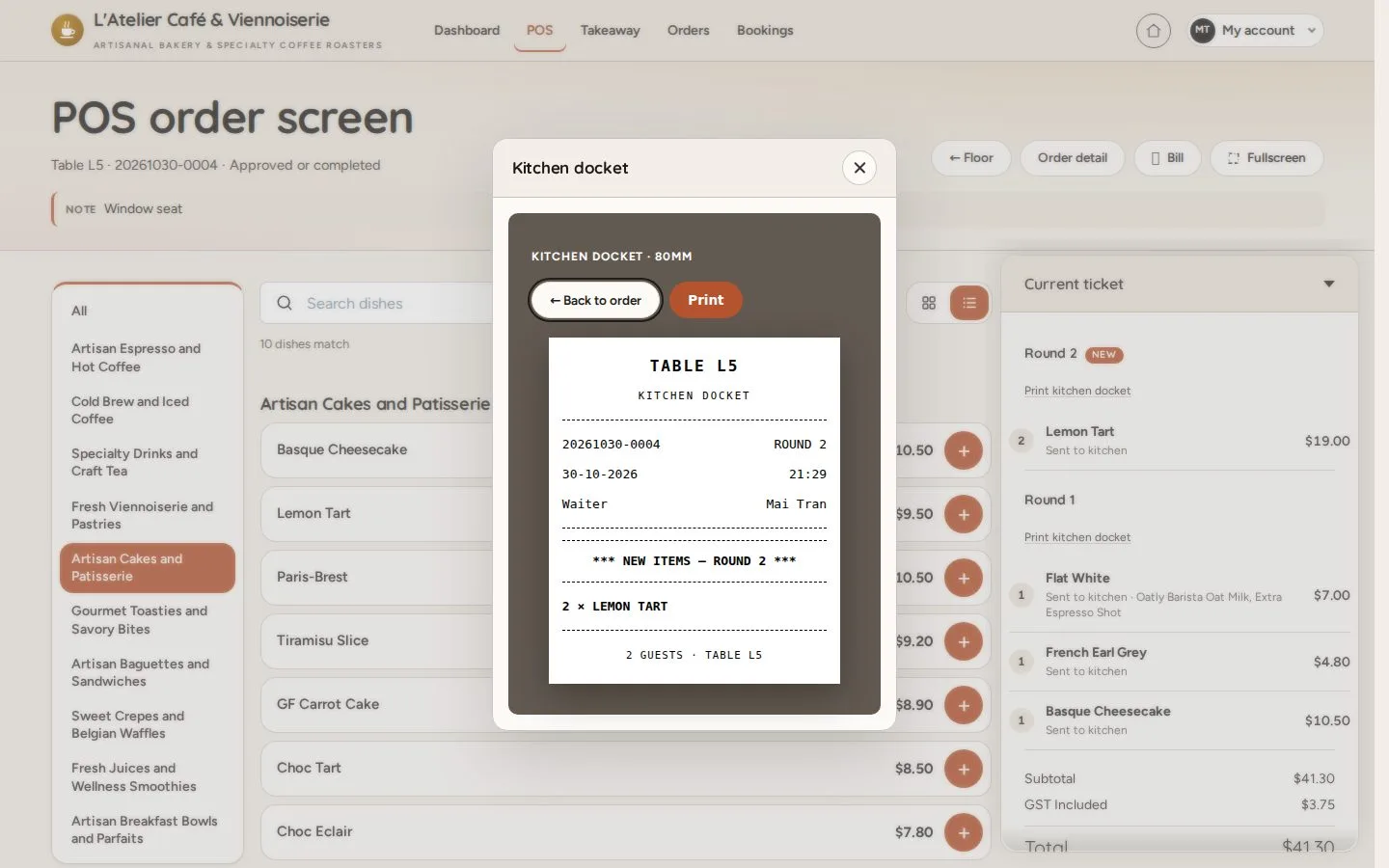
  1. Send new round to kitchen
  2. The docket lists only the new dishes: Print

Open illustrated screen ↗Full image ↗

Waiter · Add a round03

Order detail

Waiter

Order detail

4Step 4 of 5

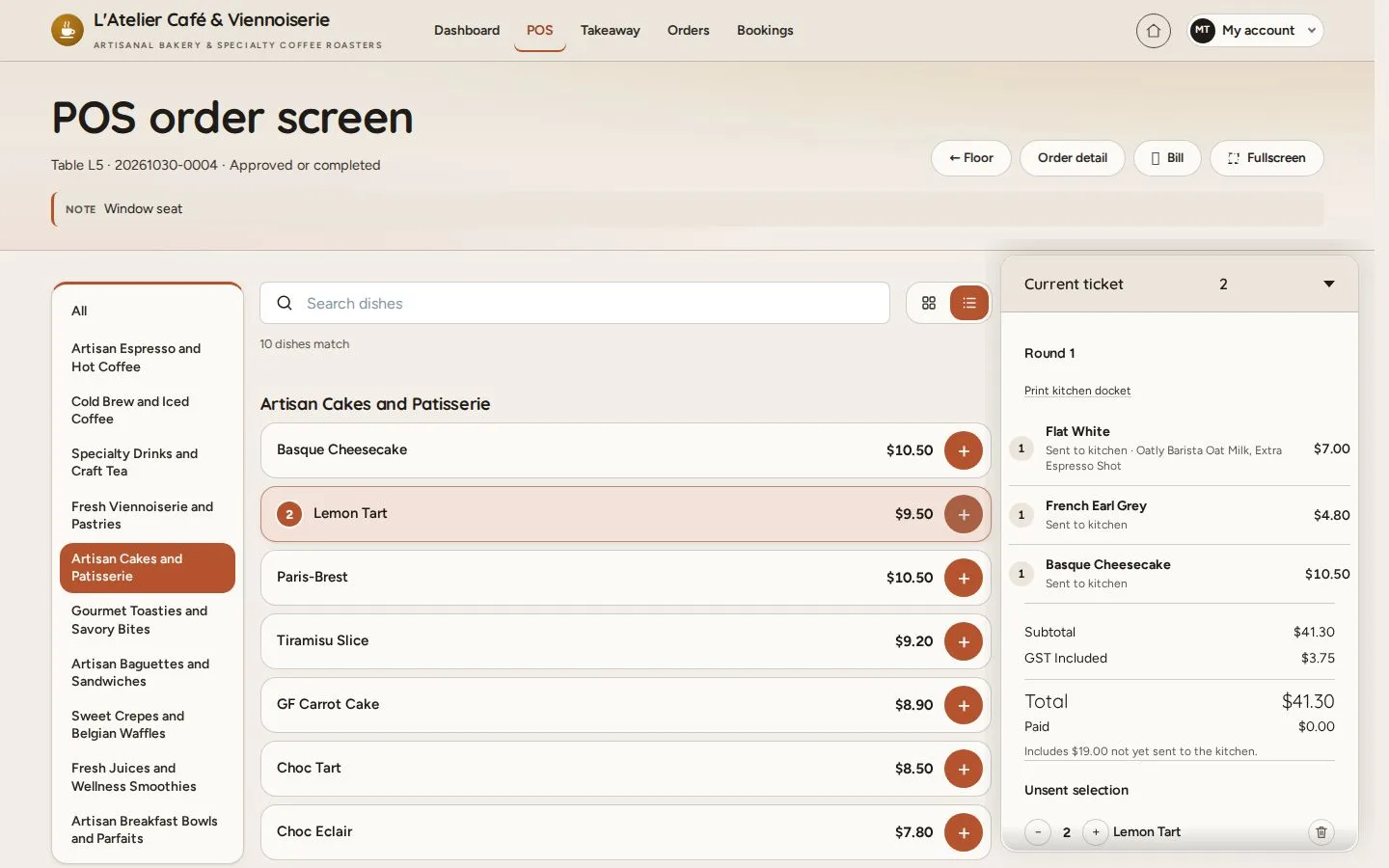
  1. Order detail lists the lines by round
  2. Reprint docket prints one round again

Enlarge, then scroll

Open illustrated screen ↗Full image ↗

Waiter · Add a round04

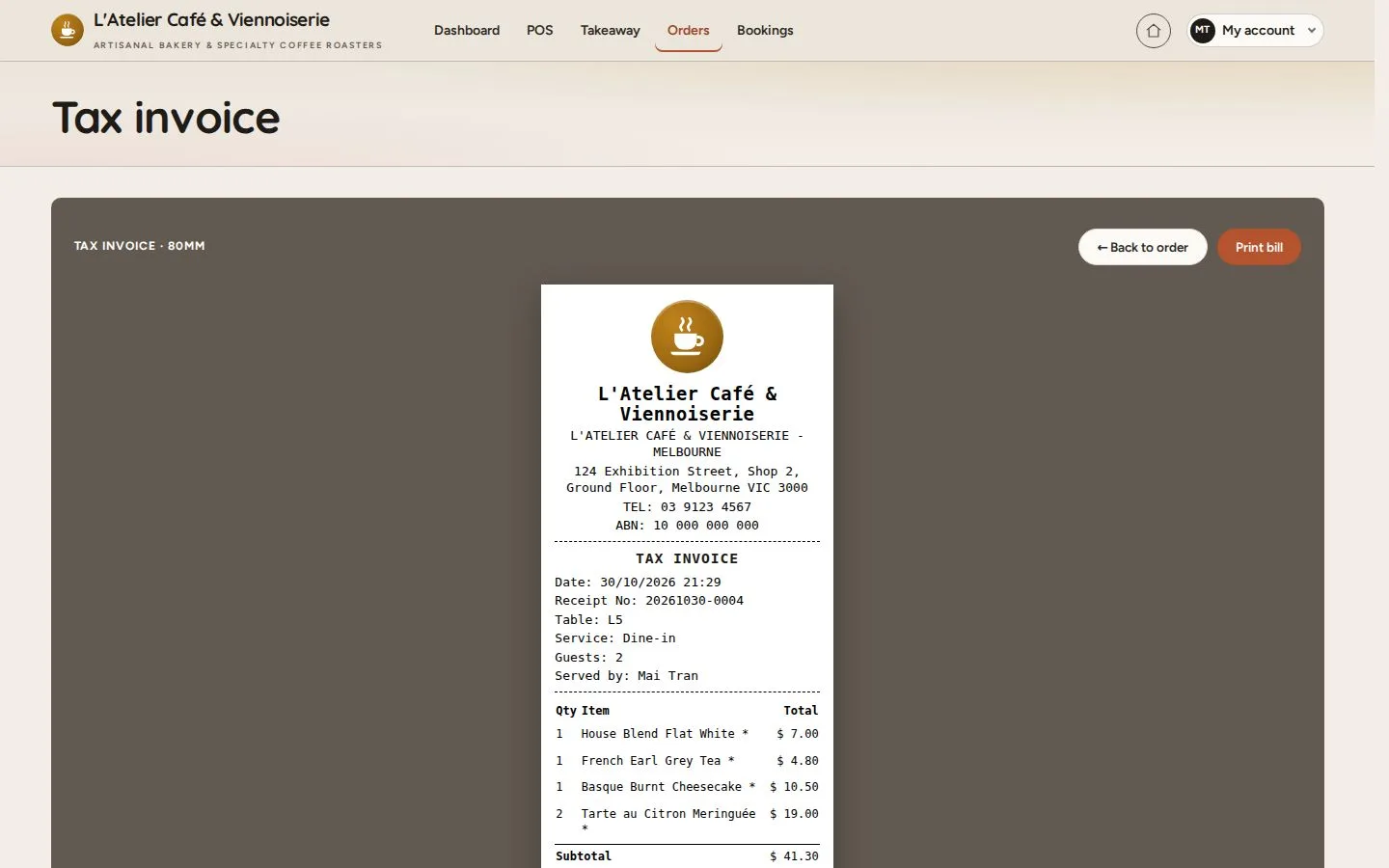
Customer bill

Waiter

Customer bill

5Step 5 of 5

  1. Bill opens the tax invoice of the whole order
  2. Print bill for the table

A Manager takes the payment and closes a table order.

Open illustrated screen ↗Full image ↗

Check

Round 2 is with the kitchen; the bill adds up every round

Waiter · Add a round05
1 / 6
Privacy Terms