Reports

Daily sales · Payments and GST · Item sales · BAS · Export CSV

  • Signed in as a Manager
Manager
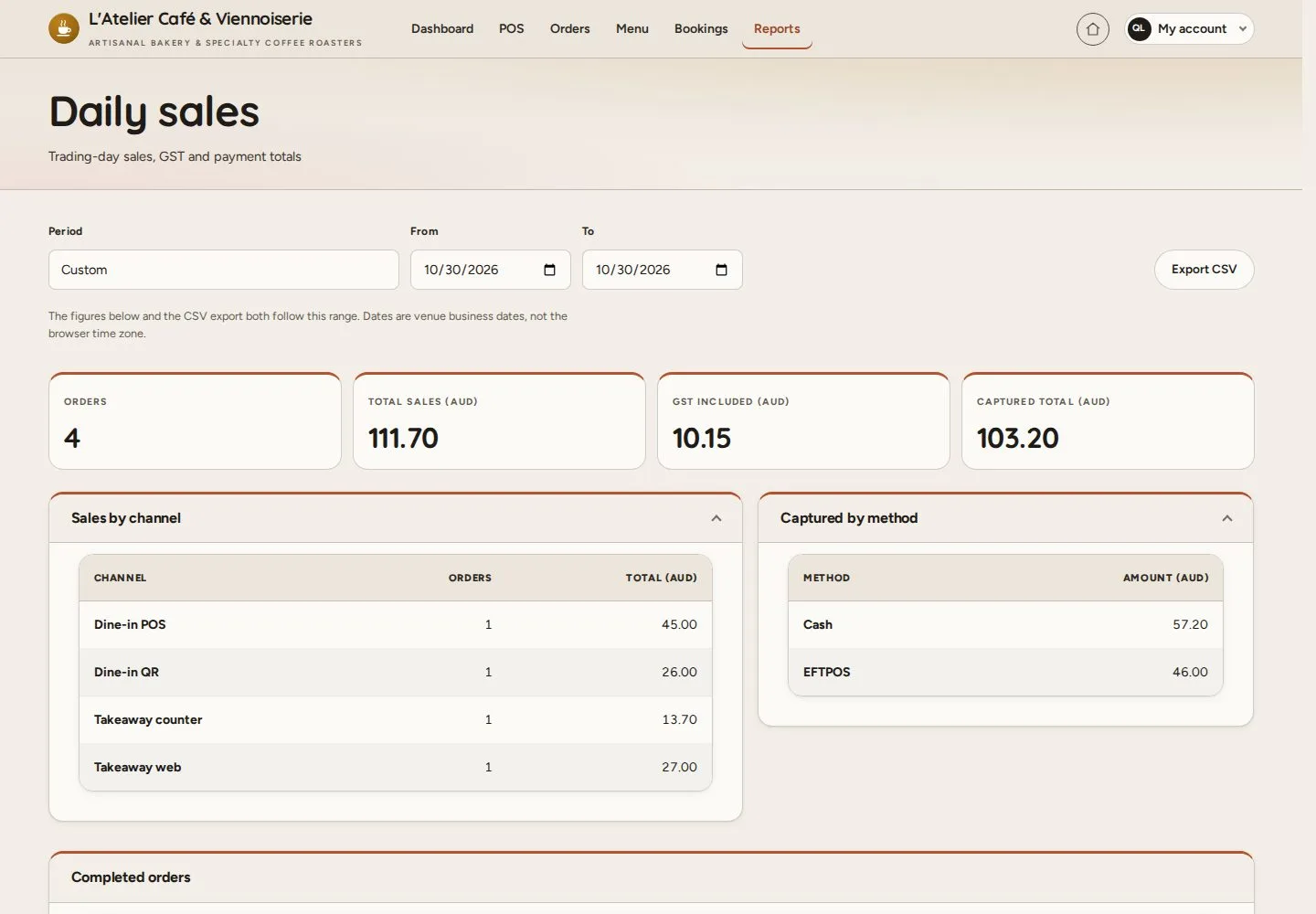
Daily sales

Manager

Daily sales

1Step 1 of 8

  1. Reports opens Daily sales; the other reports are under My account › Reports
  2. Choose a period: This month, This year or Custom
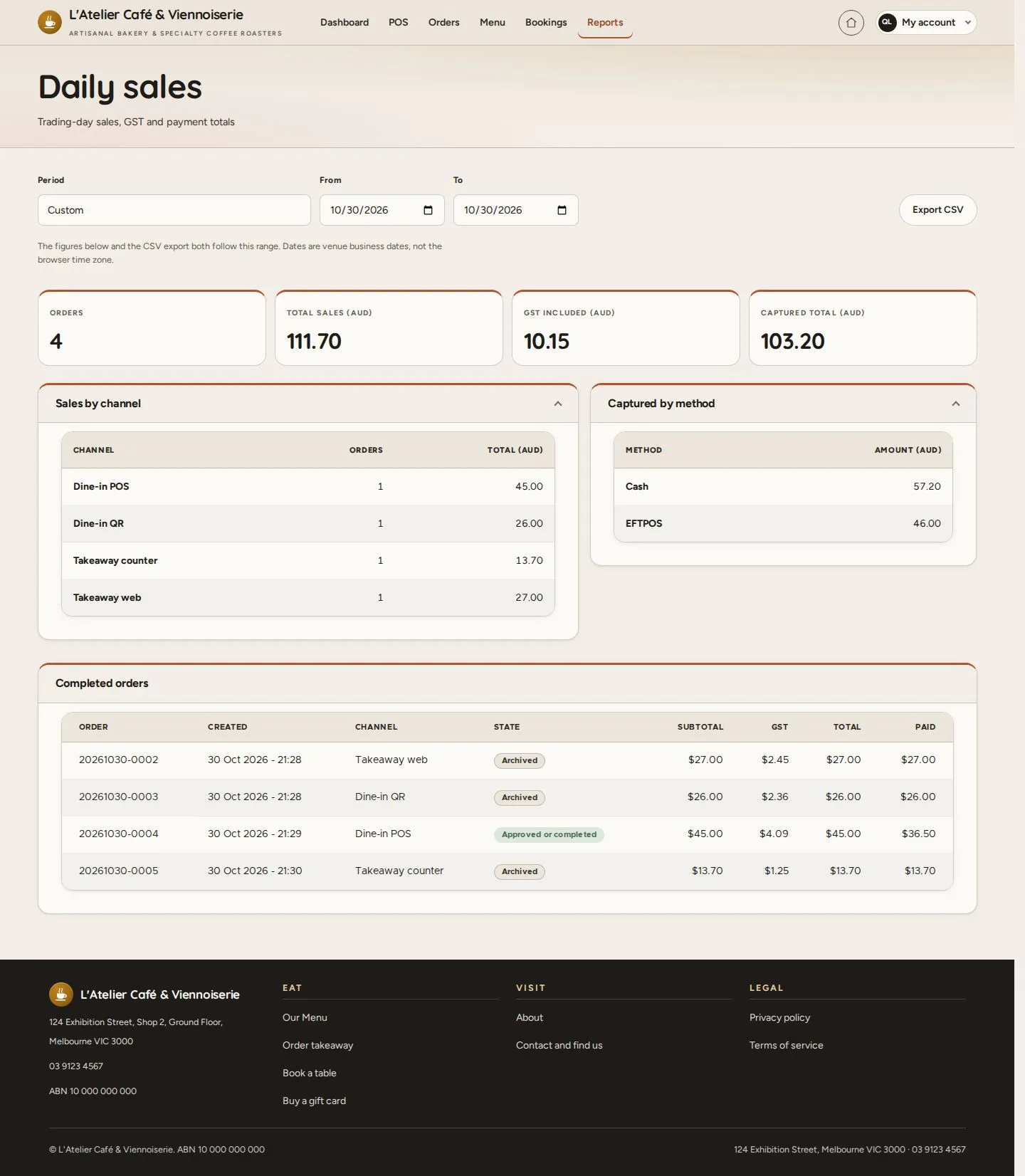
  3. Orders, sales and GST by channel and payment method; Export CSV

Every report uses the café's business dates and has Export CSV.

Enlarge, then scroll

Open illustrated screen ↗Full image ↗

Manager · Reports01

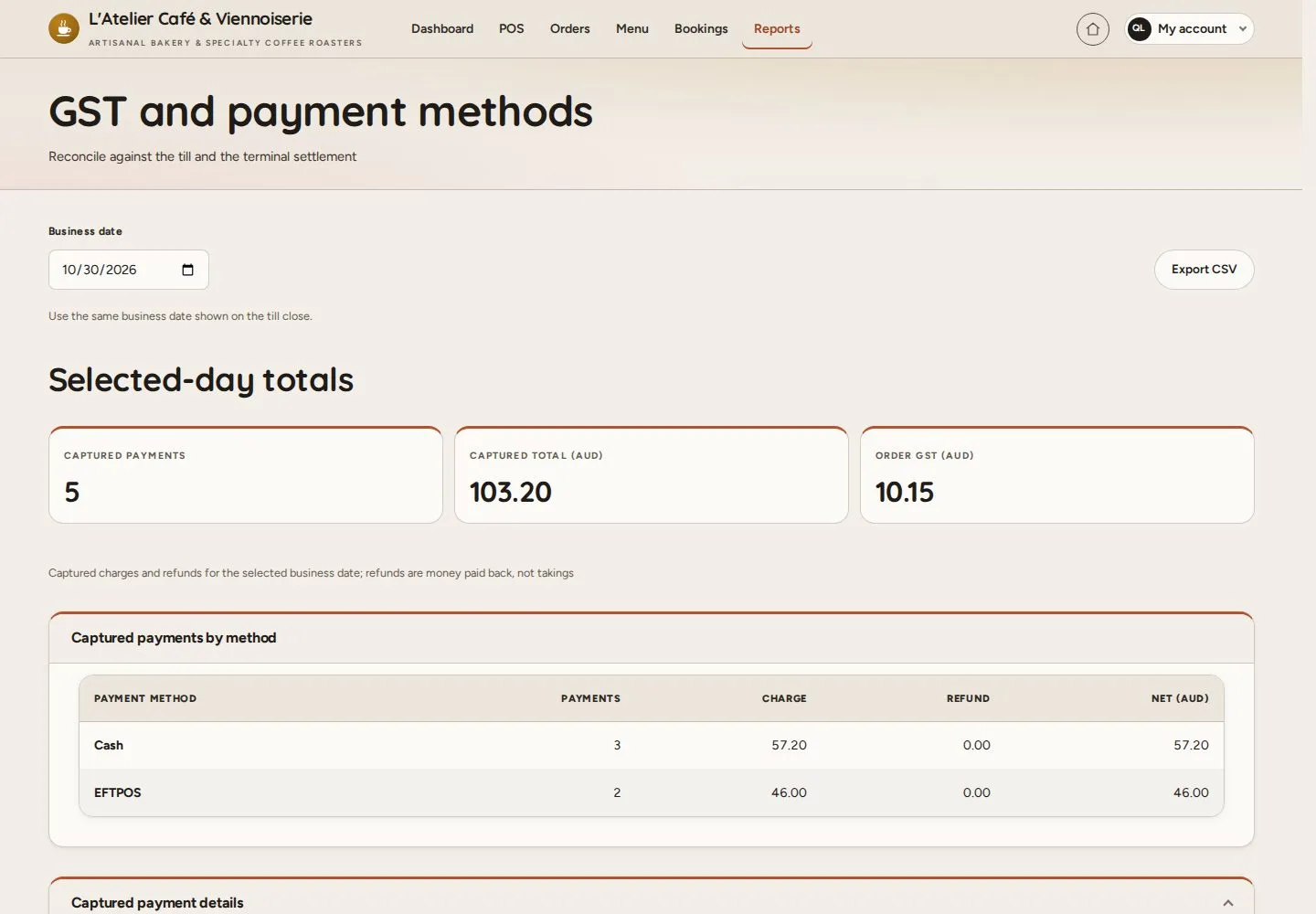
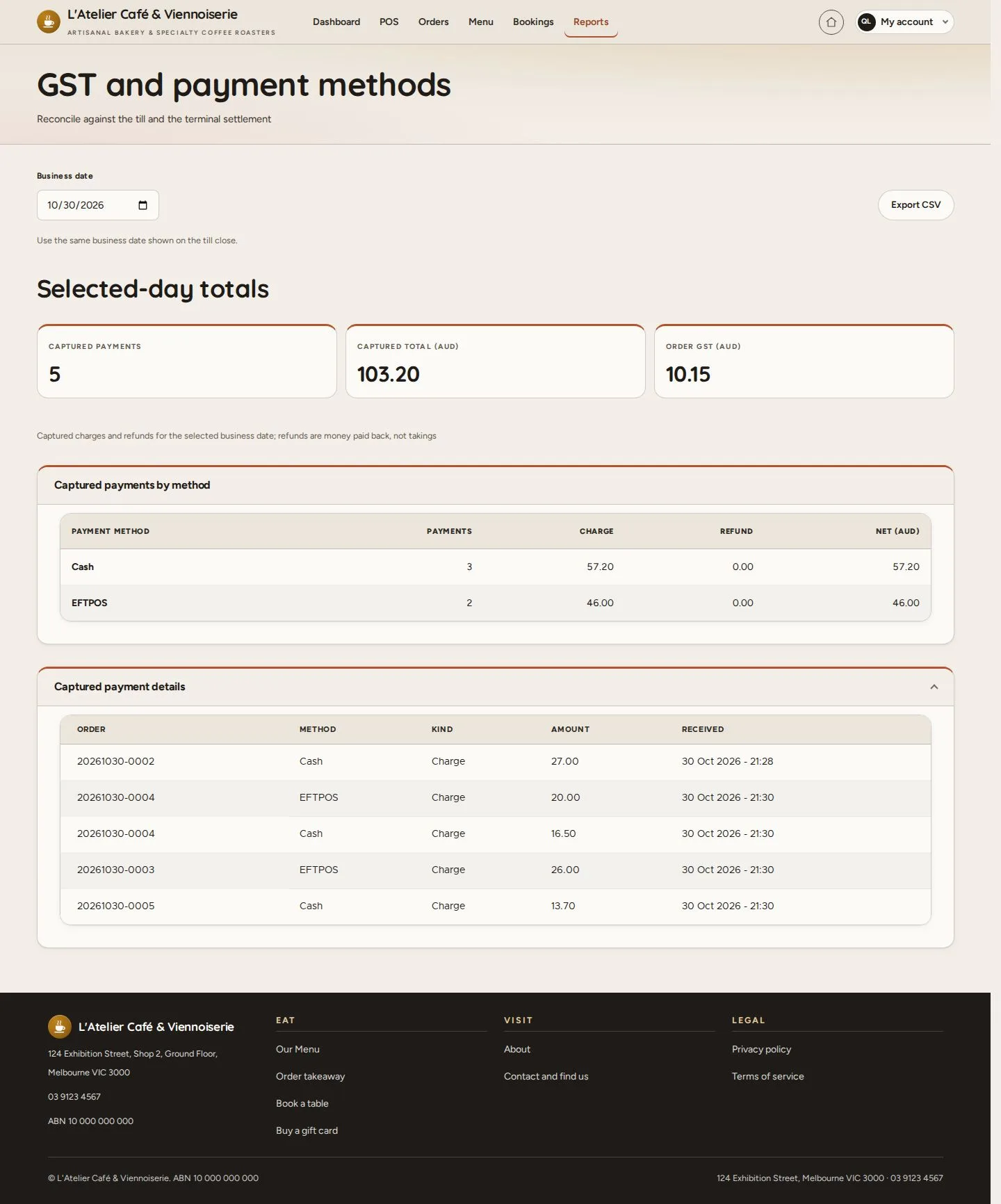
GST and payment methods

Manager

GST and payment methods

2Step 2 of 8

  1. Choose a business date
  2. Captured payments by method, to match the till and the terminal

Enlarge, then scroll

Open illustrated screen ↗Full image ↗

Manager · Reports02

Item sales

Manager

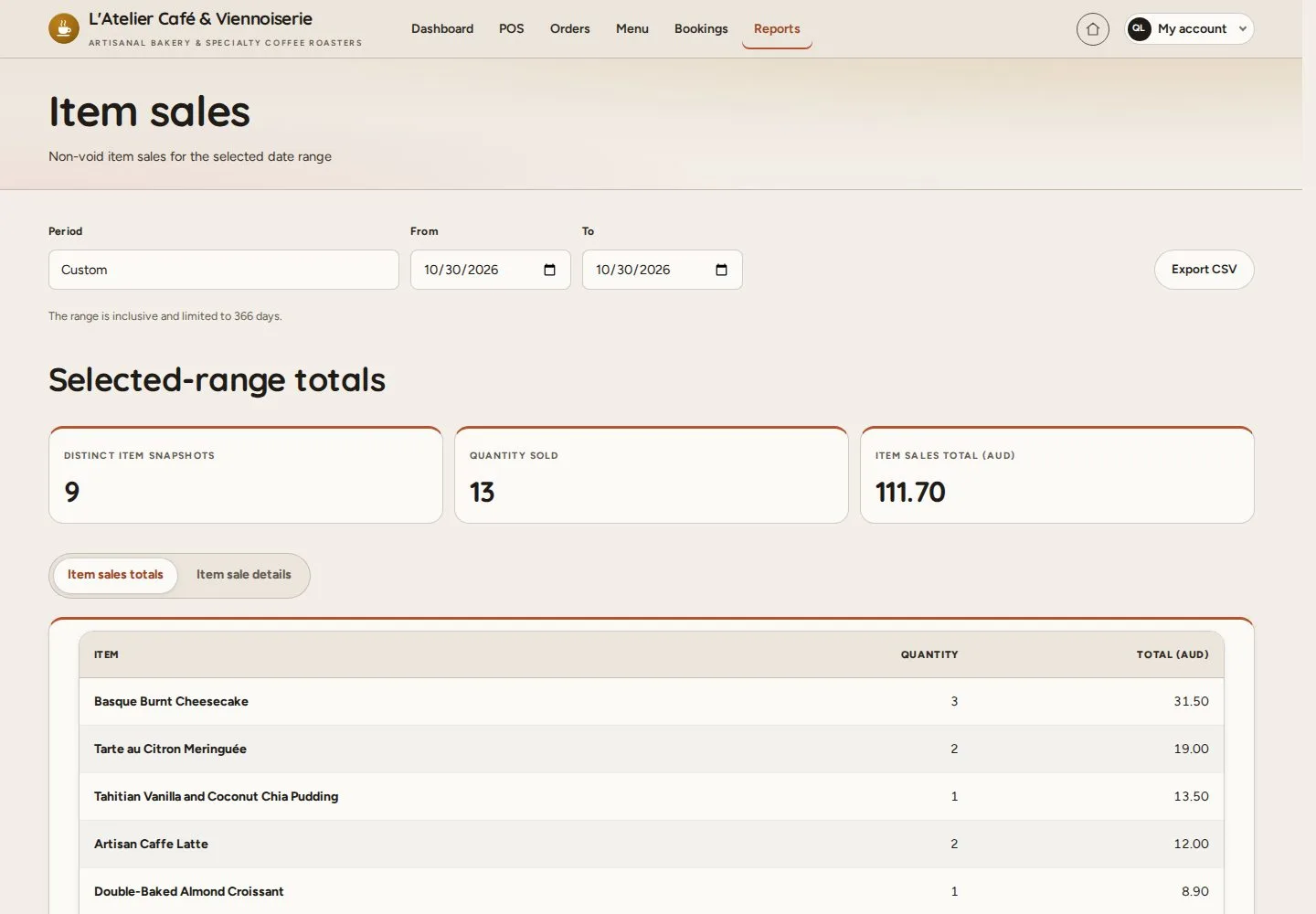
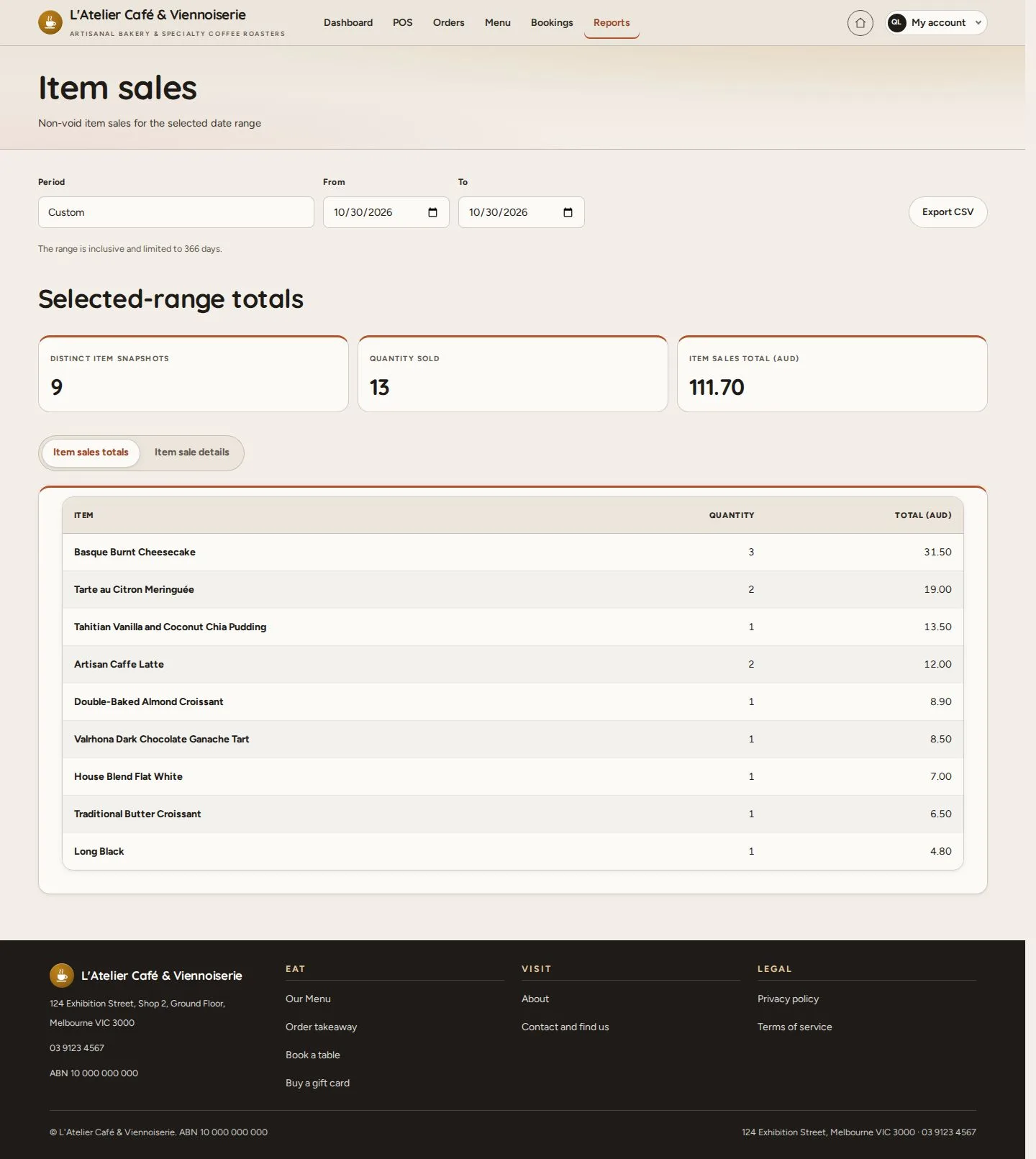
Item sales

3Step 3 of 8

  1. Each dish sold in the range, with quantity and total
  2. Item sales totals or Item sale details

Enlarge, then scroll

Open illustrated screen ↗Full image ↗

Manager · Reports03

Sales by period

Manager

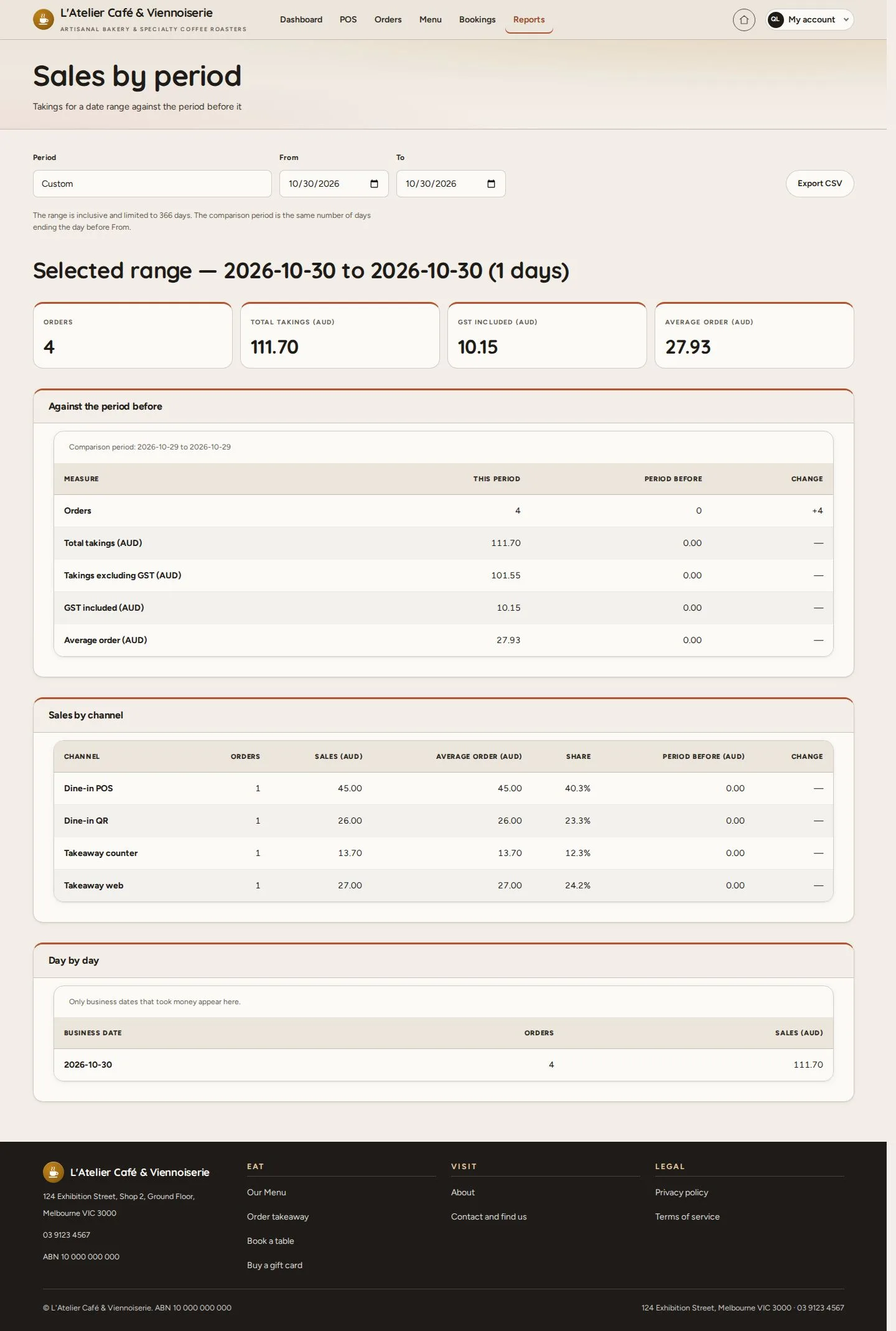
Sales by period

4Step 4 of 8

  1. A date range against the period before it

Enlarge, then scroll

Open illustrated screen ↗Full image ↗

Manager · Reports04

Category sales

Manager

Category sales

5Step 5 of 8

  1. Sales and share of each category
  2. Menu items that never sold

Enlarge, then scroll

Open illustrated screen ↗Full image ↗

Manager · Reports05

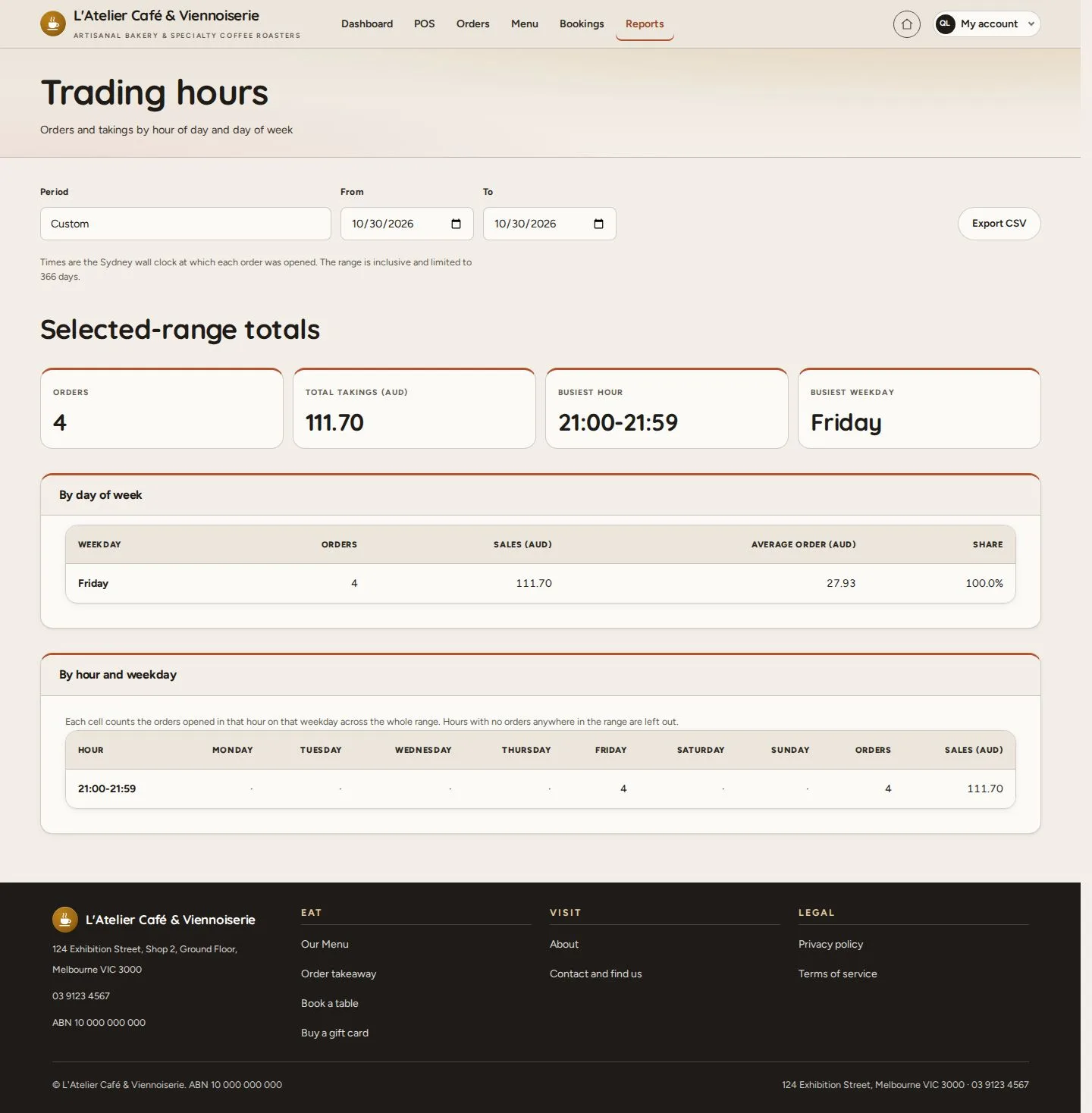
Trading hours

Manager

Trading hours

6Step 6 of 8

  1. Orders and takings by hour and weekday
  2. The busiest hour and weekday

Enlarge, then scroll

Open illustrated screen ↗Full image ↗

Manager · Reports06

GST and BAS summary

Manager

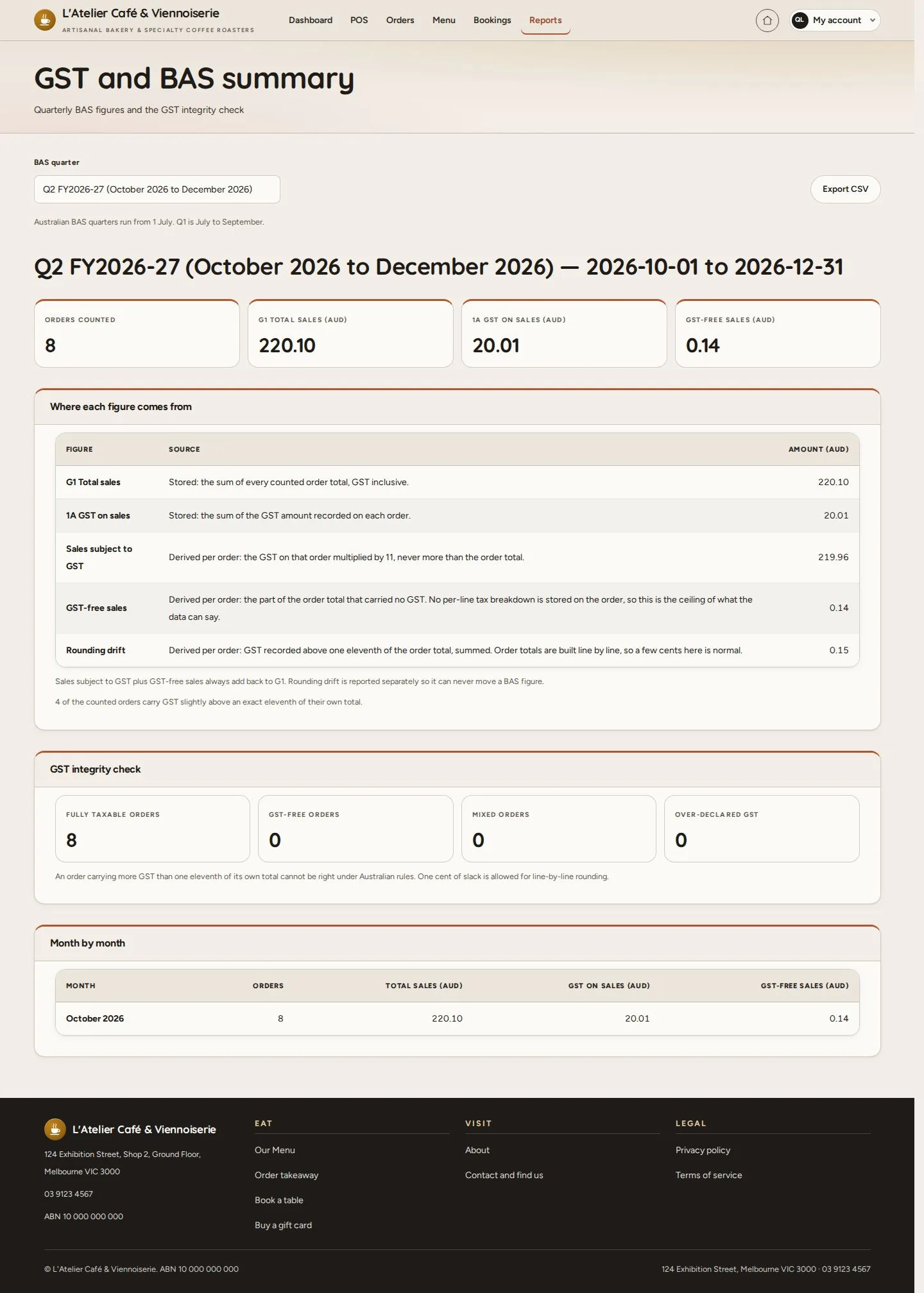
GST and BAS summary

7Step 7 of 8

  1. Choose a BAS quarter
  2. Each figure and where it comes from

Figures for the café's accountant; MenuNerds does not lodge a BAS.

Enlarge, then scroll

Open illustrated screen ↗Full image ↗

Manager · Reports07

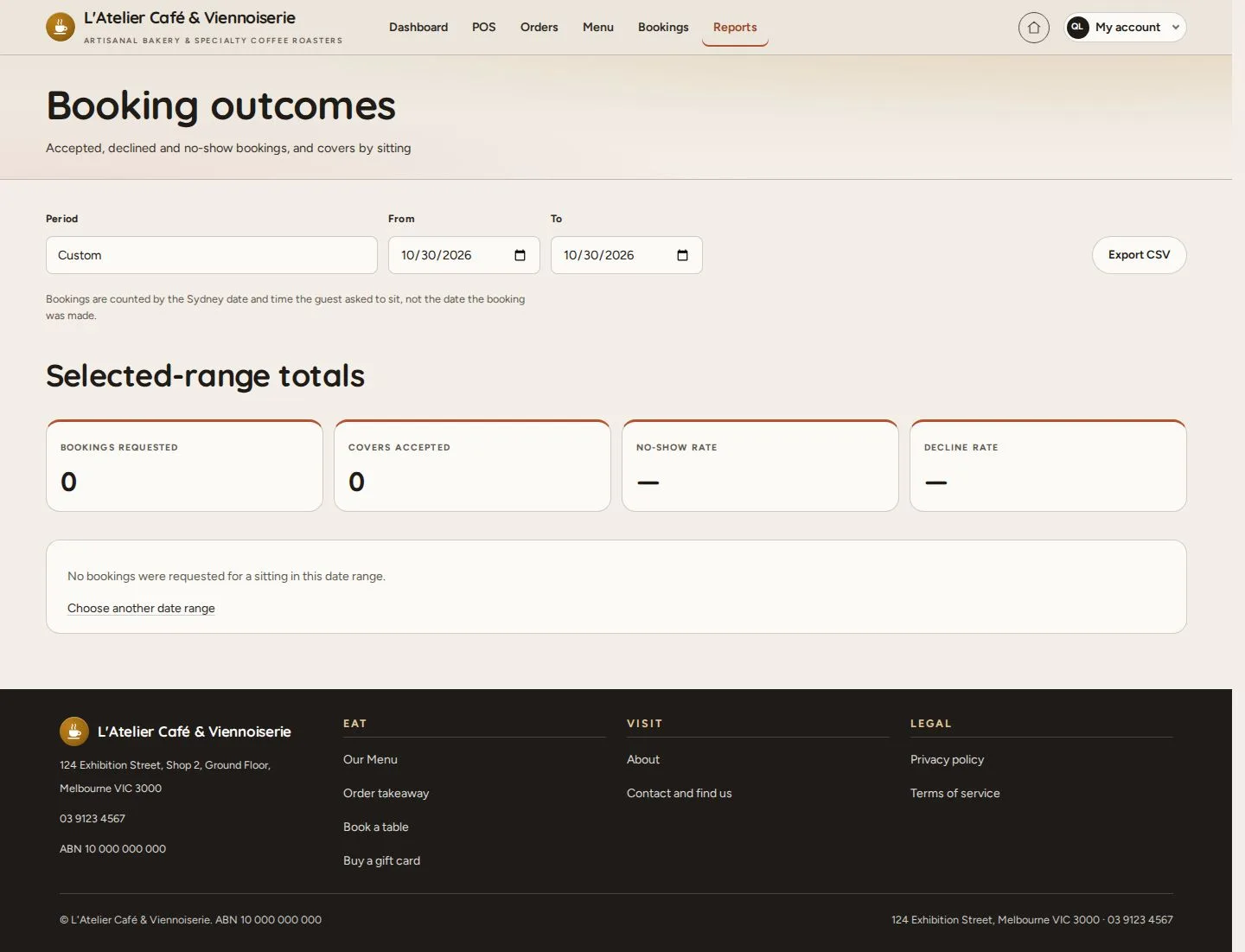
Booking outcomes

Manager

Booking outcomes

8Step 8 of 8

  1. Bookings requested, covers accepted, no-show and decline rates

Enlarge, then scroll

Open illustrated screen ↗Full image ↗

Check

The figures of the chosen dates, ready to export

Manager · Reports08
1 / 9
Privacy Terms