Opening hours and rules

Opening hours · Special closures · Booking rules · Online ordering rules

  • Signed in as a Manager
Manager

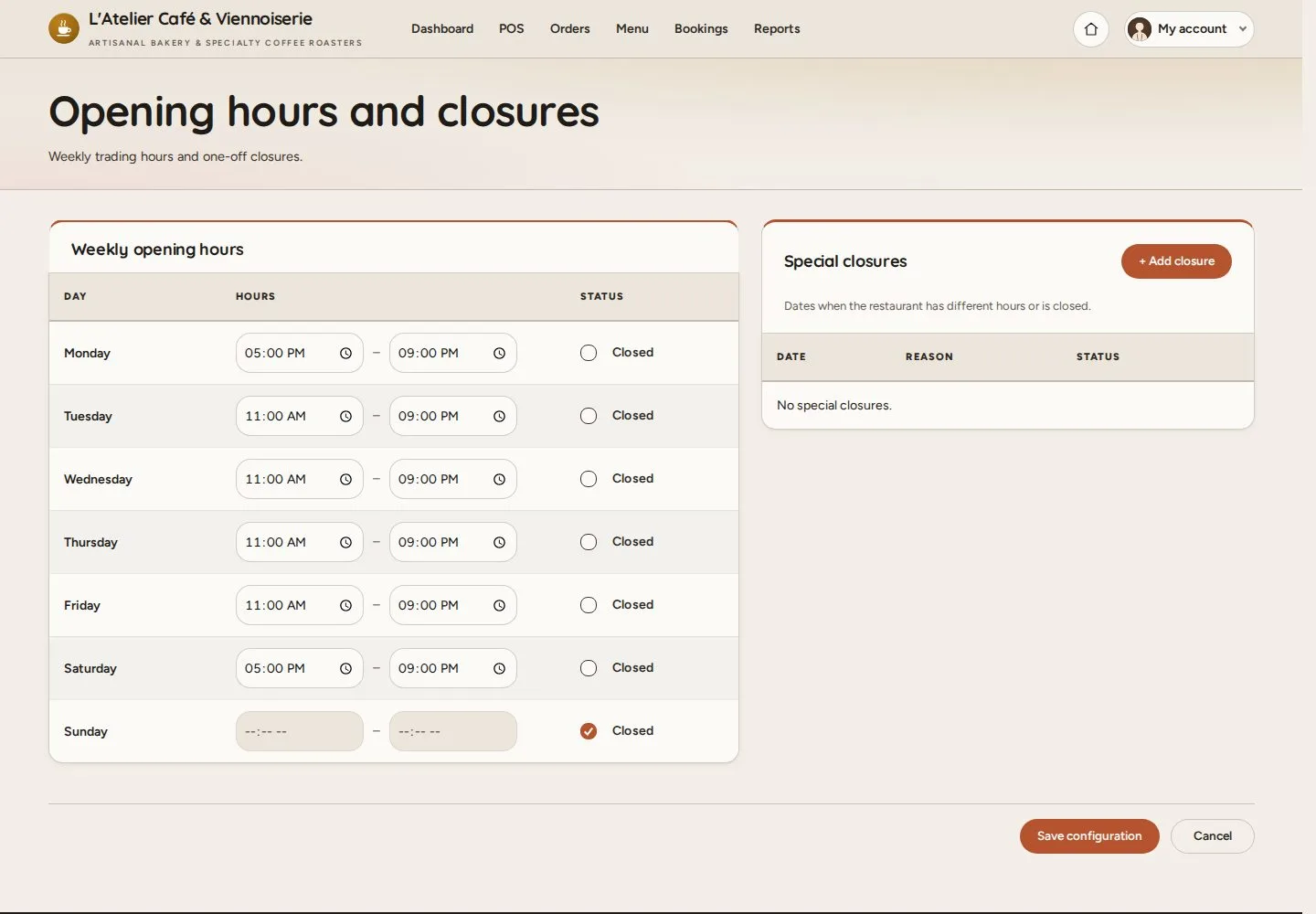
Opening hours and closures

Manager

Opening hours and closures

1Step 1 of 3

  1. My account › Opening hours and closures
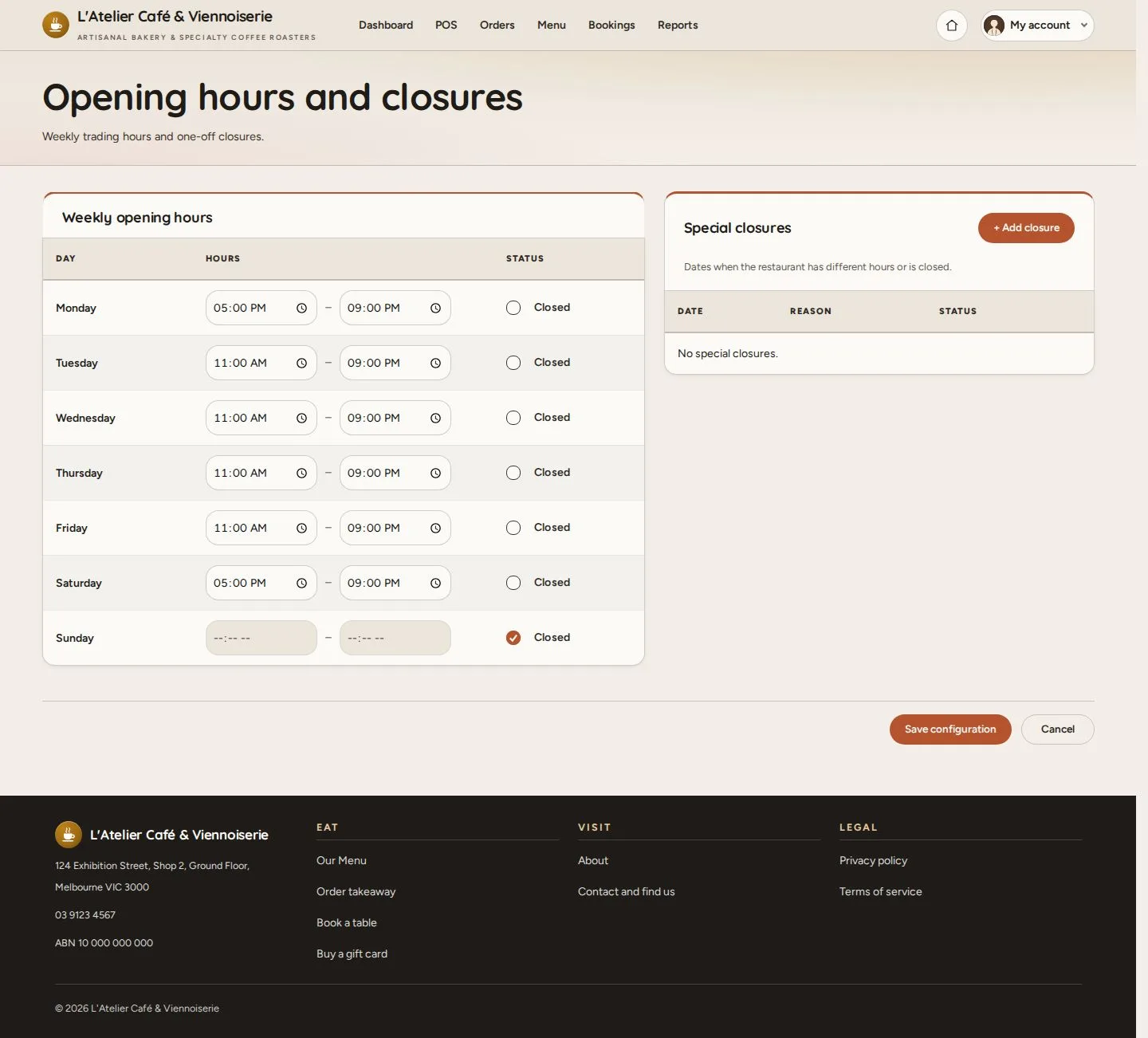
  2. Set the hours of each day, or tick Closed
  3. + Add closure for a holiday; Save configuration

Enlarge, then scroll

Open illustrated screen ↗Full image ↗

Manager · Opening hours and rules01

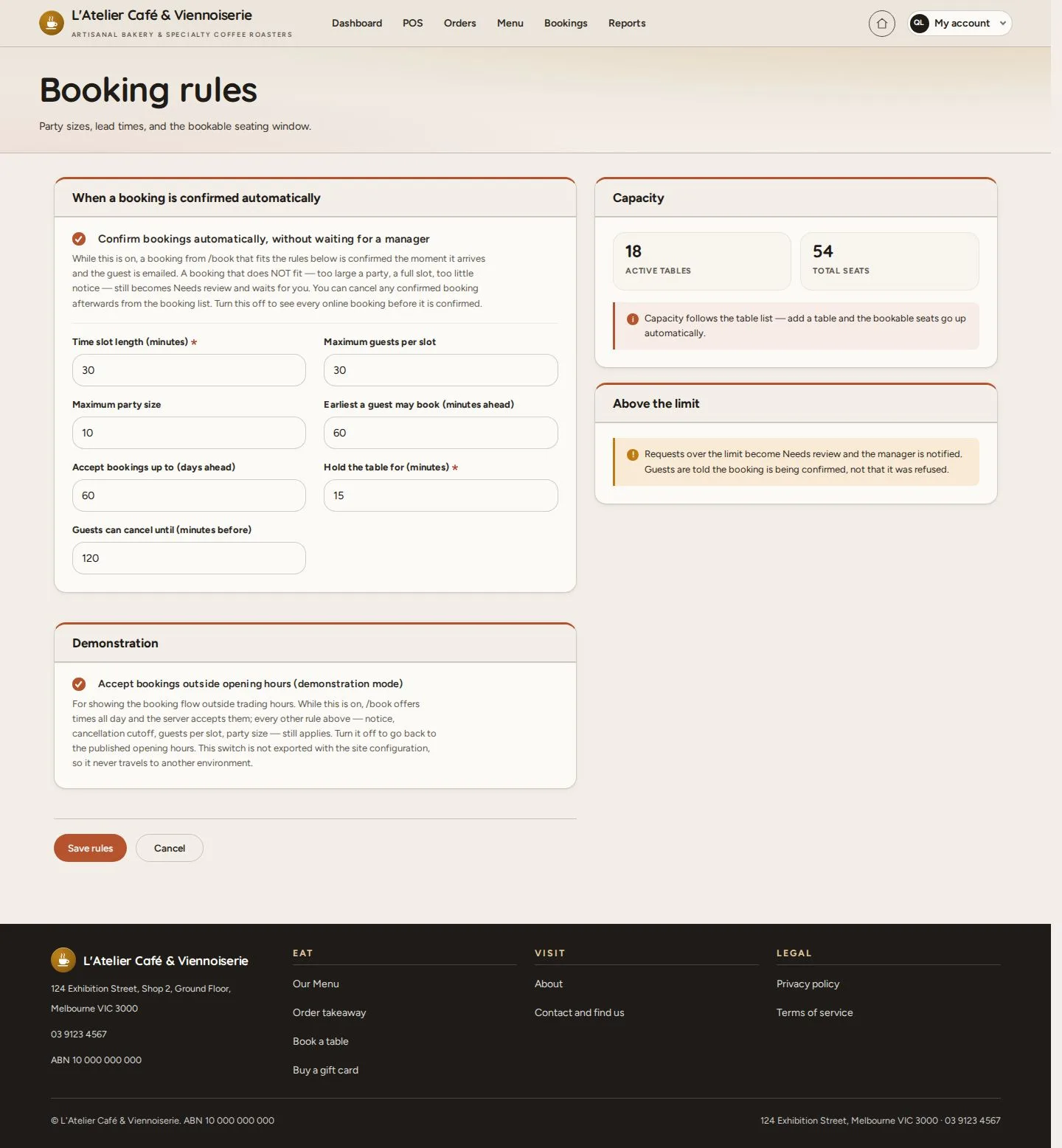
Booking rules

Manager

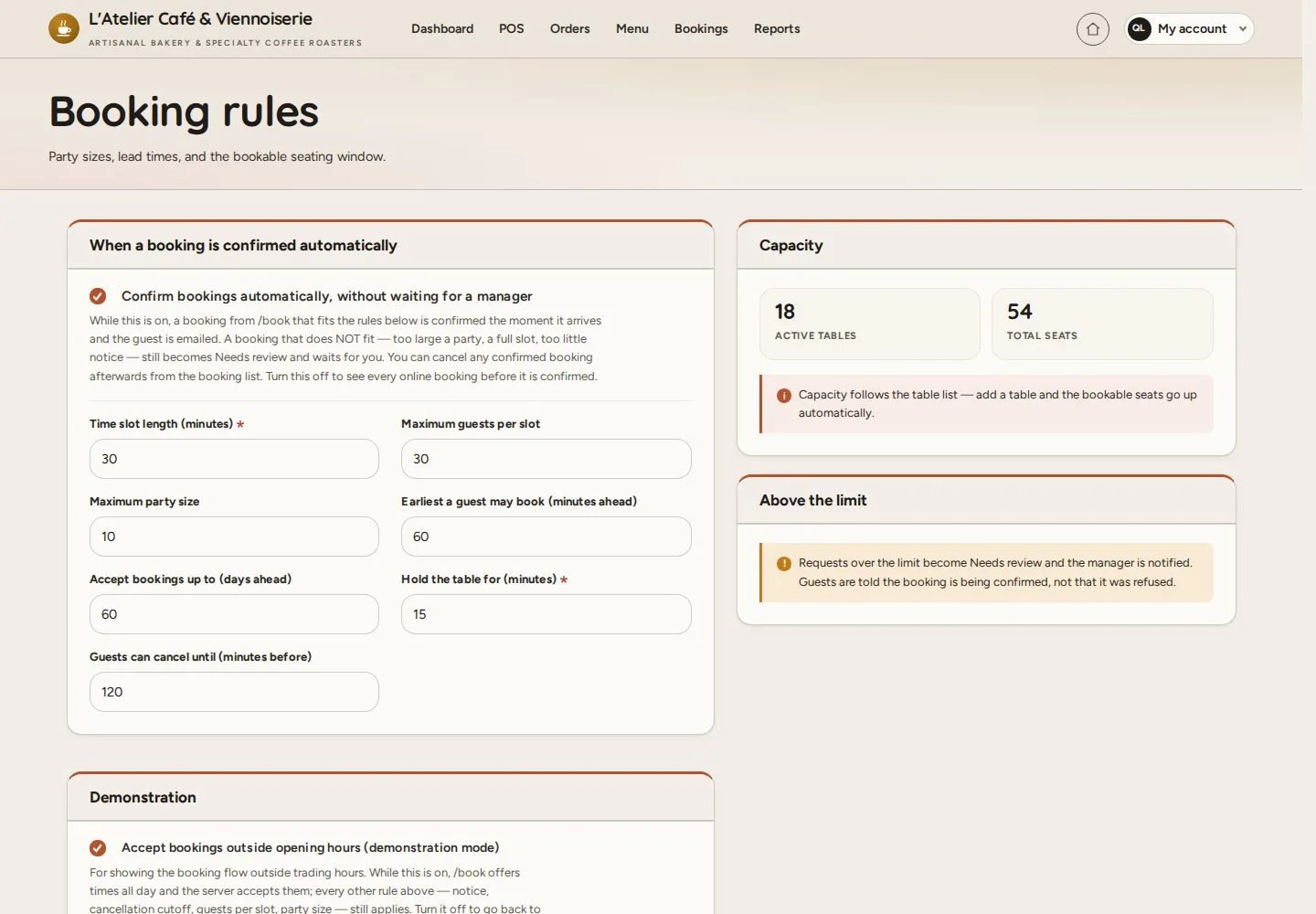
Booking rules

2Step 2 of 3

  1. My account › Booking rules
  2. Confirm bookings automatically, or review each one
  3. Slot length, guests per slot, party size, notice, days ahead, cancel cut-off

Demonstration mode takes bookings outside opening hours: keep it off for real service.

Enlarge, then scroll

Open illustrated screen ↗Full image ↗

Manager · Opening hours and rules02

Online ordering rules

Manager

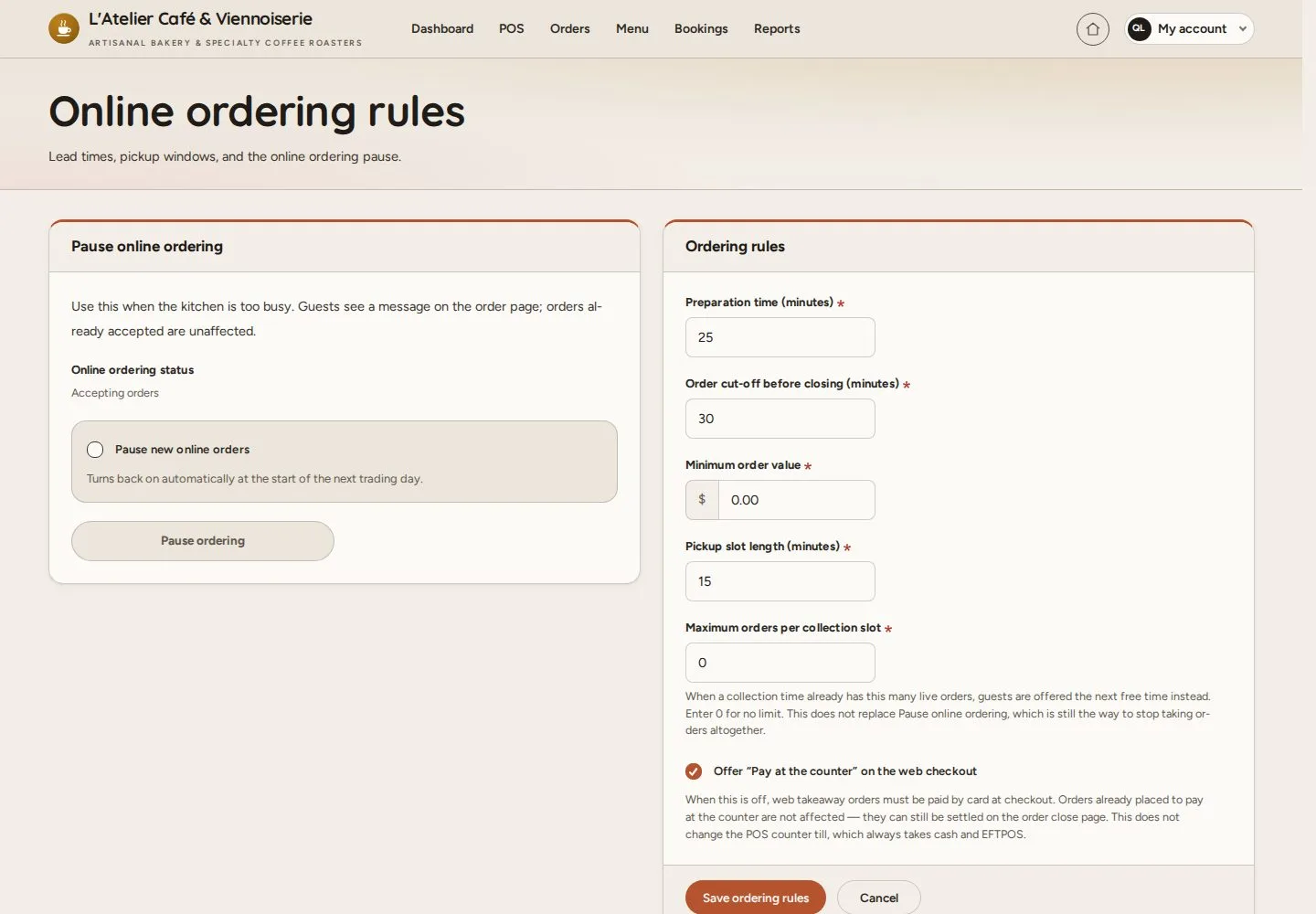
Online ordering rules

3Step 3 of 3

  1. My account › Online ordering rules
  2. Pause online ordering when the kitchen is overloaded
  3. Preparation time, cut-off, minimum order, slots; Pay at the counter

Enlarge, then scroll

Open illustrated screen ↗Full image ↗

Check

The website, bookings and online orders follow the new settings

Manager · Opening hours and rules03
1 / 4
Privacy Terms