Mark a dish sold out

Sold out board · Mark sold out · Restore availability

  • Signed in as a waiter
Waiter

Sold out board

Waiter

Sold out board

1Step 1 of 3

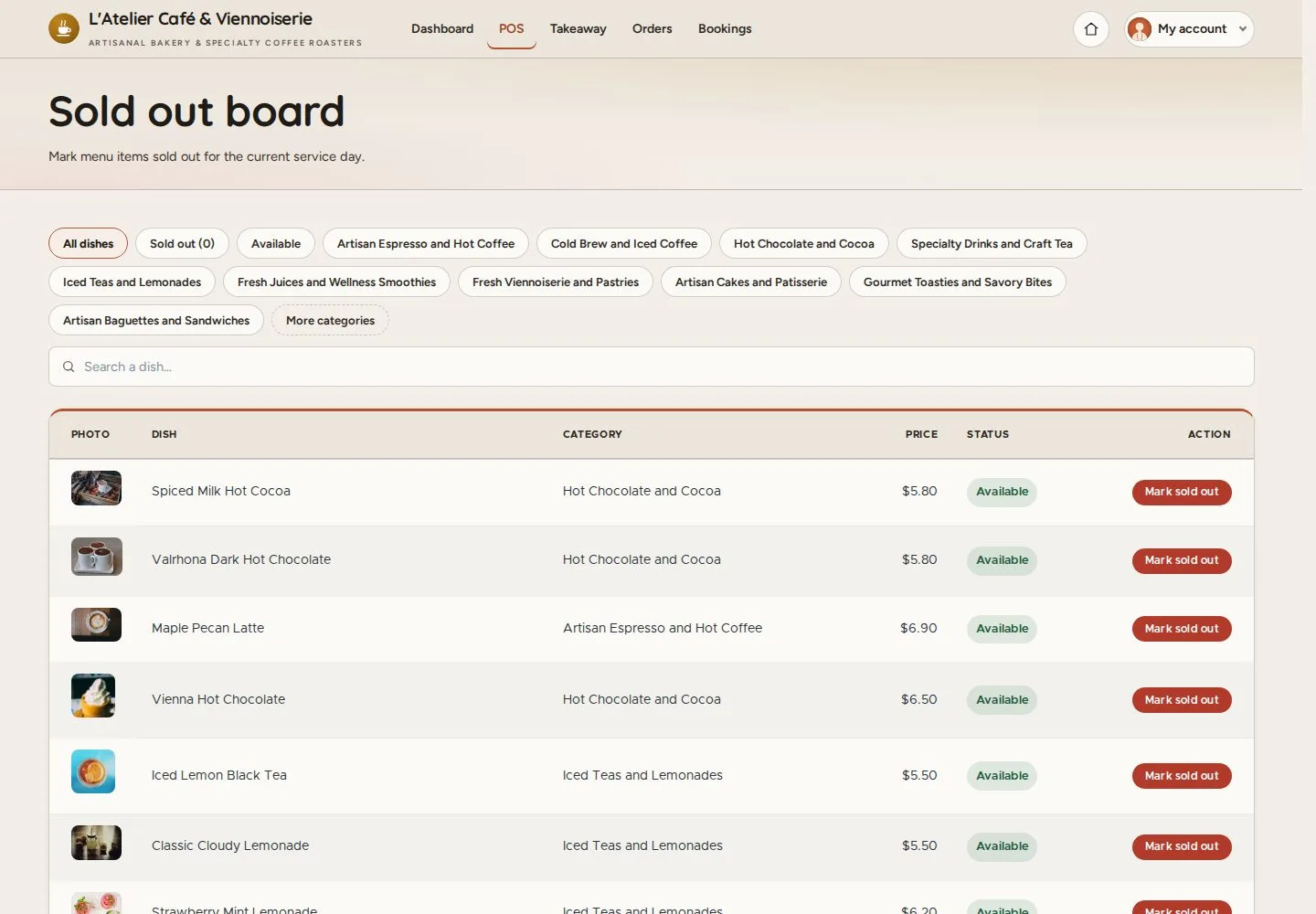
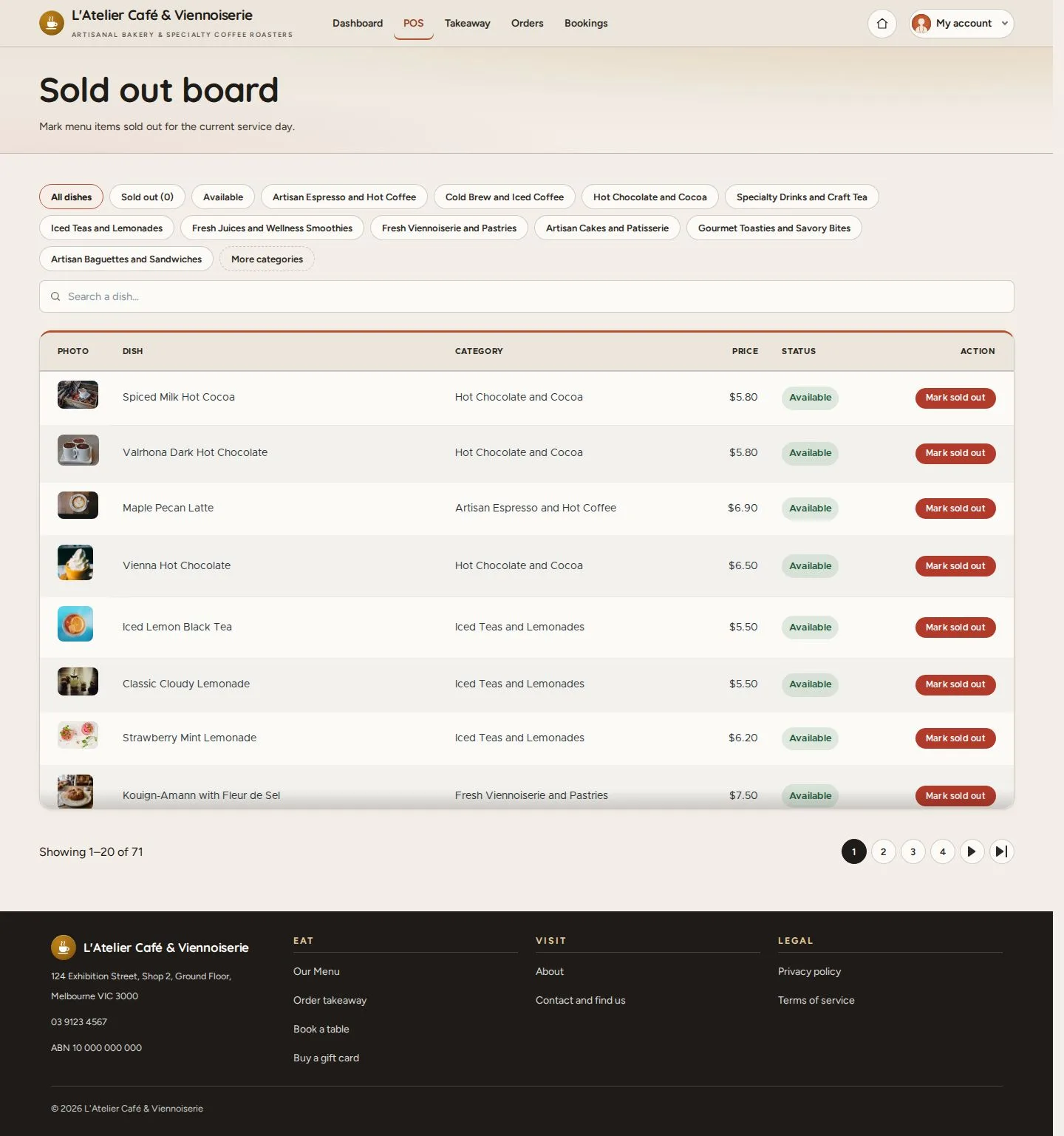
  1. My account › Sold out board: every dish and its status
  2. Filter by status or category, or search a dish

Enlarge, then scroll

Open illustrated screen ↗Full image ↗

Waiter · Mark a dish sold out01

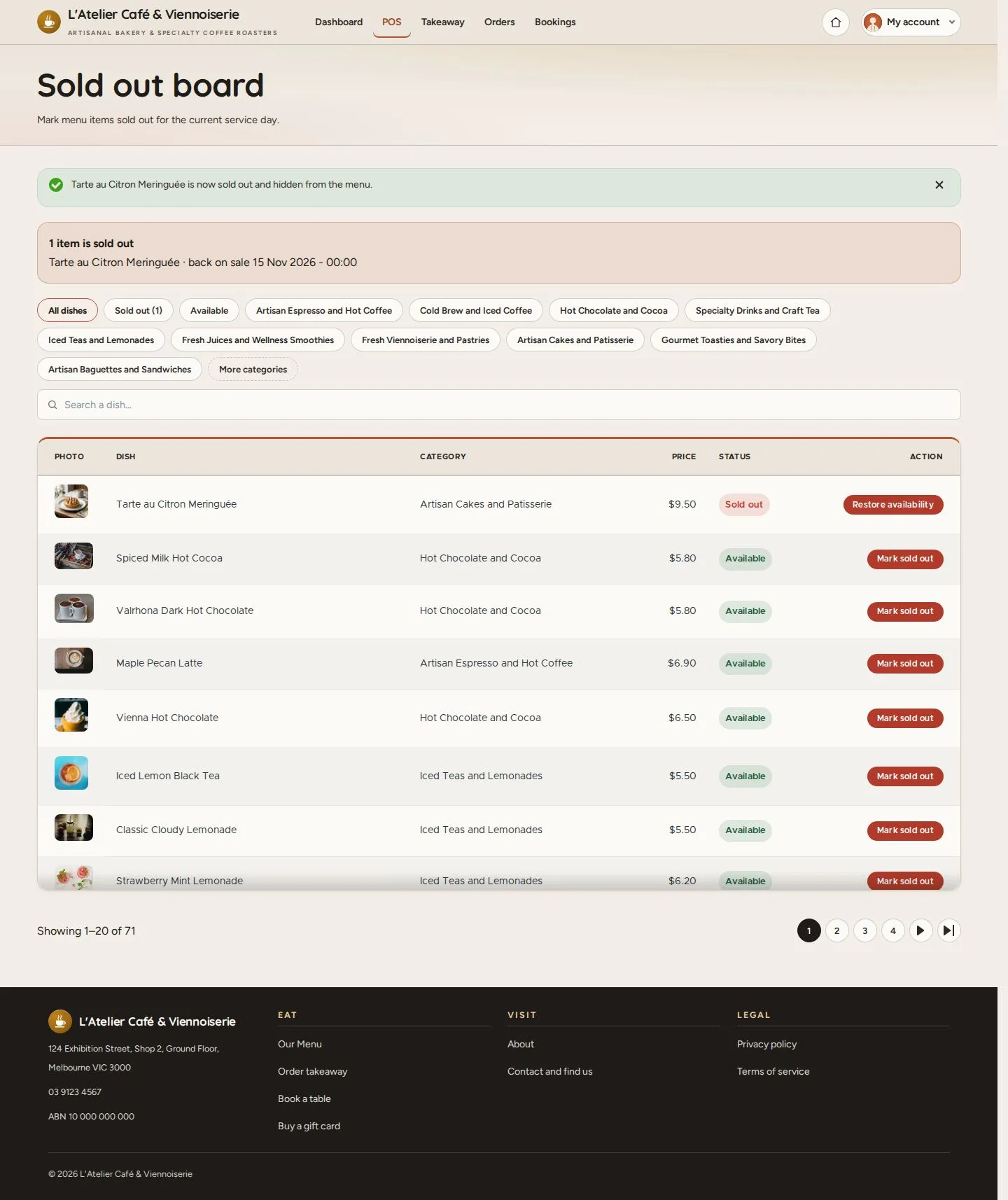
Mark dish sold out

Waiter

Mark dish sold out

2Step 2 of 3

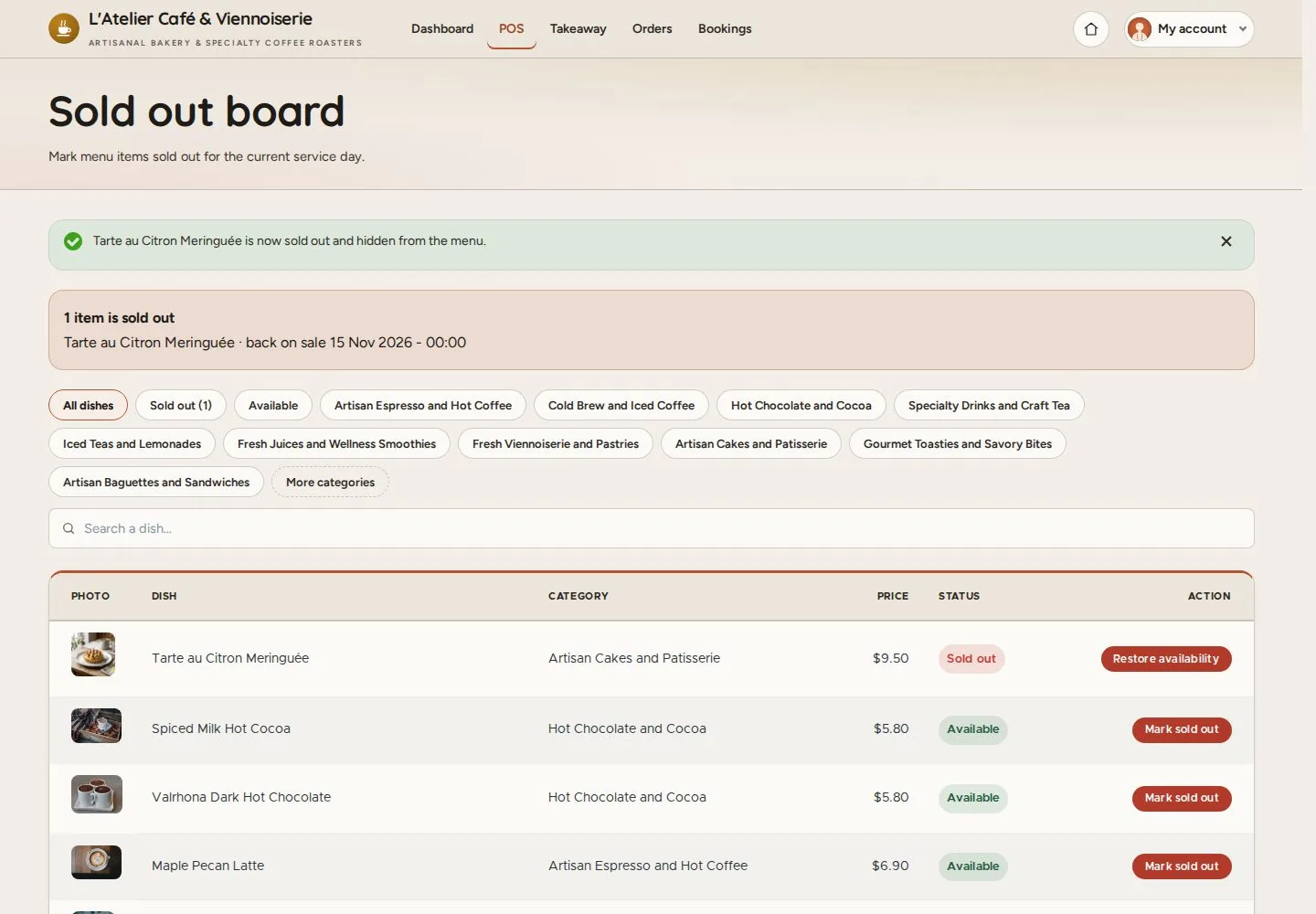
  1. Mark sold out on the dish, then Mark sold out again to confirm
  2. It leaves the menu and is locked on every POS
  3. It is back on sale at the start of the next trading day

Enlarge, then scroll

Open illustrated screen ↗Full image ↗

Waiter · Mark a dish sold out02

Back on sale

Waiter

Back on sale

3Step 3 of 3

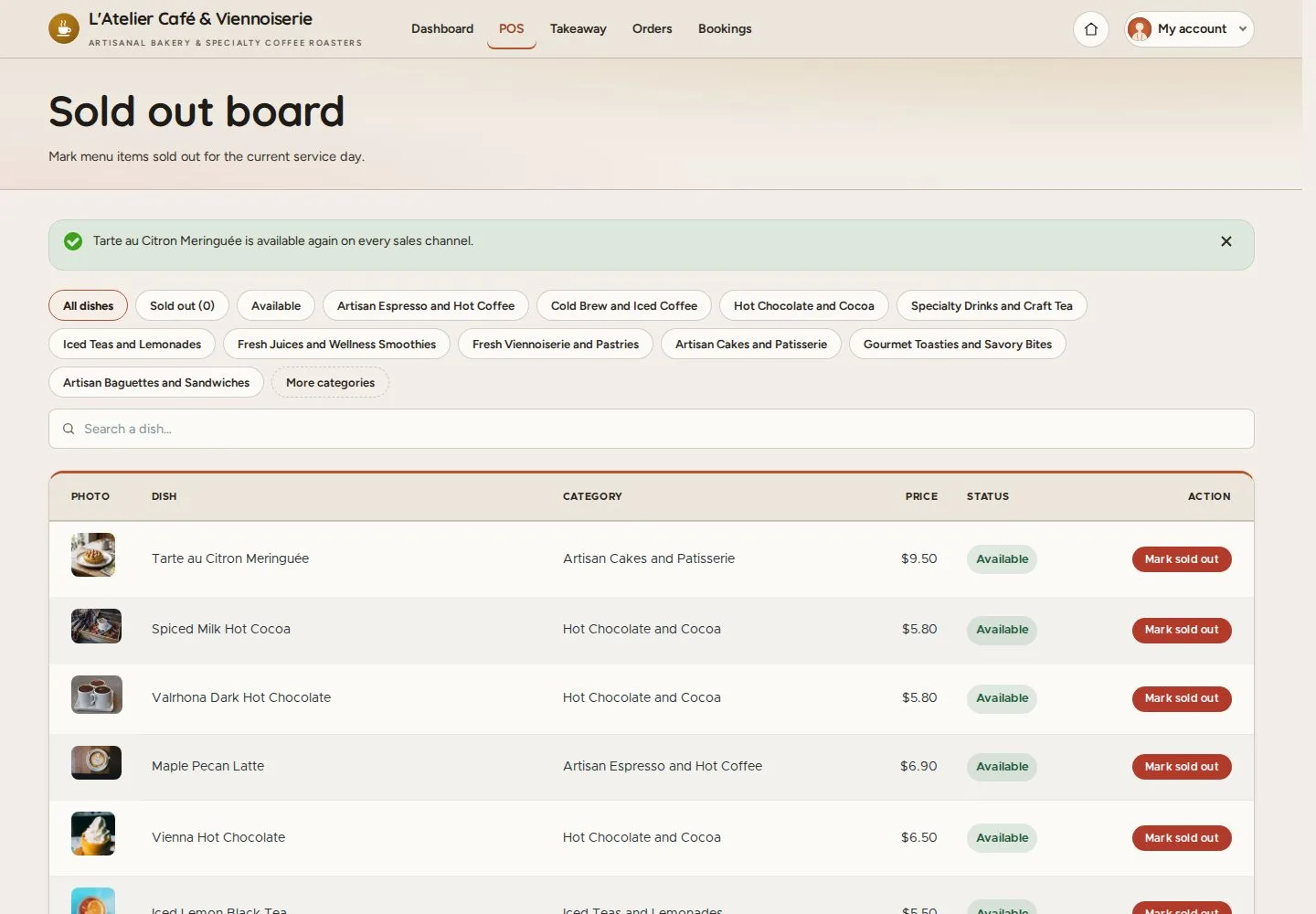
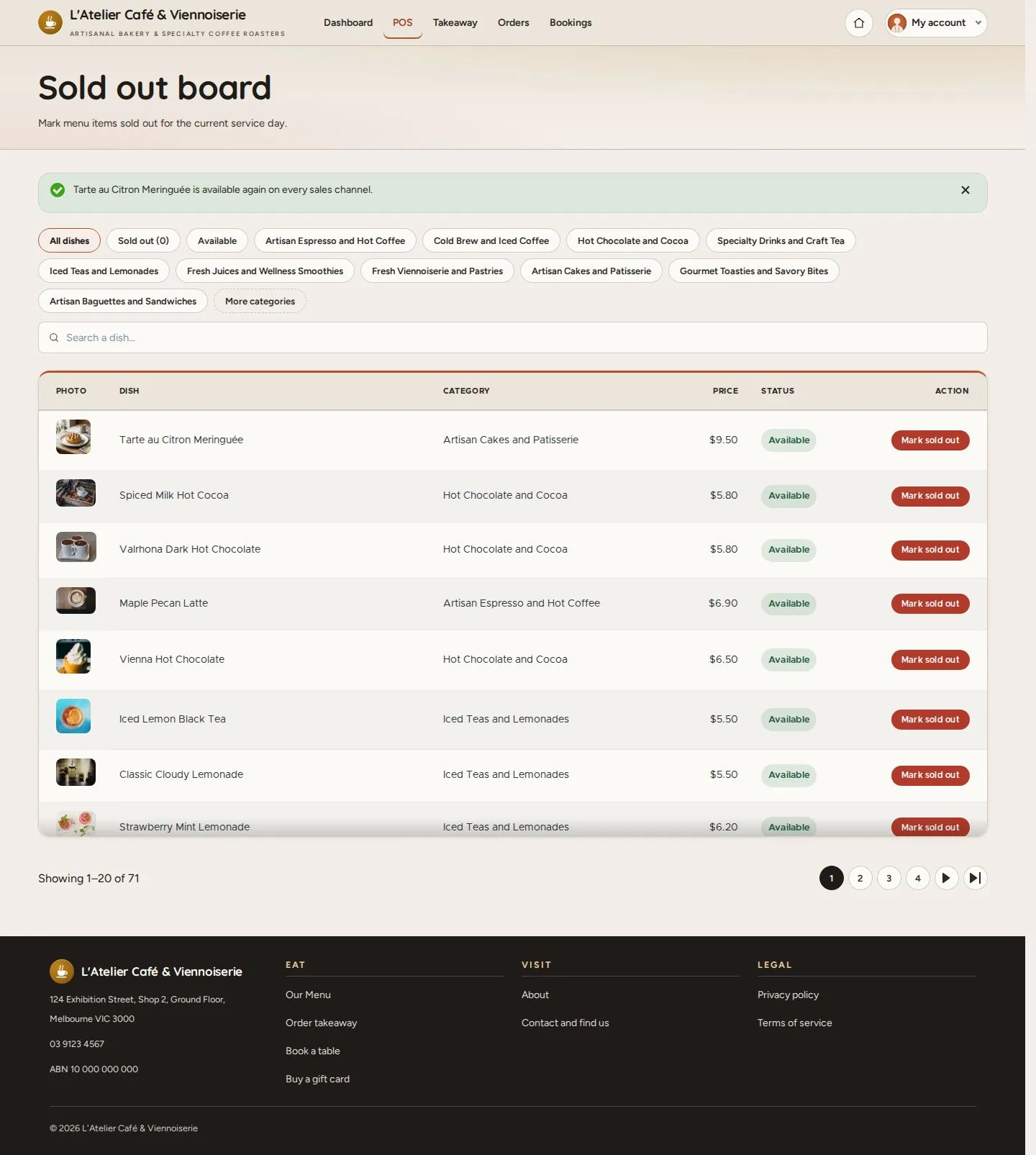
  1. More ready today? Restore availability, then confirm
  2. It is on the menu and every POS again

Enlarge, then scroll

Open illustrated screen ↗Full image ↗

Check

The dish is off every channel while sold out, and back on sale when restored

Waiter · Mark a dish sold out03
1 / 4
Privacy Terms