Void a line or reopen an order

Void a line · Void the order · Reason · Reopen closed order

  • Signed in as a Manager
Manager

Void order or line

Manager

Void order or line

1Step 1 of 5

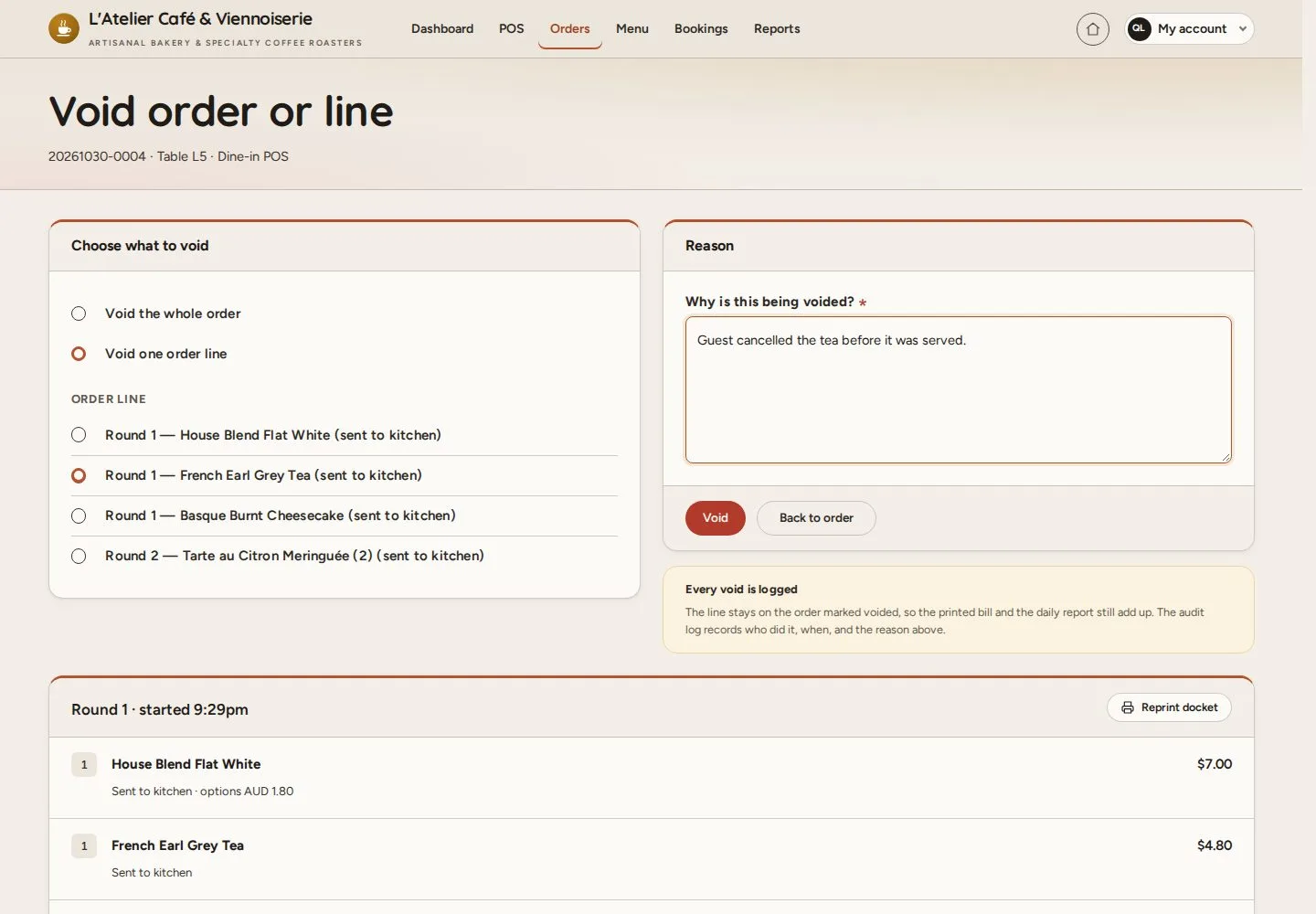
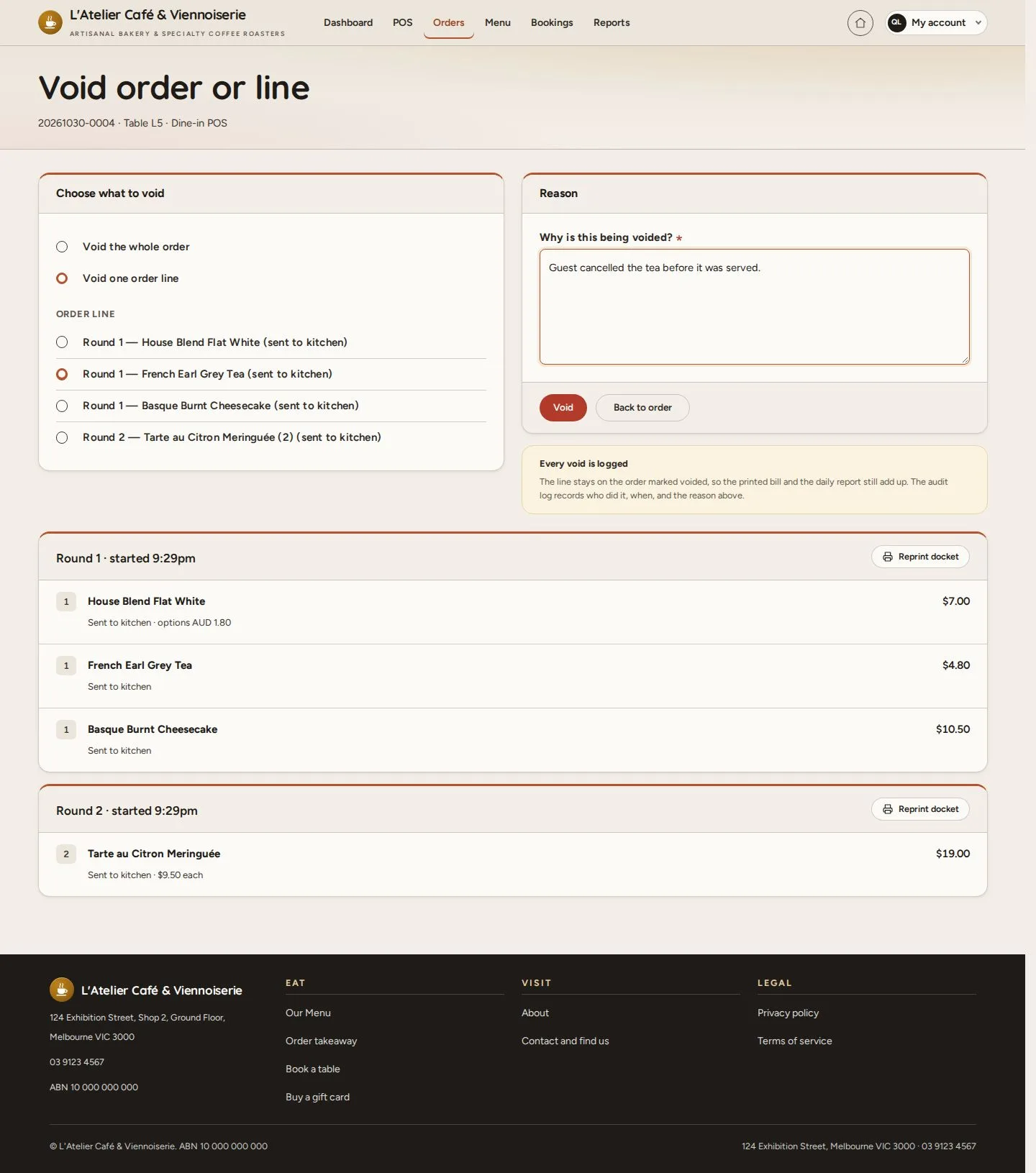
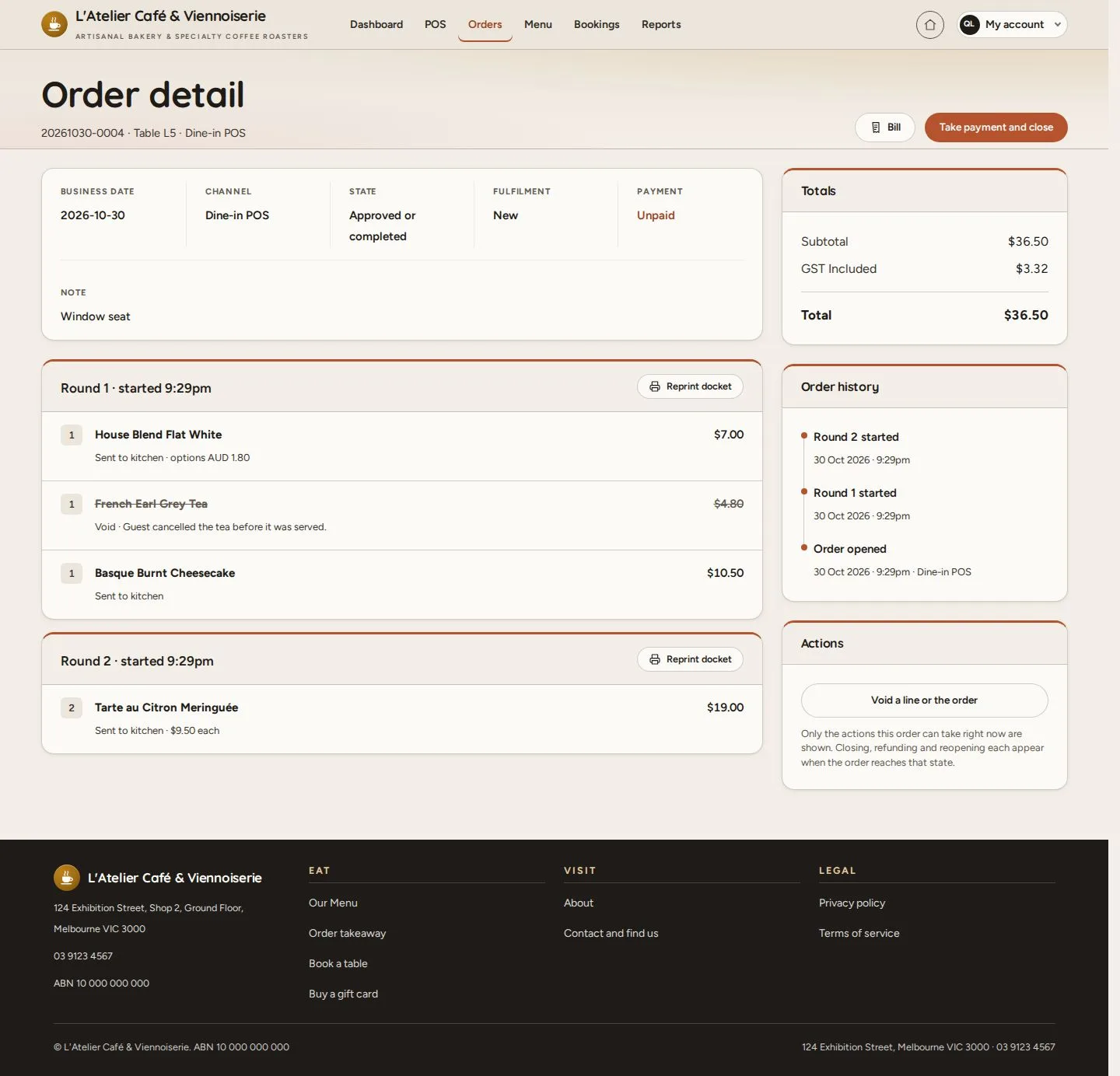
  1. On the order: Void a line or the order
  2. Void one order line and pick it, or Void the whole order
  3. Enter why it is voided, then Void

A waiter may void only lines not yet sent to the kitchen.

Enlarge, then scroll

Open illustrated screen ↗Full image ↗

Manager · Void a line or reopen an order01

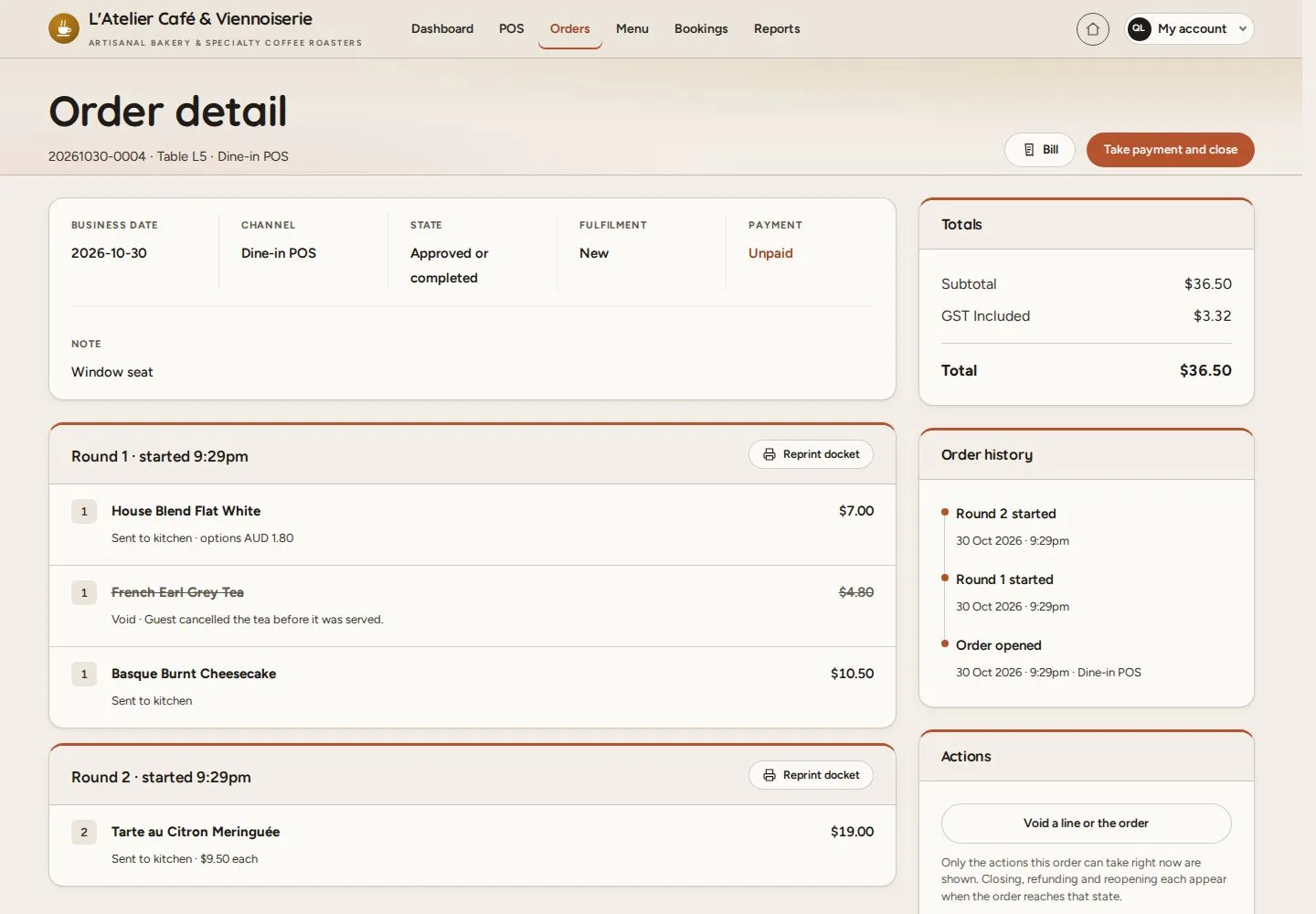
Line voided

Manager

Line voided

2Step 2 of 5

  1. The line stays on the order, struck through, with its reason
  2. The totals are recalculated; every void is logged

Enlarge, then scroll

Open illustrated screen ↗Full image ↗

Manager · Void a line or reopen an order02

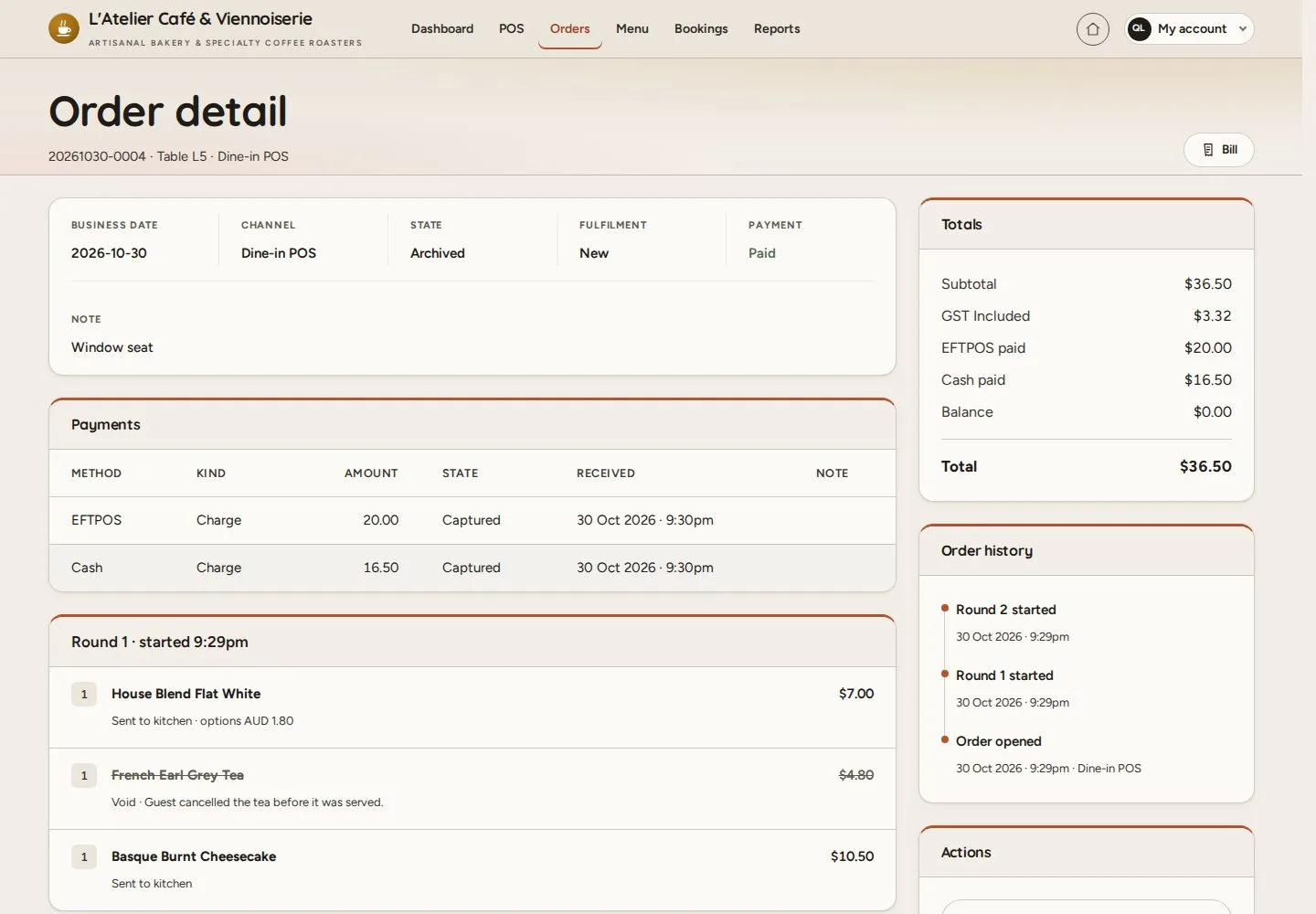
A closed order

Manager

A closed order

3Step 3 of 5

  1. Open the closed order
  2. Reopen a closed order, under Actions

Enlarge, then scroll

Open illustrated screen ↗Full image ↗

Manager · Void a line or reopen an order03

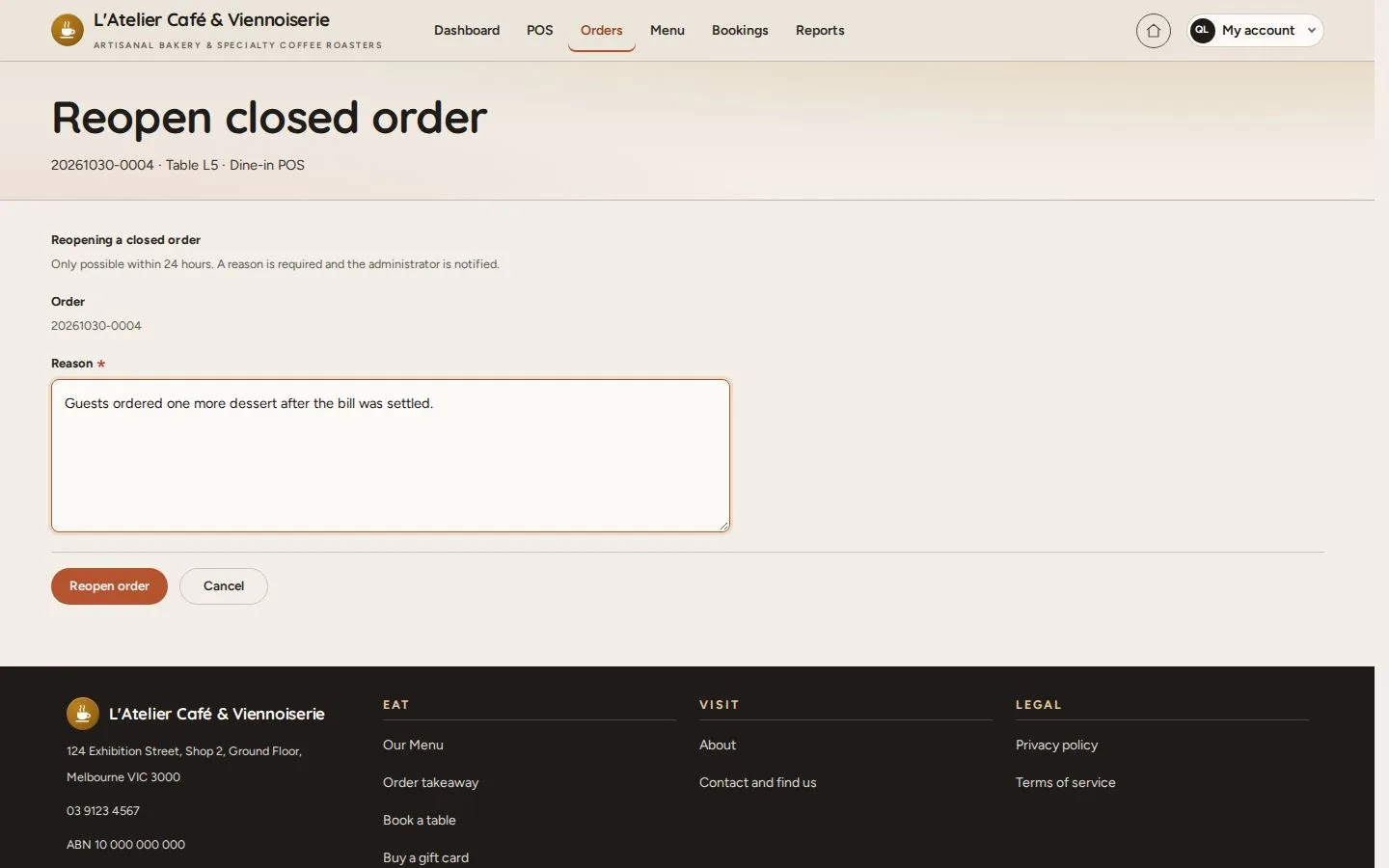
Reopen closed order

Manager

Reopen closed order

4Step 4 of 5

  1. Enter the reason
  2. Reopen order

Possible within 24 hours of closing; the administrator is notified.

Open illustrated screen ↗Full image ↗

Manager · Void a line or reopen an order04

Reopened

Manager

Reopened

5Step 5 of 5

  1. The order is open again for the change
  2. Its earlier payments stay on record

Enlarge, then scroll

Open illustrated screen ↗Full image ↗

Check

The change is in the order history with its reason

Manager · Void a line or reopen an order05
1 / 6
Privacy Terms