Refund an online payment

Refund online payment · Amount · Reason

  • Signed in as a Manager
  • An order paid online by card
Manager
Order paid online

Manager

Order paid online

1Step 1 of 3

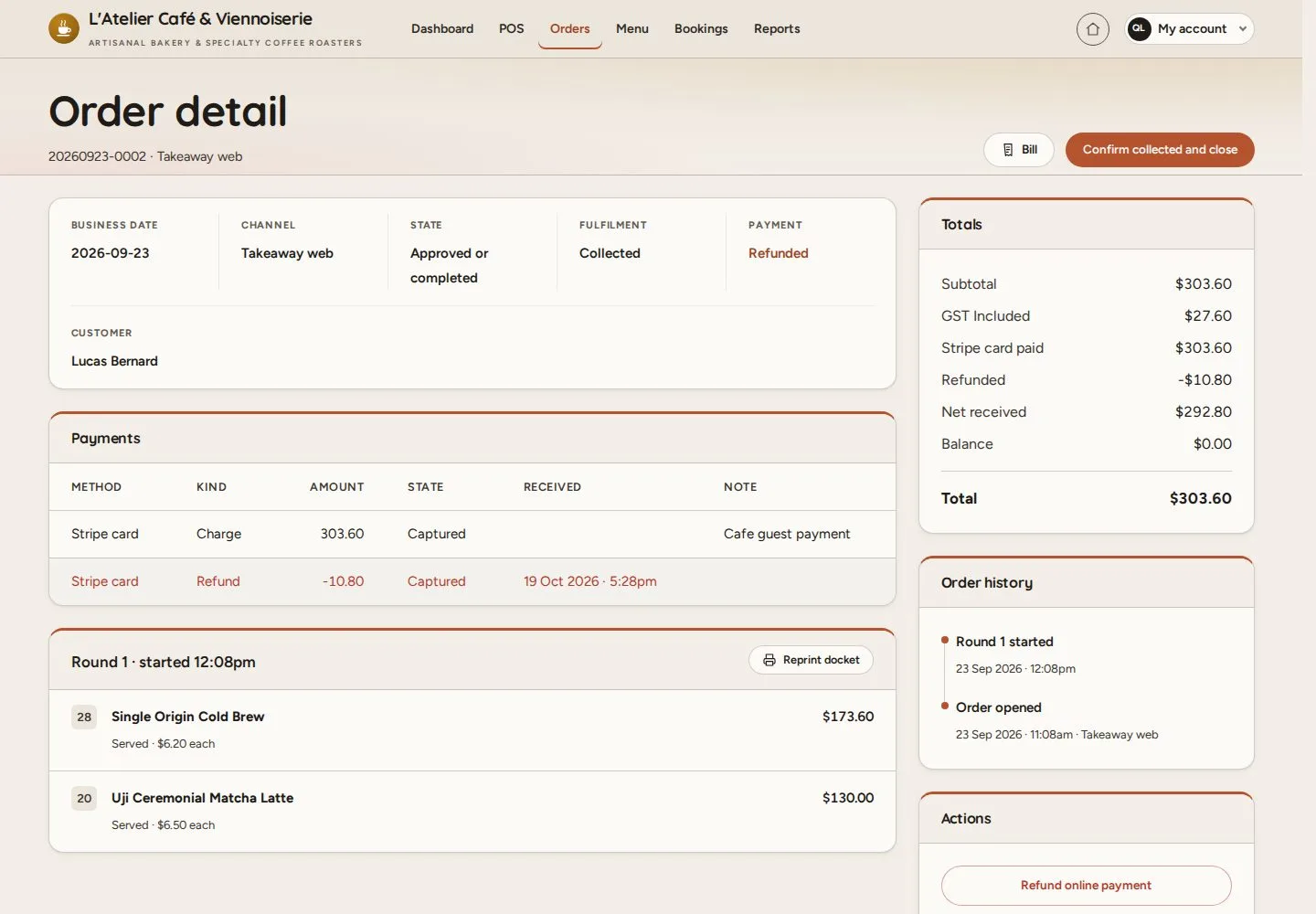
  1. Open the order paid by card online
  2. Refund online payment, under Actions

Enlarge, then scroll

Open illustrated screen ↗Full image ↗

Manager · Refund an online payment01

Amount and reason

Manager

Amount and reason

2Step 2 of 3

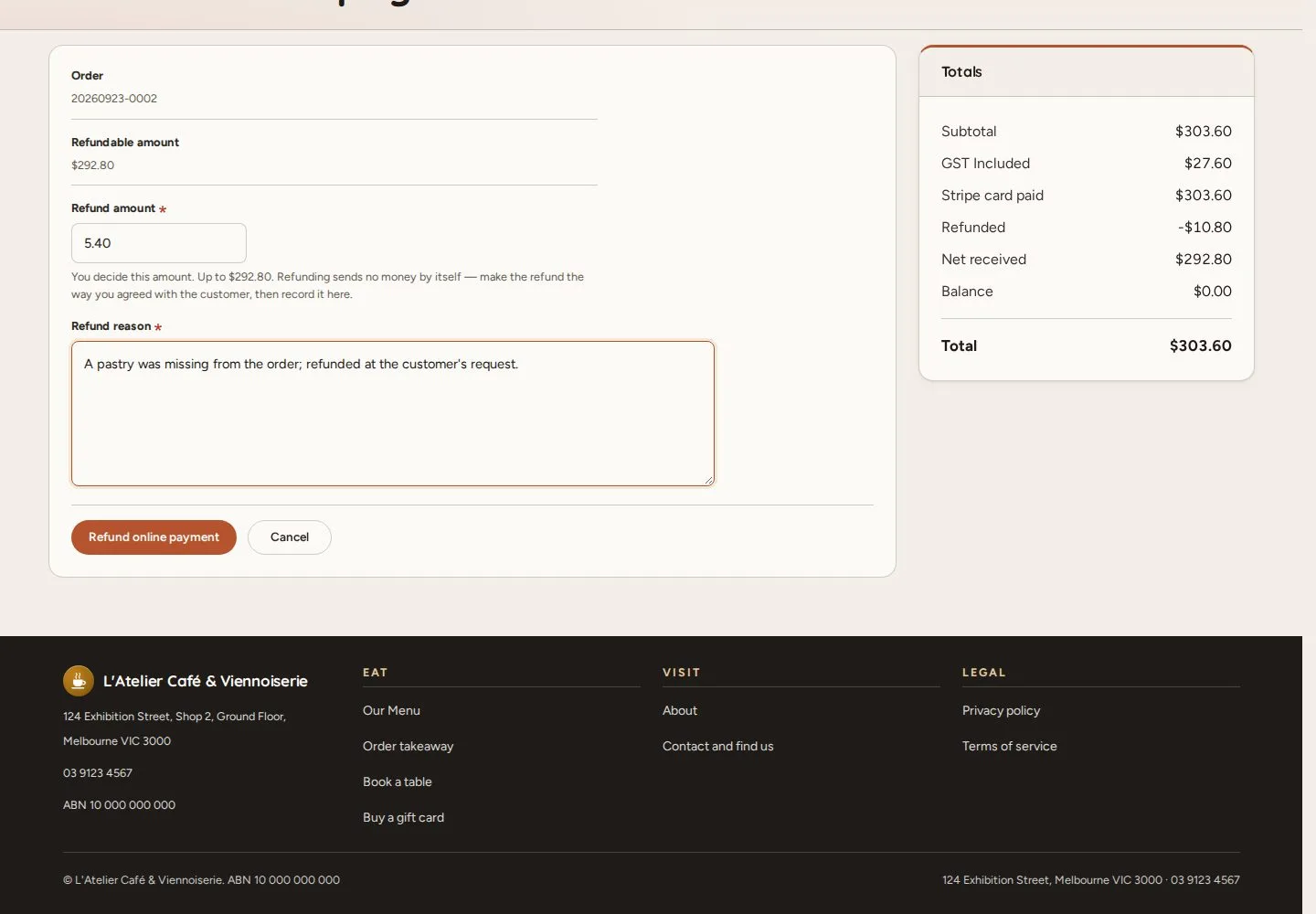
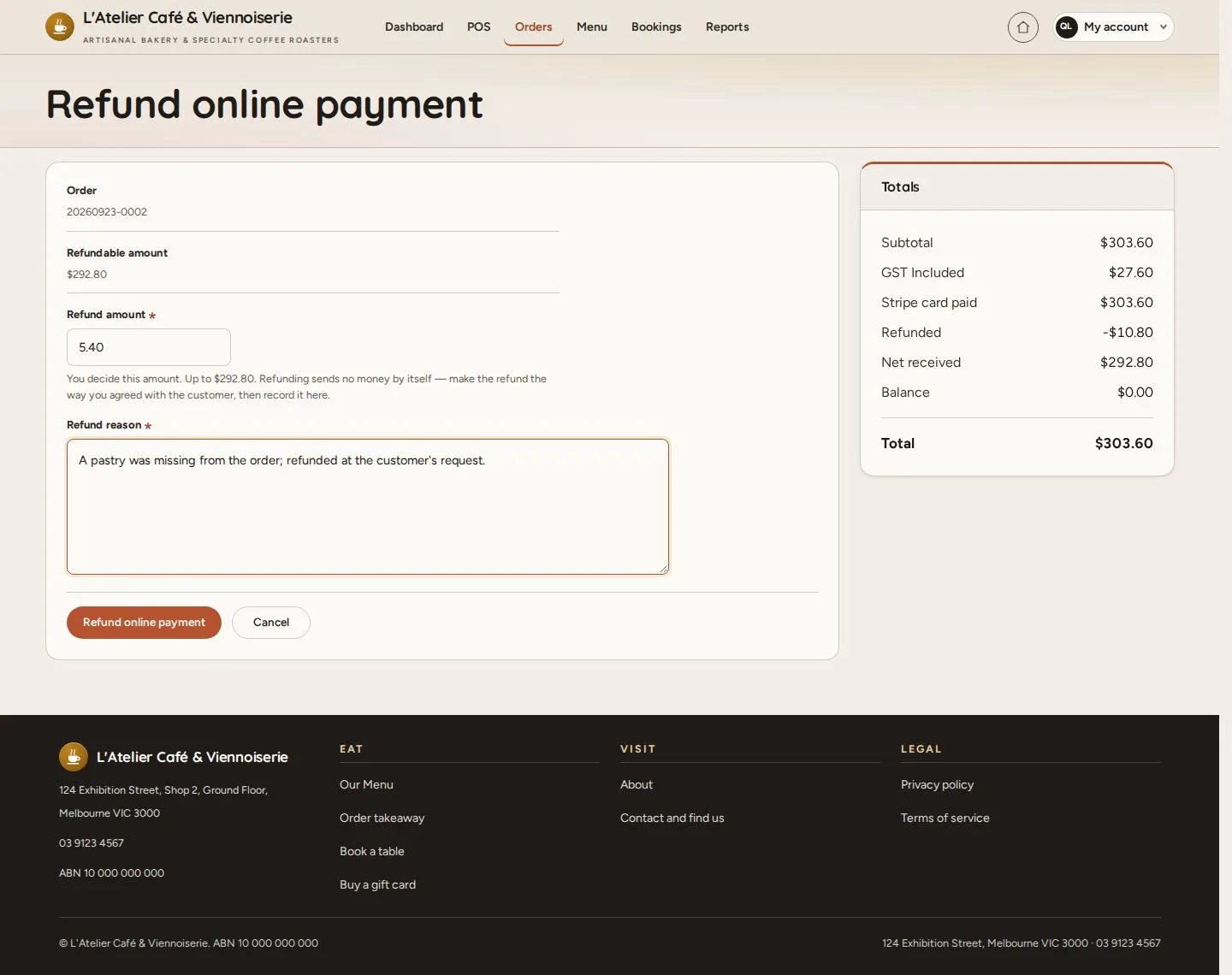
  1. Refund amount, up to the refundable amount
  2. Refund reason
  3. Refund online payment

This records the refund; it sends no money. Refund the customer as agreed, then record it.

Enlarge, then scroll

Open illustrated screen ↗Full image ↗

Manager · Refund an online payment02

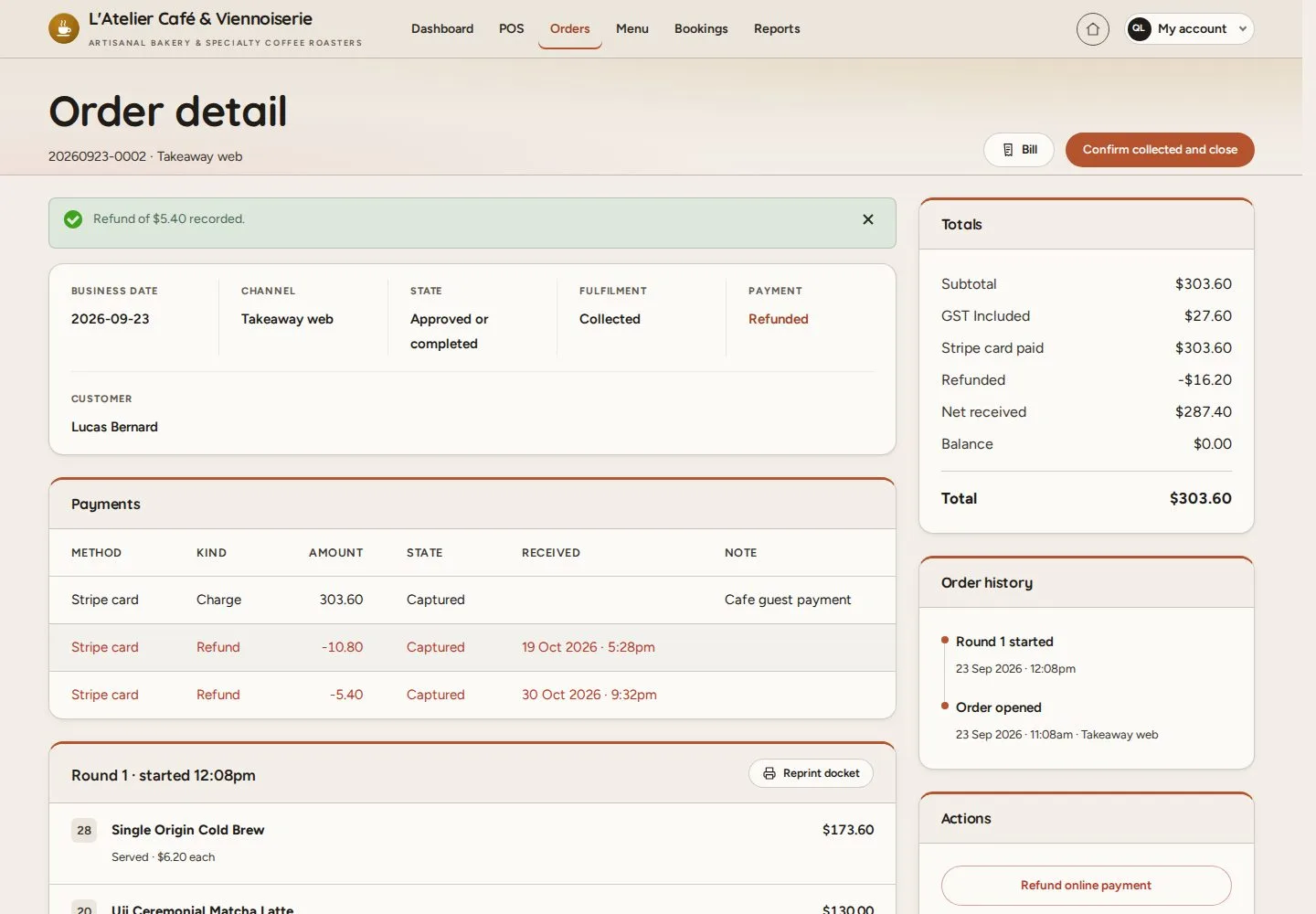
Refund recorded

Manager

Refund recorded

3Step 3 of 3

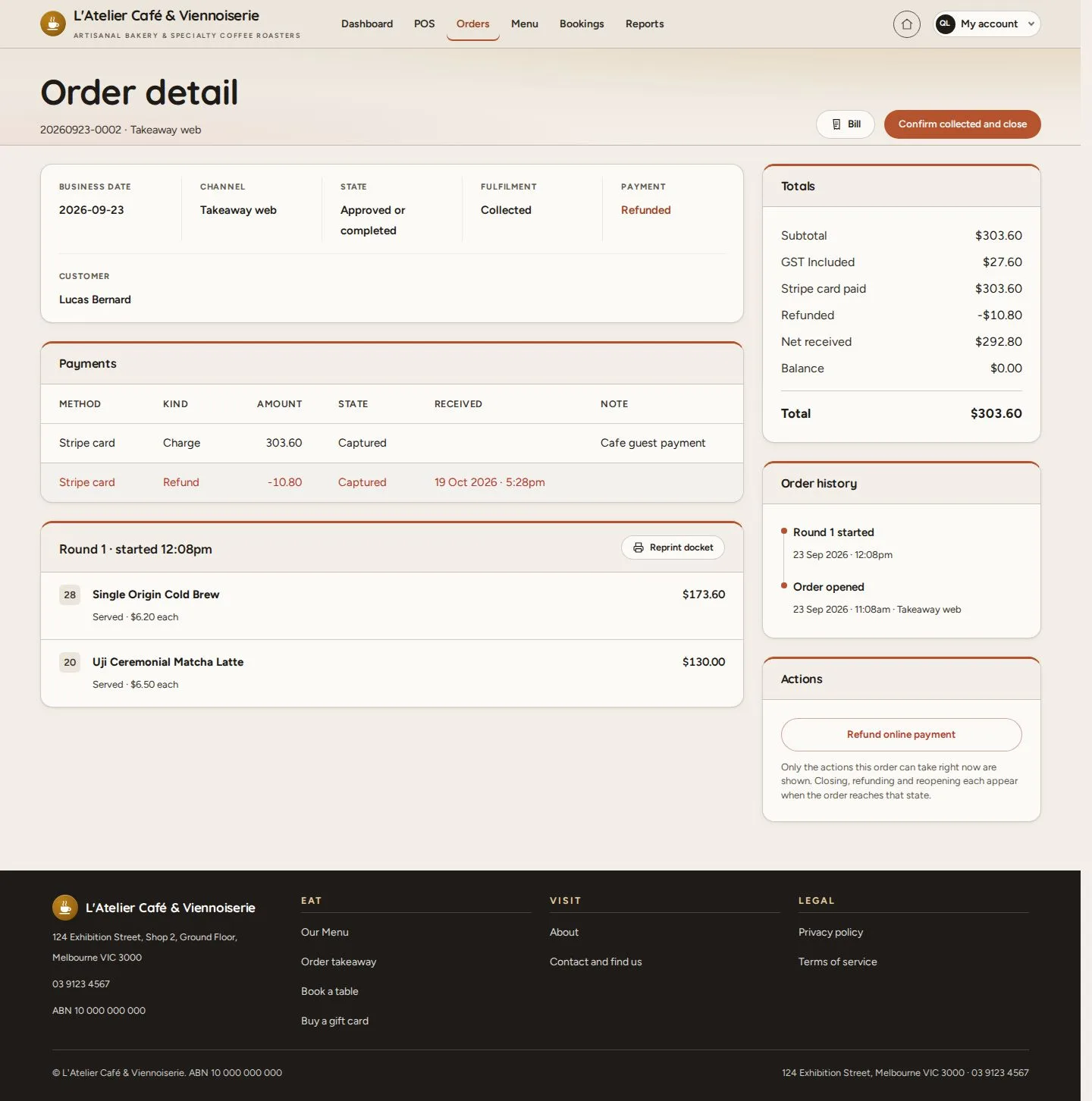
  1. A refund row is added under Payments; the charge stays
  2. Net received shows what the café keeps

Enlarge, then scroll

Open illustrated screen ↗Full image ↗

Check

The refund is its own row; the original charge is kept

Manager · Refund an online payment03
1 / 4
Privacy Terms