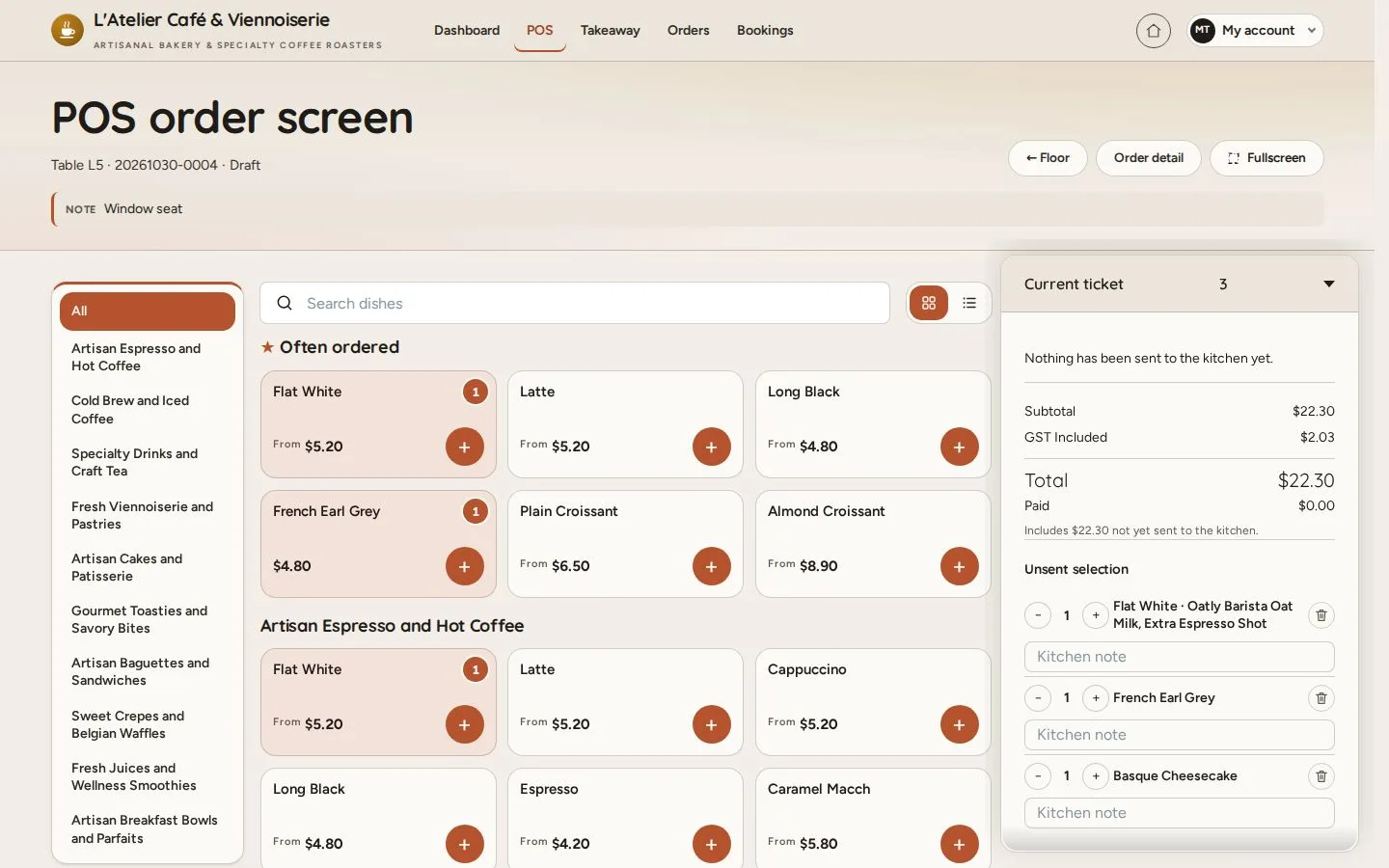
Find dishes on the POS

Categories · Search dishes · List or grid

  • An order open on the POS
Waiter

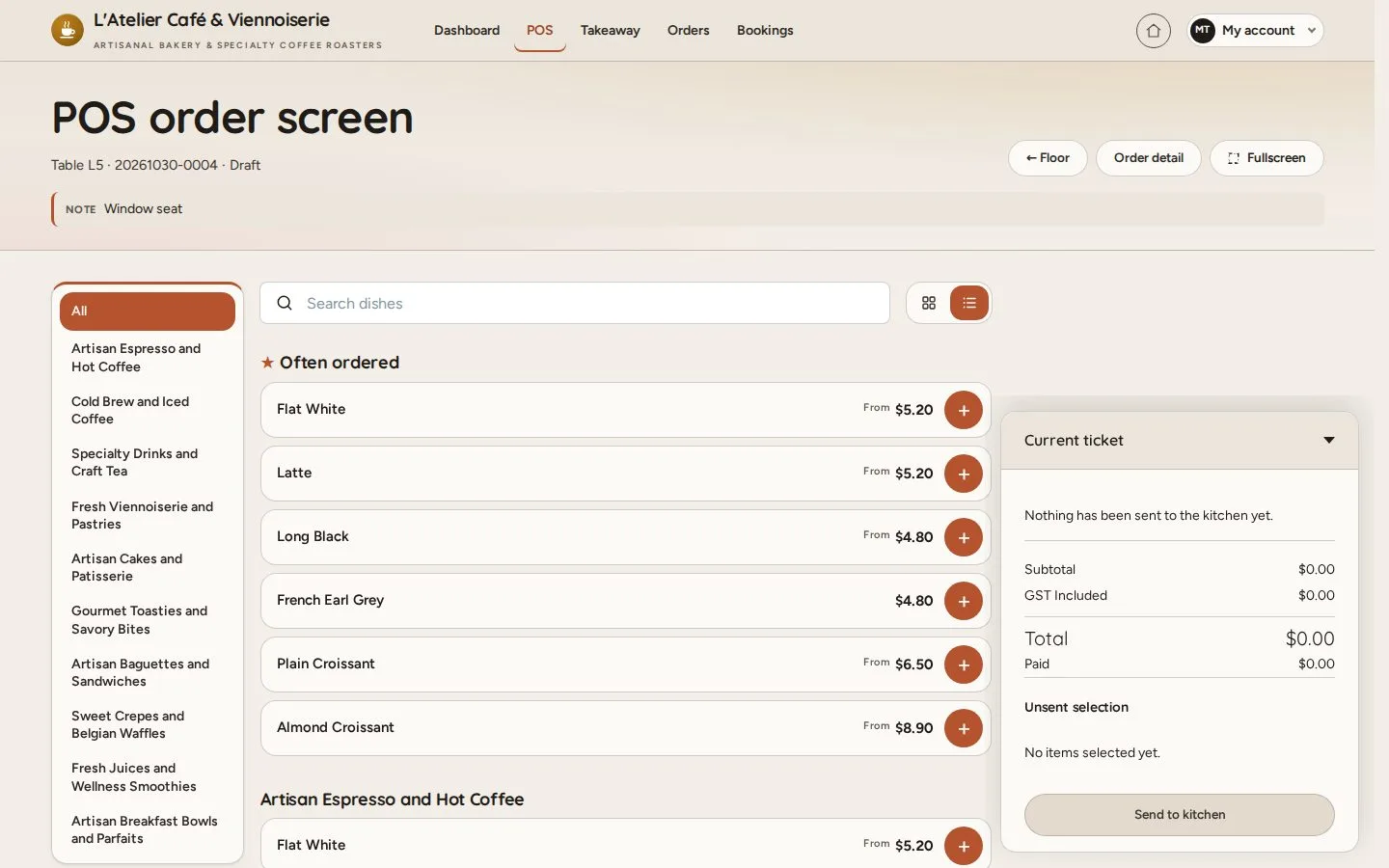
Categories

Waiter

Categories

1Step 1 of 3

  1. Tap a category on the left: the list jumps to it
  2. Often ordered keeps the usual dishes at the top

Open illustrated screen ↗Full image ↗

Waiter · Find dishes on the POS01

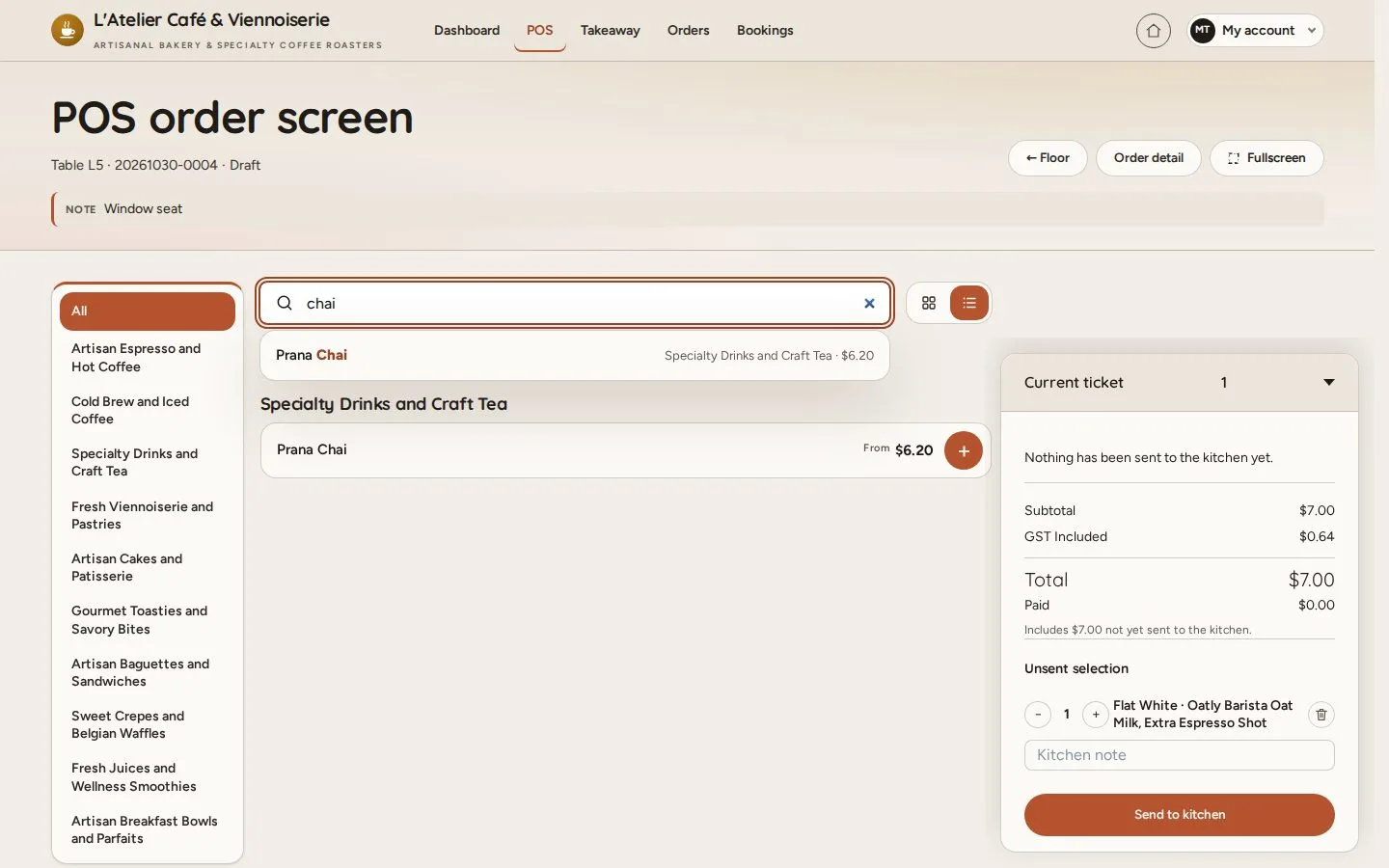
Search dishes

Waiter

Search dishes

2Step 2 of 3

  1. Type part of a name in Search dishes: suggestions come from the whole menu
  2. Tap a suggestion, or pick it with the arrow keys and Enter: the list shows that dish
  3. Tap + to add it to the ticket

Open illustrated screen ↗Full image ↗

Waiter · Find dishes on the POS02

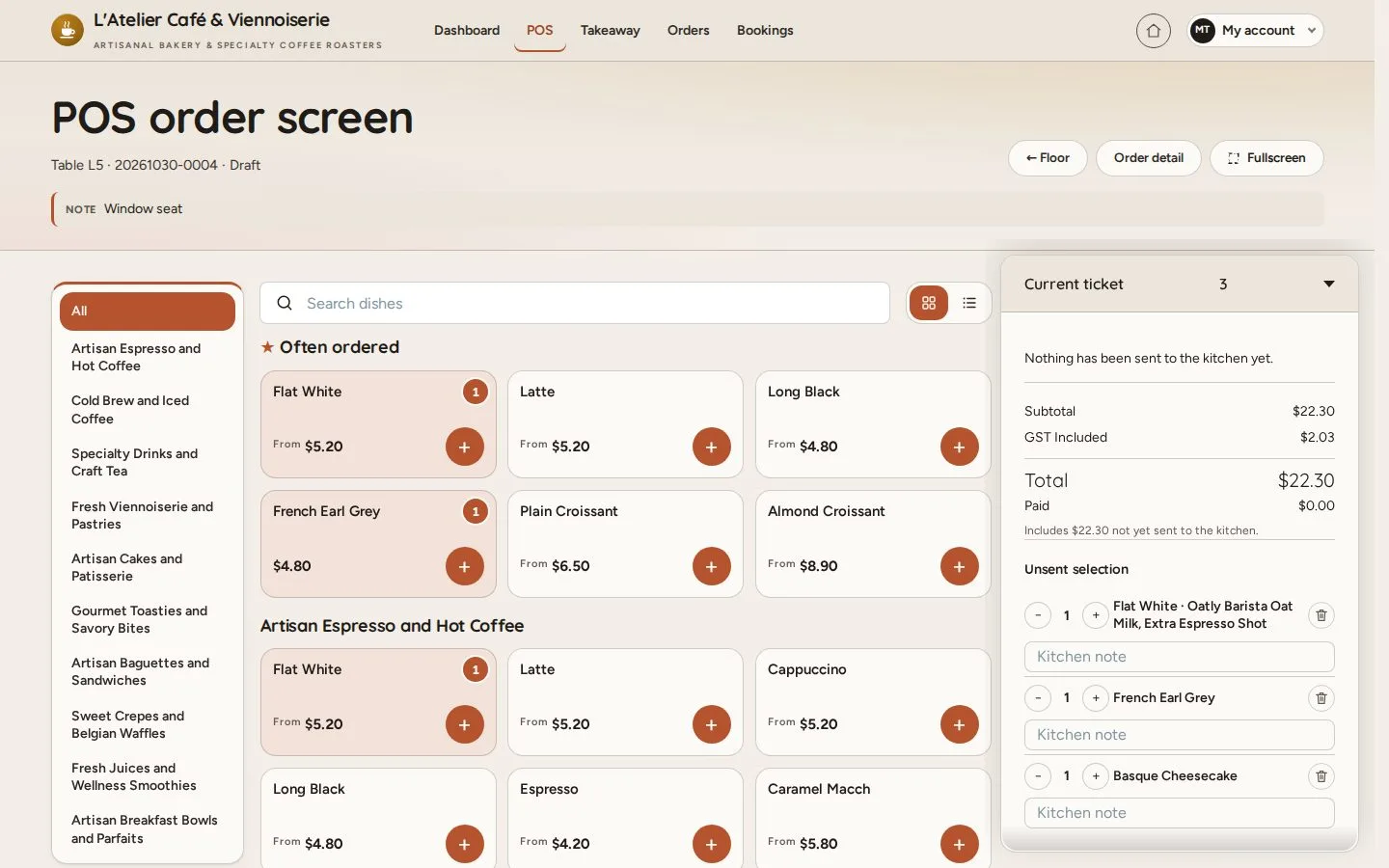
Grid view

Waiter

Grid view

3Step 3 of 3

  1. The grid button shows the dishes as tiles, three across
  2. + adds a dish; its count shows on the tile

The order screen opens in the list every time.

Open illustrated screen ↗Full image ↗

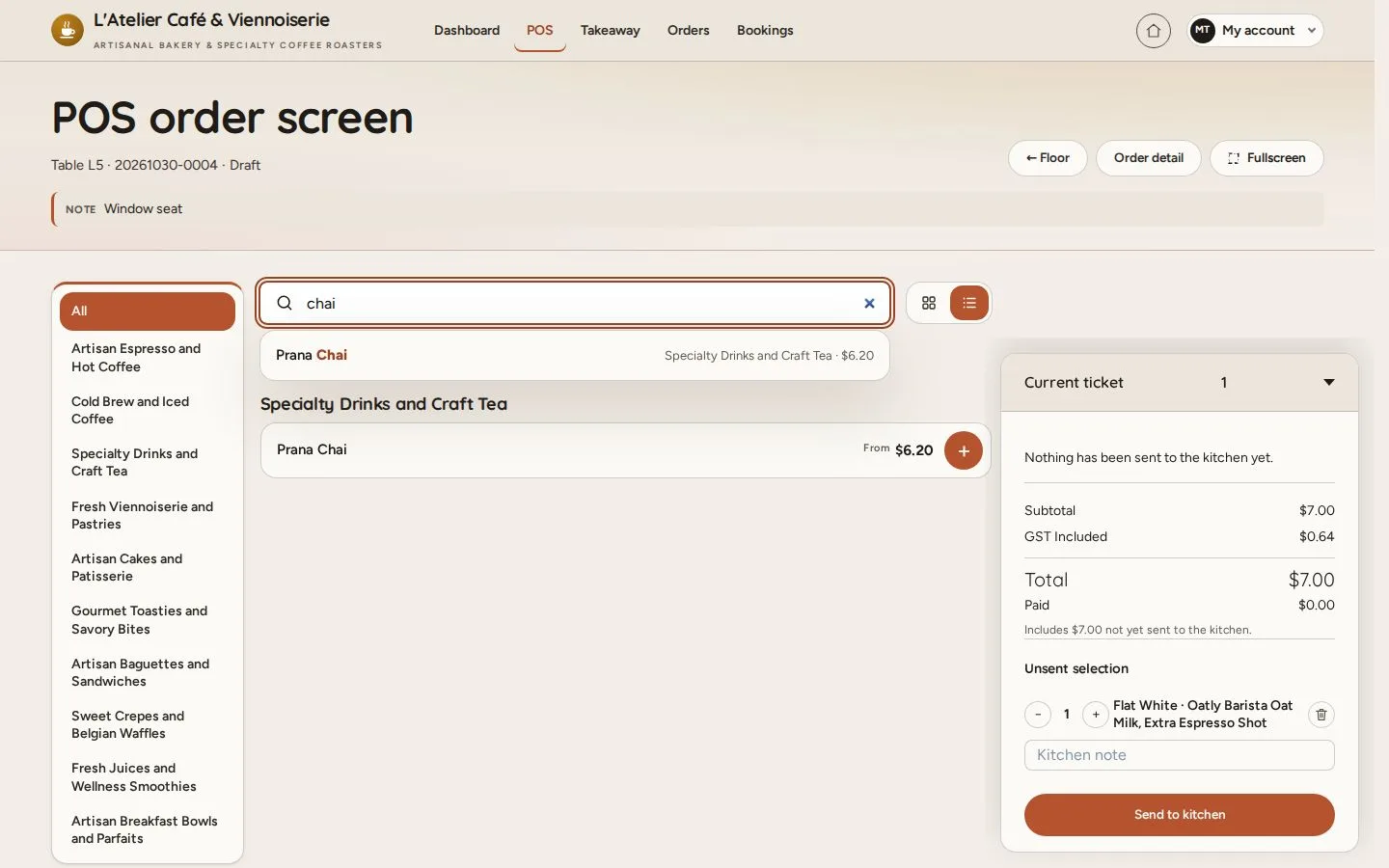
Check

The dish is on the ticket without scrolling through the menu

Waiter · Find dishes on the POS03
1 / 4
Privacy Terms