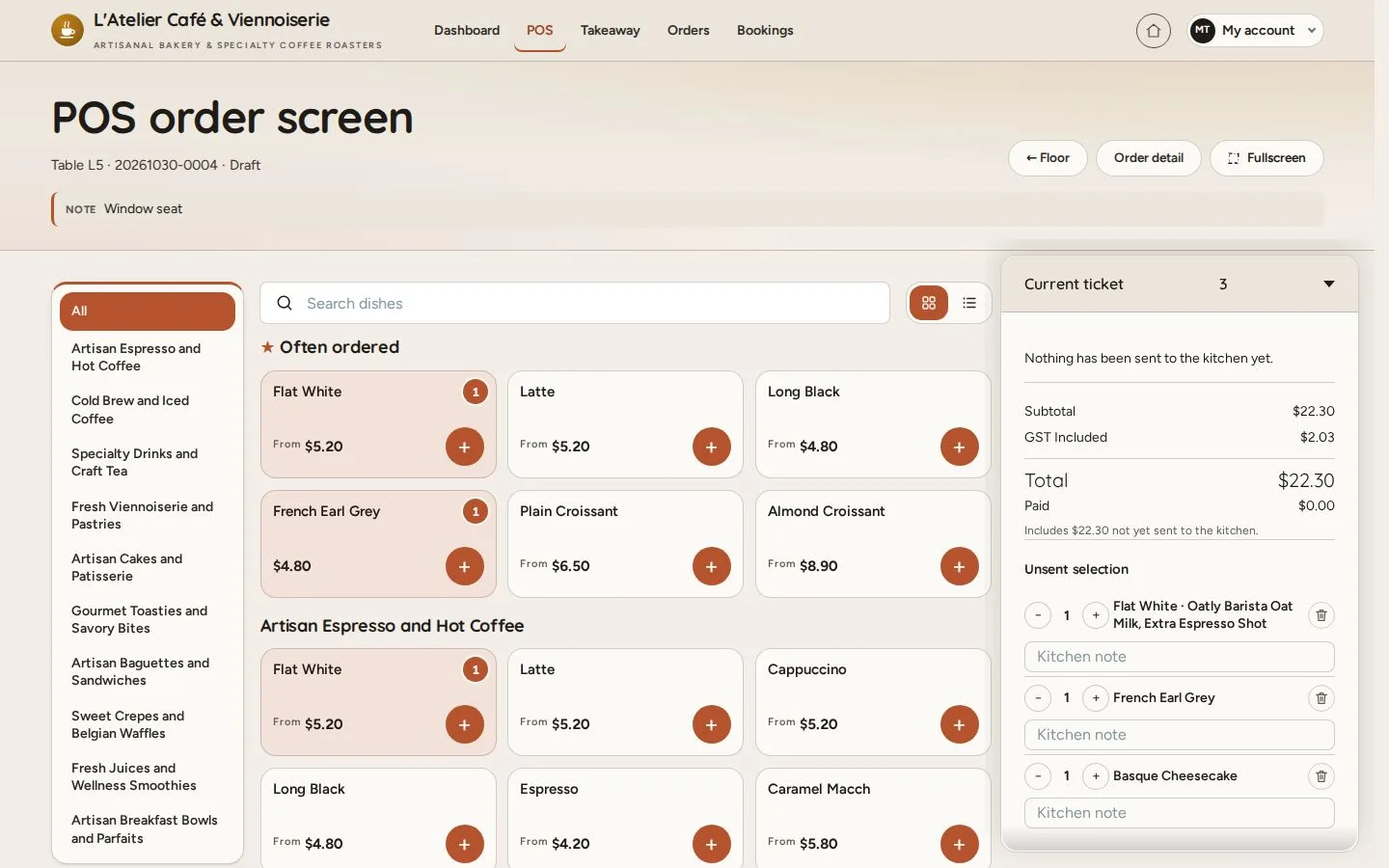
Find dishes on the POS

Search dishes · Suggestions · List · Grid

  • An order open on the POS
Waiter

Categories

Waiter

Categories

1Step 1 of 3

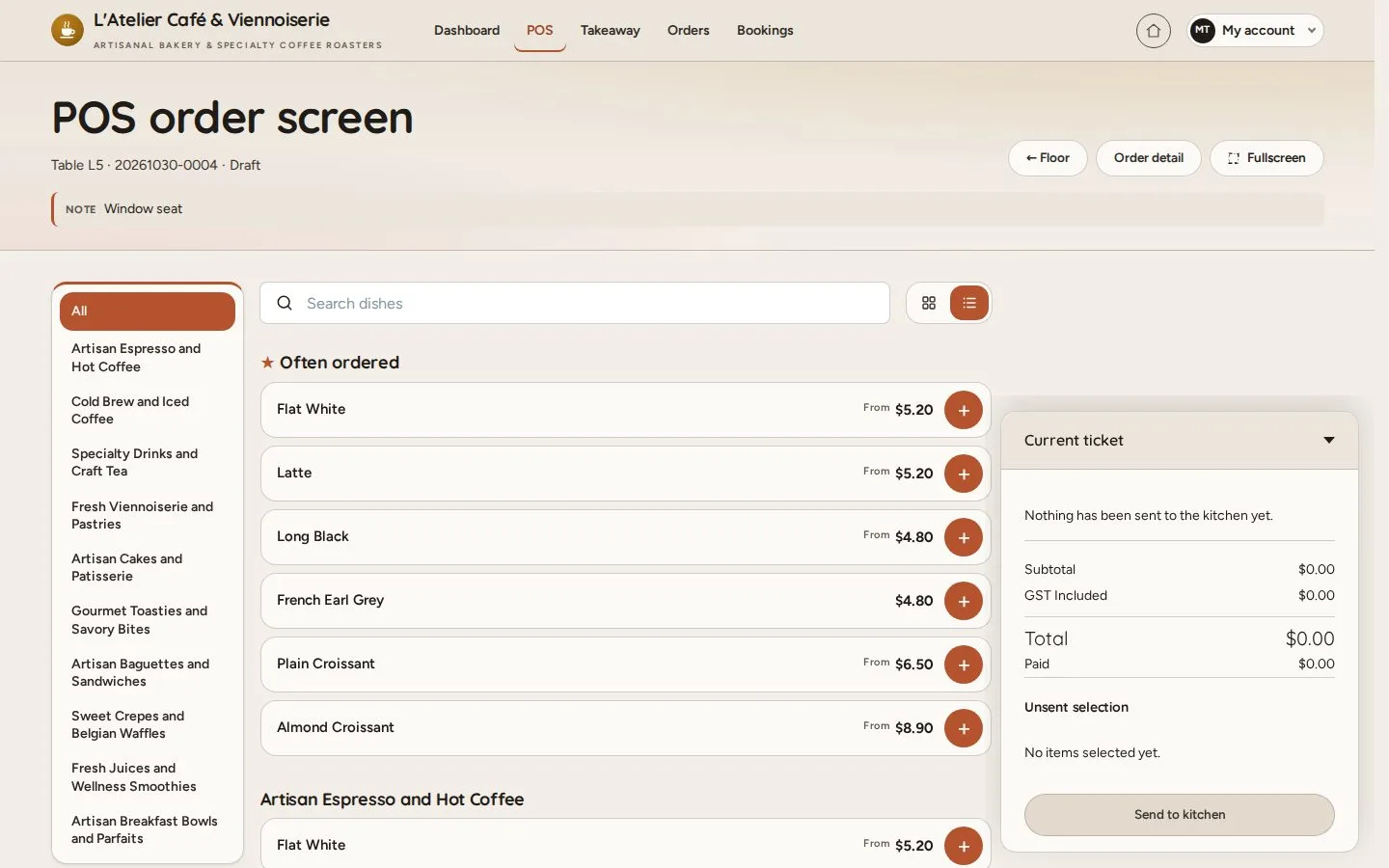
  1. Tap a category
  2. The list follows the scroll

Open illustrated screen ↗Full image ↗

Waiter · Find dishes on the POS01

Search dishes

Waiter

Search dishes

2Step 2 of 3

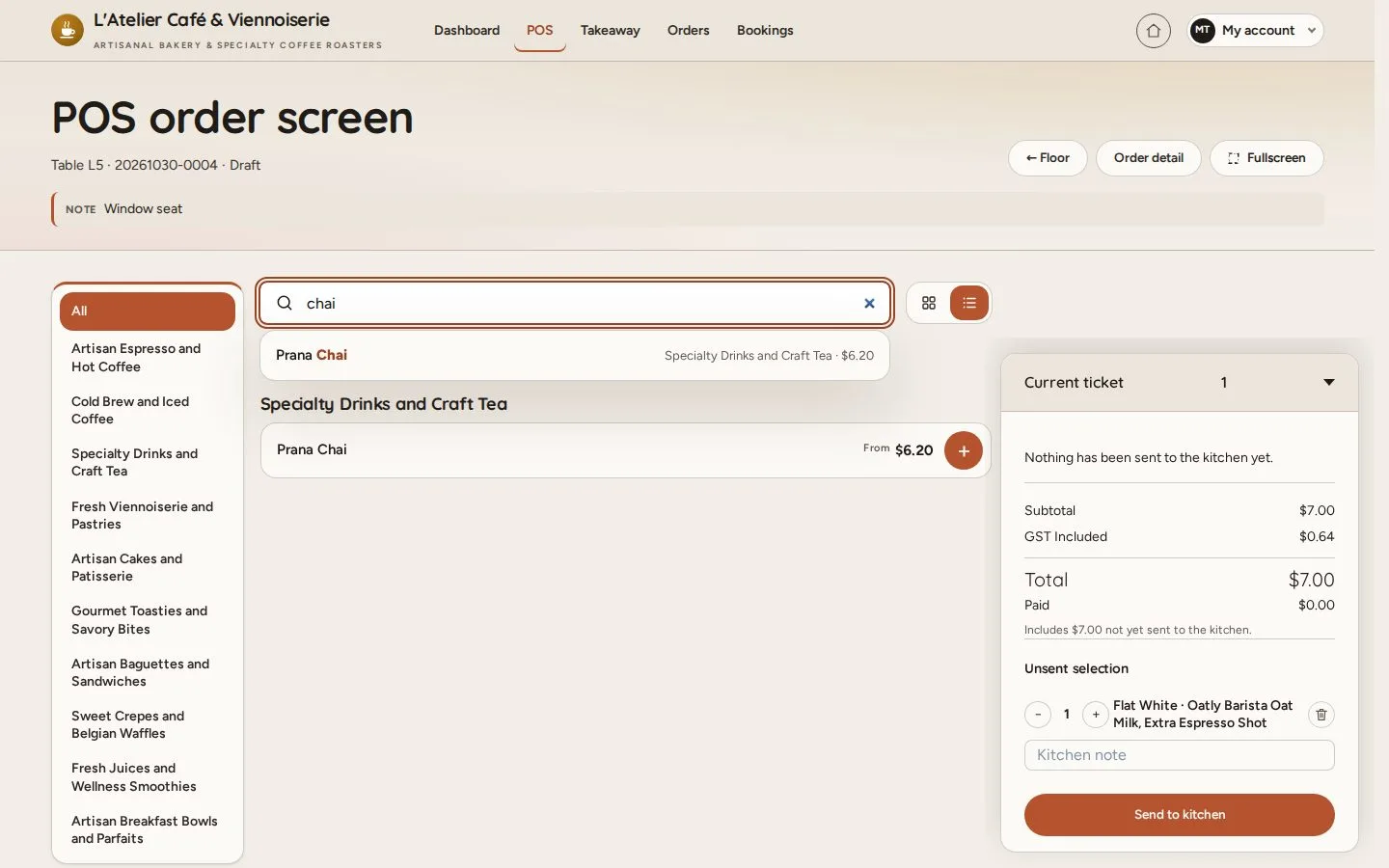
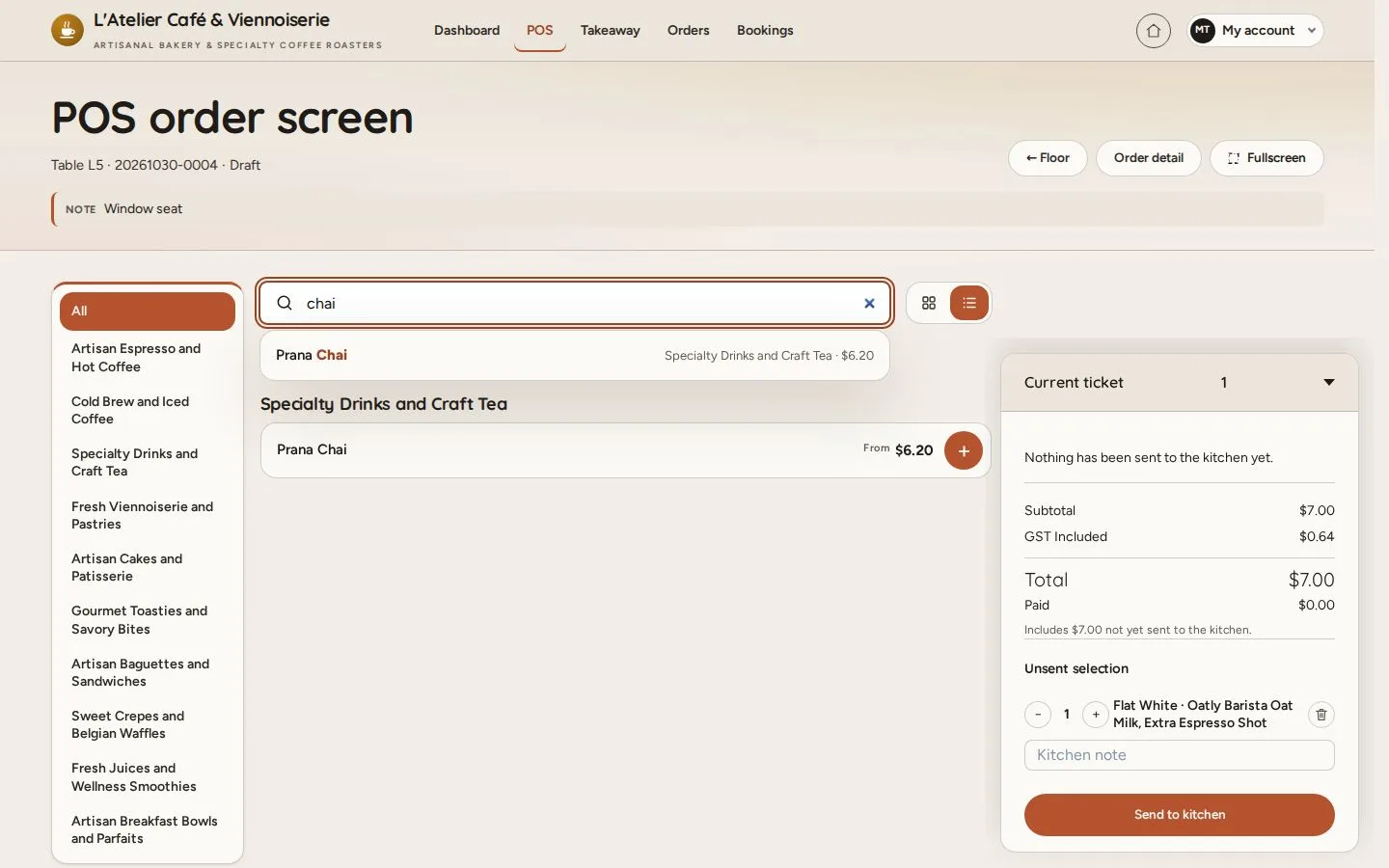
  1. Type part of a name
  2. Arrow keys · Enter on a suggestion
  3. The list narrows as you type

Open illustrated screen ↗Full image ↗

Waiter · Find dishes on the POS02

Grid view

Waiter

Grid view

3Step 3 of 3

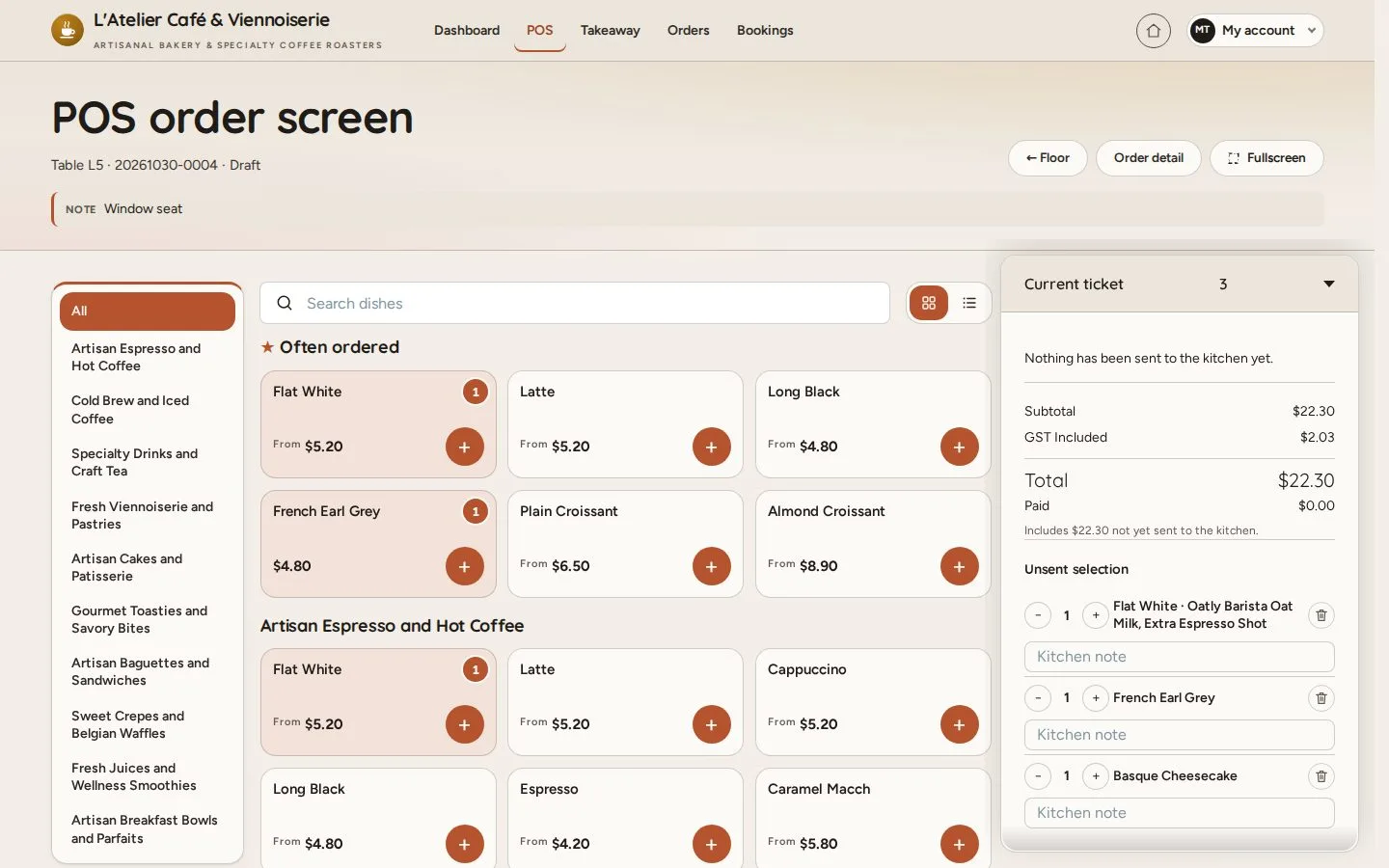
  1. Grid
  2. Three columns without photos
  3. + to add

The order screen opens in the list view every time.

Open illustrated screen ↗Full image ↗

Check

The dish is on the ticket without scrolling through the menu

Waiter · Find dishes on the POS03
1 / 4
Privacy Terms