Book a table

Book a table · Date · Time · Guests · Confirmation · Cancel

  • No account needed
  • A phone number
Visitor

Book a table

Visitor

Book a table

1Step 1 of 5

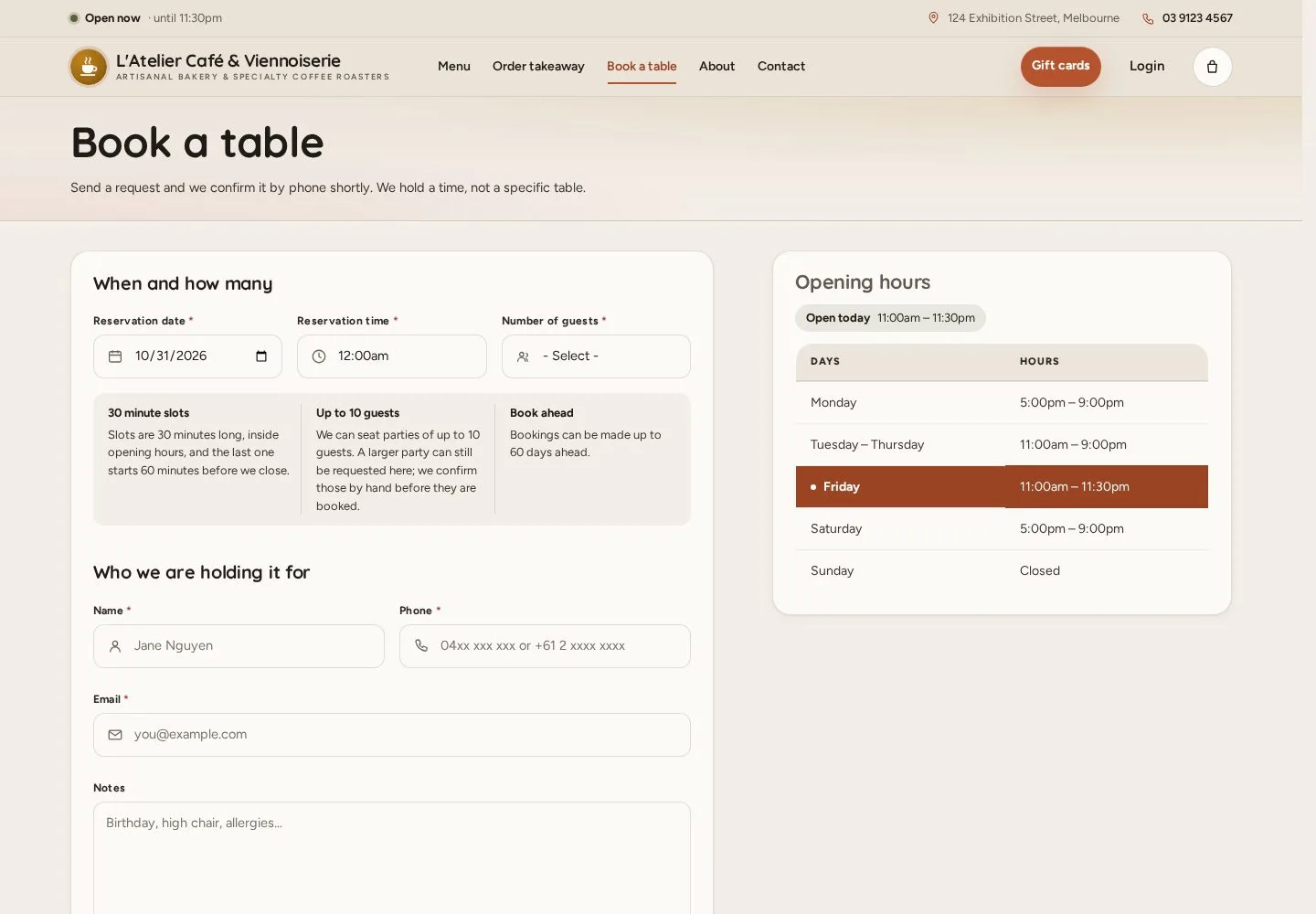
  1. Book a table
  2. Reservation date
  3. Opening hours beside the form

Enlarge, then scroll

Open illustrated screen ↗Full image ↗

Visitor · Book a table01

When and how many

Visitor

When and how many

2Step 2 of 5

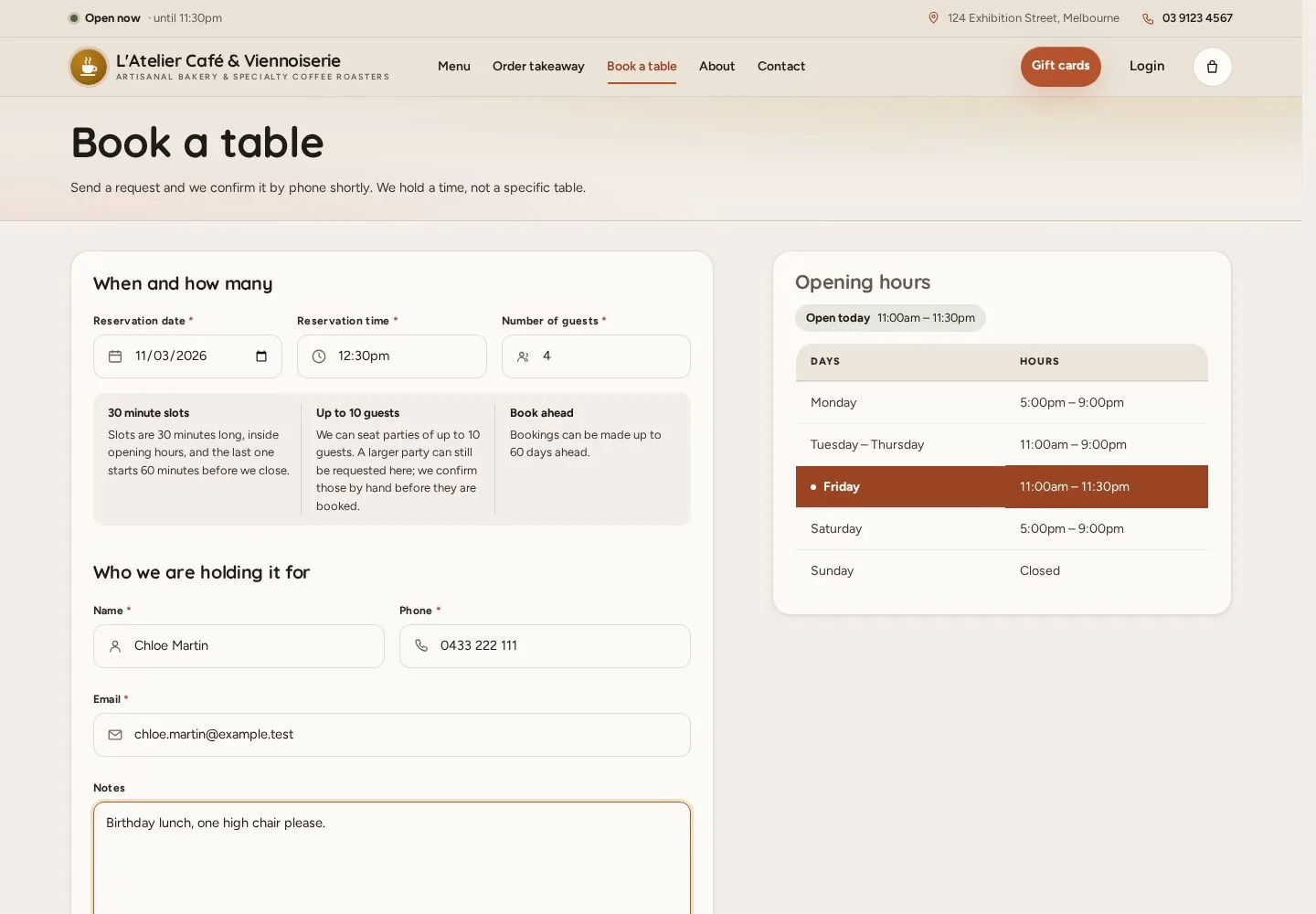
  1. Date · Time · Number of guests
  2. Name · Phone · Email
  3. Request a table

Bookings are 30-minute slots inside the opening hours; large parties and late changes follow the café's booking rules.

Enlarge, then scroll

Open illustrated screen ↗Full image ↗

Visitor · Book a table02

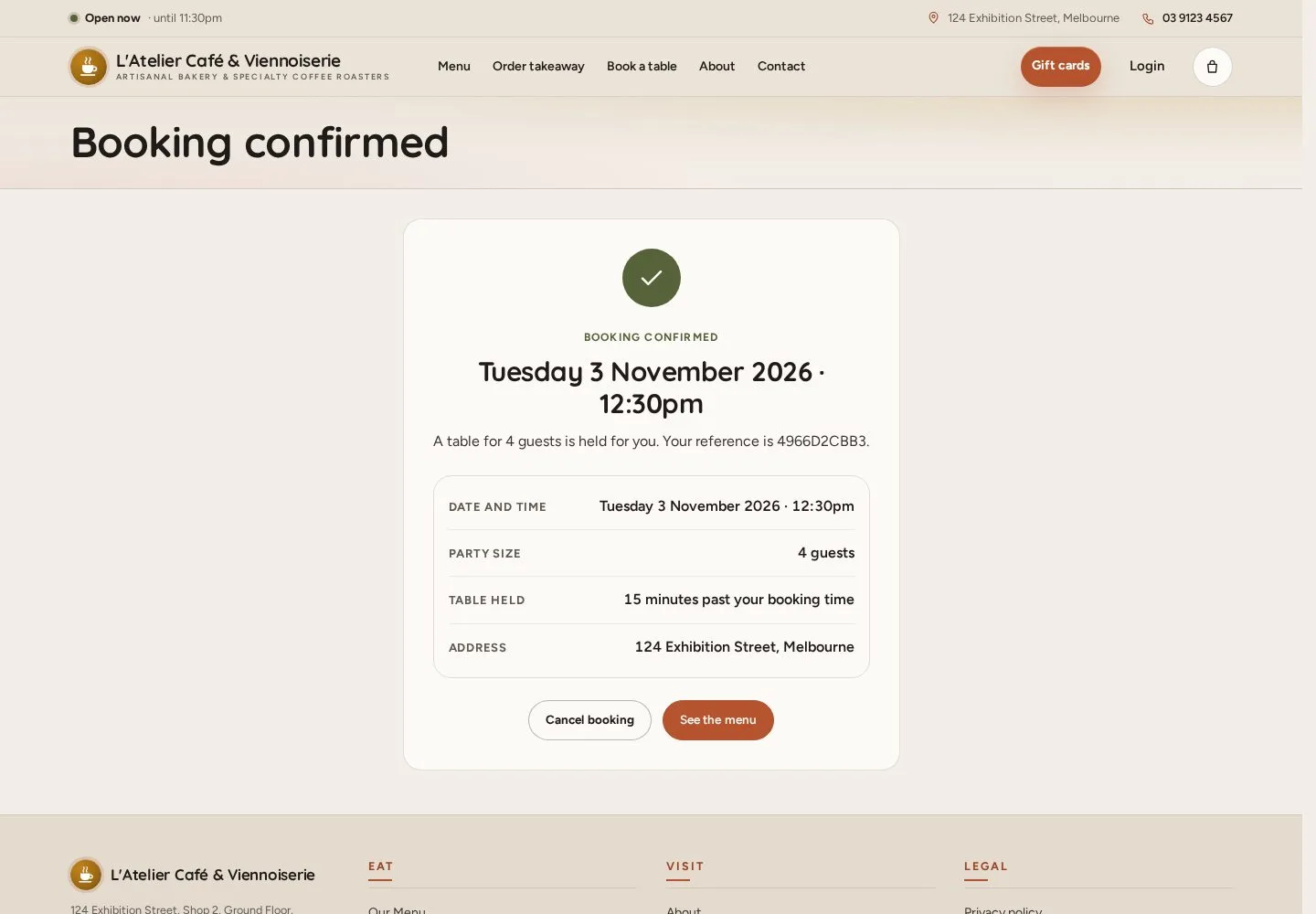
Booking confirmed

Visitor

Booking confirmed

3Step 3 of 5

  1. Reference and table hold
  2. Cancel booking · See the menu

A booking above the café's capacity waits for the staff to confirm it.

Enlarge, then scroll

Full image ↗

Visitor · Book a table03

Cancel your booking

Visitor

Cancel your booking

4Step 4 of 5

  1. Open the cancel link
  2. Yes, cancel it

Full image ↗

Visitor · Book a table04

Booking cancelled

Visitor

Booking cancelled

5Step 5 of 5

  1. The booking is cancelled
  2. Book again

Open illustrated screen ↗Full image ↗

Check

Booking confirmed, with a reference and a link to cancel it

Visitor · Book a table05
1 / 6
Privacy Terms