Take payment and close

Take payment and close · EFTPOS · Cash · Other · Split payment · Gift card

  • Signed in as a Manager
  • Every round sent to the kitchen
Manager
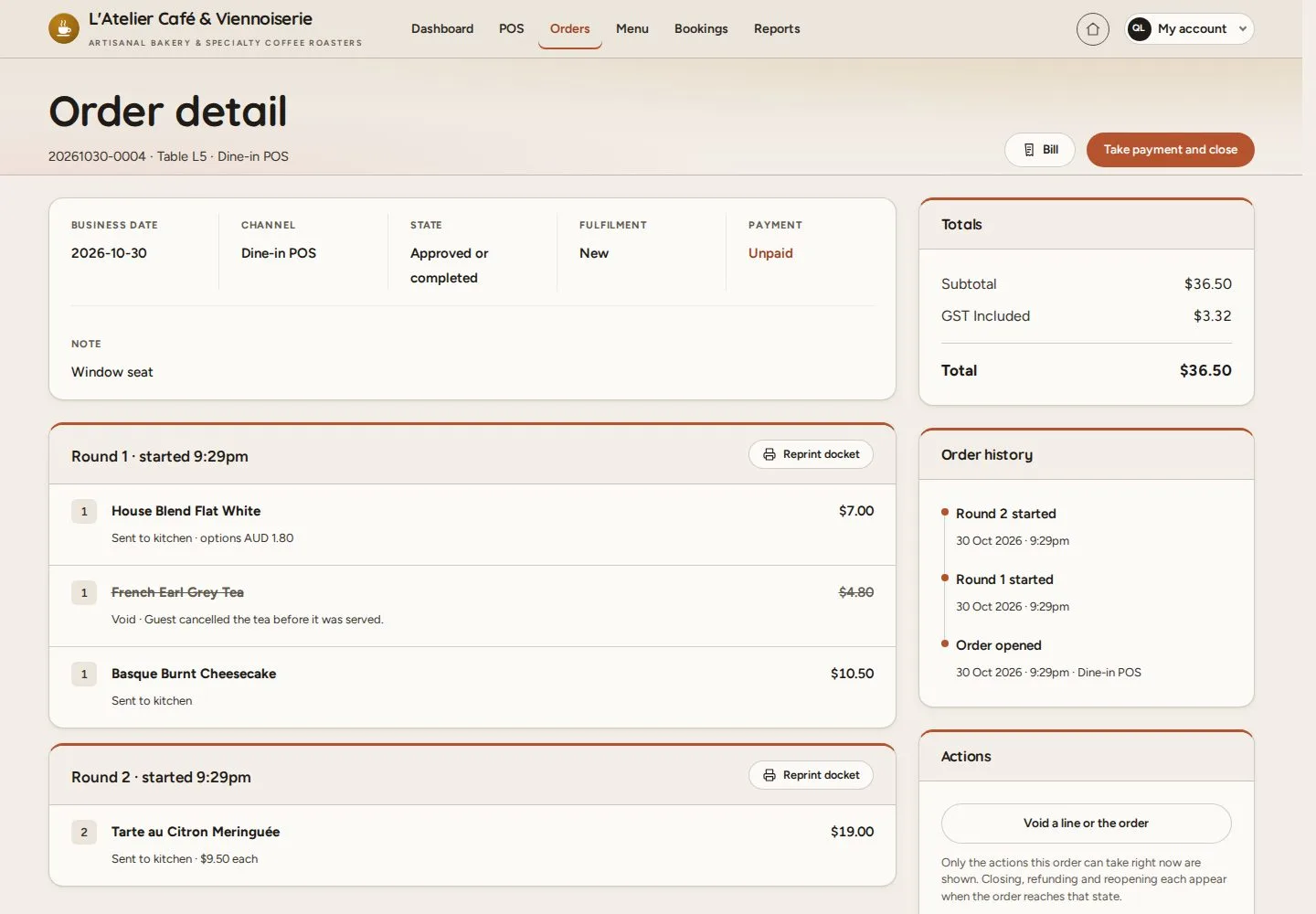
Ready to settle

Manager

Ready to settle

1Step 1 of 7

  1. Order detail
  2. Rounds · Totals
  3. Take payment and close

Enlarge, then scroll

Open illustrated screen ↗Full image ↗

Manager · Take payment and close01

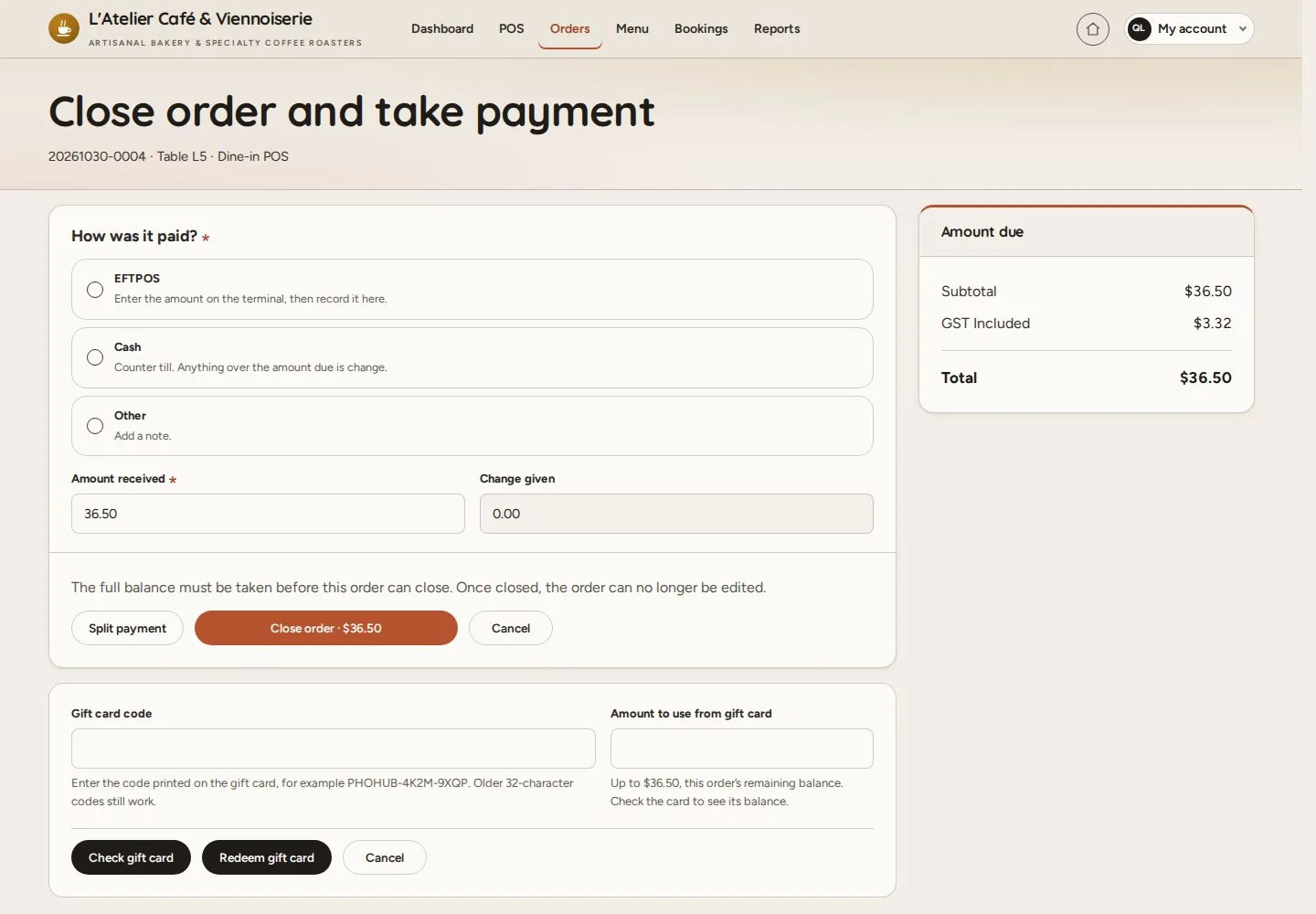
How was it paid?

Manager

How was it paid?

2Step 2 of 7

  1. EFTPOS · Cash · Other
  2. Amount received · Change given
  3. Gift card code

EFTPOS is taken on the café's own terminal; MenuNerds records the amount.

Enlarge, then scroll

Open illustrated screen ↗Full image ↗

Manager · Take payment and close02

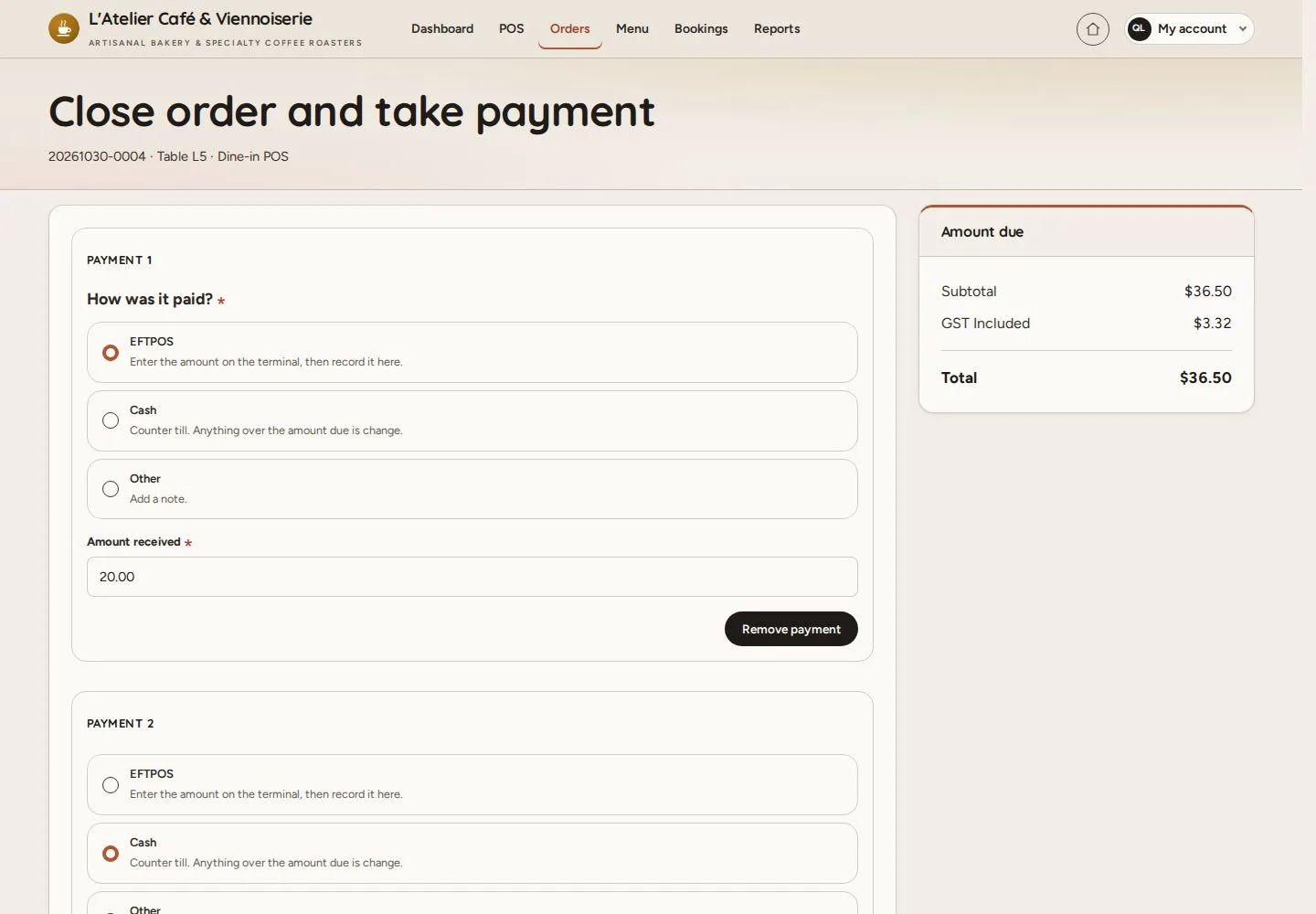
Split payment

Manager

Split payment

3Step 3 of 7

  1. Split payment
  2. Payment 1 · Payment 2
  3. Amounts up to the balance

Enlarge, then scroll

Open illustrated screen ↗Full image ↗

Manager · Take payment and close03

Order closed

Manager

Order closed

4Step 4 of 7

  1. Close order
  2. The message names each tender

Open illustrated screen ↗Full image ↗

Manager · Take payment and close04

Paid order

Manager

Paid order

5Step 5 of 7

  1. Payments
  2. Order history

Enlarge, then scroll

Open illustrated screen ↗Full image ↗

Manager · Take payment and close05

One payment

Manager

One payment

6Step 6 of 7

  1. EFTPOS
  2. Close order

Enlarge, then scroll

Open illustrated screen ↗Full image ↗

Manager · Take payment and close06

Tables free again

Manager

Tables free again

7Step 7 of 7

  1. The floor map shows the tables Free

Enlarge, then scroll

Open illustrated screen ↗Full image ↗

Check

The order is paid and archived; the table is free again

Manager · Take payment and close07
1 / 8
Privacy Terms