Staff accounts

Staff accounts · Add staff member · Block · Reinstate

  • Signed in as a Manager
Manager
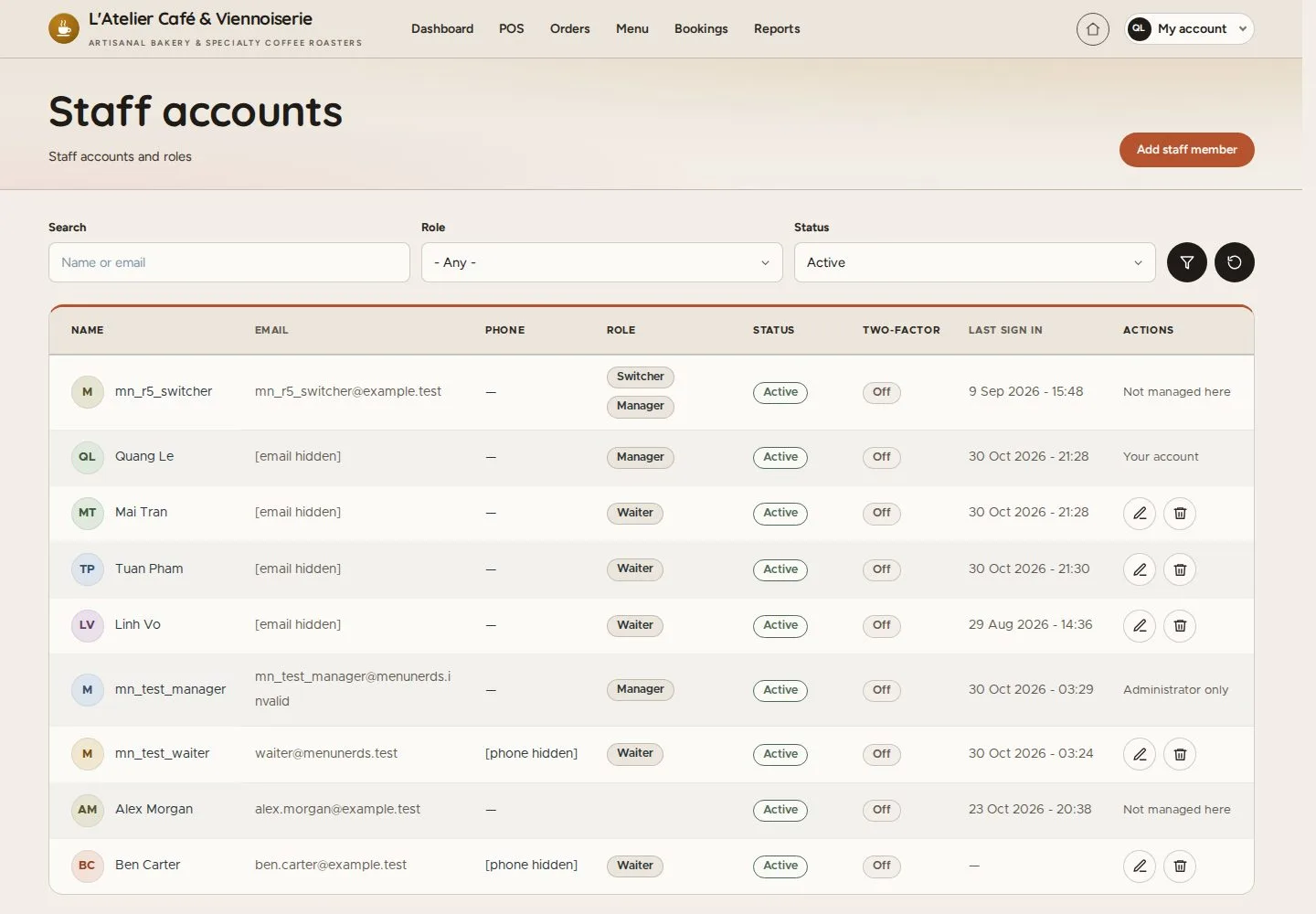
Staff accounts

Manager

Staff accounts

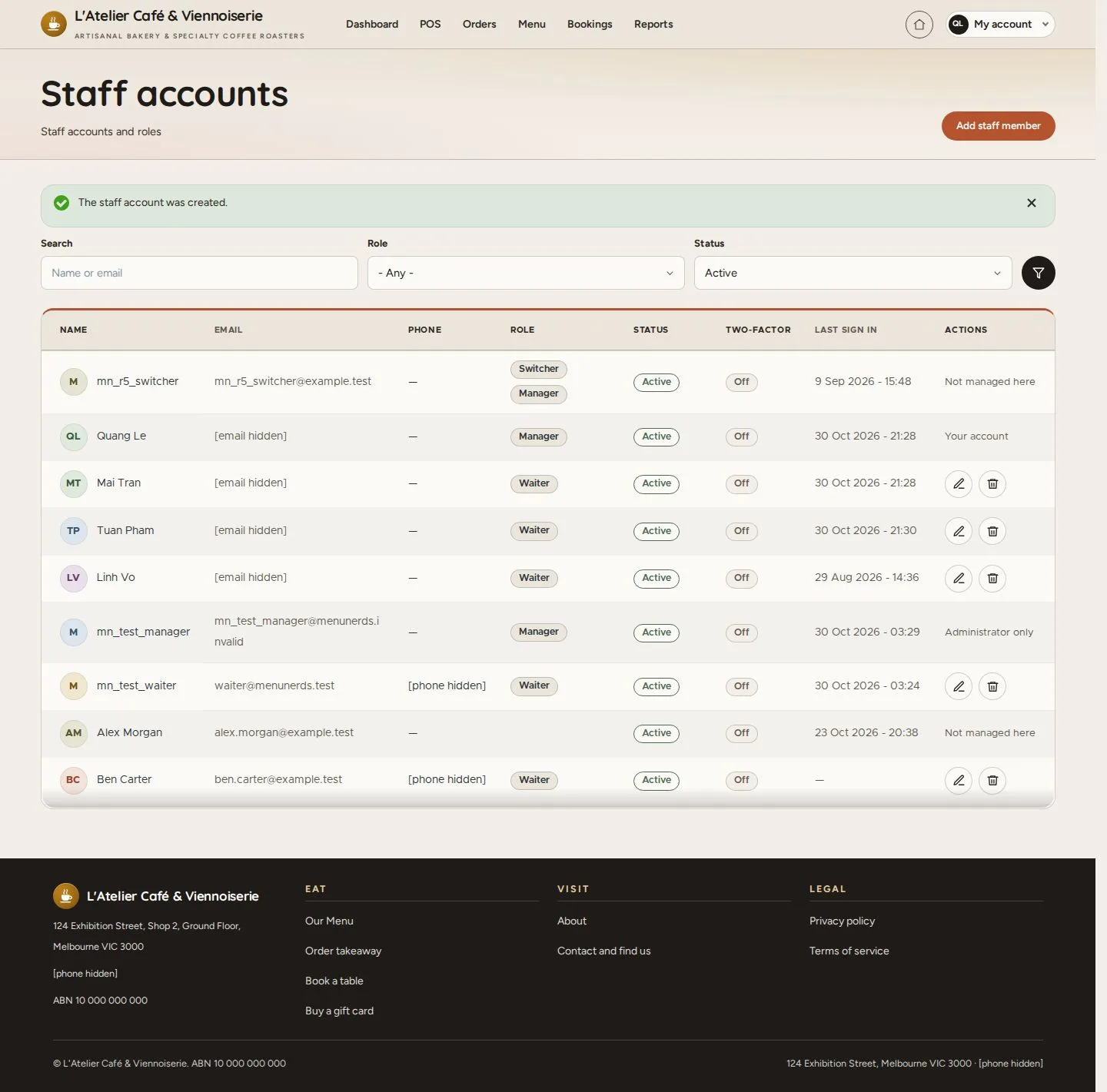
1Step 1 of 8

  1. Name or email · Role · Status
  2. Two-factor · Last sign in

Enlarge, then scroll

Open illustrated screen ↗Full image ↗

Manager · Staff accounts01

Add staff account

Manager

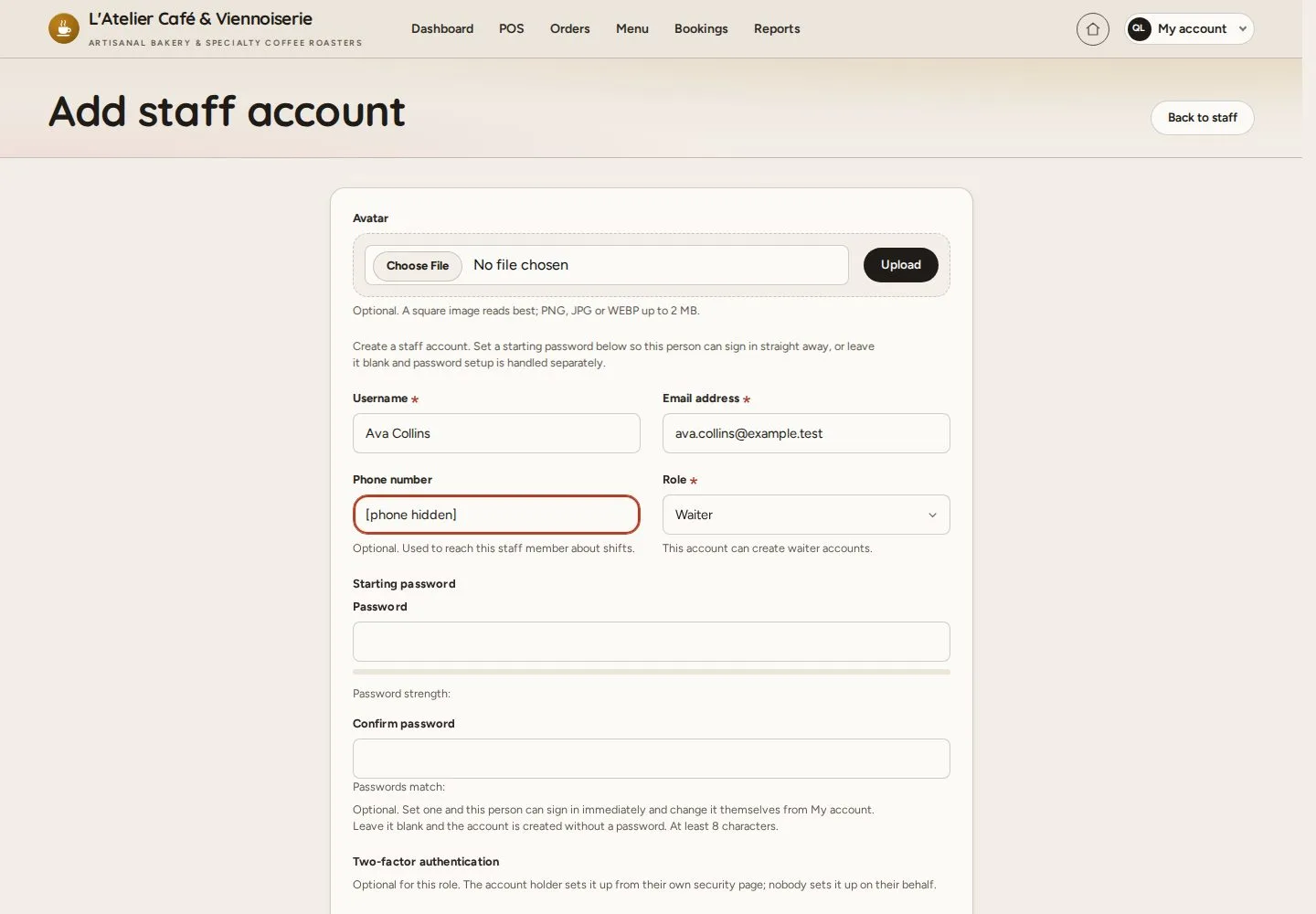
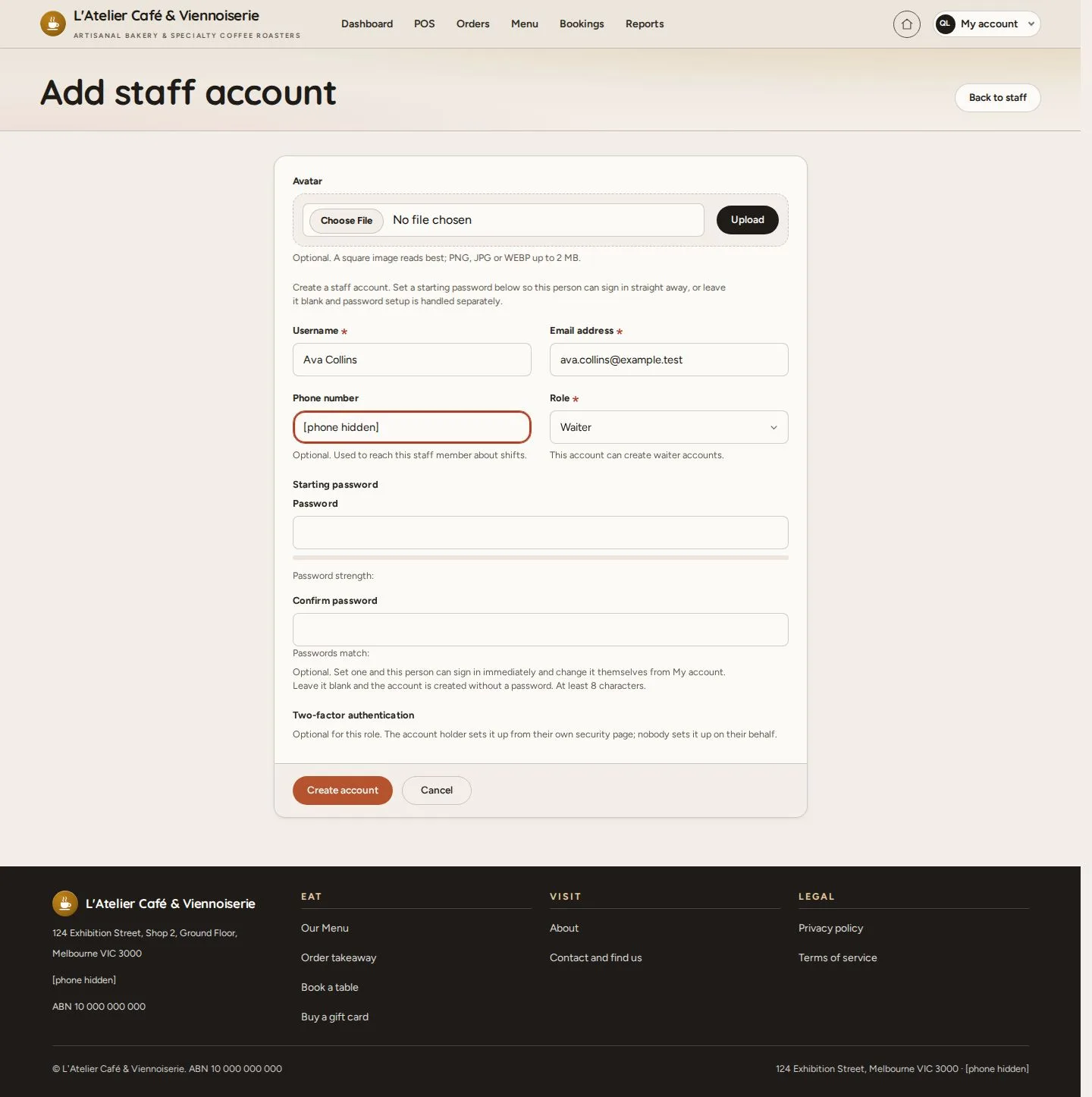
Add staff account

2Step 2 of 8

  1. Add staff member
  2. Username · Email · Phone
  3. Role: Waiter

A Manager adds waiter accounts; the person can set their password from the invitation.

Enlarge, then scroll

Open illustrated screen ↗Full image ↗

Manager · Staff accounts02

Account created

Manager

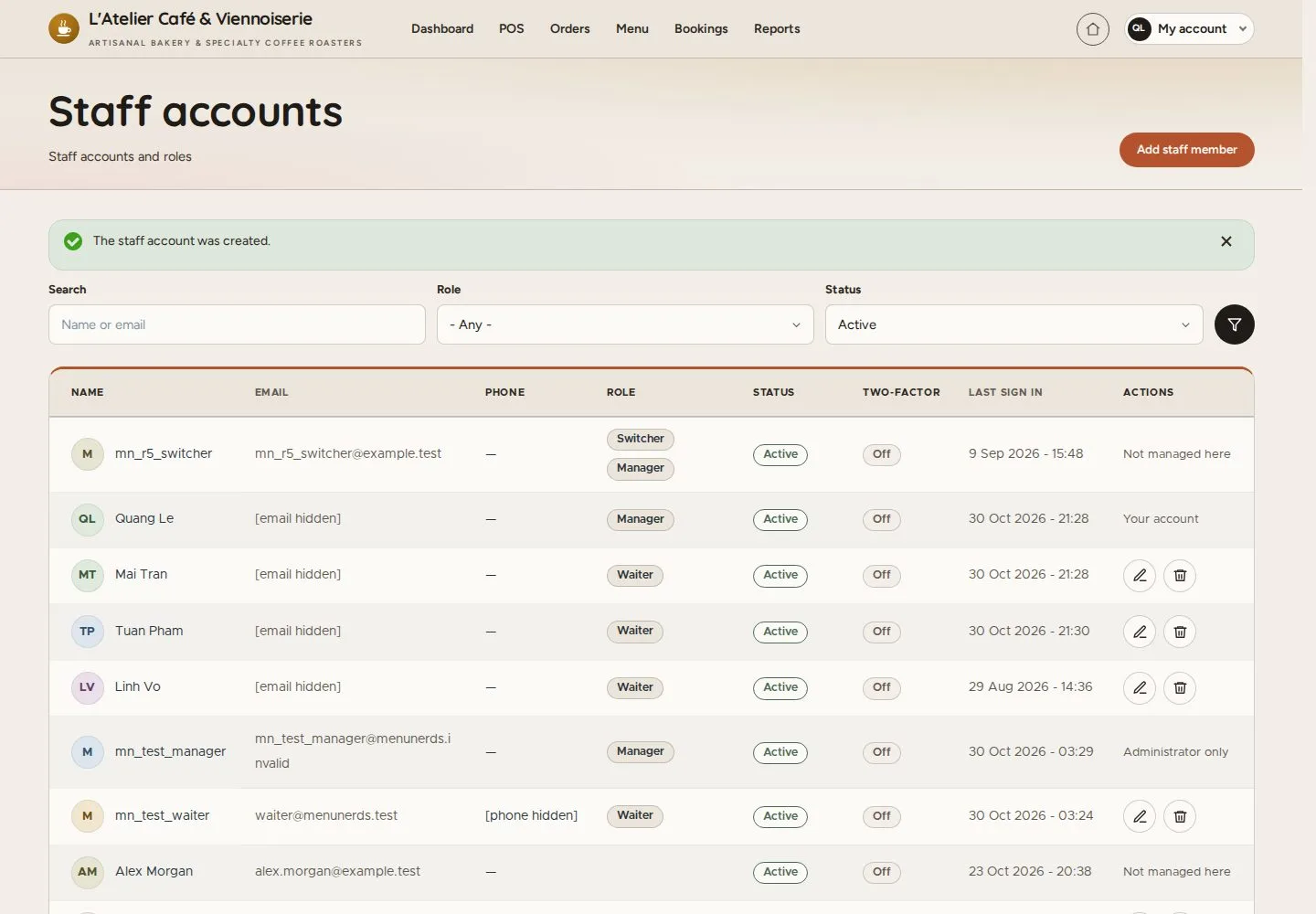
Account created

3Step 3 of 8

  1. The staff account was created

Enlarge, then scroll

Open illustrated screen ↗Full image ↗

Manager · Staff accounts03

Edit staff account

Manager

Edit staff account

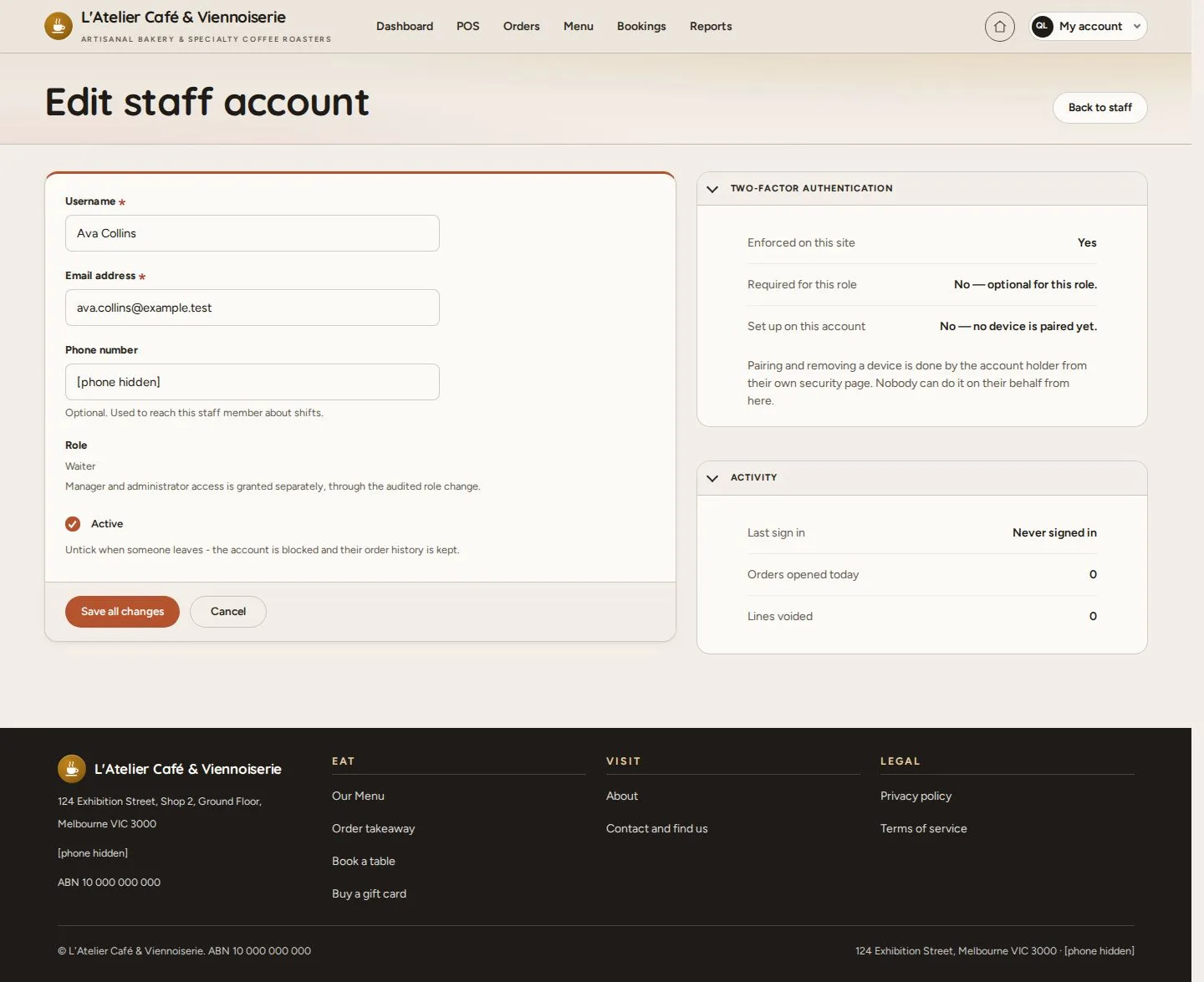
4Step 4 of 8

  1. Email · Phone · Active
  2. Two-factor authentication · Activity

Enlarge, then scroll

Open illustrated screen ↗Full image ↗

Manager · Staff accounts04

Block

Manager

Block

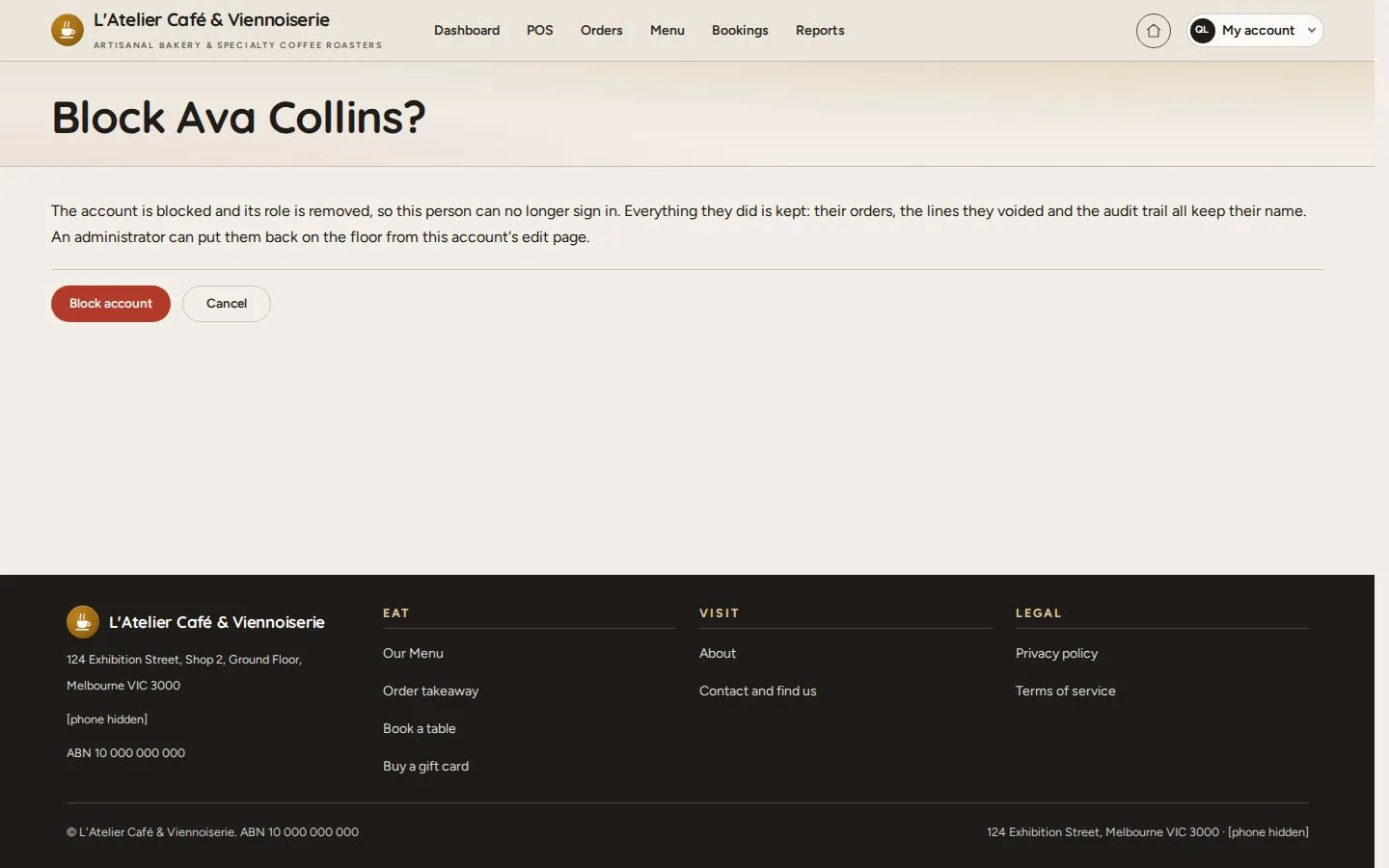
5Step 5 of 8

  1. Block when someone leaves
  2. Block account

Open illustrated screen ↗Full image ↗

Manager · Staff accounts05

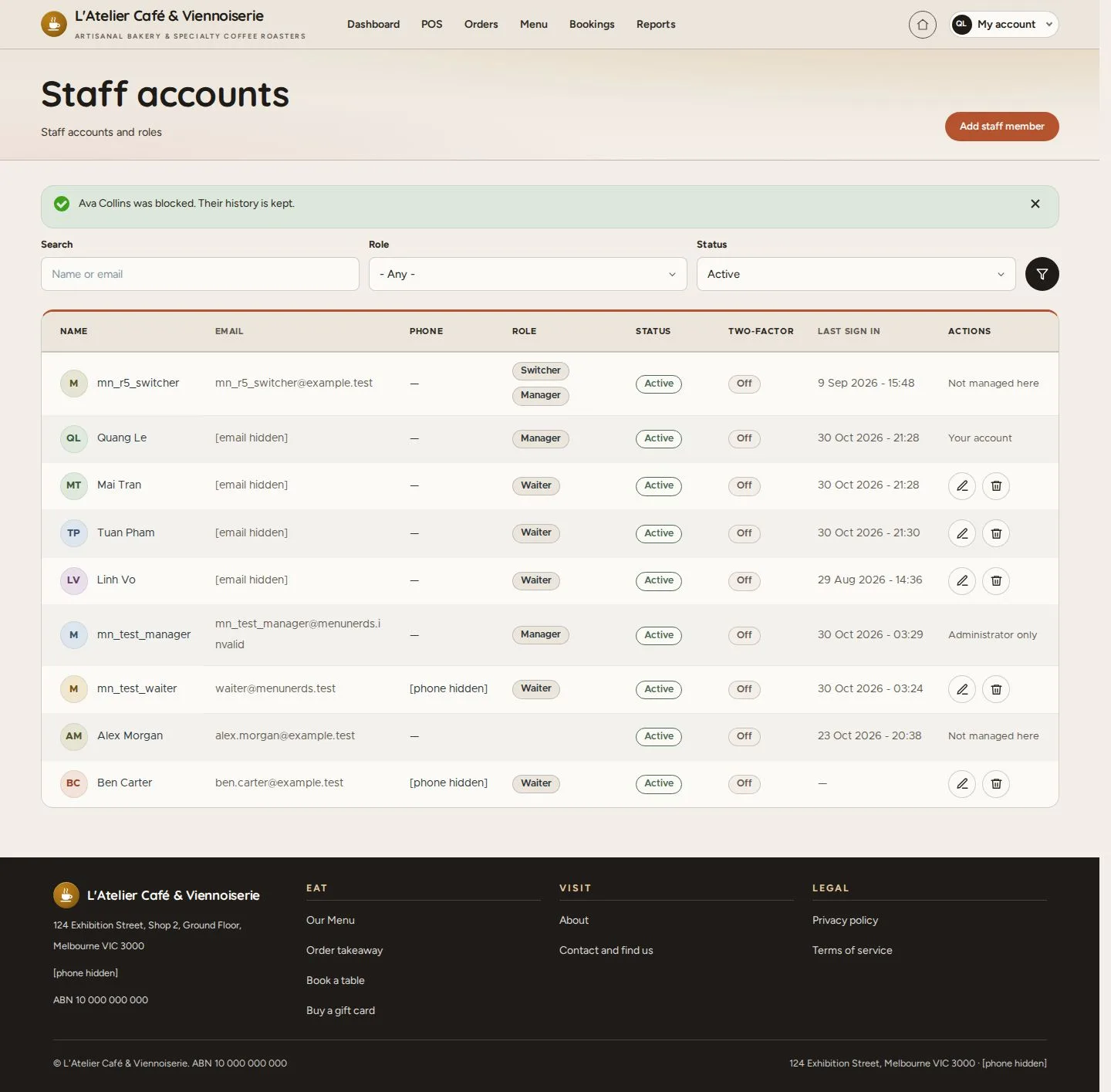
Blocked

Manager

Blocked

6Step 6 of 8

  1. The role is removed
  2. Their history is kept

Enlarge, then scroll

Open illustrated screen ↗Full image ↗

Manager · Staff accounts06

Reinstate

Manager

Reinstate

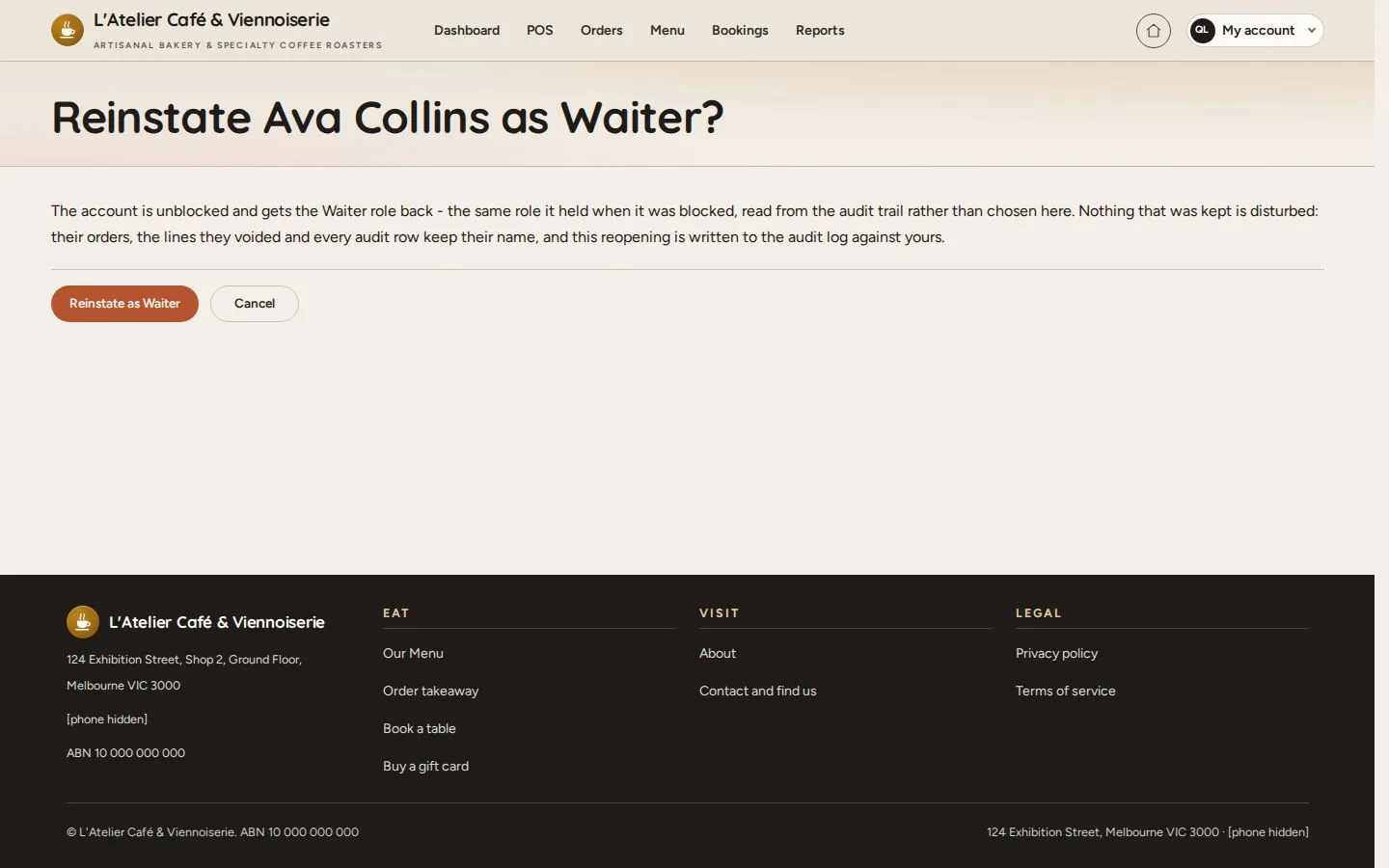
7Step 7 of 8

  1. Reinstate as the role held before

Open illustrated screen ↗Full image ↗

Manager · Staff accounts07

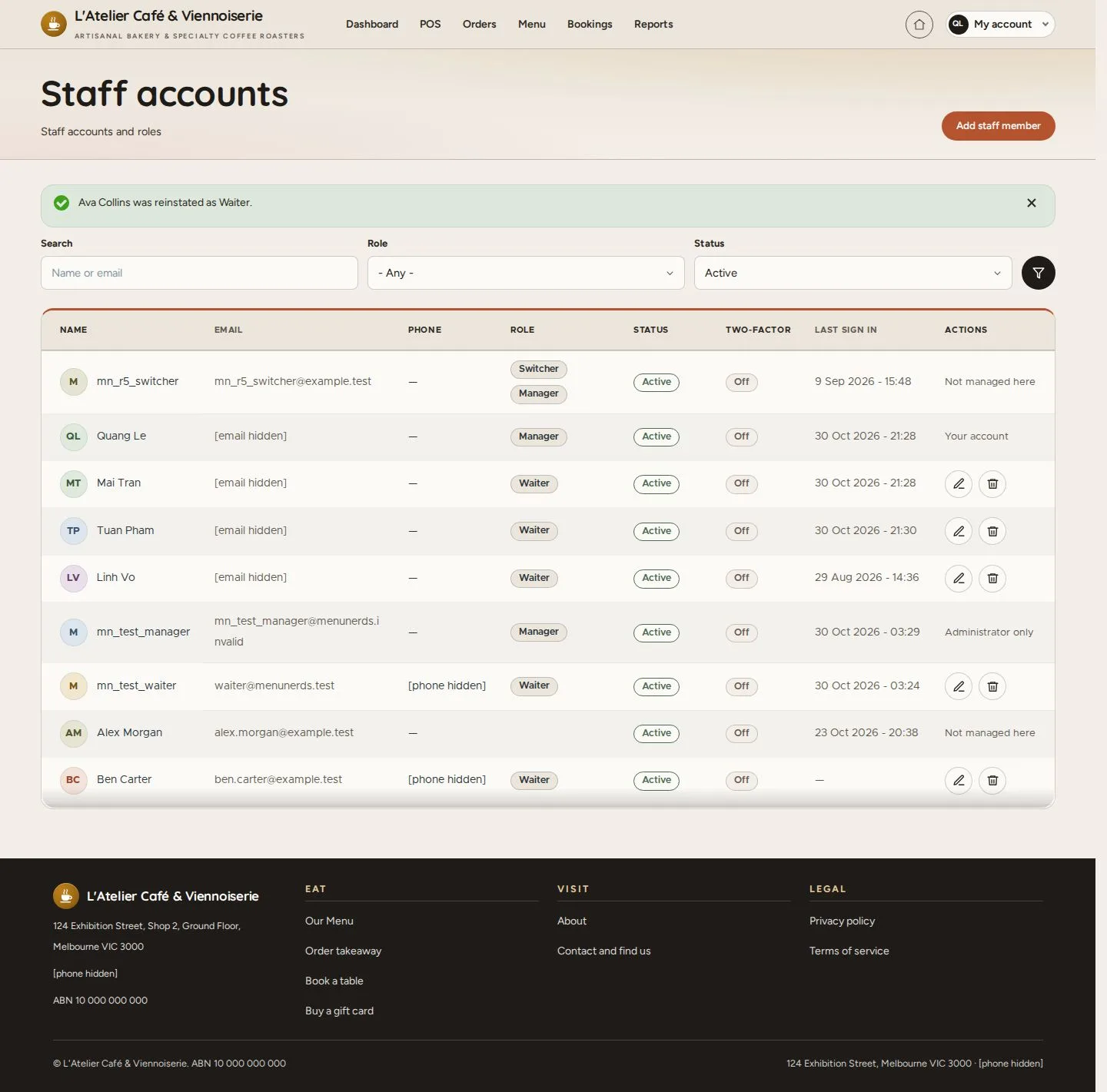
Reinstated

Manager

Reinstated

8Step 8 of 8

  1. Active again as Waiter

Enlarge, then scroll

Open illustrated screen ↗Full image ↗

Check

The person works with the role they had; their history keeps their name

Manager · Staff accounts08
1 / 9
Privacy Terms