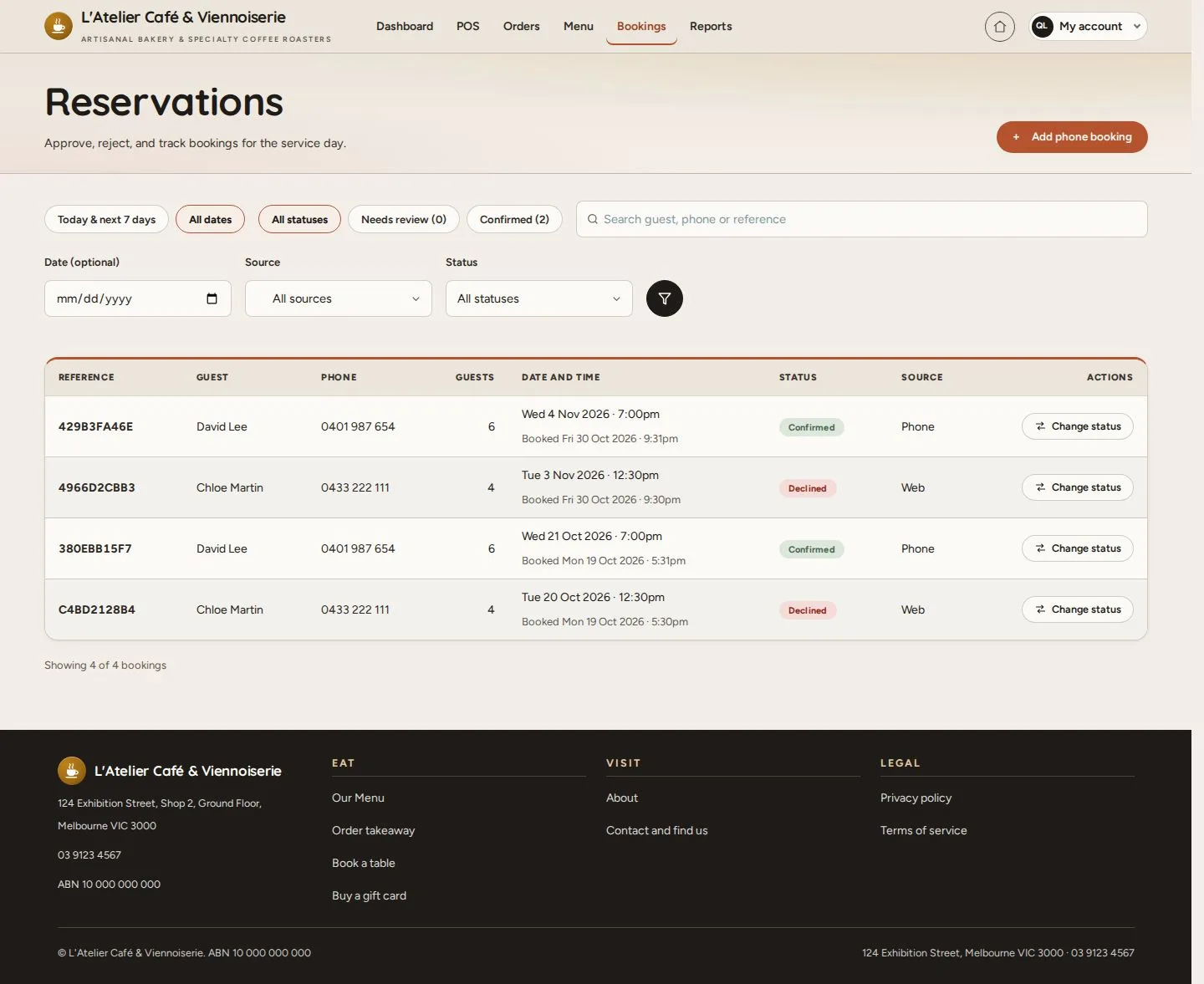
Reservations

Reservations · Needs review · Approve reservation · Status

  • Signed in as a Manager
Manager

Reservations

Manager

Reservations

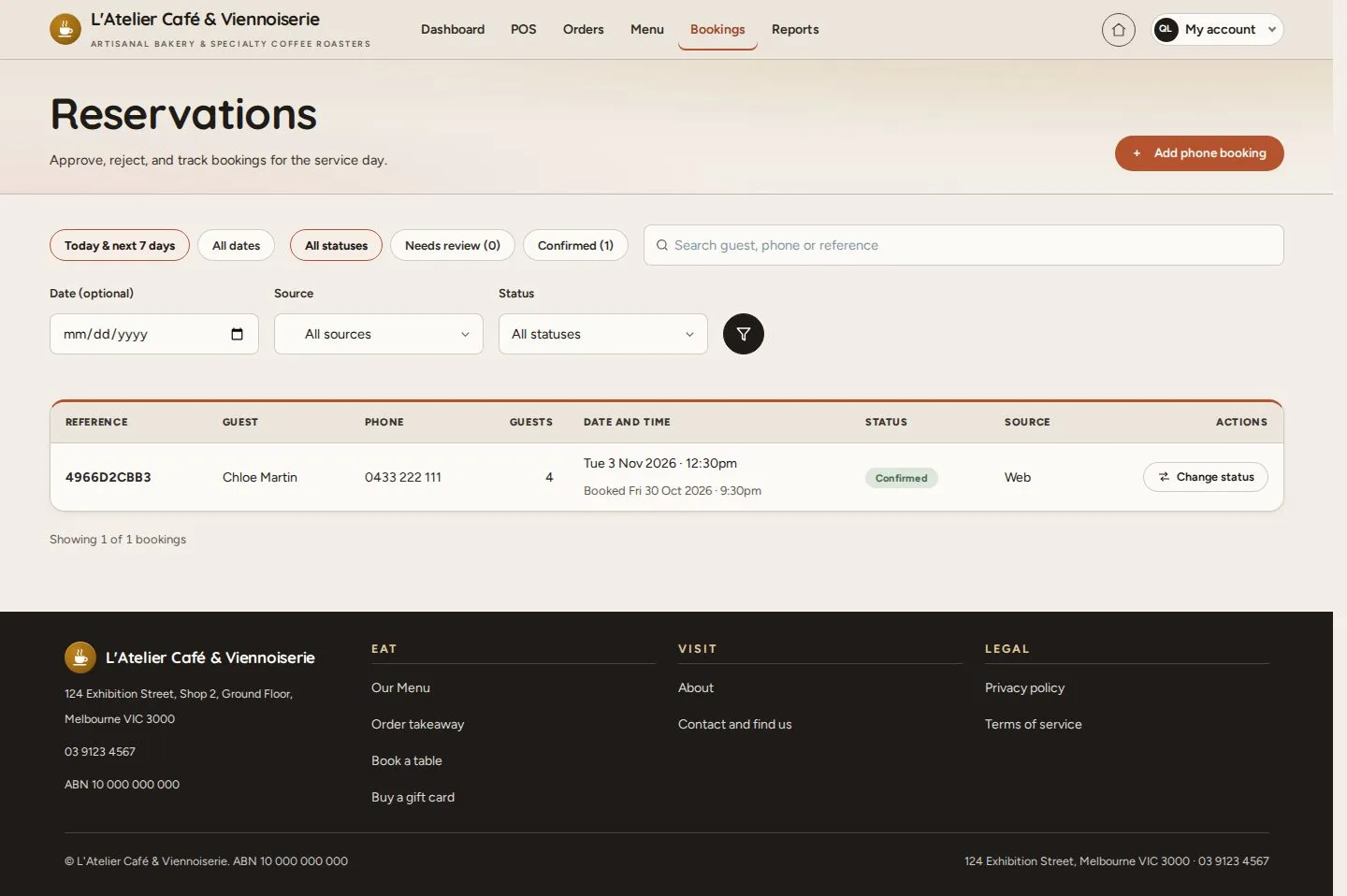
1Step 1 of 6

  1. Bookings
  2. Today & next 7 days · All dates
  3. Needs review · Confirmed

Open illustrated screen ↗Full image ↗

Manager · Reservations01

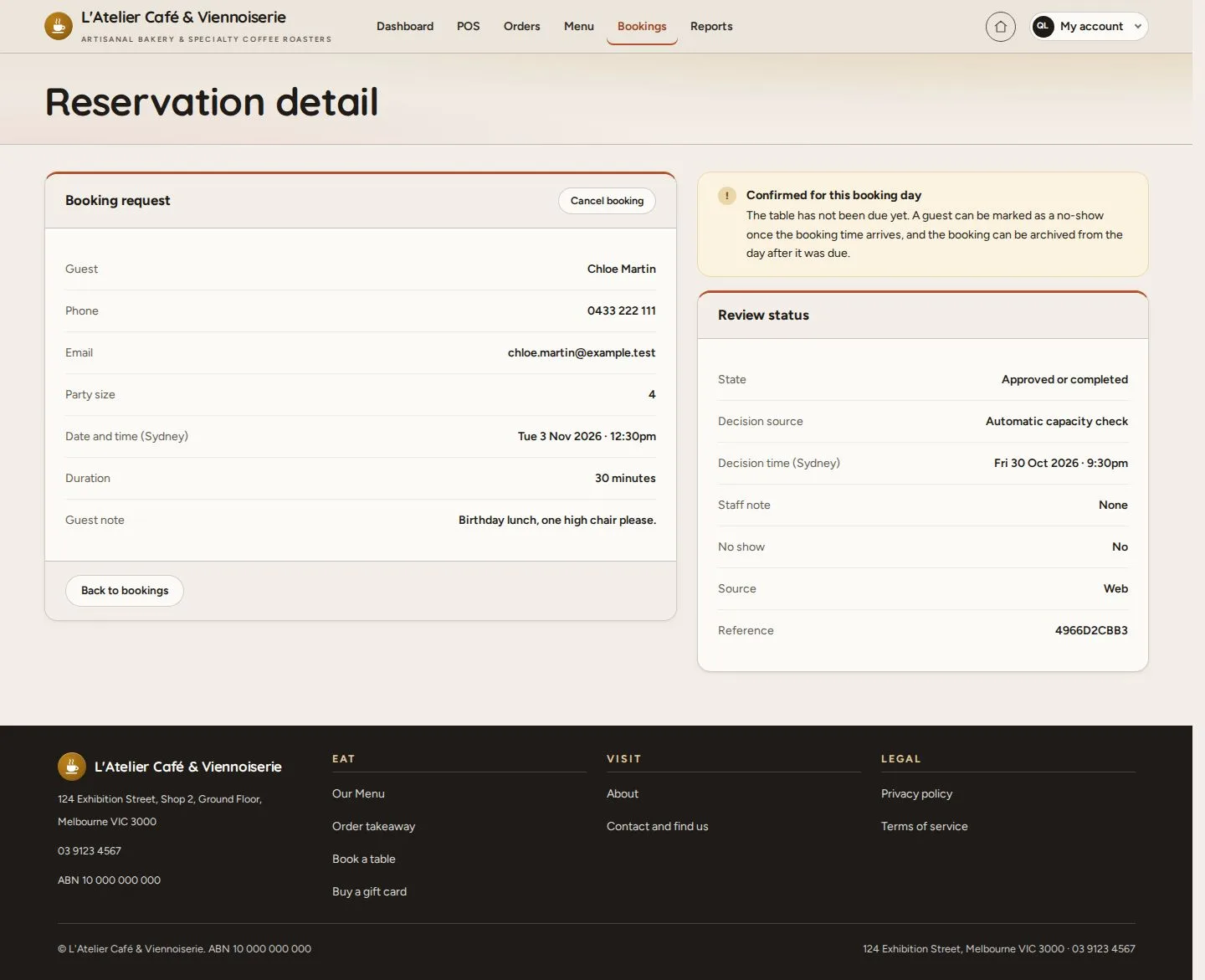
Reservation detail

Manager

Reservation detail

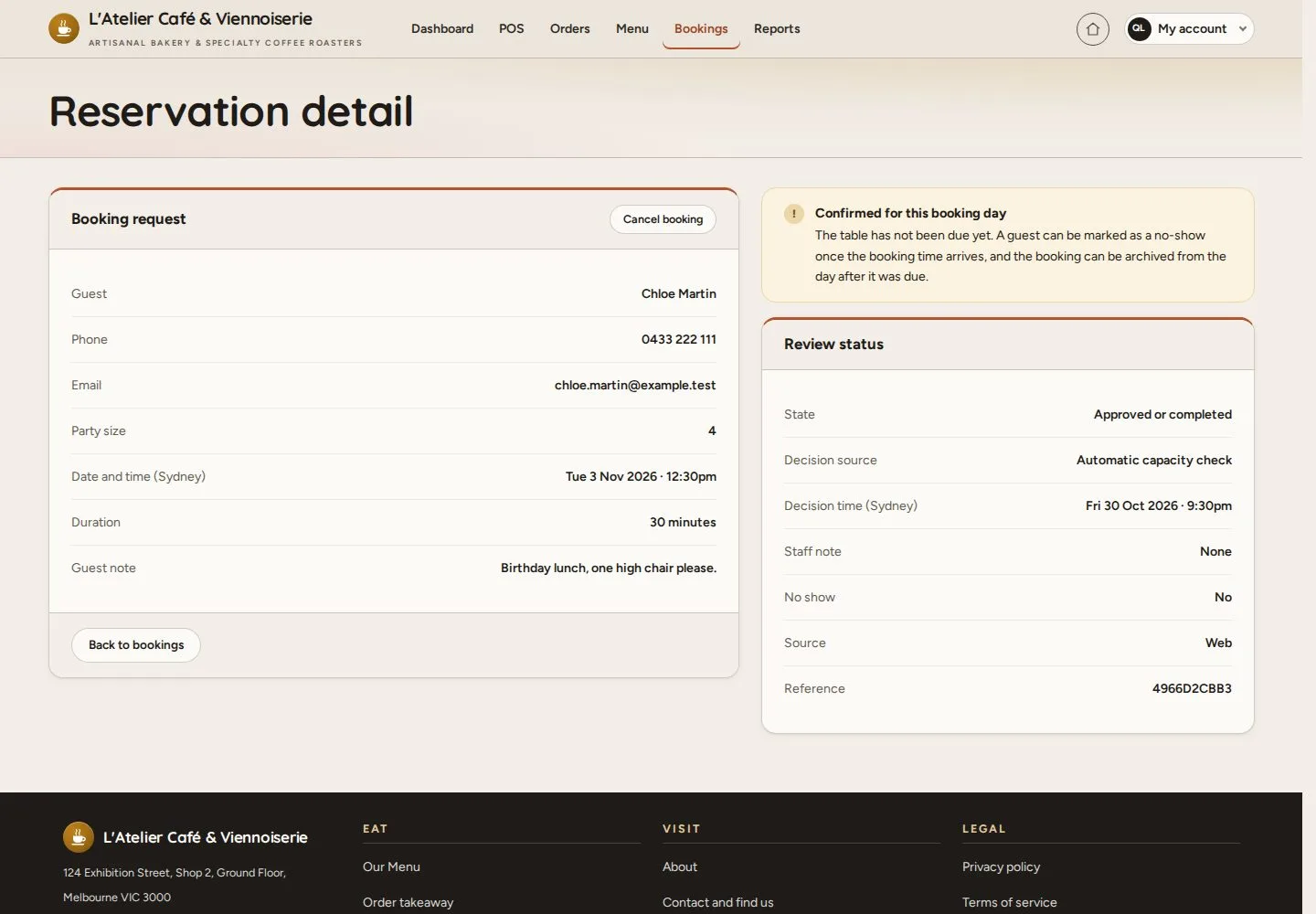
2Step 2 of 6

  1. Guest · Party · Date
  2. Decision source
  3. Cancel booking

Enlarge, then scroll

Open illustrated screen ↗Full image ↗

Manager · Reservations02

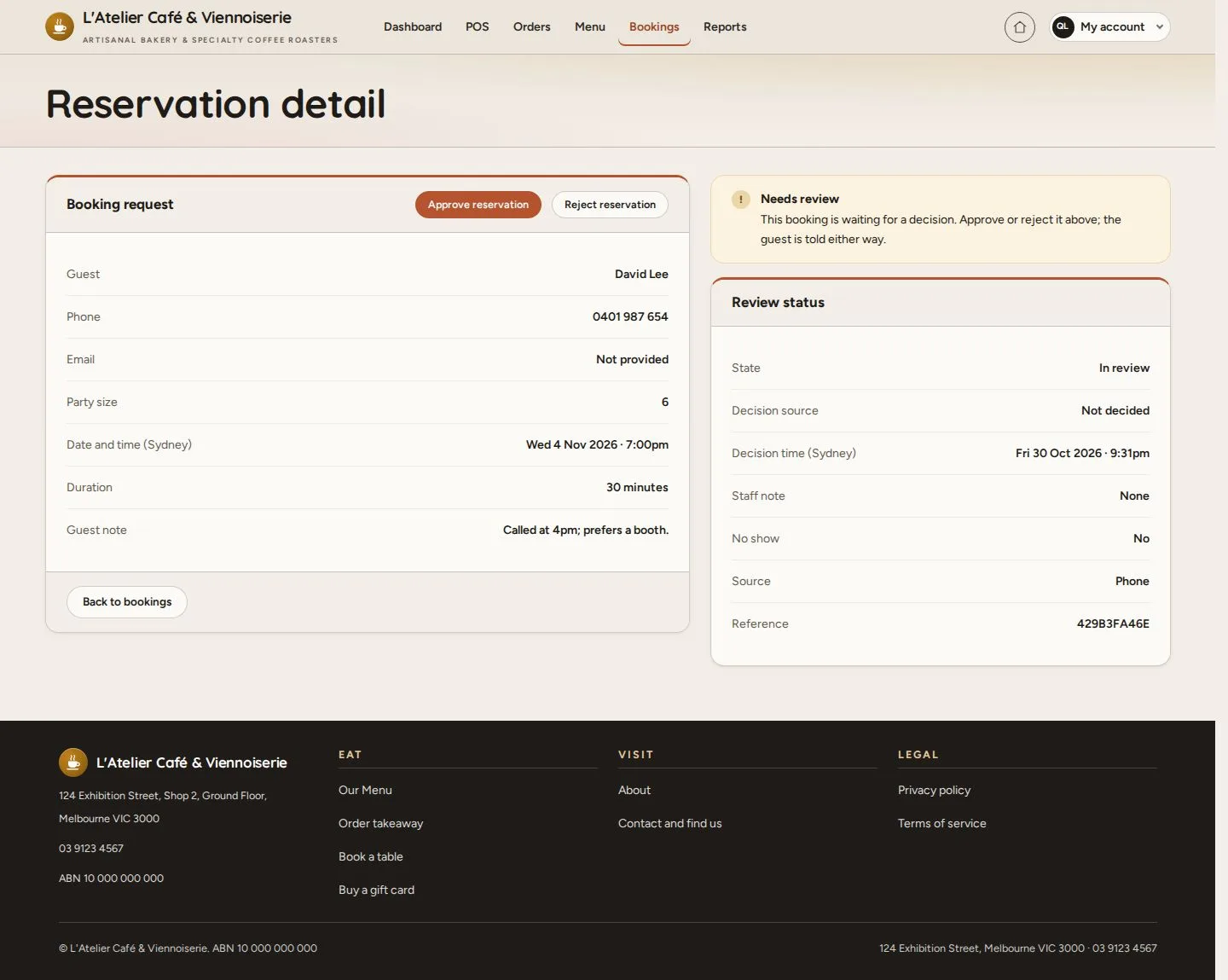
A booking to review

Manager

A booking to review

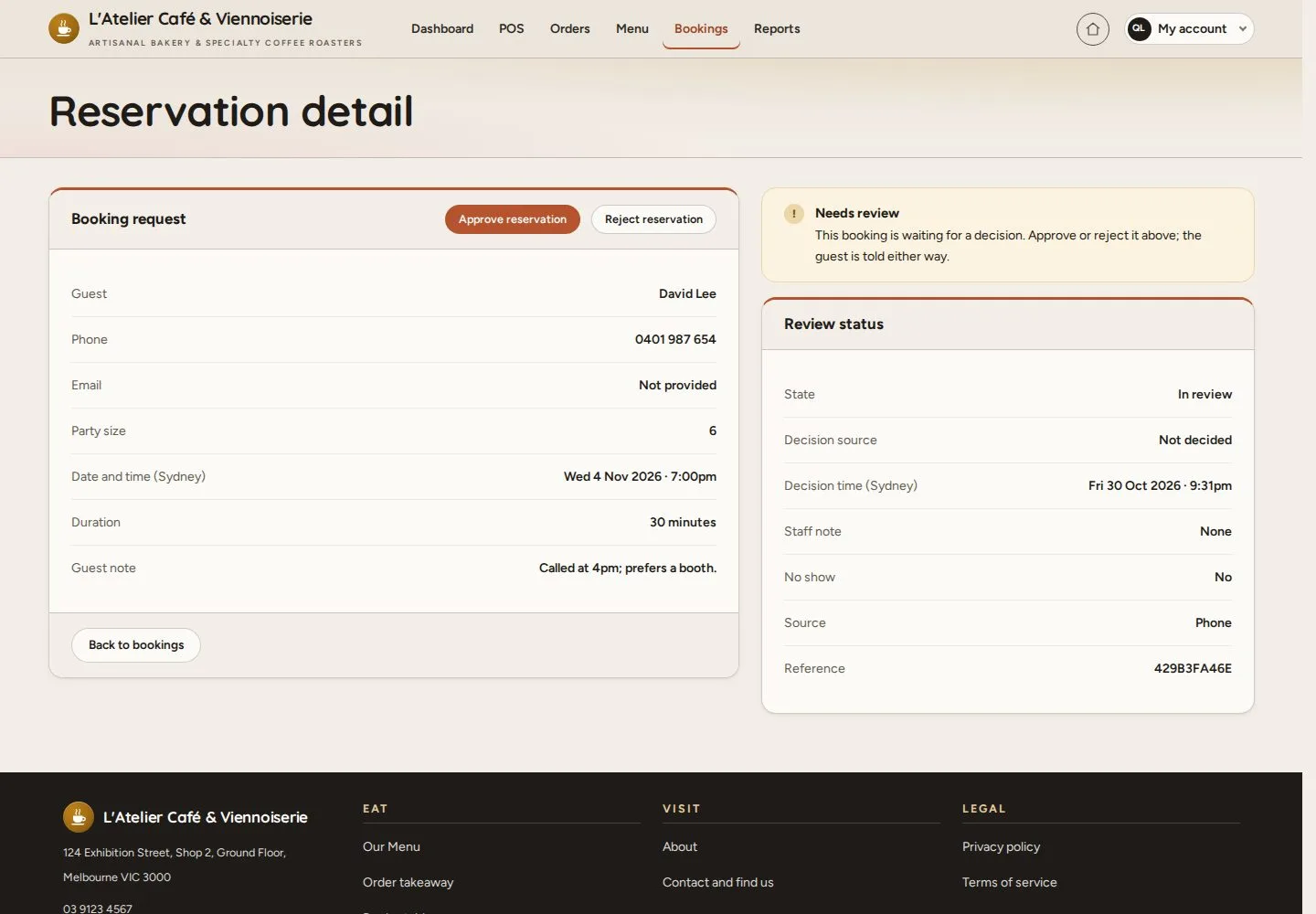
3Step 3 of 6

  1. Needs review
  2. Approve reservation · Reject reservation

Enlarge, then scroll

Open illustrated screen ↗Full image ↗

Manager · Reservations03

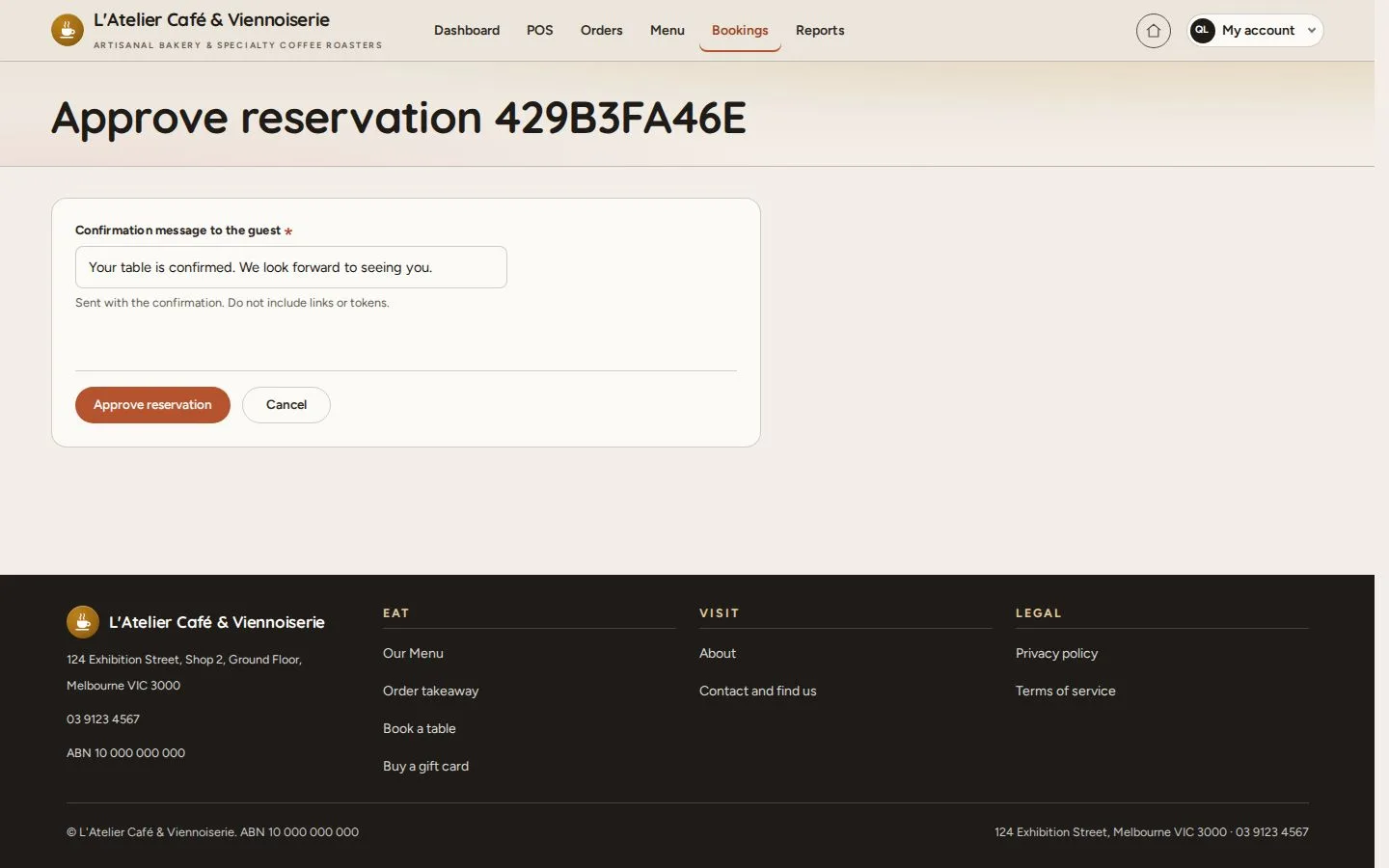
Approve

Manager

Approve

4Step 4 of 6

  1. Confirmation message to the guest
  2. Approve reservation

Open illustrated screen ↗Full image ↗

Manager · Reservations04

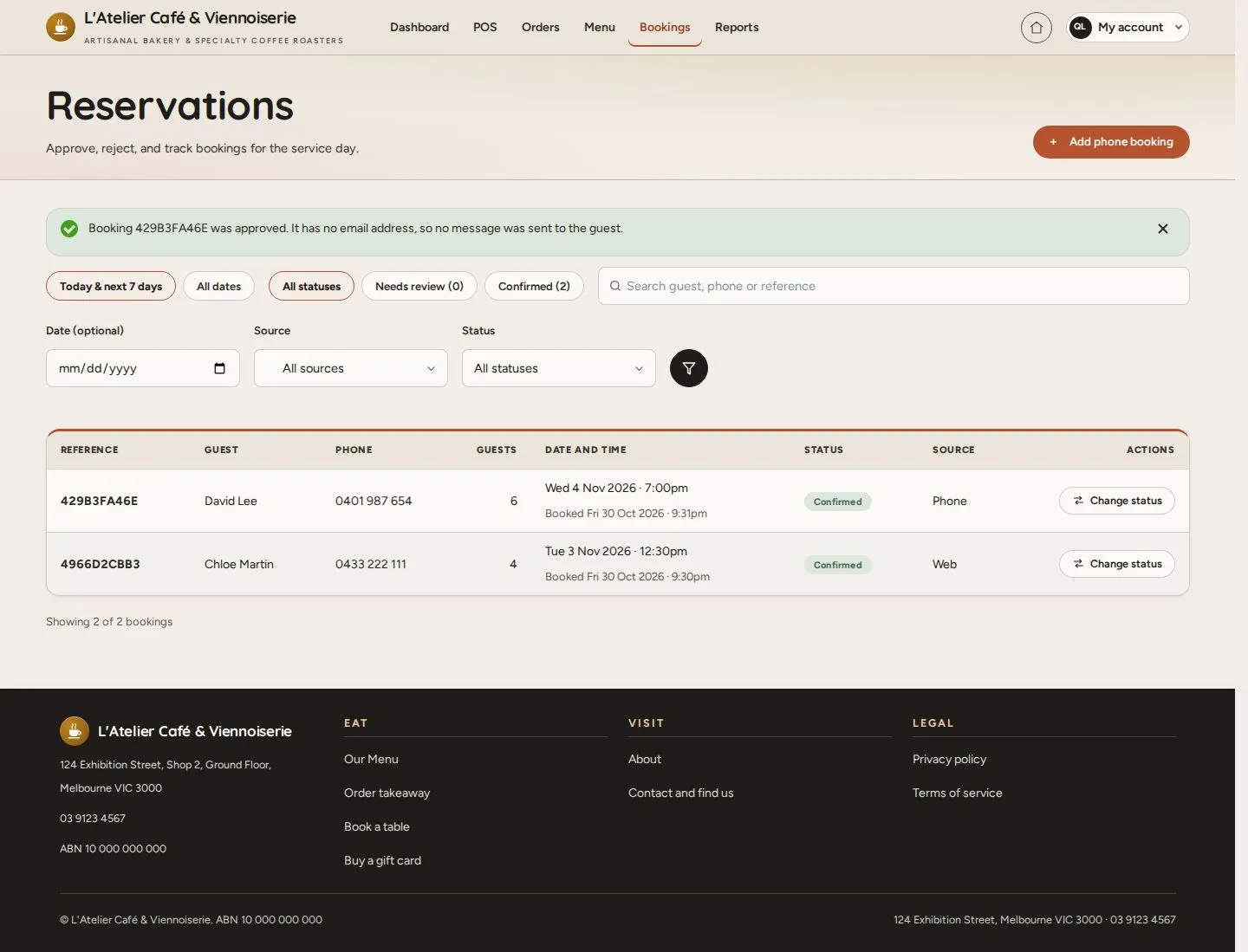
Approved

Manager

Approved

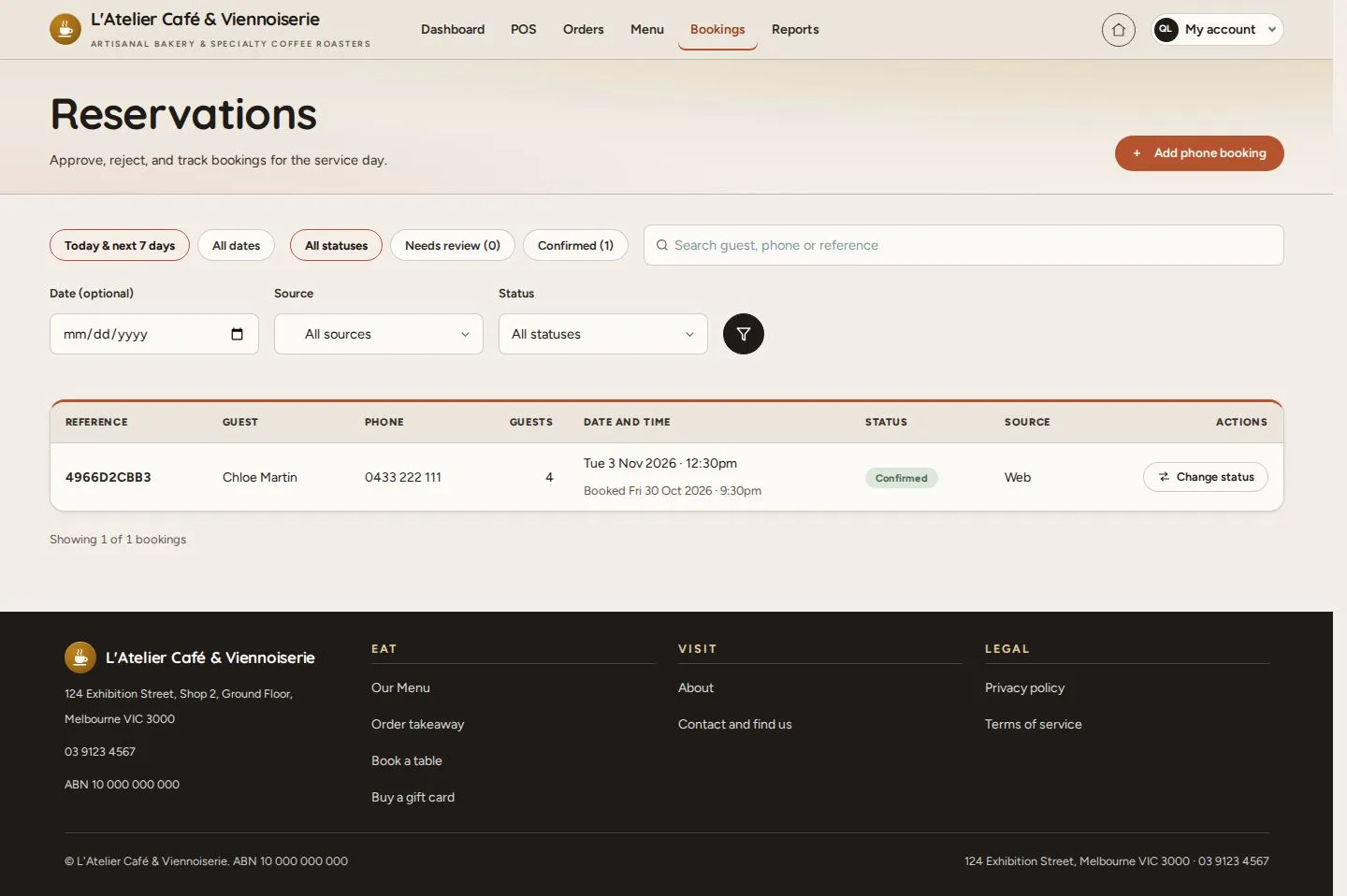
5Step 5 of 6

  1. Confirmed in the list
  2. Change status

Enlarge, then scroll

Open illustrated screen ↗Full image ↗

Manager · Reservations05

All bookings

Manager

All bookings

6Step 6 of 6

  1. All dates
  2. Status · Source

Enlarge, then scroll

Open illustrated screen ↗Full image ↗

Check

Every booking of the day has its decision

Manager · Reservations06
1 / 7
Privacy Terms