Reports

Daily sales · Payments · Item sales · GST · Export CSV

  • Signed in as a Manager
Manager
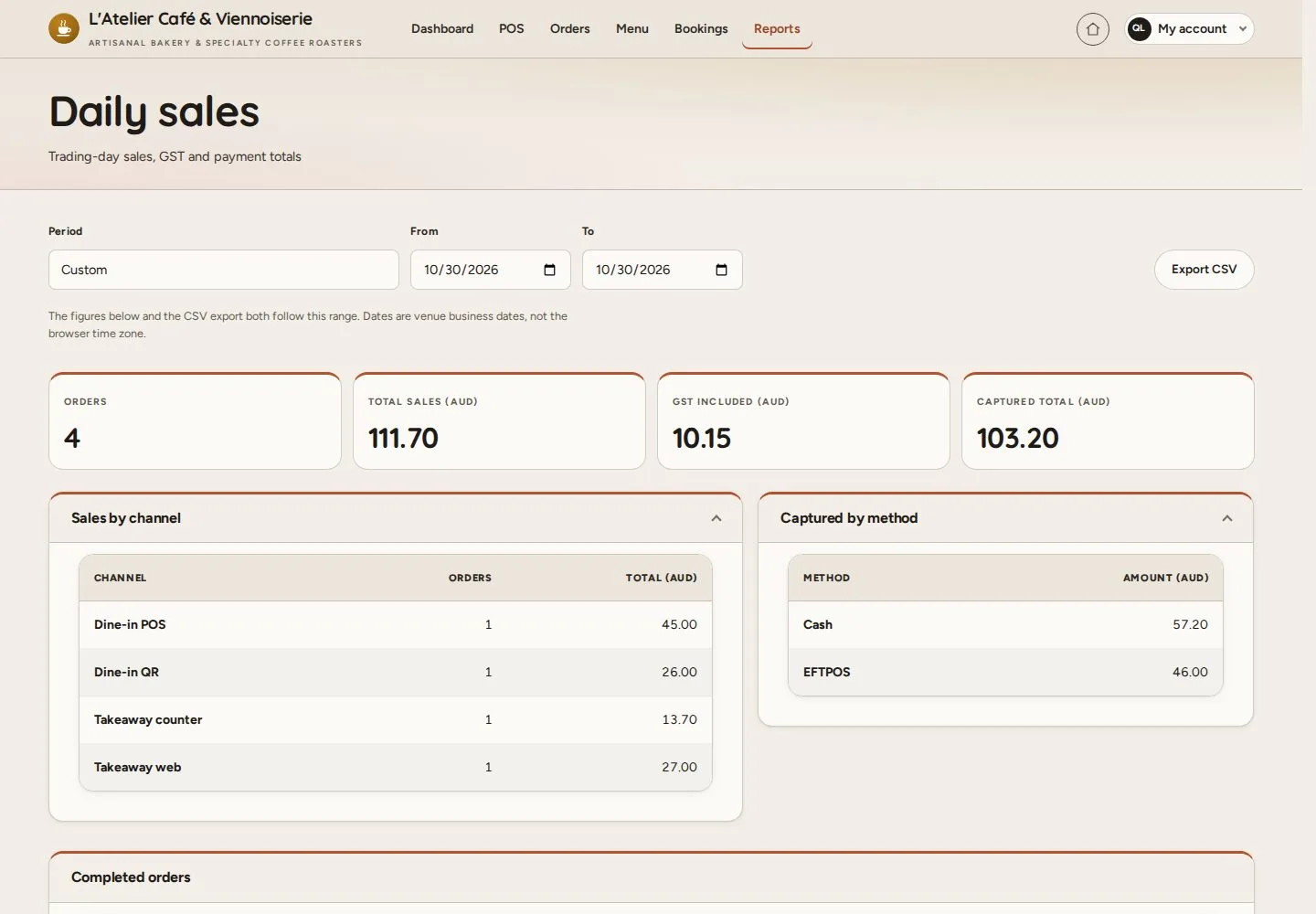
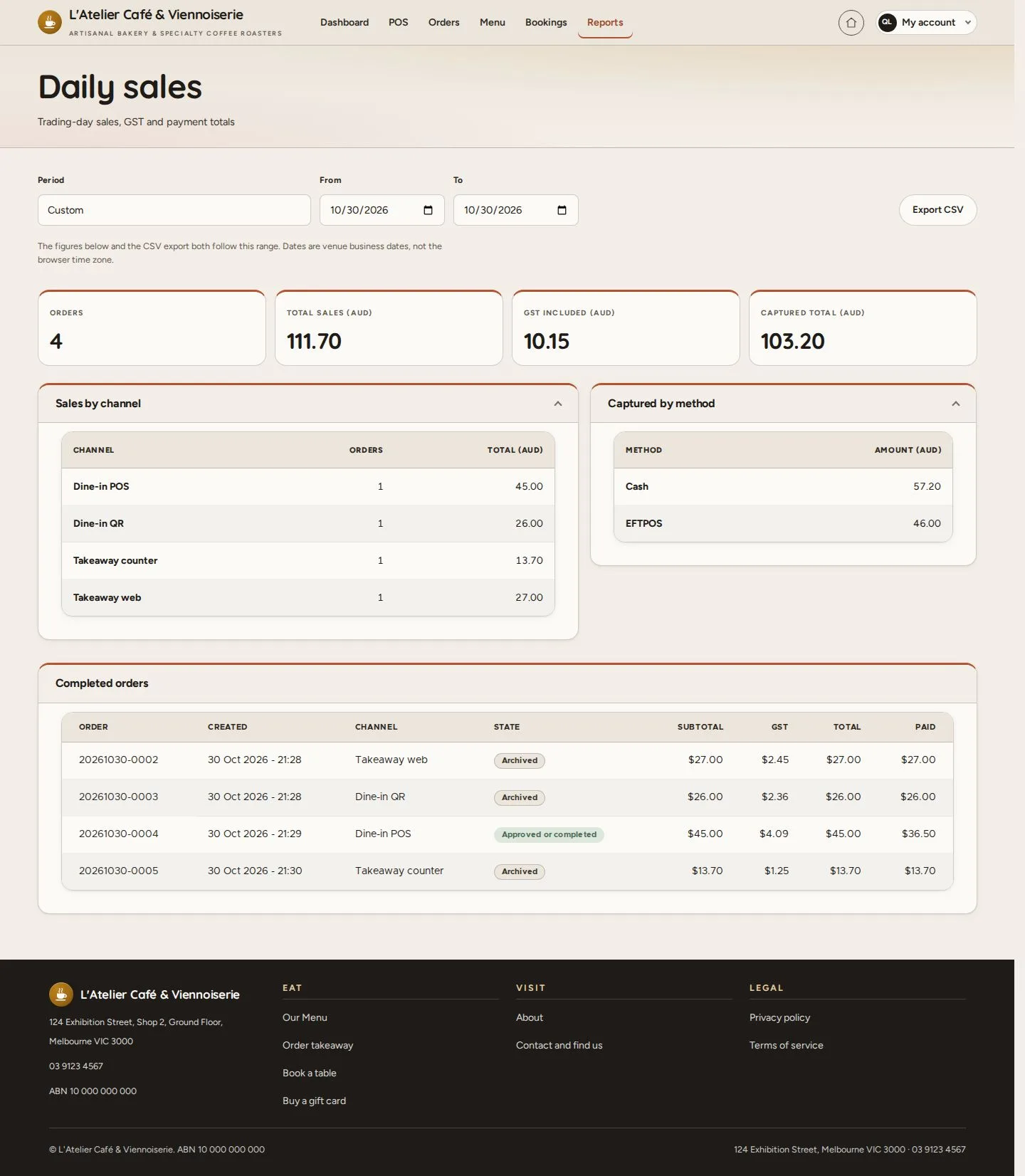
Daily sales

Manager

Daily sales

1Step 1 of 8

  1. Reports
  2. This month · This year · Custom
  3. Export CSV

Enlarge, then scroll

Open illustrated screen ↗Full image ↗

Manager · Reports01

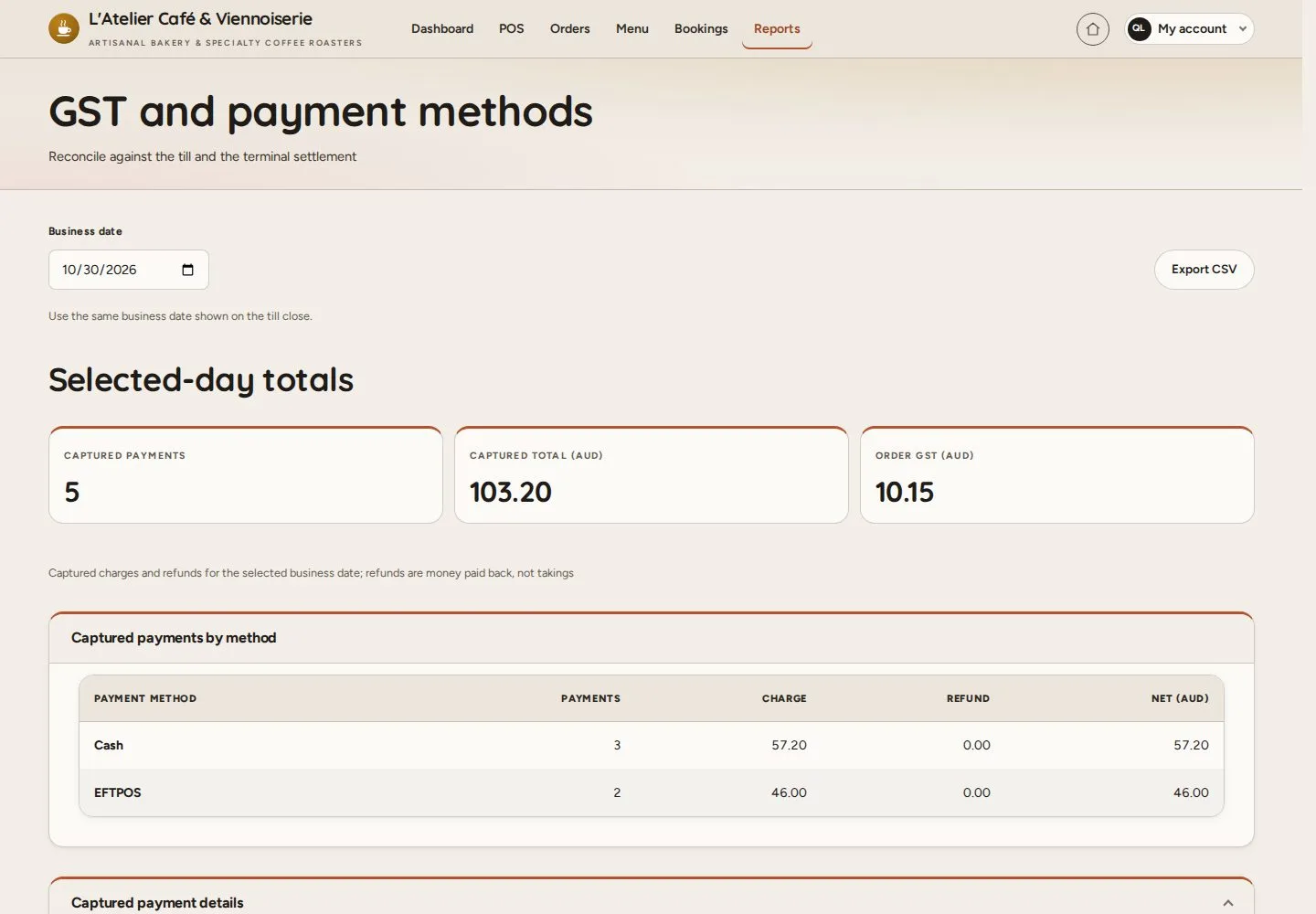
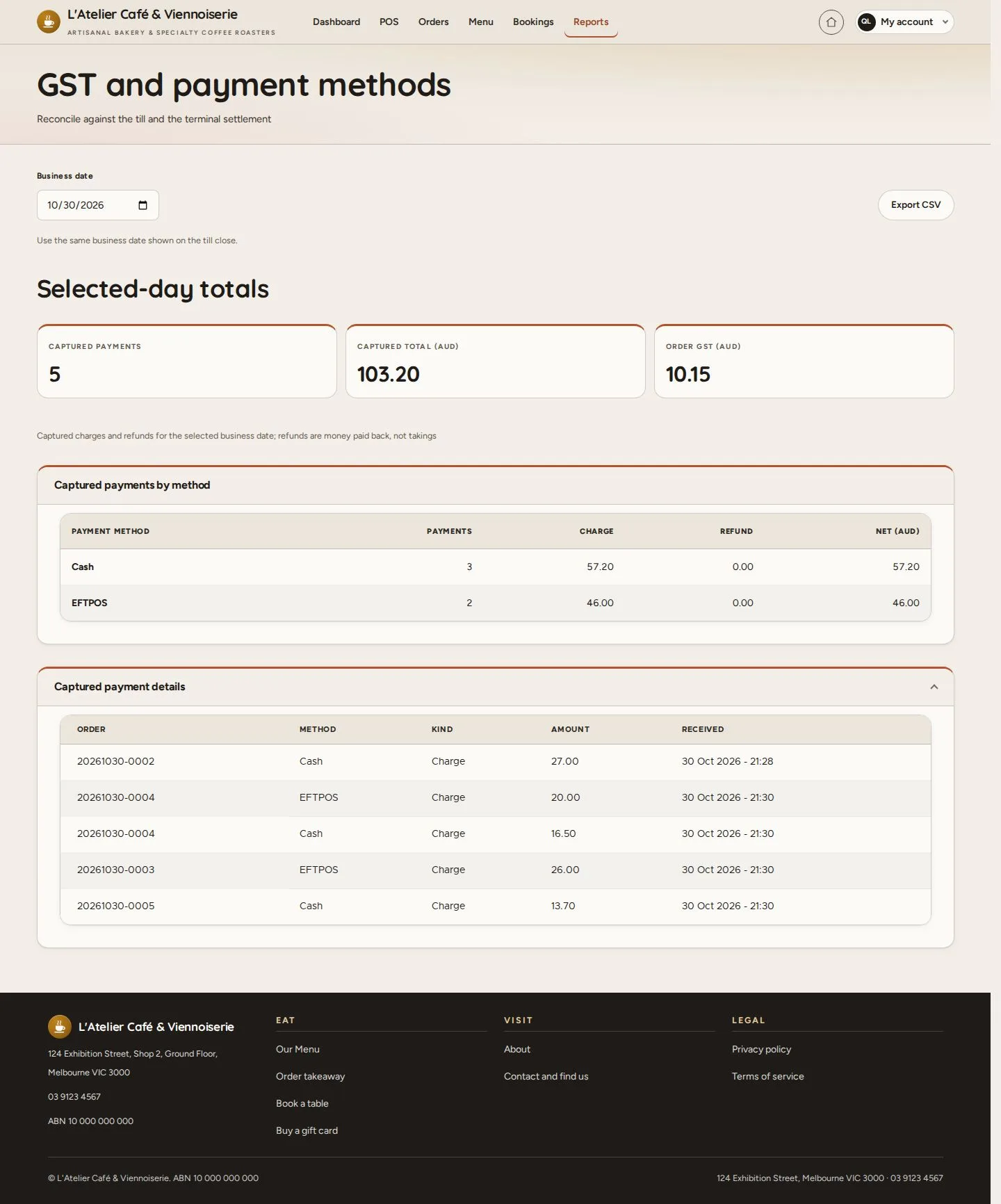
GST and payment methods

Manager

GST and payment methods

2Step 2 of 8

  1. Business date
  2. Captured payments by method

Enlarge, then scroll

Open illustrated screen ↗Full image ↗

Manager · Reports02

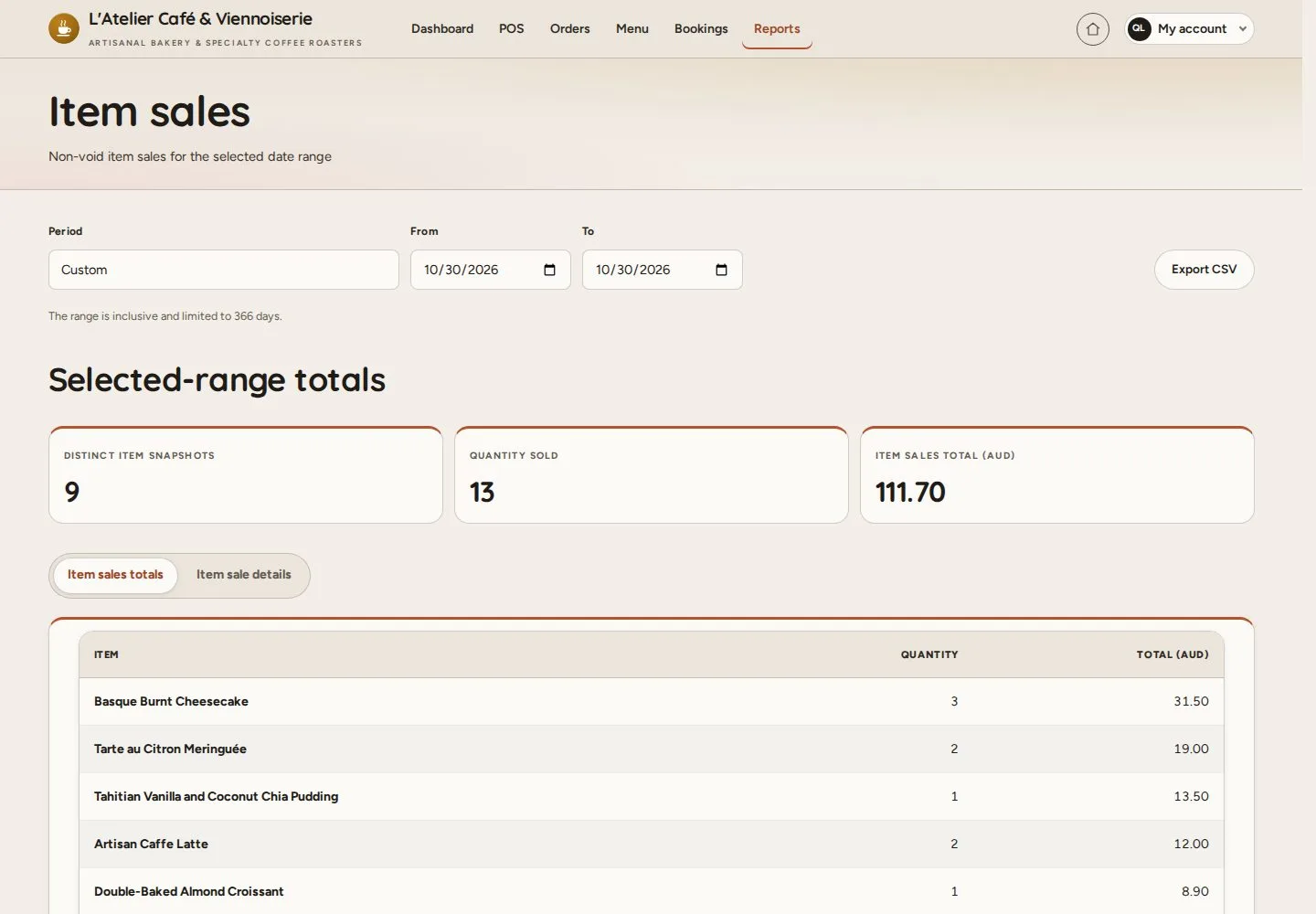
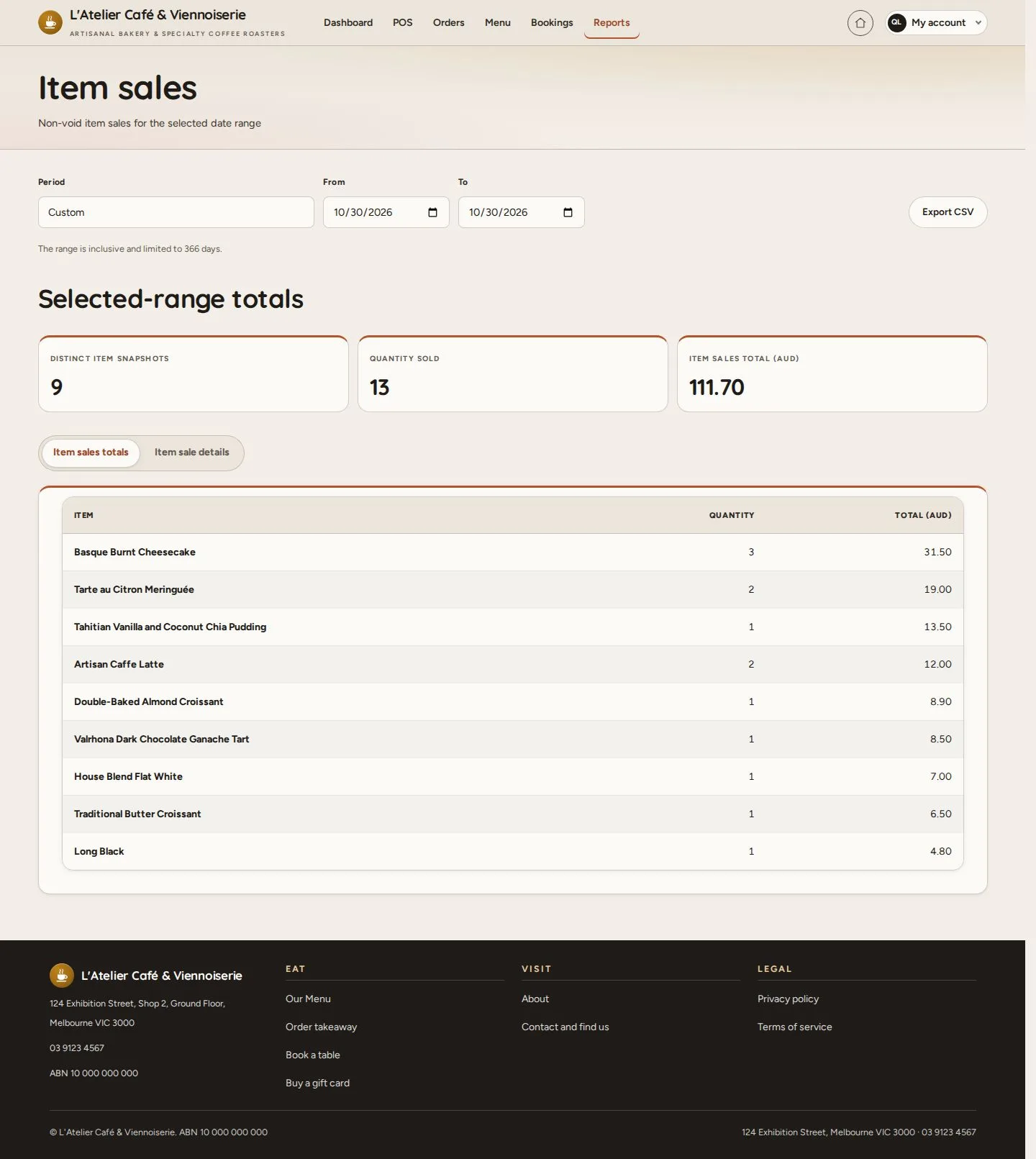
Item sales

Manager

Item sales

3Step 3 of 8

  1. Item sales totals · details
  2. By dish

Enlarge, then scroll

Open illustrated screen ↗Full image ↗

Manager · Reports03

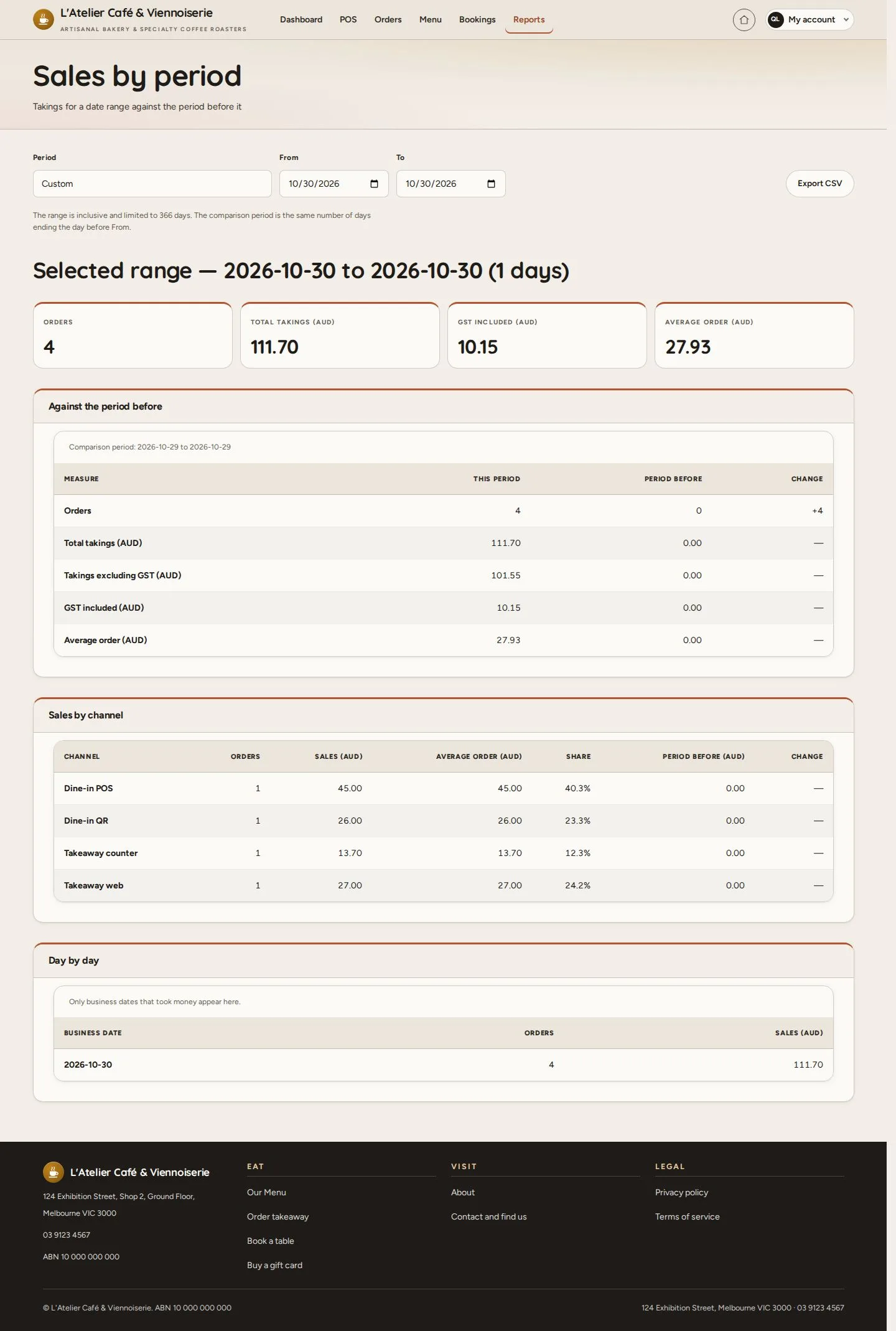
Sales by period

Manager

Sales by period

4Step 4 of 8

  1. A date range
  2. Against the period before

Enlarge, then scroll

Open illustrated screen ↗Full image ↗

Manager · Reports04

Category sales

Manager

Category sales

5Step 5 of 8

  1. Sales by category
  2. Share of the takings

Enlarge, then scroll

Open illustrated screen ↗Full image ↗

Manager · Reports05

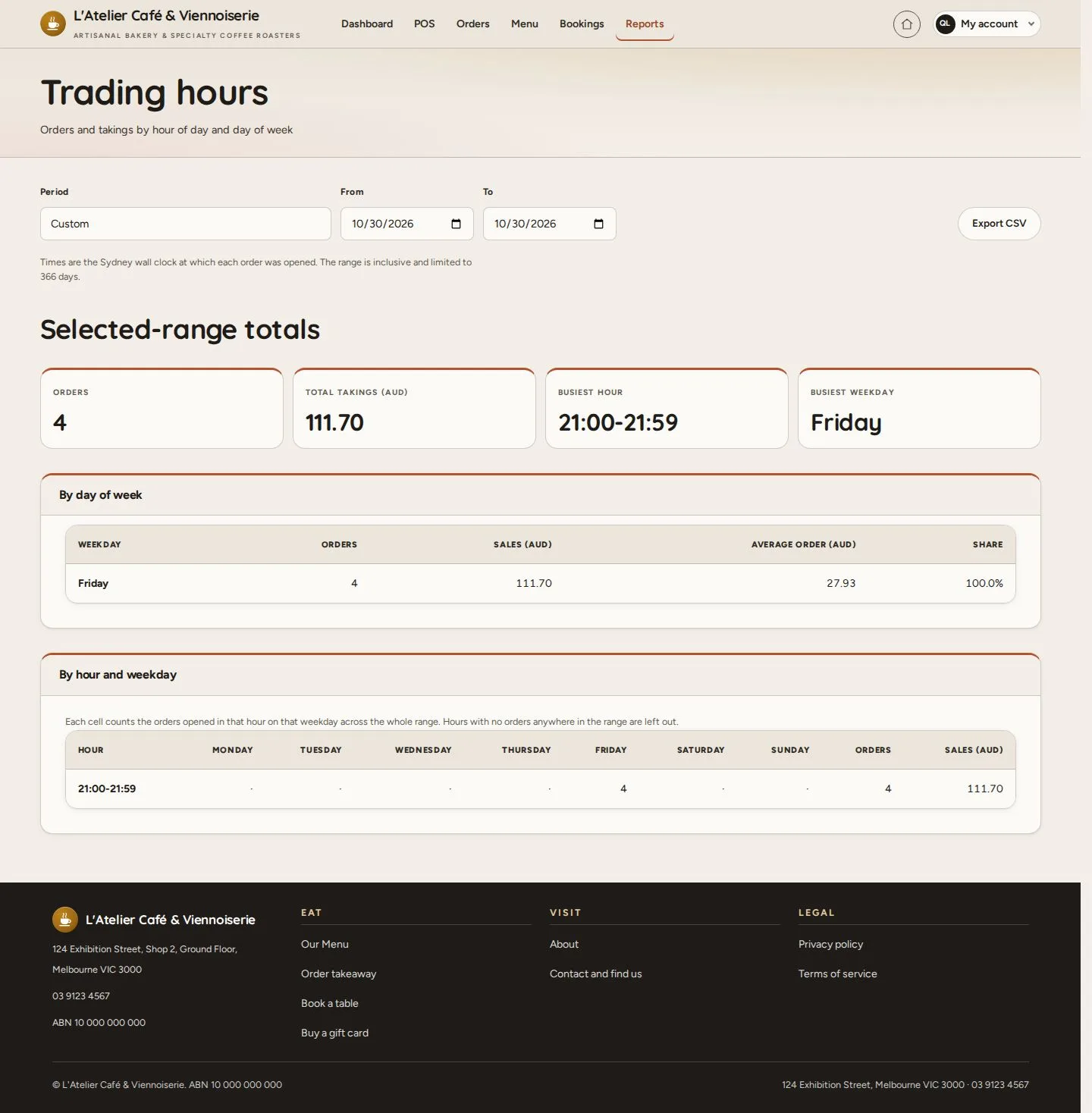
Trading hours

Manager

Trading hours

6Step 6 of 8

  1. By hour of the day
  2. By day of the week

Enlarge, then scroll

Open illustrated screen ↗Full image ↗

Manager · Reports06

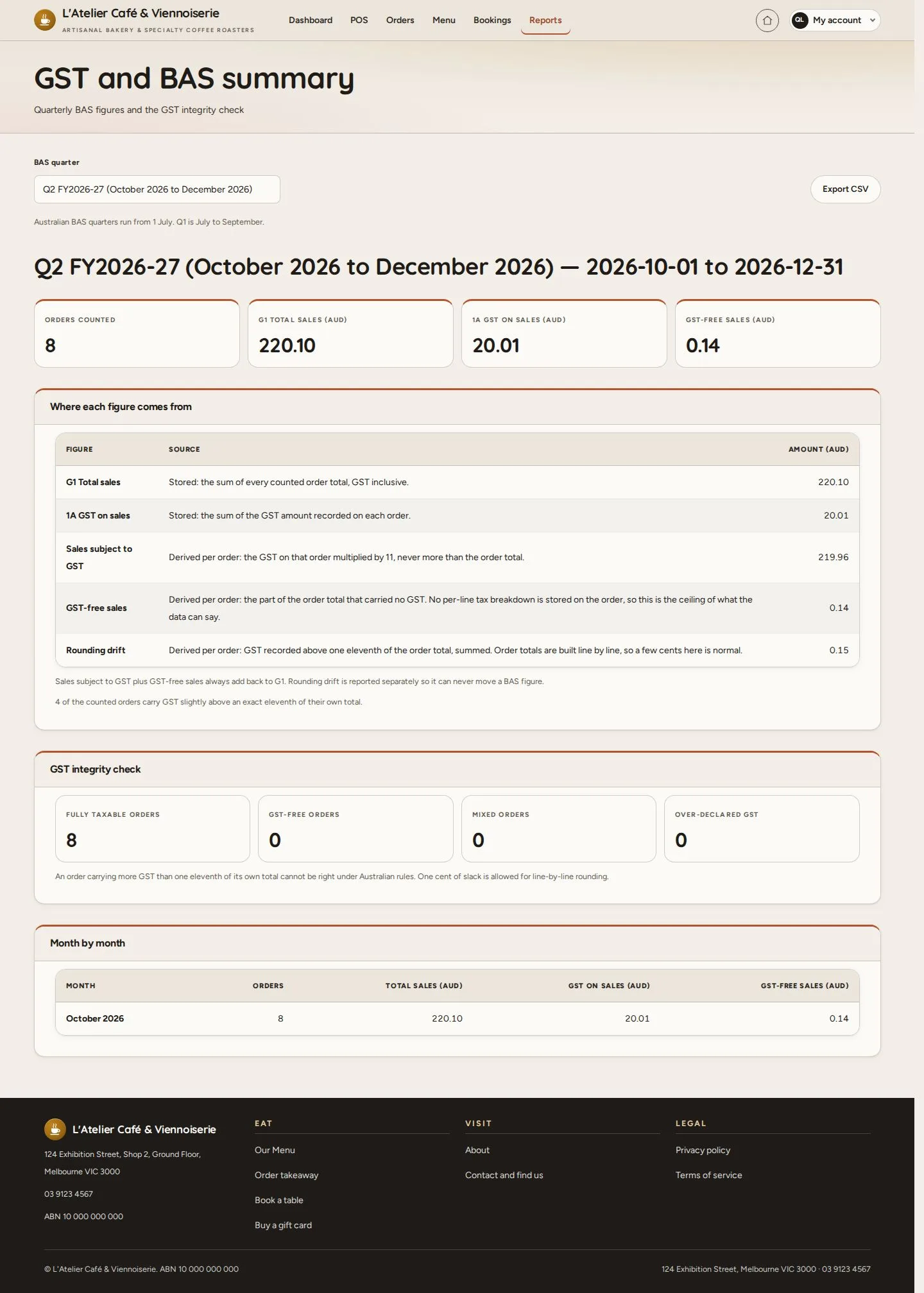
GST and BAS summary

Manager

GST and BAS summary

7Step 7 of 8

  1. BAS quarter
  2. Where each figure comes from

Supporting figures for the café's accountant; MenuNerds does not lodge a BAS.

Enlarge, then scroll

Open illustrated screen ↗Full image ↗

Manager · Reports07

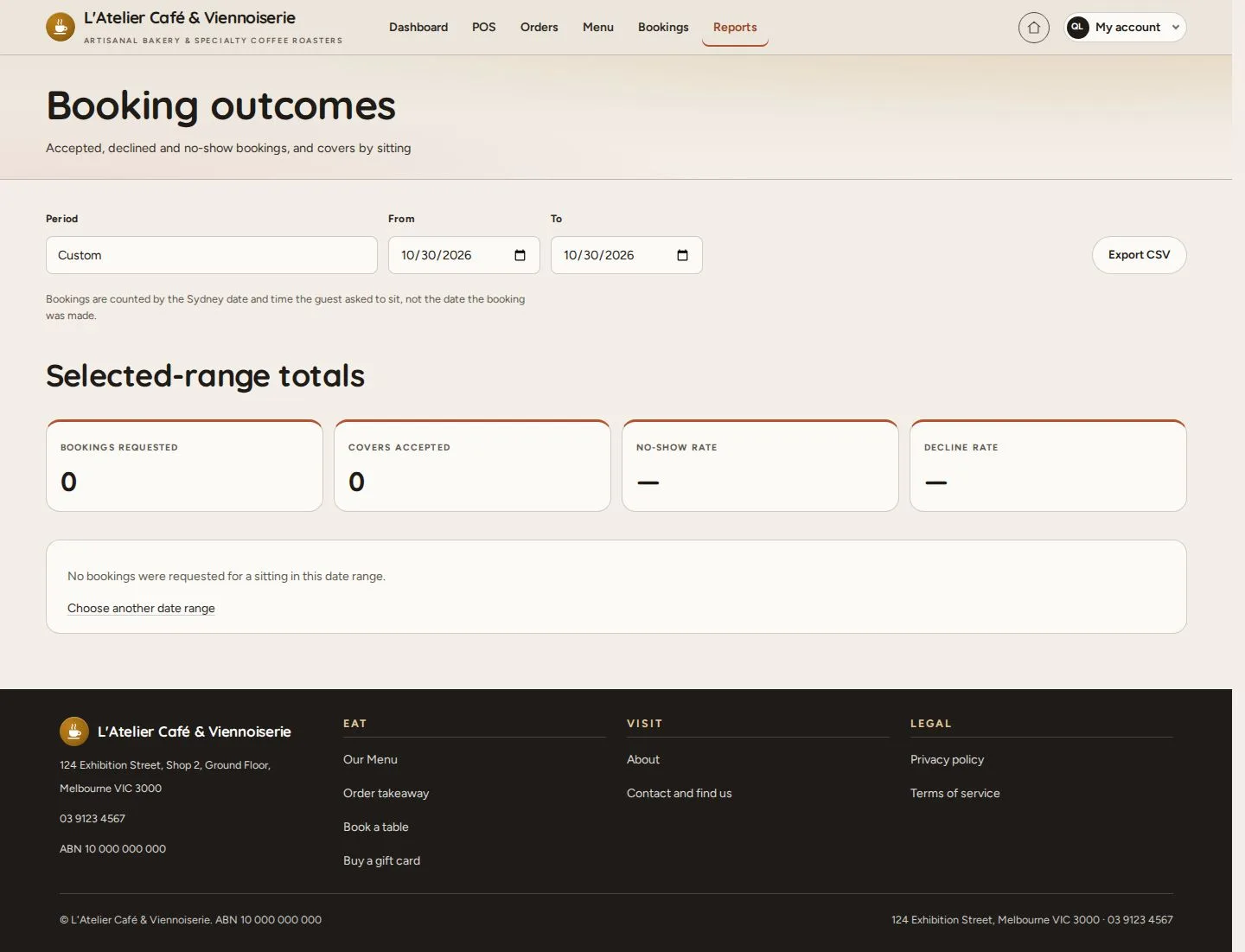
Booking outcomes

Manager

Booking outcomes

8Step 8 of 8

  1. Accepted, declined and no-show bookings

Enlarge, then scroll

Open illustrated screen ↗Full image ↗

Check

The figures of the chosen dates, ready to export

Manager · Reports08
1 / 9
Privacy Terms