Dishes and prices

Menu items · Edit menu item · Price · Order history

  • Signed in as a Manager
Manager

Menu items

Manager

Menu items

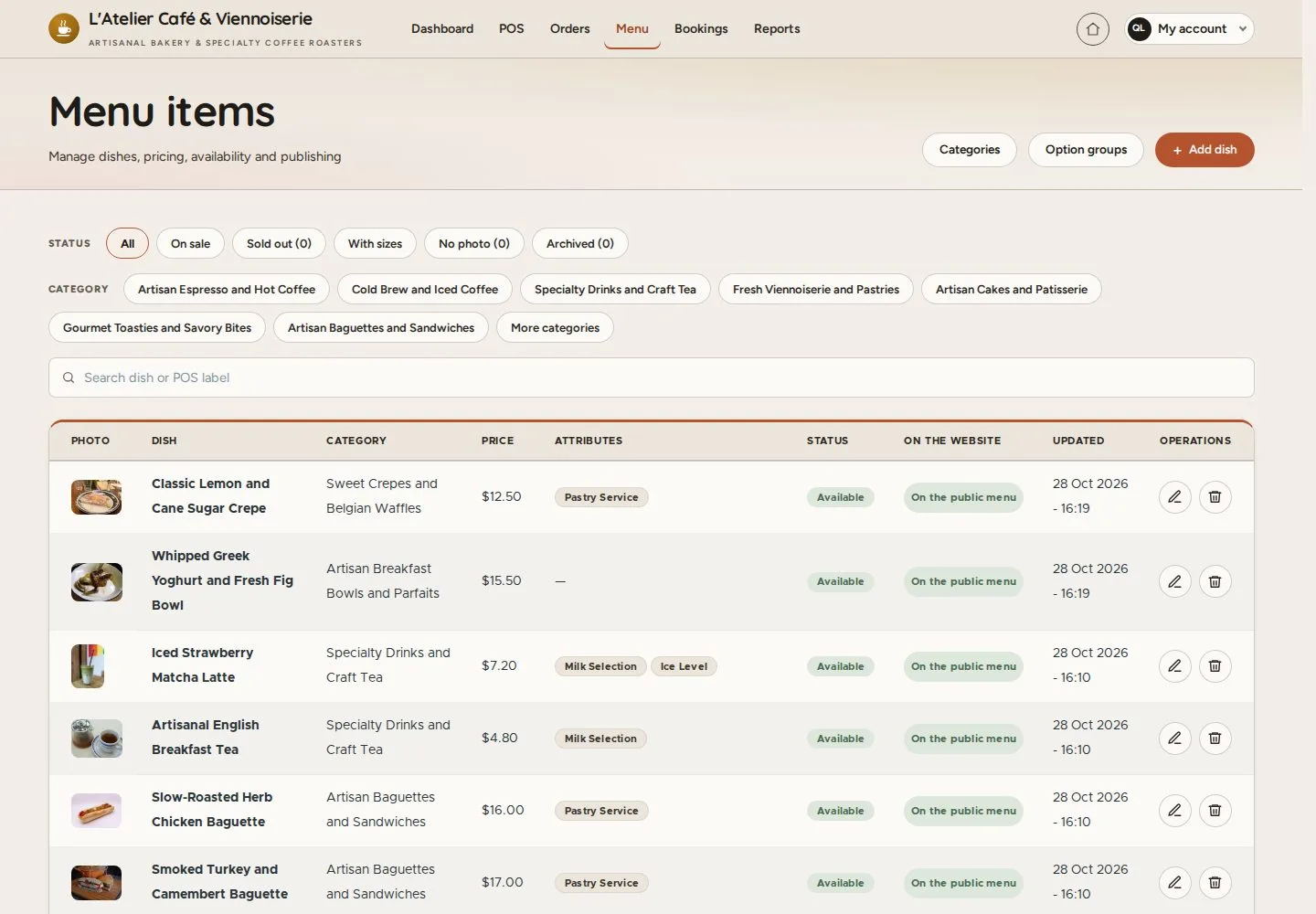
1Step 1 of 5

  1. Menu
  2. Filter by status and category
  3. Edit a dish

Enlarge, then scroll

Open illustrated screen ↗Full image ↗

Manager · Dishes and prices01

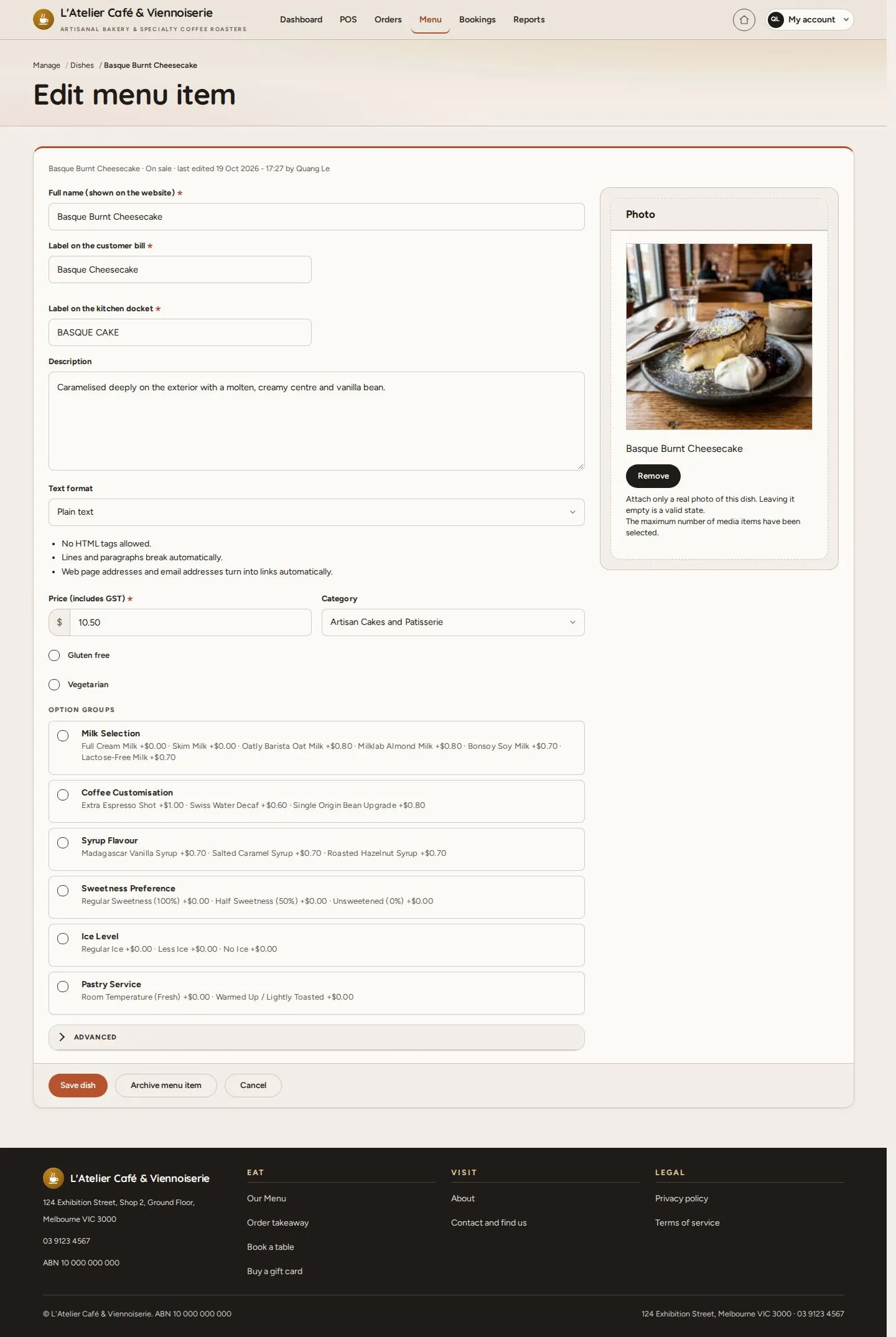
Edit menu item

Manager

Edit menu item

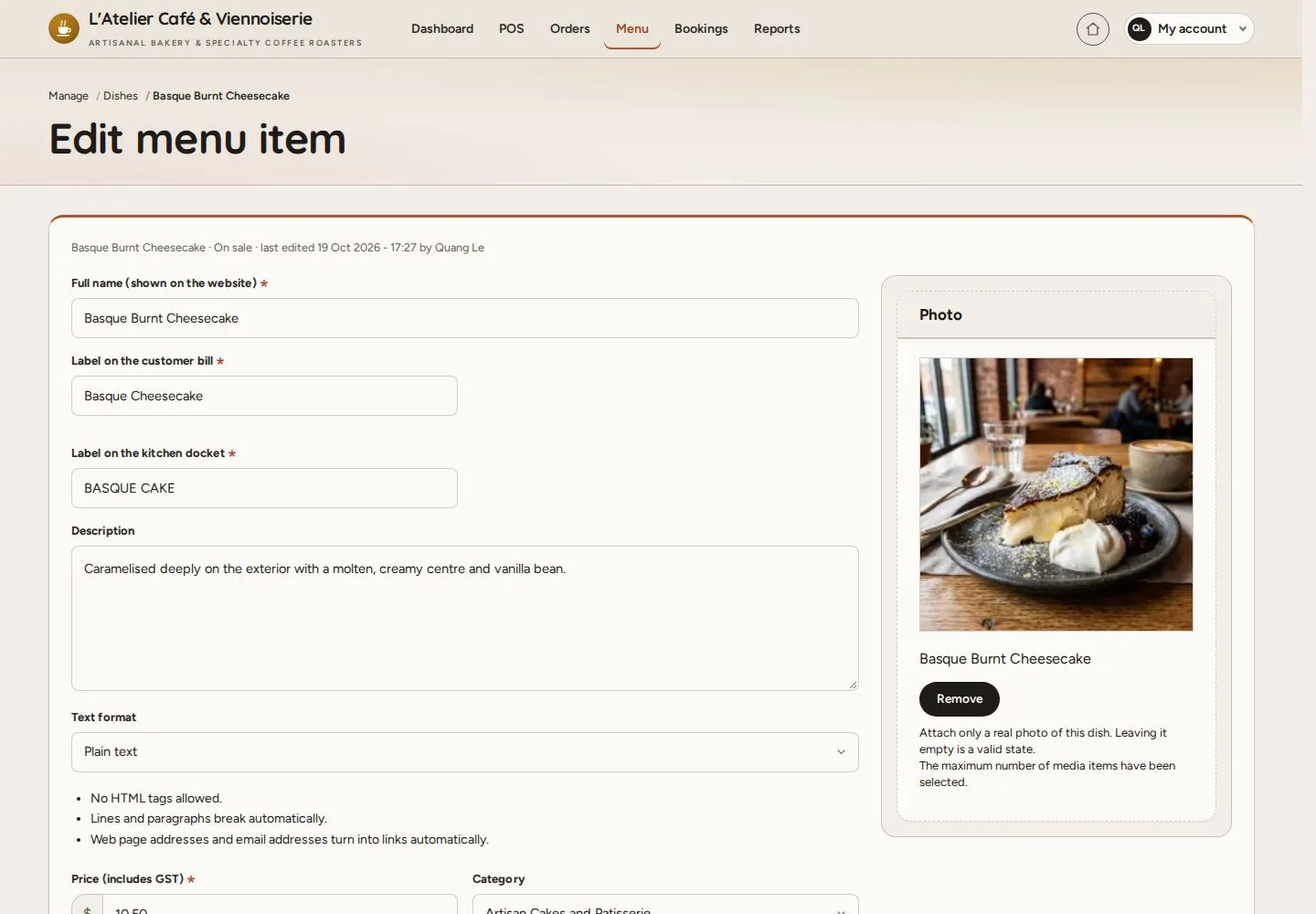
2Step 2 of 5

  1. Name for the website, the bill and the kitchen
  2. Photo · Description

Enlarge, then scroll

Open illustrated screen ↗Full image ↗

Manager · Dishes and prices02

Price and options

Manager

Price and options

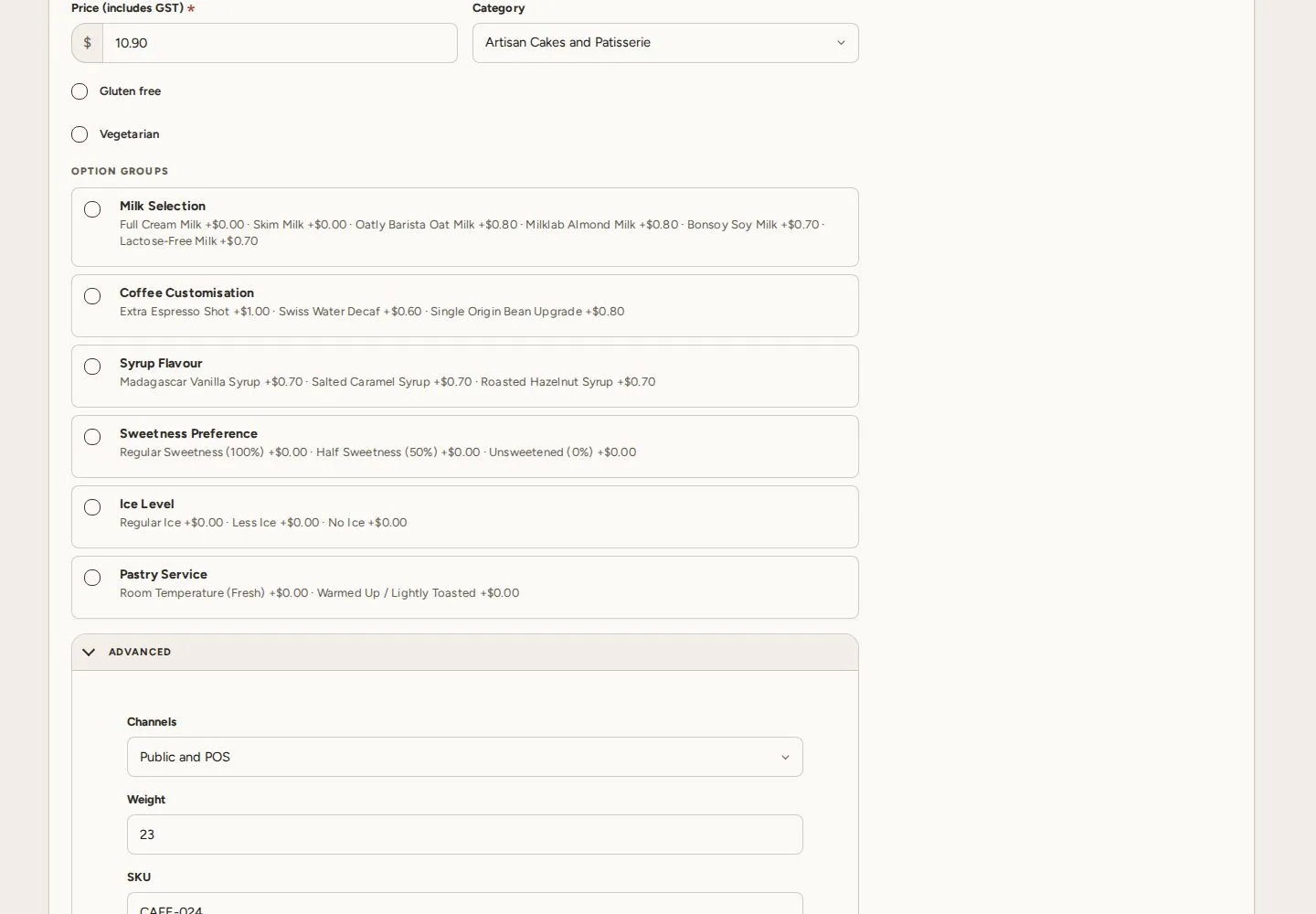
3Step 3 of 5

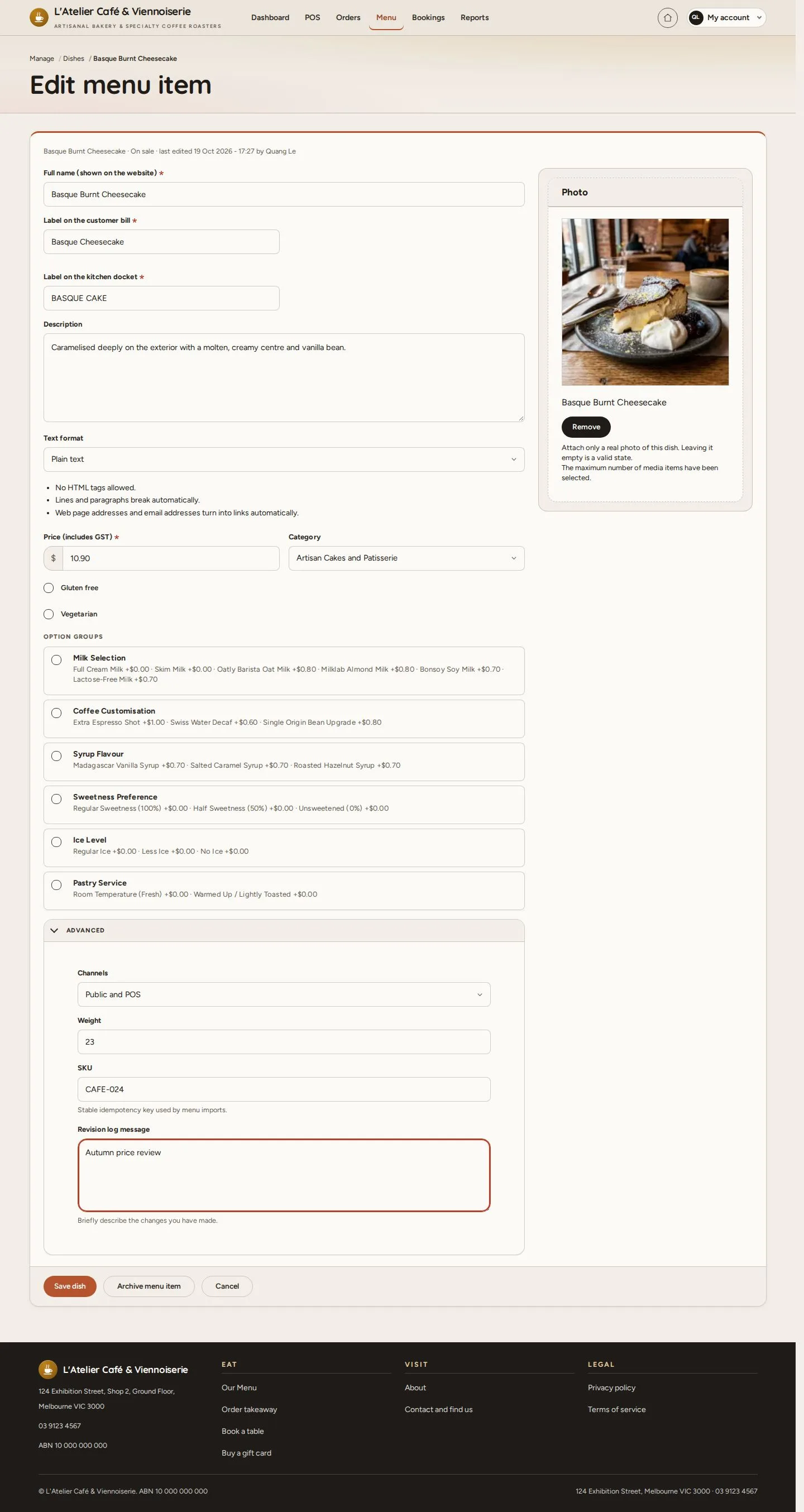
  1. Price (includes GST)
  2. Category · Option groups
  3. Revision note

Enlarge, then scroll

Open illustrated screen ↗Full image ↗

Manager · Dishes and prices03

Saved

Manager

Saved

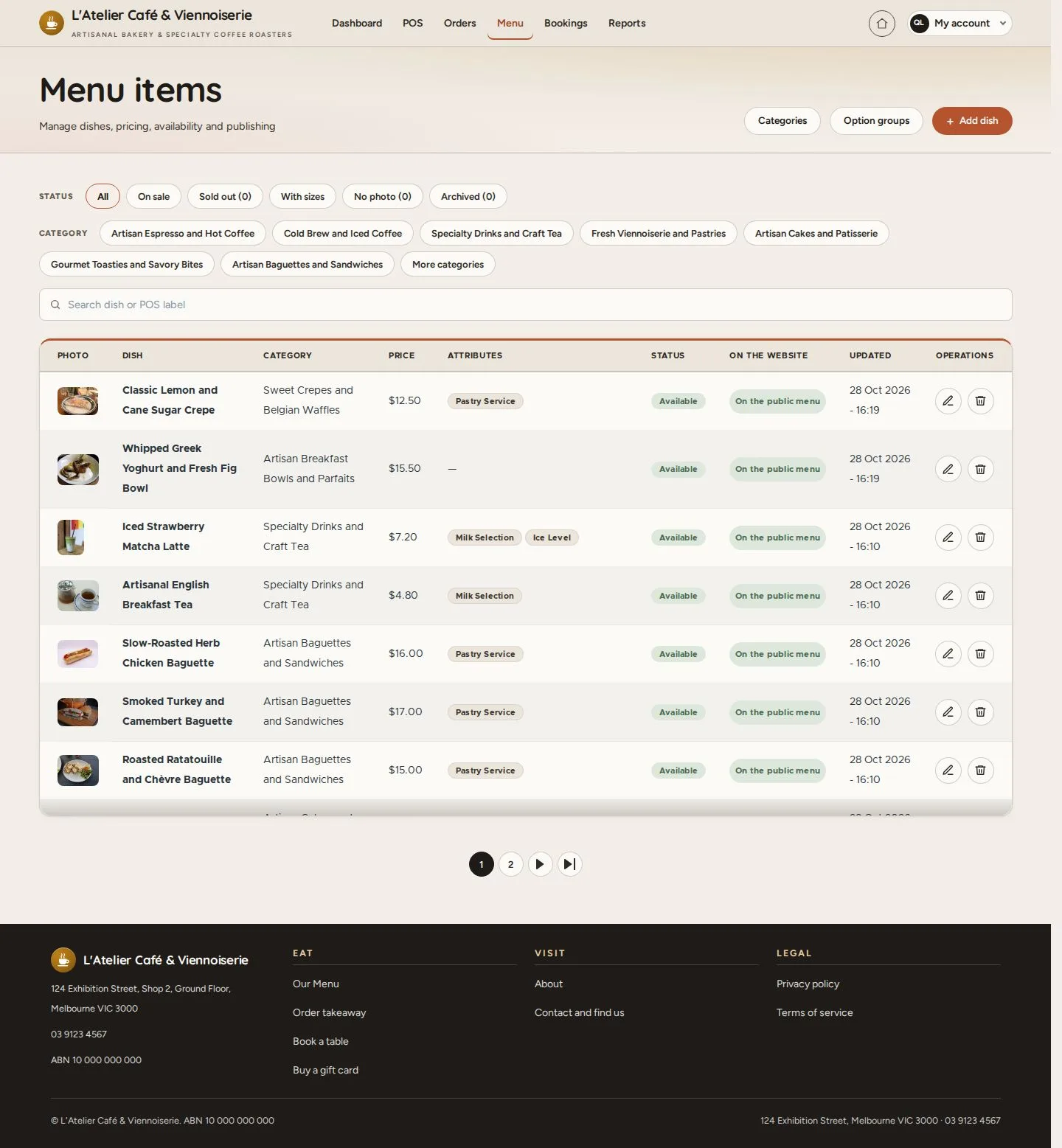
4Step 4 of 5

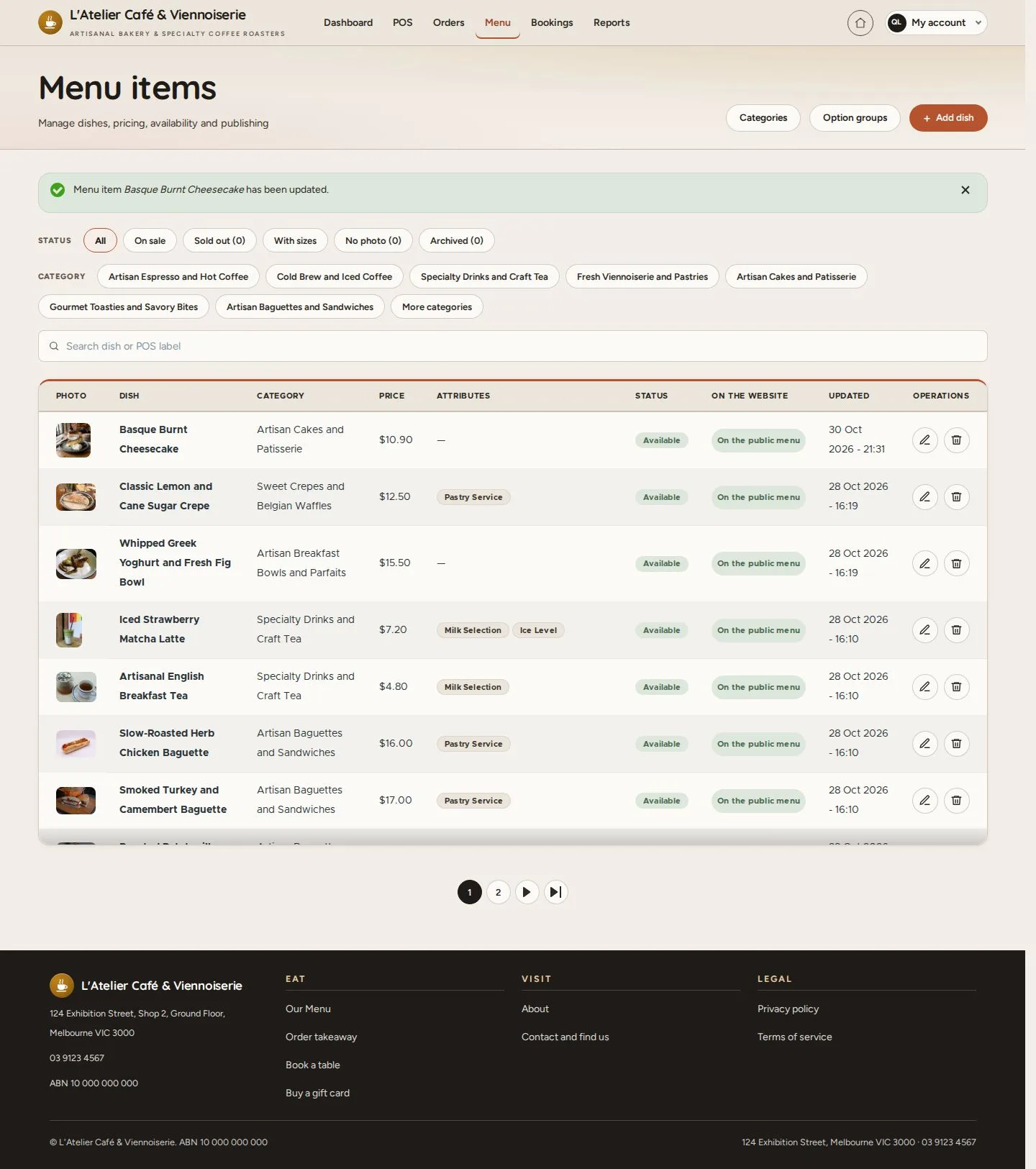
  1. Save dish
  2. The list shows the new price

Enlarge, then scroll

Open illustrated screen ↗Full image ↗

Manager · Dishes and prices04

Earlier orders

Manager

Earlier orders

5Step 5 of 5

  1. An order taken before the change
  2. keeps the price it was sold at

Enlarge, then scroll

Open illustrated screen ↗Full image ↗

Check

The new price is on the menu at once; earlier orders keep their price

Manager · Dishes and prices05
1 / 6
Privacy Terms