Categories and options

Menu categories · Show on POS · Option groups · Price change

  • Signed in as a Manager
Manager

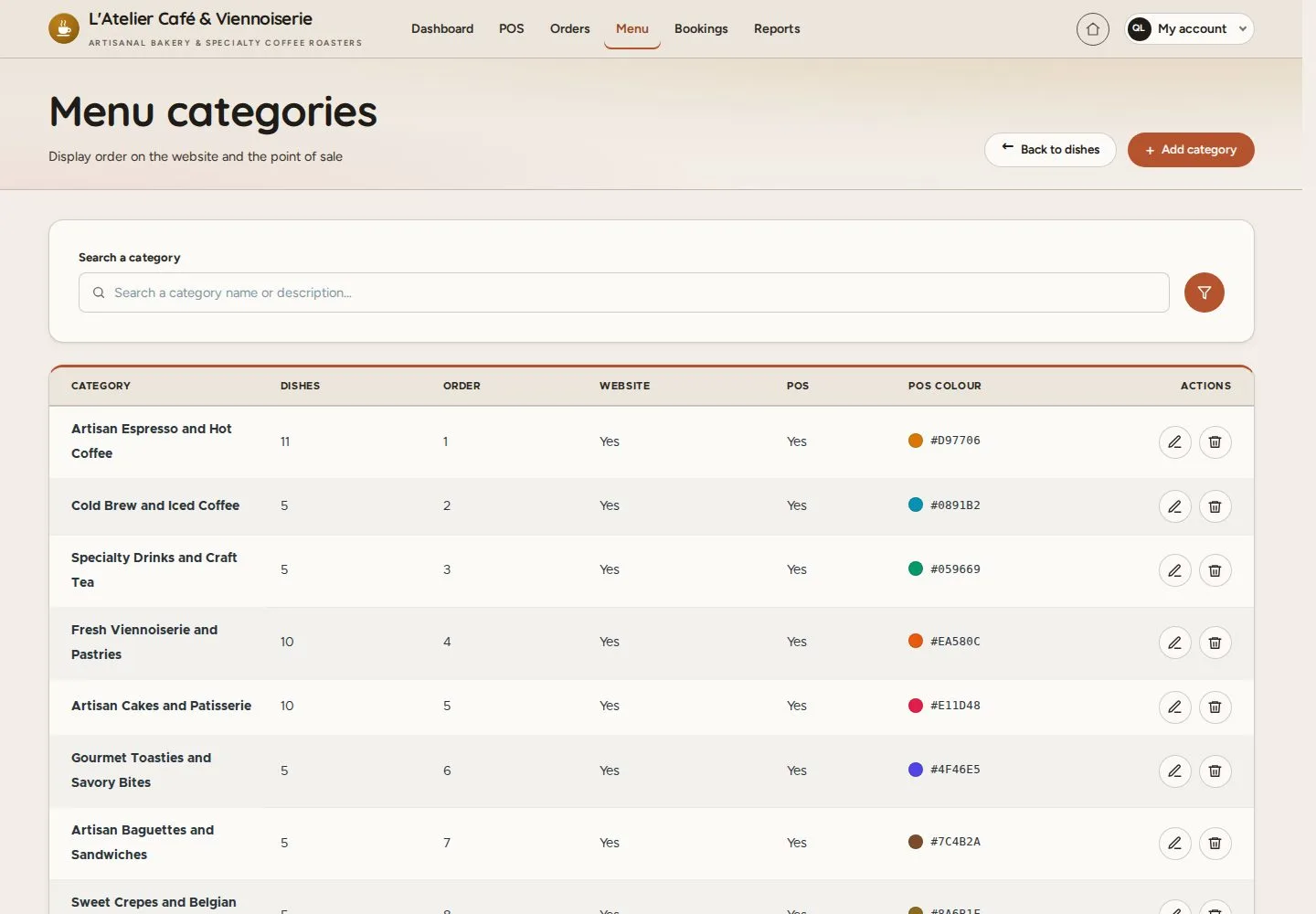
Menu categories

Manager

Menu categories

1Step 1 of 4

  1. Menu · Categories
  2. Order · Website · POS · POS colour

Enlarge, then scroll

Open illustrated screen ↗Full image ↗

Manager · Categories and options01

Edit menu category

Manager

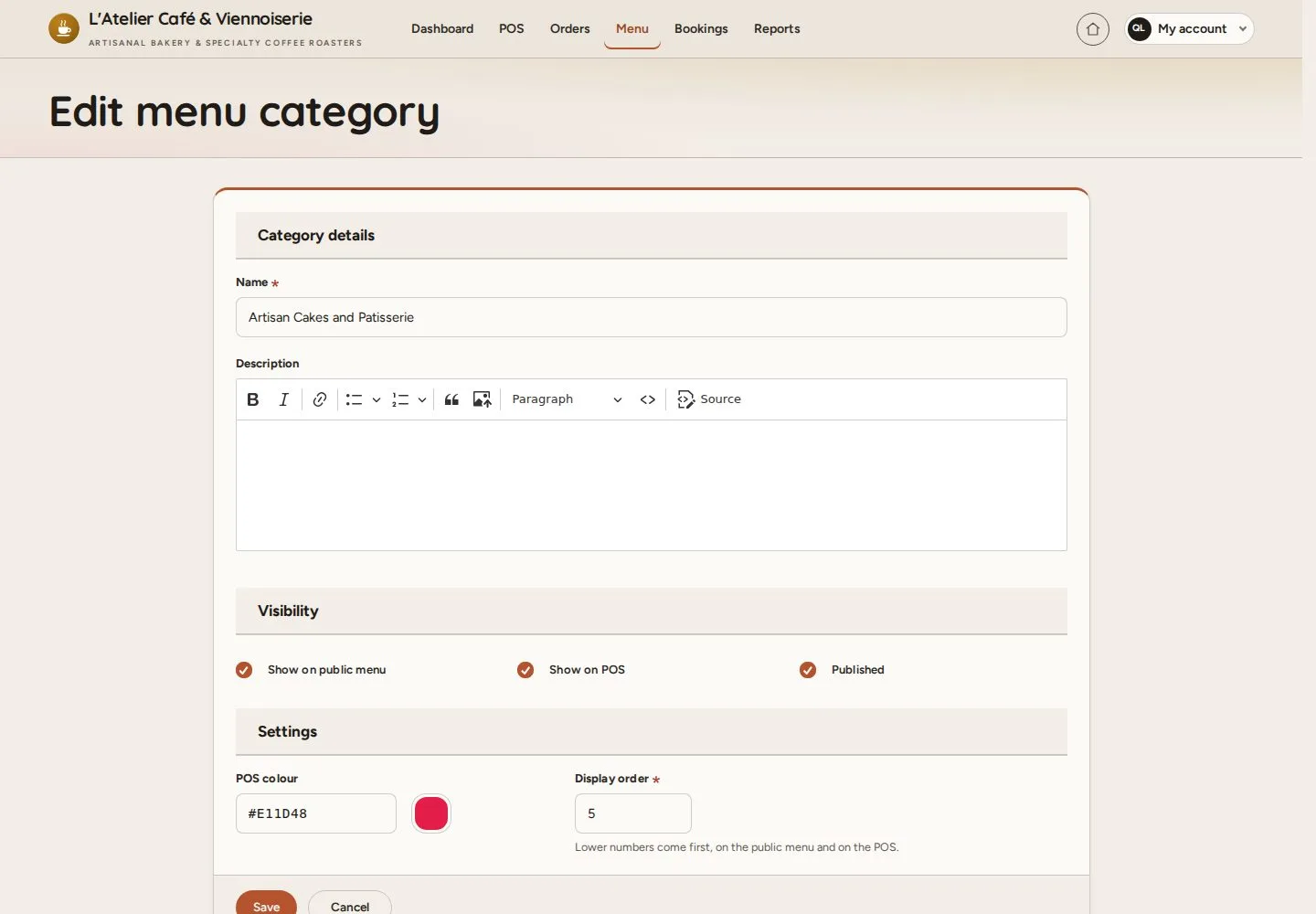
Edit menu category

2Step 2 of 4

  1. Name · Description
  2. Show on public menu · Show on POS
  3. POS colour

Enlarge, then scroll

Open illustrated screen ↗Full image ↗

Manager · Categories and options02

Option groups

Manager

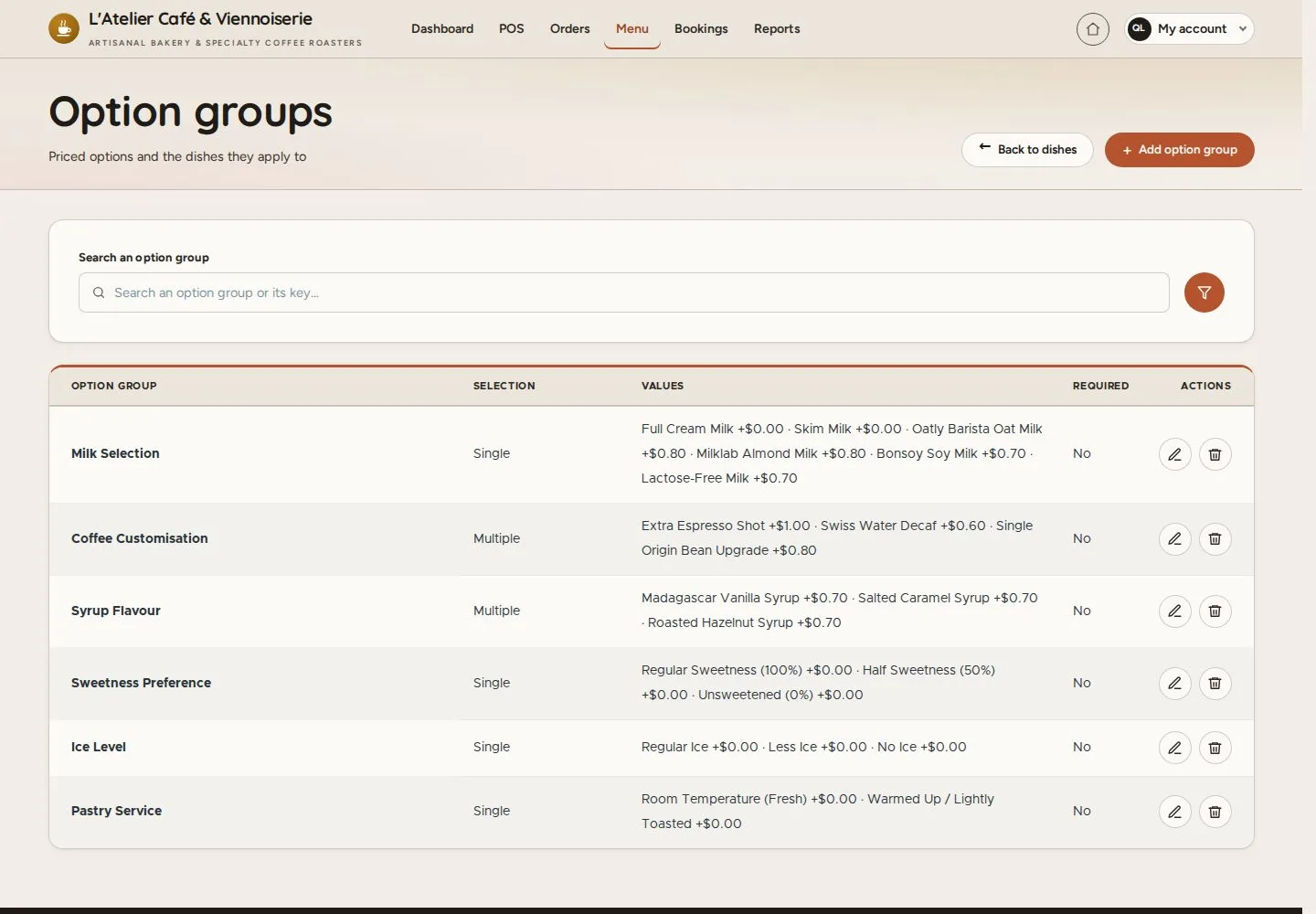
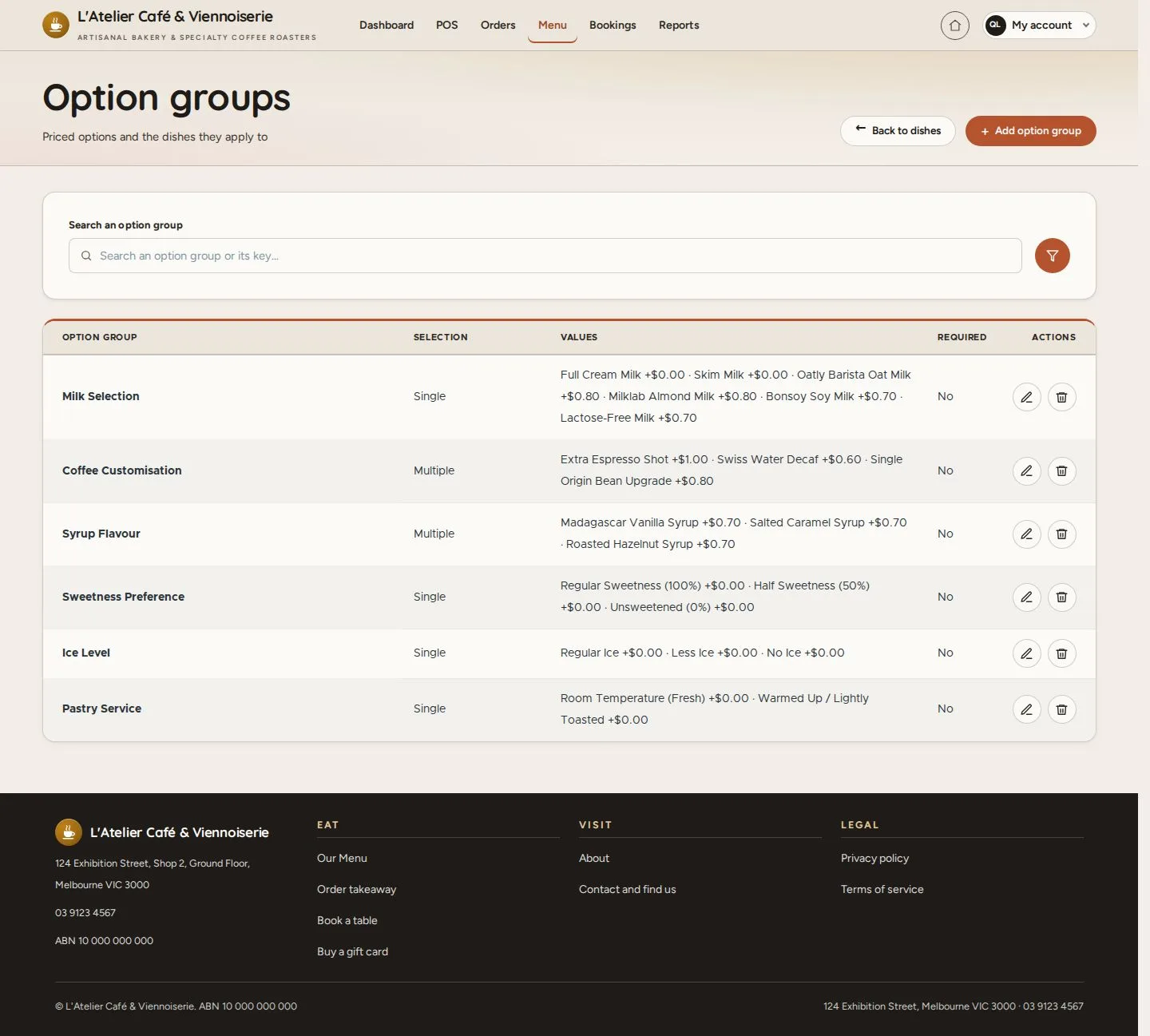
Option groups

3Step 3 of 4

  1. Menu · Option groups
  2. Single or Multiple choice

Enlarge, then scroll

Open illustrated screen ↗Full image ↗

Manager · Categories and options03

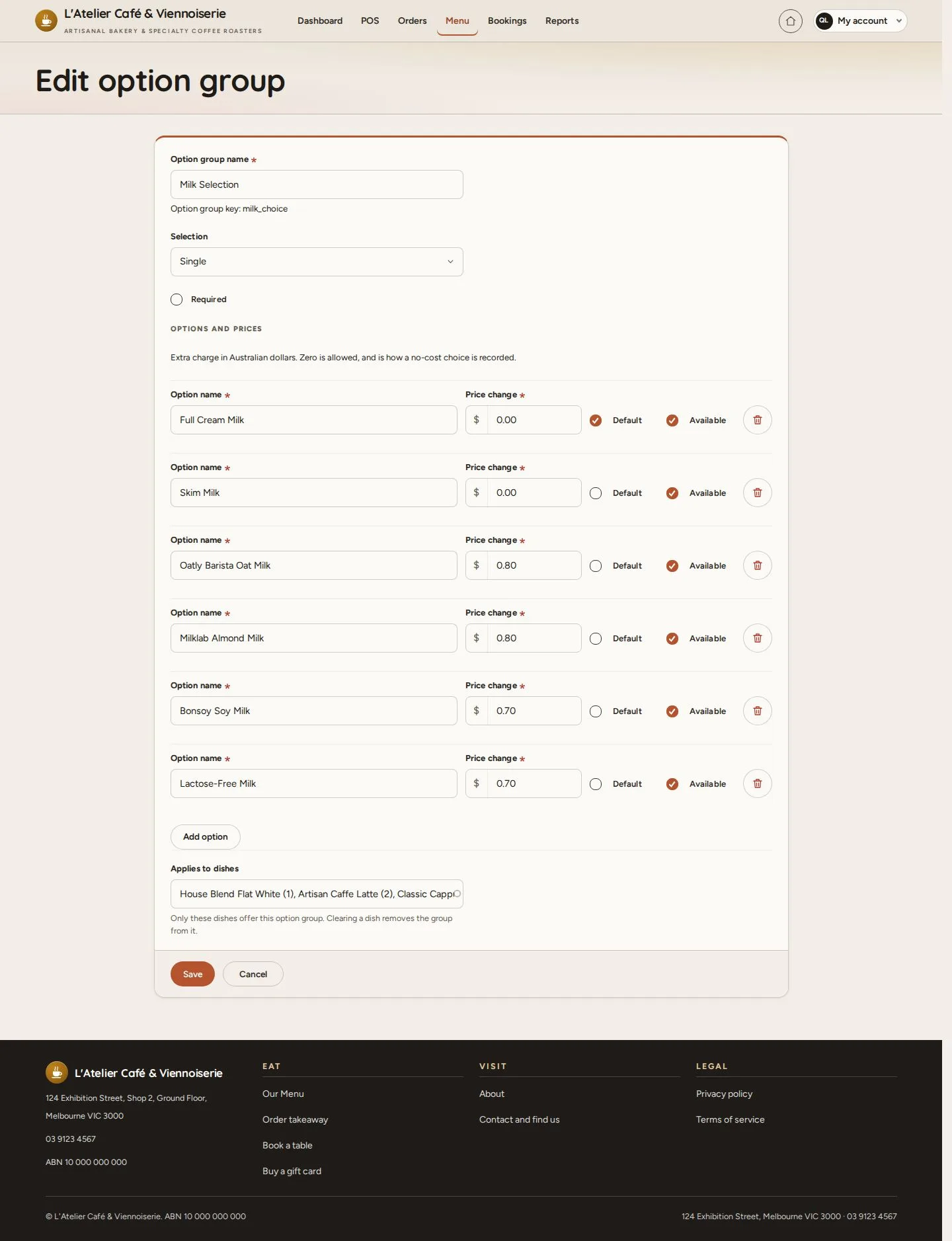
Edit option group

Manager

Edit option group

4Step 4 of 4

  1. Selection · Required
  2. Option name · Price change
  3. Default · Available

Enlarge, then scroll

Open illustrated screen ↗Full image ↗

Check

Categories and options show on the website and the POS as set

Manager · Categories and options04
1 / 5
Privacy Terms