Support tickets

Answered inside the ticket

  • An owner with a question
  • A support account
Support

Help & support

Owner

Help & support

1Step 1 of 7

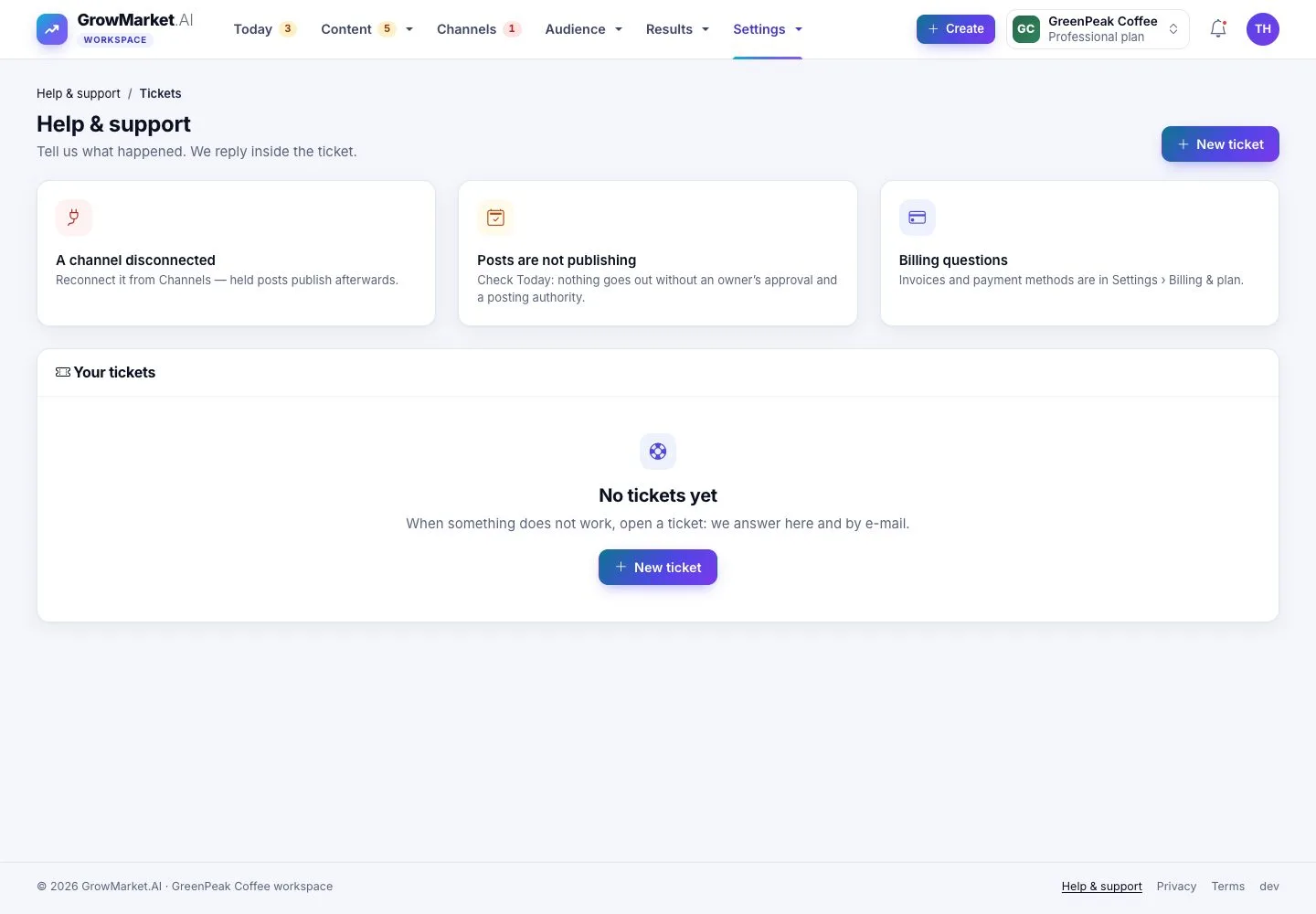
  1. Help & support: common answers and your tickets; New ticket.

Open illustrated screen ↗Full image ↗

Support · Support tickets01

A new ticket

Owner

A new ticket

2Step 2 of 7

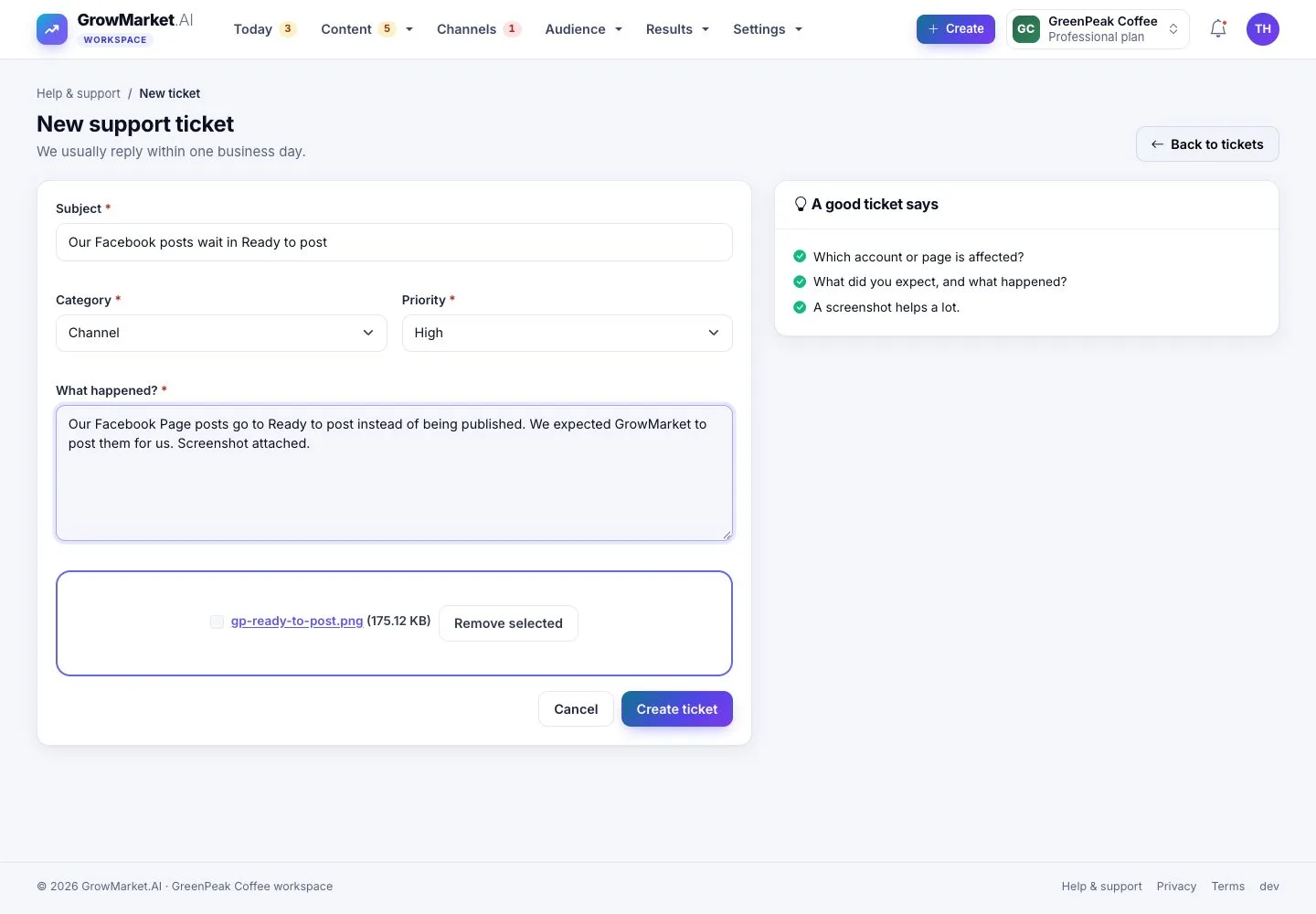
  1. Subject, category, priority, what happened and a screenshot.
  2. A good ticket says which account, what you expected and what happened.

Open illustrated screen ↗Full image ↗

Support · Support tickets02

Support center

Support

Support center

3Step 3 of 7

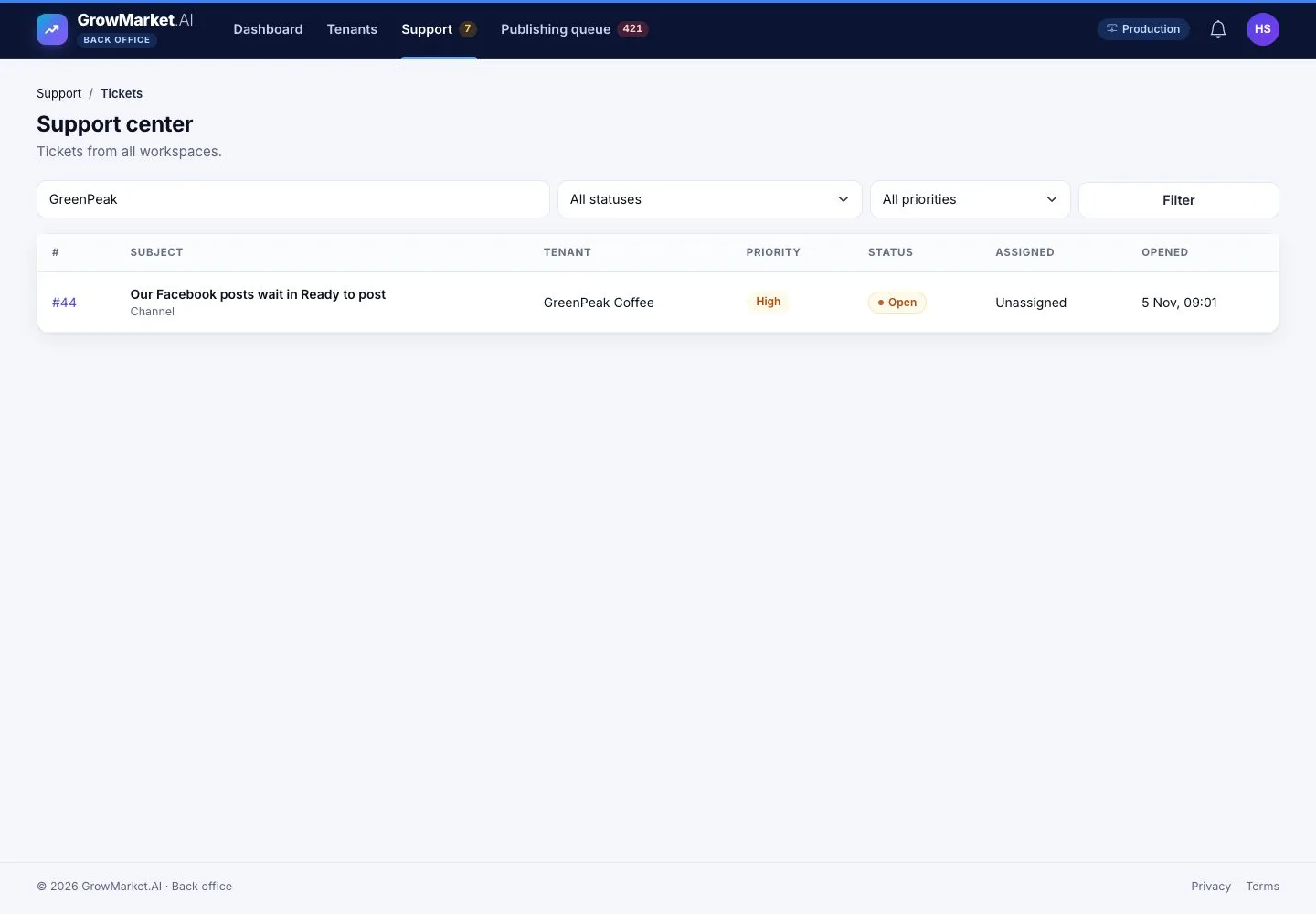
  1. Support › Tickets: tickets of every workspace; search by tenant, filter by status and priority.

Open illustrated screen ↗Full image ↗

Support · Support tickets03

Reply, or note

Support

Reply, or note

4Step 4 of 7

  1. An internal note is never sent to the customer; a reply is, with its attachments.
  2. Status, priority and who it is assigned to; the tenant's page is one click away.

Enlarge, then scroll

Open illustrated screen ↗Full image ↗

Support · Support tickets04

The owner answers

Owner

The owner answers

5Step 5 of 7

  1. The owner reads the reply in the ticket and by e-mail, and replies there.

Open illustrated screen ↗Full image ↗

Support · Support tickets05

Close with a resolution

Support

Close with a resolution

6Step 6 of 7

  1. Write what was fixed in words the customer understands, then Close ticket.

Enlarge, then scroll

Open illustrated screen ↗Full image ↗

Support · Support tickets06

What Support may do

Support

What Support may do

7Step 7 of 7

  1. Support sees tenants read-only and may View as owner with a reason; plans, finance and settings stay closed.

Open illustrated screen ↗Full image ↗

Check

The owner's question is answered and closed with a resolution both sides can read

Support · Support tickets07
1 / 8
Privacy Terms