Results

Not measured, never a made-up 0

  • Posts or e-mails that went out
Owner
Today

Owner

Today

1Step 1 of 6

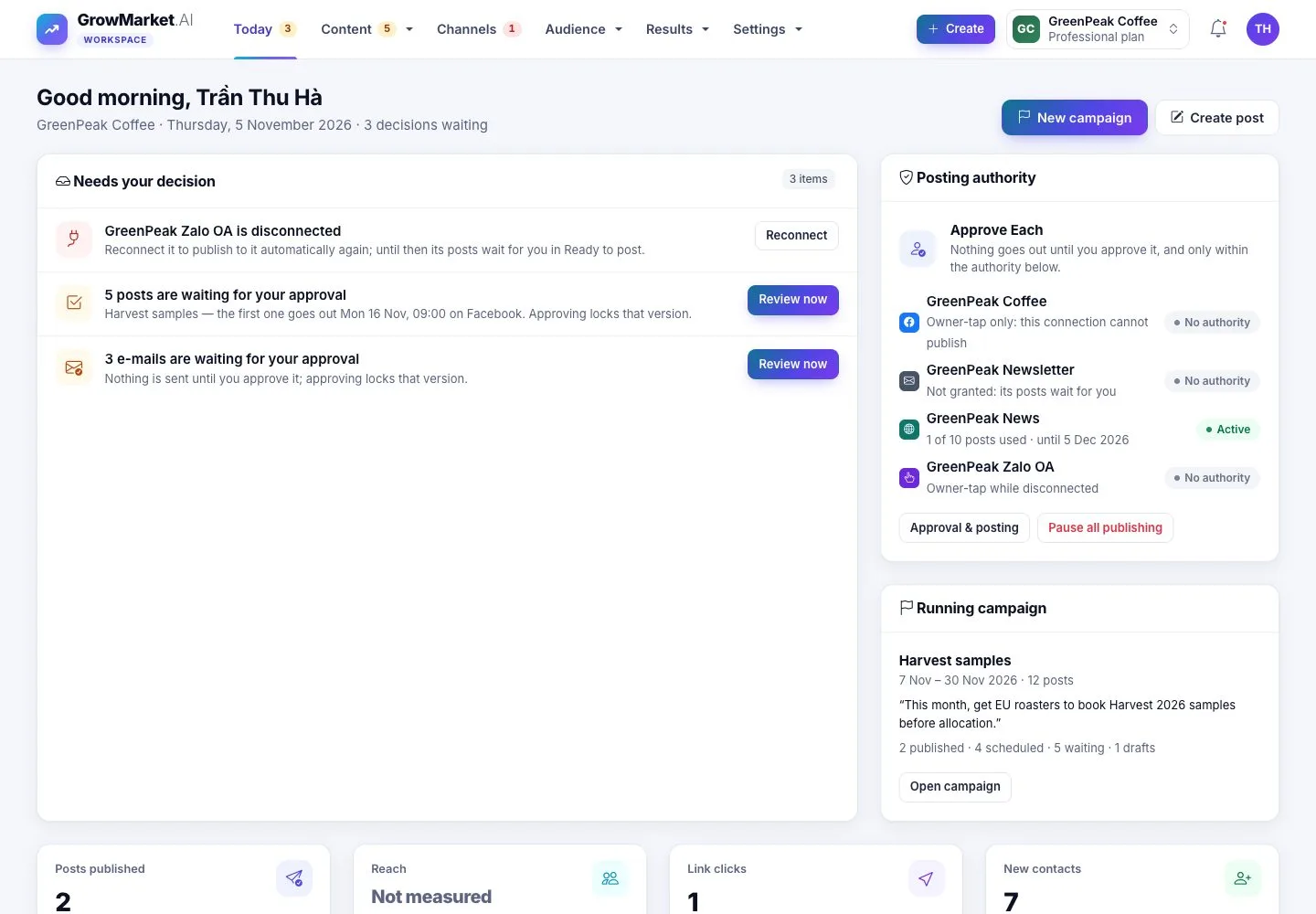
  1. Decisions first, then the last 30 days: posts published, reach, link clicks, new contacts.
  2. Coming up, channel health and recent activity.

Enlarge, then scroll

Open illustrated screen ↗Full image ↗

Owner · Results01

The weekly summary

Owner

The weekly summary

2Step 2 of 6

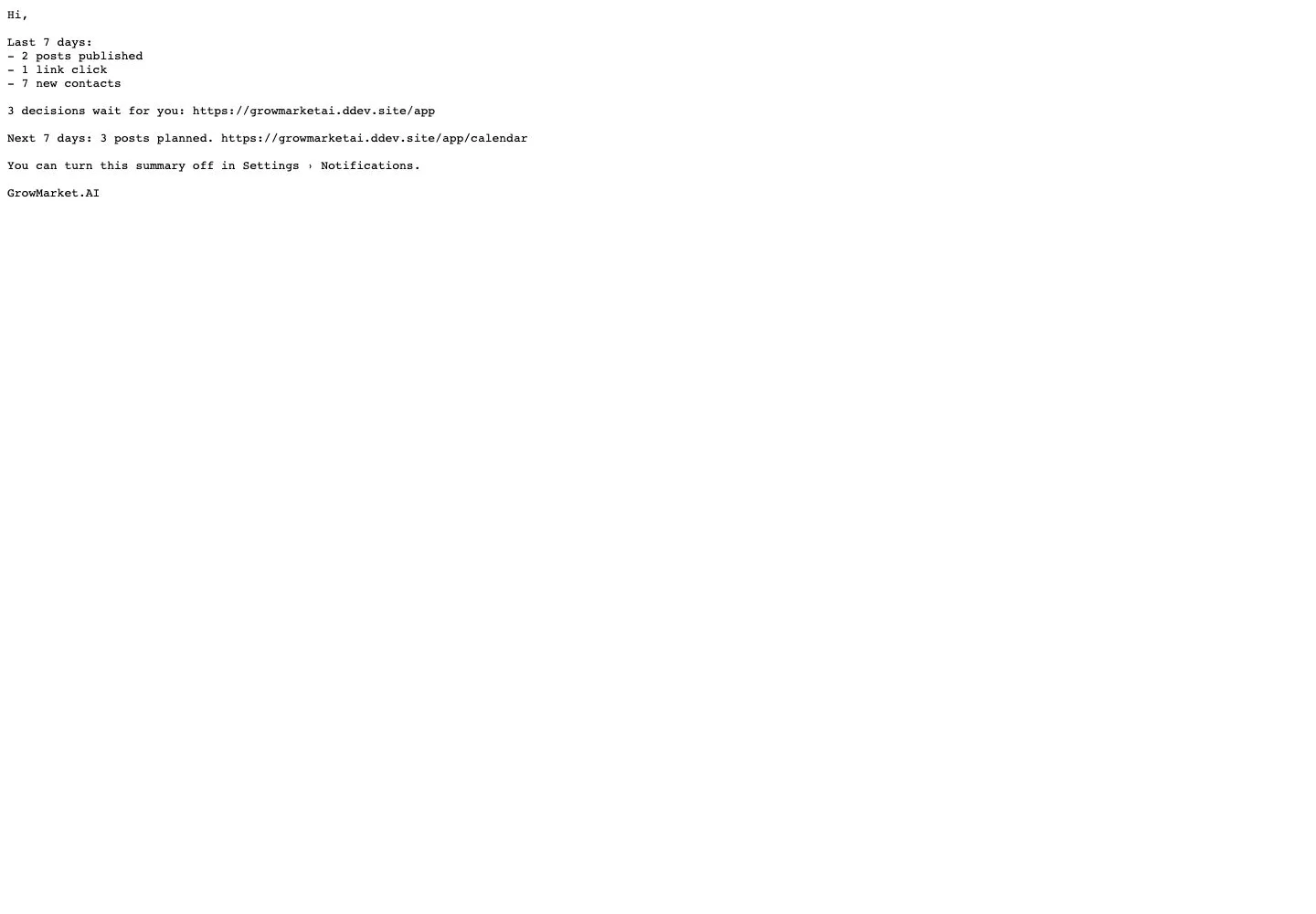
  1. Each week an e-mail sums up the last 7 days, the decisions that wait and the posts planned.
  2. Turn it off in Settings › Notifications.

Full image ↗

Owner · Results02

Analytics

Owner

Analytics

3Step 3 of 6

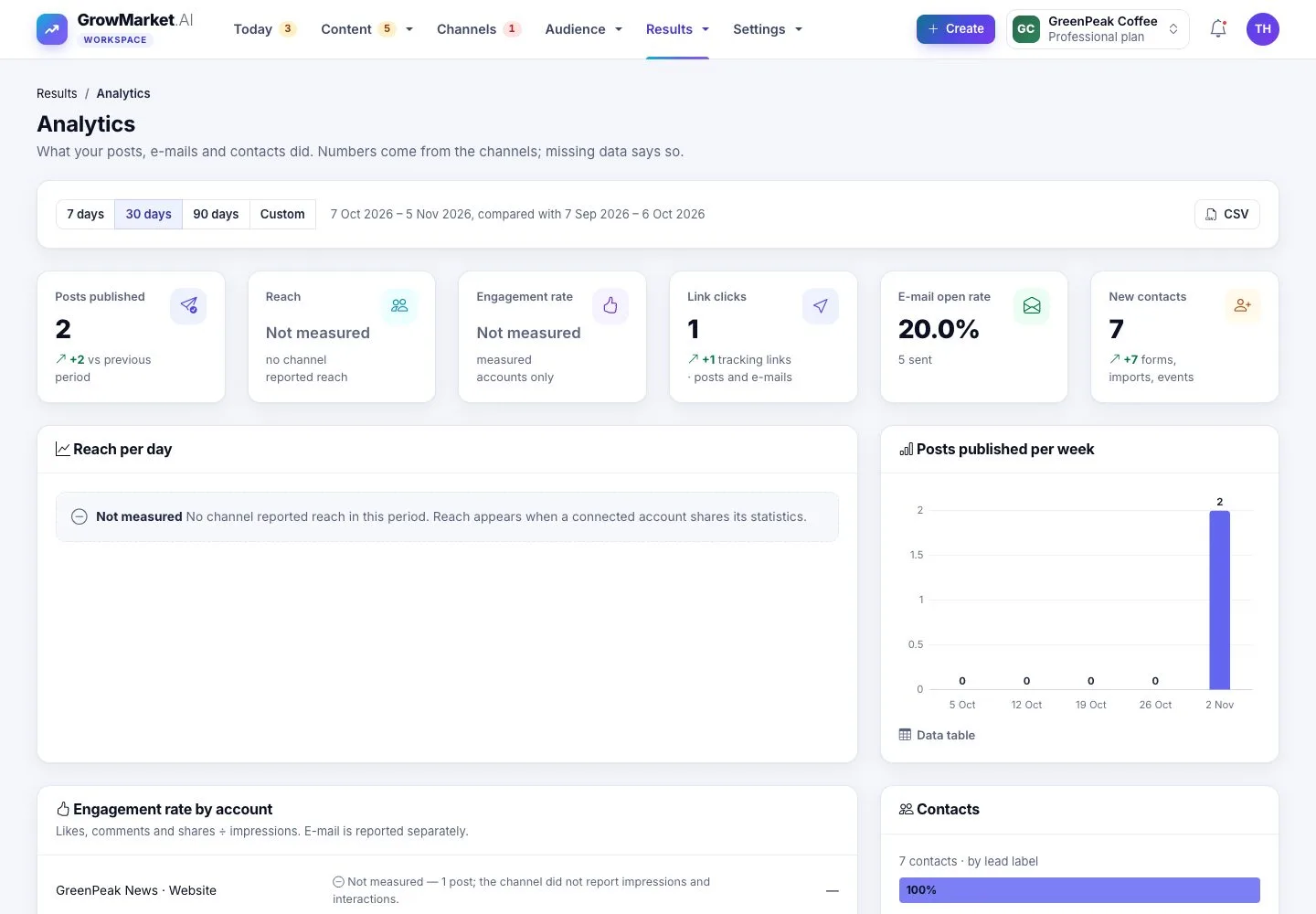
  1. Results › Analytics: 7, 30 or 90 days or custom dates, compared with the period before.
  2. Reach per day, posts per week, engagement by account, contacts by lead label, from seen to action.
  3. Numbers a channel did not report say Not measured, never 0.

Enlarge, then scroll

Open illustrated screen ↗Full image ↗

Owner · Results03

A campaign report

Owner

A campaign report

4Step 4 of 6

  1. Results › Campaign reports: what GrowMarket did, how many people reached each step, what worked better.

Enlarge, then scroll

Open illustrated screen ↗Full image ↗

Owner · Results04

Decide what to change

Owner

Decide what to change

5Step 5 of 6

  1. When a campaign ends, choose one change for the next one: the next plan uses it.

Open illustrated screen ↗Full image ↗

Owner · Results05

Activity log

Owner

Activity log

6Step 6 of 6

  1. Settings › Activity log: who changed what and when; filter, export CSV, View changes.

Enlarge, then scroll

Open illustrated screen ↗Full image ↗

Check

You know what the campaigns did and choose one change for the next one

Owner · Results06
1 / 7
Privacy Terms