Site content

Pages and blog of the public site

  • A site editor account
Site editor

Site content

Site editor

Site content

1Step 1 of 5

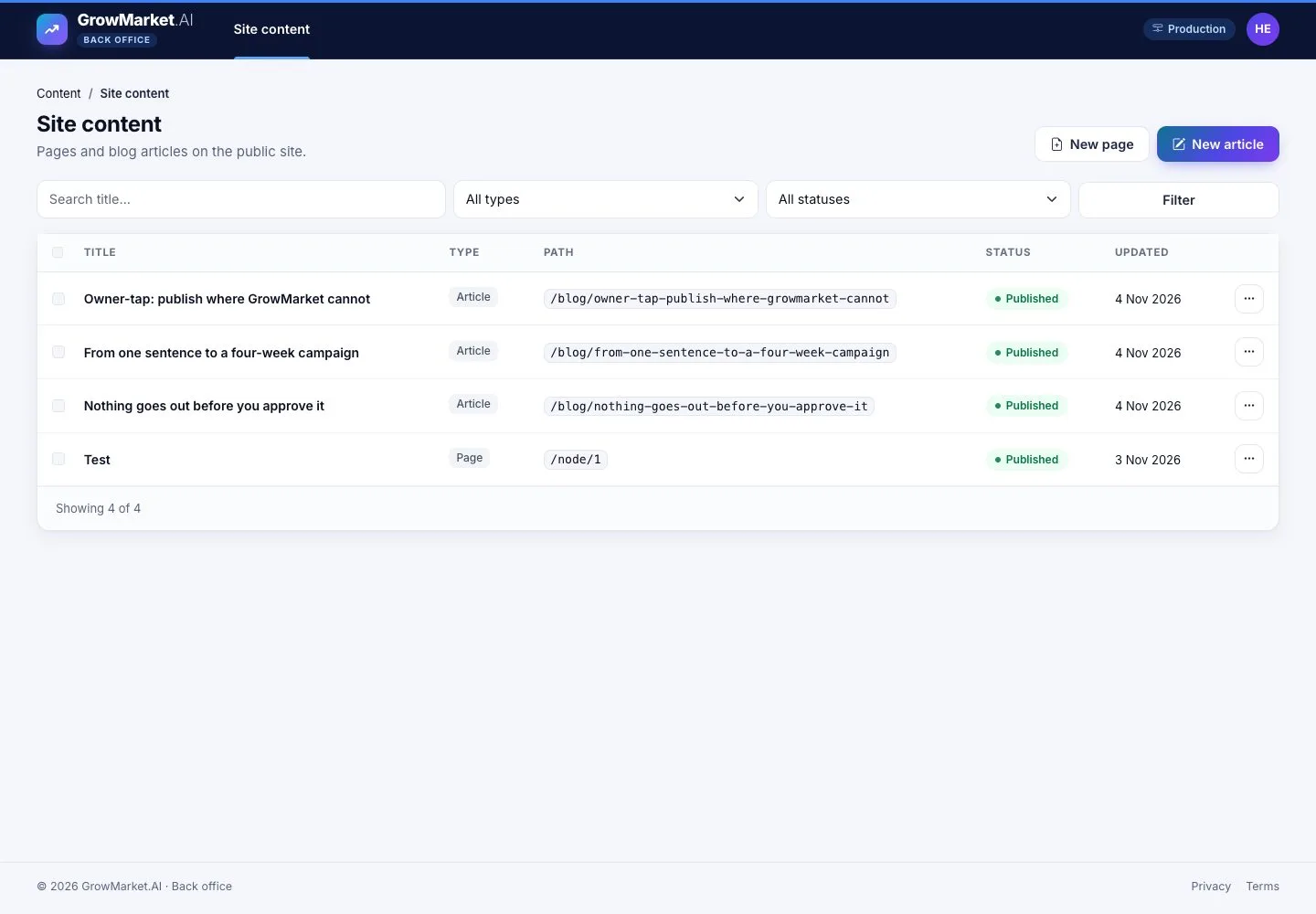
  1. Site content: pages and blog articles with their path, status and last update.
  2. Filter by title, type and status; New page or New article.

Open illustrated screen ↗Full image ↗

Site editor · Site content01

New article

Site editor

New article

2Step 2 of 5

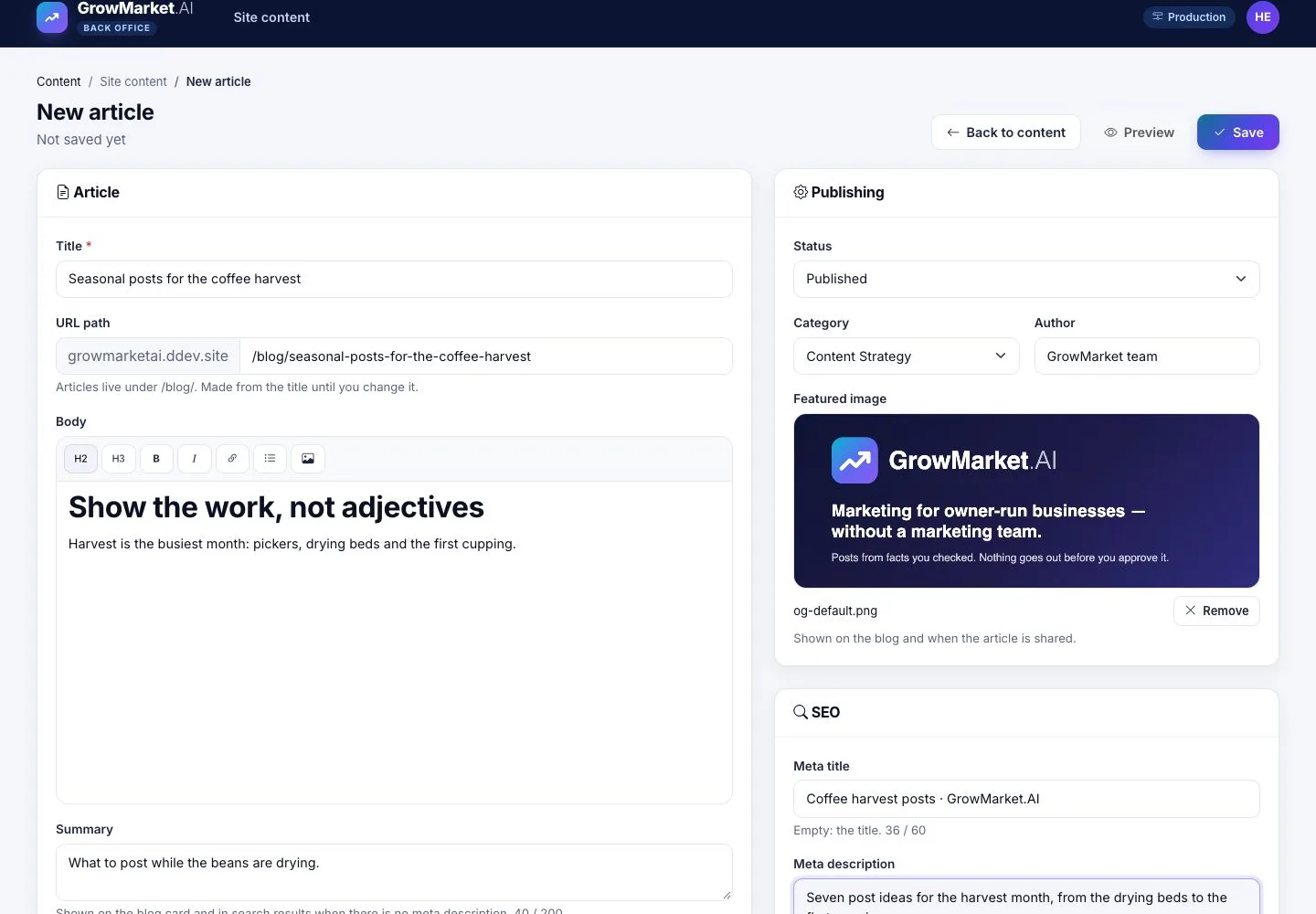
  1. Title, URL path made from the title, body, summary, category, author and featured image.
  2. SEO: meta title and description; Preview, then Save.

Enlarge, then scroll

Open illustrated screen ↗Full image ↗

Site editor · Site content02

On the blog

Visitor

On the blog

3Step 3 of 5

  1. A published article is on the blog with its image, category, author and date.

Open illustrated screen ↗Full image ↗

Site editor · Site content03

A page

Site editor

A page

4Step 4 of 5

  1. A page has a path of its own; a path that is taken is refused.
  2. A draft can be previewed before it is published.

Enlarge, then scroll

Open illustrated screen ↗Full image ↗

Site editor · Site content04

Several at once

Site editor

Several at once

5Step 5 of 5

  1. Select several to publish, unpublish or delete them together.

Open illustrated screen ↗Full image ↗

Check

The public site shows the pages and articles you published, with their SEO

Site editor · Site content05
1 / 6
Privacy Terms