E-mail campaigns

Approved first, then sent; follow-ups when a lead warms up

  • A connected E-mail (SMTP) channel
  • A segment of contacts with consent
Owner
Set up

Owner

Set up

1Step 1 of 8

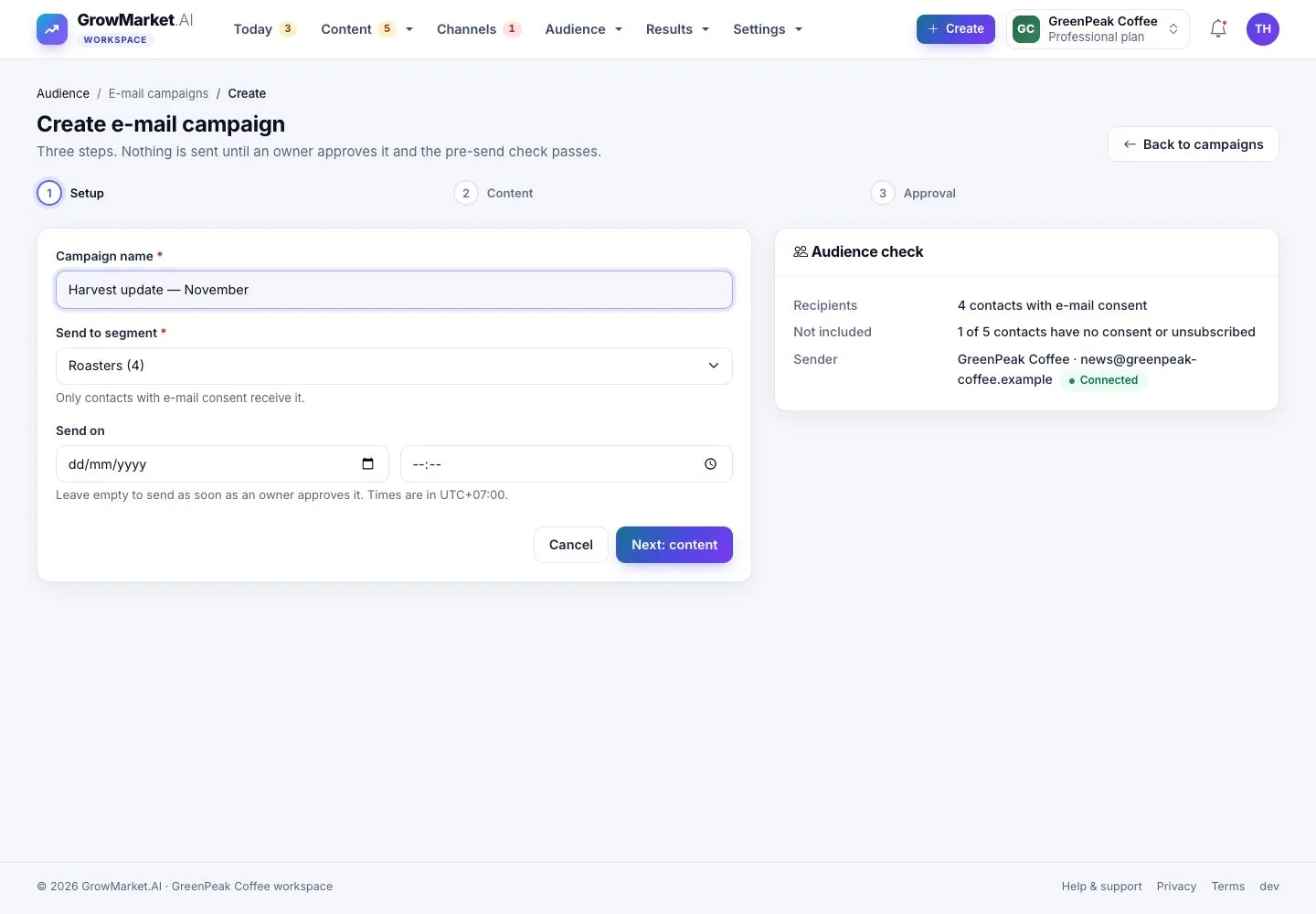
  1. Audience › E-mail campaigns › Create: name, segment and when to send.
  2. The audience check shows who has consent and who is left out.

Times are in the time zone of the workspace.

Open illustrated screen ↗Full image ↗

Owner · E-mail campaigns01

Write it

Owner

Write it

2Step 2 of 8

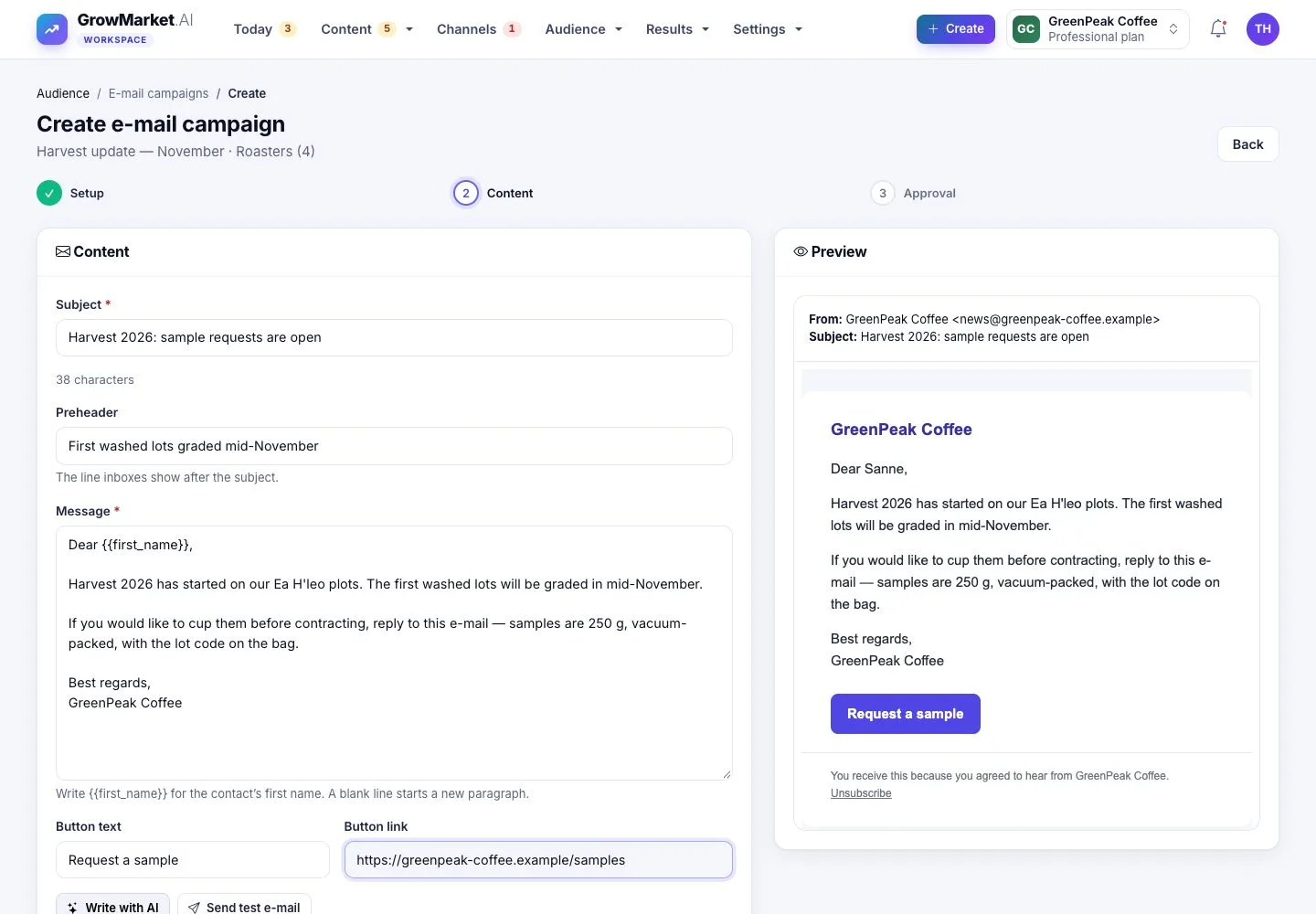
  1. Subject, preheader and the message; {first_name} becomes each contact's first name.
  2. A button with its text and link; Write with AI, Send test e-mail, then Send for approval.

Enlarge, then scroll

Open illustrated screen ↗Full image ↗

Owner · E-mail campaigns02

Approve it

Owner

Approve it

3Step 3 of 8

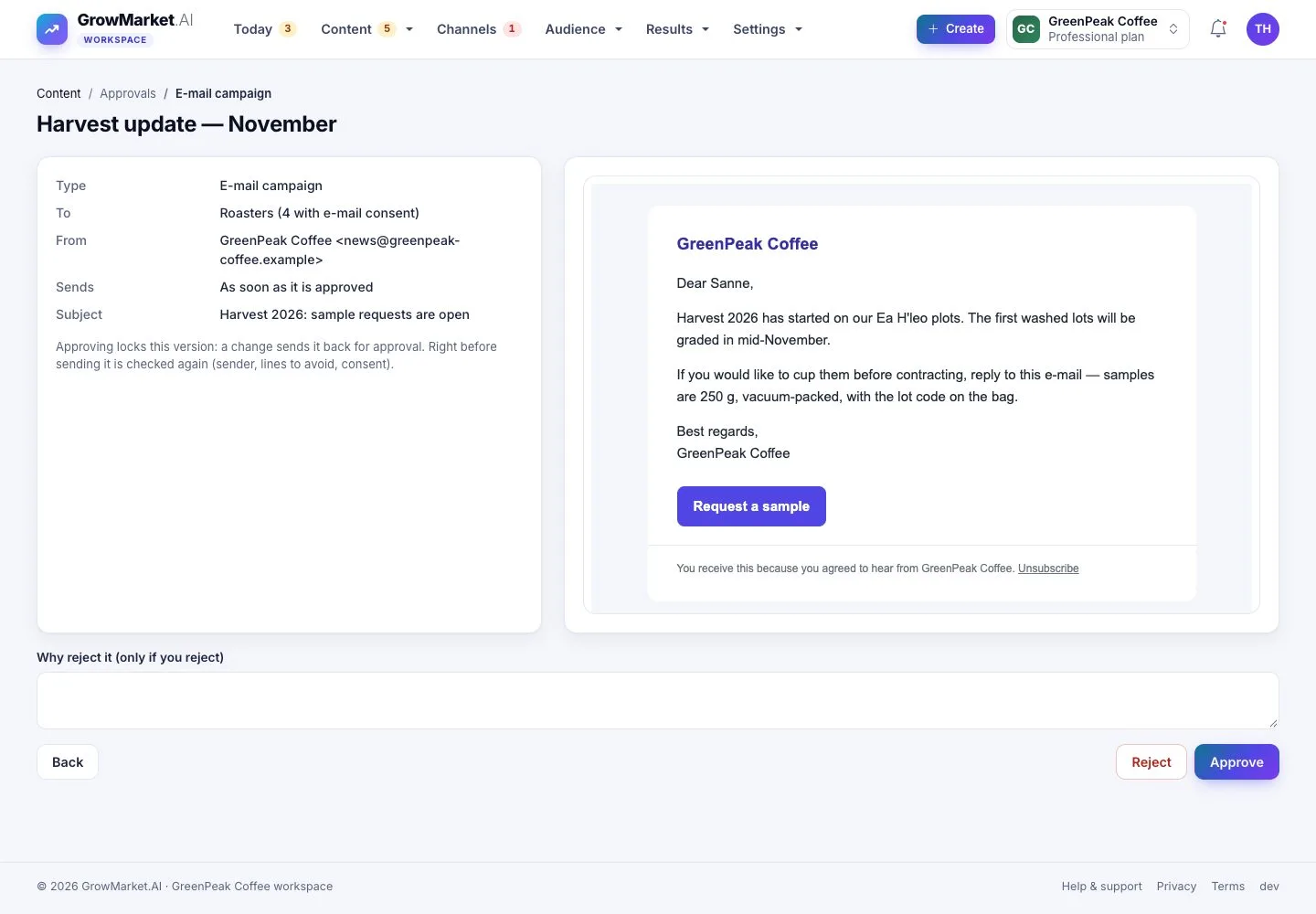
  1. The approval shows the e-mail as it will be sent, to whom and from whom.
  2. Approve locks that version; it is checked again right before sending.

Open illustrated screen ↗Full image ↗

Owner · E-mail campaigns03

In the inbox

Contact

In the inbox

4Step 4 of 8

  1. Each contact gets the e-mail with their name, the button and an unsubscribe link.

Full image ↗

Owner · E-mail campaigns04

Unsubscribe

Contact

Unsubscribe

5Step 5 of 8

  1. One button stops all e-mails from the workspace; nothing changes until it is pressed.

Full image ↗

Owner · E-mail campaigns05

Results

Owner

Results

6Step 6 of 8

  1. Sent, delivered, open rate, click rate and unsubscribed, from sent to clicked.
  2. Most engaged contacts: who opened, who clicked, who left.

Open illustrated screen ↗Full image ↗

Owner · E-mail campaigns06

Follow-ups

Owner

Follow-ups

7Step 7 of 8

  1. When a lead's score passes your threshold, the AI writes a follow-up e-mail.
  2. It waits for your approval like every e-mail.

Open illustrated screen ↗Full image ↗

Owner · E-mail campaigns07

Double opt-in

Contact

Double opt-in

8Step 8 of 8

  1. A new signup confirms by e-mail before it receives anything.

Full image ↗

Check

Only contacts with consent got the approved e-mail; opens, clicks and unsubscribes are counted

Owner · E-mail campaigns08
1 / 9
Privacy Terms