Business profile

Posts state verified facts only

  • A workspace
Owner

What GrowMarket may say

Owner

What GrowMarket may say

1Step 1 of 9

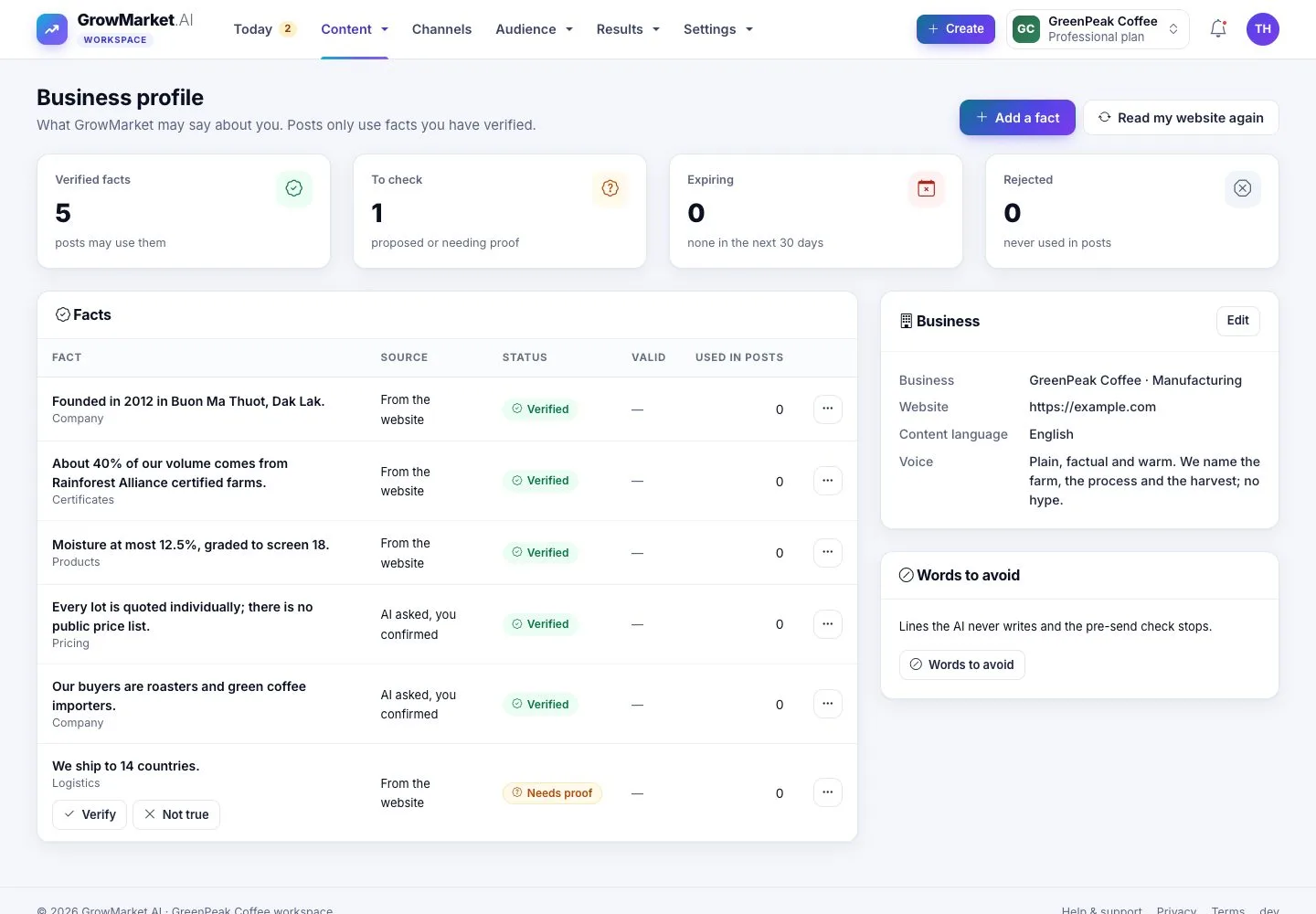
  1. Content › Business profile: verified facts, facts to check, facts that expire soon and rejected facts.
  2. Each fact shows its source, status, validity and how many posts use it.

Enlarge, then scroll

Open illustrated screen ↗Full image ↗

Owner · Business profile01

Add a fact

Owner

Add a fact

2Step 2 of 9

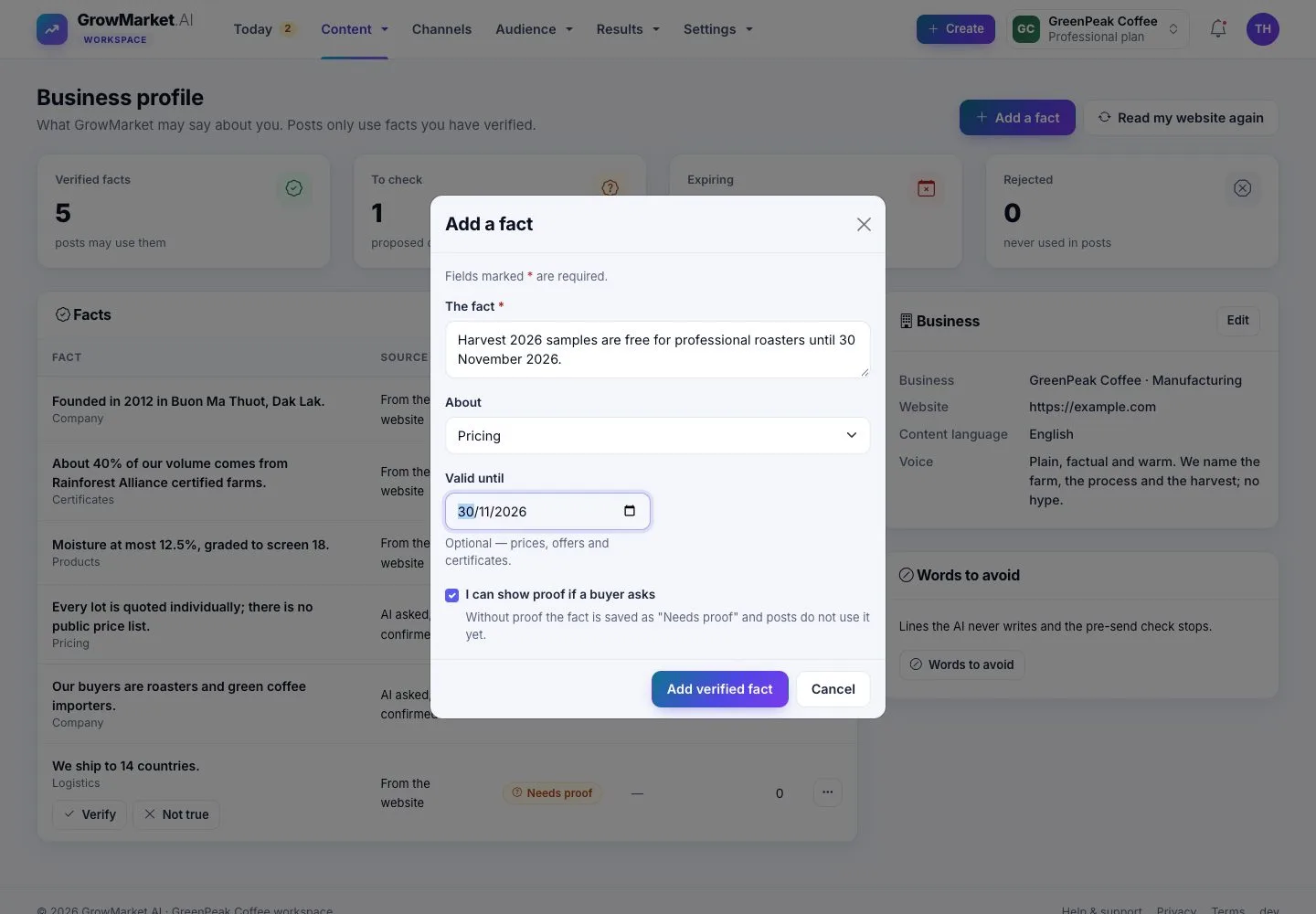
  1. Add a fact: the fact, what it is about, and Valid from / until for offers, prices and certificates.
  2. Keep I can show proof if a buyer asks ticked to verify it at once.

Open illustrated screen ↗Full image ↗

Owner · Business profile02

Facts to check

Owner

Facts to check

3Step 3 of 9

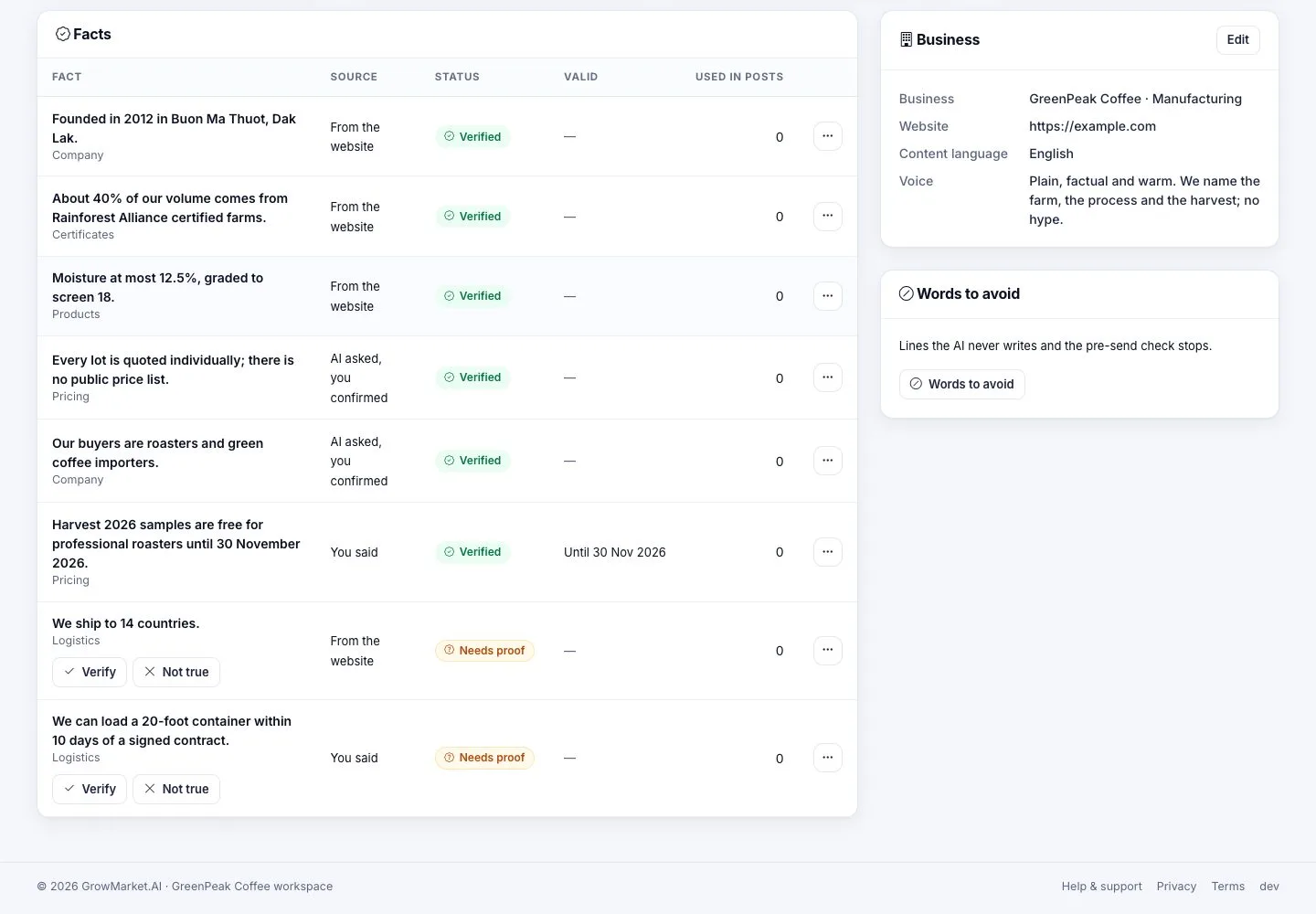
  1. A fact without proof waits as Needs proof; Verify and Not true sit right under it.
  2. Verify: posts may use it. Not true: posts never use it.

Enlarge, then scroll

Open illustrated screen ↗Full image ↗

Owner · Business profile03

Reject a verified fact

Owner

Reject a verified fact

4Step 4 of 9

  1. ⋯ › Reject asks first; Cancel keeps the fact.
  2. Posts that are not out yet and state the fact are flagged for review on Today.

Open illustrated screen ↗Full image ↗

Owner · Business profile04

Read your website again

Owner

Read your website again

5Step 5 of 9

  1. Read my website again proposes new facts to check.
  2. Facts you already have, verified or rejected, are never added twice.

Enlarge, then scroll

Open illustrated screen ↗Full image ↗

Owner · Business profile05

Words to avoid

Owner

Words to avoid

6Step 6 of 9

  1. Content › Words to avoid: lines the AI never writes, with why, for every channel or one.
  2. A post that contains one is held before it goes out.

Open illustrated screen ↗Full image ↗

Owner · Business profile06

Your products

Owner

Your products

7Step 7 of 9

  1. Content › Products: what you sell, with its posts and its facts.
  2. Add product: import it from a product page (the AI fills the form) or type the details.

Open illustrated screen ↗Full image ↗

Owner · Business profile07

The limit of your plan

Owner

The limit of your plan

8Step 8 of 9

  1. At the limit of your plan the form says so: archive a product, or upgrade in Billing & plan.

Enlarge, then scroll

Open illustrated screen ↗Full image ↗

Owner · Business profile08

A product page

Owner

A product page

9Step 9 of 9

  1. Details, the facts about the product, its posts, quick stats and the campaigns that use it.
  2. ⋯ › Archive frees its place in the plan; Delete product asks you to type its name.

Enlarge, then scroll

Open illustrated screen ↗Full image ↗

Check

Posts state only the facts you verified, never the lines you wrote down to avoid, about the products you sell

Owner · Business profile09
1 / 10
Privacy Terms