Owner-tap

Channels you post to by hand

  • An approved post for a channel GrowMarket cannot post to
Owner
Add an Owner-tap channel

Owner

Add an Owner-tap channel

1Step 1 of 5

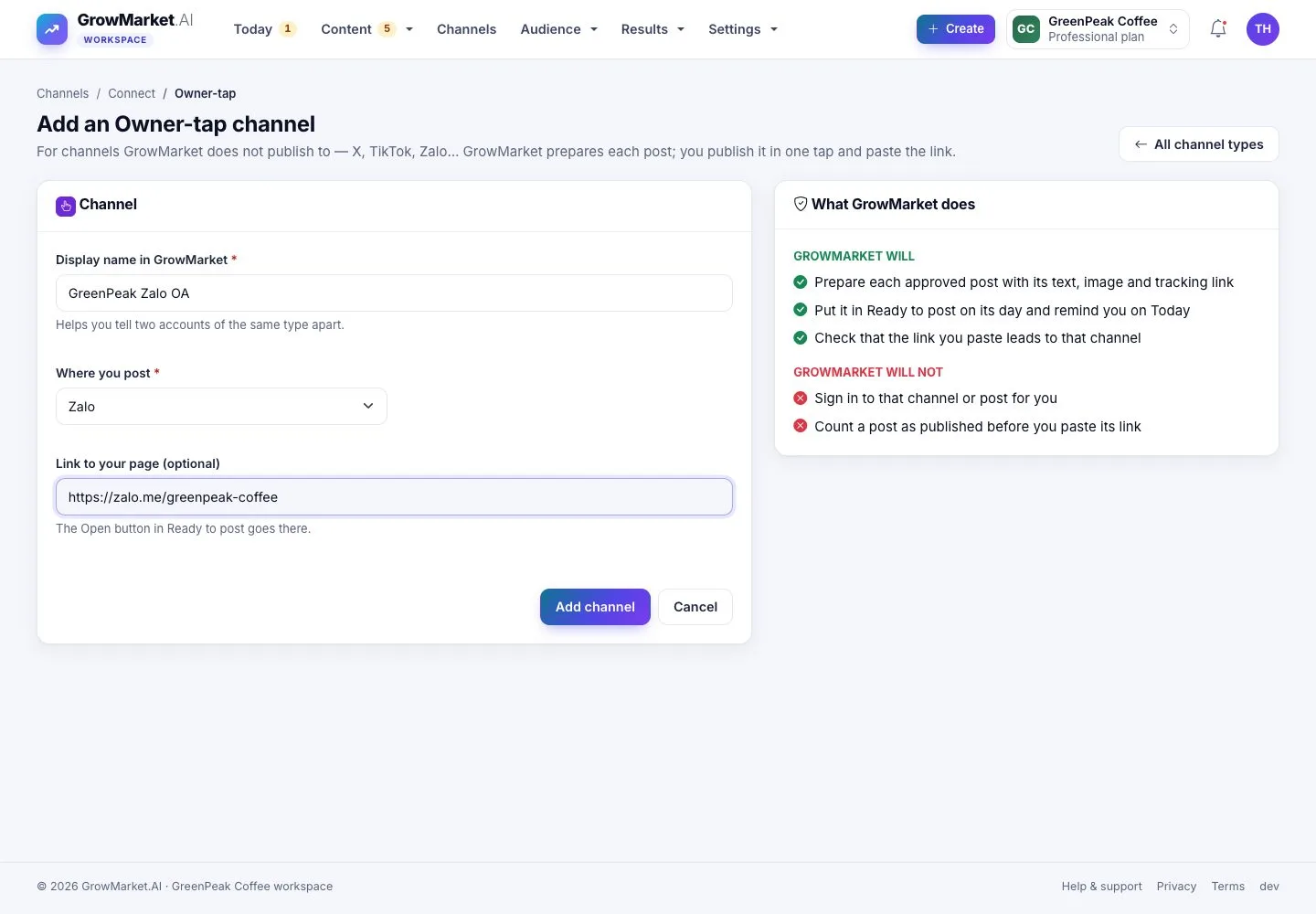
  1. For X, TikTok, Zalo and others: name the channel, where you post and the link to your page.
  2. GrowMarket prepares each post; it never signs in to that channel.

Open illustrated screen ↗Full image ↗

Owner · Owner-tap01

Ready to post

Owner

Ready to post

2Step 2 of 5

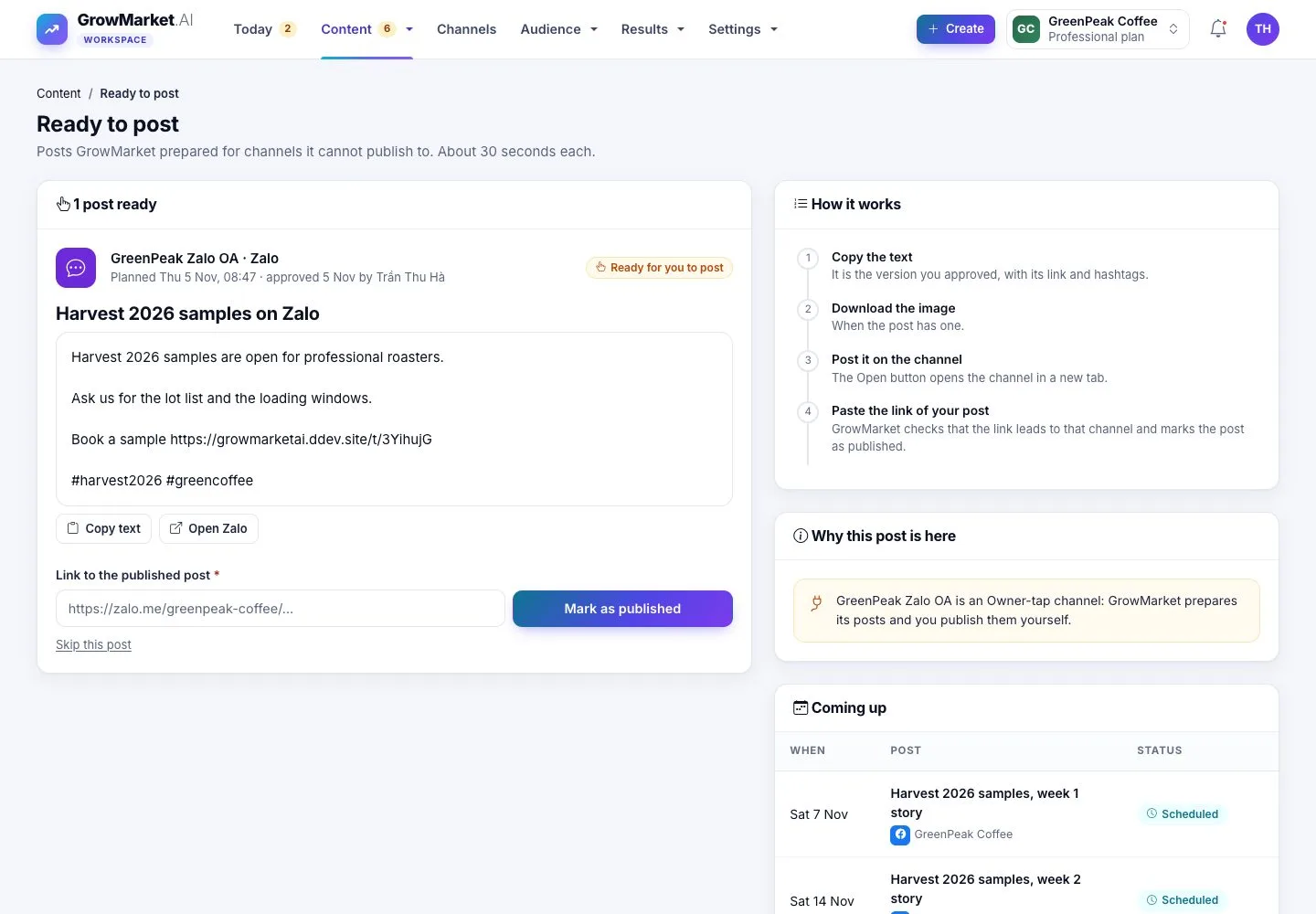
  1. At its time an approved post waits here with its text, image, hashtags and tracking link.
  2. Copy text, Open the channel and post it there; Why this post is here says why GrowMarket did not post it.
  3. Coming up lists the next posts that will wait for you.

Enlarge, then scroll

Open illustrated screen ↗Full image ↗

Owner · Owner-tap02

On your phone

Owner

On your phone

3Step 3 of 5

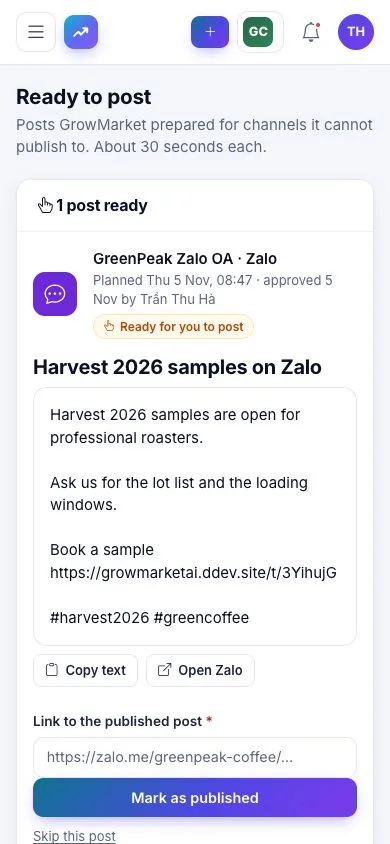
  1. On a phone: copy the text, open the app, paste and post.

Open illustrated screen ↗Full image ↗

Owner · Owner-tap03

Paste the link

Owner

Paste the link

4Step 4 of 5

  1. Paste the link of your published post, then Mark as published.
  2. GrowMarket checks that the link leads to that channel: a link to another network is refused.

Enlarge, then scroll

Open illustrated screen ↗Full image ↗

Owner · Owner-tap04

Published

Owner

Published

5Step 5 of 5

  1. The post counts as published; Skip this post keeps it out instead, and reports count that too.

Enlarge, then scroll

Open illustrated screen ↗Full image ↗

Check

The post is published on the channel by you and counts in the results with its link

Owner · Owner-tap05
1 / 6
Privacy Terms