Start from your website

The AI reads your site; you check it

  • A work e-mail address
  • Your website address, if you have one
Owner
The public site

Visitor

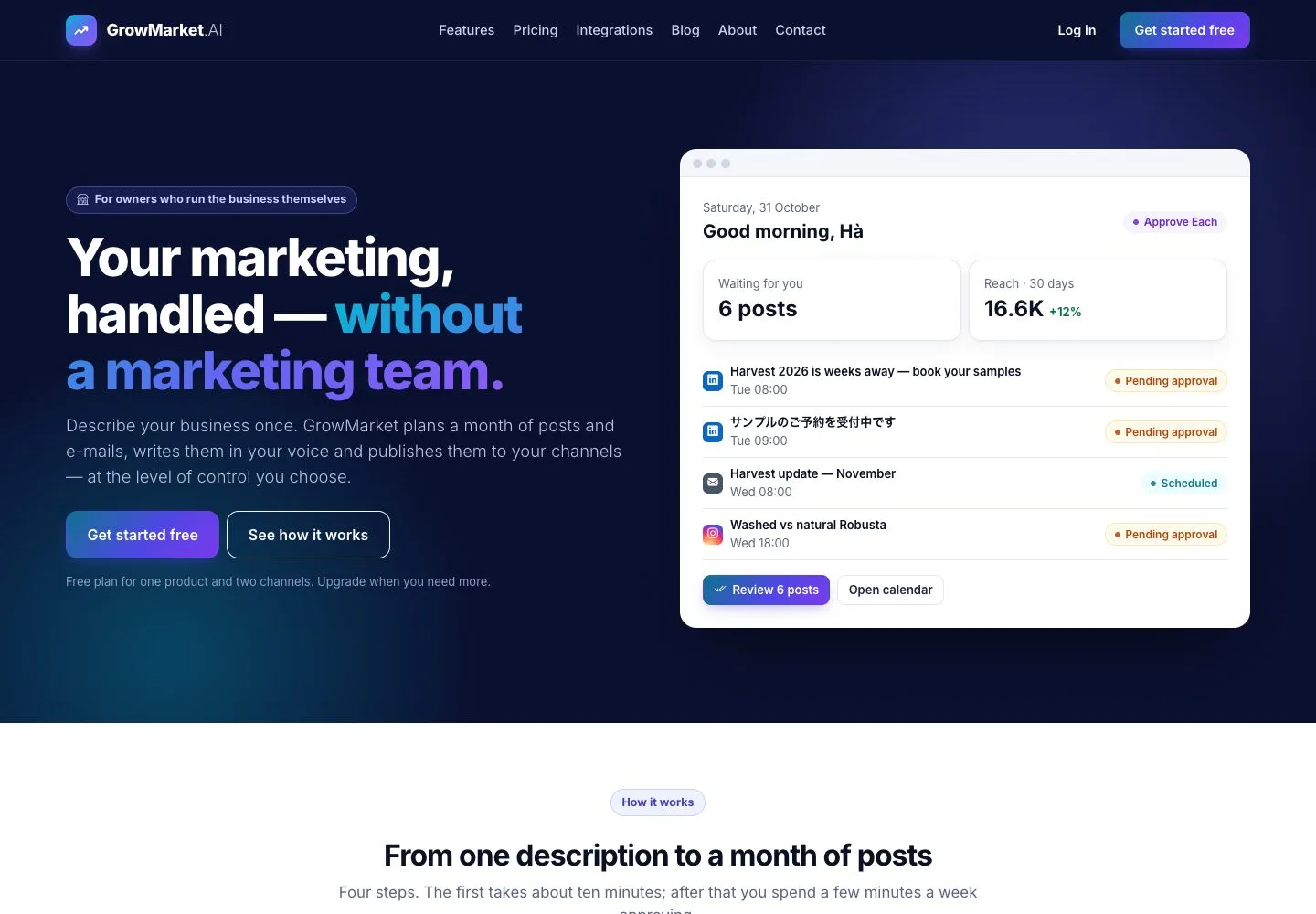
The public site

1Step 1 of 8

  1. The home page says what GrowMarket does: you describe your business once, approve the posts and see what worked.
  2. Features, Pricing and Integrations explain the product, the five plans and the channels.
  3. Get started free opens the sign-up form.

Enlarge, then scroll

Open illustrated screen ↗Full image ↗

Owner · Start from your website01

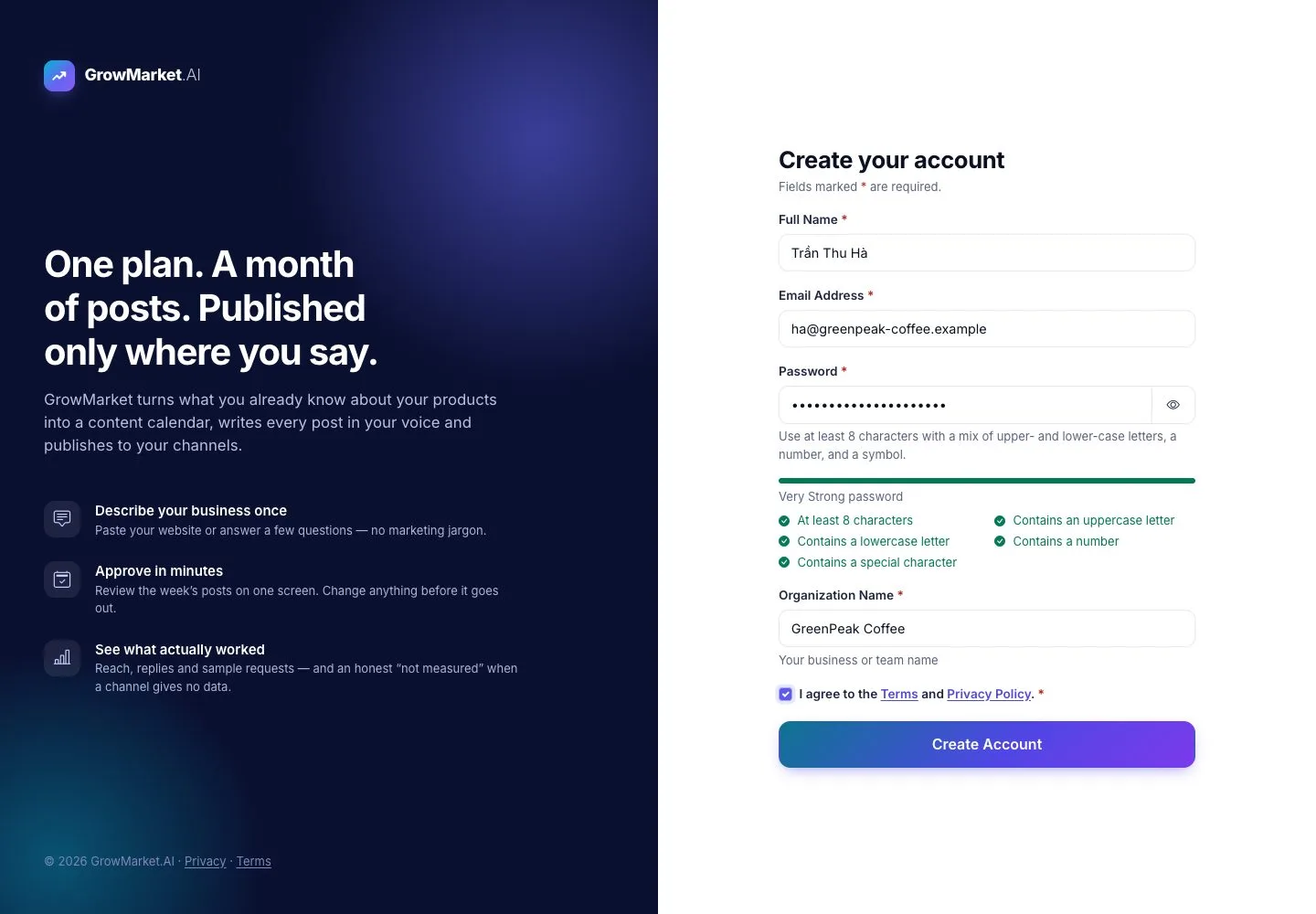
Create your account

Visitor

Create your account

2Step 2 of 8

  1. Enter your full name, your e-mail address, a password and the name of your organization.
  2. The checklist under the password shows what is still missing.
  3. Agree to the Terms and the Privacy Policy, then Create Account.

An address that already has an account gets the same answer, so nobody learns who is registered.

Open illustrated screen ↗Full image ↗

Owner · Start from your website02

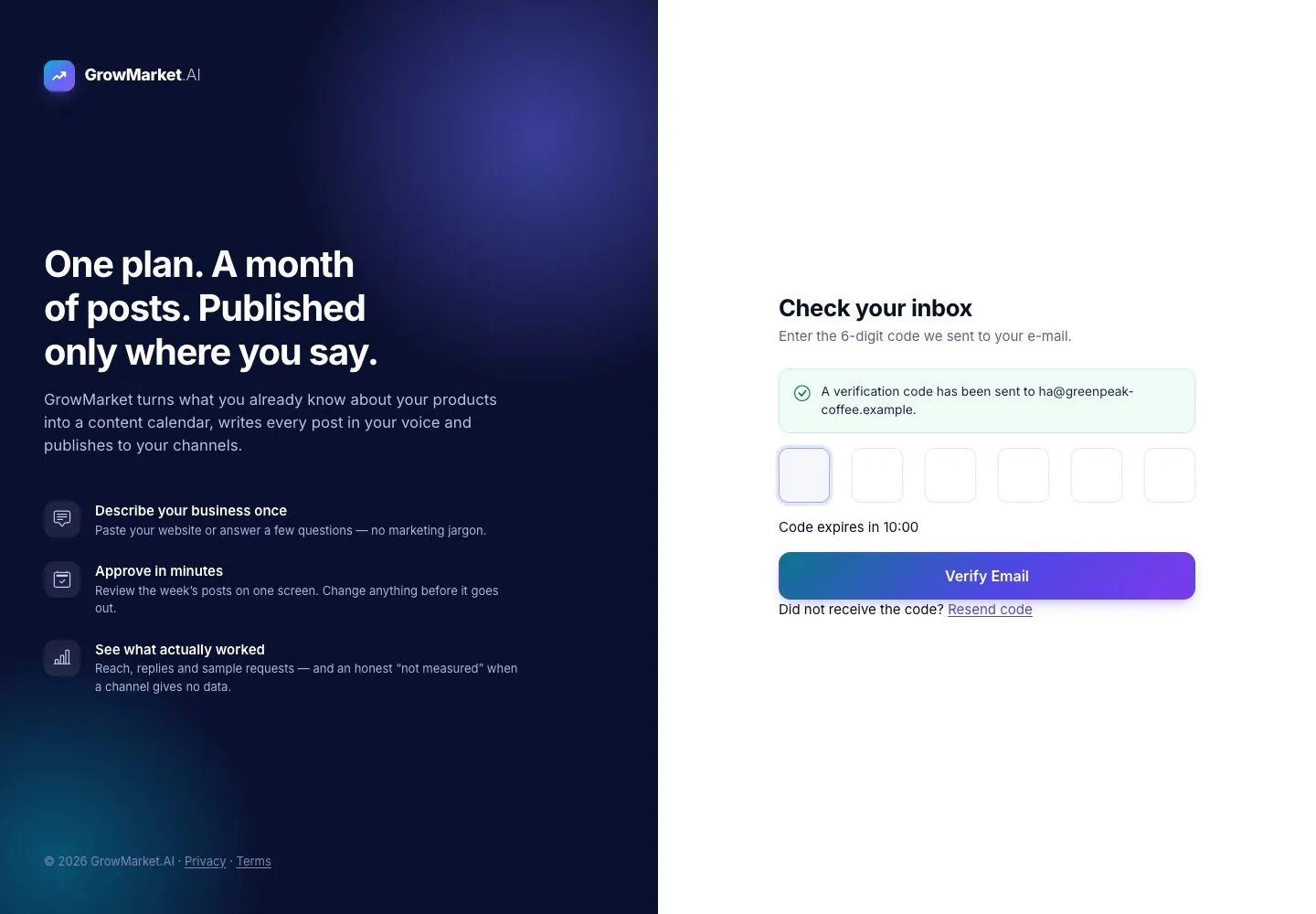
Confirm your e-mail

Visitor

Confirm your e-mail

3Step 3 of 8

  1. Type the 6-digit code from the e-mail; it is valid for 10 minutes.
  2. A wrong code says so; Resend code sends a new one.

Open illustrated screen ↗Full image ↗

Owner · Start from your website03

Your business and website

Owner

Your business and website

4Step 4 of 8

  1. Business name, industry and website; the AI reads your public pages and drafts your business profile.
  2. Say in two or three sentences what your business does.
  3. Continue: four short steps, about 20 minutes; everything can be changed later.

Enlarge, then scroll

Open illustrated screen ↗Full image ↗

Owner · Start from your website04

Check the facts we found

Owner

Check the facts we found

5Step 5 of 8

  1. Each fact the AI read is shown with where it came from.
  2. Mark each one True, Not sure yet or Not true: posts only use what you mark as true.
  3. Answer the AI's questions and write what GrowMarket must never say.

Not sure yet keeps the fact in Business profile as Needs proof.

Enlarge, then scroll

Open illustrated screen ↗Full image ↗

Owner · Start from your website05

Connect your first channel

Owner

Connect your first channel

6Step 6 of 8

  1. Pick one channel: LinkedIn, Facebook Page, Instagram Business, Website or E-mail; you sign in on the channel itself.
  2. Owner-tap is for the channels you post to by hand: GrowMarket prepares each post, you publish it in one tap.

Enlarge, then scroll

Open illustrated screen ↗Full image ↗

Owner · Start from your website06

Your first campaign

Owner

Your first campaign

7Step 7 of 8

  1. Say in one sentence what your first campaign should achieve.
  2. Answer up to five questions, pre-filled from your business profile: who should hear it, which channels, what they should do.
  3. Draft my plan and open Today.

Open illustrated screen ↗Full image ↗

Owner · Start from your website07

Today

Owner

Today

8Step 8 of 8

  1. Today greets you and lists what needs your decision: the plan of your first campaign, a fact to check.
  2. Below: posts published, reach, link clicks and new contacts of the last 30 days.

Nothing is written or scheduled until you confirm the plan.

Enlarge, then scroll

Open illustrated screen ↗Full image ↗

Check

The workspace has the facts you confirmed, a channel and the plan of a first campaign waiting on Today; nothing is written or published yet

Owner · Start from your website08
1 / 9
Privacy Terms