Publishing operations

The queue, channels, e-mail and AI of the service

  • A host admin account
Back office

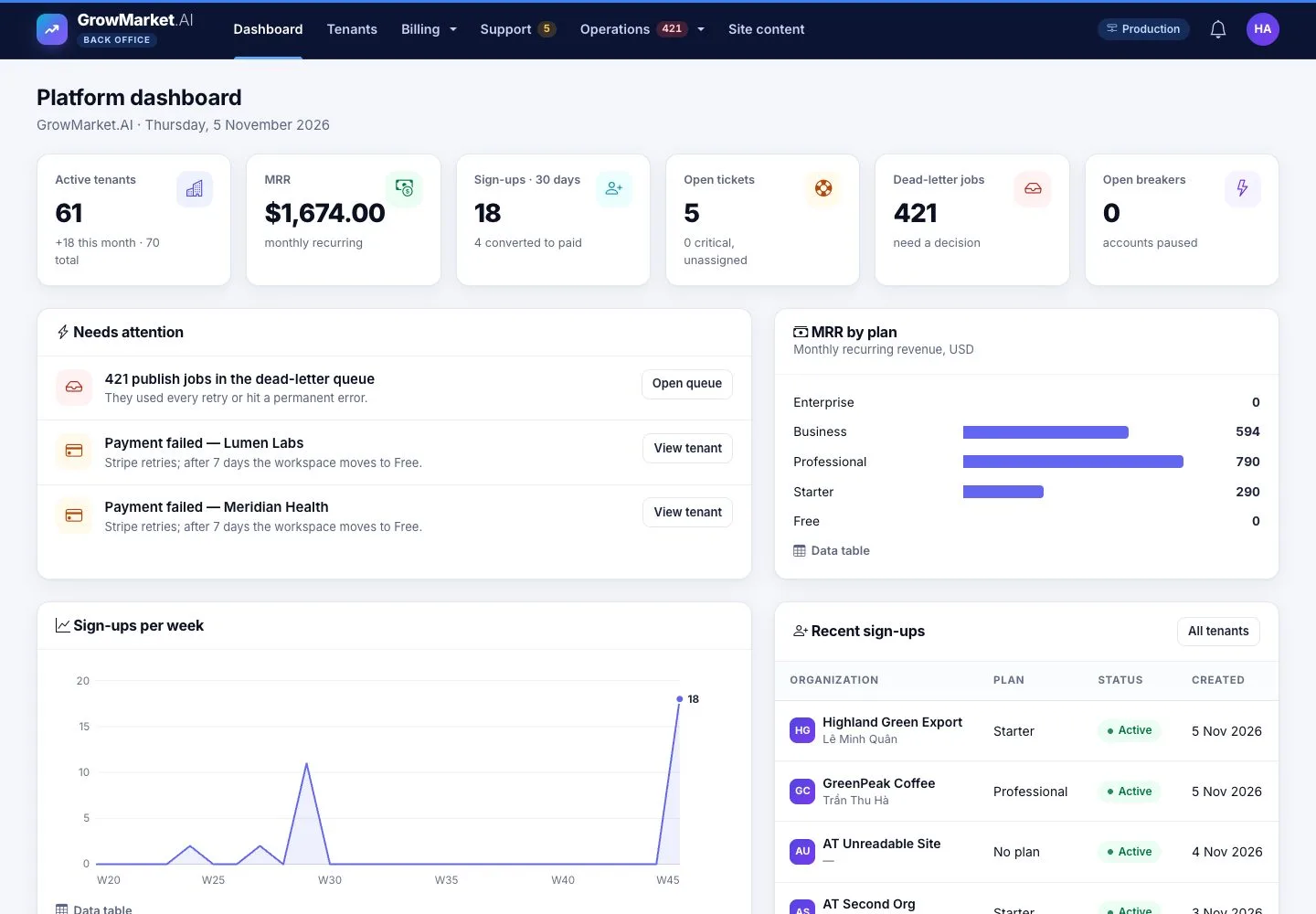
Platform dashboard

Back office

Platform dashboard

1Step 1 of 6

  1. Active tenants, MRR, sign-ups, open tickets, dead-letter jobs and open breakers.
  2. Needs attention lists what to act on.

Enlarge, then scroll

Open illustrated screen ↗Full image ↗

Back office · Publishing operations01

The publishing queue

Back office

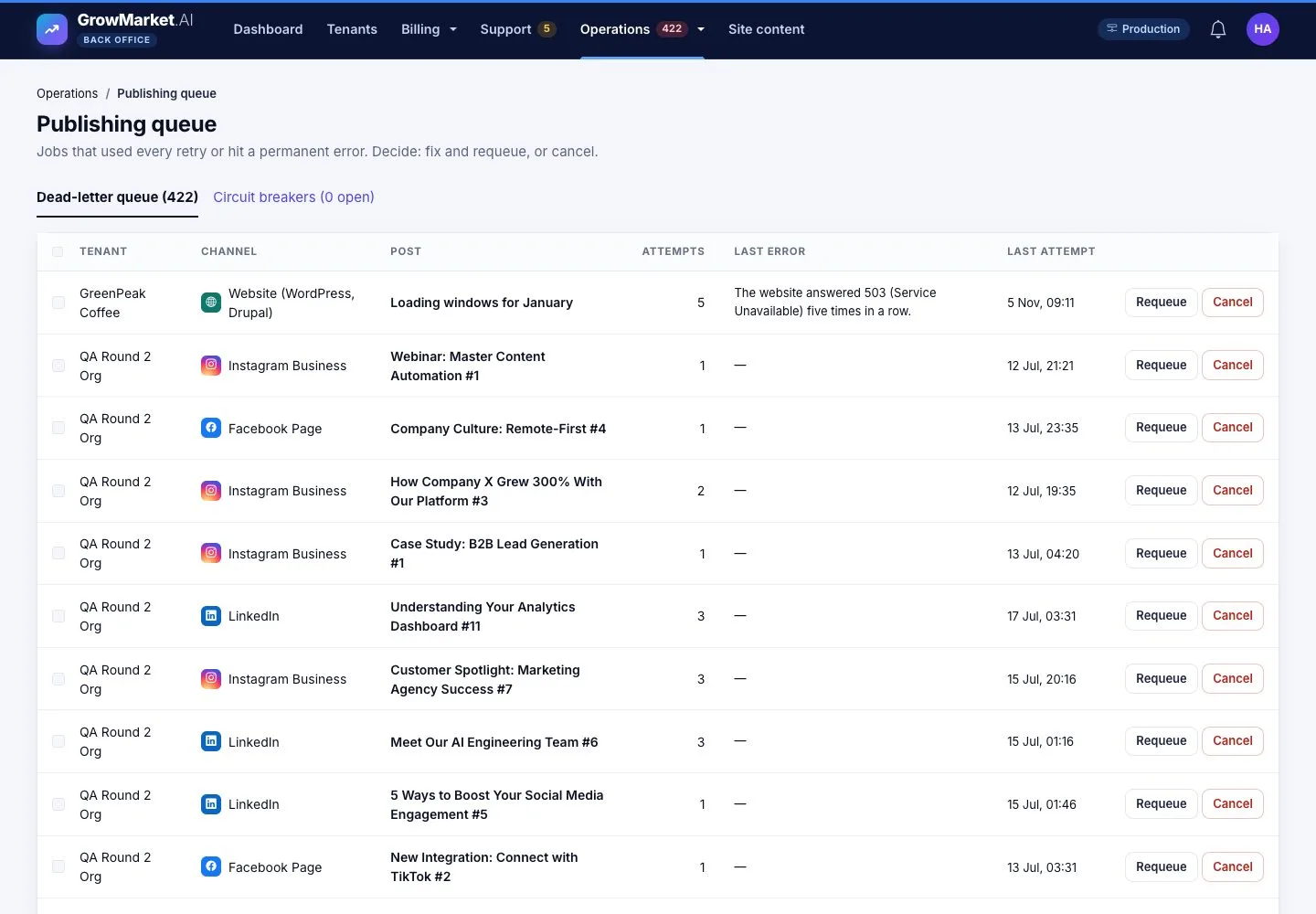
The publishing queue

2Step 2 of 6

  1. Operations › Publishing queue: jobs that used every retry or hit a permanent error.
  2. Requeue after a fix, or Cancel.

Enlarge, then scroll

Open illustrated screen ↗Full image ↗

Back office · Publishing operations02

Circuit breakers

Back office

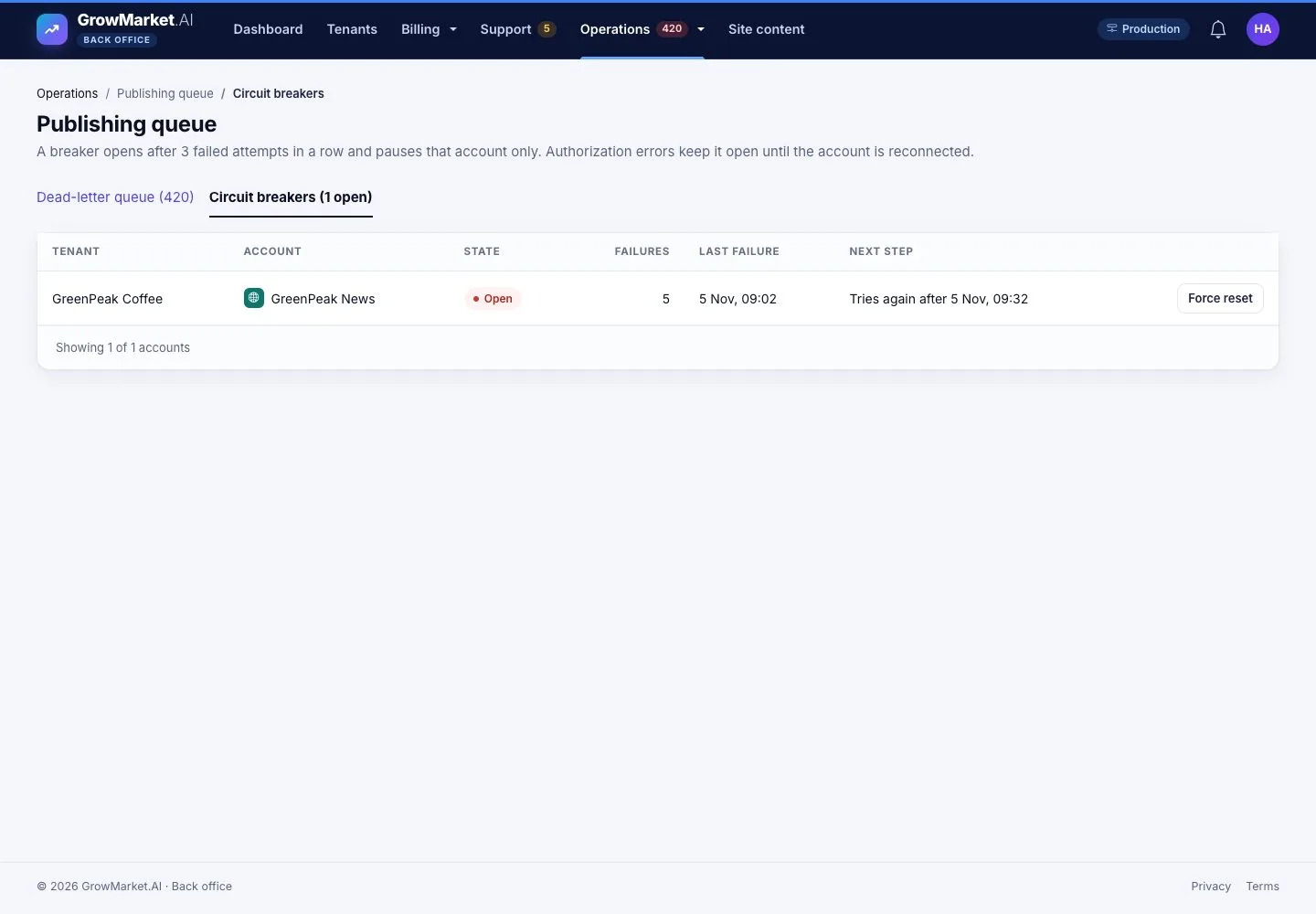
Circuit breakers

3Step 3 of 6

  1. After 3 failed attempts in a row an account pauses; Force reset when the cause is fixed.

Open illustrated screen ↗Full image ↗

Back office · Publishing operations03

Channel types

Back office

Channel types

4Step 4 of 6

  1. Operations › Channel types: what tenants can connect, in the order of the Connect page; enable or configure each.

Open illustrated screen ↗Full image ↗

Back office · Publishing operations04

E-mail of the service

Back office

E-mail of the service

5Step 5 of 6

  1. Operations › E-mail (SMTP): the sender of codes, invitations and notifications; Send test e-mail.

Open illustrated screen ↗Full image ↗

Back office · Publishing operations05

AI provider

Back office

AI provider

6Step 6 of 6

  1. Provider, model and key; the AI quota of each plan and the usage of each tenant.
  2. Stop AI for every workspace when the provider misbehaves.

Enlarge, then scroll

Open illustrated screen ↗Full image ↗

Check

Failed jobs are requeued or cancelled, and the channels, sender and AI provider of the service are set

Back office · Publishing operations06
1 / 7
Privacy Terms