Workspace and owners

Owners with the same rights

  • A workspace
Owner

Your organization

Owner

Your organization

1Step 1 of 8

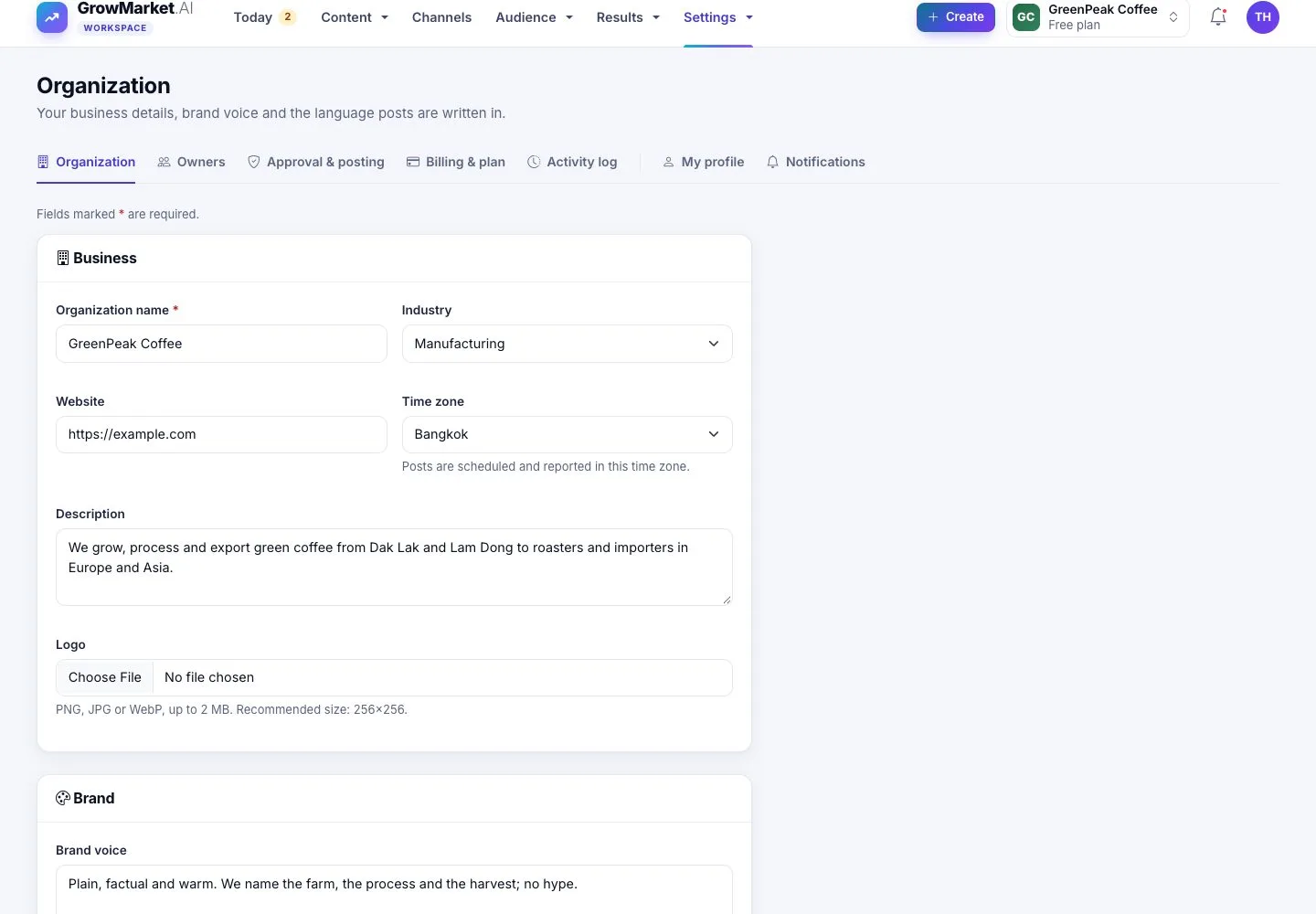
  1. Settings › Organization: name, industry, website, time zone, description and logo.
  2. Brand: voice, content language, fonts and colours; AI graphics use the colours.

Posts are scheduled and reported in the time zone of the workspace.

Enlarge, then scroll

Open illustrated screen ↗Full image ↗

Owner · Workspace and owners01

Invite another owner

Owner

Invite another owner

2Step 2 of 8

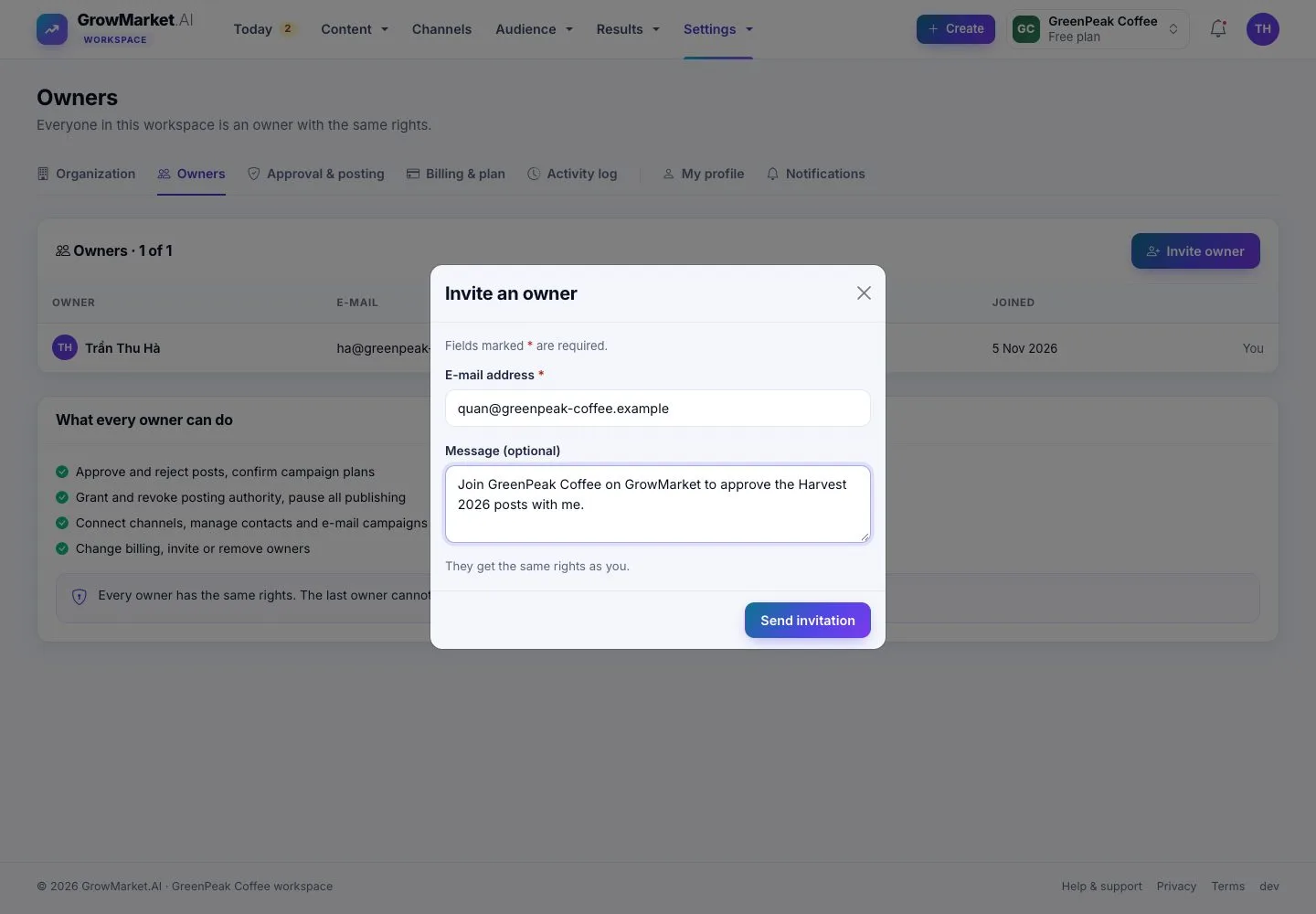
  1. Settings › Owners › Invite owner: an e-mail address and a message.
  2. Every owner has the same rights; your plan sets how many.

Open illustrated screen ↗Full image ↗

Owner · Workspace and owners02

Pending invitations

Owner

Pending invitations

3Step 3 of 8

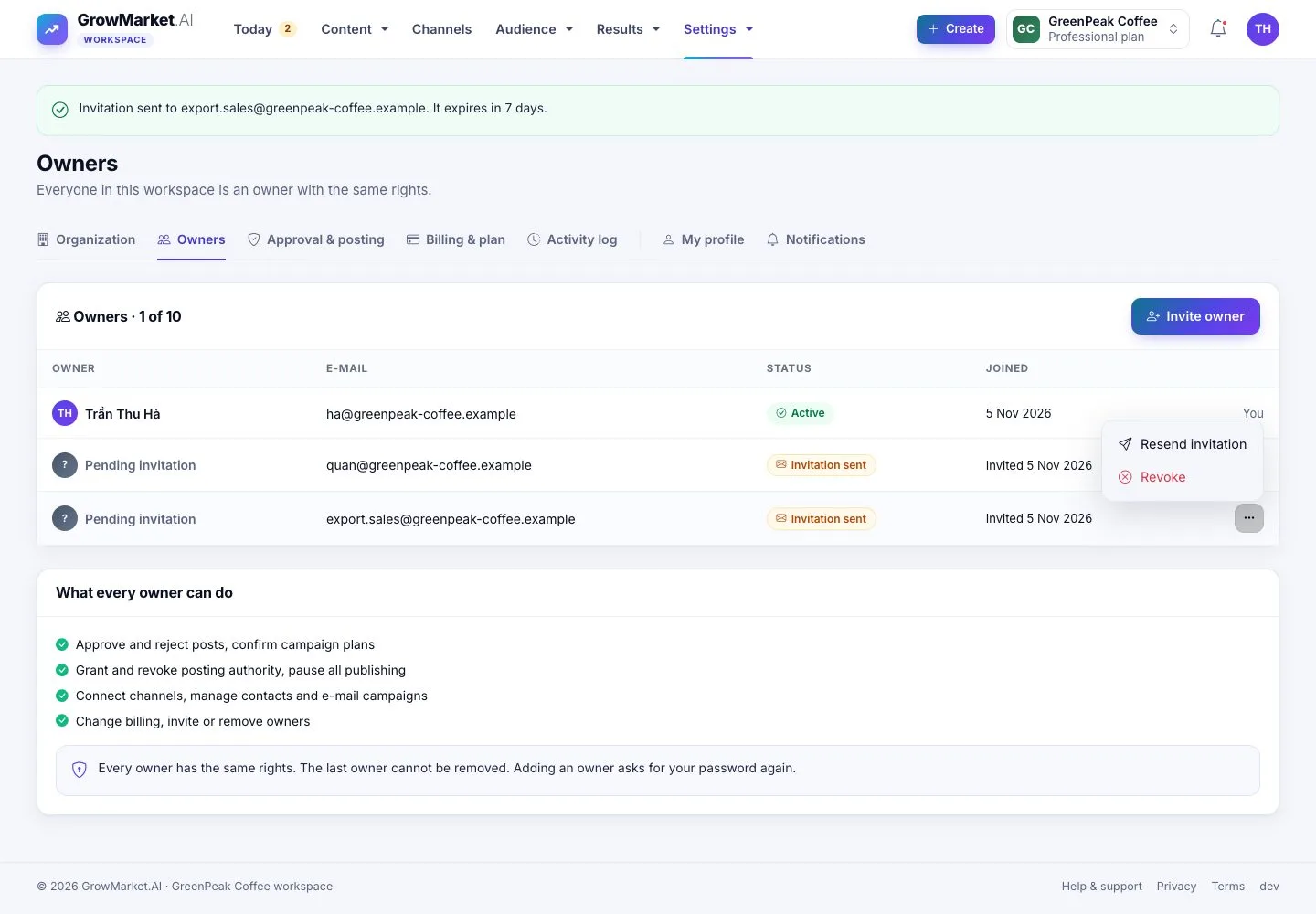
  1. A pending invitation can be sent again or revoked; it expires after 7 days.

Open illustrated screen ↗Full image ↗

Owner · Workspace and owners03

Accept an invitation

Owner

Accept an invitation

4Step 4 of 8

  1. The invited person opens the link, signs in or creates an account, and accepts.
  2. They become an owner of the workspace.

Full image ↗

Owner · Workspace and owners04

Switch workspace

Owner

Switch workspace

5Step 5 of 8

  1. The switcher in the top bar lists your workspaces: choose one to open its Today.

Open illustrated screen ↗Full image ↗

Owner · Workspace and owners05

Remove an owner

Owner

Remove an owner

6Step 6 of 8

  1. Remove owner asks first: the person loses access, the posts they approved stay approved.
  2. The last owner cannot be removed.

Open illustrated screen ↗Full image ↗

Owner · Workspace and owners06

How posts get approved

Owner

How posts get approved

7Step 7 of 8

  1. Approve Each: each post waits until an owner approves it, then goes out on time within the posting authority.
  2. Prepared Only: GrowMarket prepares every post and nothing is published automatically.

Enlarge, then scroll

Open illustrated screen ↗Full image ↗

Owner · Workspace and owners07

Pause all publishing

Owner

Pause all publishing

8Step 8 of 8

  1. Pause all publishing stops every channel within 5 seconds; nothing is deleted.
  2. Today says it is paused; Resume publishing lets posts go out again.

Enlarge, then scroll

Open illustrated screen ↗Full image ↗

Check

The right people own the workspace, and you decide how posts are approved and when publishing pauses

Owner · Workspace and owners08
1 / 9
Privacy Terms