One-sentence campaigns

A month of posts from one sentence

  • Verified facts in Business profile
  • At least one channel
Owner

Campaigns

Owner

Campaigns

1Step 1 of 8

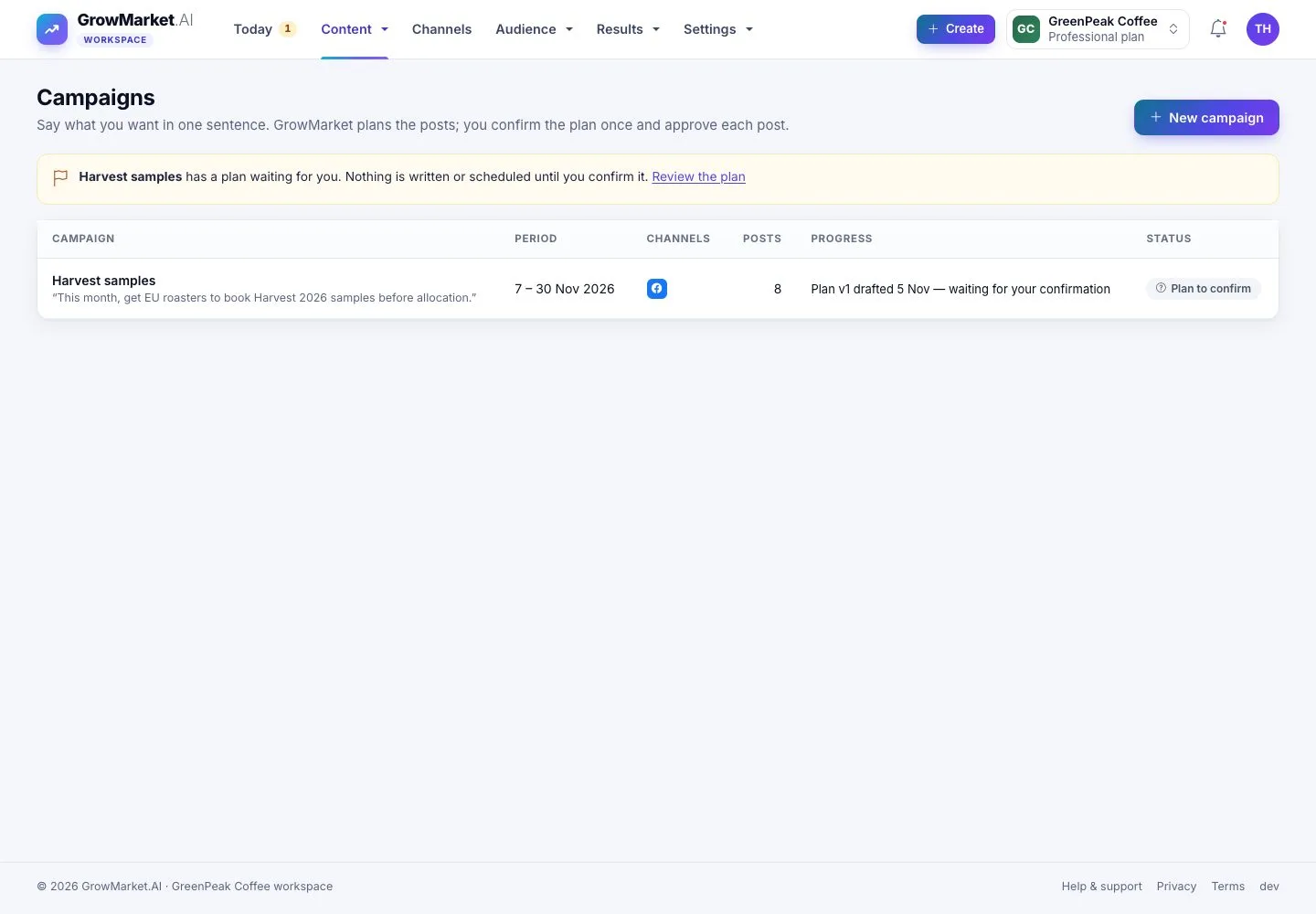
  1. Content › Campaigns: each campaign with its period, channels, posts, progress and status.
  2. A plan that waits for you says so at the top.

Open illustrated screen ↗Full image ↗

Owner · One-sentence campaigns01

Say it in one sentence

Owner

Say it in one sentence

2Step 2 of 8

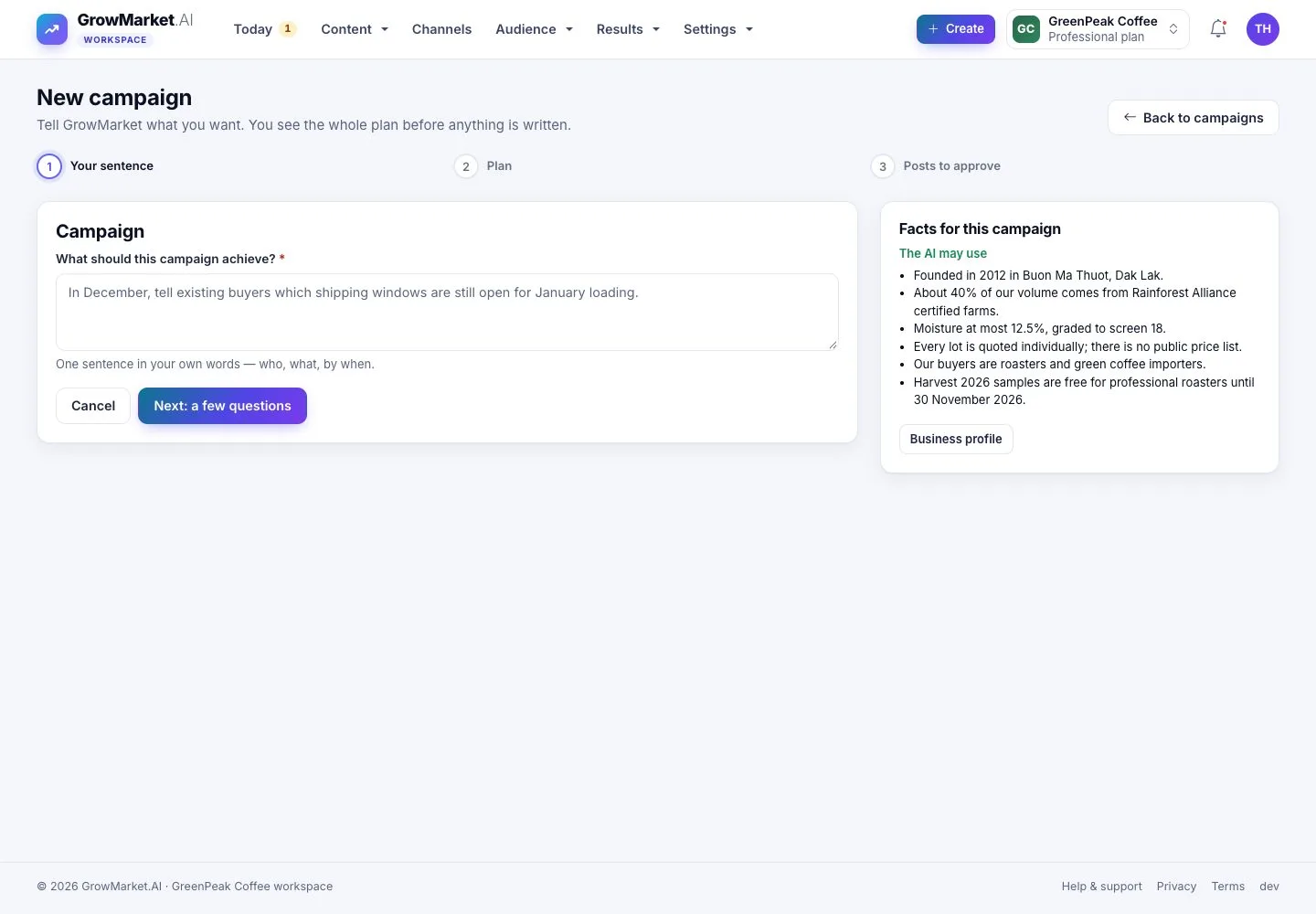
  1. New campaign: what should this campaign achieve? One sentence: who, what, by when.
  2. The facts the AI may use are listed beside it.

Open illustrated screen ↗Full image ↗

Owner · One-sentence campaigns02

A few questions

Owner

A few questions

3Step 3 of 8

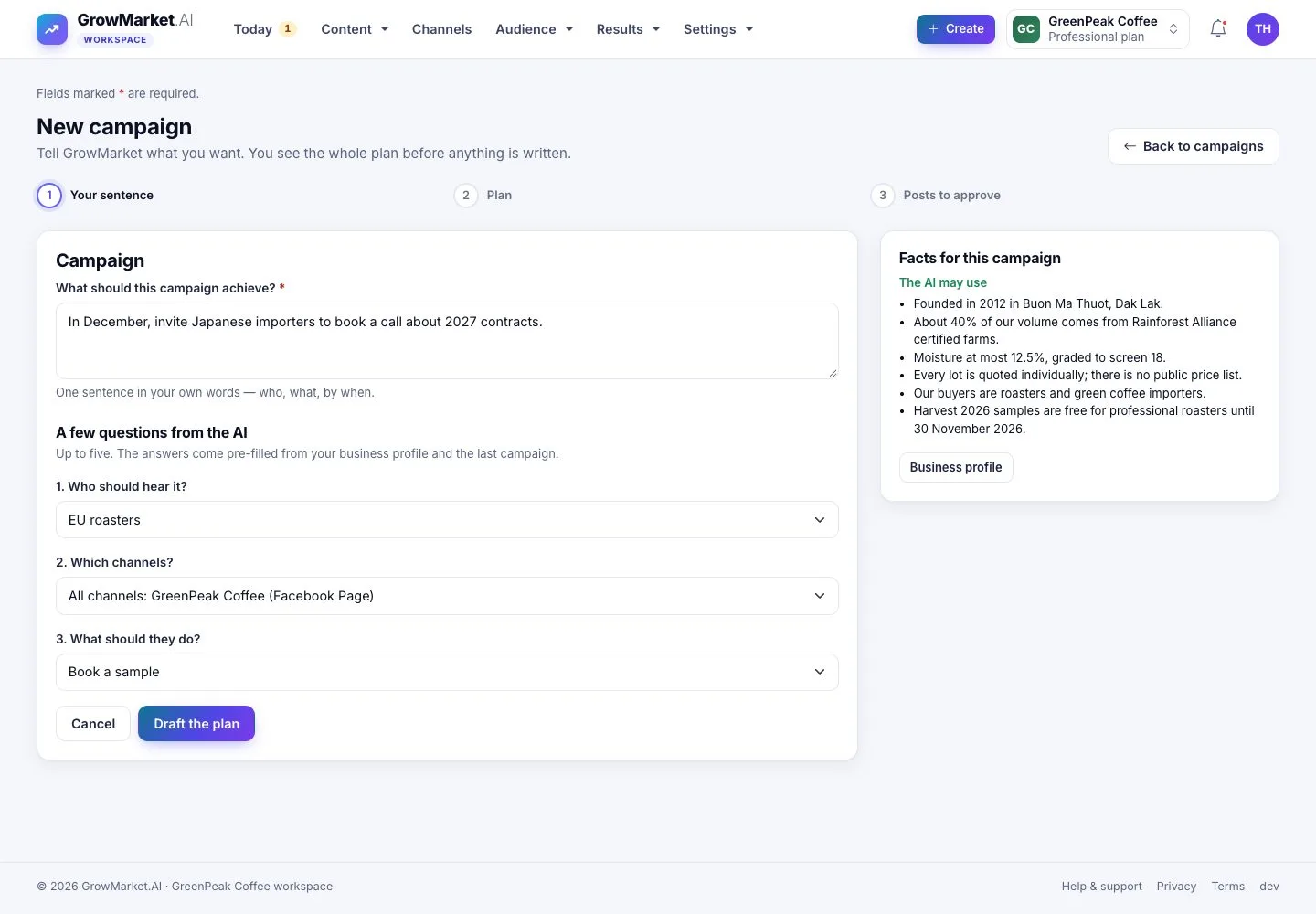
  1. Up to five questions: who should hear it, which channels, what they should do.
  2. The answers come pre-filled from your business profile and your last campaign; Draft the plan.

Open illustrated screen ↗Full image ↗

Owner · One-sentence campaigns03

The plan

Owner

The plan

4Step 4 of 8

  1. Goal, who, offer, message, the call to action with its link, channels and size.
  2. Plan by week shows the theme and the posts of each week; What the plan changed or left out explains every rule it applied.

At most 40% of the posts of a week are direct promotion; each post gets its own tracking link.

Enlarge, then scroll

Open illustrated screen ↗Full image ↗

Owner · One-sentence campaigns04

Ask for changes

Owner

Ask for changes

5Step 5 of 8

  1. Ask for changes: say what should change in your own words.
  2. Draft plan v2; the earlier version stays in Versions.

Open illustrated screen ↗Full image ↗

Owner · One-sentence campaigns05

Confirm the plan

Owner

Confirm the plan

6Step 6 of 8

  1. This is the one big decision: after you confirm, the AI writes each post from verified facts only.
  2. Each post still waits for your approval before it can go out.

Open illustrated screen ↗Full image ↗

Owner · One-sentence campaigns06

The campaign runs

Owner

The campaign runs

7Step 7 of 8

  1. The campaign page: the posts waiting for approval, how many people reached each step, the plan and its facts.

Enlarge, then scroll

Open illustrated screen ↗Full image ↗

Owner · One-sentence campaigns07

Stop a campaign

Owner

Stop a campaign

8Step 8 of 8

  1. Stop campaign stops every post that has not gone out yet; posts already published stay.
  2. Say why if you like: it is kept with the campaign.

Open illustrated screen ↗Full image ↗

Check

The campaign runs: the AI wrote each post from verified facts, and every post waits for your approval

Owner · One-sentence campaigns08
1 / 9
Privacy Terms