

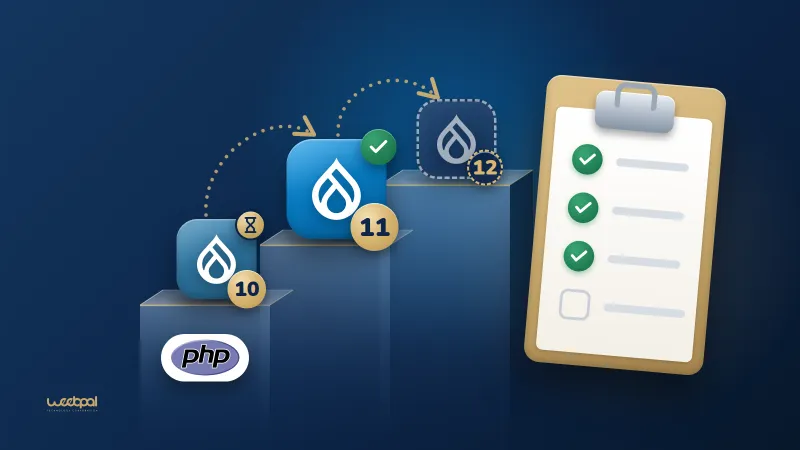
Last checked against drupal.org: 26 September 2026. A checklist for taking a Drupal 10 site to Drupal 11, with the extra checks Drupal 12 will need. Where an item rests on a drupal.org rule, it links to the page the rule comes from.
Take it with you:
- Printable PDF (A4, 235 KB).
- White-label PDF (A4, 231 KB): the same checklist with no WeebPal name, logo or link in it, and blank lines for who prepared it and for whom, so an agency can hand it to its clients.
The order matters. Everything up to the Drupal Rector section happens on the Drupal 10 site, because Upgrade Status checks a site against the next major version: the Drupal 11 checks run on Drupal 10. Drupal 10 reaches end of life on 9 December 2026: Drupal end-of-life dates has every date and PHP version in one table.
Before you start
- Confirm the core version and PHP version. Drupal 11 needs 10.3.0 or later.All core database updates from before 10.3.0 were removed in Drupal 11, so a site on an older 10.x minor updates within Drupal 10 first. Take it to the latest 10.6 release, the last minor release of Drupal 10. (Source: How to upgrade from Drupal 10 to Drupal 11; Drupal core release schedule.)
drush status --fields=drupal-version,php-version - List every module and theme, contributed and custom, and every patch applied through Composer. This list is what the rest of the checklist works through. Note which modules are enabled and which are only in the codebase.
- Update contributed modules to their latest releases while the site is still on Drupal 10. Many projects publish releases that support Drupal 10 and 11 together, so most of the contributed code can move before the core update. (Source: Upgrade Status project page.)
- Back up the database, the files directory and the code, then restore that backup somewhere once to prove it works. The same backup routine is what the rollback plan at the end relies on.
Hosting: PHP and database
- PHP 8.3 or later for Drupal 11, with the zlib extension enabled. PHP 8.3 and 8.4 are supported on every Drupal 11 minor from 11.1; PHP 8.5 from 11.3. No supported Drupal version runs on PHP 7. (Source: PHP requirements; Drupal 11.0.0 release notes.)
- Database: MySQL 8.0, MariaDB 10.6, PostgreSQL 16 or SQLite 3.45 or later. PostgreSQL also needs the
pg_trgmextension, and SQLite thejson1extension. A Drupal 10 site on MySQL 5.7 or MariaDB below 10.6 has to move its database first. (Source: Database server requirements.) - Local, staging and production run the same PHP and database versions. An upgrade tested on one PHP version and deployed on another tests neither.
Upgrade Status
- Install Upgrade Status with Composer on the Drupal 10 site and scan everything.It has to run on the current site: once the site is on Drupal 11, the deprecated APIs it looks for are gone. Its project page describes the install, including
drush upgrade_status:analyze --alldrupal/core-devso that test code does not produce false errors. Upgrade Status 4.3 installs on Drupal 9, 10 and 11; 5.0, still in alpha, on Drupal 10.4, 11 and 12. (Source: Upgrade Status project page; Upgrade Status releases.) - Clear every item on the report for custom code, and record the contributed projects it flags. The report also checks the environment against the next major version's system requirements. (Source: Upgrade Status project page.)
- Treat a clean report as necessary, not sufficient. Click through the site with deprecation logging on. Upgrade Status reads code. A deprecation that core raises only at runtime, such as passing an array to
Merge::key()from Drupal 10.2, does not show up in the scan. (Source: Change record: Merge::key().)
Drupal Rector for custom code
- Install Drupal Rector and copy its configuration to the project root.(Source: drupal-rector README.)
composer require --dev palantirnet/drupal-rector cp vendor/palantirnet/drupal-rector/rector.php . - Dry run first and review the diff, then run the same command again without the dry-run option.Do the same for custom themes. (Source: drupal-rector README.)
vendor/bin/rector process web/modules/custom --dry-run - Fix by hand what Rector leaves. Its documented limits include static calls such as
\Drupal::service(). Run Upgrade Status again afterwards: what it still reports is the hand work. (Source: Rector on drupal.org.) - Allow Drupal 11 in the info file of each custom module and theme.The code then runs on both sides of the core update.
core_version_requirement: ^10.3 || ^11
Core modules removed in Drupal 11
- Actions UI, Activity Tracker, Book, Forum, Statistics and Tour left core in Drupal 11. If the site uses one, require its contributed project on Drupal 10.3 or later, before the core update. Each moved to a contributed project: Action, Activity Tracker, Book, Forum, Statistics and Tour. Drupal picks up the contributed copy on its own once Composer has downloaded it; rebuild caches and run
drush updatedb. Do not uninstall a module you still need to make the upgrade pass. (Source: Actions UI removed; Activity Tracker removed; Book removed; Forum removed; Statistics removed; Tour removed; Deprecated and obsolete extensions.) - If the site used Statistics, remove its rule from a customised
.htaccess. The default.htaccessin Drupal 11 no longer carries the rule forstatistics.php; the contributed project provides its own protection. (Source: Drupal 11.0.0 release notes.) - Help Topics and Single Directory Components are obsolete: their functionality is in core. An update hook in the Help module uninstalls Help Topics. (Source: Deprecated and obsolete extensions.)
Contributed modules without a Drupal 11 release
- Check each project page by hand, including new major branches. Upgrade Status can miss a compatible release. (Source: How to upgrade from Drupal 10 to Drupal 11.)
- Look in the issue queue for the Project Update Bot's "Automated Drupal 11 compatibility fixes" issue and any patches people have tested. The bot's changes are generated by Upgrade Status and Drupal Rector and are not tested; test them before you rely on them.
- Allow the current and the next major branch in
composer.jsonwhile you wait, for example"^6.1 || ^7.0", and find what still blocks the update.(Source: How to upgrade from Drupal 10 to Drupal 11.)composer why-not drupal/core ^11 - A module whose info file does not allow Drupal 11 yet installs with the Drupal Lenient Composer Plugin and a patch. drupal.org says the plugin should not be used in production. Use it to test on staging, and get a fixed release, or a patched copy you maintain, before go-live. The former lenient endpoint at packages.drupal.org is no longer available. (Source: Using the Drupal Lenient Composer Plugin.)
- For an abandoned module, decide: replace it, drop the feature, or port it and post the patch in its queue.
Run the upgrade on a copy
- Work on a copy of production, with its database and files, never on production itself. (Source: How to upgrade from Drupal 10 to Drupal 11.)
- Require Drupal 11 core without updating yet, allow the
symfony/runtimeComposer plugin that core needs from 11.4, then dry-run the update and run it.composer require 'drupal/core-recommended:^11' \ 'drupal/core-composer-scaffold:^11' \ 'drupal/core-project-message:^11' --no-updatecomposer config allow-plugins.symfony/runtime trueUpdate Drush in the same pass. Without the plugin permission, Composer stops to ask whether to trustcomposer update --dry-run composer updatesymfony/runtime. (Source: How to upgrade from Drupal 10 to Drupal 11.) - Re-apply your changes to scaffold files such as
.htaccessandrobots.txt. All core files,.htaccessincluded, change in the upgrade. (Source: How to upgrade from Drupal 10 to Drupal 11.) - Run the database updates, export the configuration and review the diff.Read the status report at
drush updatedb drush config:export/admin/reports/statusas well: errors about missing extensions show there.
Testing
- Run the automated tests the site has (PHPUnit, Behat), and run cron.(Source: How to upgrade from Drupal 10 to Drupal 11.)
drush cron - Watch the log while you click through the site.(Source: How to upgrade from Drupal 10 to Drupal 11.)
drush watchdog:tail - Walk the journeys that matter: log in, editing and publishing, forms, search, payments, integrations, scheduled jobs and emails. The people who use the site every day find what automated tests miss; give them staging and a list of what to try.
- Compare key pages with the live site, and check that URLs and redirects are unchanged.
Rollback plan
- Agree before go-live who decides to roll back, and on what signal.
- Put the site in maintenance mode and dump the database just before the updates.Back up the files directory at the same point. Afterwards,
drush maint:set 1 drush sql:dump --gzip --result-file=pre-d11.sqldrush maint:set 0takes the site out of maintenance mode. - Keep the previous release, code and
composer.lock, ready to deploy again. - Rolling back means the previous code plus the pre-update dump: Drupal cannot reverse database updates. Rehearse it once on staging. Content, orders or form submissions made between the dump and a rollback are lost with it, so freeze editing during the window or plan how to carry them over.
Drupal 12 notes
- Drupal 12.0.0 is planned for the week of 7 December 2026. Until then these notes come from the 12.0.0-alpha1 release notes. Drupal 10 reaches end of life on 9 December 2026, the same week. (Source: Drupal core release schedule; Drupal 12.0.0-alpha1 release notes.)
- Update to Drupal 11.4.0 or later before Drupal 12; drupal.org strongly recommends 11.5.0 or higher. Core database updates from before 11.4.0 are removed in Drupal 12. The Drupal 11 to 12 upgrade guide is still marked as work in progress and states a different minimum, so check both before you plan. (Source: Drupal 12.0.0-alpha1 release notes; How to upgrade from Drupal 11 to Drupal 12.)
- PHP 8.5, compiled with argon2 support, and MariaDB 10.11 or MySQL 8.0. The default password hashing becomes argon2id. For PostgreSQL the release notes say 19 and the database requirements page says 18: check again at release. (Source: Drupal 12.0.0-alpha1 release notes; PHP requirements; Database server requirements.)
- Ban, Contact, Field Layout, History, Settings Tray, Shortcut, Telephone and Stable 9 move to contributed projects. Migrate Drupal and Migrate Drupal UI are removed with no contributed version. Search, Toolbar, Claro and Olivero are proposed for removal as well. The Text (formatted, long, with summary) field type moves to the contributed Text With Summary module; drupal.org recommends updating to 11.5.0 and running database updates first. A Drupal 7 site migrates to Drupal 11 and then updates to 12. (Source: Drupal 12.0.0-alpha1 release notes; Deprecated and obsolete extensions.)
- Use Upgrade Status 5.0 to scan for Drupal 12 on the Drupal 11 site. A major version cannot be skipped: Drupal 10 goes to 11 first. (Source: Upgrading Drupal; Upgrade Status project page.)
After the checklist
The items no scanner covers are the ones to give time to: a contributed module without a release, a deprecation raised only at runtime, a journey nobody tested. What we changed to make WE Mega Menu compatible with Drupal 11 and 12 shows one of those from the maintainer's side.
If you would rather hand the work over, we run Drupal upgrades to Drupal 11 and 12, starting with an audit of every module on the site. Agencies can have the audit and the upgrade done under their own name: see white-label Drupal development.
Last checked against drupal.org: 26 September 2026.