Serial booking

Checked date by date, billed month by month

  • Signed in
Player

The pattern

Player

The pattern

1Step 1 of 11

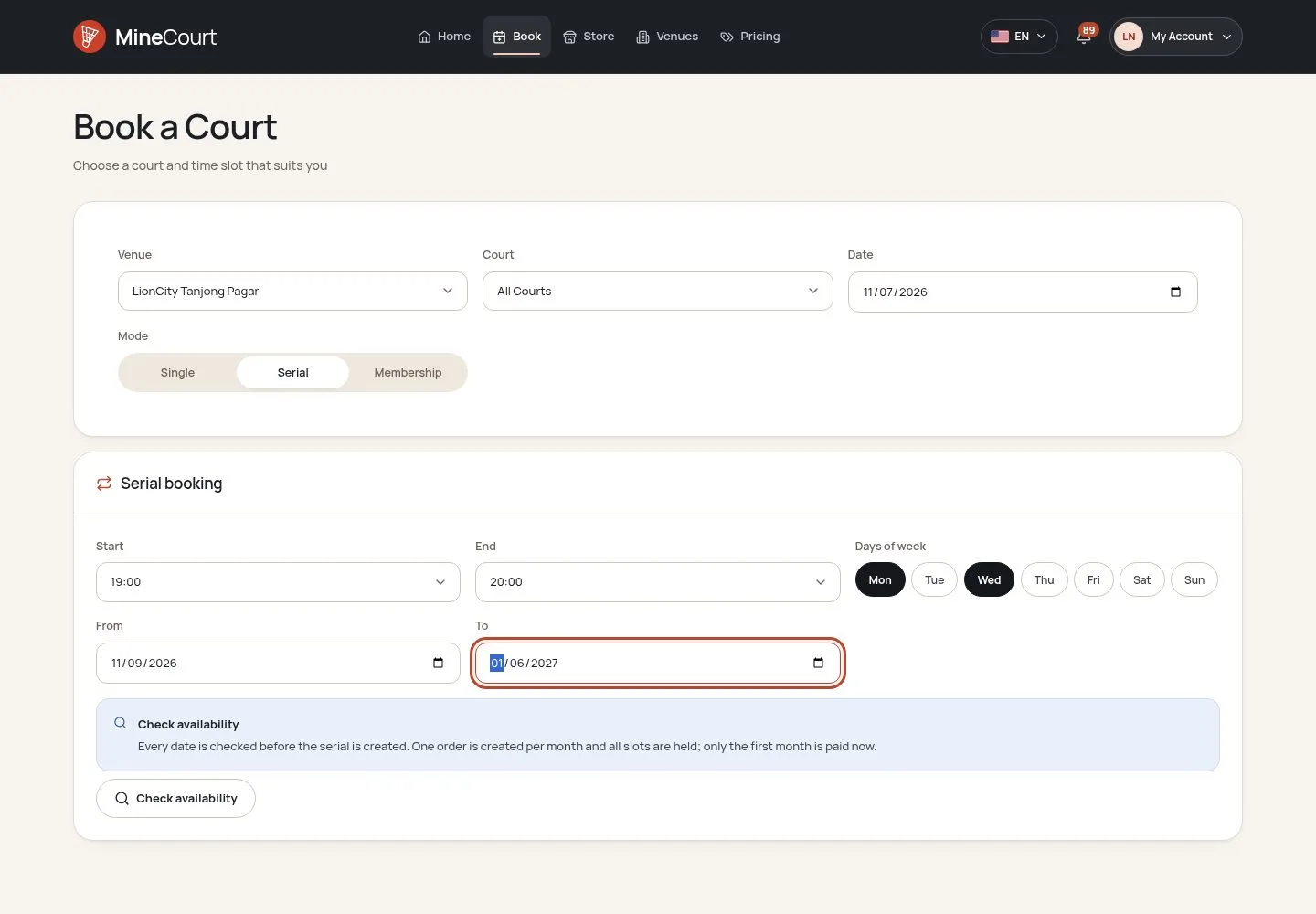
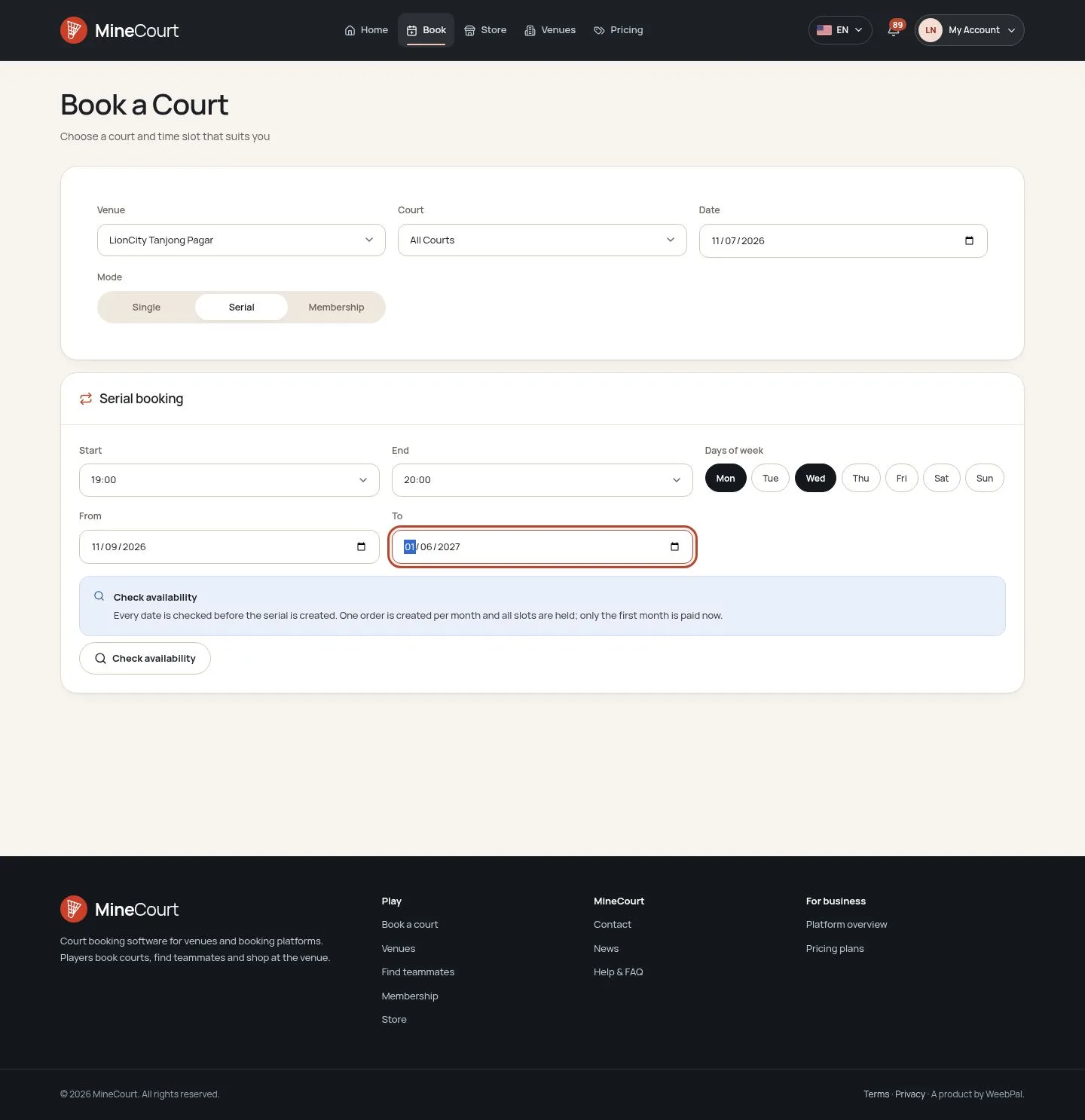
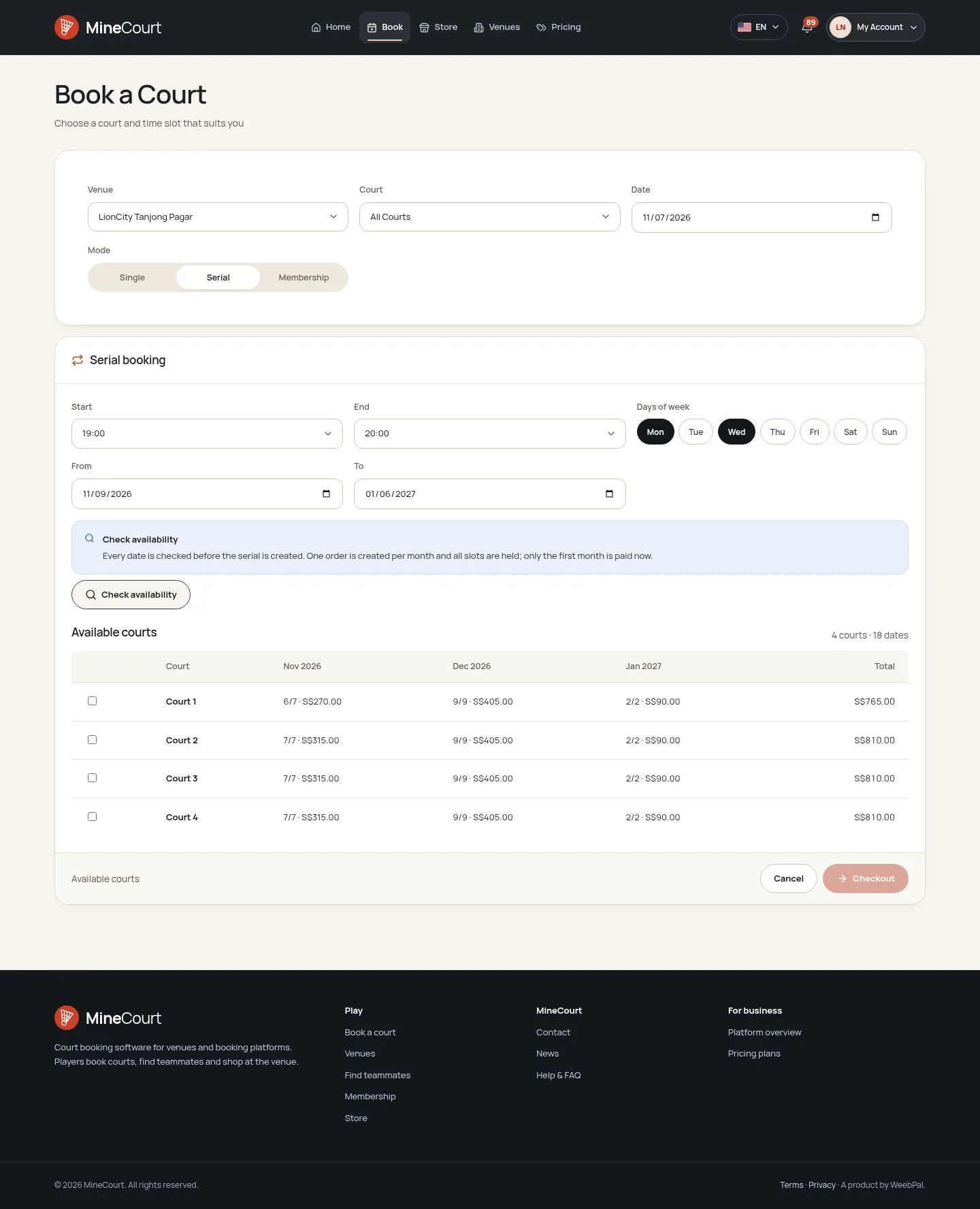
  1. On Book a Court, choose the Venue and set Mode to Serial.
  2. Set Start and End, tick the Days of week, then choose From and To.

Enlarge, then scroll

Open the function ↗Full image ↗

Player · Serial booking01

Checked date by date

Player

Checked date by date

2Step 2 of 11

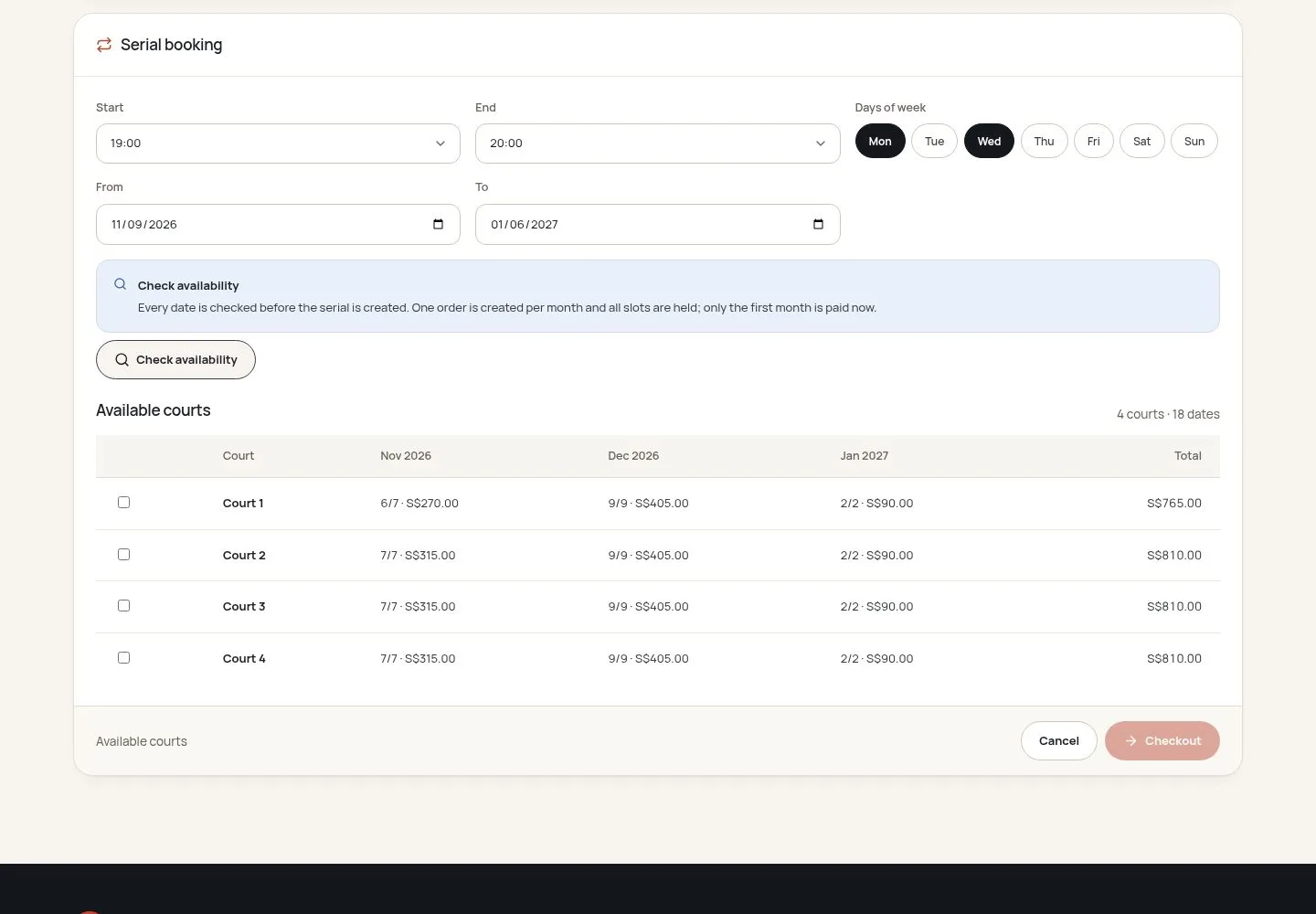
  1. Check availability turns the pattern into dates and checks every date on every court.
  2. Available courts shows, for each court and month, the free dates out of all of them (6/7) with their price, then the total; tick a court.

Enlarge, then scroll

Open the function ↗Full image ↗

Player · Serial booking02

Dates not available

Player

Dates not available

3Step 3 of 11

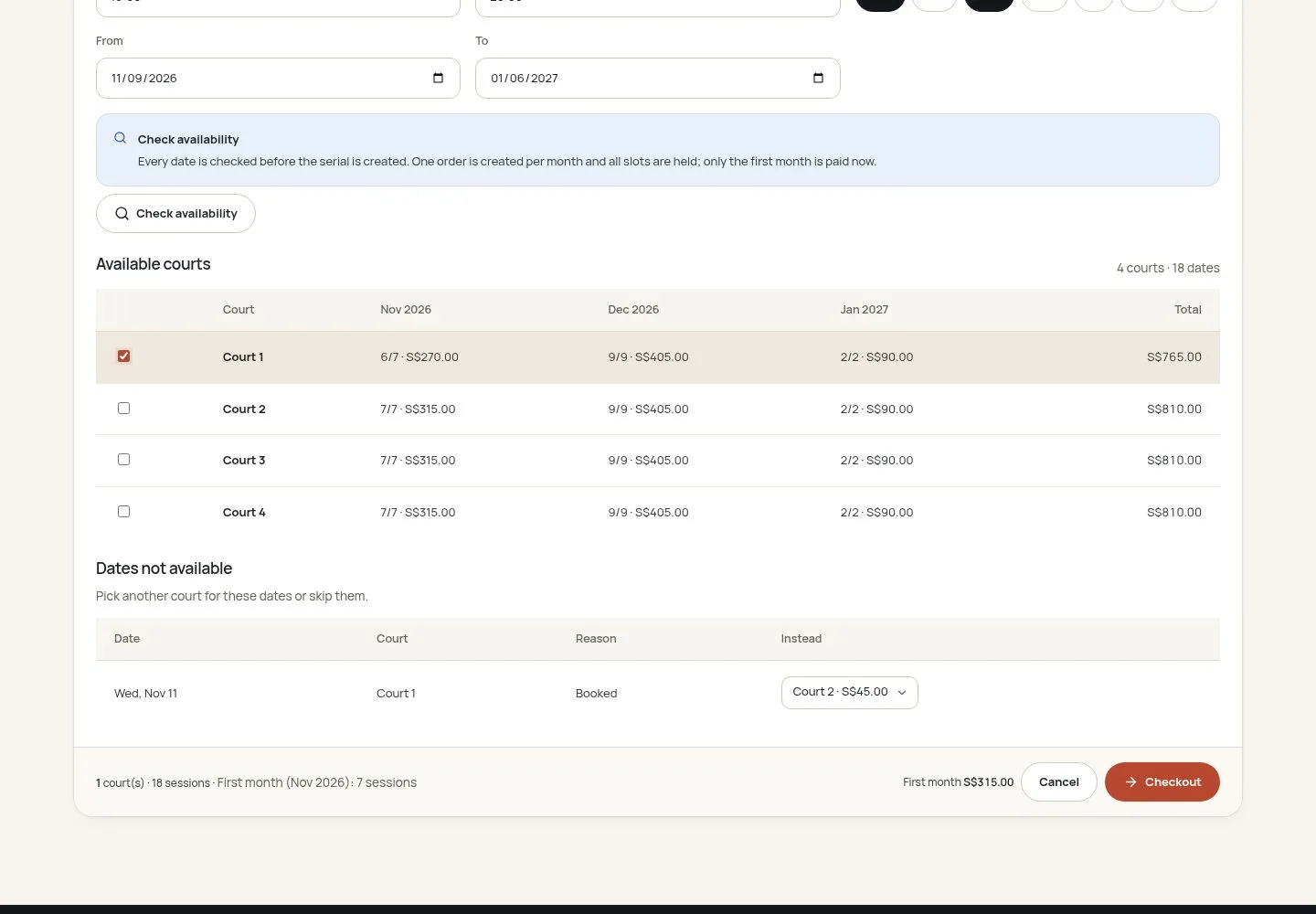
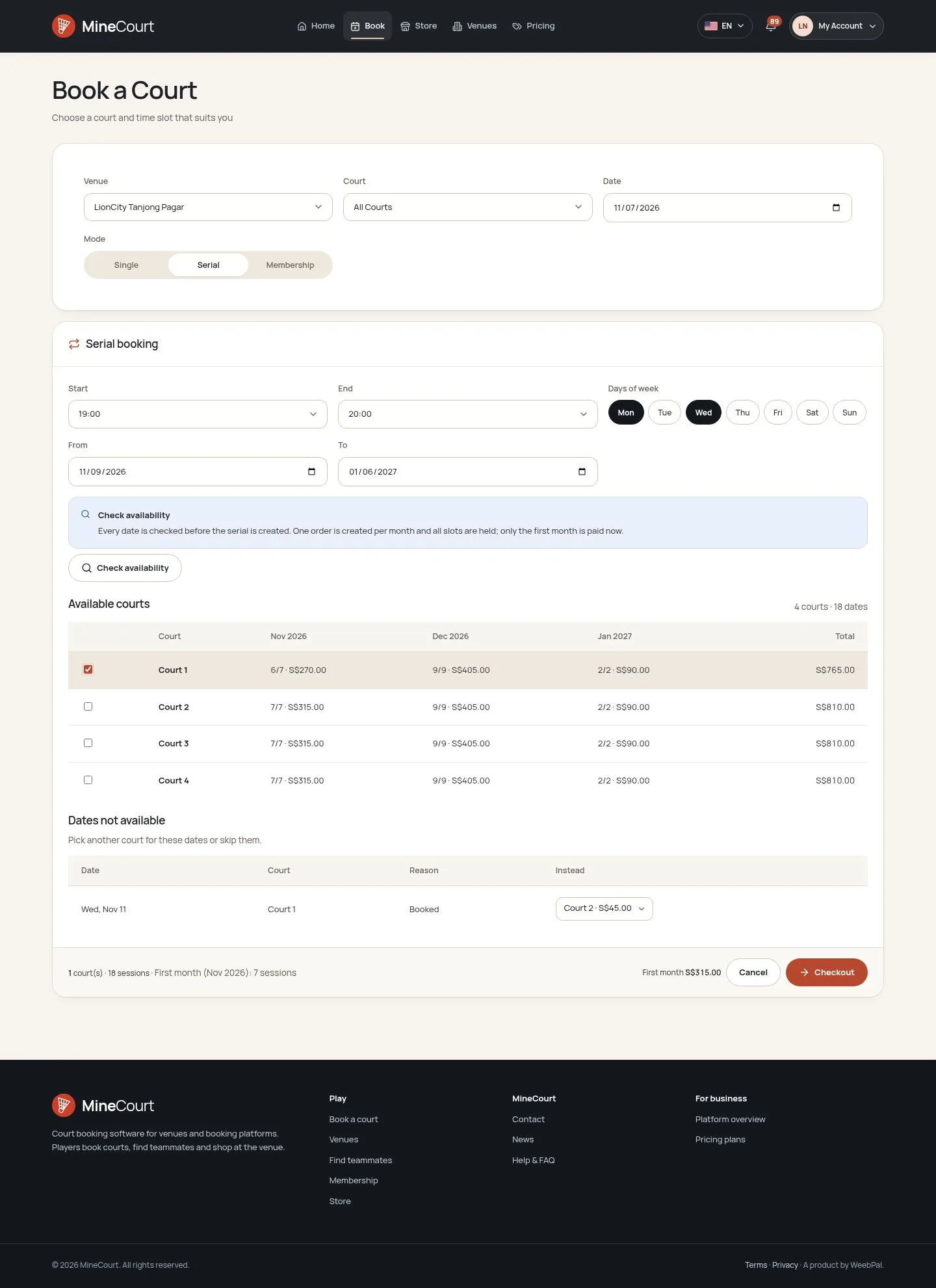
  1. Dates not available lists each date the chosen court cannot take, with its reason: Booked, Court closed (a day off, outside opening hours or blocked), Past or Not open for booking yet.
  2. Instead picks another court free on that date, or Skip this date.
  3. The bar at the bottom shows the sessions and the price of the first month; Checkout goes on.

Enlarge, then scroll

Open the function ↗Full image ↗

Player · Serial booking03

One order a month

Player

One order a month

4Step 4 of 11

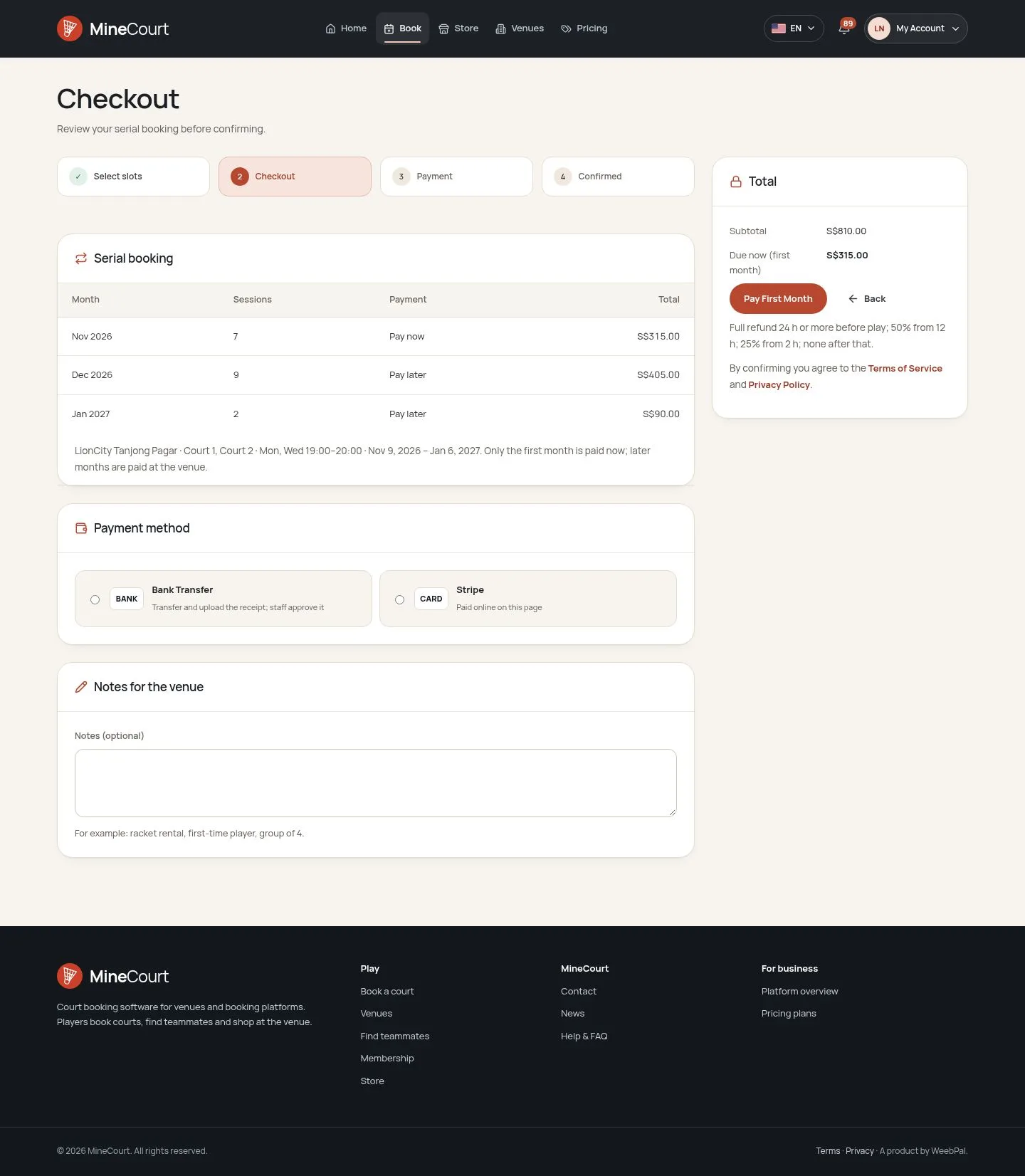
  1. Checkout lists one order a month: the first is Pay now, the later ones Pay later, paid at the venue.
  2. Choose card or bank transfer, then Pay First Month.
  3. Prices are the slot prices at the time of booking.

Membership hours and the booking policy do not apply to serial bookings.

Enlarge, then scroll
Open the function ↗Full image ↗

Player · Serial booking04

First month paid

Player

First month paid

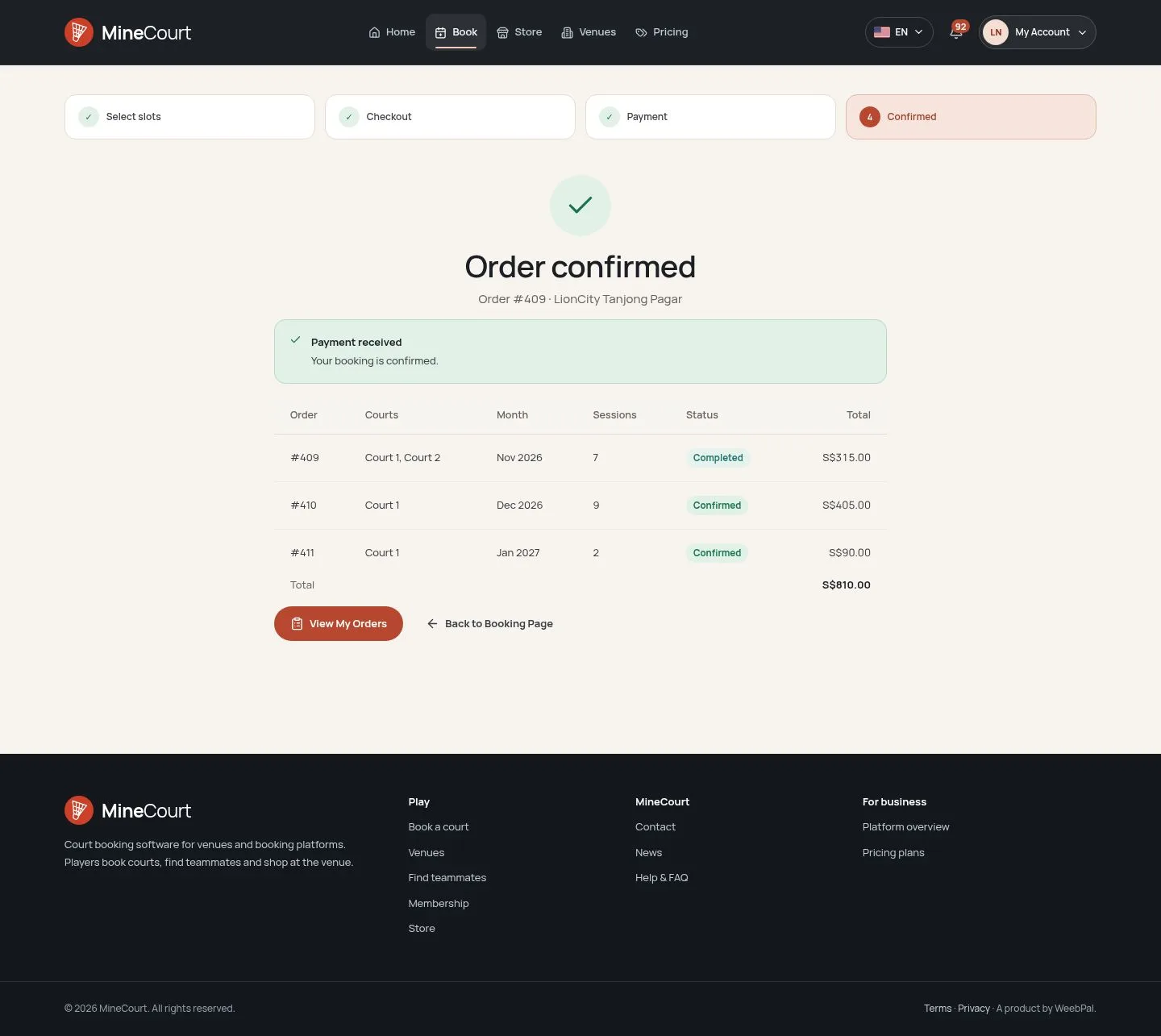
5Step 5 of 11

  1. Order confirmed lists the order of each month: the first Completed, the later ones Confirmed.
  2. The slots of every month stay held for the player.

Enlarge, then scroll

Open the function ↗Full image ↗

Player · Serial booking05

First month not paid

Venue Manager

First month not paid

6Step 6 of 11

  1. If the first month is not paid before the hold ends, its order expires.
  2. The later months and the serial are then cancelled, and every slot opens again.

Open the function ↗Full image ↗

Player · Serial booking06

My serial bookings

Player

My serial bookings

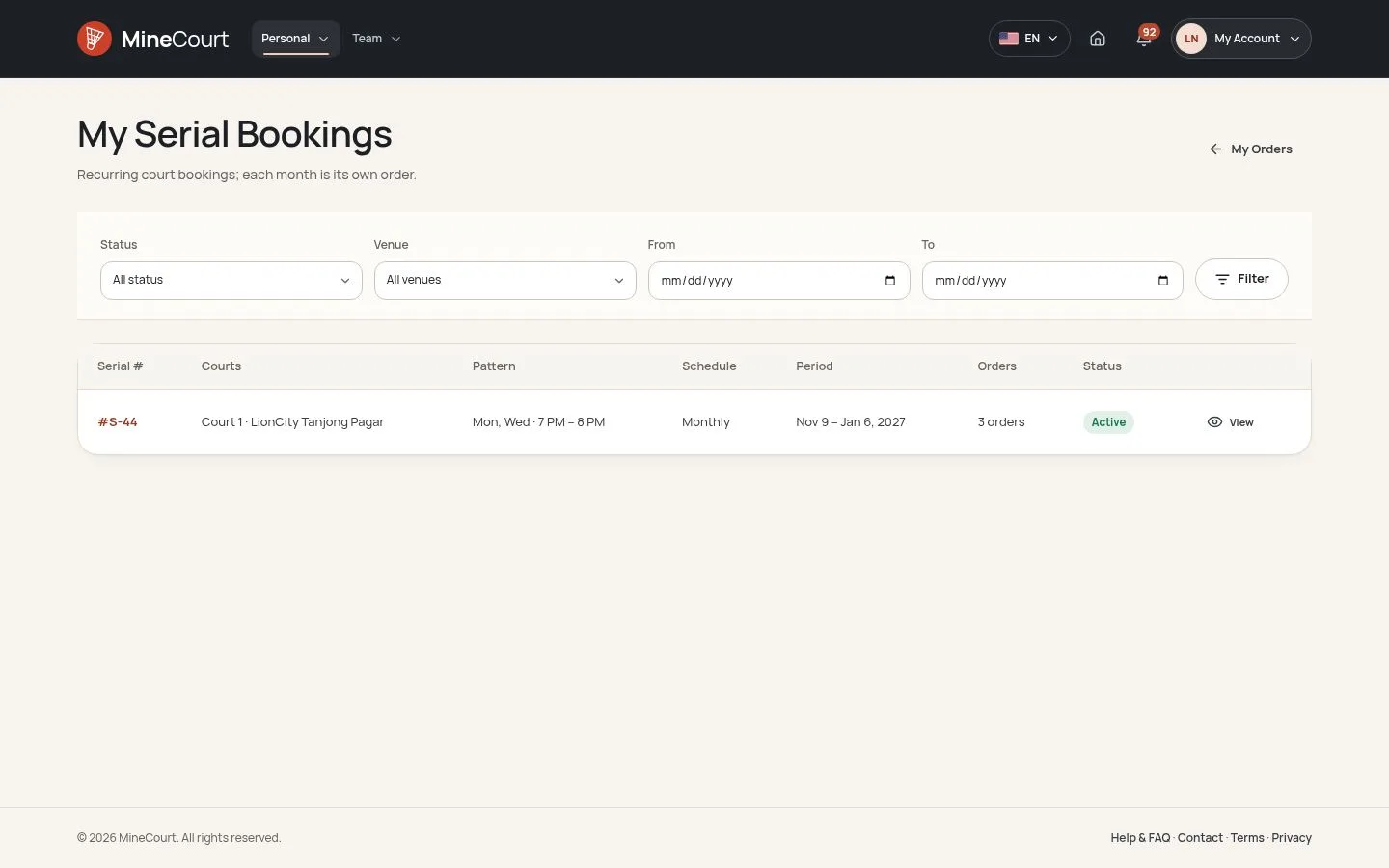
7Step 7 of 11

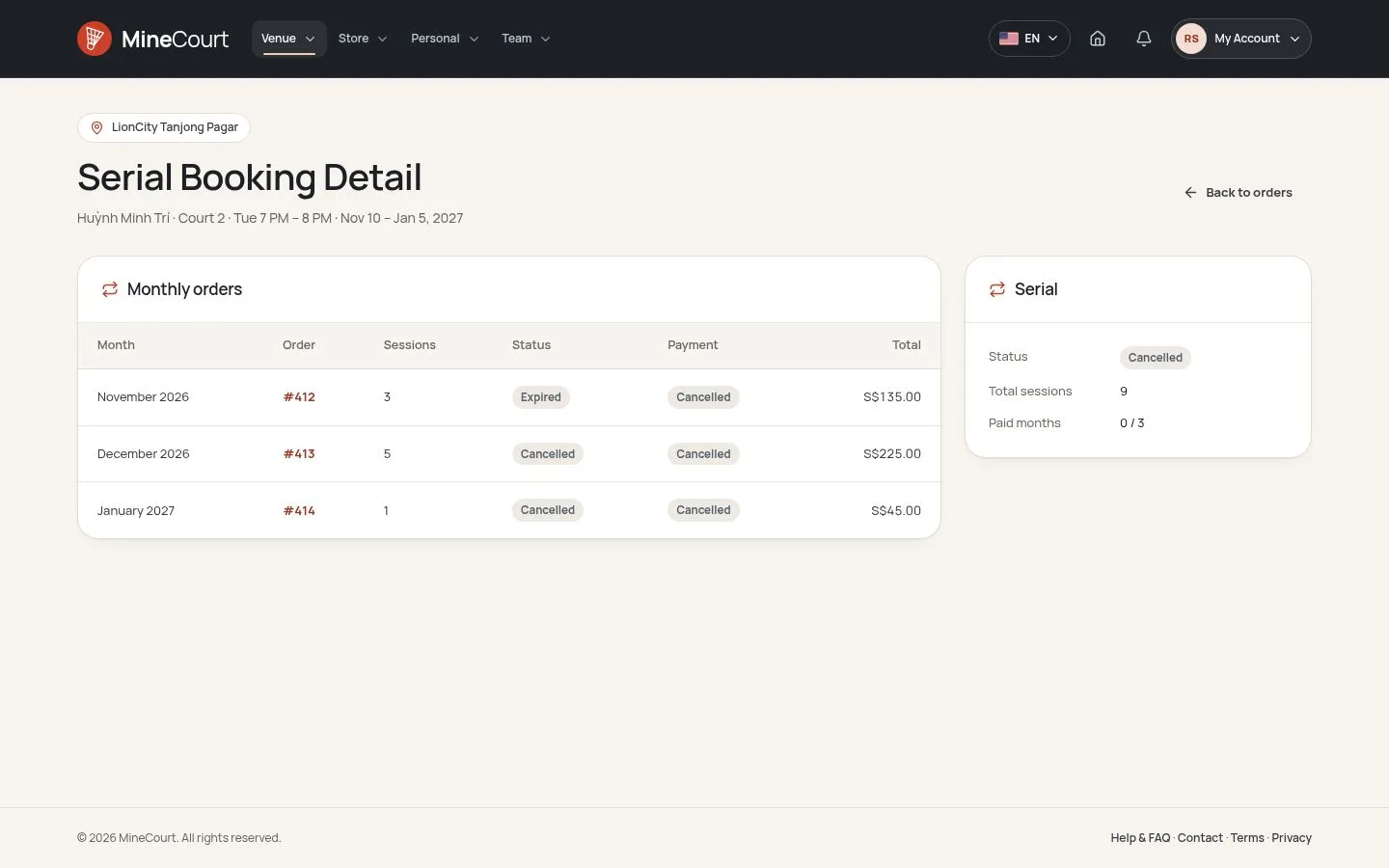
  1. My Orders → Serial bookings lists each serial with its courts, pattern, period, number of orders and status.
  2. View opens a serial: its months, orders, statuses and payments.

Open the function ↗Full image ↗

Player · Serial booking07

Later months at the venue

Venue Manager

Later months at the venue

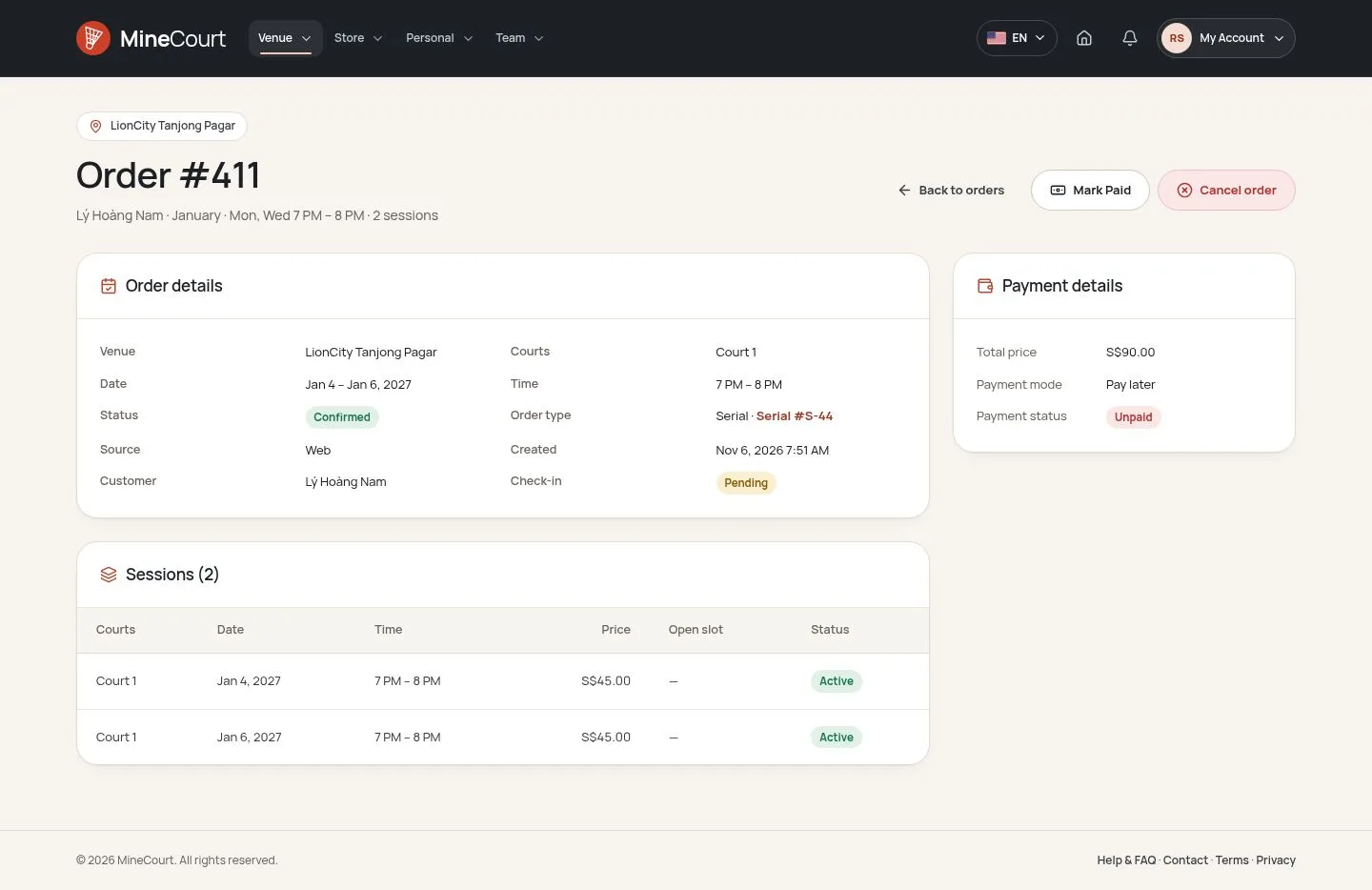
8Step 8 of 11

  1. Each later month is its own order, Confirmed and Unpaid (Pay later).
  2. The player pays at the venue; staff use Mark Paid on that order.

Open the function ↗Full image ↗

Player · Serial booking08

Stop a serial

Venue Manager

Stop a serial

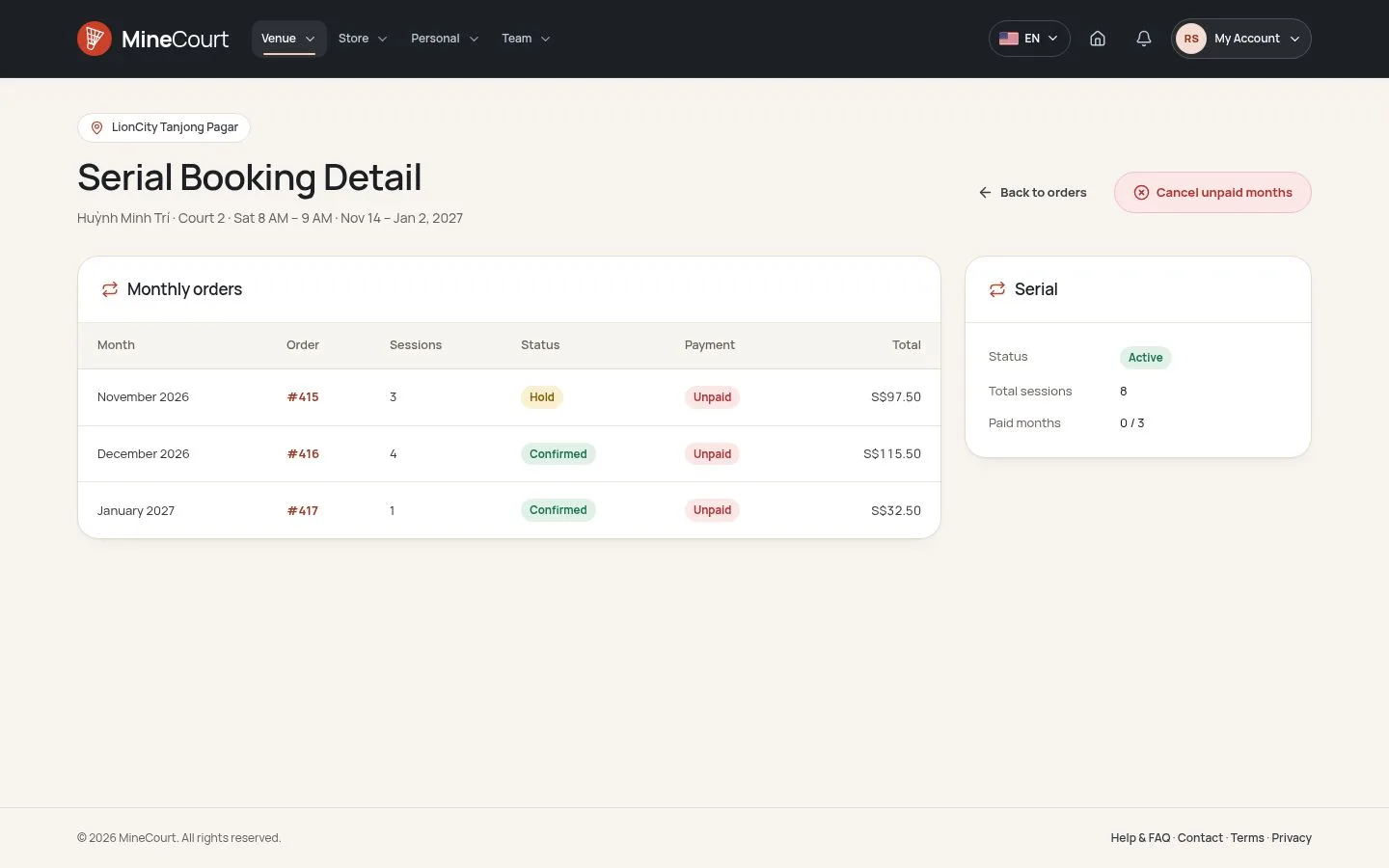
9Step 9 of 11

  1. In Serial Booking Detail, Cancel unpaid months cancels every month neither paid nor started, and opens its slots.
  2. With no month left, the serial is cancelled.
  3. A player cancels one monthly order at a time, in Order Detail.

After the end date, once every order is closed, the serial becomes completed.

Open the function ↗Full image ↗

Player · Serial booking09

At the counter

Venue Staff

At the counter

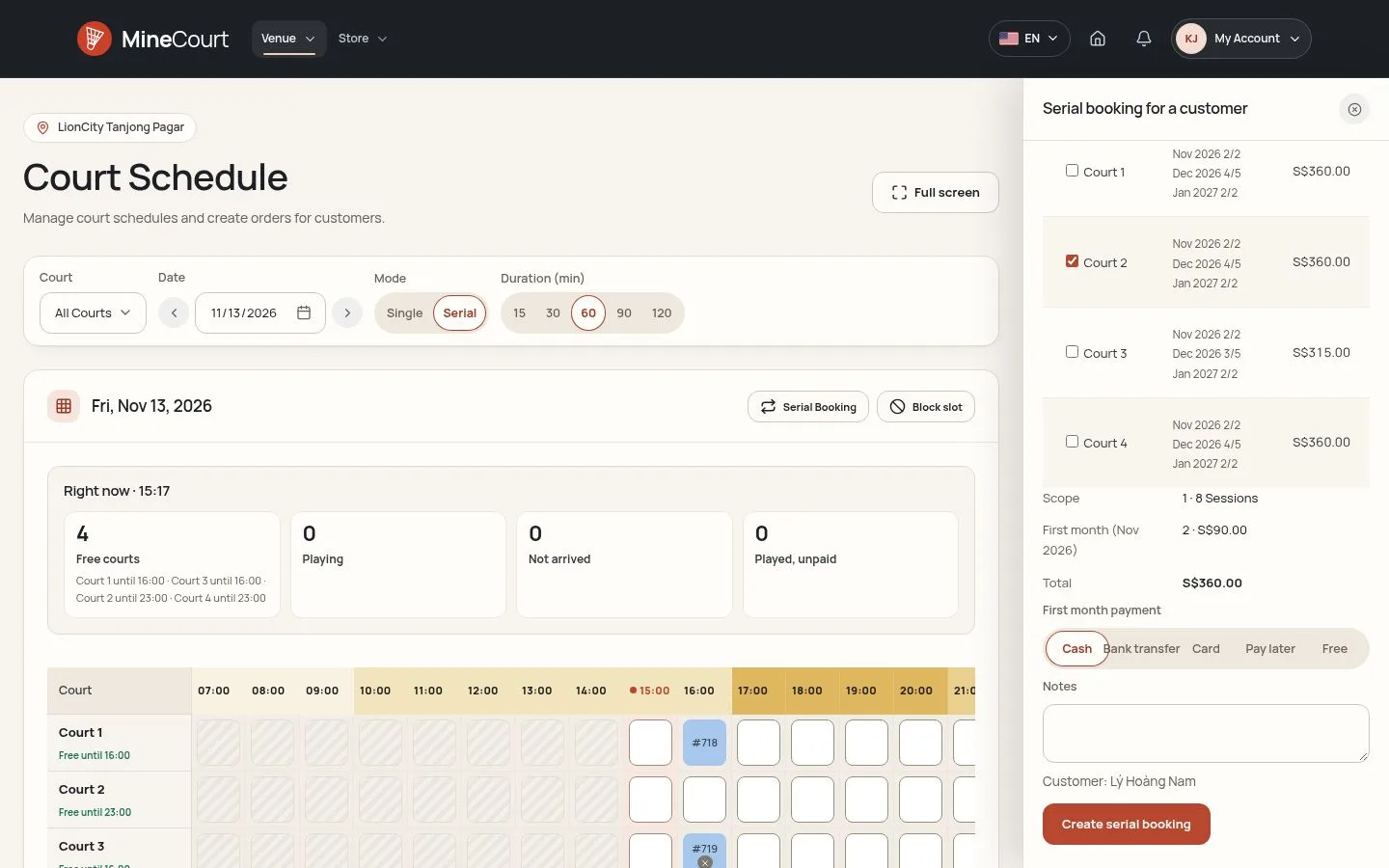
10Step 10 of 11

  1. In Court Schedule, pick the customer as for any counter order, then Serial Booking: the same pattern, Check availability, and tick a court.
  2. The summary gives the Scope (courts and sessions), the First month with its sessions and price, and the Total of every month.
  3. First month payment: Cash, Bank transfer, Card or Pay later; then Create serial booking.

Open the function ↗Full image ↗

Player · Serial booking10

Serial created

Venue Staff

Serial created

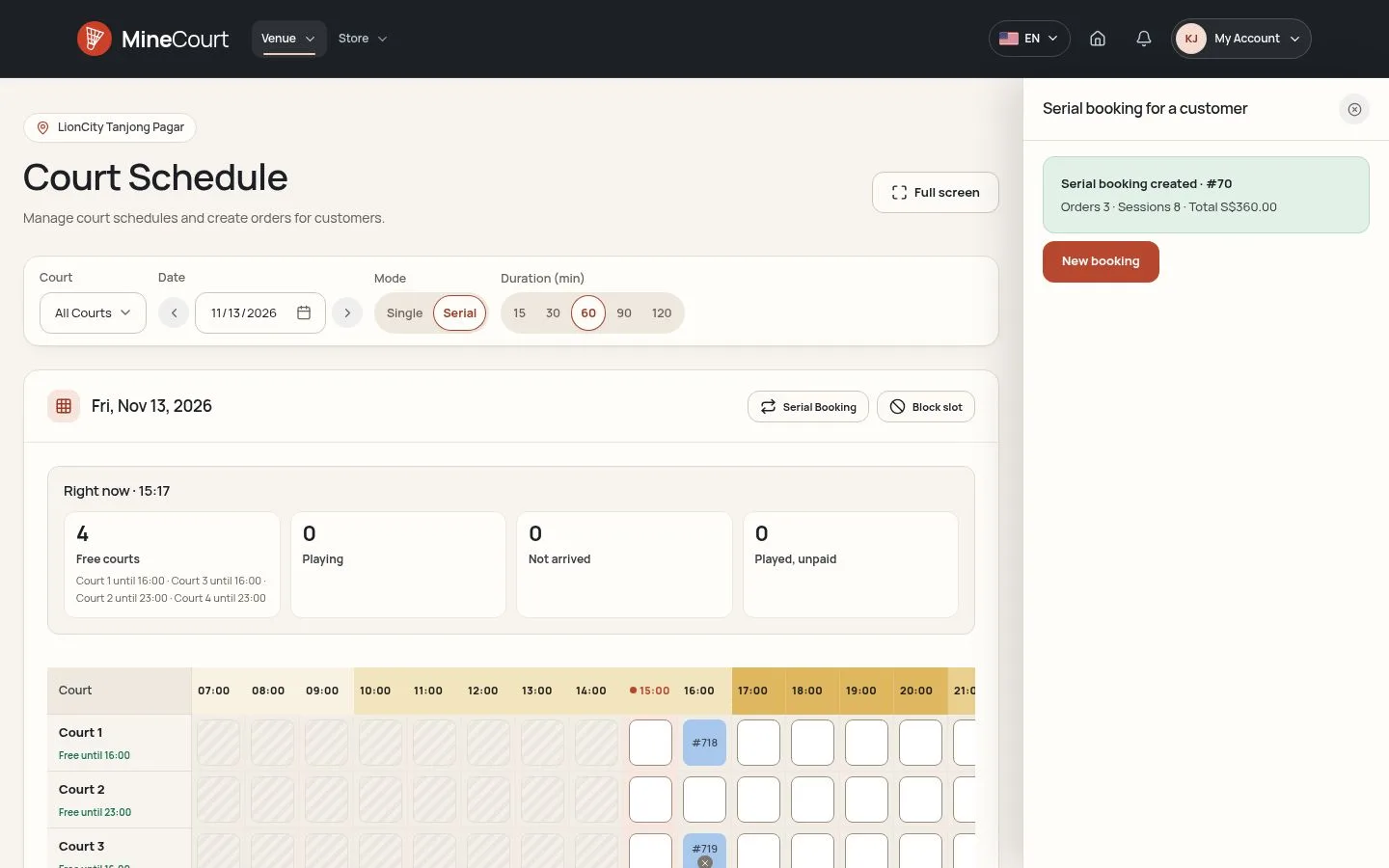
11Step 11 of 11

  1. Serial booking created gives the number of orders and sessions and the total: one confirmed order a month.
  2. Cash, Bank transfer or Card marks only the first month's order paid; each later month is paid on its own order with Mark Paid.
  3. Pay later records nothing: the first month is then paid on its order too.

Open the function ↗Full image ↗

Check

A fixed weekly schedule with every slot held; the first month paid, later months paid at the venue

Player · Serial booking11
1 / 12
Privacy Terms