









Reports & finance
Revenue, court use, unpaid orders, shift totals, audit log
- Venue Manager, Company Manager, Company Owner or Accountant account
Results of a venue
Venue Manager

1Step 1 of 11
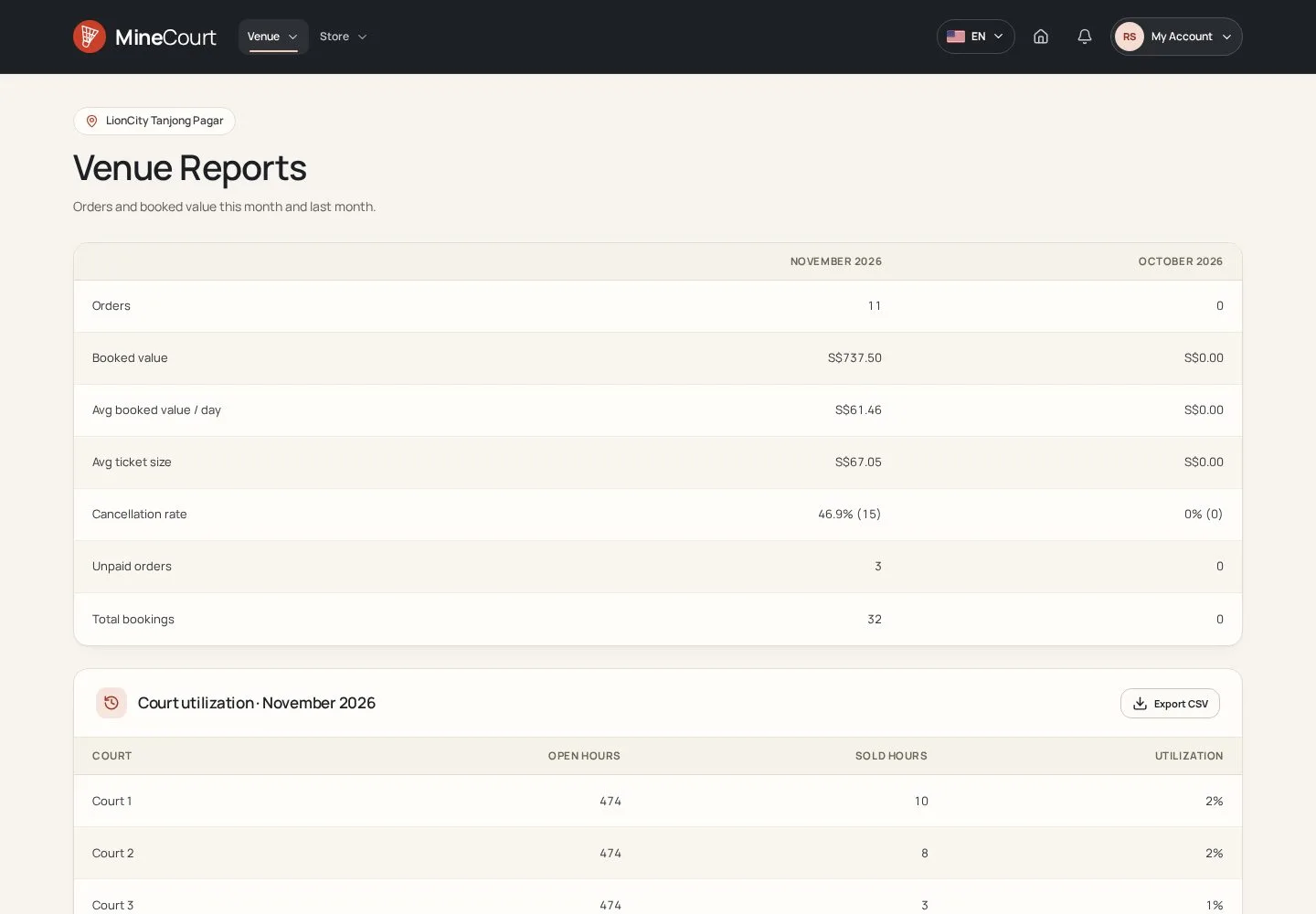
- Venue → Reports compares this month and last month of the venue: Orders, Booked value, Avg booked value / day, Avg ticket size, Cancellation rate, Unpaid orders and Total bookings.
Booked value is the value of confirmed and completed orders played in the month, unpaid ones included, without membership sales.
Enlarge, then scroll
Court use
Venue Manager

2Step 2 of 11
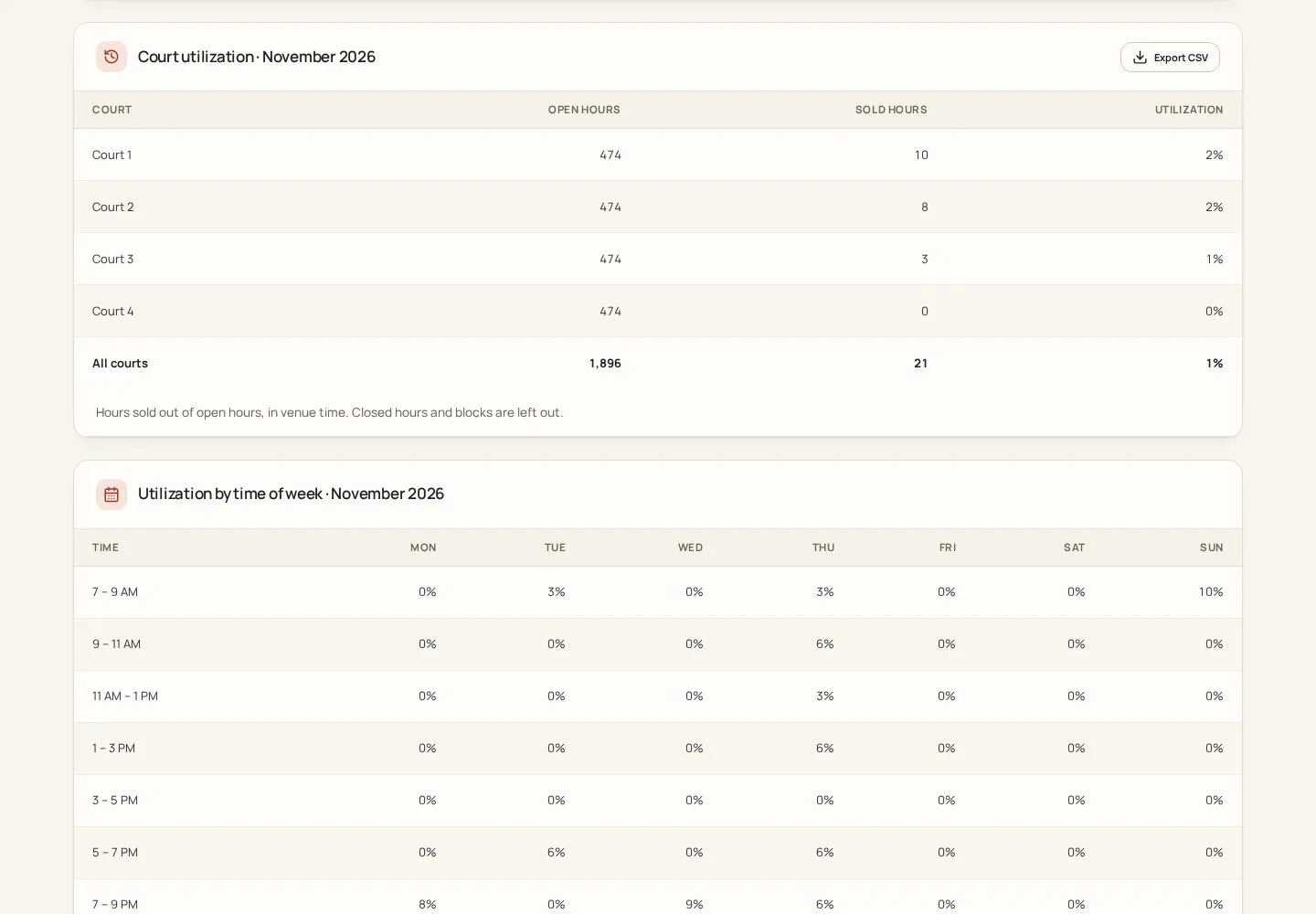
- Court utilization: the open hours, the hours sold and their share for each court this month, in the time of the venue; Export CSV downloads it.
- Utilization by time of week: the share sold in each 2-hour range of each weekday, to find the quiet hours.
Closed hours, days off and blocked slots are left out.
Enlarge, then scroll


Revenue Split
Accountant

8Step 8 of 11
- Finance → Dashboard, Revenue Split: the money received this month, less refunds, from Regular bookings, Membership sales and Store sales.
- Payment Status: the orders played this month, by payment status.
Finance counts money in, less refunds; venue and company reports count orders played. The two figures differ by design.


Audit log
Company Manager

11Step 11 of 11
- Company → Audit Log: who did what and when, with the entity, venue and IP of each action.
- Filter by user, action and date.
Venue and store reports: Venue Manager, Company Owner, Platform Manager. Company reports and audit log: Company Staff, Company Manager, Company Owner. Finance: Company Manager, Accountant, Company Owner. Venue Staff have no reports.
Enlarge, then scroll
Open the function ↗Full image ↗
Revenue, court use, unpaid orders, cash shifts and changes are all traceable