Cancel & refund rules

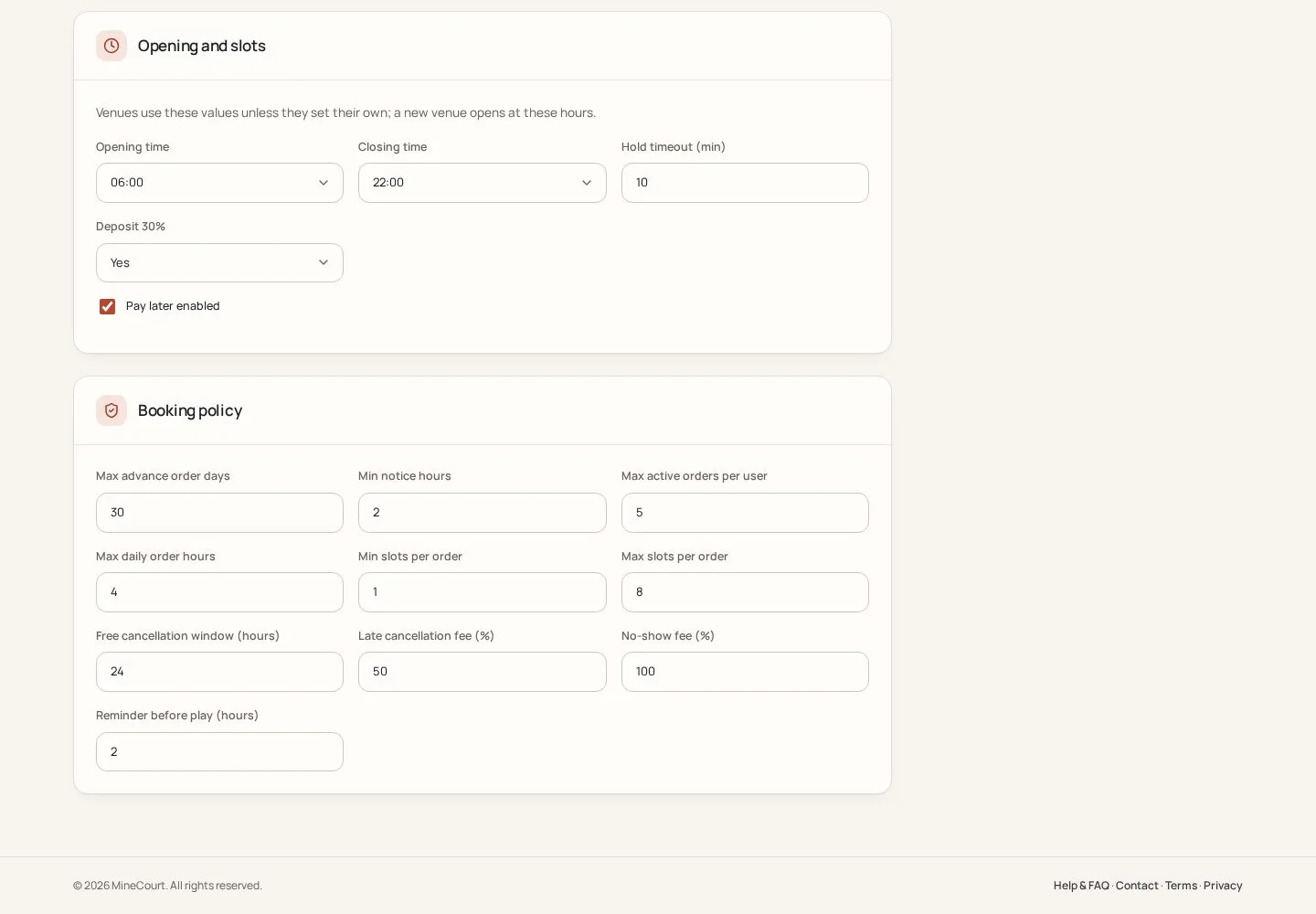
Refund tiers by the notice left, per venue

  • An order that has not started
Player
The rule of the venue

Company Owner
The rule of the venue

1Step 1 of 12

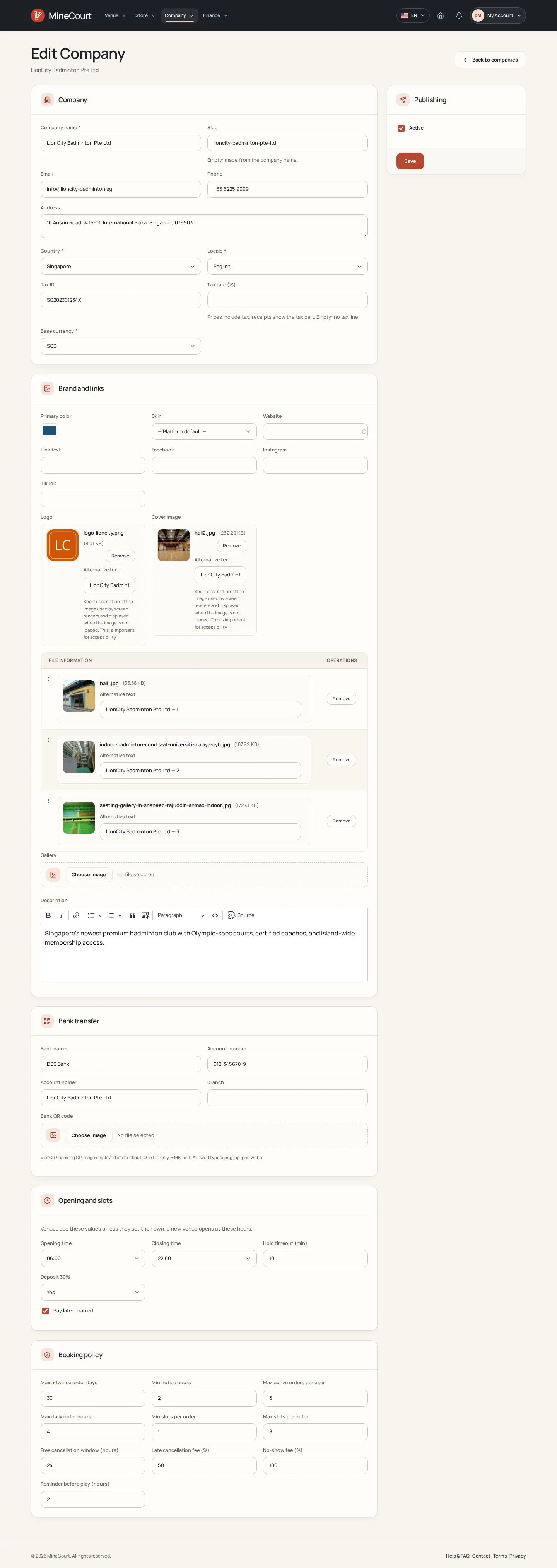
  1. Free cancellation window (hours), 24 by default: cancelled earlier than that, everything comes back.
  2. From half the window, 12 hours by default: everything comes back but the Late cancellation fee (%), 50% by default.
  3. From 2 hours: 25% comes back, or less when the step before refunds less; under 2 hours, nothing.

A venue follows its company unless it sets its own values. Checkout shows the rule under the total; the notice is counted in the time of the venue.

Enlarge, then scroll

Open the function ↗Full image ↗

Player · Cancel & refund rules01

Cancel order

Player

Cancel order

2Step 2 of 12

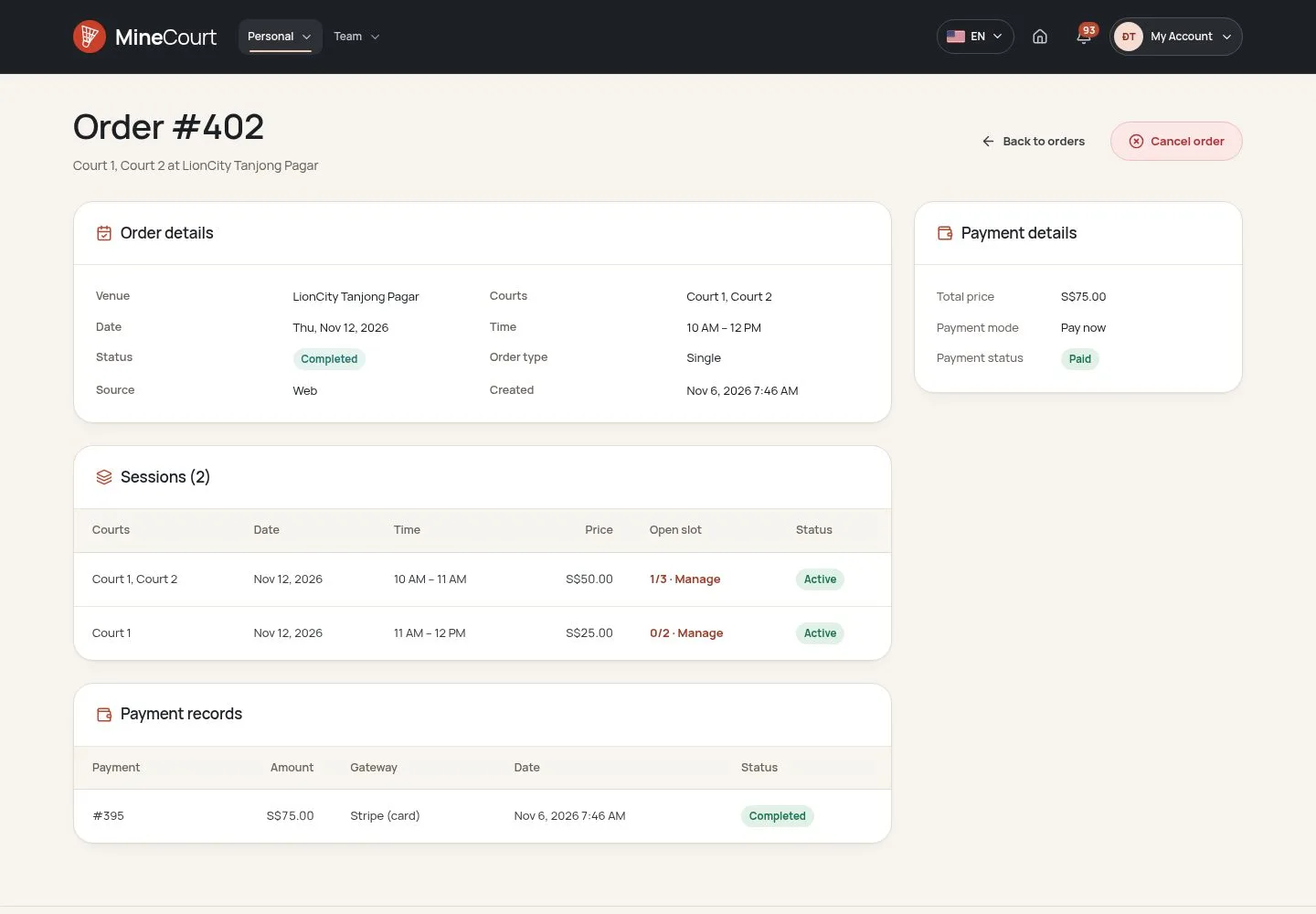
  1. Cancel order sits on the player's order until it starts: on hold, waiting for payment, confirmed, or completed (paid).

A serial is cancelled one monthly order at a time.

Enlarge, then scroll

Open the function ↗Full image ↗

Player · Cancel & refund rules02

24 hours or more

Player

24 hours or more

3Step 3 of 12

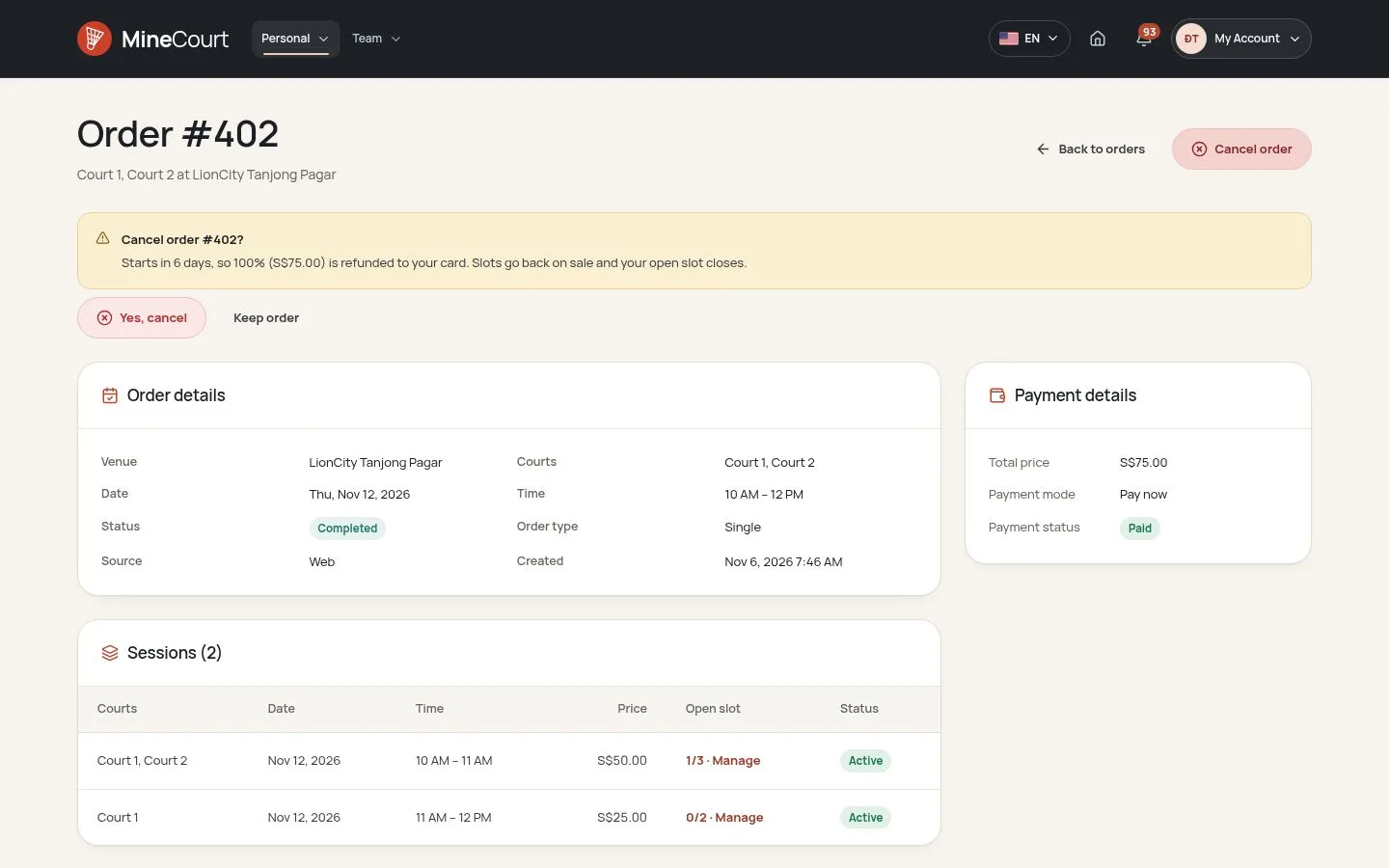
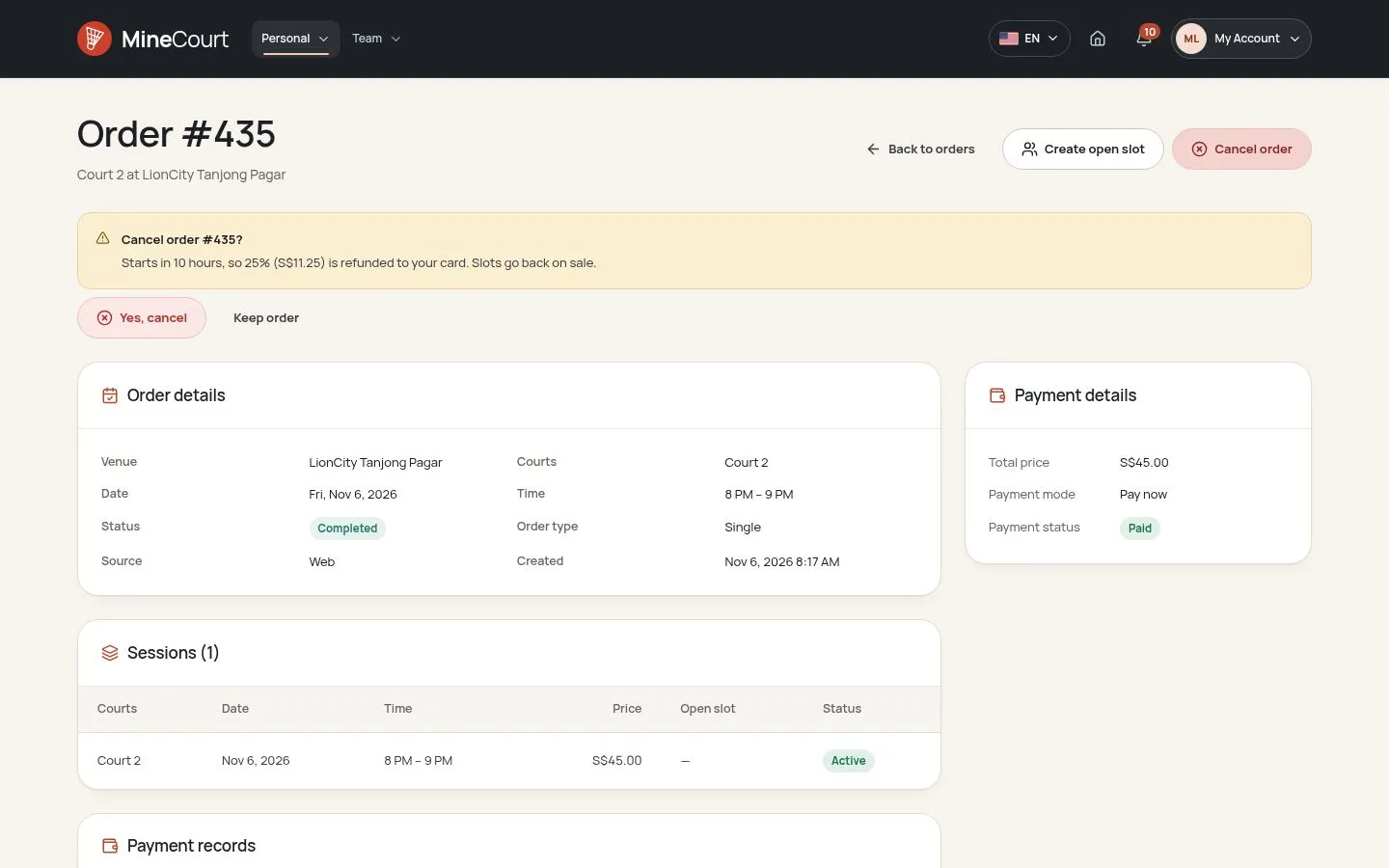
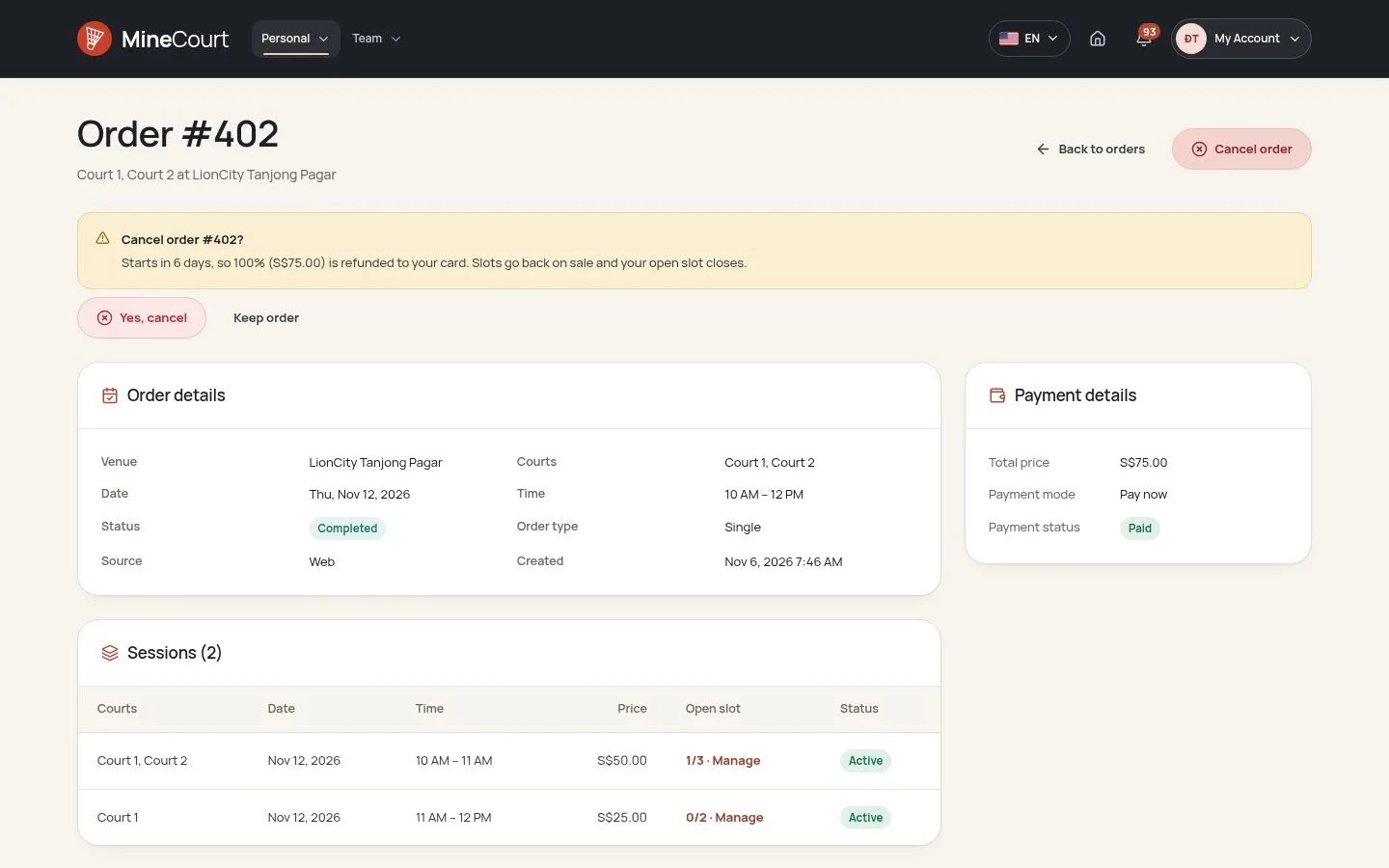
  1. Cancel order asks first: it states the notice left, the refund and where it goes; Yes, cancel confirms, Keep order backs out.
  2. With 24 hours or more left, 100% comes back.
  3. The slots go back on sale, and an open slot of the order closes.

Open the function ↗Full image ↗

Player · Cancel & refund rules03

From 12 hours

Player

From 12 hours

4Step 4 of 12

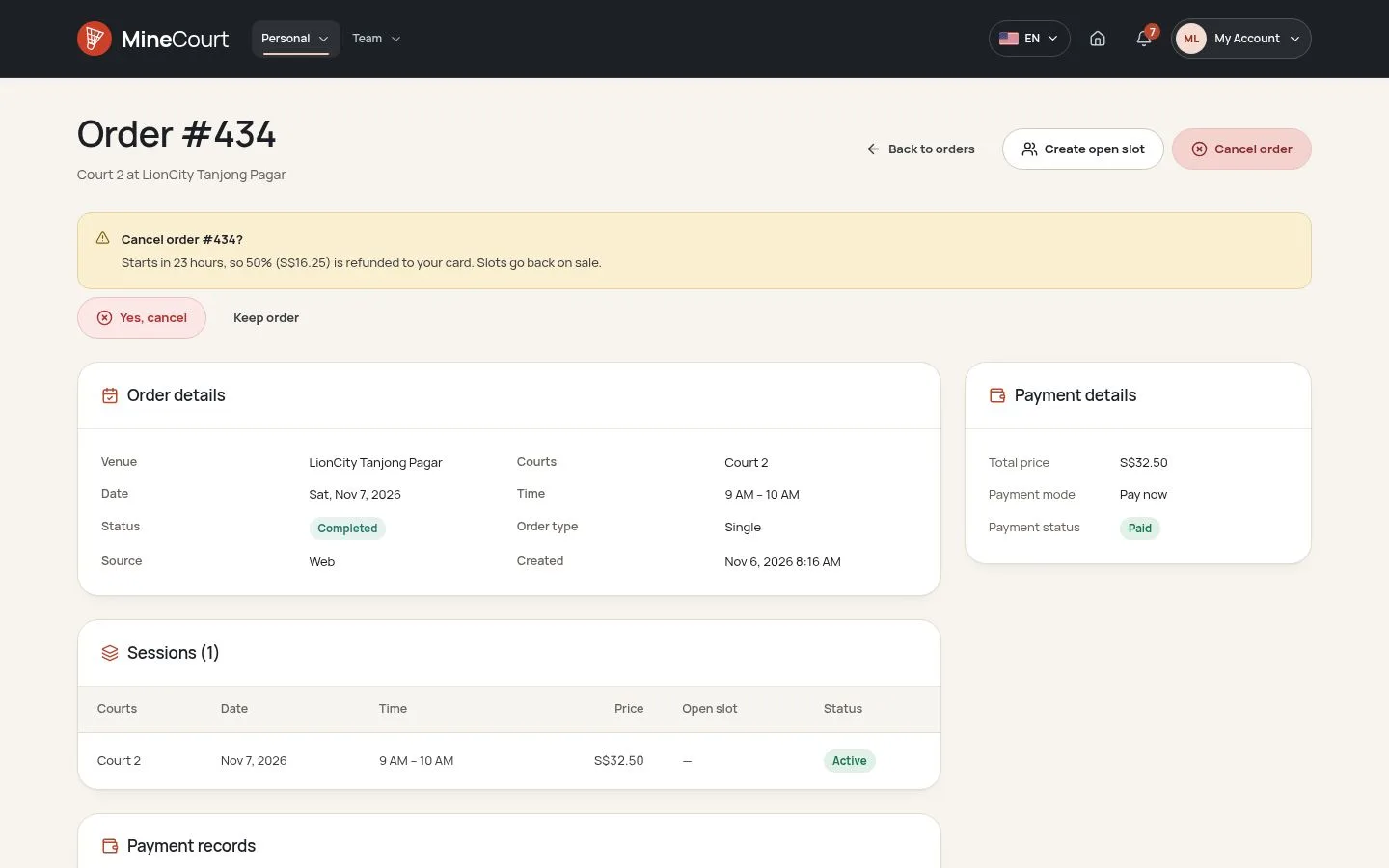
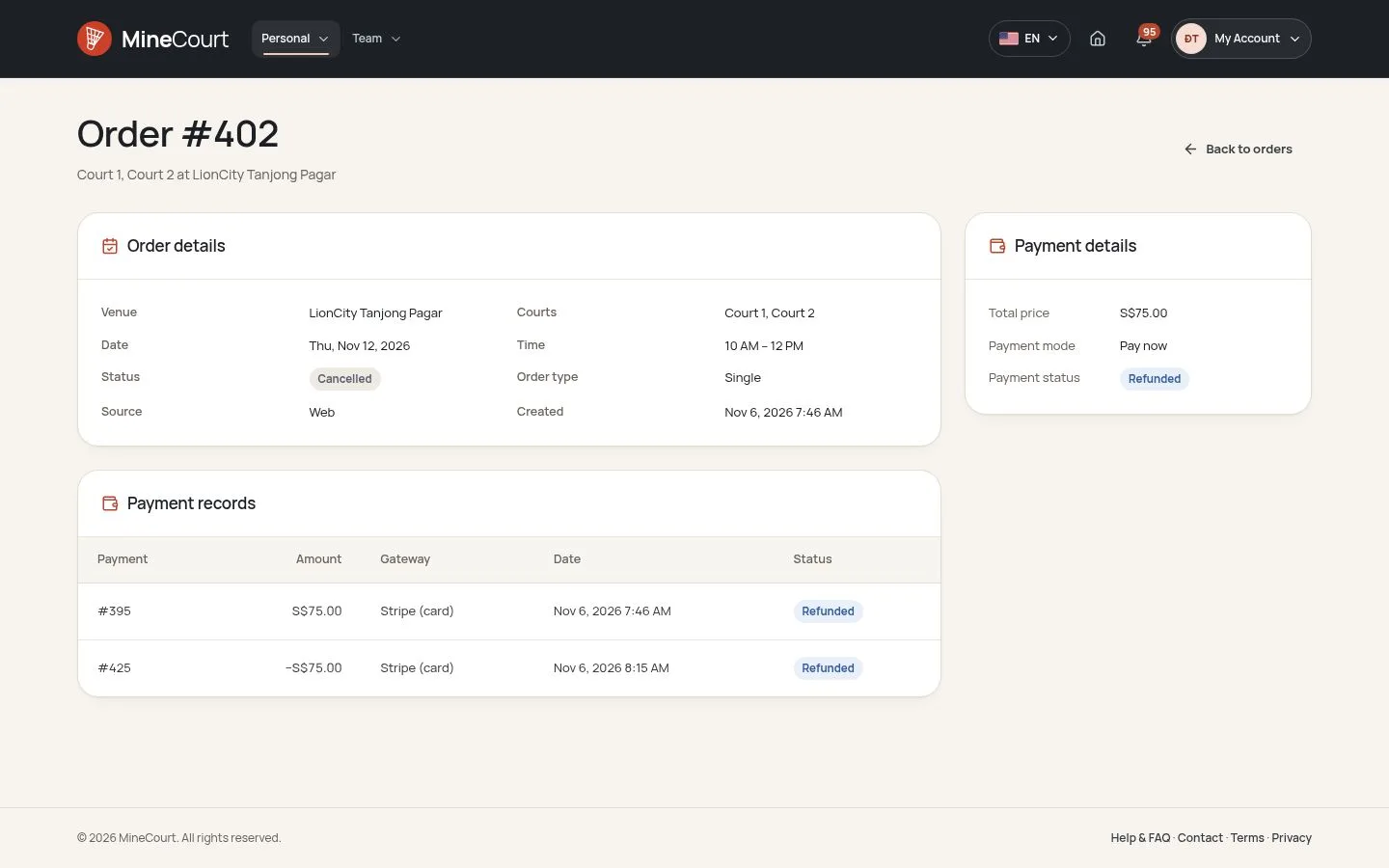
  1. With 12 to 24 hours left, 50% comes back.
  2. The order then shows Refunded, and Payment records holds the amount.

Open the function ↗Full image ↗

Player · Cancel & refund rules04

From 2 hours

Player

From 2 hours

5Step 5 of 12

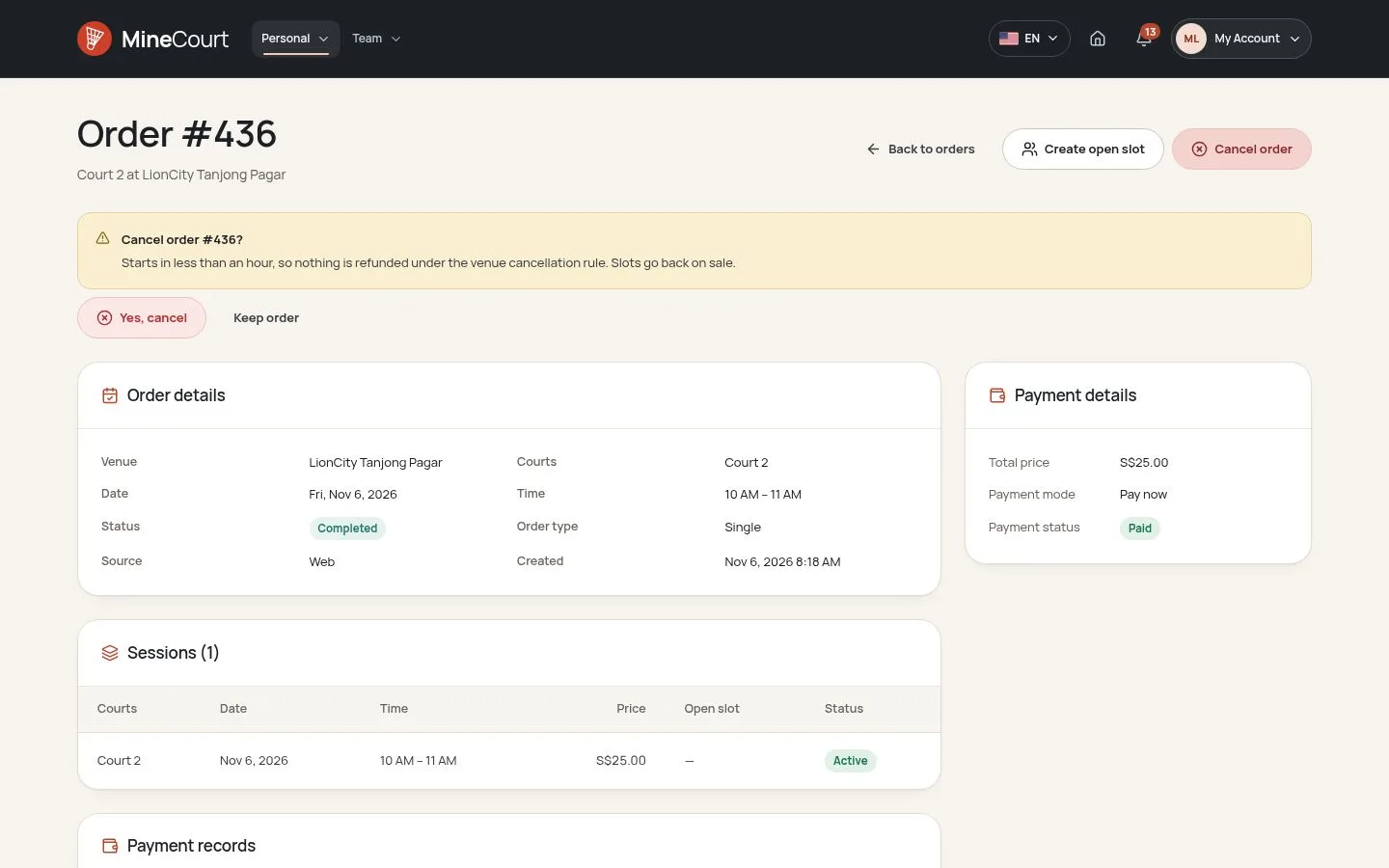
  1. With 2 to 12 hours left, 25% comes back.

Open the function ↗Full image ↗

Player · Cancel & refund rules05

Under 2 hours

Player

Under 2 hours

6Step 6 of 12

  1. With less than 2 hours left, nothing comes back.
  2. The order is cancelled and stays paid; the slots still go back on sale.

Open the function ↗Full image ↗

Player · Cancel & refund rules06

Paid by card

Player

Paid by card

7Step 7 of 12

  1. A card refund goes back through the payment gateway; the money reaches the card within 5–10 business days.
  2. Once the gateway accepts it, Payment records shows a negative line and the player is told the amount.
  3. If the gateway refuses it, no line is added and the player is told the venue will get in touch.

Open the function ↗Full image ↗

Player · Cancel & refund rules07

Paid by cash or transfer

Venue Manager
Paid by cash or transfer

8Step 8 of 12

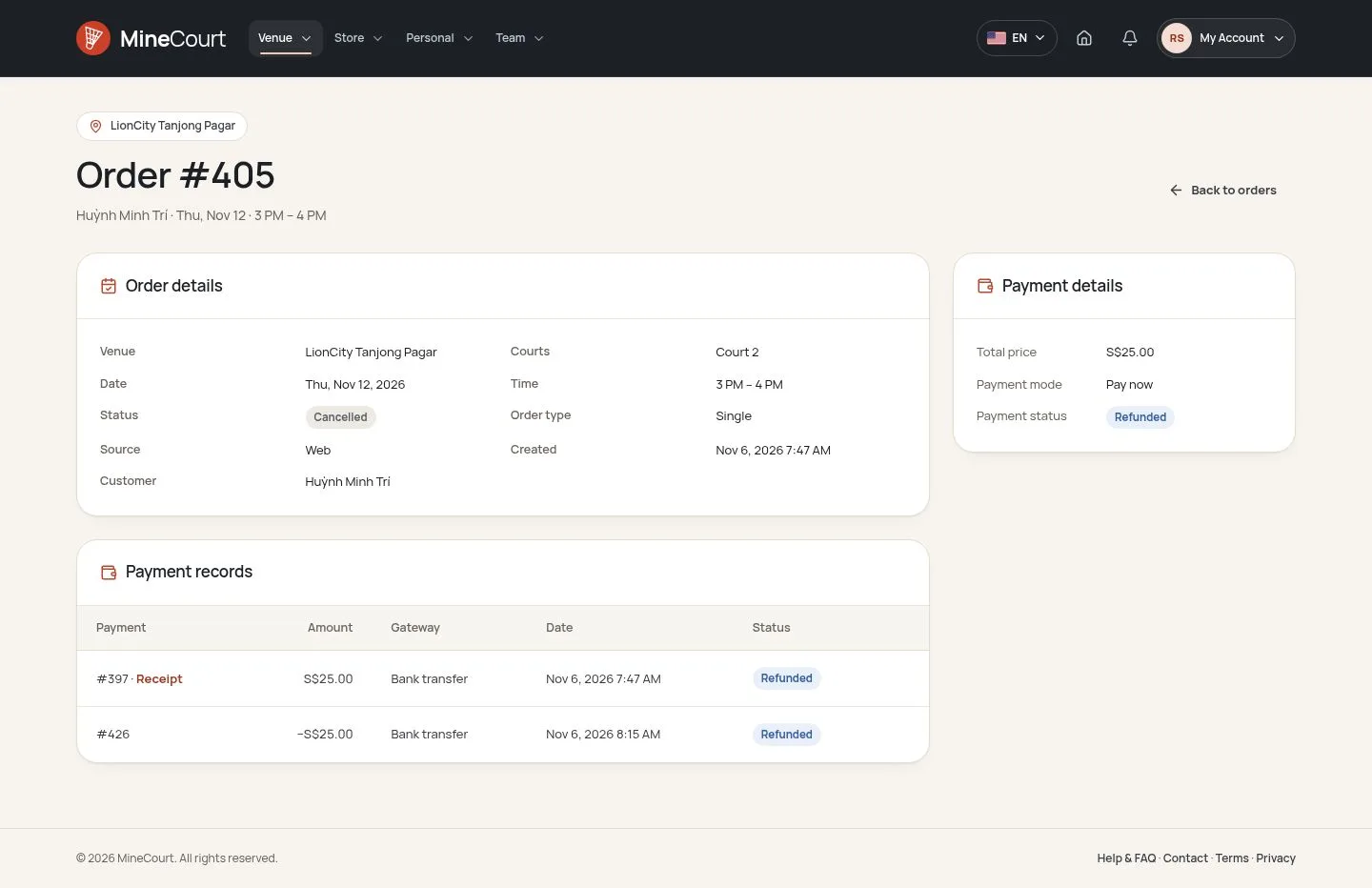
  1. A cash or transfer refund waits on the order as Refund pending.
  2. A Venue Manager or Company Owner hands the money back, then Mark refunded: the order shows Refunded, with a negative line.

Venue Staff see the pending refund but cannot mark it. Cash handed back comes out of the open shift of the person who marks it.
Open the function ↗Full image ↗

Player · Cancel & refund rules08

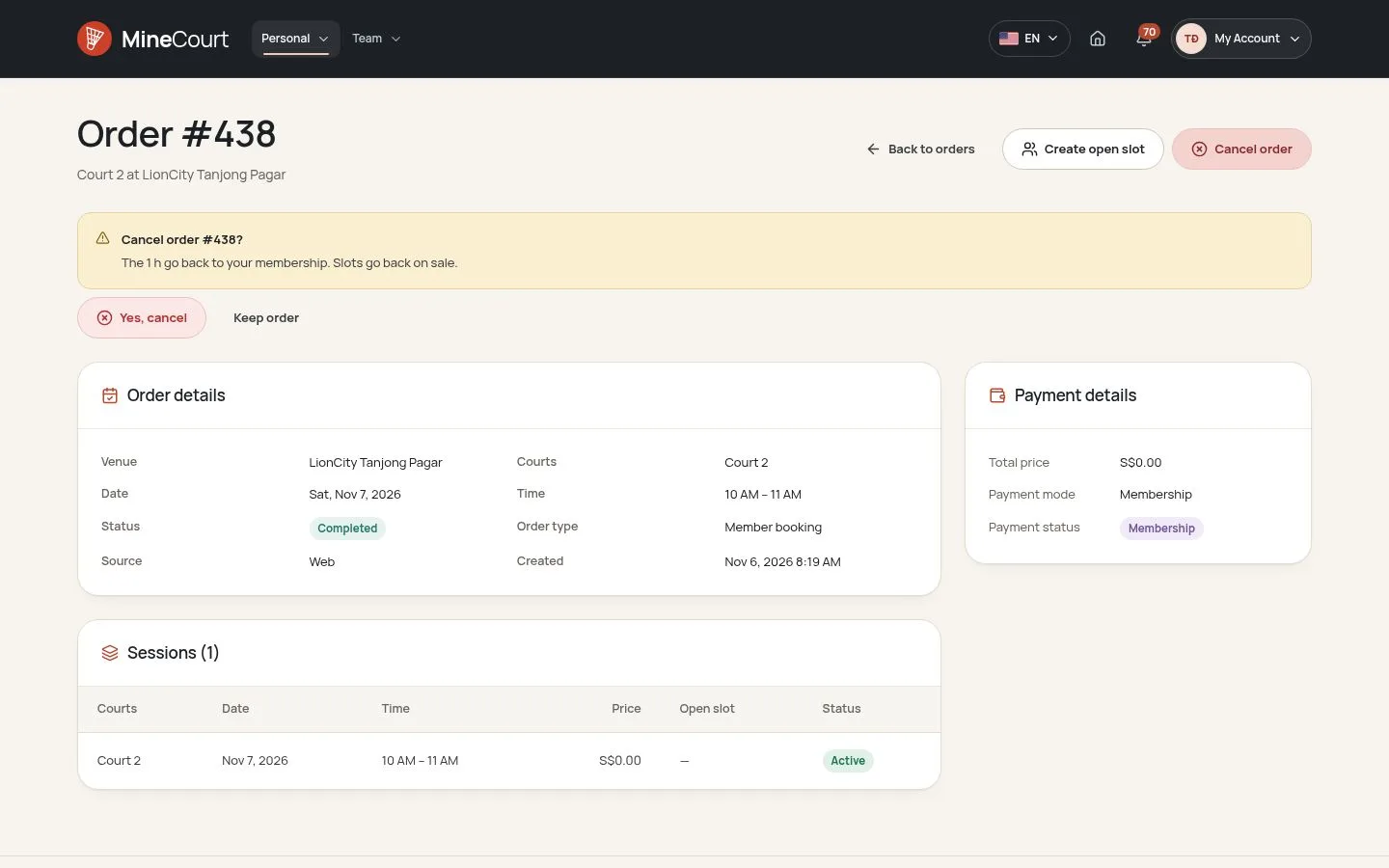
Hours of a member

Player

Hours of a member

9Step 9 of 12

  1. Cancelling a membership reservation gives its hours back to the plan, by the same notice rule; the dialog says how many.

Open the function ↗Full image ↗

Player · Cancel & refund rules09

Cancelled by the venue

Venue Manager

Cancelled by the venue

10Step 10 of 12

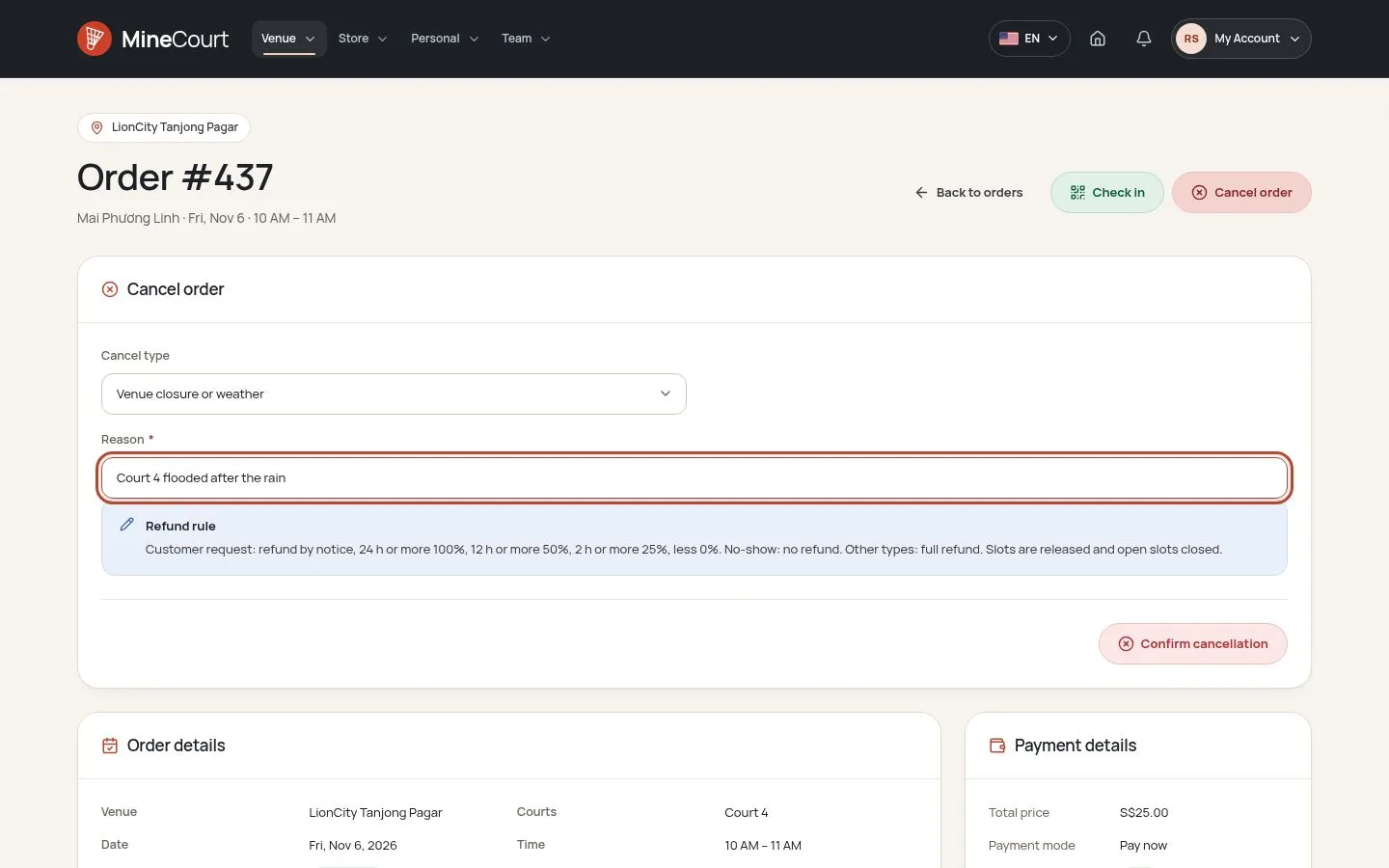
  1. On the order, Cancel order asks for a Cancel type and a Reason; Refund rule, under them, says what comes back.
  2. Customer request follows the notice rule and No-show refunds nothing; Staff decision, Venue closure or weather, Duplicate and Booked by mistake refund everything.
  3. Confirm cancellation cancels the order and puts its slots back on sale.

Open the function ↗Full image ↗

Player · Cancel & refund rules10

No-show fee

Venue Staff

No-show fee

11Step 11 of 12

  1. Once the order has started without check-in, Mark no-show sets it to No-show.
  2. The venue keeps its No-show fee (%) of what was paid and refunds the rest; at 100%, the default, it keeps everything.
  3. The player is told the order was a no-show.

Enlarge, then scroll

Open the function ↗Full image ↗

Player · Cancel & refund rules11

What the player is told

Player

What the player is told

12Step 12 of 12

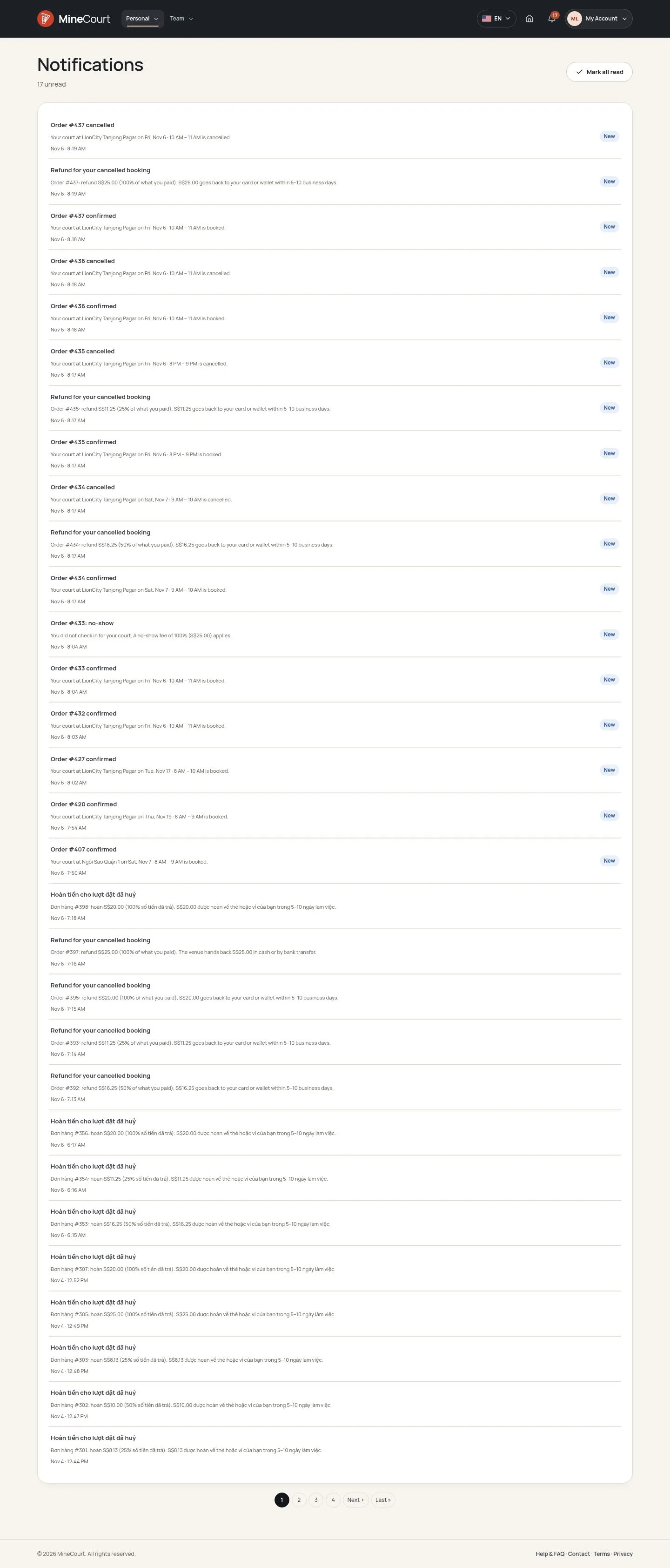
  1. Notifications show Order #… cancelled, then Refund for your cancelled booking with the amount, the share of what was paid and where the money goes.
  2. The same messages arrive by email, in the player's language.

Enlarge, then scroll

Open the function ↗Full image ↗

Check

The order is cancelled, its slots are back on sale and the refund is recorded by the rule

Player · Cancel & refund rules12
1 / 13
Privacy Terms