Many companies & venues

Each company with its own staff and data

  • Platform Manager or Company Owner account
Platform Manager
All companies

Platform Manager

All companies

1Step 1 of 11

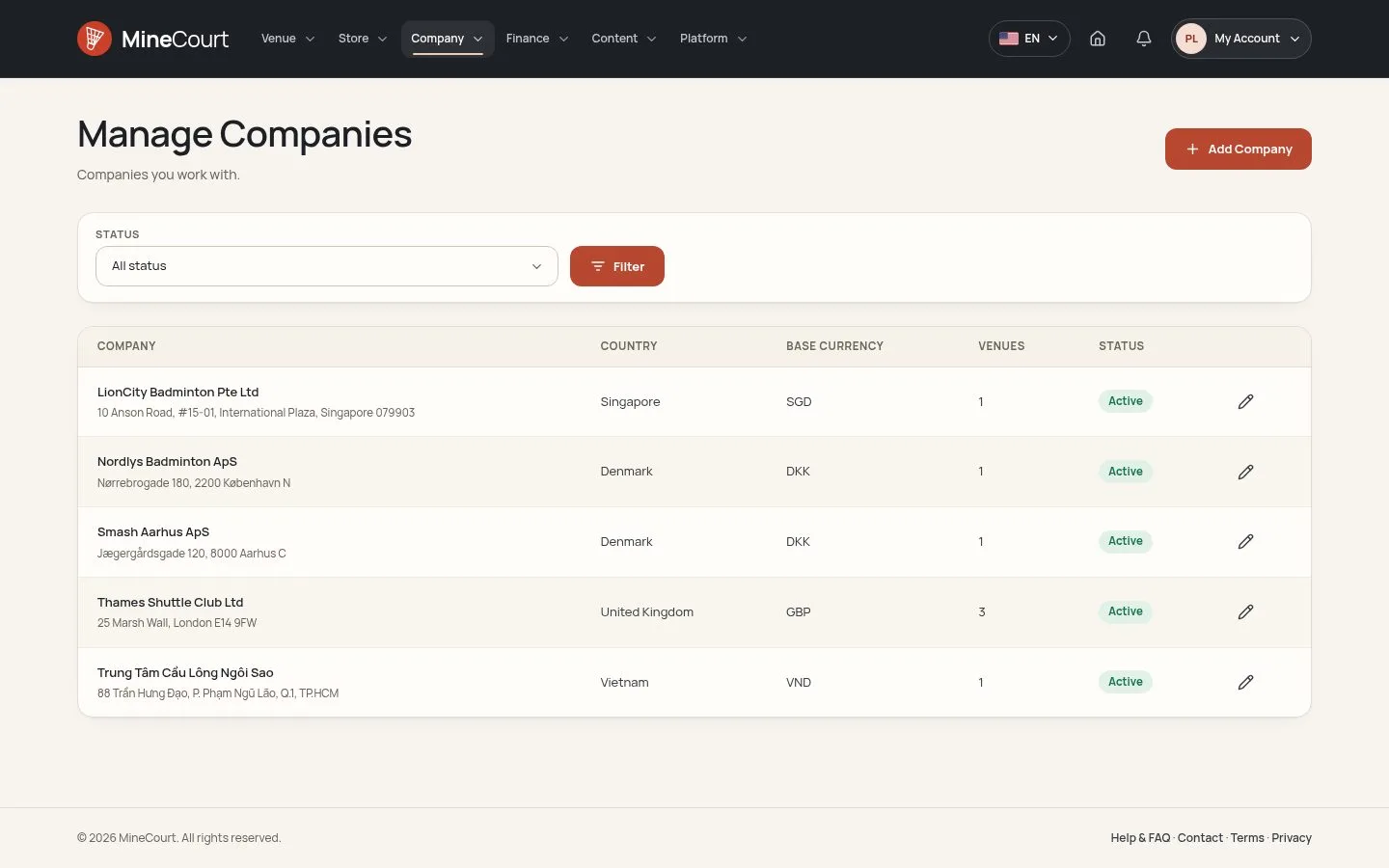
  1. Company → Companies lists every company with its country, base currency, venues and status; the pencil edits one, Add Company adds one.

Open the function ↗Full image ↗

Platform Manager · Many companies & venues01

Add a company

Platform Manager

Add a company

2Step 2 of 11

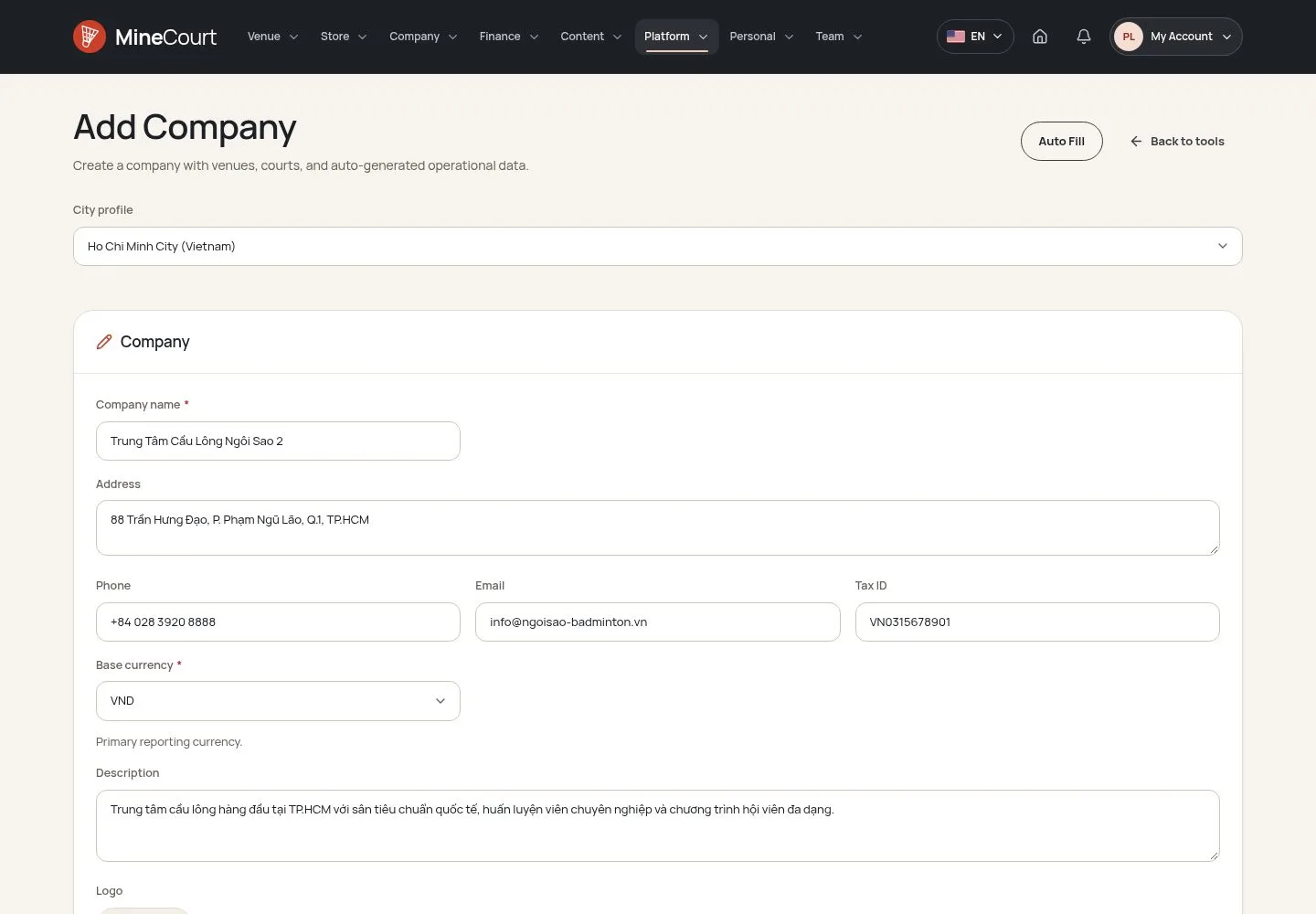
  1. Platform → Content Tools → Add Company: choose a City profile; Auto Fill proposes the company, its venues and its users.
  2. Or fill in Company → Companies → Add Company by hand.

Enlarge, then scroll

Open the function ↗Full image ↗

Platform Manager · Many companies & venues02

What to generate

Platform Manager

What to generate

3Step 3 of 11

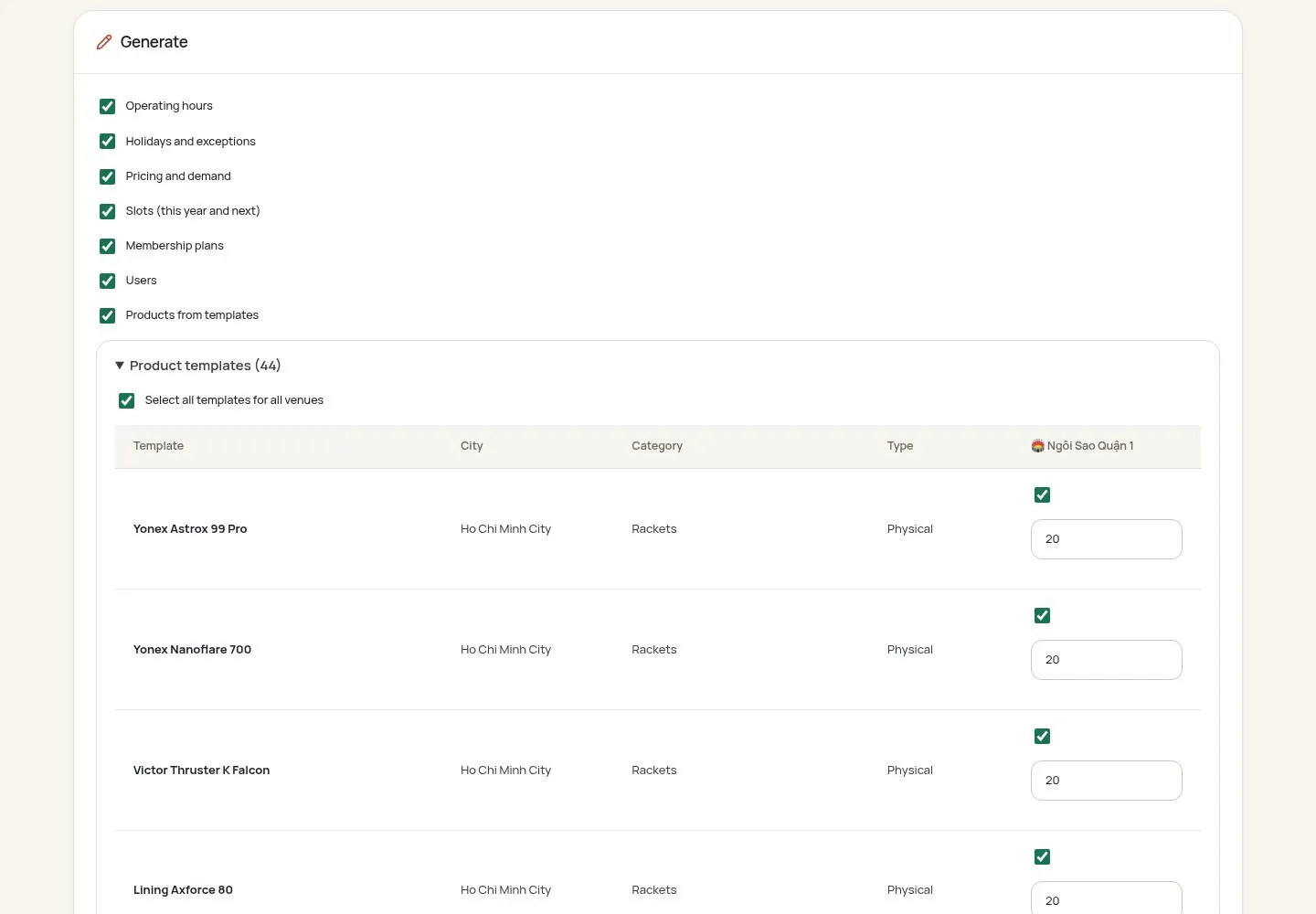
  1. Under Generate, tick what to create: Operating hours, Holidays and exceptions, Pricing and demand, Slots, Membership plans, Users and Products from templates, with the stock of each template per venue.

Enlarge, then scroll

Open the function ↗Full image ↗

Platform Manager · Many companies & venues03

Created in one run

Platform Manager

Created in one run

4Step 4 of 11

  1. The result lists every part created: the company, its venues and courts, hours, prices, slots, products and stock, plans and users.

A setup that stops halfway can be resumed or rolled back.

Enlarge, then scroll

Open the function ↗Full image ↗

Platform Manager · Many companies & venues04

Company settings

Platform Manager

Company settings

5Step 5 of 11

  1. Further down the company form, Opening and slots sets the Opening and Closing time, the Hold timeout, the Deposit 30% and Pay later for every venue.
  2. Booking policy sets the days ahead, the notice, the limits, the cancellation window and fees, and the reminder before play; Court booking and Cancel & refund rules explain each.

Enlarge, then scroll

Open the function ↗Full image ↗

Platform Manager · Many companies & venues05

A venue inside a company

Company Owner

A venue inside a company

6Step 6 of 11

  1. Company → Venues → Add Venue: the Venue name and Company, then its own Address, Geo location, Phone, Email, Tax ID, Timezone and Operating currency.
  2. Opening, booking policy and bank details left empty follow the company.
  3. Its opening and closing time become the All days hours of the new venue; change them later in Venue → Hours.

Enlarge, then scroll

Open the function ↗Full image ↗

Platform Manager · Many companies & venues06

People and venues

Company Owner

People and venues

7Step 7 of 11

  1. Company → Users → Add User: the Display name, Email address and the password twice, then the Role and, for a venue role, the Assigned venues; Create new account.
  2. Venue Staff and Venue Managers work only in their venues.

There is no email invitation: whoever adds the account sets its password.

Enlarge, then scroll

Open the function ↗Full image ↗

Platform Manager · Many companies & venues07

Manage people

Company Manager

Manage people

8Step 8 of 11

  1. Manage Users lists the people of the company with their roles, venues, status and last access; a Company Manager adds and edits them too.
  2. Clearing Active on an account stops it from signing in.

Enlarge, then scroll

Open the function ↗Full image ↗

Platform Manager · Many companies & venues08

One company's view

Company Owner

One company's view

9Step 9 of 11

  1. The Company Dashboard lists the venues of the company with their status, address and phone.
  2. Orders, staff, reports and stock stay inside the company.

Open the function ↗Full image ↗

Platform Manager · Many companies & venues09

Import data

Company Owner

Import data

10Step 10 of 11

  1. Company → Import: choose the Data (customers, running memberships or future orders of the old system) and a UTF-8 CSV file of up to 5,000 rows; Download template gives the columns.
  2. Dry run checks every row: Ready, Error with its reason, or Skipped.
  3. Import n rows writes the ready rows; customers get emails only when Email the customers is ticked.

A Platform Manager imports for the company of the venue chosen above the title.

Enlarge, then scroll

Open the function ↗Full image ↗

Platform Manager · Many companies & venues10

Imported once

Company Owner

Imported once

11Step 11 of 11

  1. The same file again adds nothing: each row keeps the ID of the old system and shows Already imported.
  2. A customer whose email has an account is linked to it; new customers are players.
  3. A membership keeps the hours used this month; a paid order keeps its payment, outside the cash of any shift.

Enlarge, then scroll

Open the function ↗Full image ↗

Check

Each company runs its own venues, staff and data on one installation

Platform Manager · Many companies & venues11
1 / 12
Privacy Terms