Own booking site

Your domain, your brand, your accounts

  • A MineCourt package
Company Owner

Your site, your domain

Visitor

Your site, your domain

1Step 1 of 7

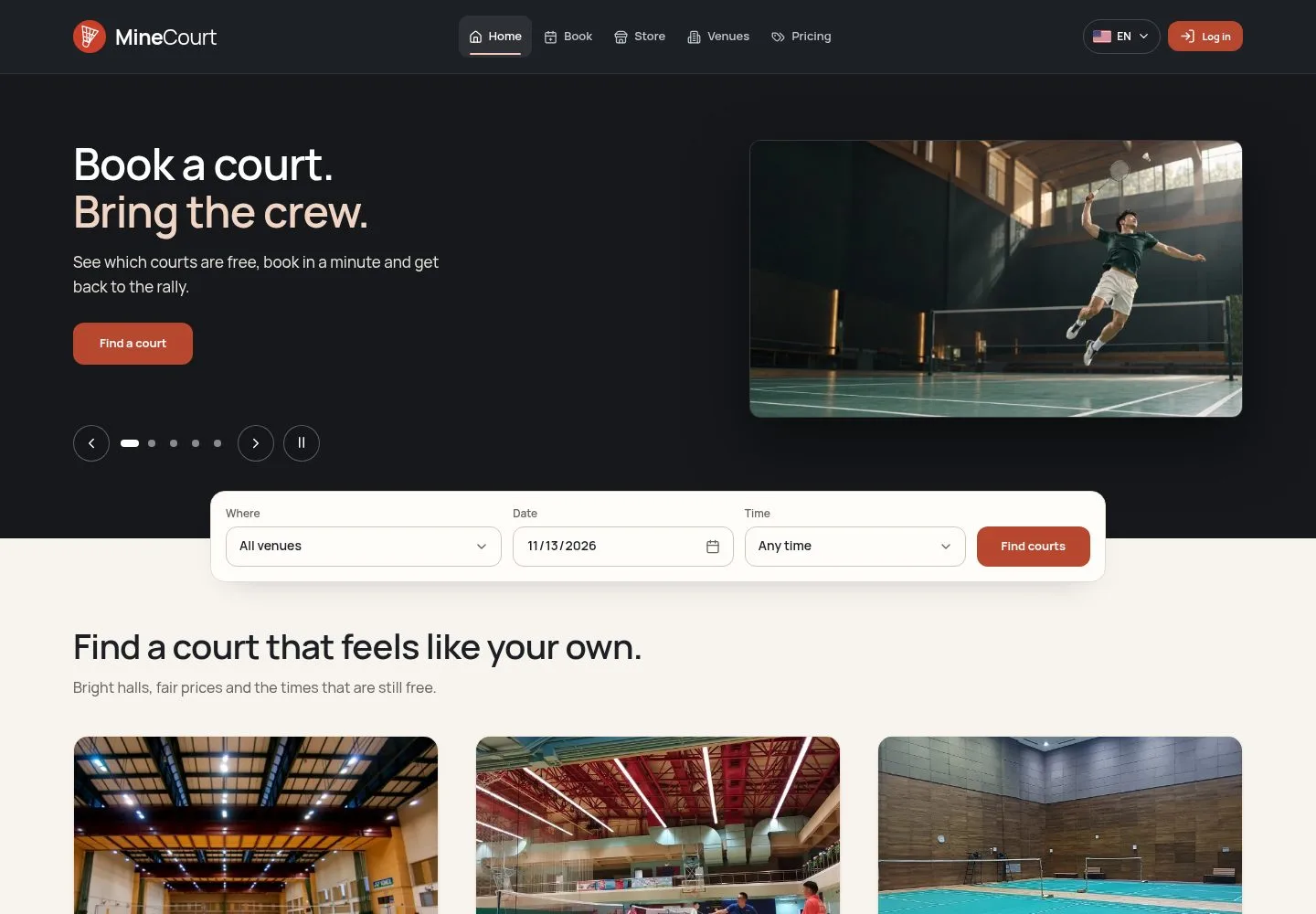
  1. MineCourt is installed on your server or cloud, on your domain.
  2. You set your prices, hire your staff and receive the money in your own accounts.
  3. A venue package runs one company with one or many venues; a SaaS package runs many companies.

Enlarge, then scroll

Open the function ↗Full image ↗

Company Owner · Own booking site01

Venue site or SaaS

Platform Manager
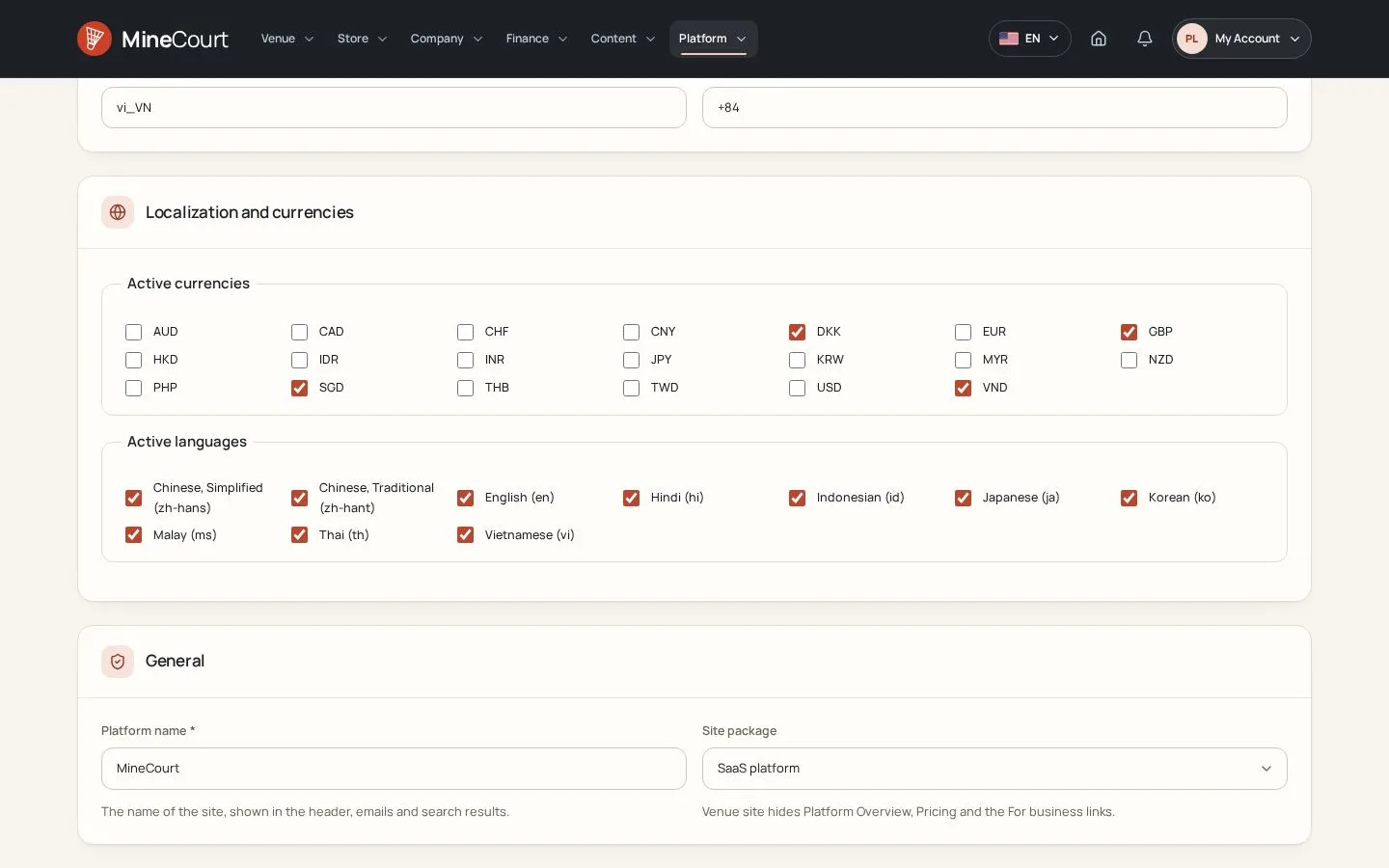
Venue site or SaaS

2Step 2 of 7

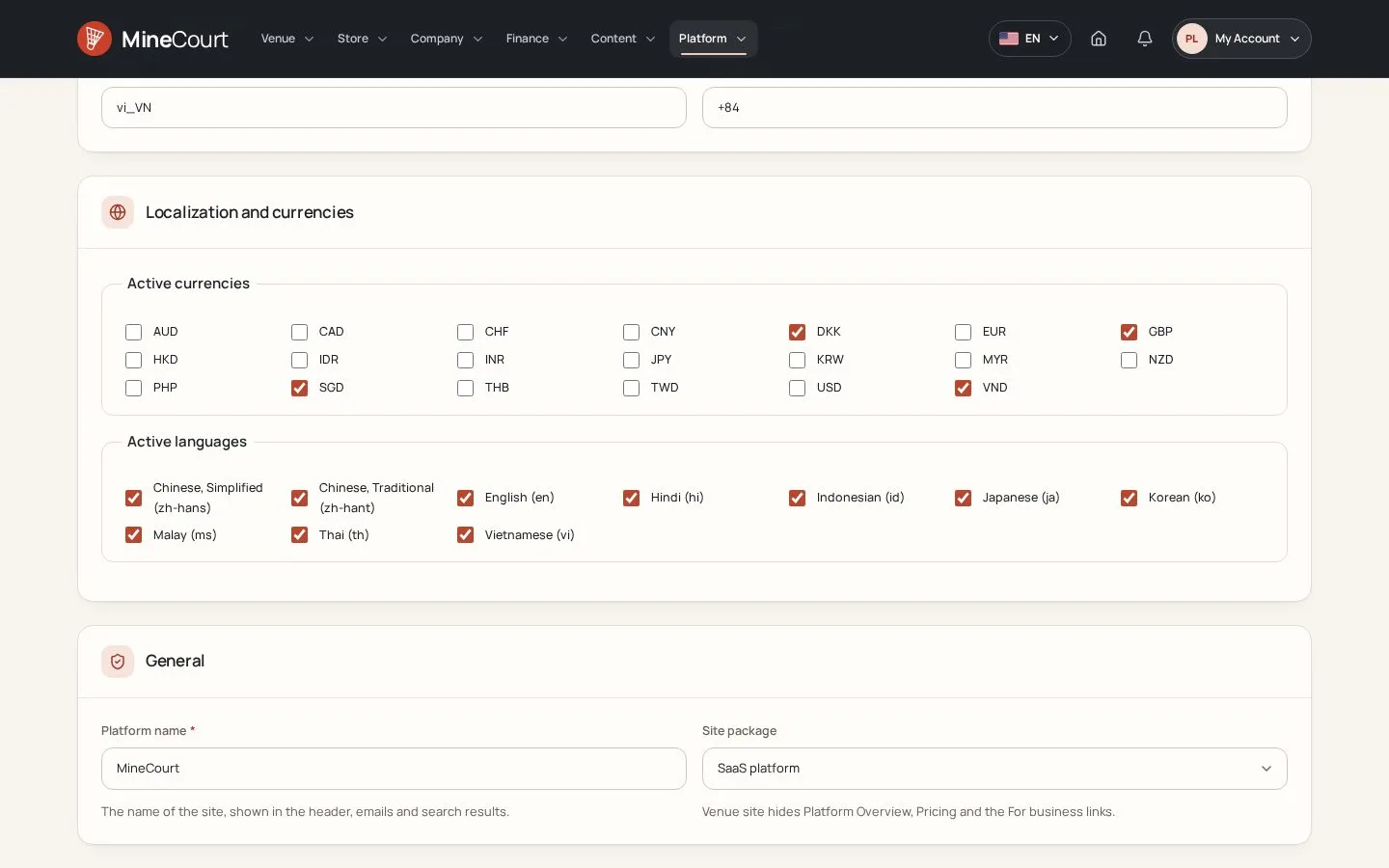
  1. Global Settings → General → Site package: Venue site or SaaS platform.
  2. Venue site: the public pages sell the courts of the company only; Pricing, Platform Overview and the For business links are gone.
  3. SaaS platform: the site also presents MineCourt to other venues.

Open the function ↗Full image ↗

Company Owner · Own booking site02

Your brand

Company Owner

Your brand

3Step 3 of 7

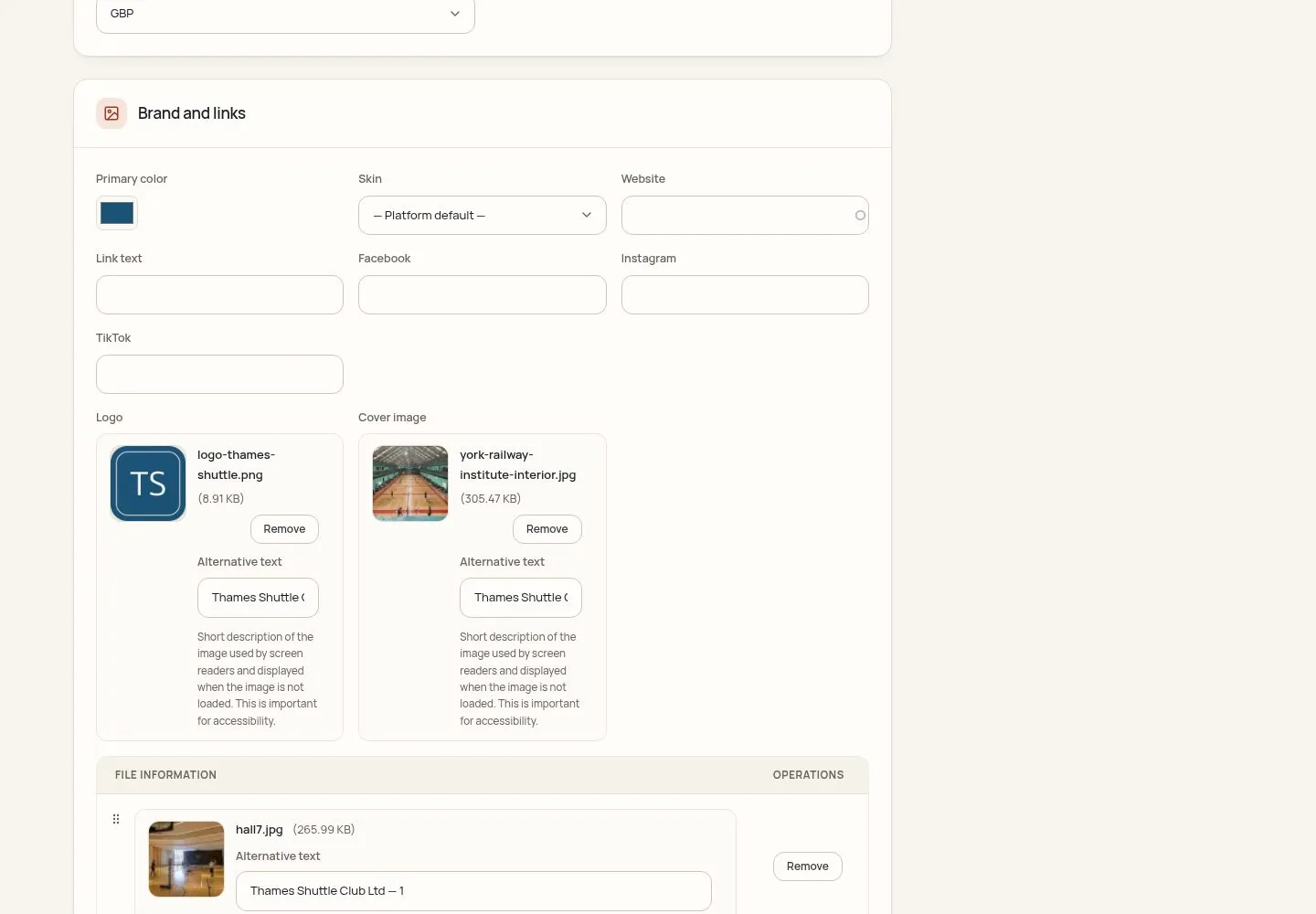
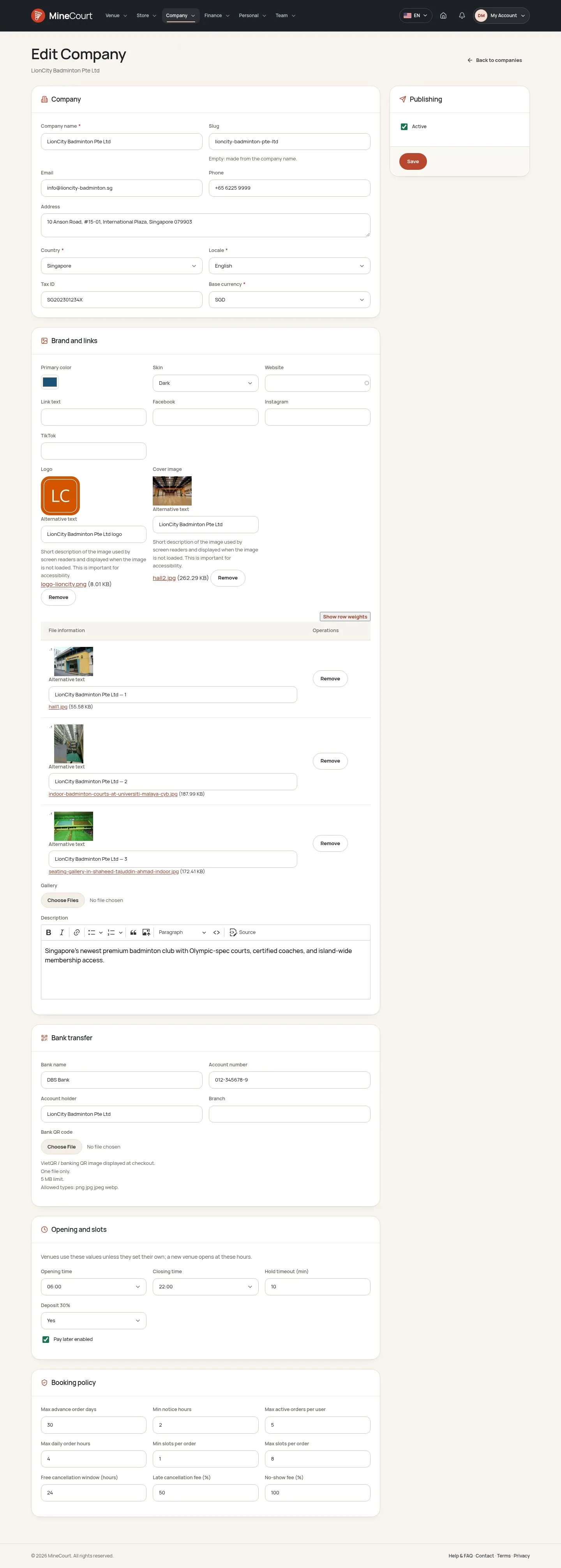
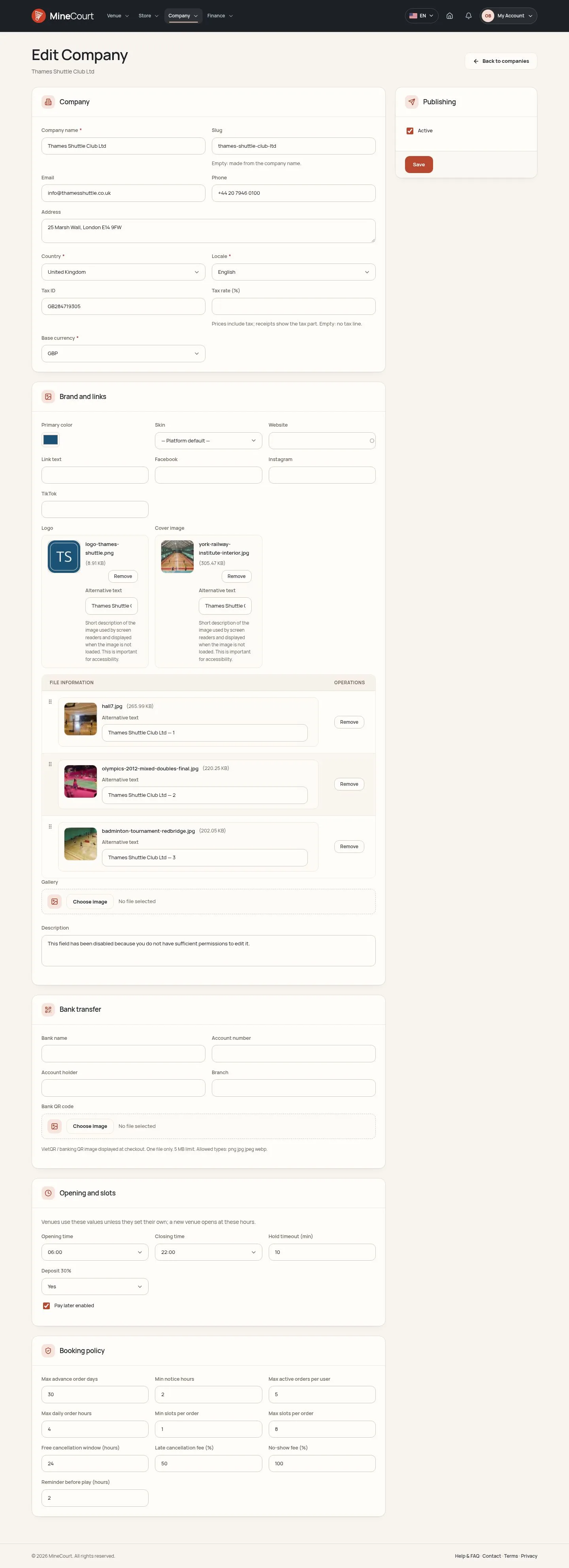
  1. Edit Company → Brand and links: the Primary color, the Website, and the Facebook, Instagram and TikTok links.
  2. Upload the Logo and the Cover image, each with its alternative text, and the photos of the gallery.

Enlarge, then scroll

Open the function ↗Full image ↗

Company Owner · Own booking site03

Your look

Company Owner

Your look

4Step 4 of 7

  1. Skin: Default, Light or Dark; left at Platform default, the company follows the skin of the platform.
  2. The public venue pages and the back office of the company follow it.

Enlarge, then scroll

Open the function ↗Full image ↗

Company Owner · Own booking site04

What players see

Visitor

What players see

5Step 5 of 7

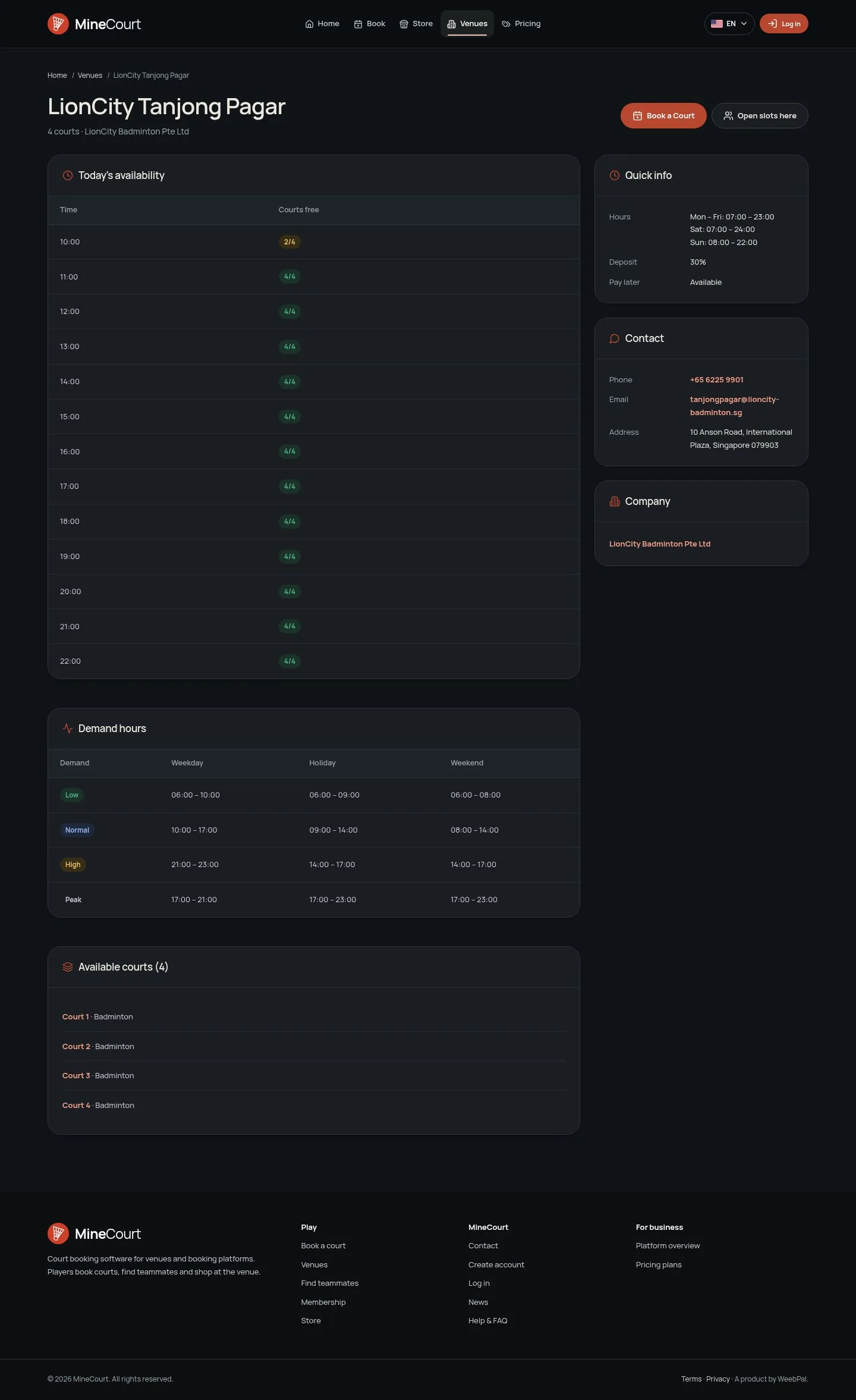
  1. Every visitor sees the venue pages of this company in its Dark skin.

Enlarge, then scroll

Open the function ↗Full image ↗

Company Owner · Own booking site05

Your words

Platform Manager

Your words

6Step 6 of 7

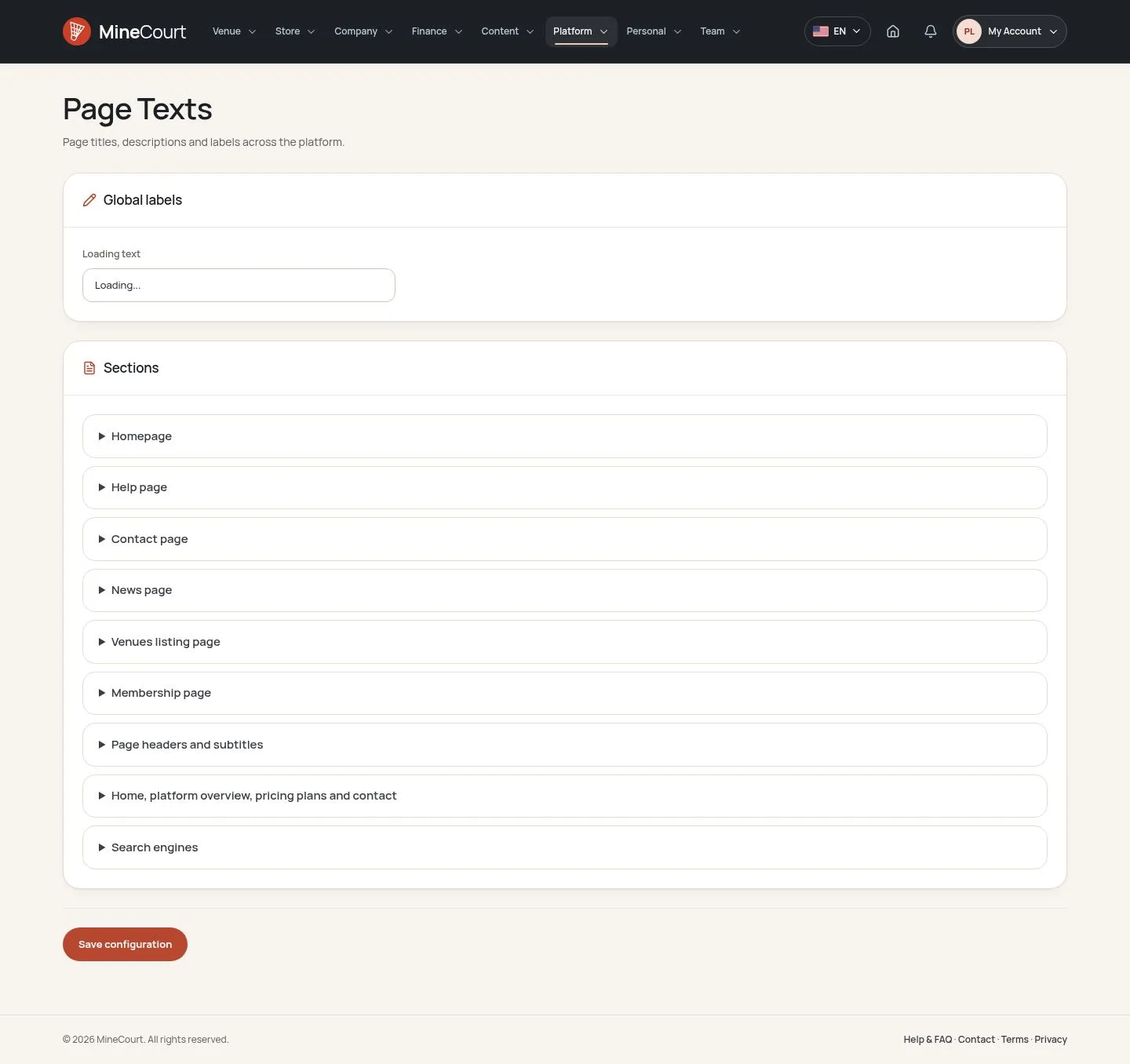
  1. Platform → Page Texts holds the words of the public pages, section by section: Homepage, Help, Contact, News, Venues, Membership and more.
  2. Your installation replaces the MineCourt introduction with its own.

Enlarge, then scroll

Open the function ↗Full image ↗

Company Owner · Own booking site06

Your accounts

Company Owner

Your accounts

7Step 7 of 7

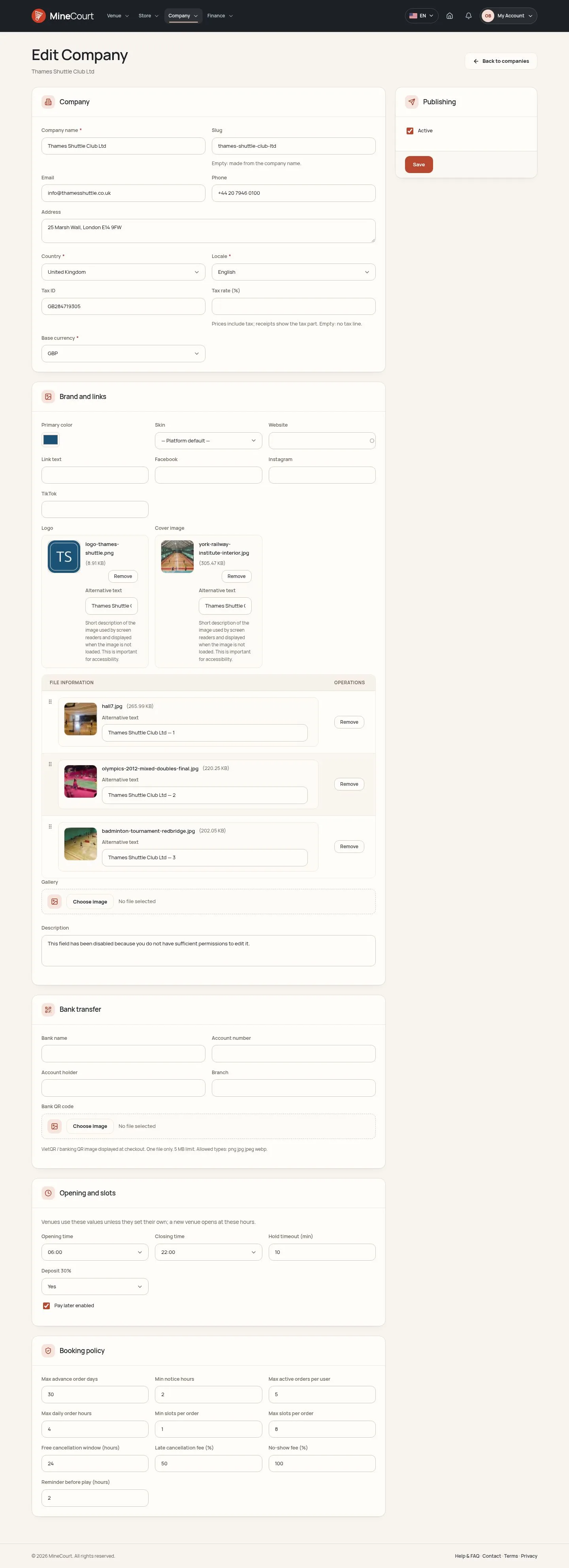
  1. Edit Company: Bank name, Account number, Account holder, Branch and a Bank QR code, shown at checkout for a bank transfer.
  2. A venue can set its own instead.

Enlarge, then scroll

Open the function ↗Full image ↗

Check

Players book on a site with your name, your look and your payment accounts

Company Owner · Own booking site07
1 / 8
Privacy Terms