Languages & currencies

Ten languages, any currency and time zone

  • Platform Manager account for the settings
Platform Manager
Ten languages

Visitor

Ten languages

1Step 1 of 9

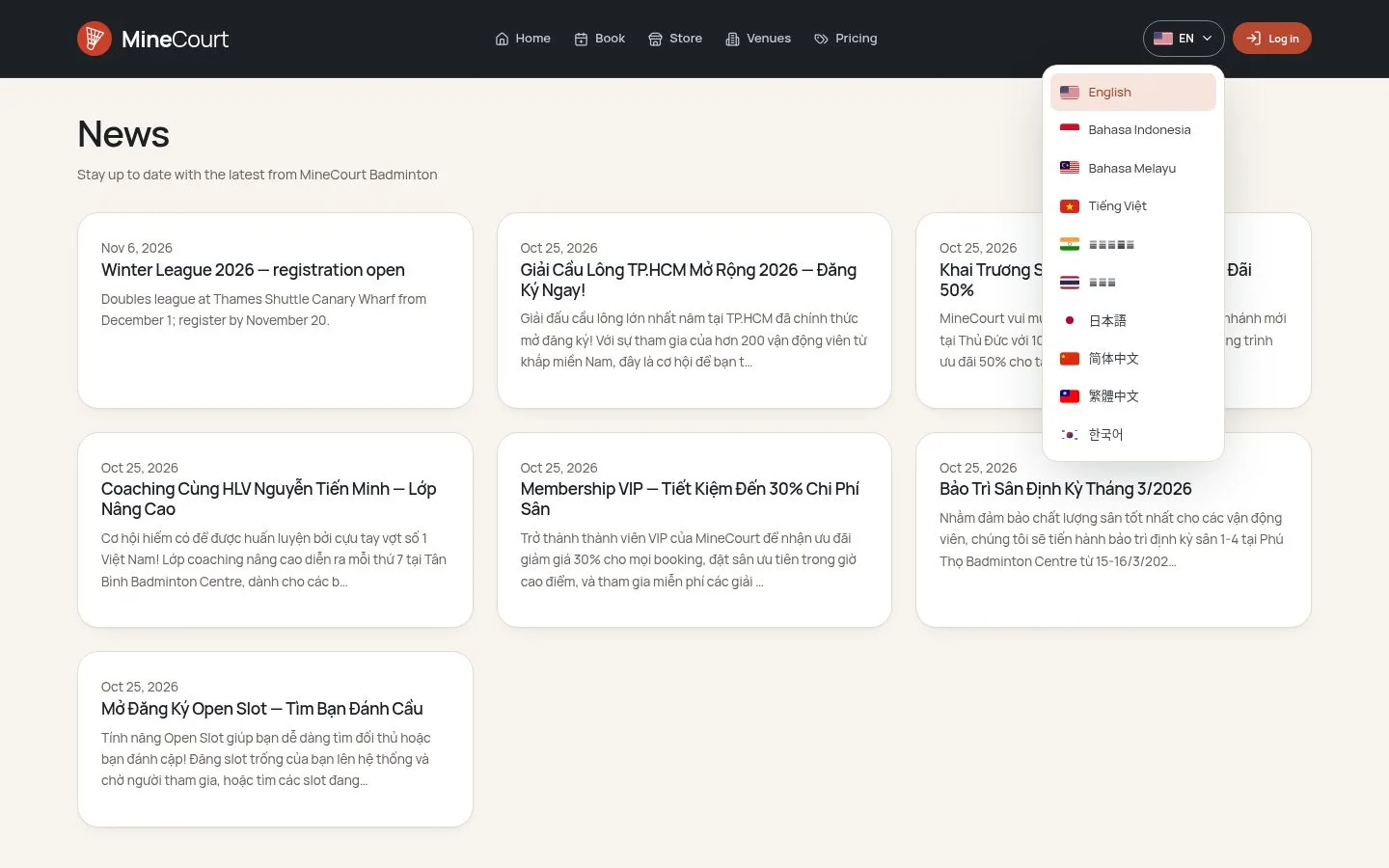
  1. The language menu offers English, Bahasa Indonesia, Bahasa Melayu, Tiếng Việt, हिन्दी, ไทย, 日本語, 简体中文, 繁體中文 and 한국어.
  2. Choosing one changes the start of the address, such as /vi/ for Vietnamese.

Open the function ↗Full image ↗

Platform Manager · Languages & currencies01

Interface and dates

Visitor

Interface and dates

2Step 2 of 9

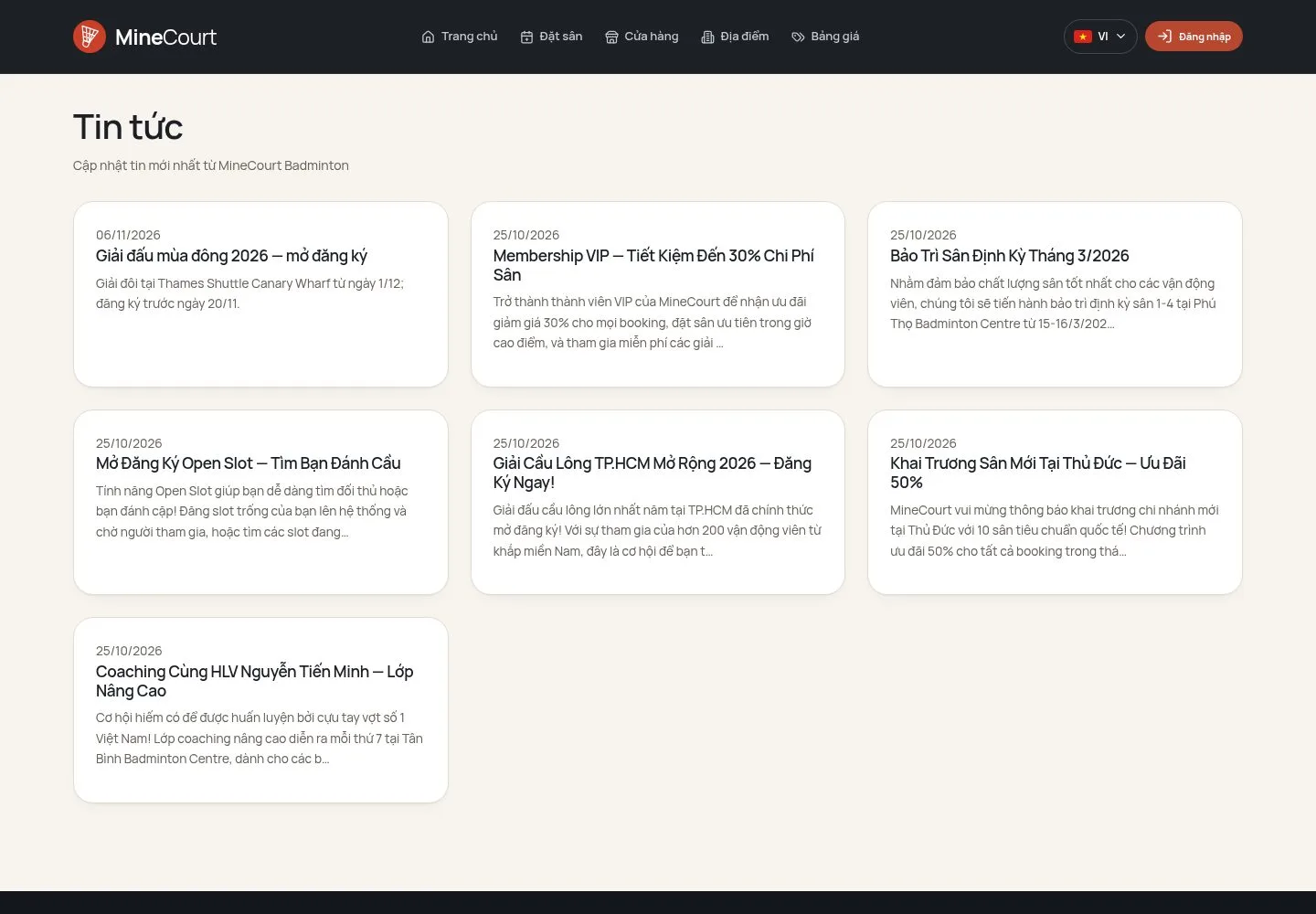
  1. Menus, buttons and dates follow the language: 06/11/2026 in Vietnamese, 2026年11月6日 in Japanese.
  2. Content shows its translation, or the original when it has none.

Enlarge, then scroll

Open the function ↗Full image ↗

Platform Manager · Languages & currencies02

The player's language

Player

The player's language

3Step 3 of 9

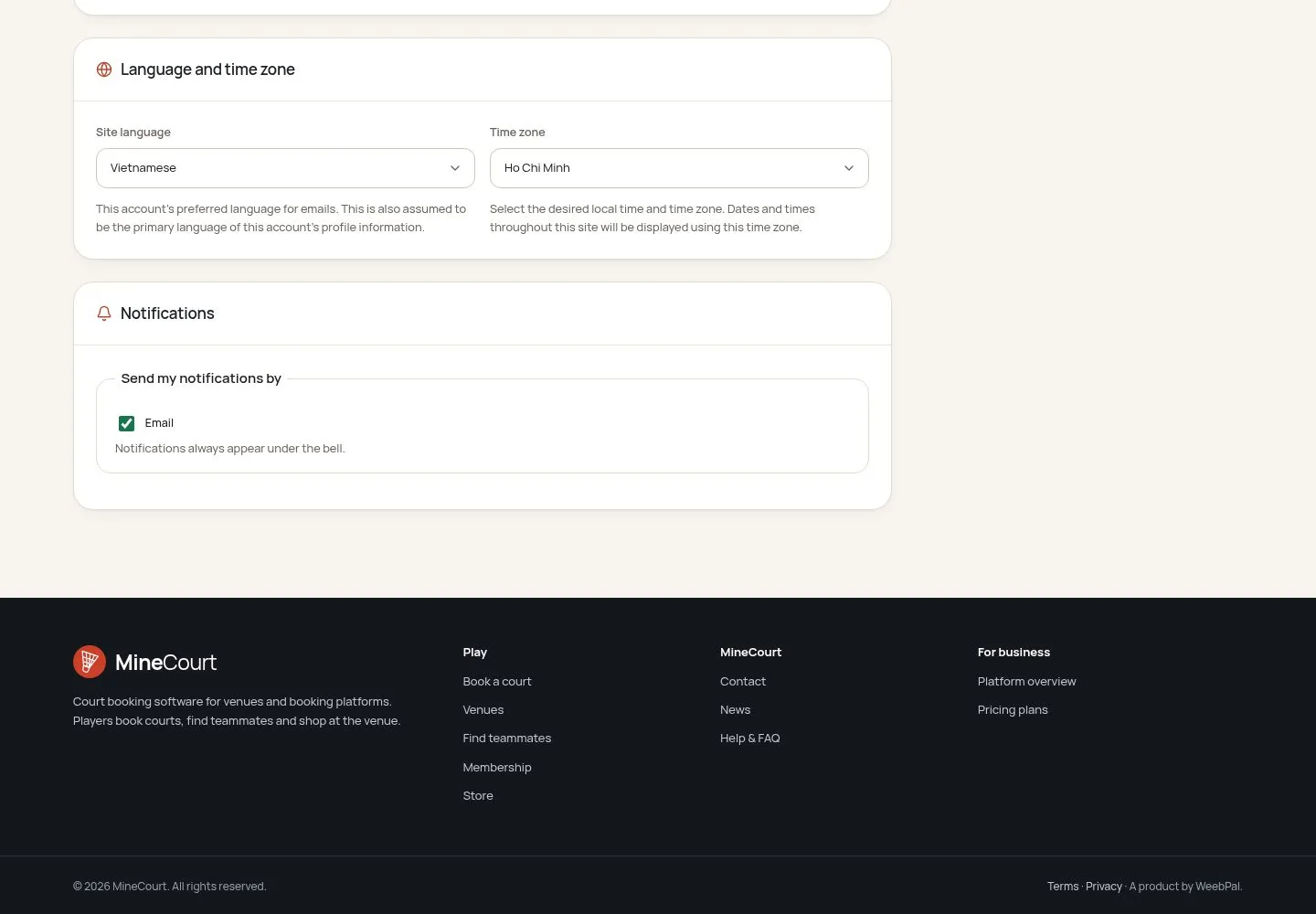
  1. Account settings → Language and time zone: Site language is the language of the player's emails and notifications; Time zone sets how dates and times show.

Enlarge, then scroll

Open the function ↗Full image ↗

Platform Manager · Languages & currencies03

Notifications follow

Player

Notifications follow

4Step 4 of 9

  1. Notifications and emails are written in the language of the person who receives them, at the time they are sent, whoever caused them: here the two latest came after the switch to Vietnamese.

Enlarge, then scroll

Open the function ↗Full image ↗

Platform Manager · Languages & currencies04

Translate the system

Platform Manager

Translate the system

5Step 5 of 9

  1. Platform → Content Tools → Translate lists each language with its translations and how many remain To import.
  2. Translate fills in one language and Translate All every one; translations edited on the site stay as they are.

Enlarge, then scroll

Open the function ↗Full image ↗

Platform Manager · Languages & currencies05

Country fills the rest

Platform Manager

Country fills the rest

6Step 6 of 9

  1. Global Settings → Country and region: choosing the Country fills the Currency, Timezone, Locale and Phone prefix; then choose the City.
  2. Active currencies and Active languages, further down, list those on offer.

Open the function ↗Full image ↗

Platform Manager · Languages & currencies06

A venue in Denmark

Visitor

A venue in Denmark

7Step 7 of 9

  1. Prices in Danish kroner: the currency comes from the venue.
  2. A company has a base currency; each payment records the local amount, the base currency and the rate.

Enlarge, then scroll

Open the function ↗Full image ↗

Platform Manager · Languages & currencies07

A venue in Vietnam

Visitor

A venue in Vietnam

8Step 8 of 9

  1. The same system, with prices in Vietnamese dong.

Enlarge, then scroll

Open the function ↗Full image ↗

Platform Manager · Languages & currencies08

Each venue's clock

Company Owner

Each venue's clock

9Step 9 of 9

  1. Company → Venues shows the Timezone of each venue.
  2. Booking windows, refund notice and no-shows are counted in the time of the venue.

Open the function ↗Full image ↗

Check

Players read their own language; each venue sells in its own currency and runs on its own clock

Platform Manager · Languages & currencies09
1 / 10
Privacy Terms