Reports

Course Analytics · Learner Analytics · Quiz Analytics · Item analysis · Export

  • Manager account
Manager

Course Analytics

Manager

Course Analytics

1Step 1 of 5

  1. Course title · Learner name or email · Learner activity · Quiz title
  2. Total Enrollments · Completions · Certificates Issued · Completion Rate
  3. Export Course Data

Enlarge, then scroll

Open illustrated screen ↗Full image ↗

Manager · Reports01

Learner Analytics

Manager

Learner Analytics

2Step 2 of 5

  1. Enrolled Courses · Completed · Avg Quiz Score · Certificates
  2. Export Learner Data

Enlarge, then scroll

Open illustrated screen ↗Full image ↗

Manager · Reports02

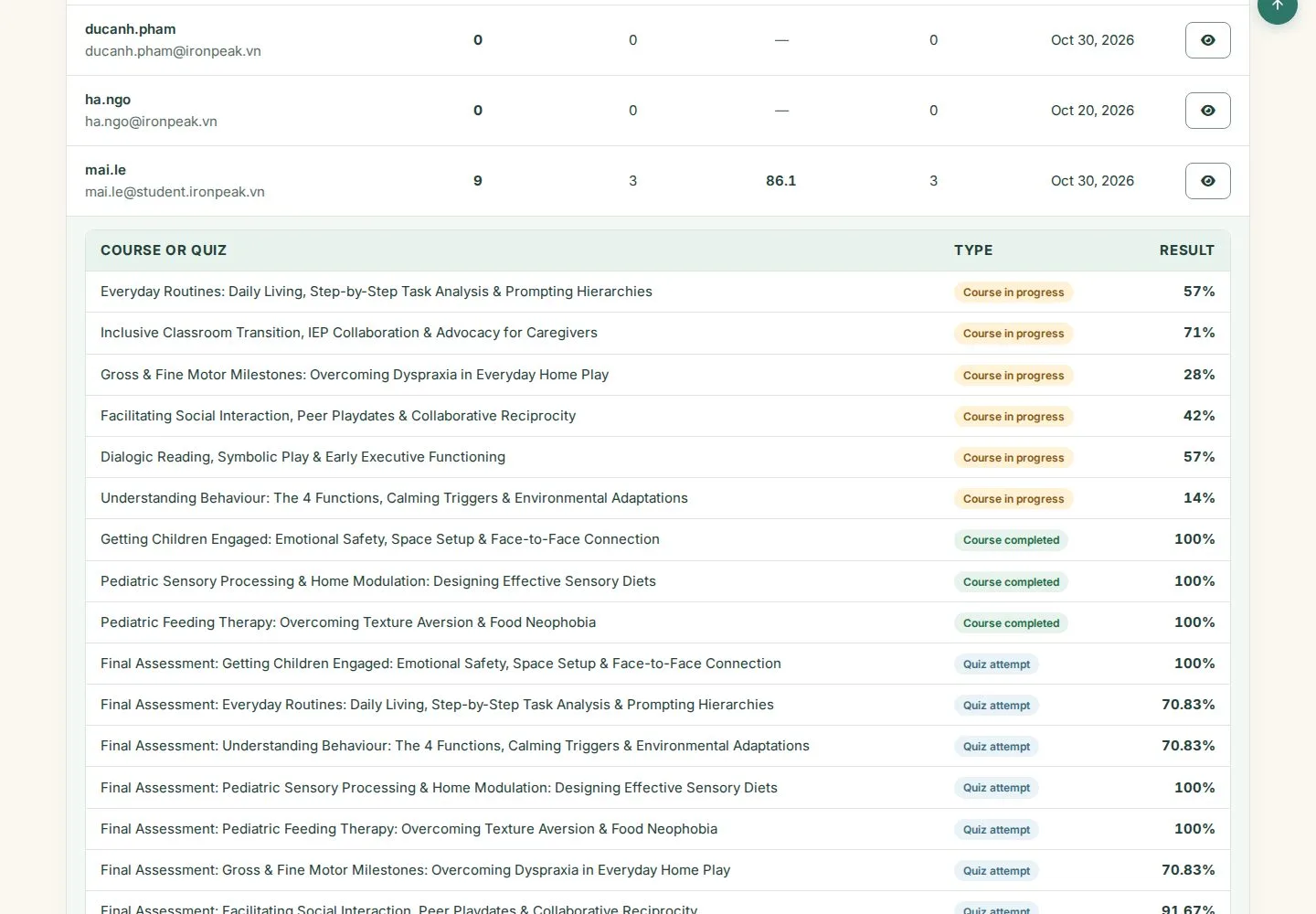
A learner's activity

Manager

A learner's activity

3Step 3 of 5

  1. View tracking: one row per course or quiz
  2. Type and Result of each row

Enlarge, then scroll

Open illustrated screen ↗Full image ↗

Manager · Reports03

Quiz Analytics

Manager

Quiz Analytics

4Step 4 of 5

  1. Total Attempts · Avg. Score · Pass Rate
  2. Item Analysis

Enlarge, then scroll

Open illustrated screen ↗Full image ↗

Manager · Reports04

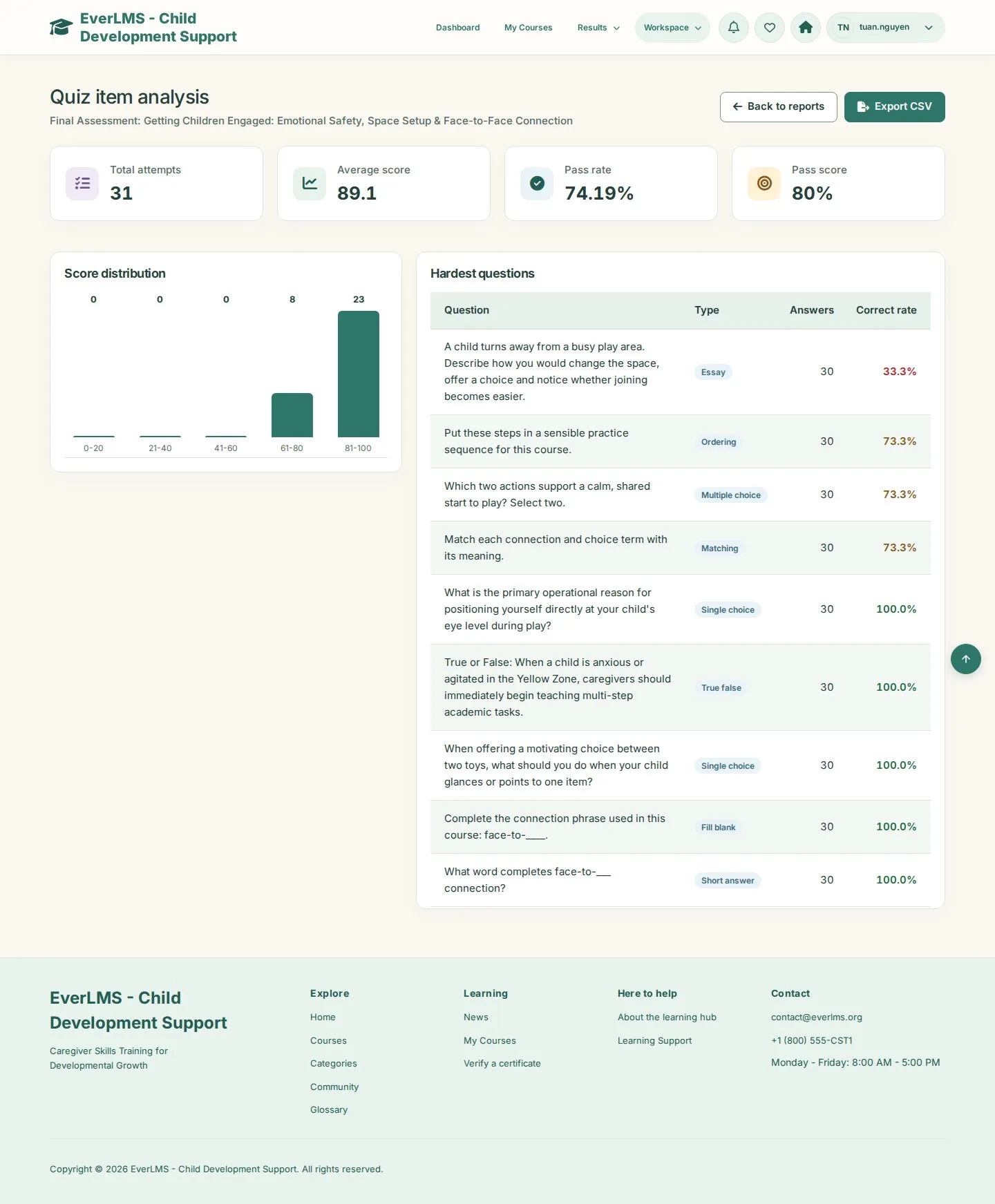
Quiz item analysis

Manager

Quiz item analysis

5Step 5 of 5

  1. Score distribution
  2. Hardest questions
  3. Export CSV · Back to reports

Enlarge, then scroll

Open illustrated screen ↗Full image ↗

Check

You see completion by course, progress by learner and how each quiz performs

Manager · Reports05
1 / 6
Privacy Terms