Learner accounts

User Management · Add User · Switch User

  • Manager account
Manager

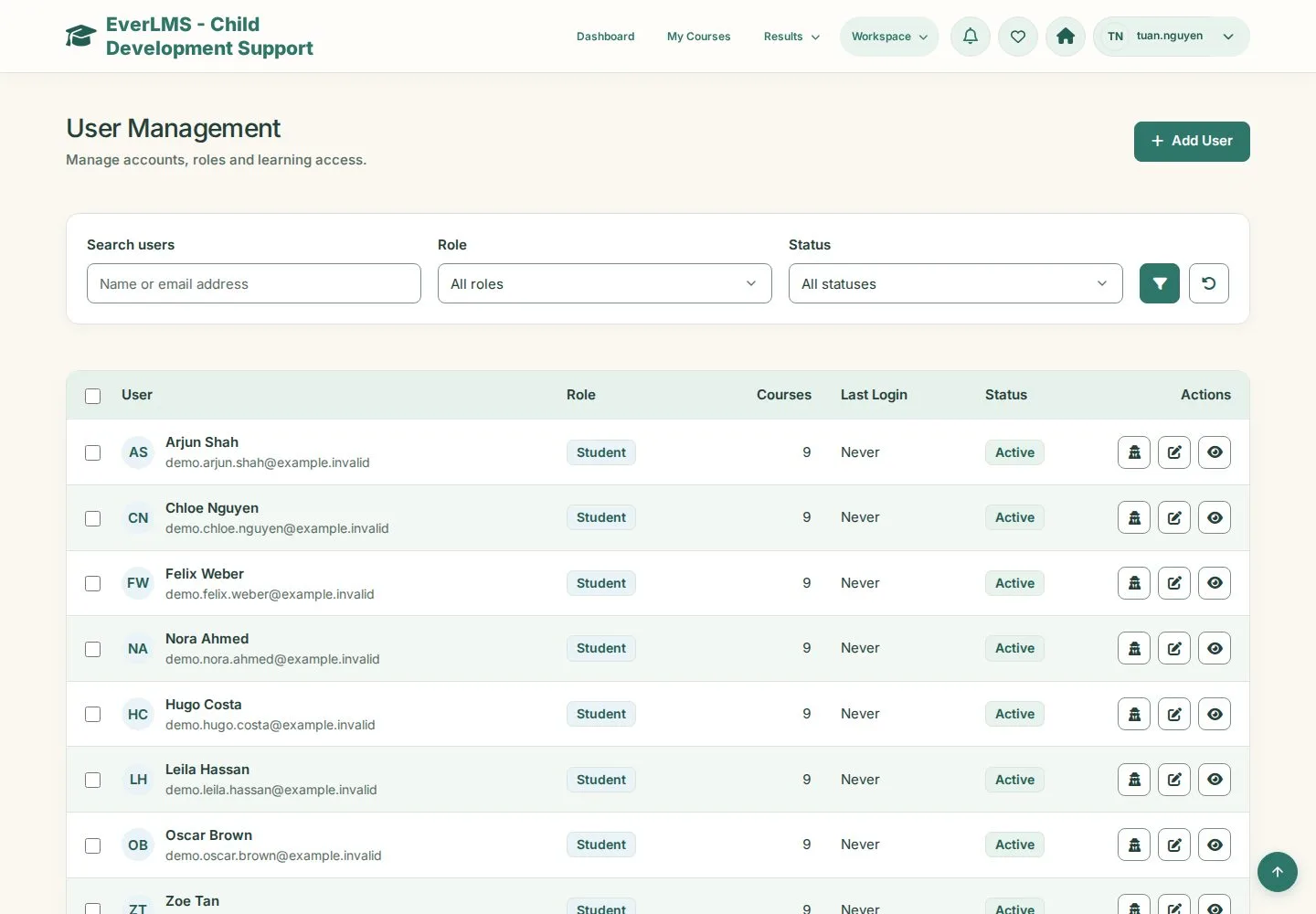
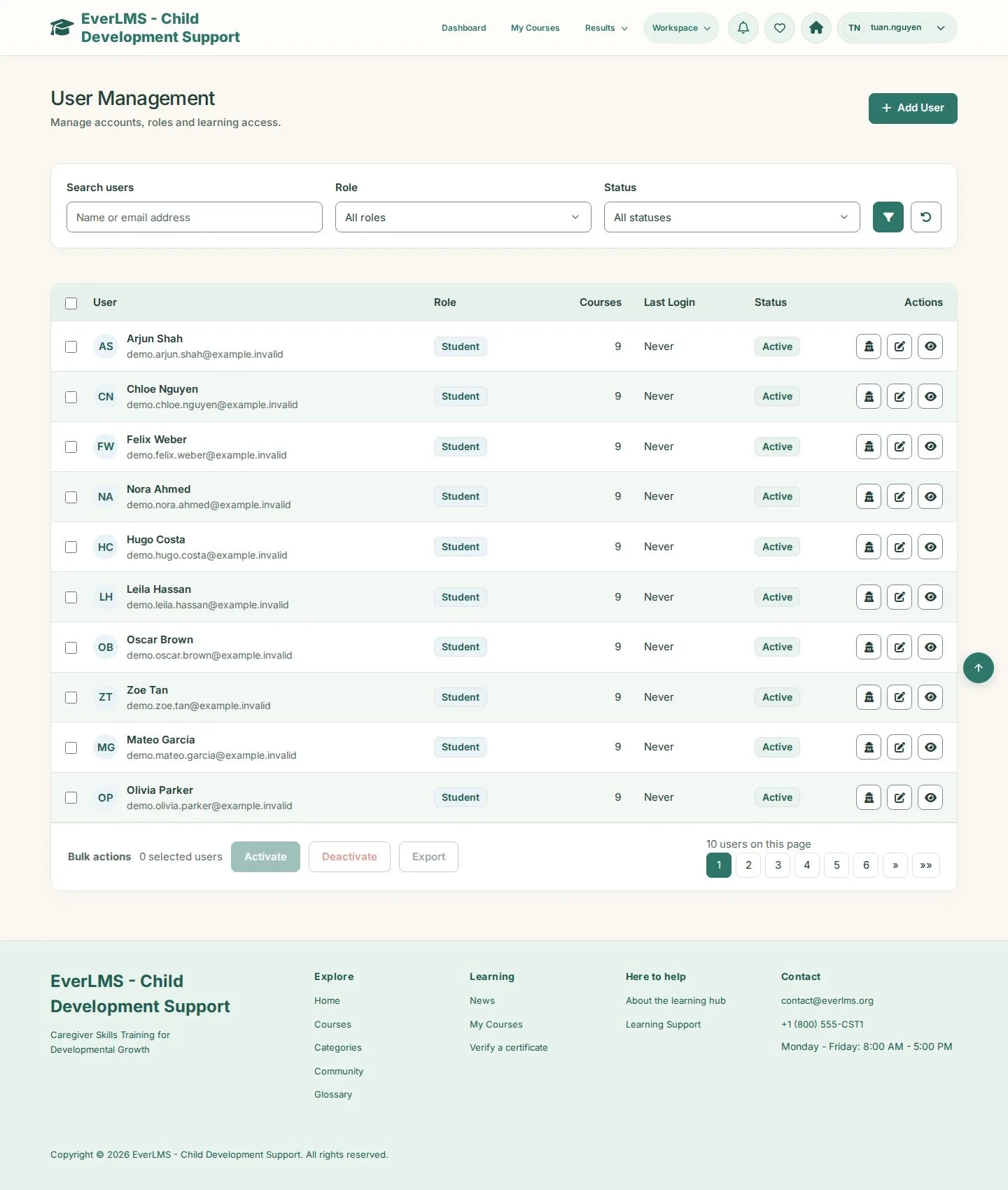
User Management

Manager

User Management

1Step 1 of 3

  1. Search users · Role · Status
  2. Activate · Deactivate · Export
  3. Add User

Enlarge, then scroll

Open illustrated screen ↗Full image ↗

Manager · Learner accounts01

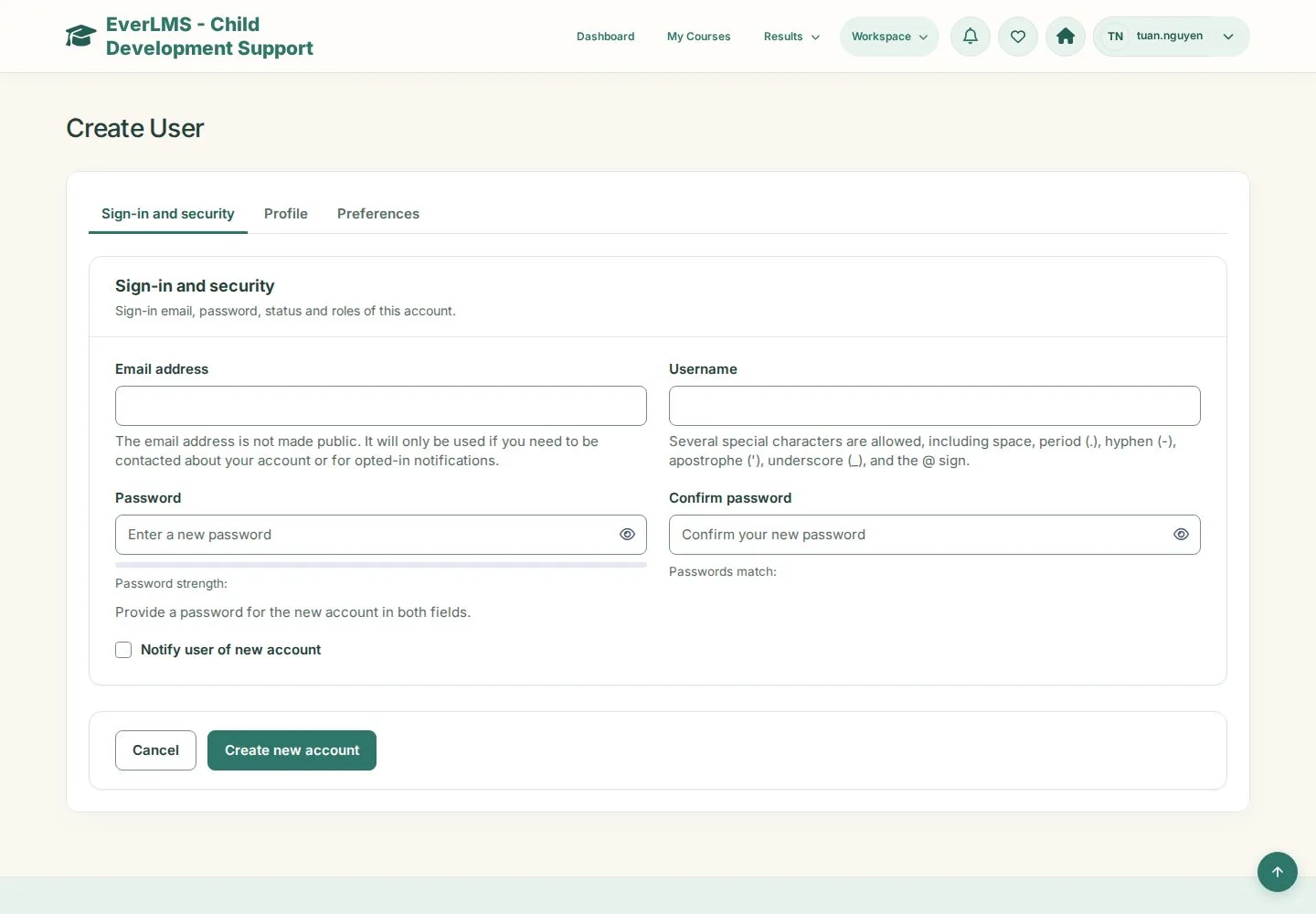
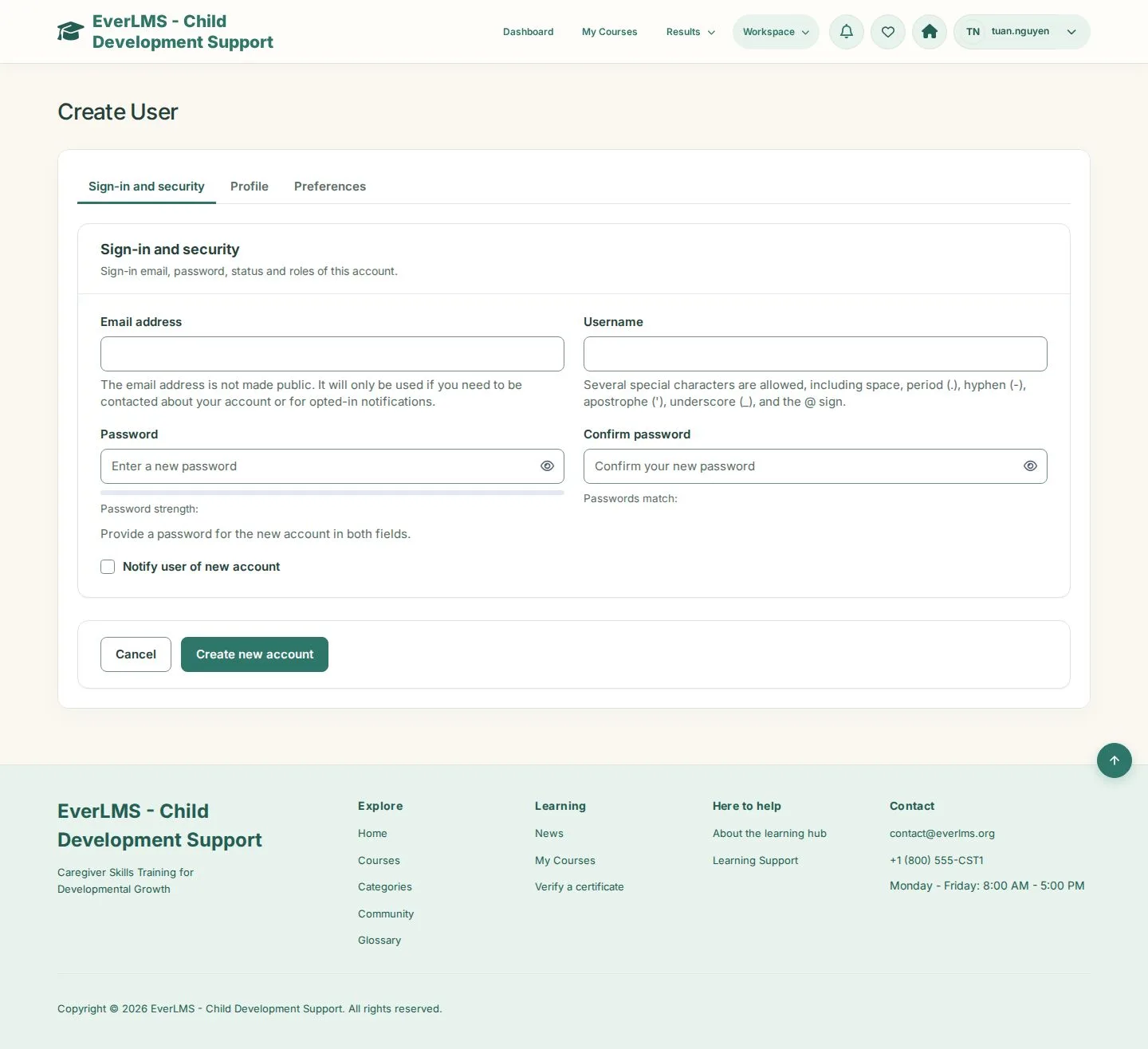
Create User

Manager

Create User

2Step 2 of 3

  1. Sign-in and security: Email address · Username · Password · Confirm password
  2. Profile · Preferences
  3. Notify user of new account · Create new account

Enlarge, then scroll

Open illustrated screen ↗Full image ↗

Manager · Learner accounts02

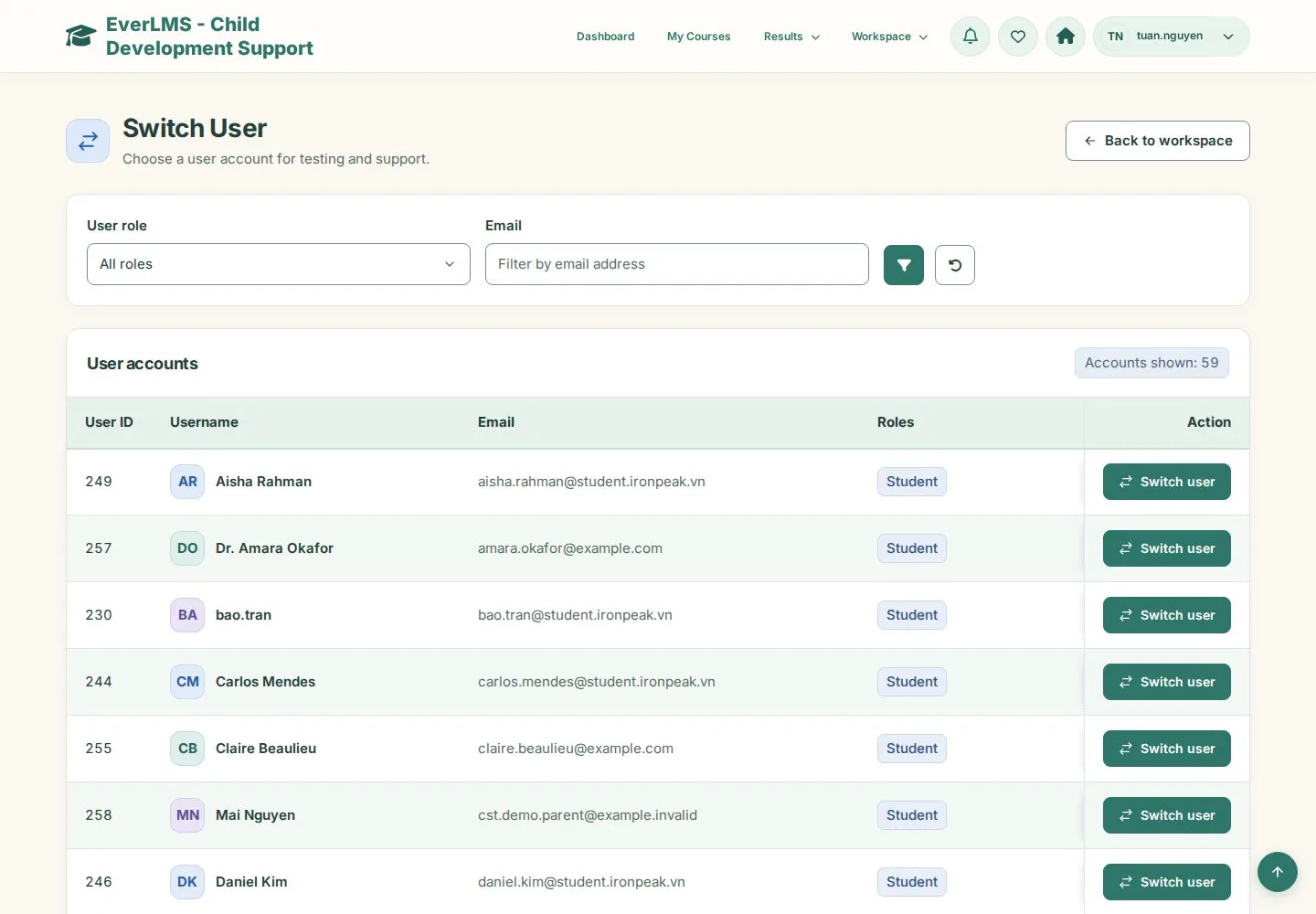
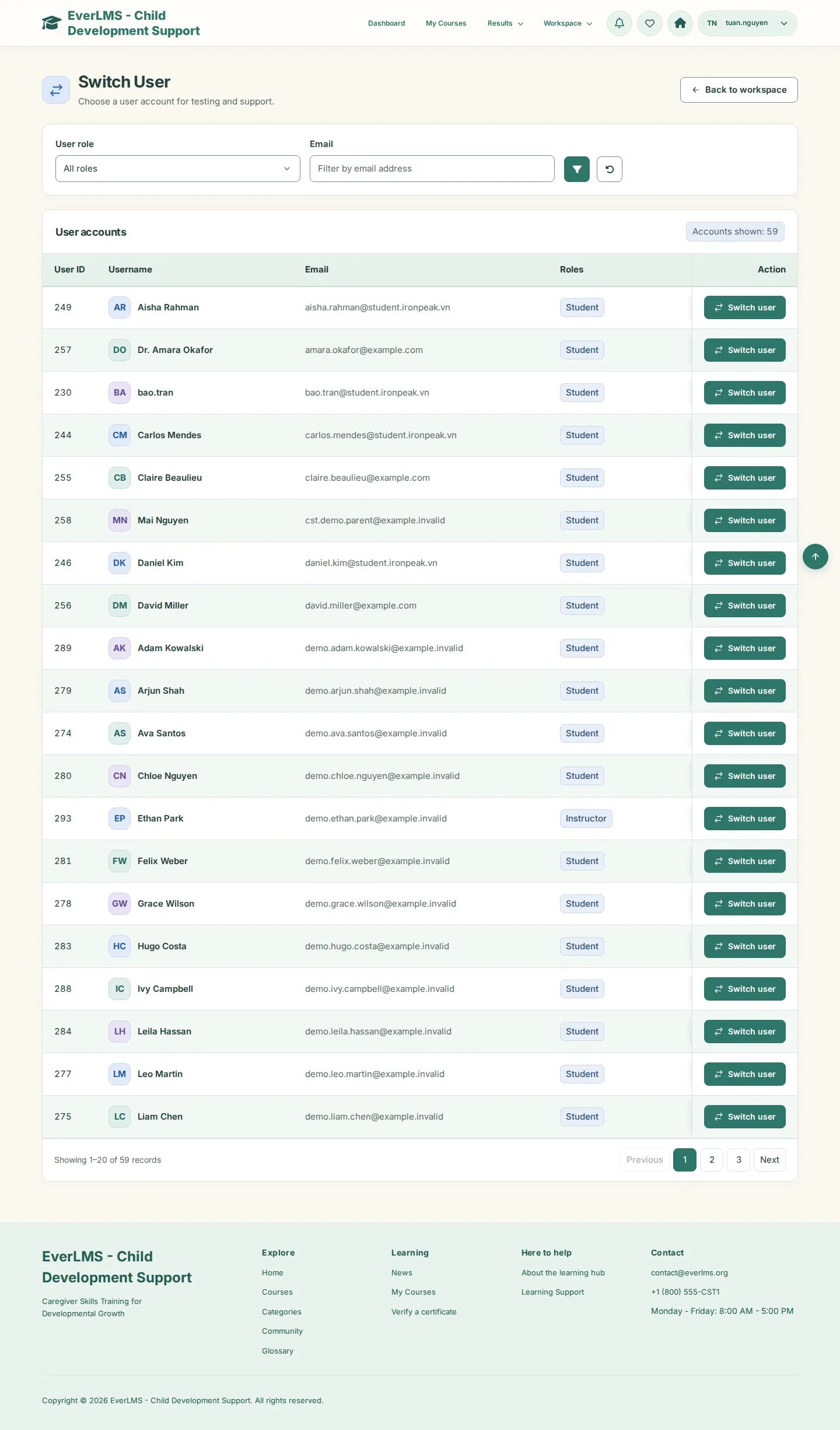
Switch User

Manager

Switch User

3Step 3 of 3

  1. Filter by role or email
  2. Switch to an account to see what it sees

Switch Back in the account menu returns you to your own account.

Enlarge, then scroll

Open illustrated screen ↗Full image ↗

Check

The account can sign in with the role you gave it

Manager · Learner accounts03
1 / 4
Privacy Terms