
Book a court
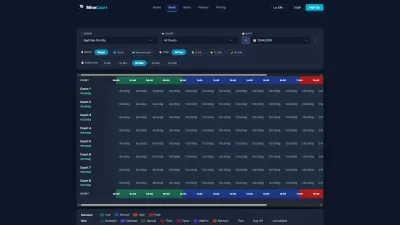
Court grid · Checkout · Pay at venue · My Orders
- Signed in
Player


Order detail
Player

6Step 6 of 6
- Order details
- Sessions
- Payment details
Open illustrated screen ↗Full image ↗
Check
Order confirmed; it appears in My Orders
1 / 7

 MineCourt
User guide
Choose a product for step-by-step instructions for each role.
 User guide
EverLMS Enterprise
Find instructions for the task you need: learn a Course, review a result, assign training or prepare content.
 User guide
EverLMS Children
Follow a task for your role: explore caregiver training, study a Course, review a result, assign training or prepare programme content.
 User guide
MenuNerds
Choose your role and follow a task from its starting point to the result to check.
 User guide
MenuNerds Café
Use MenuNerds to browse the menu, plan a table visit and follow the café’s guest and staff workflows.
Court grid · Checkout · Pay at venue · My Orders
Player
6Step 6 of 6
Open illustrated screen ↗Full image ↗
Order confirmed; it appears in My Orders