Quizzes and questions

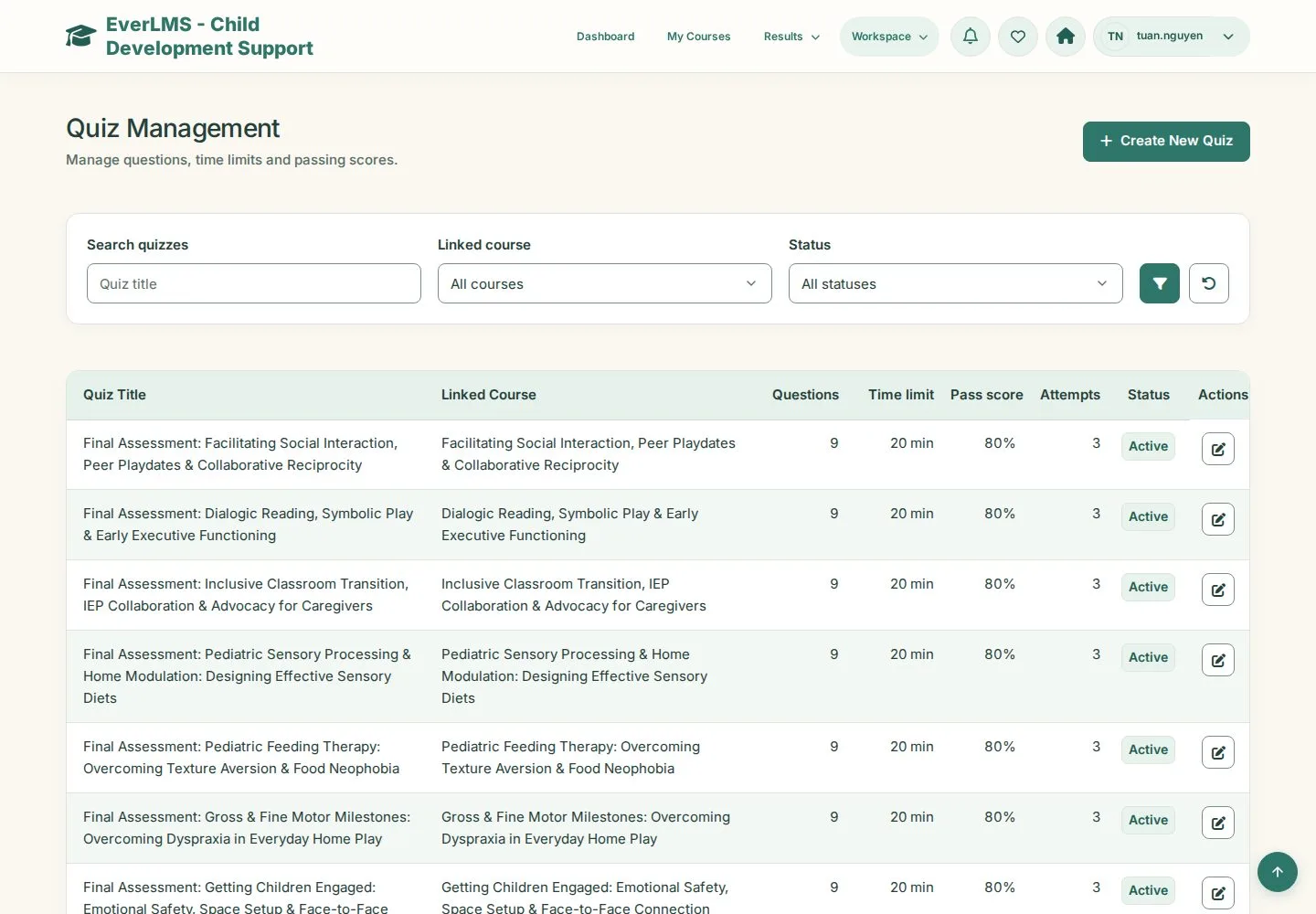
Quiz Management · Pass Threshold · Questions · Edit question

  • Manager account
Manager

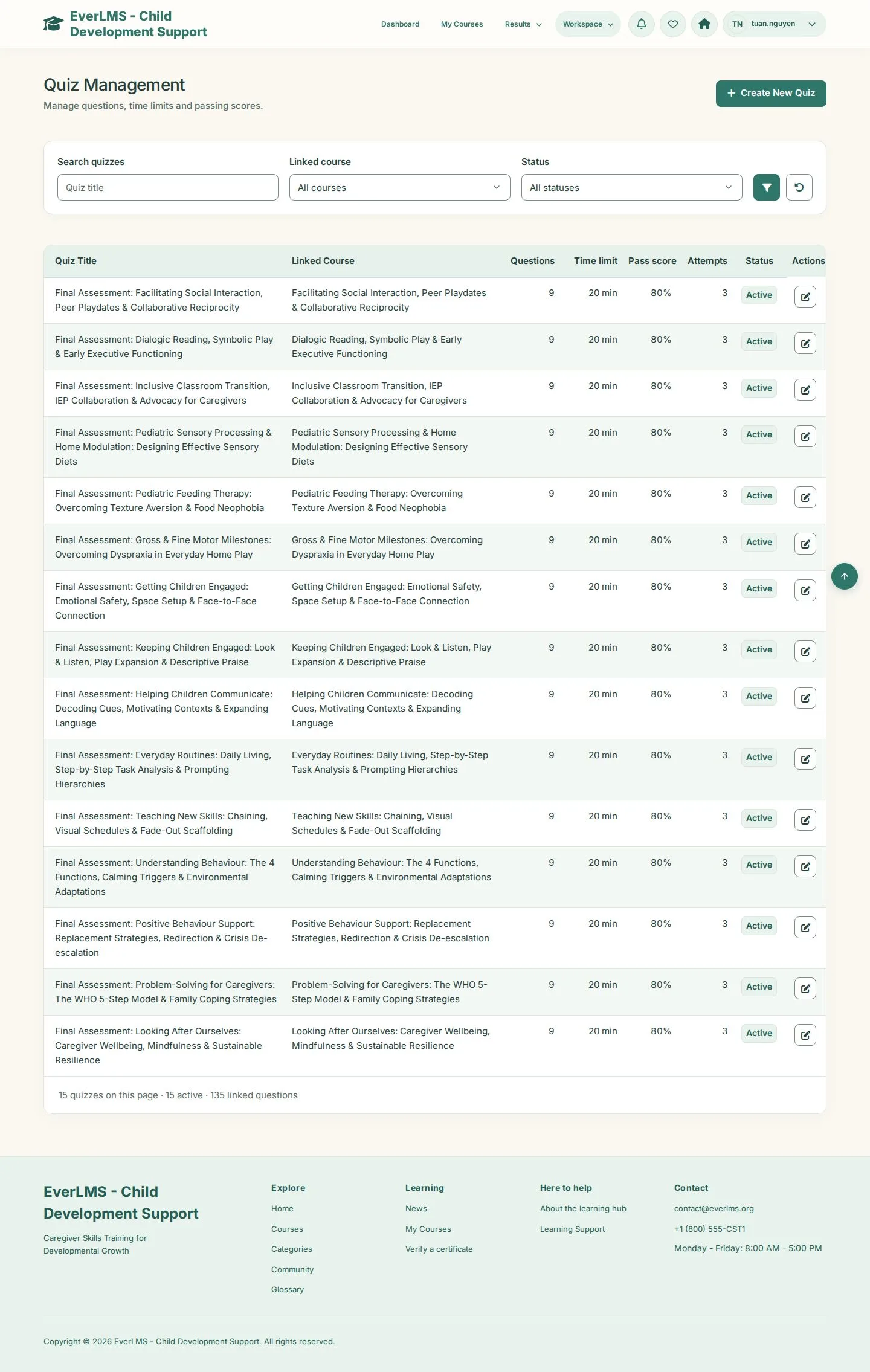
Quiz Management

Manager

Quiz Management

1Step 1 of 4

  1. Search quizzes · Linked course · Status
  2. Create New Quiz · Edit

Enlarge, then scroll

Open illustrated screen ↗Full image ↗

Manager · Quizzes and questions01

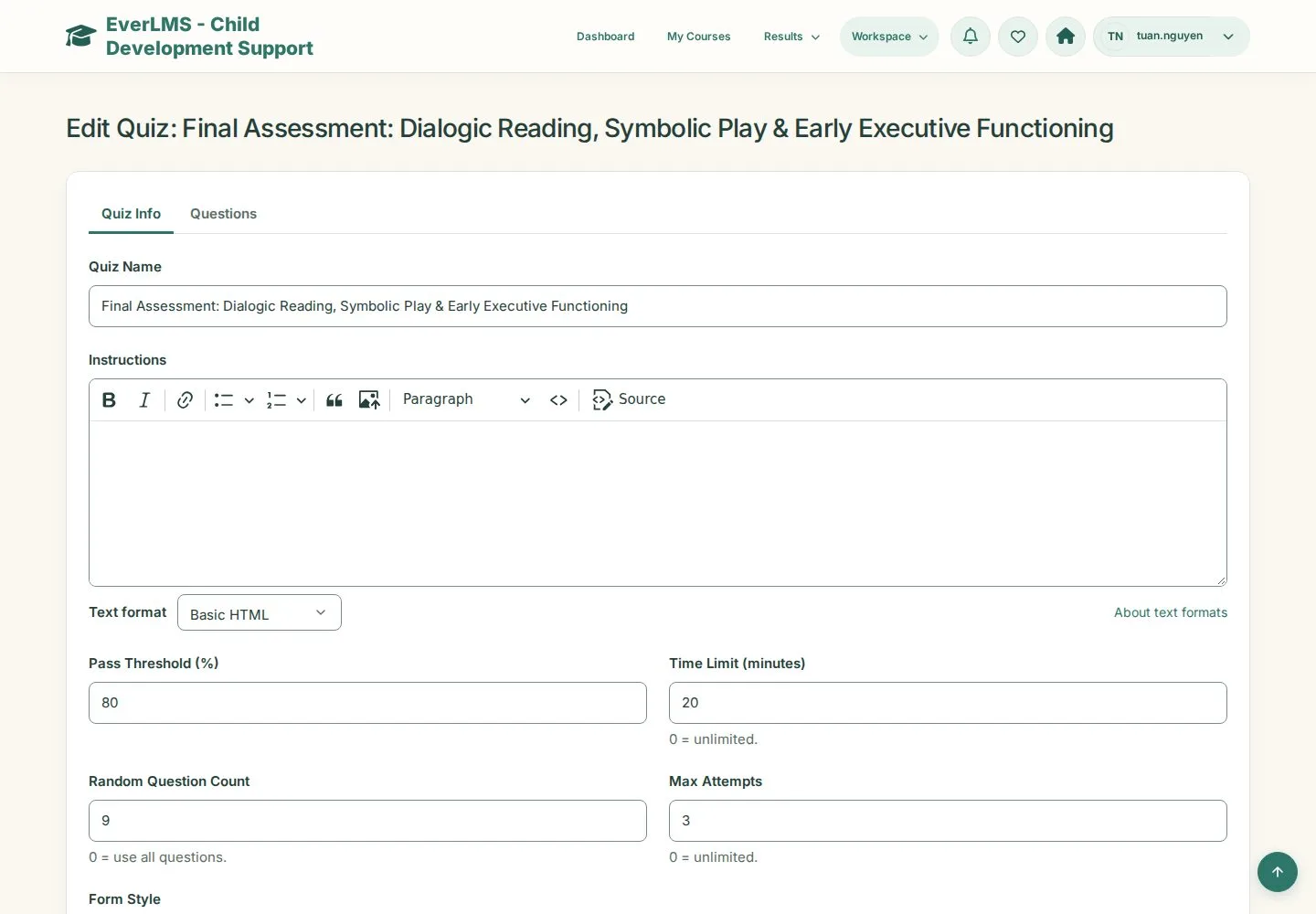
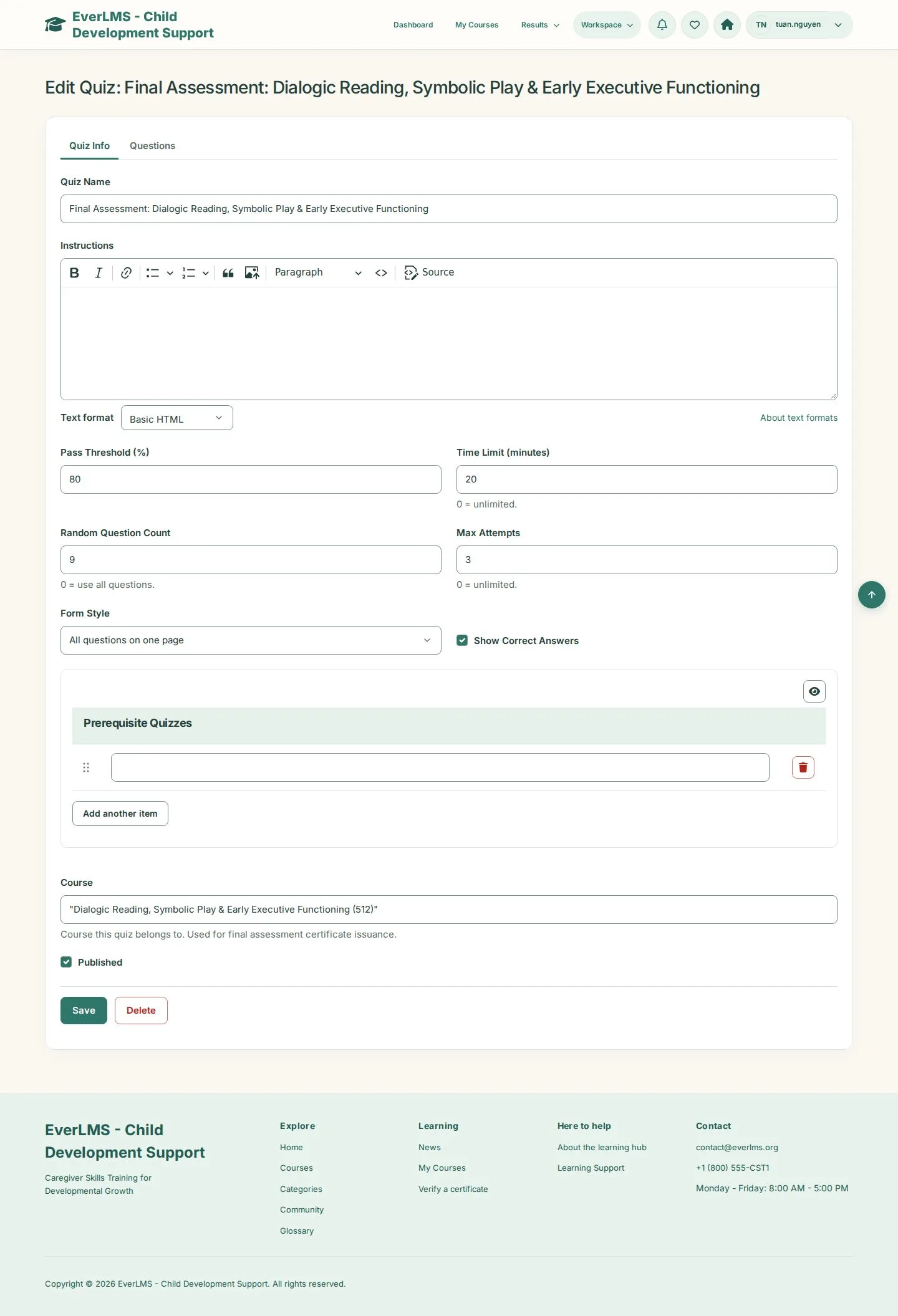
Quiz Info

Manager

Quiz Info

2Step 2 of 4

  1. Quiz Name · Instructions
  2. Pass Threshold (%) · Time Limit (minutes) · Max Attempts
  3. Show Correct Answers

Enlarge, then scroll

Open illustrated screen ↗Full image ↗

Manager · Quizzes and questions02

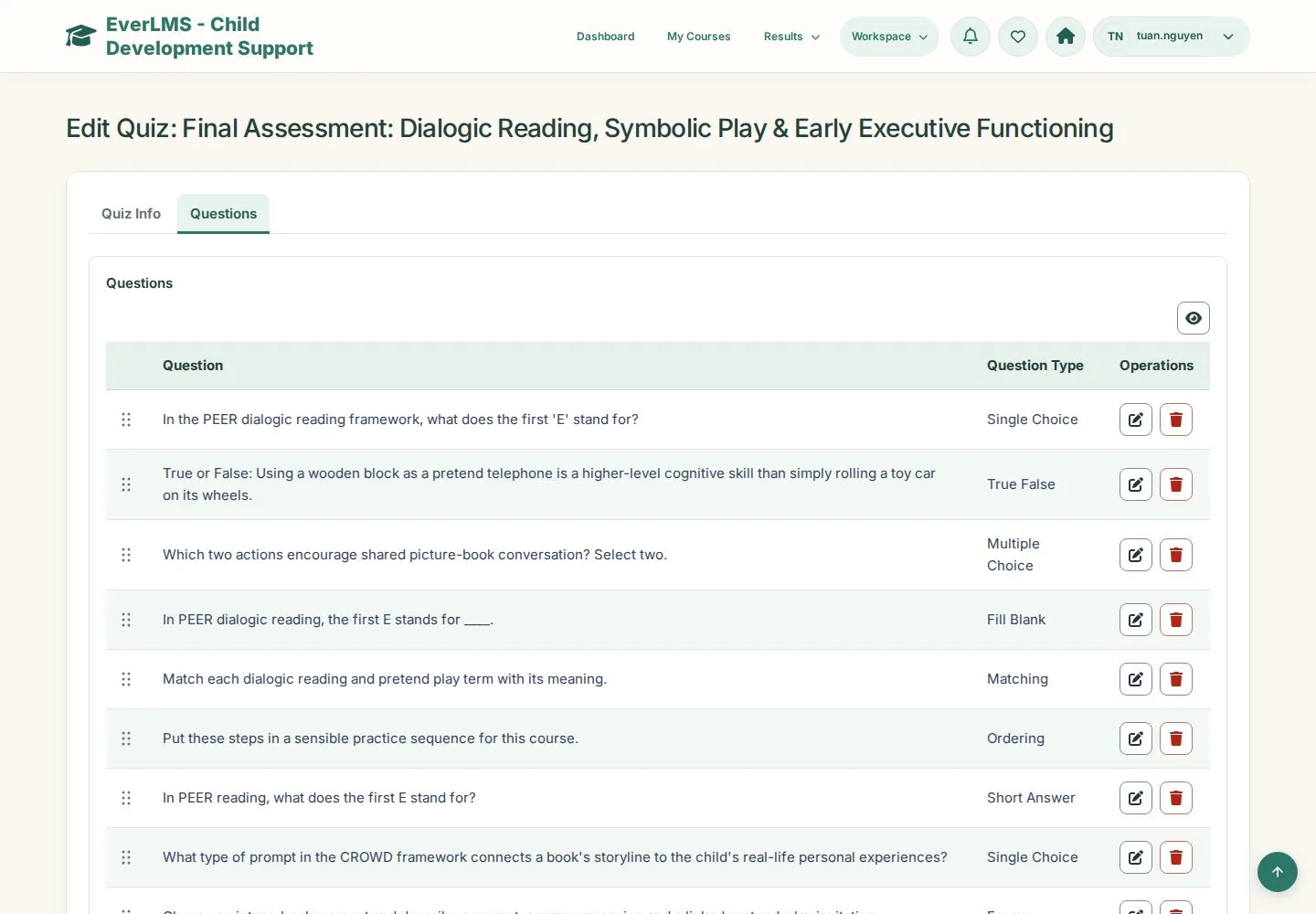
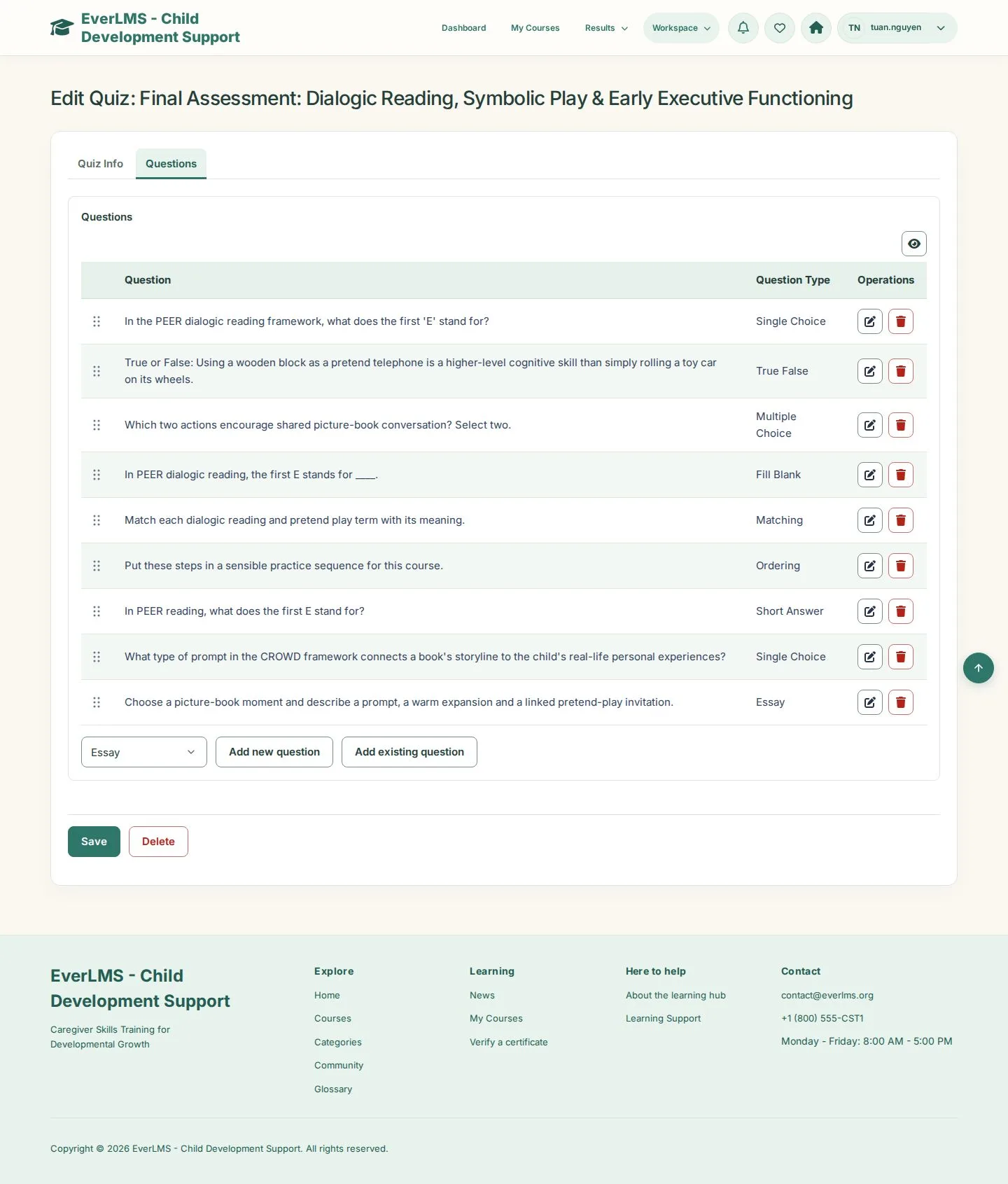
Questions

Manager

Questions

3Step 3 of 4

  1. Questions tab
  2. Question and Question Type
  3. Edit · Remove · Add

Enlarge, then scroll

Open illustrated screen ↗Full image ↗

Manager · Quizzes and questions03

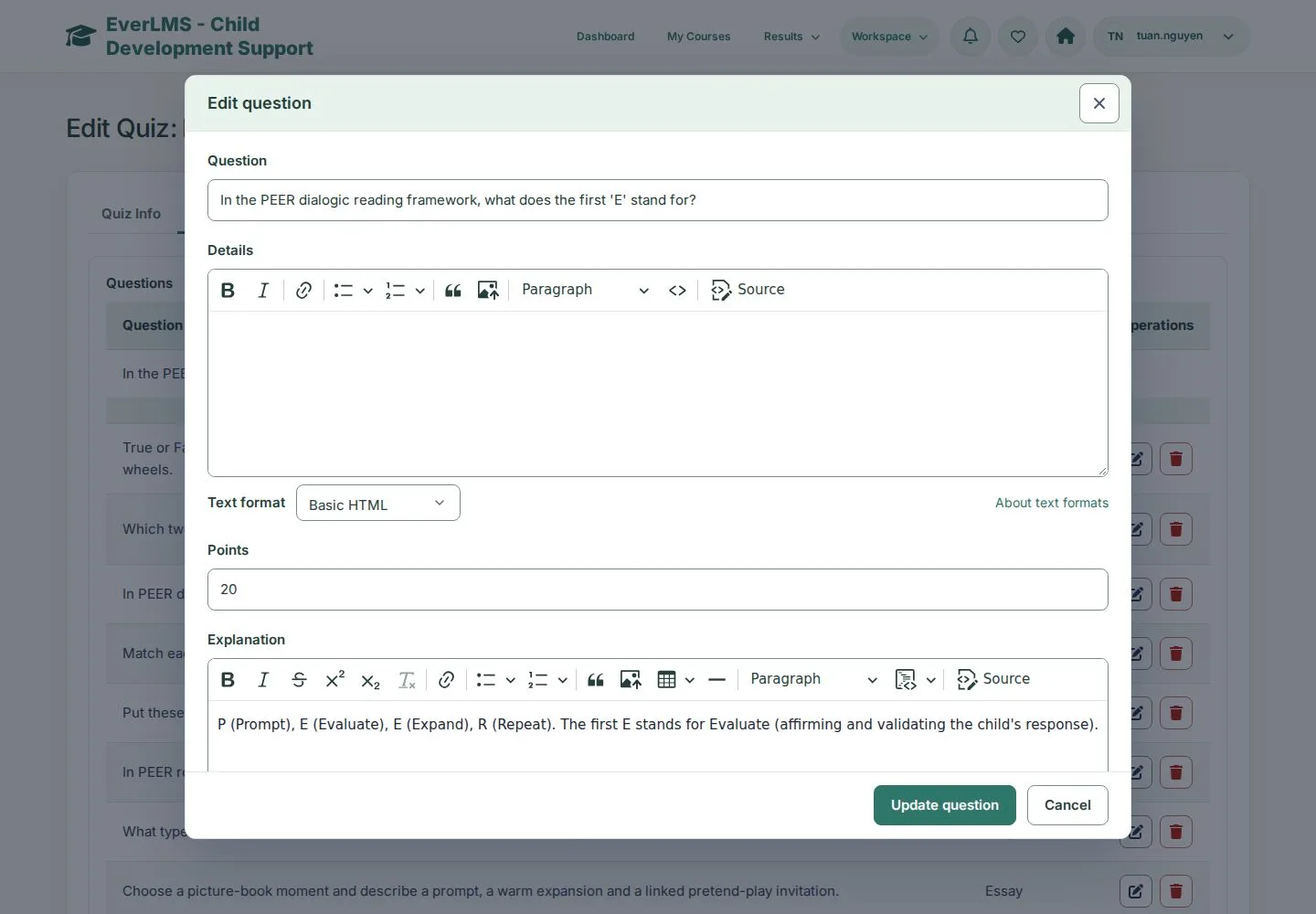
Edit question

Manager

Edit question

4Step 4 of 4

  1. Question · Points · Explanation
  2. Choices: mark the correct answer
  3. Update question · Save

Changes are kept only after Save on the quiz.

Open illustrated screen ↗Full image ↗

Check

Learners take the quiz with your questions, threshold and limits

Manager · Quizzes and questions04
1 / 5
Privacy Terms