Certificates and templates

Certificate Management · Certificate Templates · Preview

  • Manager account
Manager

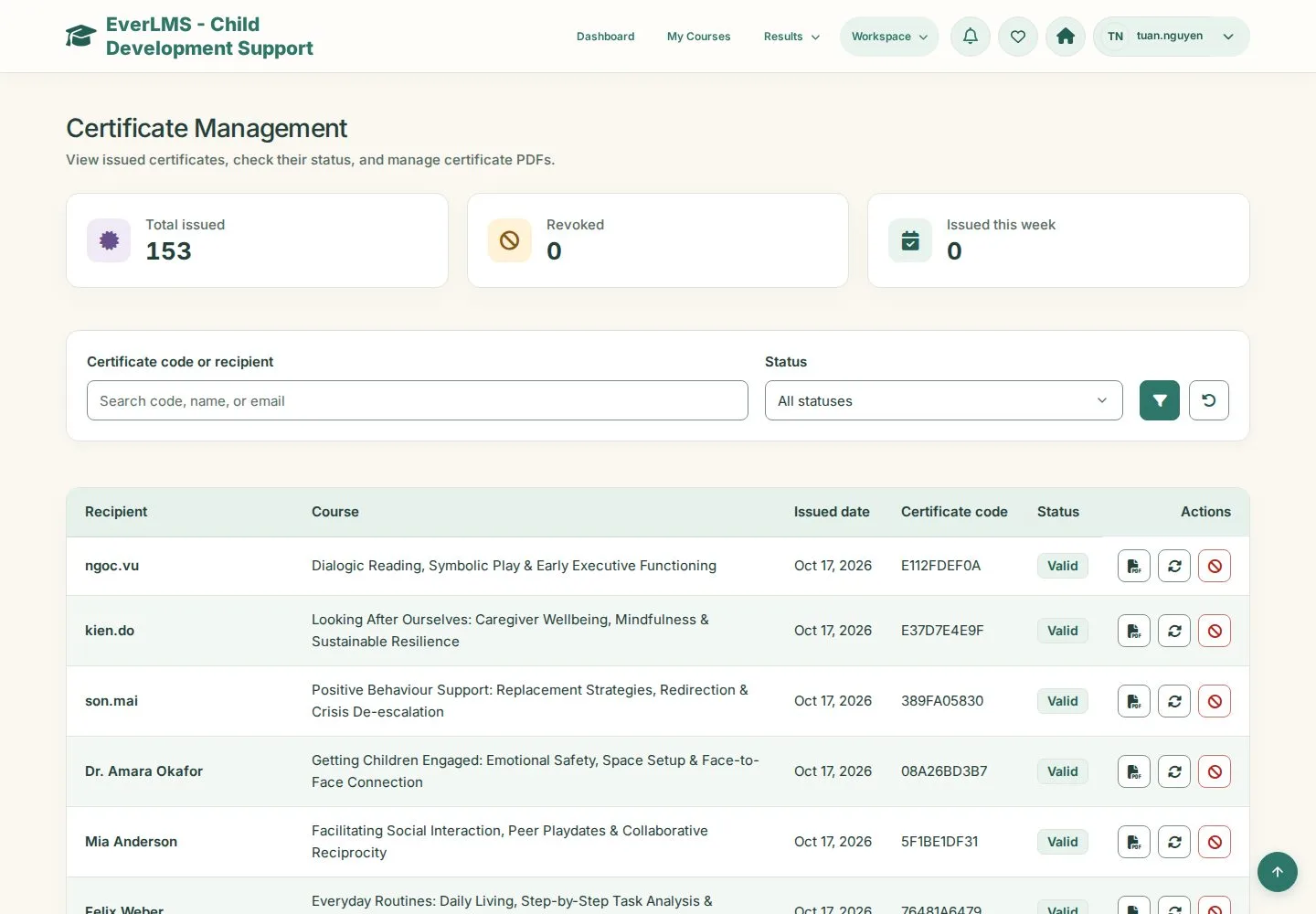
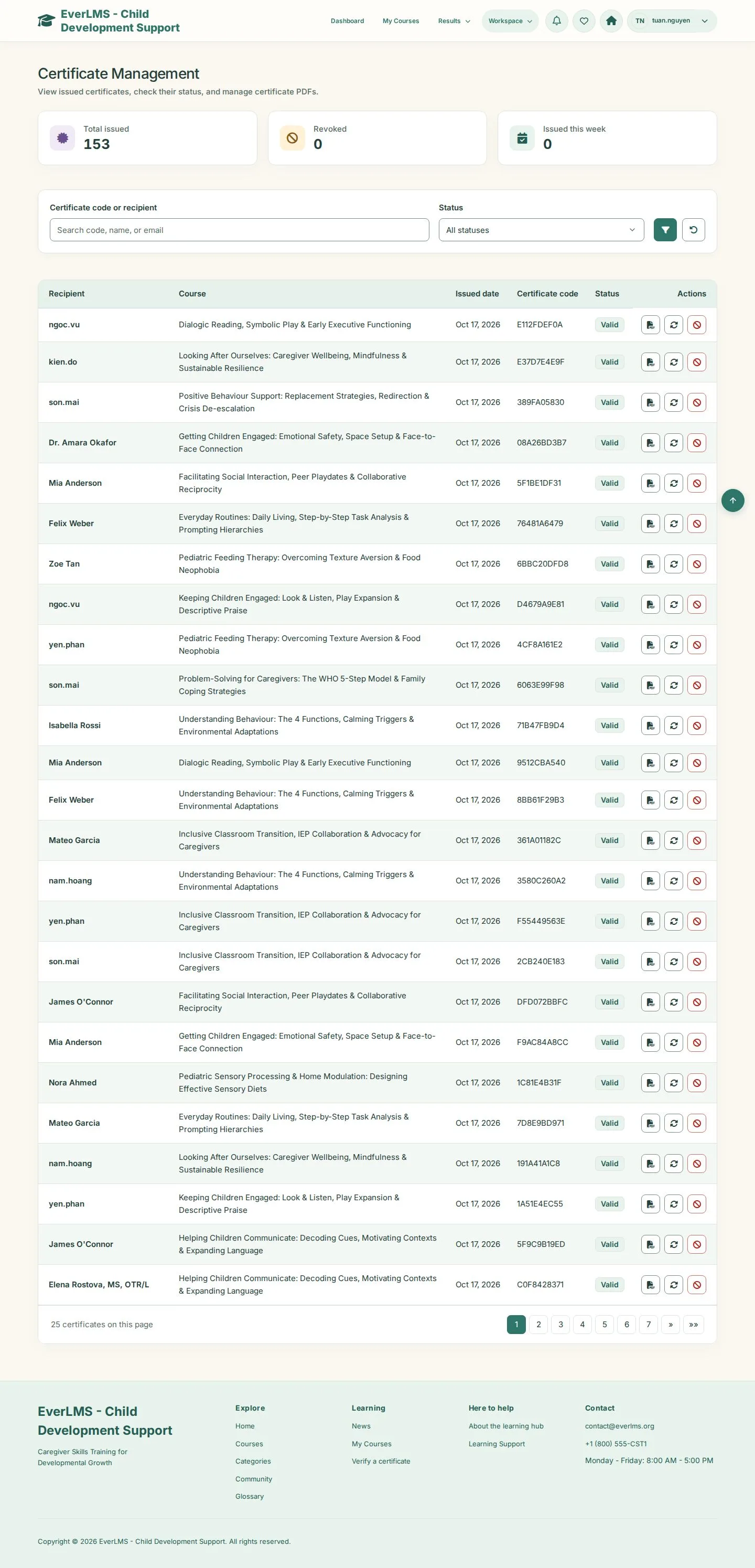
Certificate Management

Manager

Certificate Management

1Step 1 of 3

  1. Search code, name, or email
  2. Valid · Revoked
  3. View · Regenerate · Revoke

Enlarge, then scroll

Open illustrated screen ↗Full image ↗

Manager · Certificates and templates01

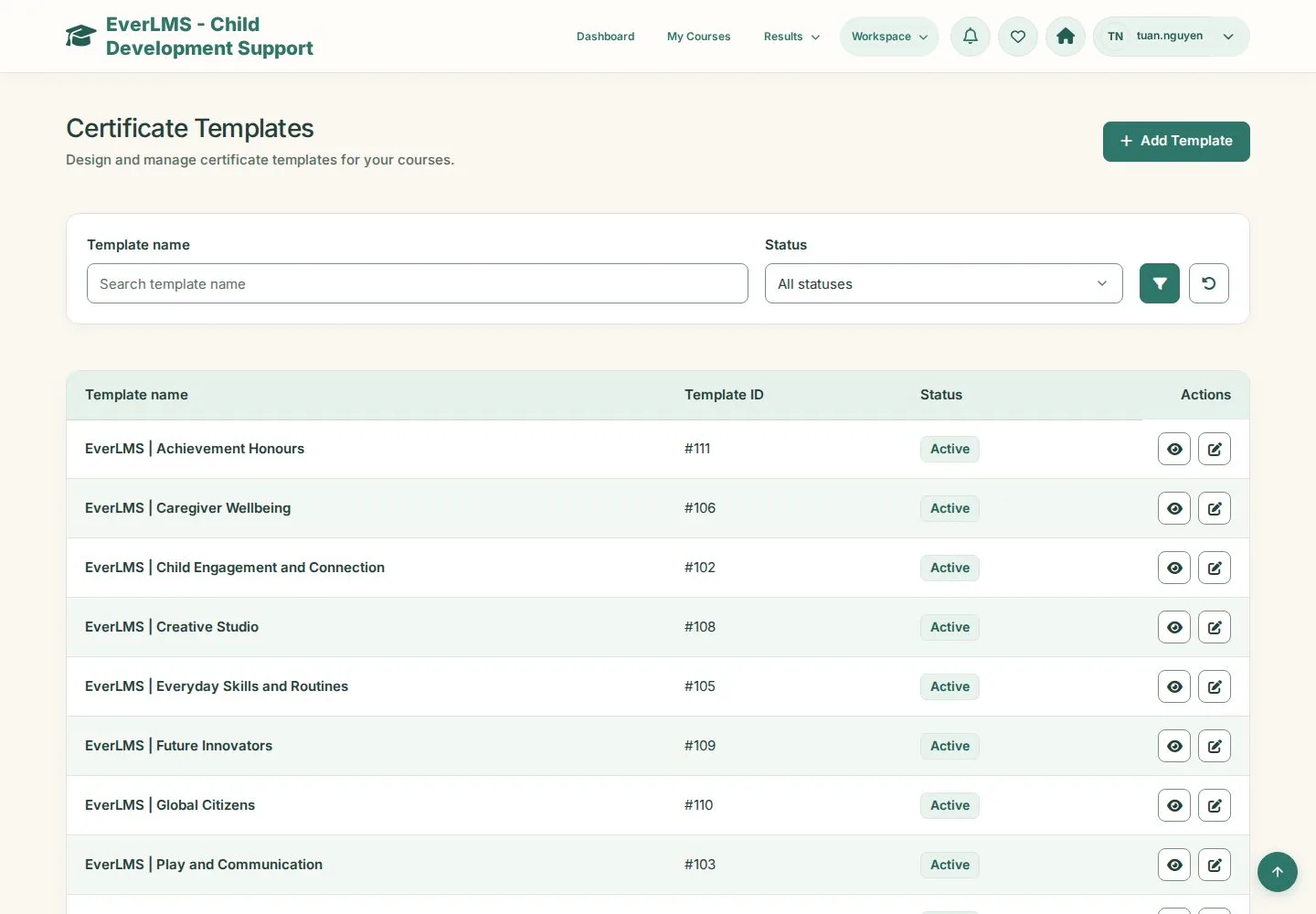
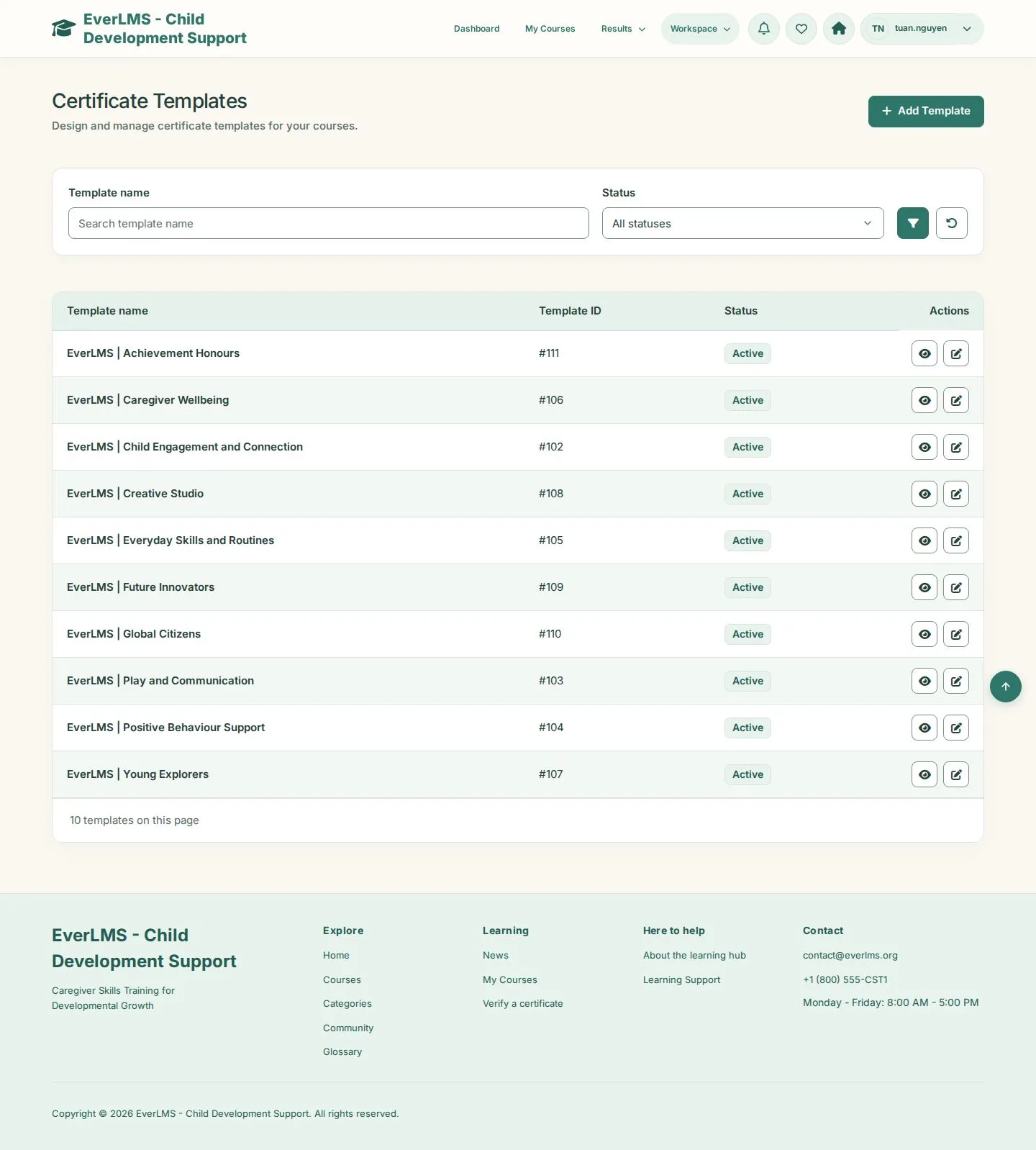
Certificate Templates

Manager

Certificate Templates

2Step 2 of 3

  1. Template name · Status
  2. Add Template · Edit

Enlarge, then scroll

Open illustrated screen ↗Full image ↗

Manager · Certificates and templates02

Template and preview

Manager

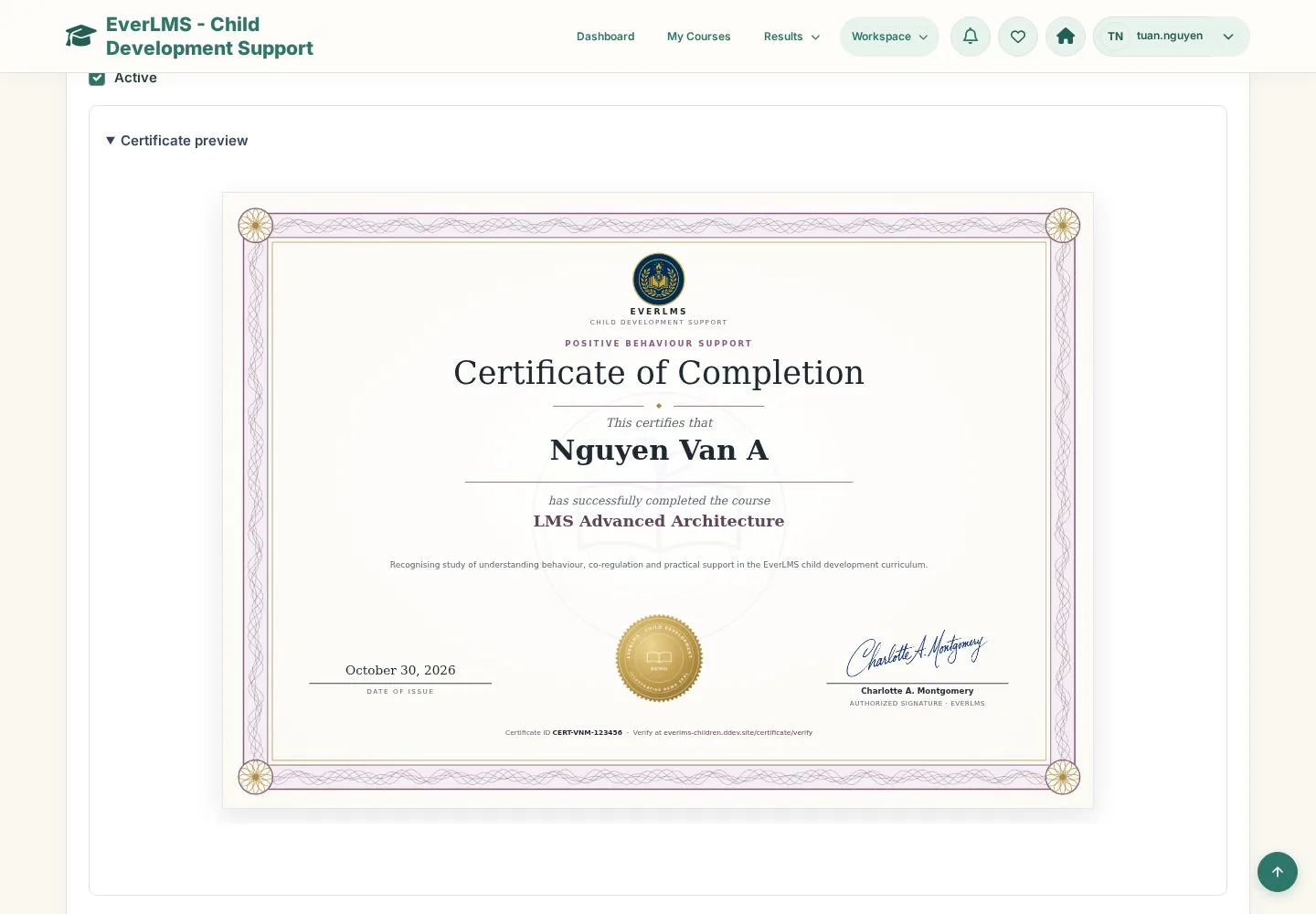
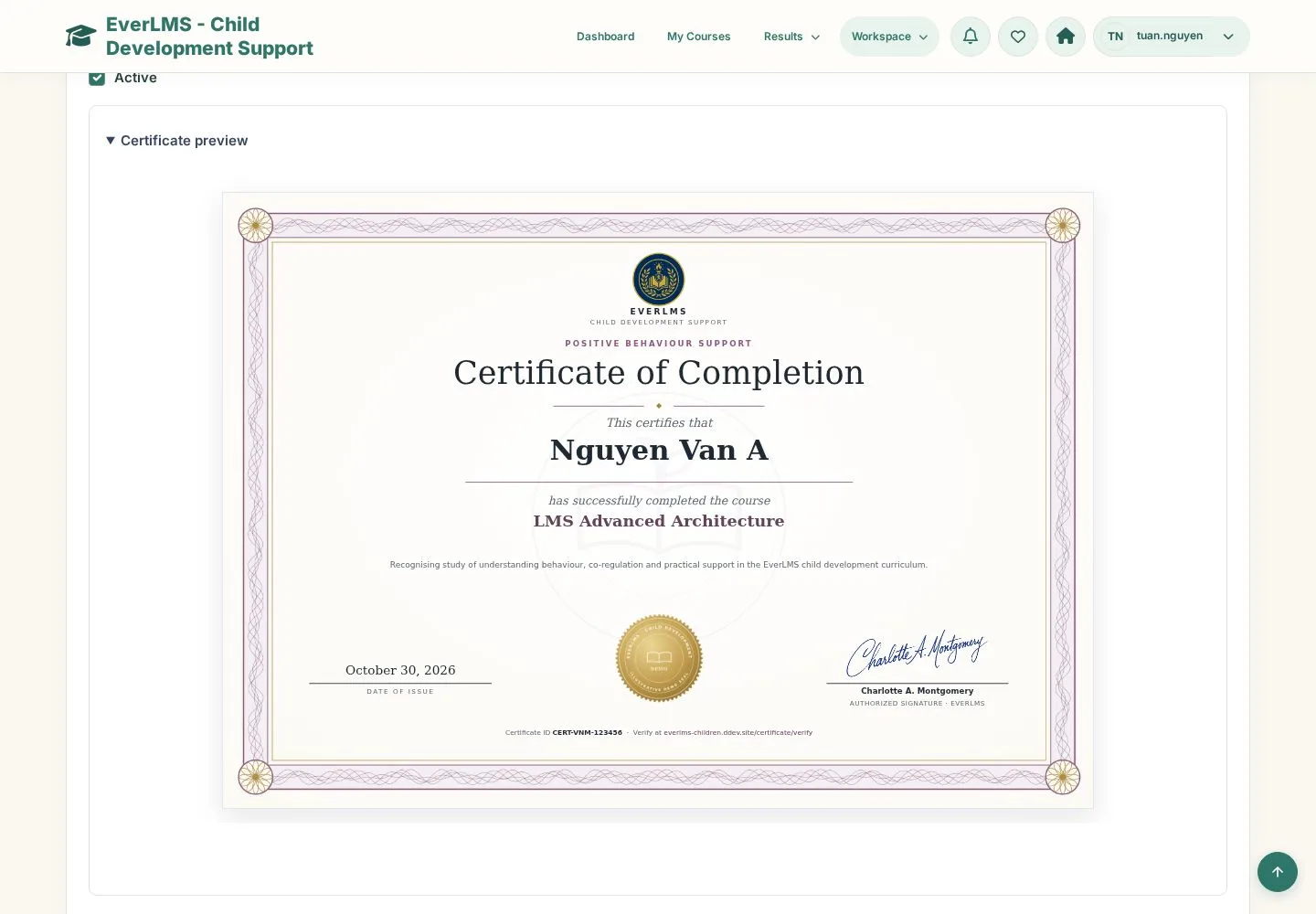
Template and preview

3Step 3 of 3

  1. Template Name · Certificate Body with tokens
  2. Twig Template · Design · Background Image
  3. Certificate preview

The preview shows sample values; the issued PDF uses the learner, course and date.

Open illustrated screen ↗Full image ↗

Check

Issued certificates are listed and new ones use the template you prepared

Manager · Certificates and templates03
1 / 4
Privacy Terms