Take a quiz

Questions · Mark for review · Full screen · Submit Final Answers

  • Enrolled in the course
  • The quiz lesson is open to you
Learner
Start the quiz

Learner

Start the quiz

1Step 1 of 5

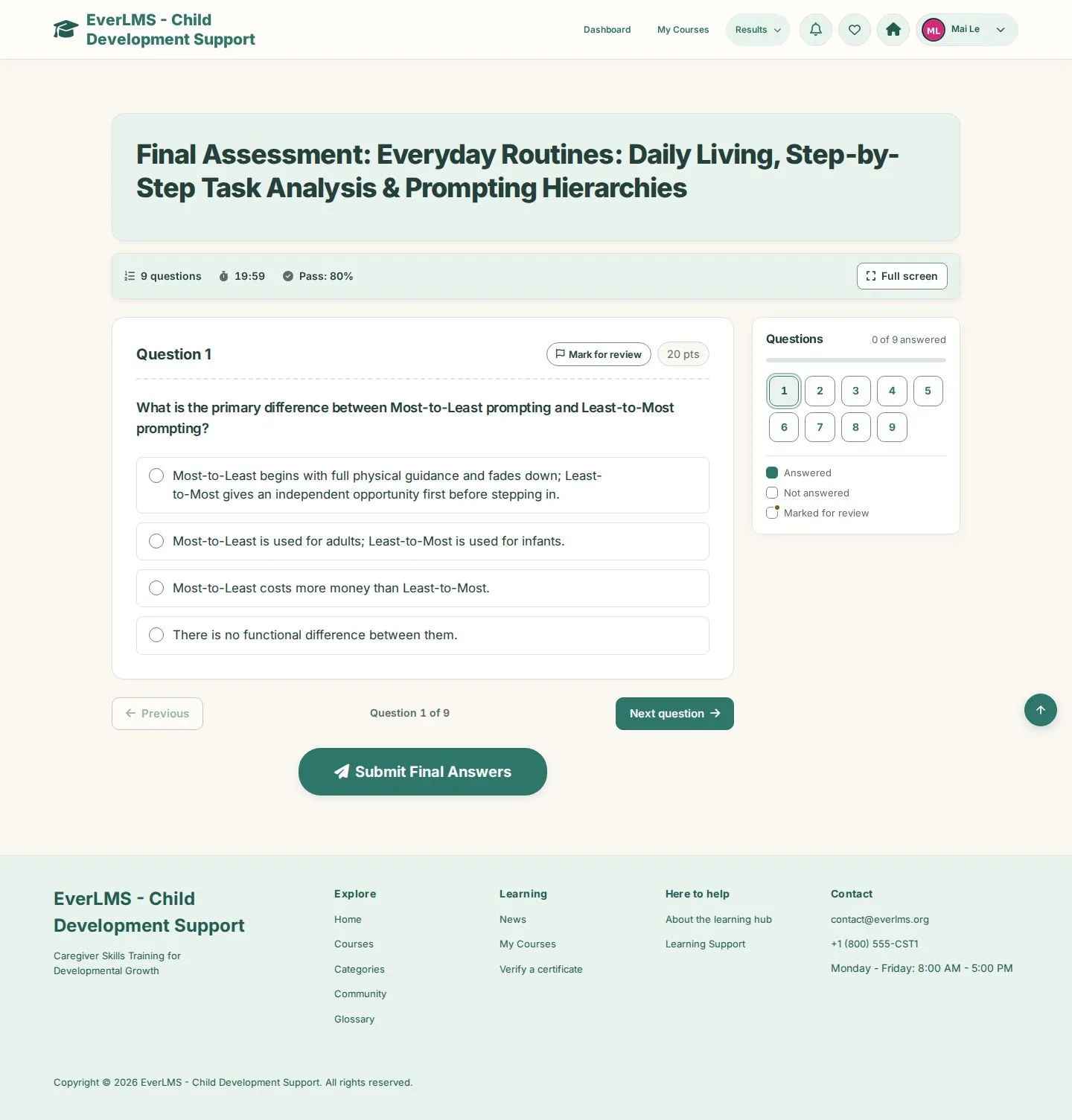
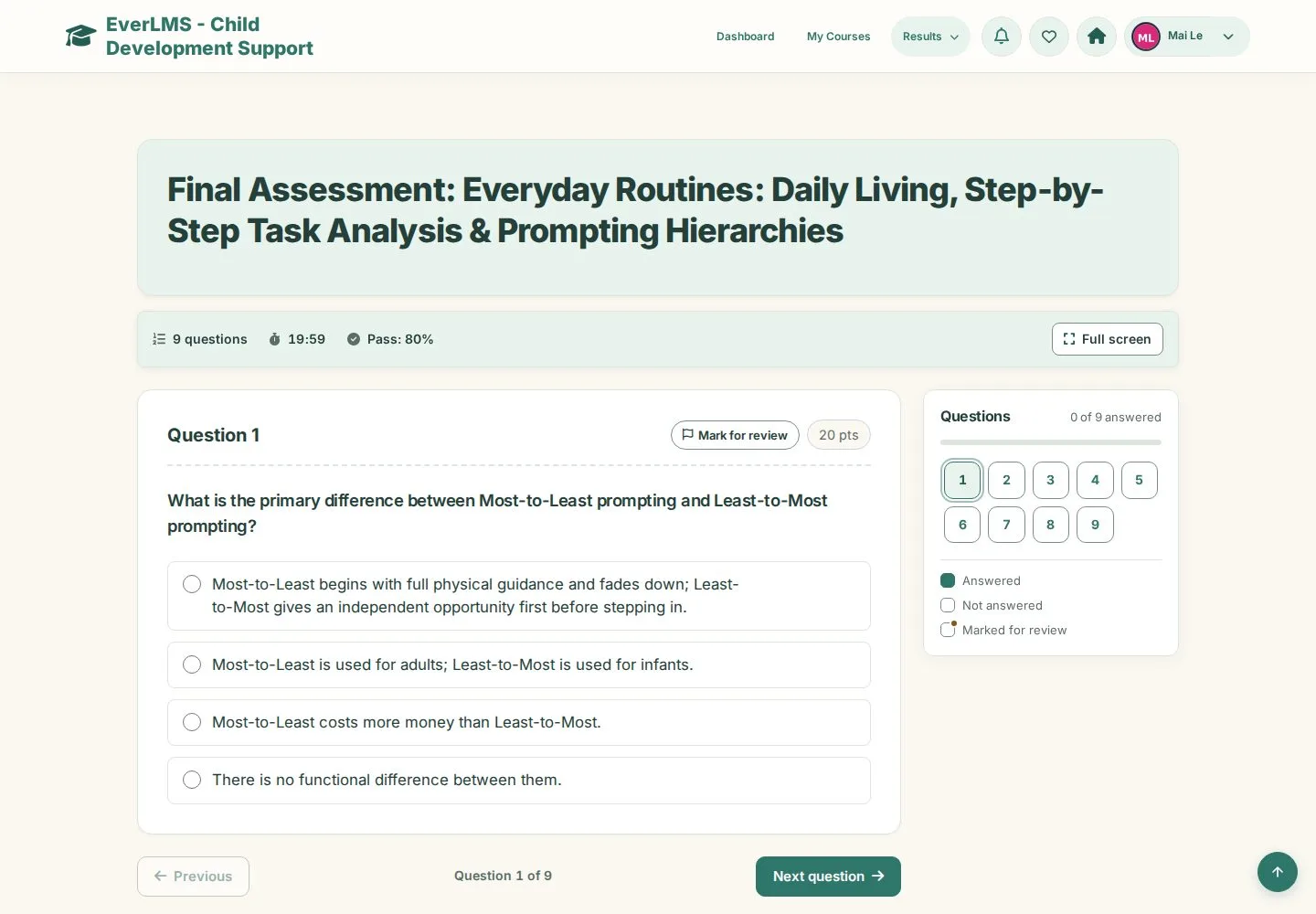
  1. Question 1 of 9 · Time remaining · Pass score at the top
  2. Answer the question
  3. Next question

Enlarge, then scroll

Open illustrated screen ↗Full image ↗

Learner · Take a quiz01

Move between questions

Learner

Move between questions

2Step 2 of 5

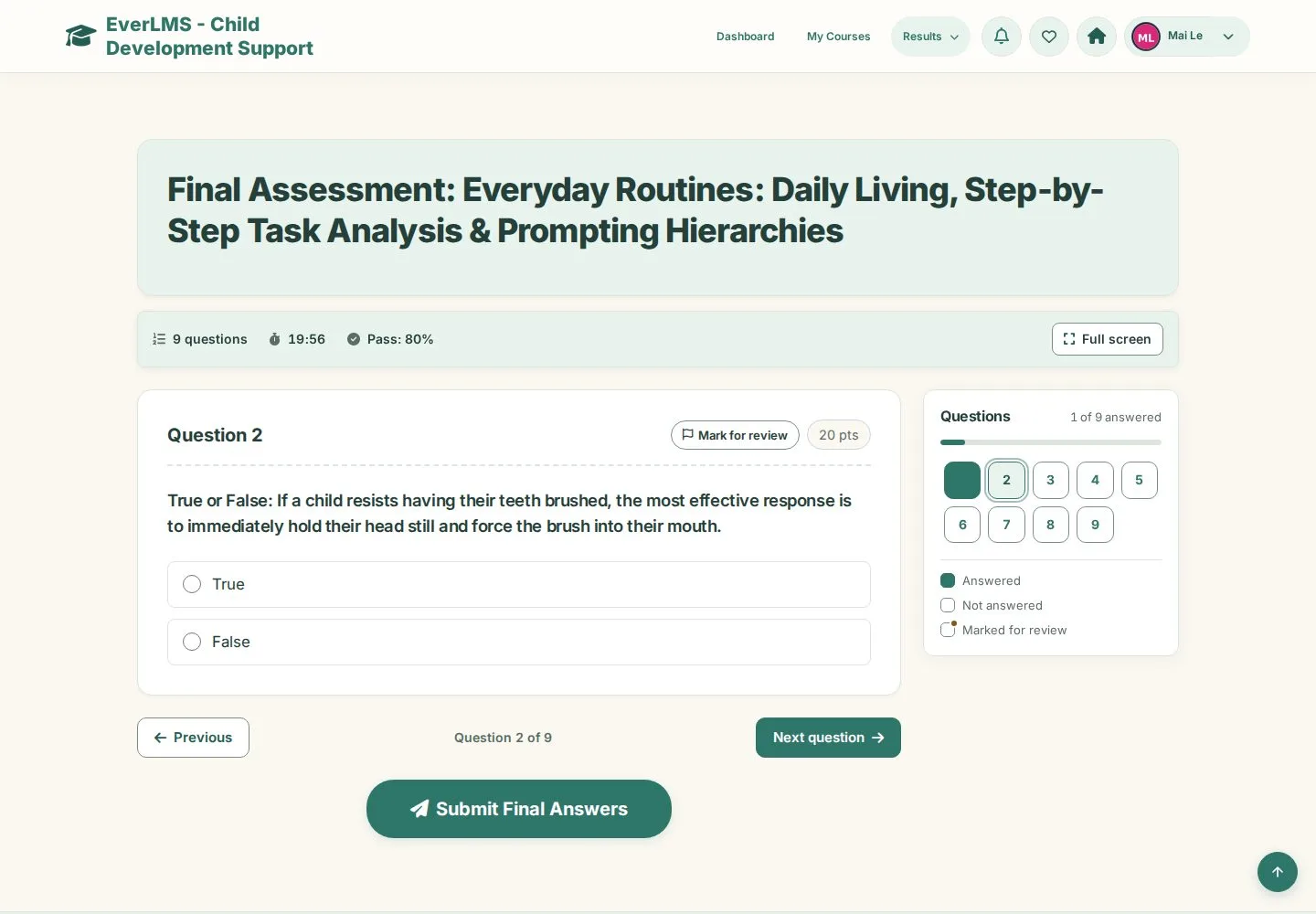
  1. Questions: answered numbers turn green
  2. Pick a number to go back
  3. Previous · Next question

Enlarge, then scroll

Open illustrated screen ↗Full image ↗

Learner · Take a quiz02

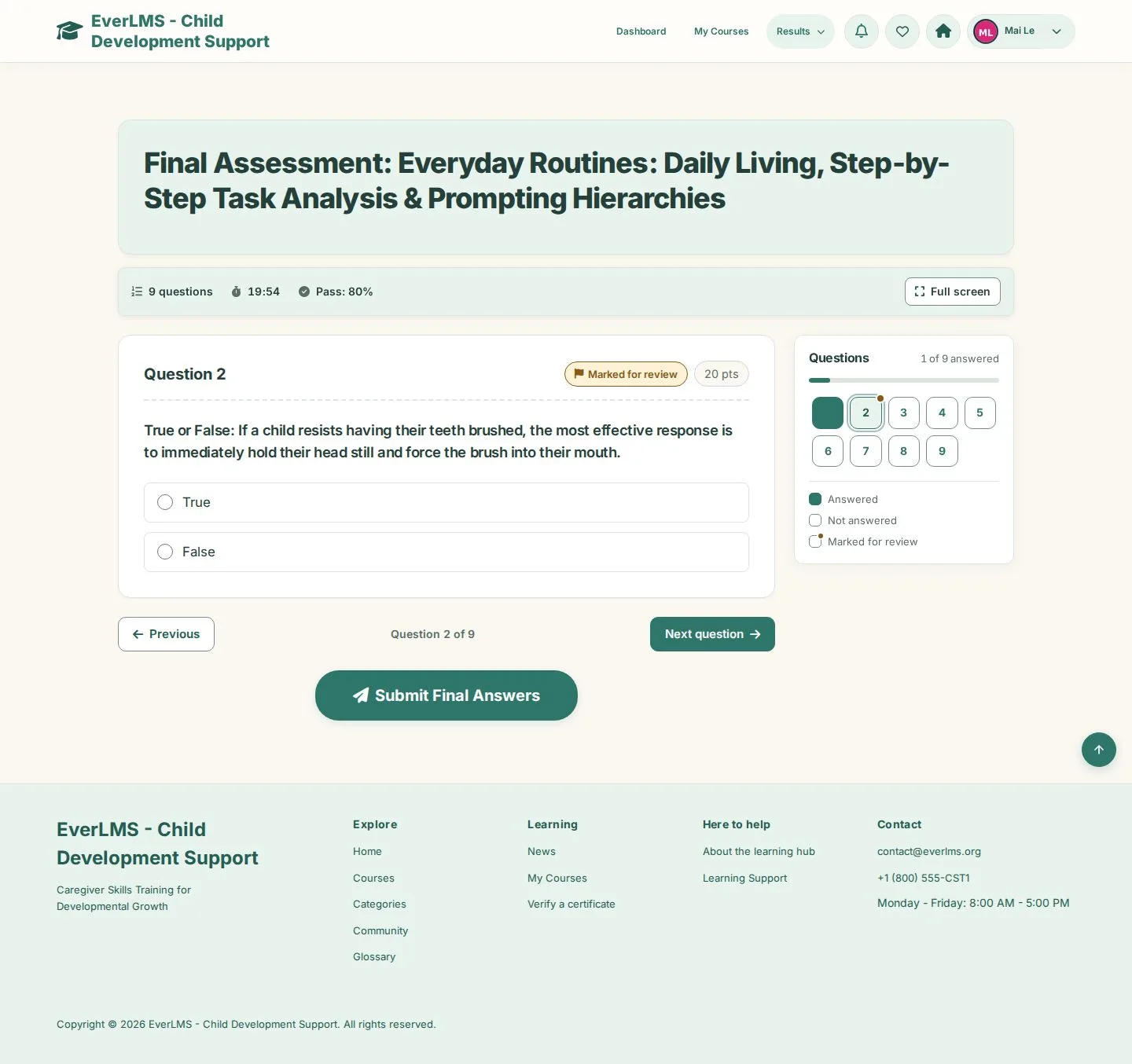
Mark for review

Learner

Mark for review

3Step 3 of 5

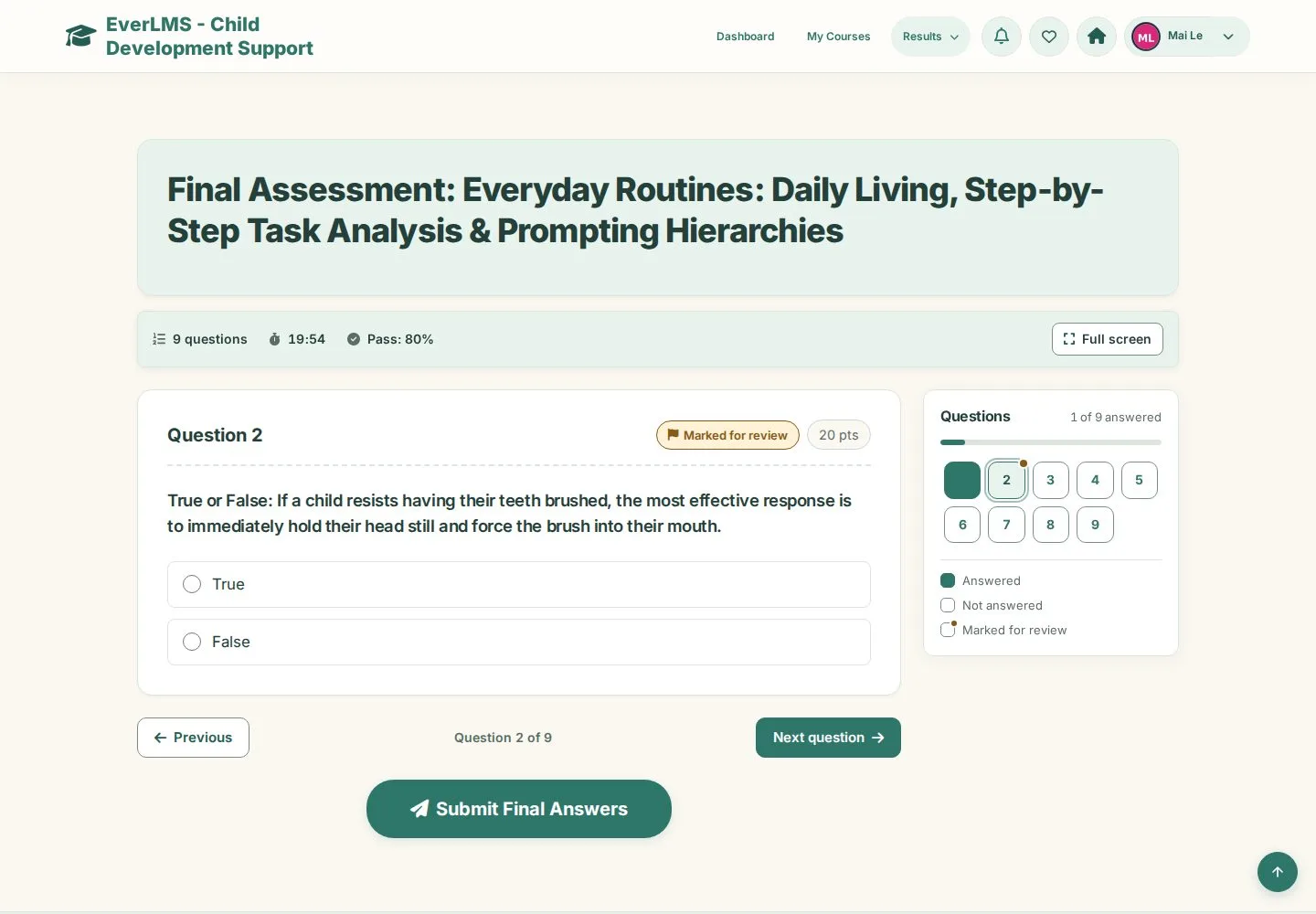
  1. Mark for review on a question you want to check
  2. A dot marks it in Questions

Enlarge, then scroll

Open illustrated screen ↗Full image ↗

Learner · Take a quiz03

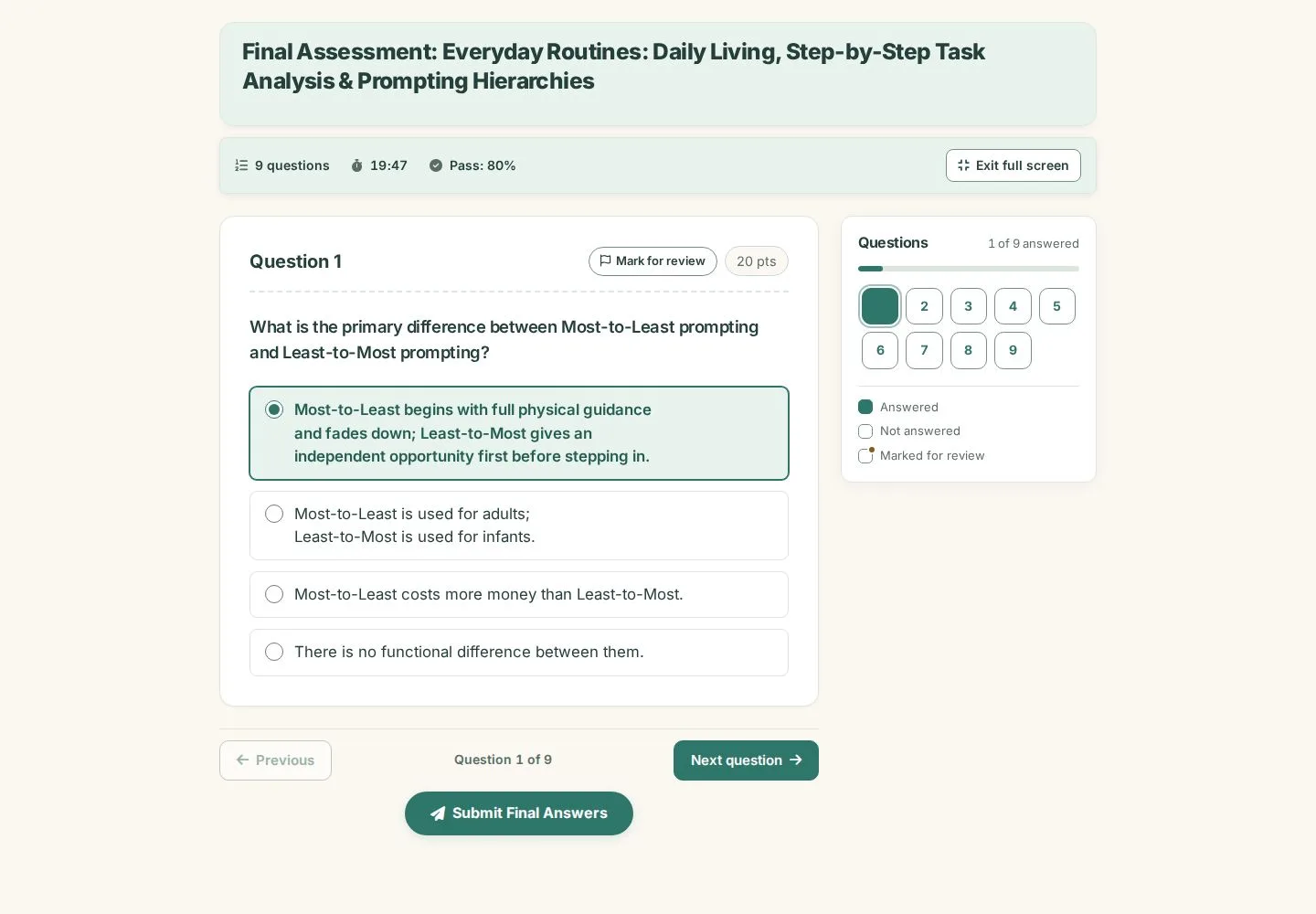
Full screen

Learner

Full screen

4Step 4 of 5

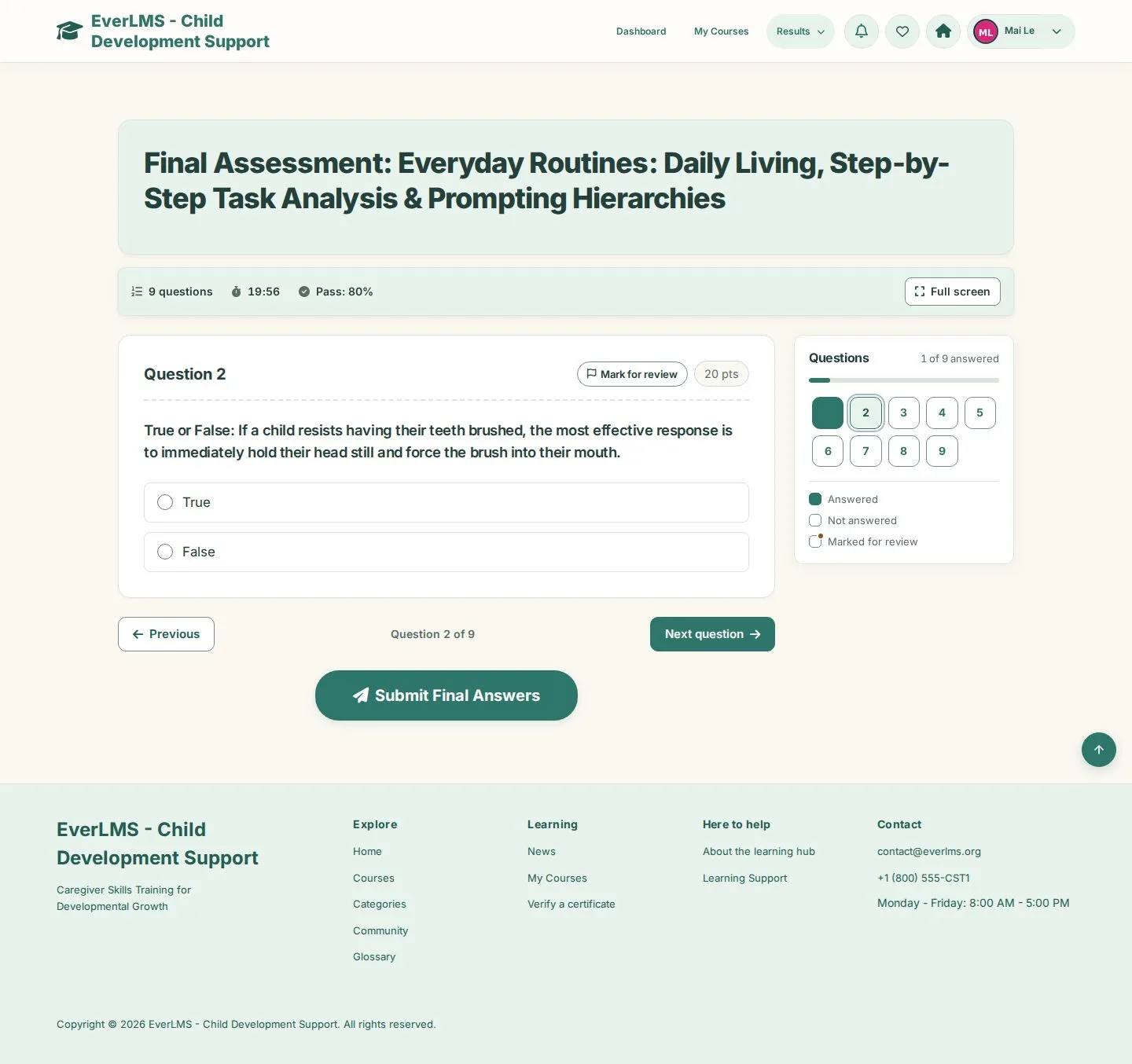
  1. Full screen
  2. Exit full screen when you are done

The timer keeps running in full screen; Submit Final Answers stays at the bottom of the screen.

Open illustrated screen ↗Full image ↗

Learner · Take a quiz04

Submit

Learner

Submit

5Step 5 of 5

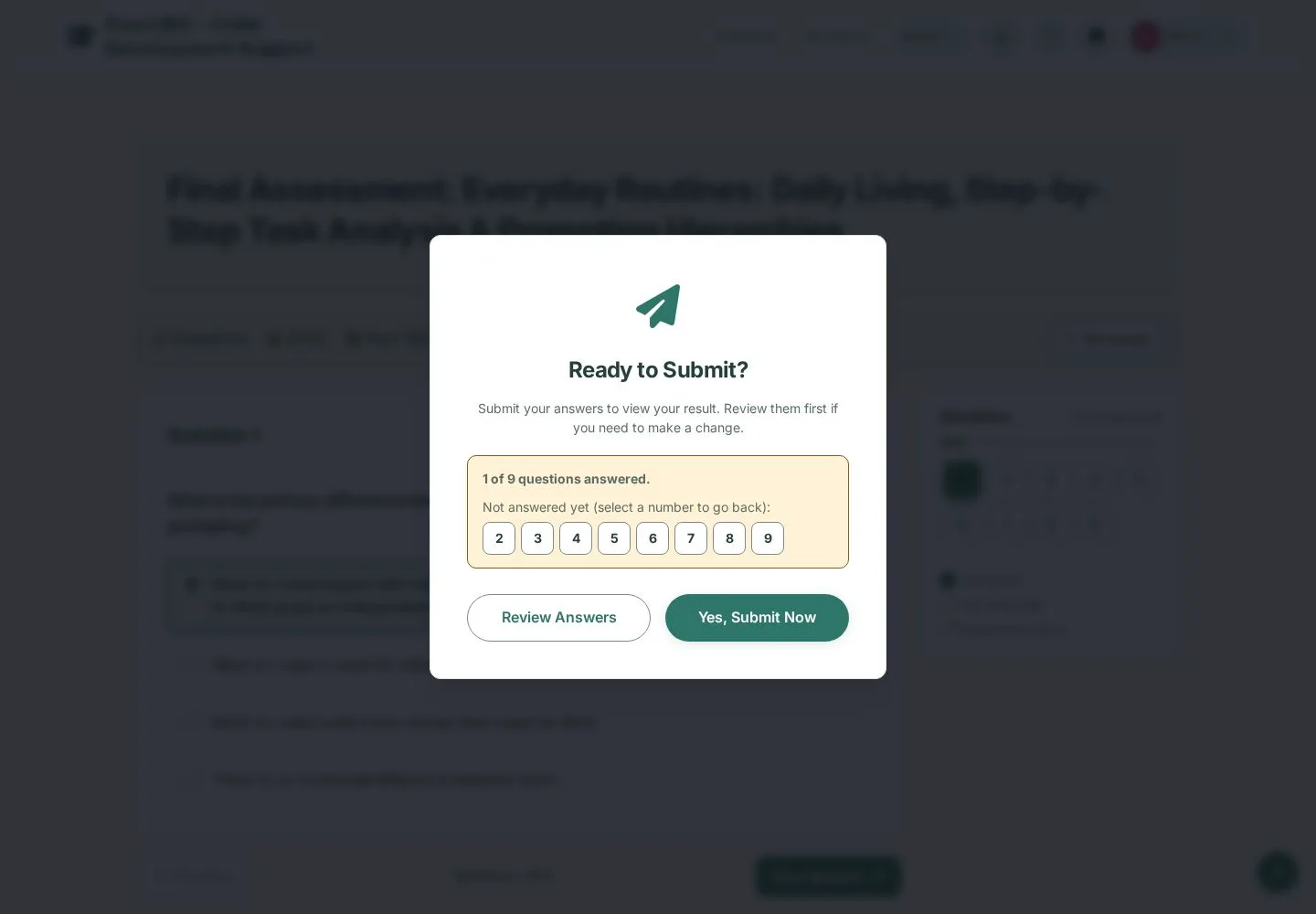
  1. Submit Final Answers
  2. Ready to Submit? lists the questions not answered yet
  3. Review Answers or Yes, Submit Now

Answers cannot be changed after Yes, Submit Now; the number of attempts can be limited.

Open illustrated screen ↗Full image ↗

Check

Your result opens with the score and the answers breakdown

Learner · Take a quiz05
1 / 6
Privacy Terms