Start or continue a course

Enroll Now · My Courses · Learning queue · Course page

  • Signed in
Learner

Enroll in a course

Learner

Enroll in a course

1Step 1 of 5

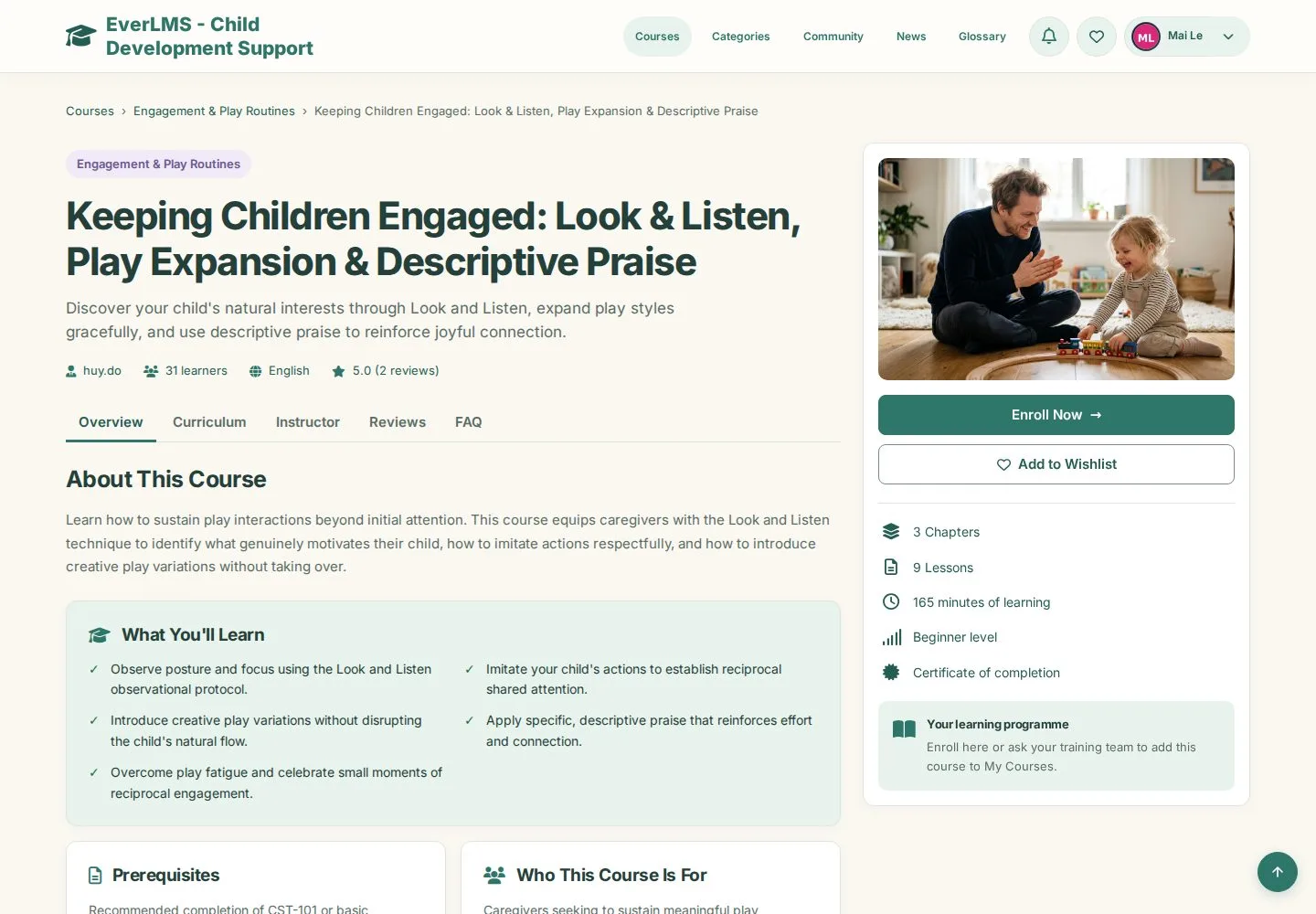
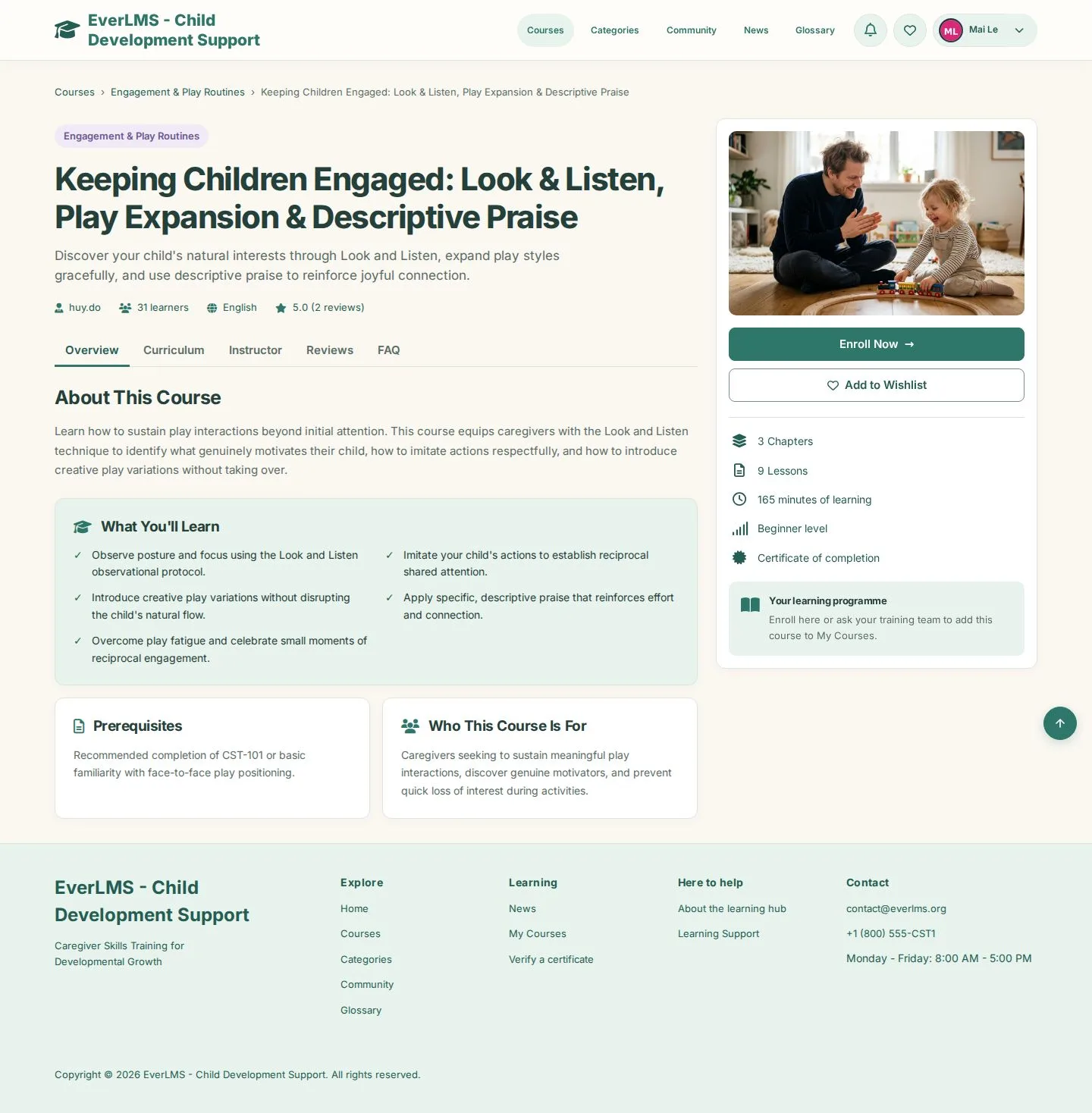
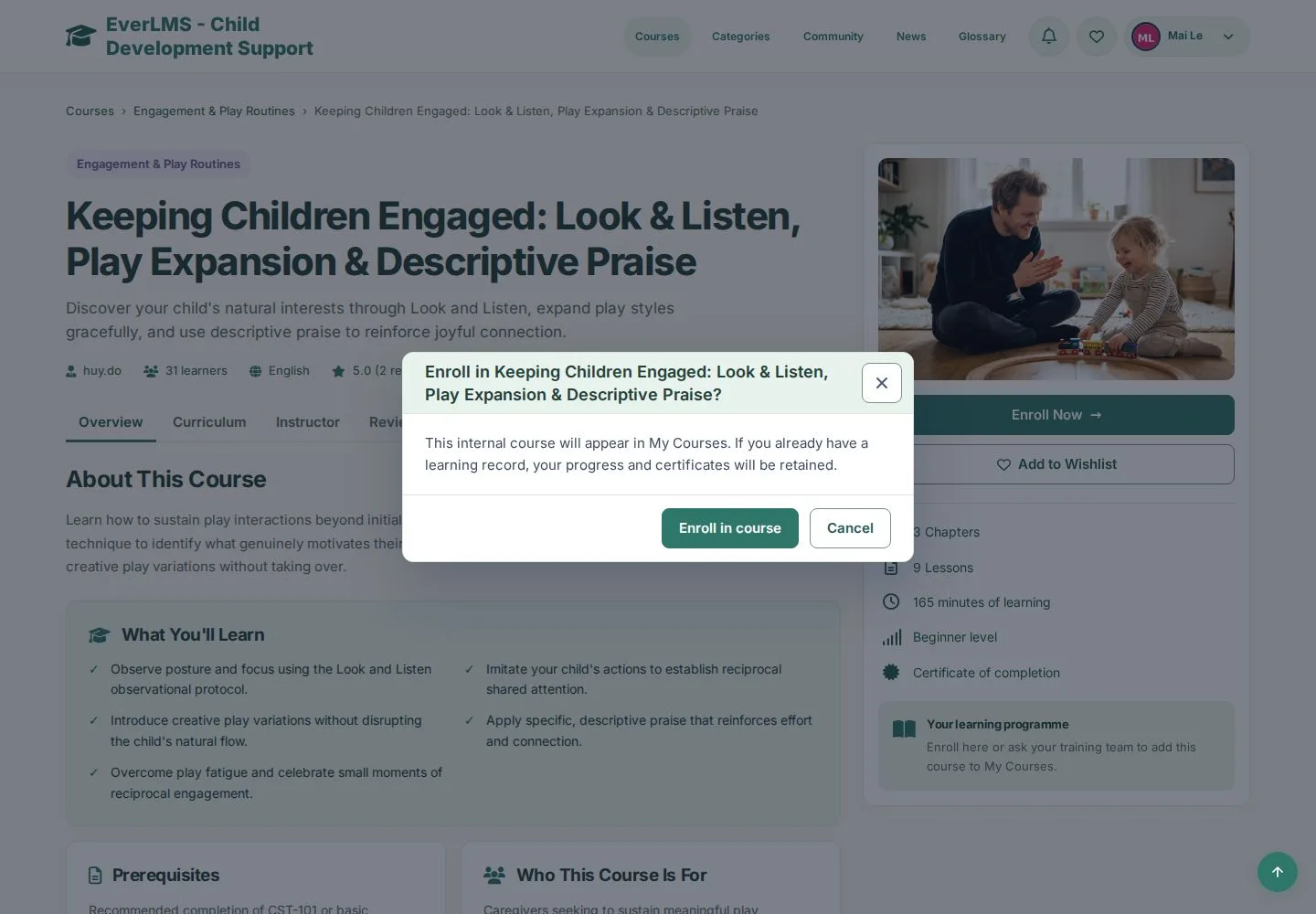
  1. Open a course page
  2. Enroll Now

Courses your programme assigns appear in My Courses without this step.

Enlarge, then scroll

Open illustrated screen ↗Full image ↗

Learner · Start or continue a course01

Confirm the enrolment

Learner

Confirm the enrolment

2Step 2 of 5

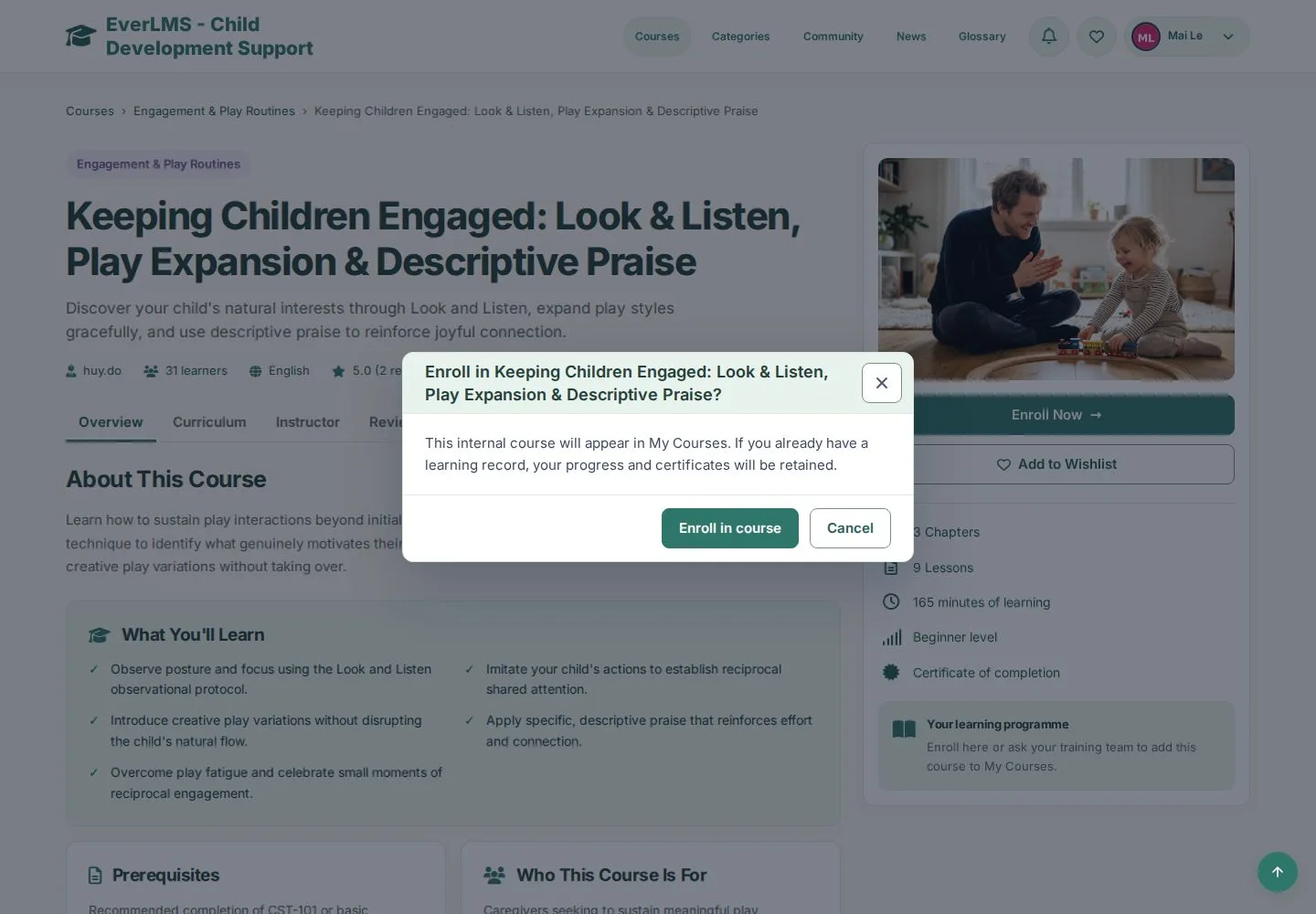
  1. Enroll in course
  2. Cancel to stay on the course page

The course appears in My Courses. If you already have a learning record, your progress and certificates are kept.

Open illustrated screen ↗Full image ↗

Learner · Start or continue a course02

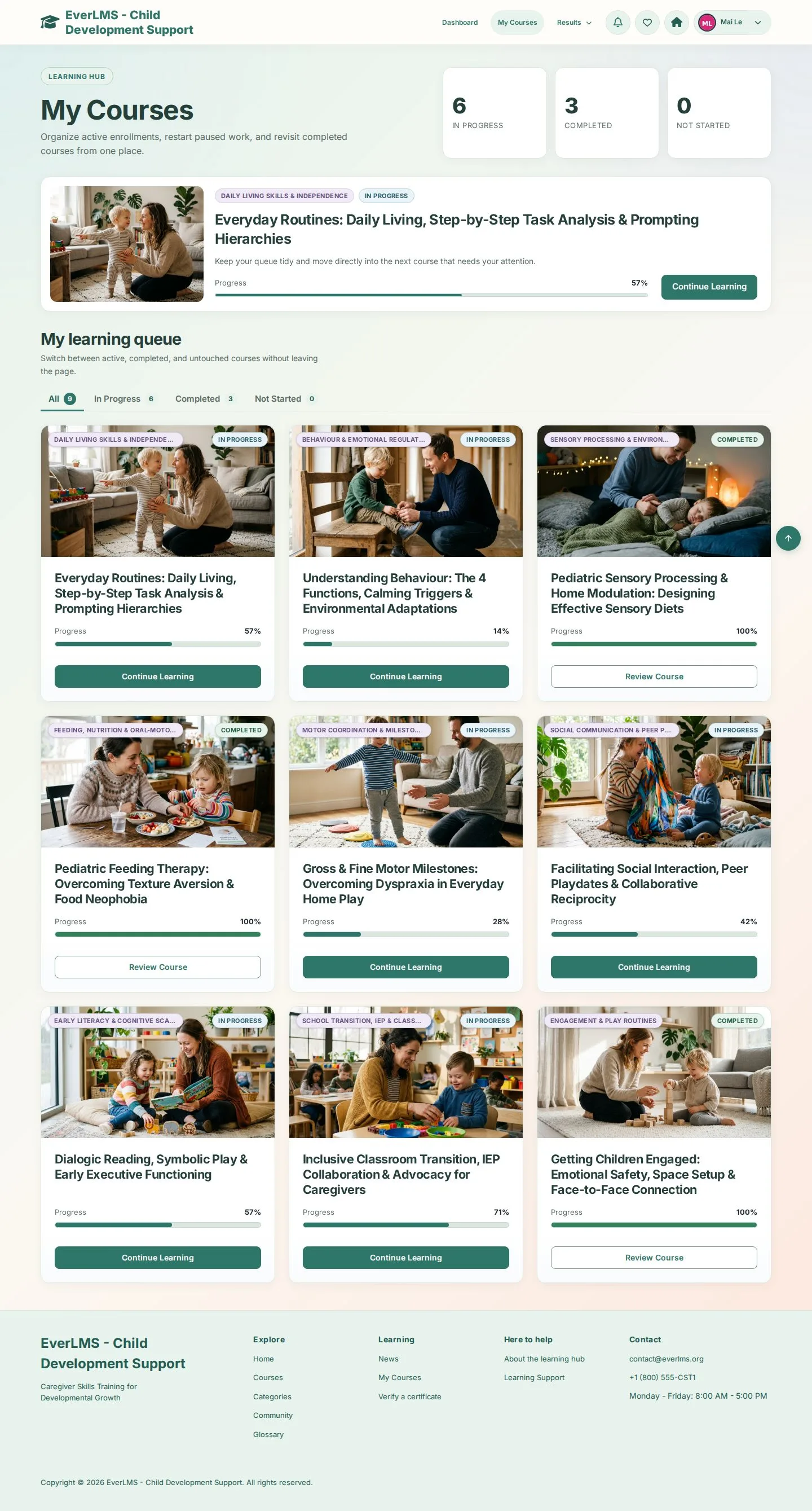
My Courses

Learner

My Courses

3Step 3 of 5

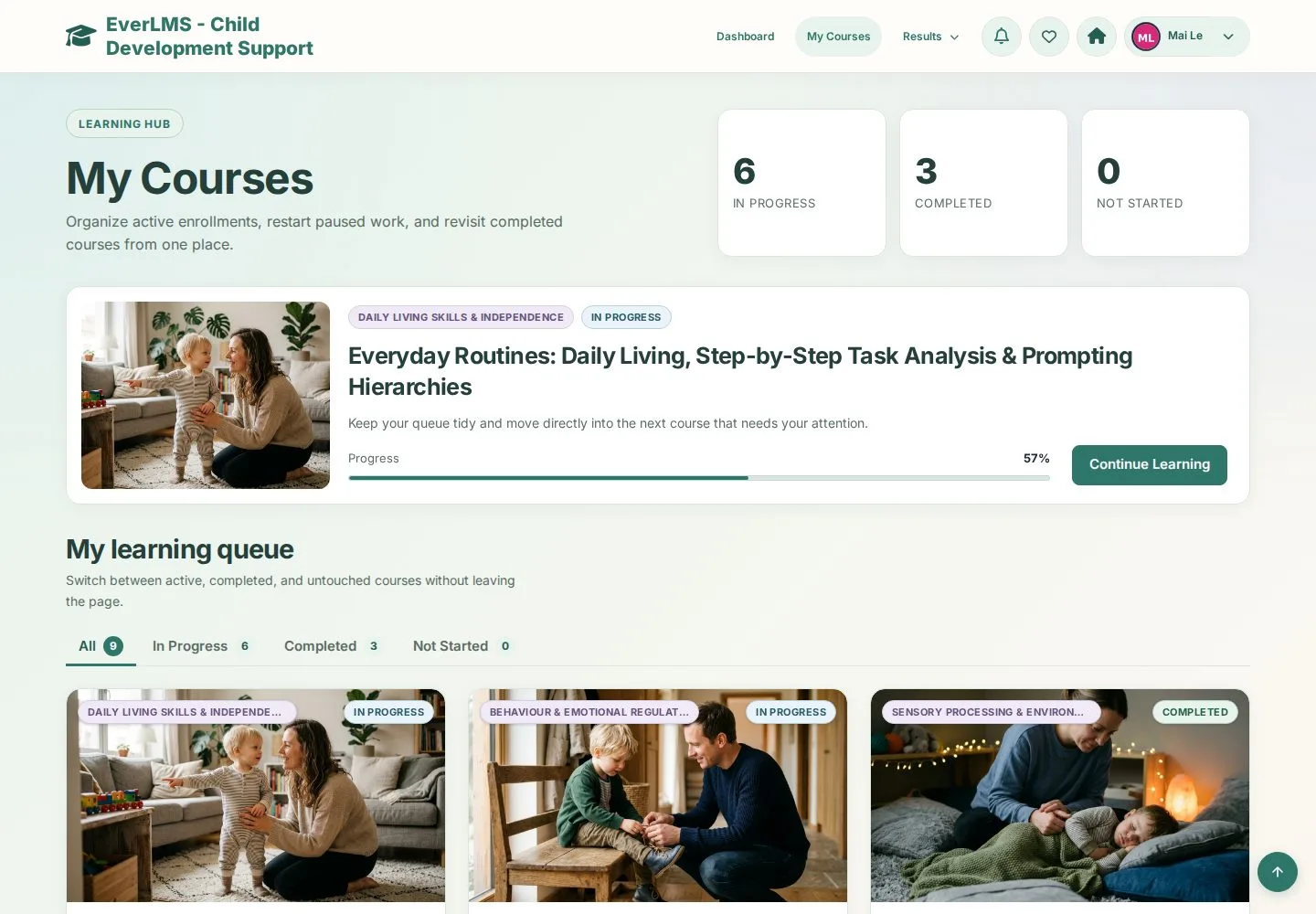
  1. Continue Learning on the course at the top
  2. My learning queue below

Enlarge, then scroll

Open illustrated screen ↗Full image ↗

Learner · Start or continue a course03

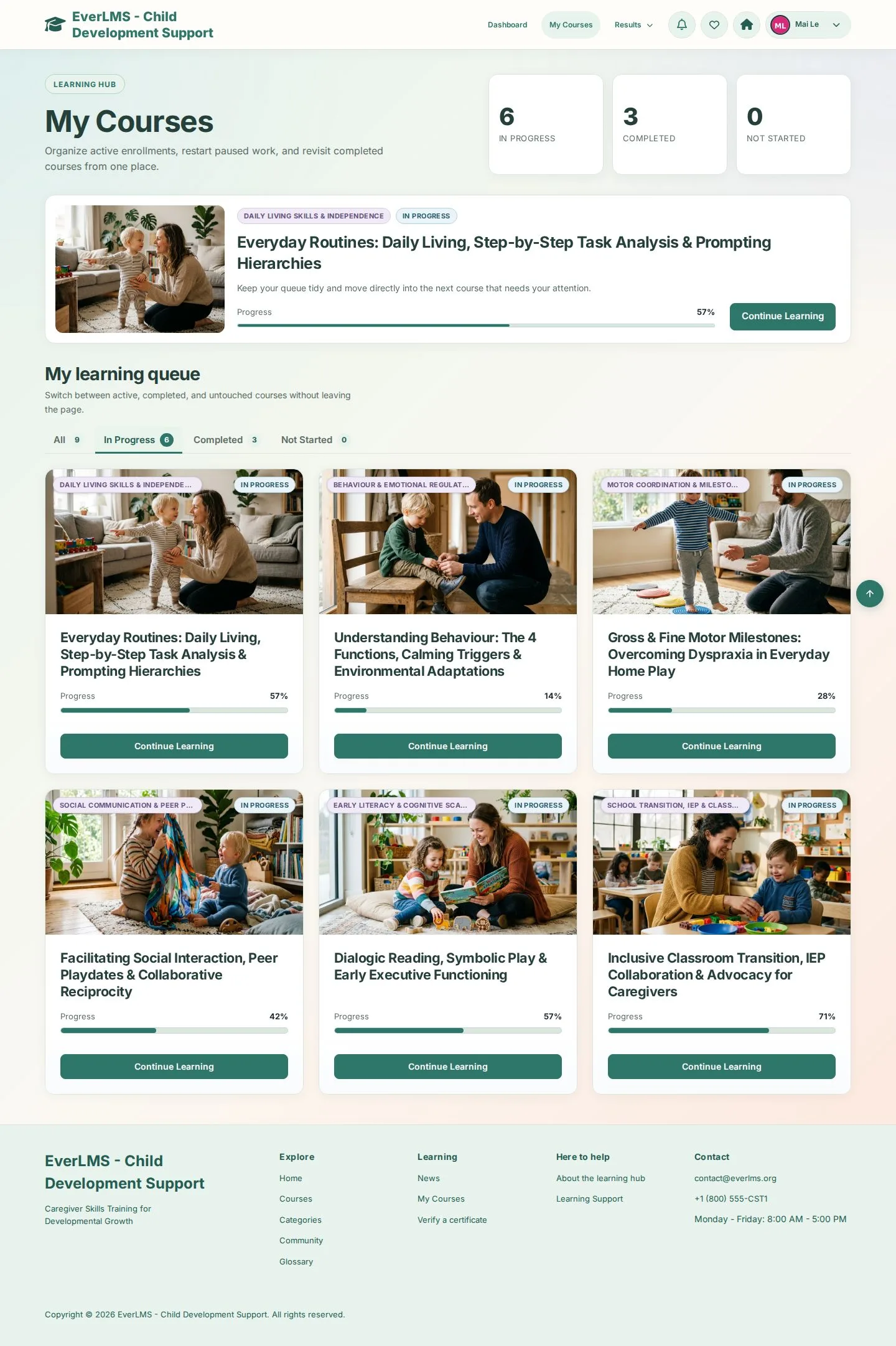
Filter your courses

Learner

Filter your courses

4Step 4 of 5

  1. All · In Progress · Completed · Not Started
  2. Continue Learning, or Review Course when it is completed

Enlarge, then scroll

Open illustrated screen ↗Full image ↗

Learner · Start or continue a course04

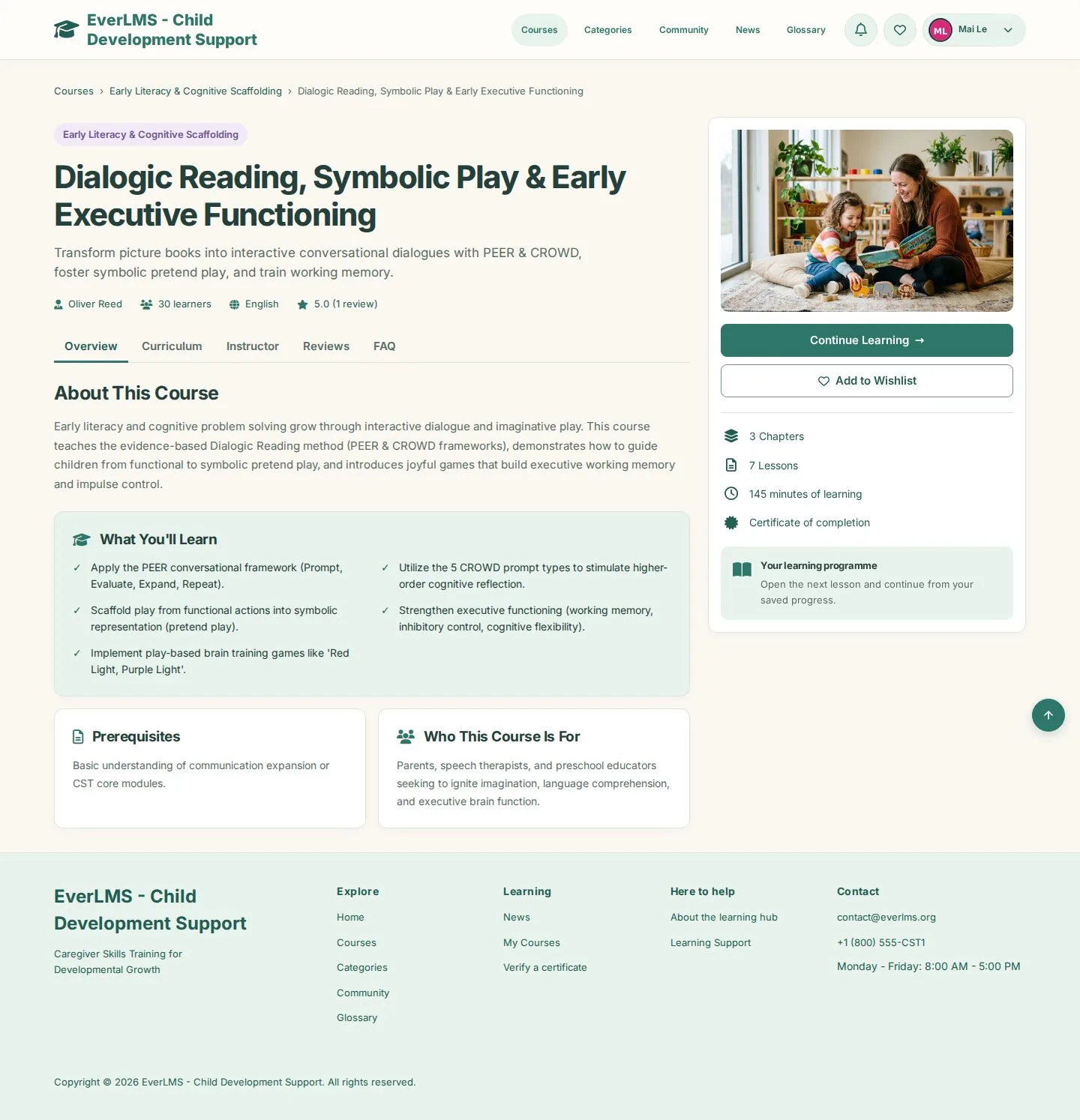
Course page while enrolled

Learner
Course page while enrolled

5Step 5 of 5

  1. Continue Learning
  2. Curriculum · Instructor · Reviews

Enlarge, then scroll

Open illustrated screen ↗Full image ↗

Check

The course is in My Courses and opens at the lesson where you stopped

Learner · Start or continue a course05
1 / 6
Privacy Terms