Keep notes and ask questions

My Notes · Attach a file · Q&A Discussion

  • Enrolled in the course
Learner

My Notes

Learner

My Notes

1Step 1 of 2

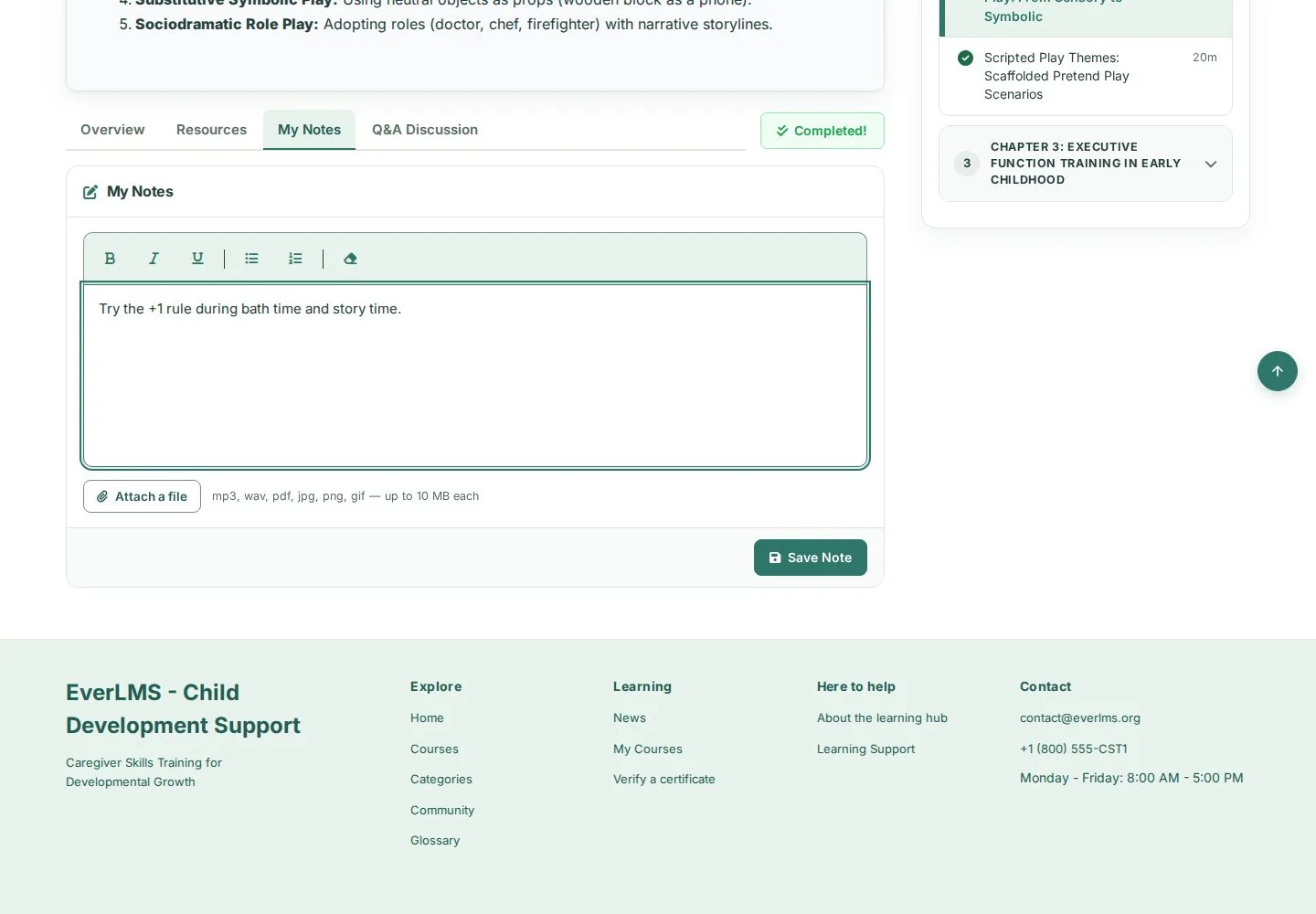
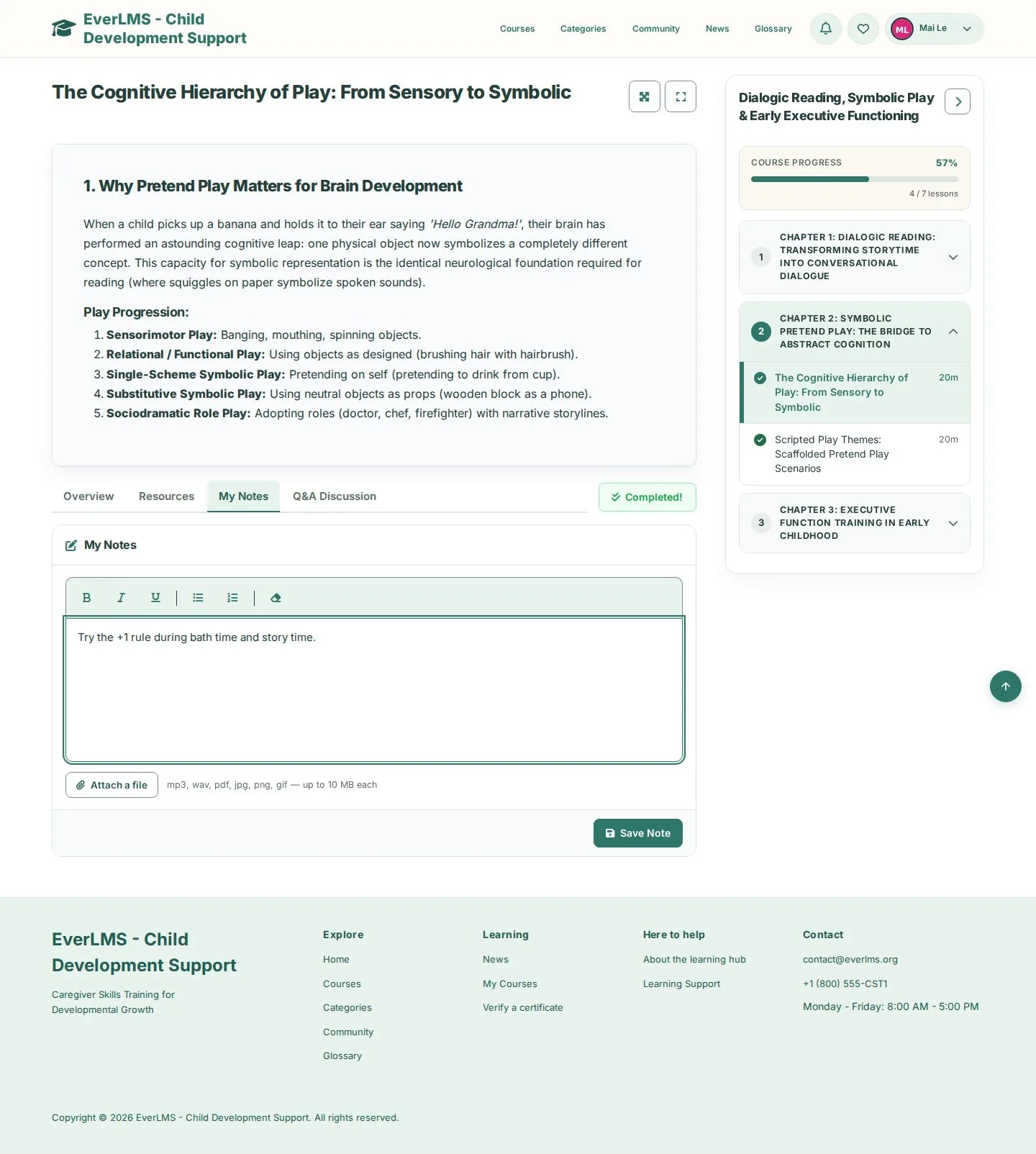
  1. My Notes tab
  2. Write your note; format it with the toolbar
  3. Attach a file · Save Note

Notes are private: only you see them, on the lesson and in My Notes.

Enlarge, then scroll

Open illustrated screen ↗Full image ↗

Learner · Keep notes and ask questions01

Q&A Discussion

Learner

Q&A Discussion

2Step 2 of 2

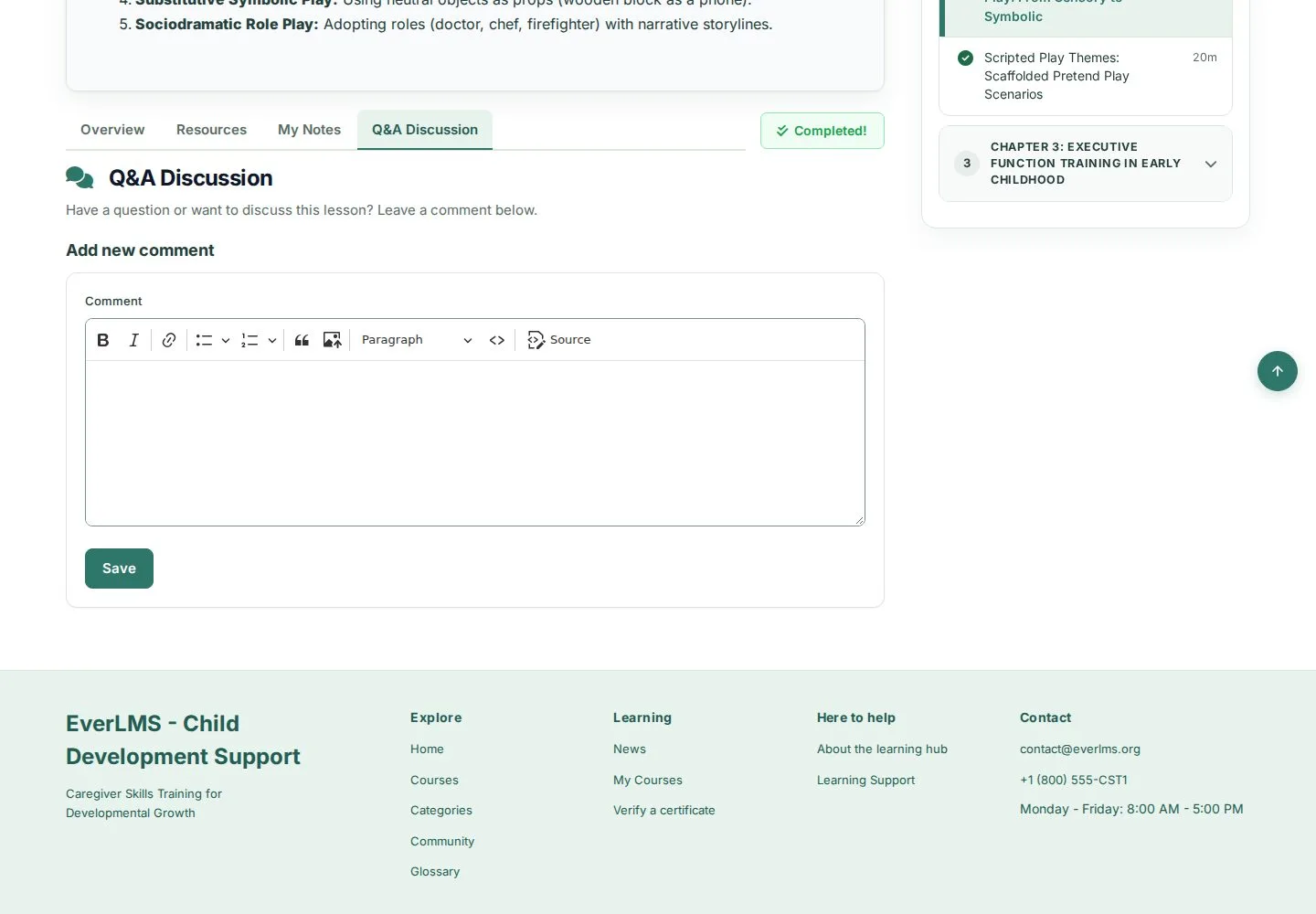
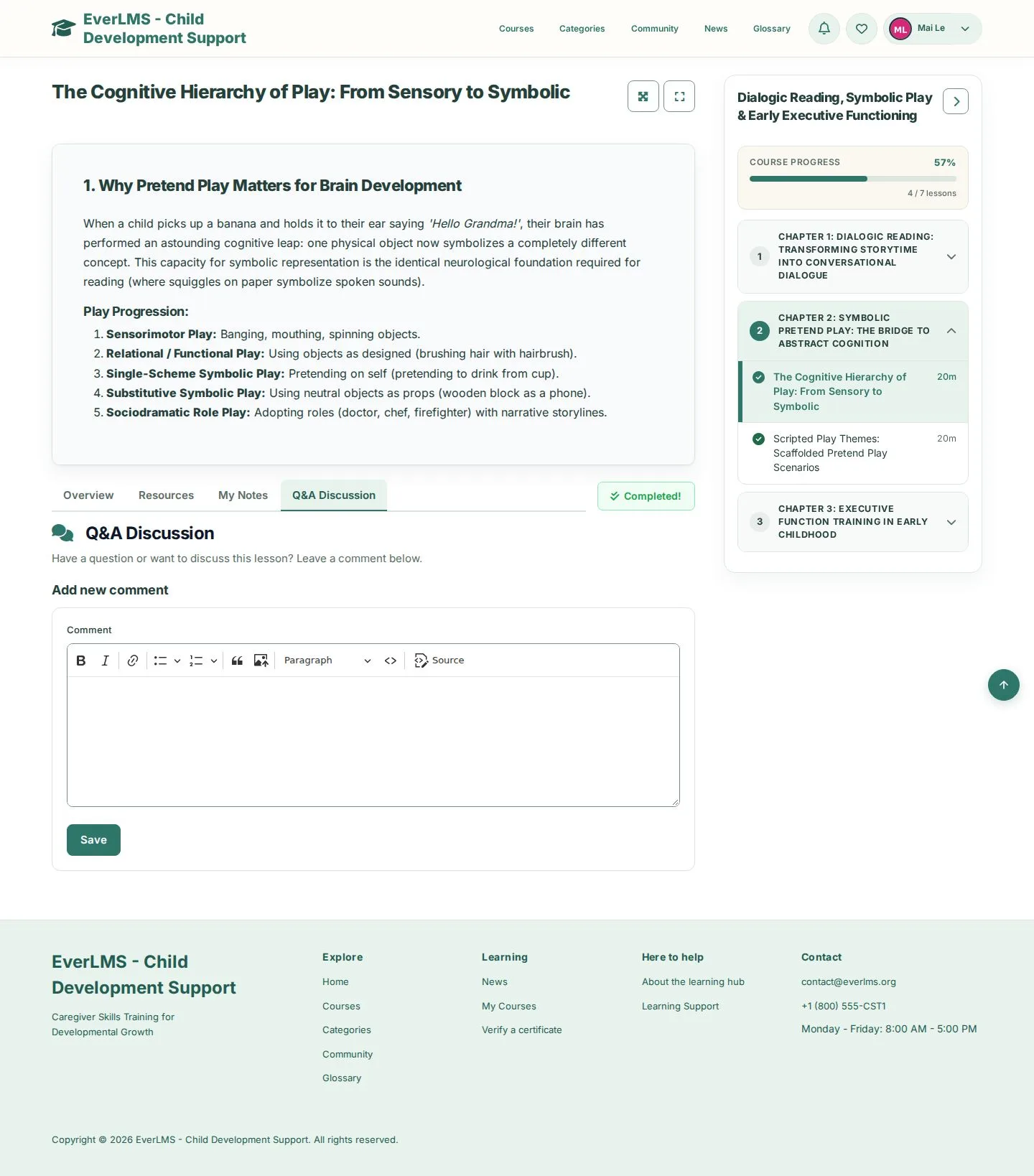
  1. Q&A Discussion tab
  2. Add new comment
  3. Save to post your question

Enlarge, then scroll

Open illustrated screen ↗Full image ↗

Check

Your note is saved with the lesson and your question appears in Q&A Discussion

Learner · Keep notes and ask questions02
1 / 3
Privacy Terms