Profile and notifications

Profile · Notification Preferences · Notifications

  • Signed in
Learner

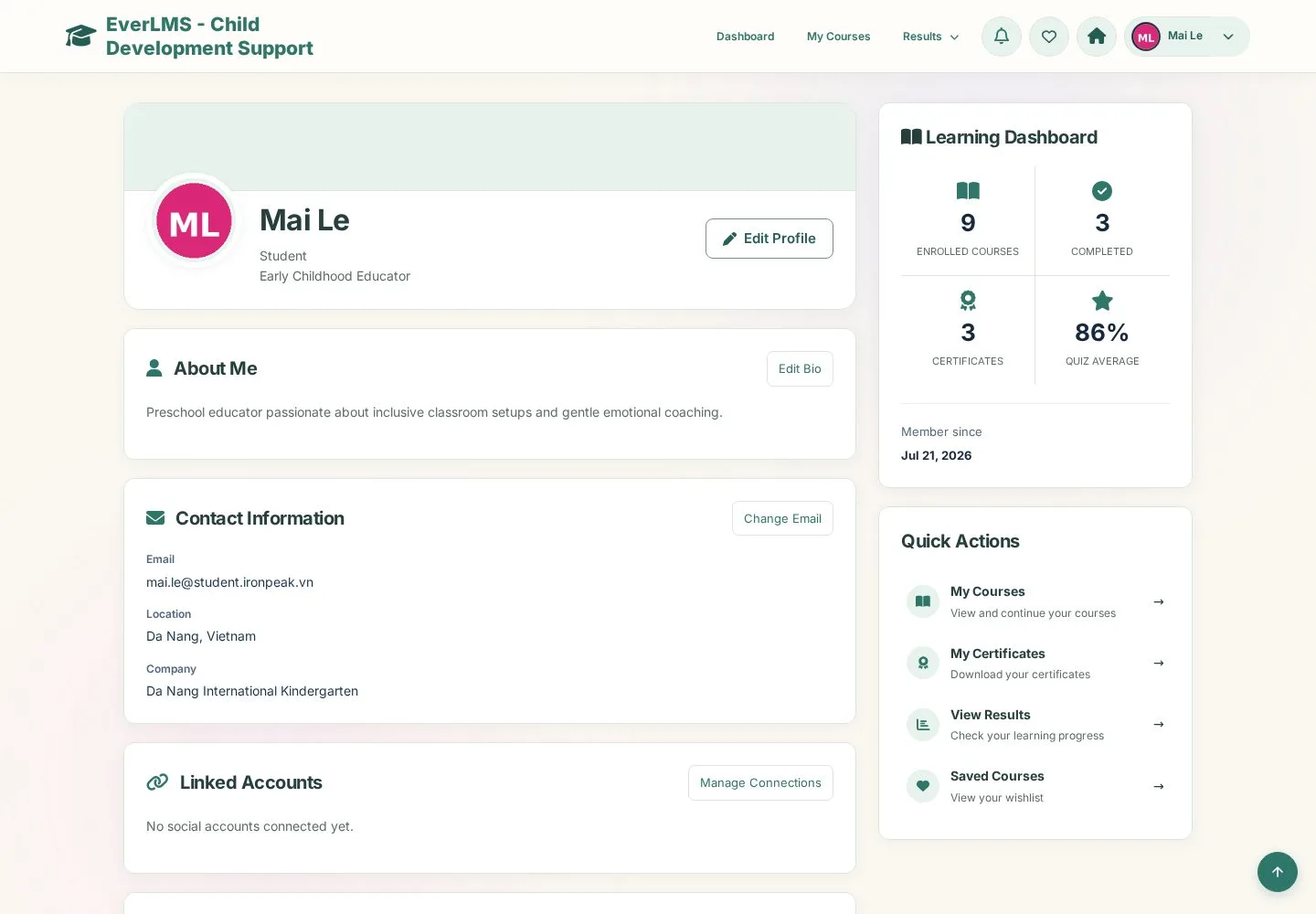
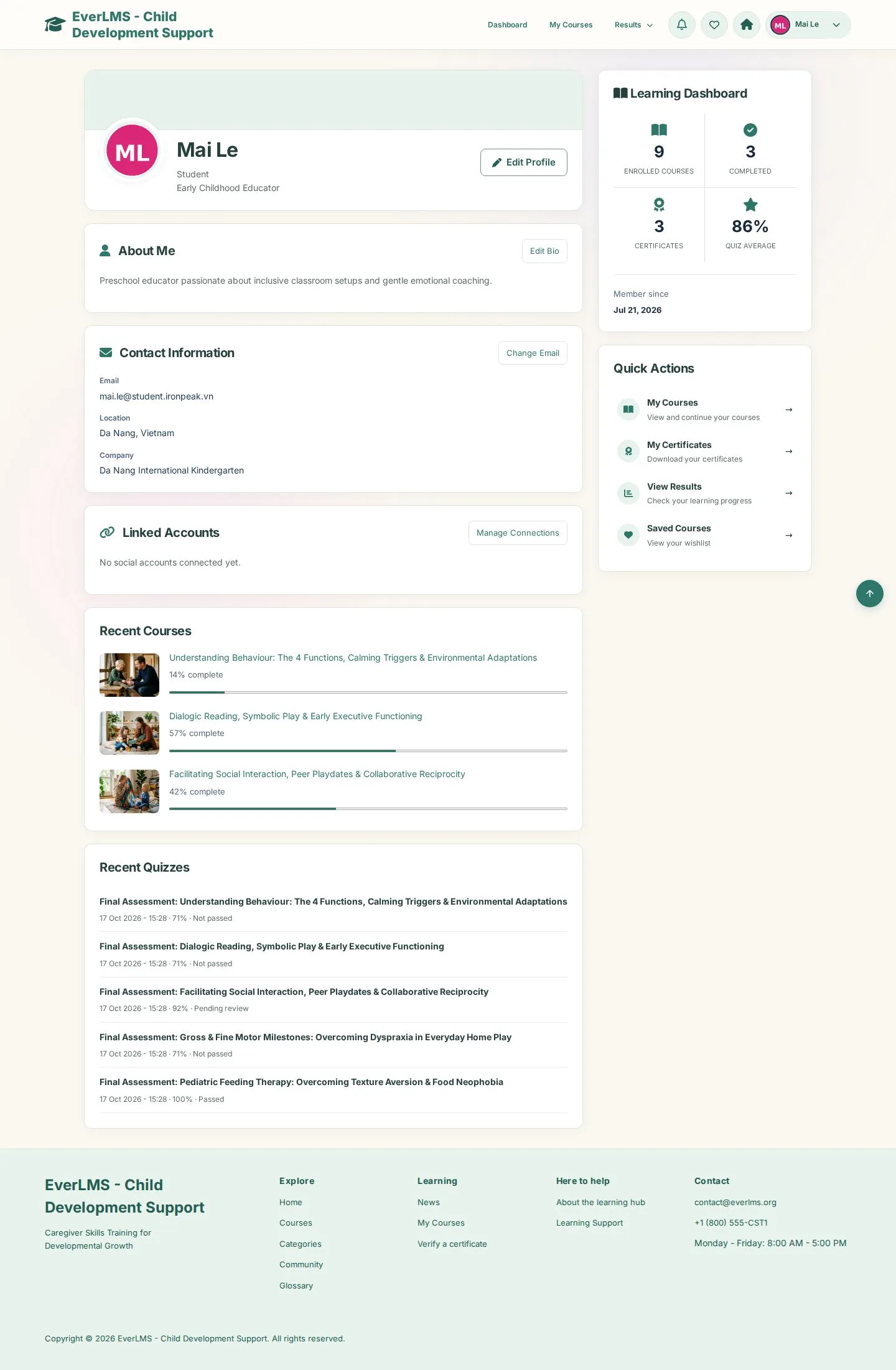
Your profile

Learner

Your profile

1Step 1 of 4

  1. Edit Profile · Edit Bio
  2. Recent Courses · Recent Quizzes
  3. Quick Actions

Enlarge, then scroll

Open illustrated screen ↗Full image ↗

Learner · Profile and notifications01

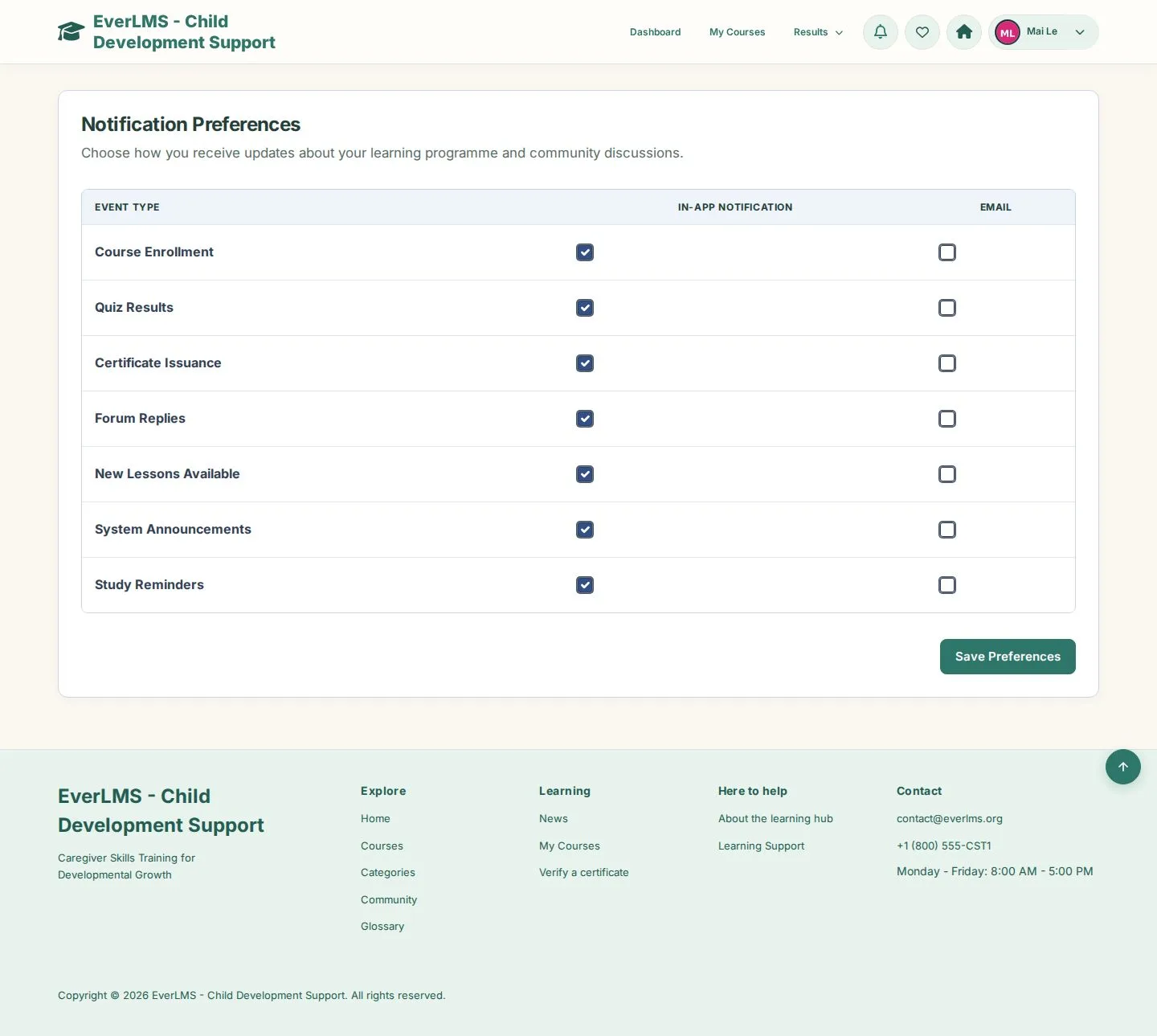
Notification Preferences

Learner

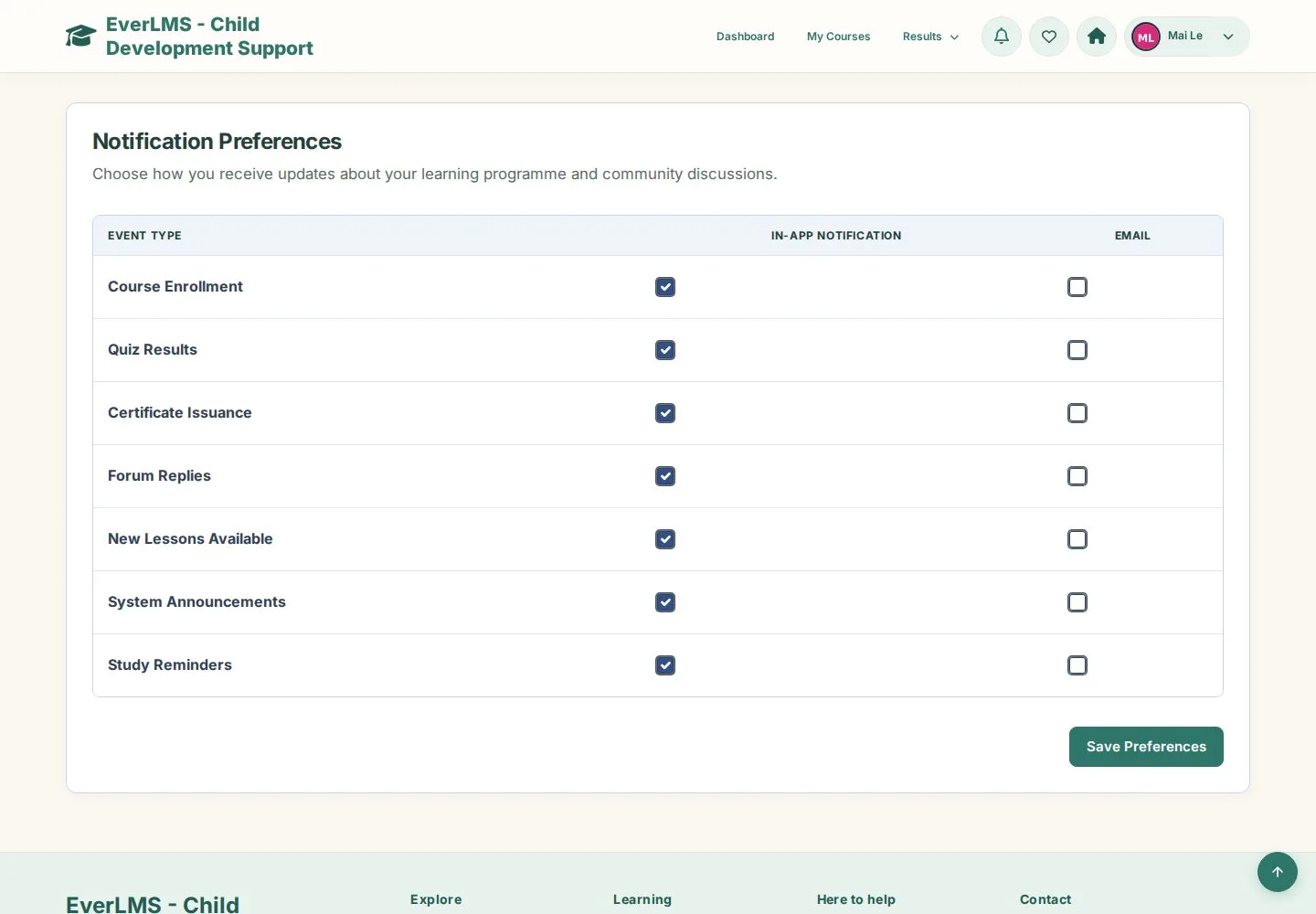
Notification Preferences

2Step 2 of 4

  1. In-App Notification and Email for each event type
  2. Save Preferences

Enlarge, then scroll

Open illustrated screen ↗Full image ↗

Learner · Profile and notifications02

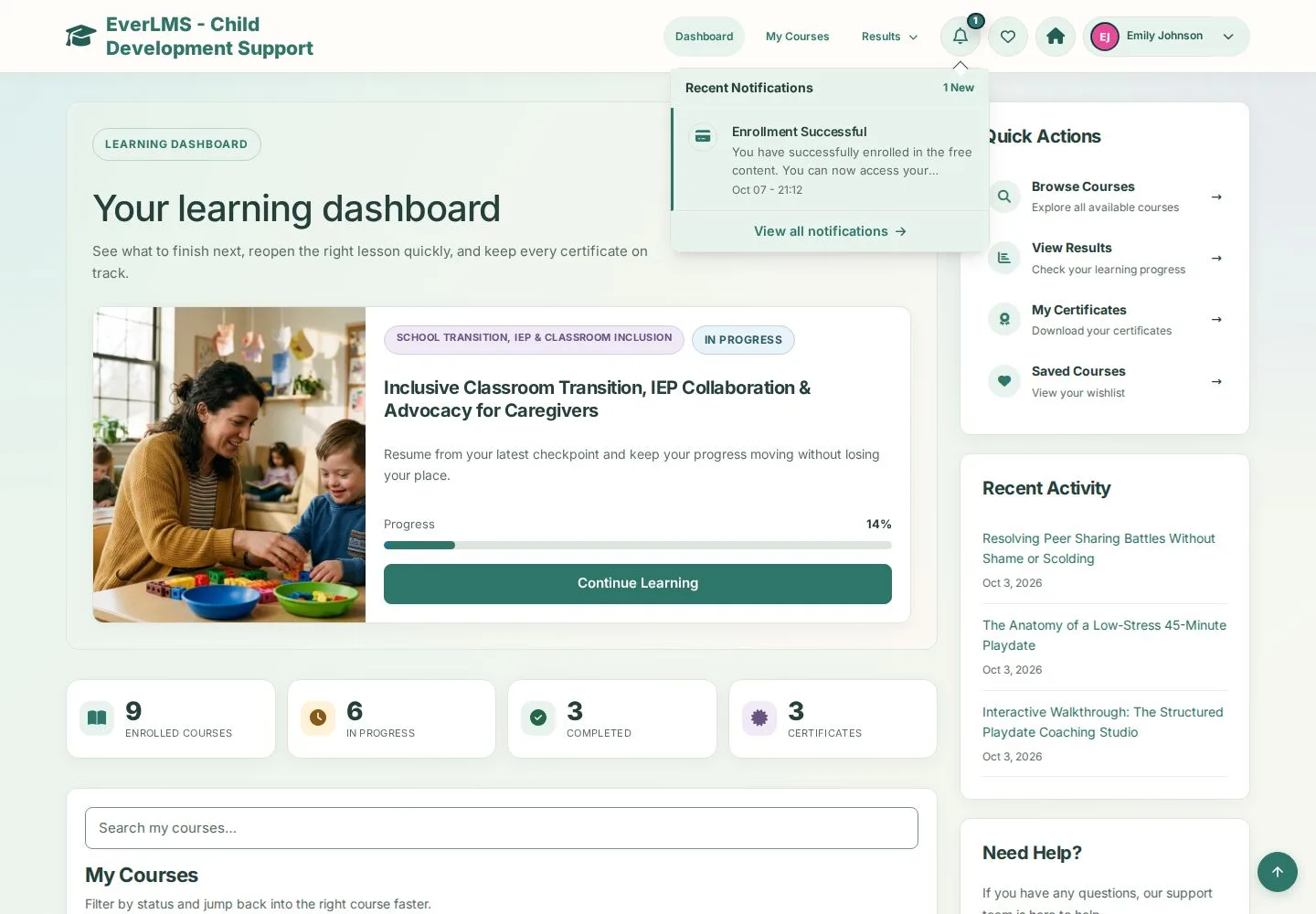
Notification bell

Learner

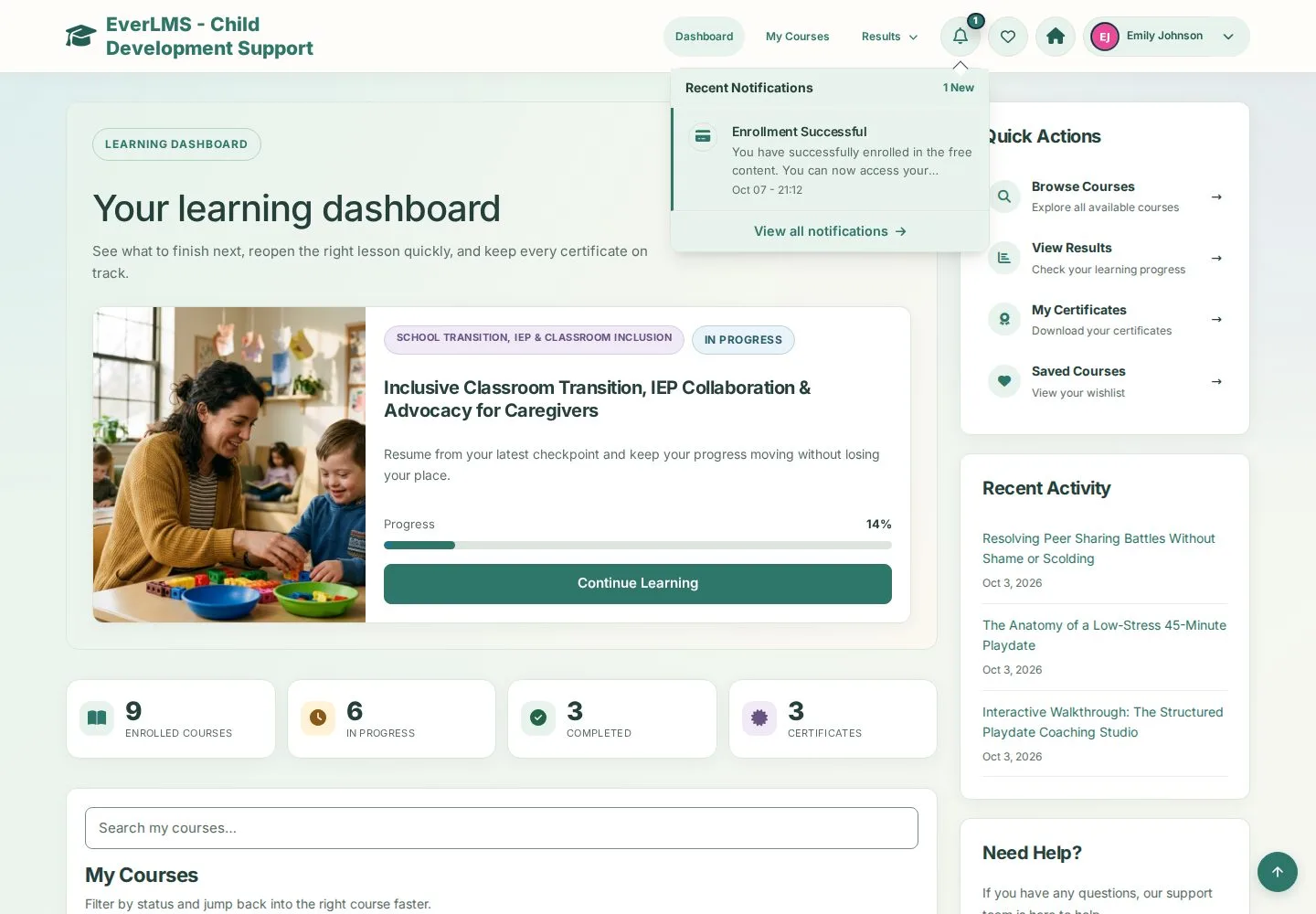
Notification bell

3Step 3 of 4

  1. Hover the bell
  2. Recent Notifications
  3. View all notifications

Open illustrated screen ↗Full image ↗

Learner · Profile and notifications03

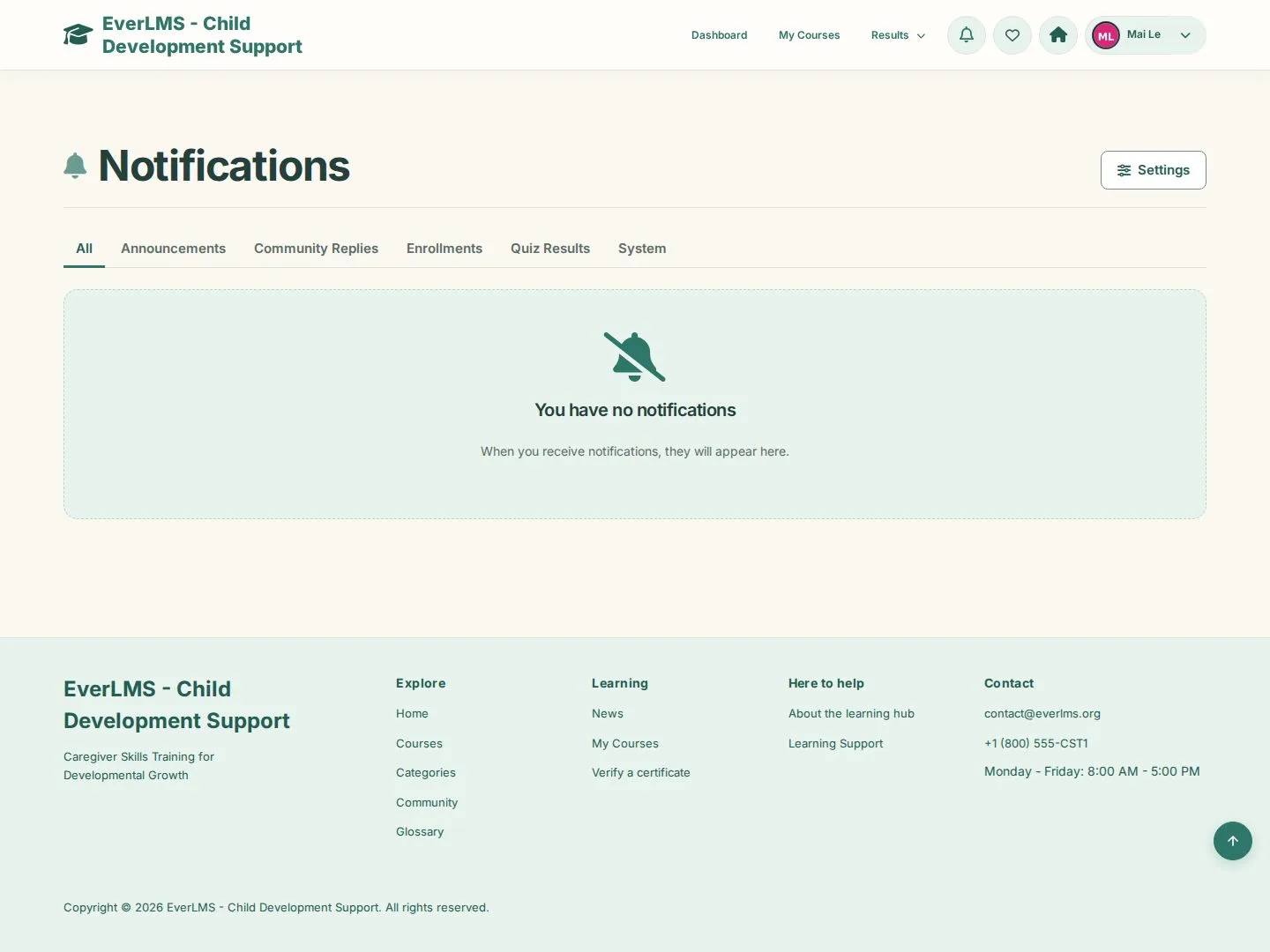
Notifications

Learner

Notifications

4Step 4 of 4

  1. All · Announcements · Community Replies · Enrollments · Quiz Results · System
  2. Settings

Enlarge, then scroll

Open illustrated screen ↗Full image ↗

Check

Your profile is up to date and you receive the notifications you chose

Learner · Profile and notifications04
1 / 5
Privacy Terms